






A one-sentence summary
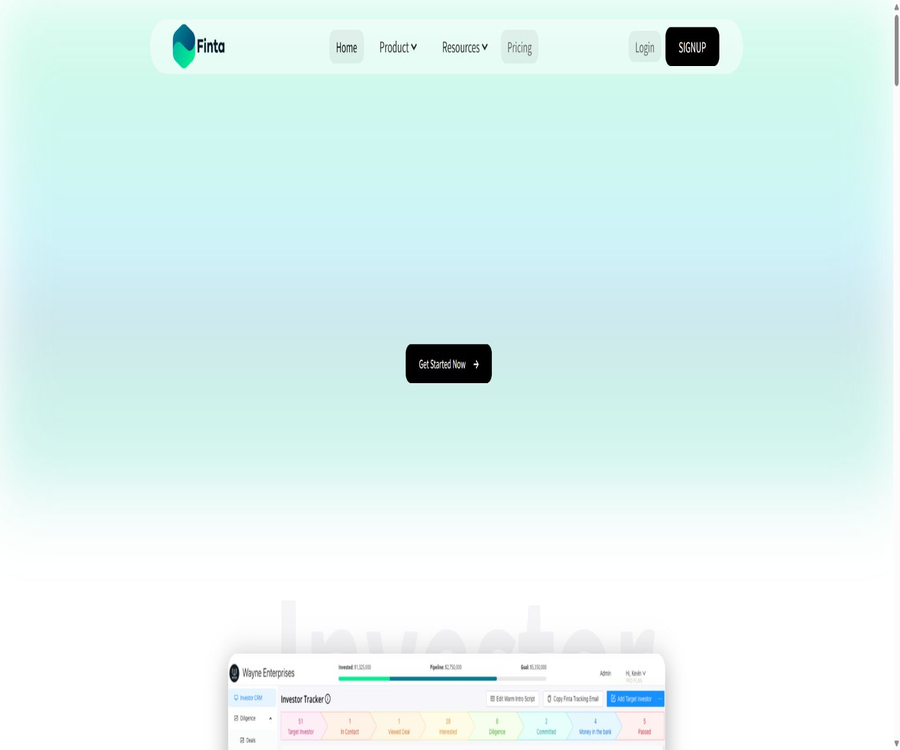
Finta 2.0 is a relationship-driven AI workspace; the private AI agent Aurora can integrate email, calendar, CRM, documents, tasks, and networking functions to identify key points, prepare for meetings, draft follow-up messages, and drive further action.
Tool Introduction
Finta is operated by the American company Finta Inc.; initially it focused on CRM and investor relationship management solutions, but it has since expanded its offerings to include areas such as financing, sales, partnerships, consulting, recruitment, and customer service. The pricing models based on seats for deals and Pro in the older versions are no longer in use today.
Aurora is not a regular chat box that operates in isolation from business data. It reads information from the Finta workspace, as well as from supported email accounts, calendars, and application contexts, within the scope of the user’s permissions; it also indicates in its responses which sources were consulted and which actions still need to be confirmed.
All current self-service packages include a complete workspace; the main difference lies in the number of Aurora points allocated per month. Activities such as research, drafting, contact information completion, file analysis, scheduled scanning, automation, and the use of more complex models all consume these points.
| Components | Main function | Suitable for tasks |
|---|---|---|
| Aurora | Research, summarize, draft, plan, and propose actions | Relationship-driven work |
| Today View | It provides a centralized display of meetings, signals, tasks, and priorities. | Daily action plan |
| CRM | Manage contacts, companies, opportunities, stages, and history | Financing, sales, and partnership channels |
| Shareable Pages | Combine documents and track access. | Trading room, proposals, and client materials |
| Documents | Save, search, share, and reuse files | Database and AI search |
| Networks | Draw relationships and identify referral paths. | Warm introduction and expansion |
| Automations | Execute email tasks, phase changes, and scheduled Aurora tasks | Repeated follow-ups and process management |
Main functions
Context-aware Aurora Chat
Users can attach contacts, transactions, and documents to conversations, allowing Aurora to analyze, summarize, and draft content based on the actual work environment. It supports chat history, model selection, voice input, image recognition, as well as multi-model SUPERCHAT.
Daily Priority View
Today View combines today’s meetings, key items in the inbox, tasks, pipeline status, reading suggestions, and recent conversations. It helps to prevent things from being overlooked, but the priorities set may still deviate from the team’s actual business decisions.
Email and calendar context
Finta supports connections to eligible Google and Microsoft email accounts and calendars, allowing users to identify tasks that require follow-up among unread emails, meetings, and CRM activities. The system can prepare draft emails for review, but it is clearly stated that these drafts are not sent automatically.
CRM and pipeline management
CRM supports contacts, companies, opportunities, stages, custom fields, tags, filtering, batch operations, as well as CSV import and export. Users can also create email templates with merged fields for different stages.
Relationship networks and helpful referrals
Networks allows the import of email contacts, the export of LinkedIn connections and investor data in CSV format; it can also calculate the strength of relationships, display relationship paths, and suggest potential matches. The algorithm’s scores serve only as a guide and cannot replace one’s own assessment of the quality of those relationships.
Meeting summary and follow-up draft
Aurora can review CRM records, email threads, calendars, and documents to identify changes, pending issues, and key points for upcoming meetings. When it comes to external communications or commitments, the system should wait for user confirmation.
Shareable Pages and Data Rooms
Users can create customized sharing pages by dragging and dropping elements; they can set the access level to public or require an email address for access, and they can view data on views, time spent on the page, and downloads. Watermarks, access controls, and automatic integration with CRM systems help in managing transaction-related materials.
Document and vector search
The document library supports folders, batch uploading, categorization, transaction association, vector indexing, and trackable sharing links. Confidential documents should be accessed through verification, and invalid links as well as the permissions of employees who have left the company should be removed regularly.
Automation and skills
The visual workflow supports sending emails, waiting, advancing stages, scheduling tasks in daily, weekly, or monthly intervals, skipping weekends, and exiting after receiving a response. Aurora Skills is used to store reusable instructions and team work methods.
Multi-model and SUPERCHAT
Aurora can make use of Claude, GPT, and Gemini, and it is also possible to use SUPERCHAT to combine the results of multiple models. Advanced and multi-model tasks require more credits, and the synthesized answers still need to be manually verified for accuracy.
Complete workflow
- Create a Finta workspace and invite members who truly need to share the relationship context.
- Connect to approved email, calendar, documents, and other apps.
- Import contact information, companies, opportunities, networks, and existing transaction data.
- Define pipeline stages, fields, signals, templates, approvals, and privacy boundaries.
- Let Aurora scan the available contexts and generate daily priorities, meeting summaries, or drafts.
- The user checks the channel, text, recipient, record modifications, and external commitments.
- After confirmation, carry out the supporting actions, or convert the suggestions into tasks and automate them.
- The team adjusts workflows through pipelines, interactions, and point usage.
Usage tutorial
Prepare for an important meeting
- Ensure that contact, company, and opportunity records are linked to the correct relationships.
- Link the email containing historical conversations with the corresponding calendar events.
- Add the latest proposals, ownership models, or meeting materials to the document library.
- Aurora is required to summarize the relationship history, recent changes, pending requests, and risks.
- Check the CRM, email, calendar, and document channels it actually references.
- Remove the unfounded assumptions and add three specific discussion questions.
- After the meeting, the decisions, responsible persons, and next steps are recorded in CRM and the task list.
Set up automated follow-up
- Define the target pipeline stages and the conditions for contacts that can be automated.
- Create an email template with merge fields, and have the team review the tone.
- Set the wait time, allowed sending periods, time zone, and skip weekends.
- Exit after receiving a response to the configuration, in order to avoid sending further inappropriate emails.
- When AI research or drafting is required, add an Aurora step and estimate the integral consumption.
- First, use internal addresses to test variables, stop conditions, and stage changes.
- After going live, monitor sends, replies, bounces, manual pauses, and complaints.
Connect to Aurora MCP
- Open the MCP connection settings in a compatible AI client.
- Add the remote Aurora MCP service provided by Finta.
- Log in to your Finta account and review the tools and data ranges requested by the client.
- Start with low-risk tasks such as reading contacts or listing pipelines.
- Clear confirmation is required for adding new contacts, changing stages, and performing external actions.
- Disconnect the connection when not in use, and regularly check the authorized clients.
Which users are it suitable for
- Entrepreneurs and financing teams: managing investor relationships, transaction documents, and the timeline for follow-ups.
- Sales team: Organizes opportunities, researches contacts, and drives the next steps in the sales pipeline.
- Partner team: Identifying relationship pathways, preparing meetings, and managing open requests.
- Consultants and professional service teams: Manage clients, solutions, documents, and provide ongoing follow-up.
- Funds and accelerators: Support multiple project teams and networks.
- Recruitment and Talent Team: Responsible for managing relationships with candidates and handling communication tasks, while adhering to fair recruitment practices.
- For those who use email and calendars frequently: let AI consolidate important alerts and tasks.
Typical use cases
- Prepare a briefing containing historical information and pending matters prior to the investors’ meeting.
- Identify potential investors who have not been followed up on for a long time but whose materials were reviewed recently.
- Save contacts from web pages or LinkedIn and find warm referral paths.
- Arrange phased follow-ups for sales, partnership, or consulting opportunities.
- Create transaction or plan pages with access control and browsing analytics.
- Scan the inbox, meetings, and CRM daily to generate a list of priority actions.
- Use MCP to enable compatible AI clients to read from or update Finta CRM.
Product advantages
- Put email, calendar, CRM, documents, tasks, and relationship networks in the same context.
- All self-service packages include a complete workspace, and no additional fee is charged for additional seats based on the number of members.
- Aurora will display the channels being used, the available tools, points, and the confirmation boundaries.
- It covers financing, sales, partnerships, consulting, and other relationship-based tasks simultaneously.
- It offers Chrome extensions, an iOS experience, MCP, and support for more than 30 different types of application connections.
- It supports Claude, GPT, Gemini, and multi-model synthesis, without relying on a single model.
- There is a public commitment not to use customer data for training models, and connection can be terminated at any time.
Usage restrictions and precautions
- The positioning of Finta 2.0 is significantly different from that of the older version of the CRM for financing; the old tutorials and pricing based on the number of seats may be outdated.
- A 7-day trial requires a credit card; failure to cancel before the deadline may result in an entry into a paid subscription period.
- There is no permanent free option; all AI tasks consume shared Aurora credits.
- The score is reset every month, with different amounts of usage for research, data completion, file analysis, scheduled tasks, and model reconstruction.
- Emails, calendars, CRM systems, and documents contain highly sensitive personal and business information, so the minimum required permissions should be used.
- Aurora may miss emails, misunderstand relationships, or make inappropriate follow-ups; important content must be reviewed.
- External sending, modification of sensitive records, and commitments require confirmation, but the team should still test each type of automation.
- Shareable Pages allow public access, and configuration errors may expose transaction or customer information.
- The strength of relationships and recommendations can be biased, and therefore should not be used as the sole basis for decisions regarding financing, hiring, or collaboration.
- Android apps are listed on the price comparison page, but the current integration page only offers an iOS testing experience; it is necessary to verify the actual availability of these apps.
- Chrome extensions process the content of the current website; before installing them, it is necessary to restrict the browser’s permissions and assess sensitive pages.
- MCP connections enable the execution of CRM actions; it is necessary to regularly review authorized clients and available tools.
Prices and packages
The prices listed below were verified on August 22, 2026, and are expressed in US dollars. All self-service packages are priced based on the workspace used, and they allow for an unlimited number of members; the differences lie mainly in the monthly amount of Aurora points shared and in the level of usage.
| Package | Monthly price | Monthly Aurora points | Core differences | Suitable for users |
|---|---|---|---|---|
| Launch | $ | 750 | Full workspace, lightweight Aurora usage | Individuals and teams that are just starting to build relationships |
| Pro | $ | 2500 | Advanced models: usage is more than 3 times that of Aurora. | An active team that conducts research and follows up on a weekly basis |
| Growth | $ | 5000 | Scheduled automation and background Aurora operation | Larger pipes and high-frequency workflows |
| Elite Advisory | Contact sales | Confirm by project | The team assists with setting up CRM systems, documents, research resources, and outreach activities. | Customers who need operational support on their behalf |
| Powered by Finta | Contact sales | Customized point pool | Bulk licensing, centralized billing, deployment, and partner support | Organizations that serve multiple teams or clients |
The trial period is 7 days and a credit card is required; during this time, the full workspace associated with the selected package as well as the corresponding points system are available. There is no permanent free tier. According to the official information, annual payment can save 10%, but the exact total cost for each annual payment plan is not indicated on this page – the amount should be based on the settlement page.
How are points consumed?
- Chatting, researching, managing contacts, and updating company information in Aurora all consume points.
- Sending emails, following up, creating summaries, and drafting work documents all consume points.
- File analysis, scheduled scanning, and automated operations consume points.
- Advanced models and SUPERCHAT multi-model tasks generally require more points.
- Core CRM, document, task, and workspace features are included in all plans.
- The points are reset on a monthly basis; it is possible to purchase additional points or upgrade packages.
Platforms and integration
| Platform or connection | Current status | Explanation |
|---|---|---|
| Web version | Support | Complete workspace and main entry point for Aurora |
| Gmail and Google Calendar | Support | It operates based on the permissions granted to the provider by the user. |
| Outlook and Microsoft Calendar | Support | Connect via a supported email address |
| Google Drive | Supports tool context | It does not mean that all document libraries are synchronized continuously. |
| Slack and other apps | Supports connection direction | The official website states that there are over 30 applications, with the specific functions varying depending on the tool used. |
| Chrome extensions | Support | Analyze web pages, save contacts, and find relationship paths |
| iOS | Provide a testing experience | Supports some email accounts, relationships, and pipeline tasks. |
| Android | The price list is displayed in the mobile app. | No clear store entrance was detected. |
| Aurora MCP | Support | It can be connected to compatible clients such as Claude, ChatGPT, and Cursor. |
| Zoom | The official website indicates the direction of the connection. | The specific workflow needs to be confirmed within the account. |
Chrome extensions
The Finta Chrome extension allows for the use of Aurora to analyze individuals, companies, and opportunities while browsing web pages, and it saves contacts in the CRM. It can also identify common connections and potential referral paths on LinkedIn pages.
| Project | Current information | Explanation |
|---|---|---|
| Developer | Finta Inc. | It is consistent with the entity responsible for operating the main product. |
| Version | 3.3.0 | Updated on August 17, 2026 |
| Number of users | 36 | The real-time values in the store change. |
| Rating | 5.0 / 5 | Only 3 ratings, the sample is very small |
| Language | English | The store does not list other languages. |
| Data type | Website content | Used for page analysis and CRM operations |
| Store statement | Not for sale and not to be used for unrelated purposes | It should still be evaluated in conjunction with a complete privacy policy. |
Privacy, Security, and Control
Finta makes it clear that the user context belongs to the user itself; model training is not carried out using customer data, and the connection can be terminated at any time. The platform also presents CASA Tier 2 verification, which indicates the security assessment status of cloud application connections.
- The range of data and actions depends on the account, organization, provider, permissions, and support workflows.
- The email account owner can control the visibility of CRM emails and determine whether the team is allowed to send emails on their behalf.
- Each user can be connected to a maximum of five active email addresses, although this is still subject to the terms of the plan and the provider.
- Foldering in the inbox allows for the creation of drafts that can be reviewed; they are not sent automatically.
- External emails, modifications to sensitive records, and actions involving commitments require explicit approval.
- The connection application only exposes the supported contexts and tools; it does not automatically copy all data.
- Publicly shared pages, email accounts, calendars, documents, and MCP permissions should be audited regularly.
- Even when the page detailing privacy settings is not displayed in its entirety, companies should still request information regarding data storage, deletion, subcontractors, and model services.
MCP, API, and open-source status
Aurora MCP enables compatible AI clients to access supported Finta CRM and relationship tools, allowing them to list contacts, find prospects, add new leads, or update their status. Connection requires logging in to Finta and granting authorization; the specific tools available depend on the account and permissions held.
MCP is the method used for integrating products, but it does not indicate that the Finta platform is open source. No public APIs, official language SDKs, or a complete open-source product repository released by Finta Inc. have been found; therefore, the platform should be classified as a commercial, closed-source product.
Basic information
| Project | Content |
|---|---|
| Tool name | Finta |
| AI agent | Aurora |
| Operating company | Finta Inc. |
| Tool type | AI relationship management, CRM, and workflow platforms |
| Primary users | Teams driven by financing, sales, collaboration, consulting, and relationships |
| Price pattern | 7-day trial, monthly billing, annual billing, and custom services |
| Free version | There is no permanent free tier. |
| Team members | There is no limit on the number of people for all self-service packages. |
| Chinese support | Not specified; Chrome extensions are only listed in English. |
| Main platforms | Web, Chrome, iOS, and MCP |
| MCP | Provide Aurora MCP |
| Public API | No findings were detected. |
| Official SDK | No findings were detected. |
| Is it open source? | No |
| Data training | The authorities have promised not to use user data to train models. |
Recommendation score
Recommendation score: 4.4 / 5. Finta 2.0 integrates relationships, inboxes, calendars, CRM, documents, automation, and multi-model AI in a comprehensive way; it allows for an unlimited number of members per workspace, which is ideal for collaborative teams.
The main limitations are the absence of a permanent free version, the fact that Aurora’s usage is governed by shared credits, and the need to connect to numerous sensitive contexts. Teams should start with read-only operations and low-risk actions, and only gradually grant access to email functions, record modifications, automation capabilities, and MCP permissions.
Frequently Asked Questions
Is Finta now just a CRM for financing?
No. Financing remains an important area, but Finta 2.0 has been expanded to cover sales, partnerships, consulting, recruitment, customer management, and other tasks that rely on relationships.
What can Aurora do?
It can conduct research, summarize information, draft documents, plan activities, prepare for meetings, identify items that require follow-up, and suggest actions to be taken. Its actual capabilities depend on connections, permissions, points, and the tools available.
Is Finta free?
There is no permanent free version. New users can try it out for 7 days, but a credit card is required; failure to cancel in time may result in charges after the trial period ends.
What are the differences between the three packages?
The core workspace is the same as that of unlimited members; the main difference lies in the monthly Aurora points: 750 for Launch, 2500 for Pro, and 5000 for Growth. The Growth tier is also suitable for scheduled background workflows.
Which models is Aurora compatible with?
Currently, Claude, GPT, and Gemini are supported; SUPERCHAT can also be used to combine the results of multiple models. The availability of these models and the associated cost vary depending on the task.
Will Finta send emails automatically?
Draft responses generated as a result of inbox categorization are not sent automatically. Automation can include sending steps, so teams still need to test the rules, permissions, and approval parameters.
Does Finta support multi-person teams?
Yes, all self-service packages allow for an unlimited number of members; the team shares the same Aurora points pool.
Is MCP supported?
It supports Aurora MCP, allowing connection to compatible clients such as Claude, ChatGPT, and Cursor, as well as access to CRM and relationship management tools within the authorized scope.
Is there a Chrome extension for Finta?
Yes. It allows for the analysis of the current webpage, saving contacts, viewing LinkedIn connections, and assisting with relationship research.
Is there a mobile app for Finta?
The official integration page offers an iOS testing experience. The pricing page also lists Android, but no clear link to the Android Store is available; the information regarding downloads should be based on what is shown in the account.
Will user data be used to train AI?
The authorities have explicitly promised that user data will not be used to train models. Companies should still verify further the service providers for model development, the duration for which data is stored, the procedures for deleting it, and the specific protocols for data processing.
Is Finta open source?
It is not open source. The use of MCP connections, Chrome extensions, and application integration does not mean that the platform is governed by an open source license.
Summary
Finta 2.0 is suitable for teams that rely on interpersonal relationships, emails, and continuous follow-up to achieve important results. Aurora enables the preparation of the next steps based on various dispersed sources of information, while CRM systems, documents, networks, and automation tools are responsible for driving those actions forward.
During deployment, it is necessary to determine in advance who can view what, who can send messages on behalf of others, which actions require confirmation, and how points should be allocated. High-risk external actions should be subject to manual approval, so as to improve efficiency while protecting relationships and data.
Tools similar to Finta





 Guigong Network Security Registration No. 45132202000164