






A one-sentence summary
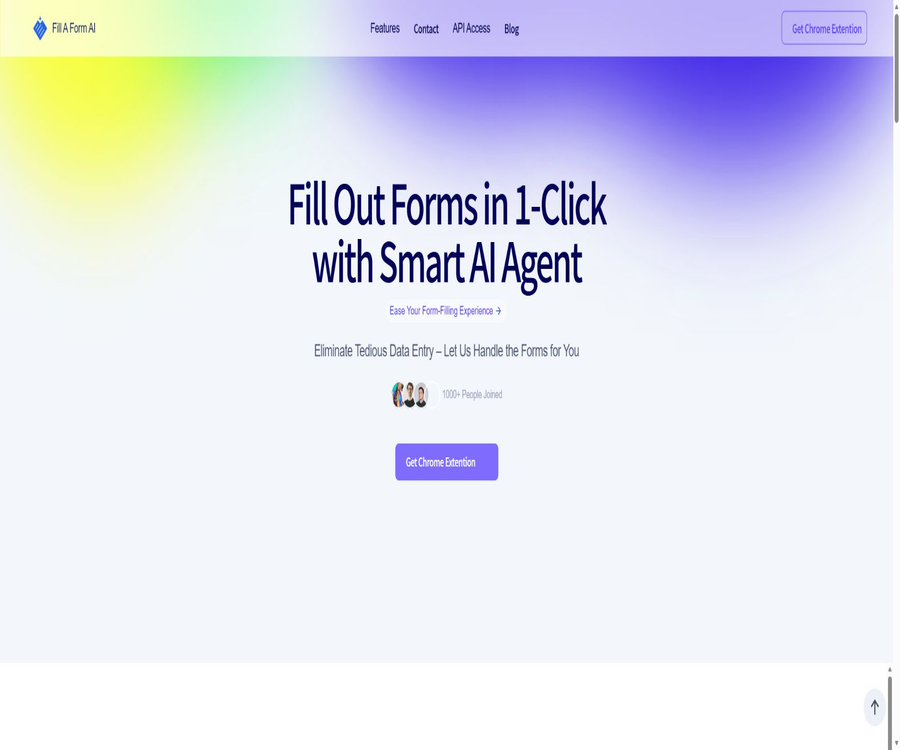
Fill A Form AI is a Chrome smart form-filling extension that can identify fields on web forms, and generate suggested answers based on past entries, user profiles, and a knowledge base.
Tool Introduction
Fill A Form AI is operated by the American company Daybook Labs Inc., and it is designed for individuals and teams who frequently need to fill out applications, surveys, product information forms, security assessments, and customer data forms. After installing the extension and saving their data, users can enter multiple fields with just one click on supported web pages.
The terms of service also describe the product as a platform for document data extraction and automation, capable of handling emails, images, Word documents, and PDF files. The official website provides information on team databases, integration with Google Sheets, and browser task interfaces; however, the completeness of the available documentation is limited.
| Components | Main function | Suitable for tasks |
|---|---|---|
| Chrome extensions | Detect web form fields and perform automatic filling. | Daily online forms |
| History study | Reuse previously submitted data | Repeated applications and registrations |
| Knowledge base | Find the corresponding answer in the user profile. | Questionnaires, RFPs, and security assessments |
| Database | Organize content by department, project, or customer. | The team reuses standard answers. |
| Integration with Google Sheets | Synchronize form data | Analysis, reporting, and batch management |
| Browser Task API | Fill out, submit, and retrieve results remotely | Programmatic browser automation |
Main functions
Automated recognition of web forms
The extension detects text boxes, dropdown options, and other common form controls, and attempts to determine the meaning of the fields. It is suitable for ordinary web forms with a clear structure, but captcha codes, complex editors, dynamic pop-ups, and special components may require manual handling.
Auto-fill based on historical records
Fill A Form AI can use data that has already been entered to answer similar questions in new forms. For information such as names, company descriptions, addresses, and common business-related queries, this approach helps to avoid repeated entry of data.
Search for answers in the knowledge base
The tool searches through the data or databases saved by the user to find the content that best matches the specified fields, rather than simply copying a fixed template. For complex issues, similar but incorrect answers may still be found; therefore it is necessary to verify each item carefully before submitting.
Suggestions for dynamic content
When a form requests explanations, project descriptions, or open-ended responses, AI can supplement the content based on the context. The text generated must be checked for accuracy, tone, length, and the scope of the commitments made; the content added by the model should not be considered as an acknowledgment by the user.
Multi-database management
- Save answers to sales, recruitment, legal, or security surveys by department.
- Classify different customers, products, or application materials by project.
- Avoid entering a customer’s confidential answers by mistake into another customer’s form.
- Centralize the updates for company addresses, certifications, and standard specifications.
- Set different usage limits for personal profiles and team profiles.
Team collaboration
The official website lists the shared database and real-time updates as team features, which facilitate multiple users in reusing the same answers. The public pages do not provide clear information regarding role permissions, approval history, and the ability to restore previous versions; it is therefore necessary to verify these aspects before purchasing a team plan.
Integration with Google Sheets
Form data can be synchronized with Google Sheets for summarization, analysis, and reporting. Before using it, it is necessary to check the synchronization direction, field mapping, handling of duplicate rows, and sharing permissions for the sheets.
Cross-device synchronization
The expanded page explains that it is possible to synchronize form data across multiple devices via authentication. This ease of synchronization means that the data leaves the local browser; sensitive information should not be uploaded when encryption and access controls are not clear.
Browser Task API
The API page claims to be able to automatically fill out and submit web forms, as well as take screenshots of the resulting output. At present, there are no publicly available details regarding the full endpoints, authentication procedures, error codes, rate limits, or SDK documentation; it is necessary to contact the team to obtain access information.
Supported inputs and tasks
| Input or task | Public support status | Precautions |
|---|---|---|
| Web form | Core support | Dynamic components and verification codes may fail. |
| Historical data entry | Support | Expired content should be removed regularly. |
| Knowledge base materials | Support | Isolation by customer or project is required. |
| The terms description can be extracted. | The public procedure guide is incomplete. | |
| Image | The terms description can be extracted. | The accuracy rate for recognition has not been made public. |
| Word document | The terms description can be extracted. | The limits on file size and format are not disclosed. |
| The terms description can be extracted. | It does not mean that the PDF form can be filled out directly. | |
| Screenshot of the results | API page support | Contact is required to obtain the interface. |
Working principle
- Users install Chrome extensions and create accounts.
- Organize common personal, company, or project information in a database.
- Open the webpage that requires filling out, and the extension will identify the fields and labels on that page.
- The system searches for matching answers in history, saved data, and knowledge bases.
- AI generates or completes content for open-ended questions and places the results in the corresponding fields.
- The user checks each fact, sensitive data, and option individually, and then submits the form manually.
- Synchronize the results to a table when needed, or save automated records via API.
Usage tutorial
Fill out the first form securely.
- Verify that the developer is Daybook Labs Inc. in the Chrome Web Store and install the extension.
- First, create a personal profile using test data that does not include identification cards, bank cards, or medical records.
- Open a low-risk test form to allow the extension to identify fields, but do not submit it immediately.
- Compare the automatically filled values with the original data item by item, and record any identification errors as well as expired fields.
- Correct the field names and standard answers in the database, then test again.
- Verify that the extension has not added other customers or project details to the current page.
- Before submission, disable the automatic filling of unnecessary sensitive fields and keep manual review.
Create a team standard answer database
- Create separate databases for customers, departments, or business types; do not mix all the data together.
- Record the person in charge, update time, and scope of application for each answer.
- Submit the marketing descriptions, legal commitments, and security certifications to the respective responsible persons for approval.
- In the test form, verify whether the answers correctly correspond to the fields representing different expressions.
- Set up regular reviews for staff changes, certificate expirations, and product updates.
- Access is revoked and unnecessary data is deleted when a member leaves or the project comes to an end.
Evaluate API automatic submission
- Contact the team to obtain the current API documentation, a trial environment, and instructions for data processing.
- Verify that the target website allows automatic filling out and submission, and that its terms of use are being complied with.
- Test field recognition, page changes, verification codes, and error messages in the sandbox.
- Separate the filling out from the final submission into two steps, and include a clear approval process before submission.
- Save the input summary, field results, screenshots, and task status for easy review.
- Implement idempotency and manual processing procedures for repeated submissions, timeouts, and page changes.
Which users are it suitable for
- Sales and pre-sales teams: Reuse the company overview, product capabilities, and standard responses for RFPs.
- Security and Compliance Team: Fill out the supplier security questionnaire, but the key statements must be approved.
- E-commerce operators: Enter product and seller information repeatedly on multiple platforms.
- Job seeker: Reduce the need to enter personal information repeatedly and conduct manual verification of each application.
- Project and funding applicant: Reuse of institutional information, project background, and common explanations.
- Customer Success Team: Quickly fill out tickets, account information, and recurring surveys.
- Automation developer: Executes form tasks via interfaces and saves the resulting screenshots.
Typical use cases
- Enter the supplier’s basic information and contact details repeatedly on different procurement platforms.
- Complete security, privacy, or compliance questionnaires that contain a large number of similar questions.
- Repeated organizational information in RFPs, government contract, or funding application submissions.
- Batch enter e-commerce product titles, descriptions, and specification fields.
- Fill out the event registration, education enrollment, and customer support forms.
- Fill in the fields on the web page via automated interfaces and save screenshots of the results.
Product advantages
- It works directly in the Chrome browser, without the need to copy fields into a separate messaging tool.
- At the same time, by making use of historical records and knowledge bases, it offers greater flexibility than the automatic filling features of standard browsers.
- It supports dynamic content suggestions for open-ended questions, not limited to names and addresses.
- Databases can be organized by project and customer, making them suitable for repetitive operations with different content.
- It offers features for team collaboration and table synchronization, facilitating the centralized management of standard answers.
- It provides a browser task interface and the capability to capture screenshots for programmed requests.
Usage restrictions and risks
- The Chrome extension version 0.8.0 has not seen any updates since November 2024, and its long-term maintenance status requires careful assessment.
- The current rating of this app store listing is 2.3 out of 14 possible ratings; it is necessary to verify it using a low-risk form before using it.
- Expansion involves handling personal identification information and website content, which requires high levels of data access rights.
- The terms of service permit the use of user data or documents for commercial data sales without the user’s consent, which represents a significant privacy risk.
- The Chrome Web Store claims that data is not sold to third parties, which is in clear contradiction with the provisions regarding commercial sales outlined in the terms of service.
- Job applications, medical records, banking information, loan details, and government forms contain highly sensitive data, and therefore should not be filled in or saved automatically.
- AI may choose the wrong answer, overlook certain conditions, or generate fabricated content; it is necessary to conduct a manual check before submitting it.
- Automatic submission may result in legal commitments, application records, or payments, and should not be left entirely to the model to decide.
- The price page on the official website contains duplicate packages, irrelevant FAQs, and unrelated recommendations; it is necessary to check the details of the purchase before making a decision.
- The fact that the three package buttons point to the same product for payment increases the risk of choosing the wrong option.
- The API only provides contact information; it does not disclose endpoints, stability, rate limits, or service levels.
- The terms of service state that payments are non-refundable; it is necessary to check the options for trial use and cancellation before subscribing.
Privacy and data processing
The privacy policy briefing collects names, email addresses, payment information, usage data, and uploaded content, and this data may be shared with service providers, government agencies, or acquirers. The data might be processed in the United States as well as in the countries where the servers are located.
- Data is retained as long as the account is active or as long as services are needed; there is no fixed, publicly specified deadline.
- Users can request access, correction, deletion, restriction, transfer, or objection to processing.
- To cancel an account or request to stop using the data, you need to contact support.
- Data from inactive, canceled, or free accounts may be deleted without prior notice.
- Enterprise users need to ensure that they have the authority to provide the data of their employees, customers, or applicants to the platform for processing.
- The DPA stipulates that the service provider, in its role as processor, must act in accordance with the client’s instructions and delete or return the data once the service is completed.
- The terms also grant the platform broad, sublicensable, and transferable licenses to use user-generated content.
- The terms also state that the data or documents may be used for commercial sales, unless the user opts out explicitly.
It is not recommended to upload identification documents, medical information, financial data, customer confidential details, unpublished security architectures, or any content subject to confidentiality agreements, until the privacy policy, the statements on the extension store, and the terms of service have been clearly clarified.
Prices and packages
The prices listed below were verified on August 22, 2026, and are expressed in US dollars. The pricing page shows only the monthly price; although the terms mention monthly, annual, and custom subscription options, the amount for an annual subscription is not specified.
| Package | Monthly price | Members | Monthly API calls | Storage | AI Models tag | Support |
|---|---|---|---|---|---|---|
| Starter | $ | Individuals | 1000 times | 500MB | 5th of the month | |
| Pro | $ | 2 to 10 people | 10,000 times | 1GB | 15/month | Chatting |
| Team | $ | 10 people or more | 100,000 times | 5GB | 25/month | Phone |
| Annual payment | Not disclosed | According to the plan | Not disclosed | Not disclosed | Not disclosed | Contact for confirmation is required. |
| Customization | Contact the team | Customization | Customization | Customization | Customization | Customization |
The “AI Models” label does not indicate whether it refers to the number of models, the number of times they are used, or some other metric; it is therefore impossible to deduce this information on one’s own. There are also discrepancies between the information displayed on the settlement page and that on the official website. Before making a payment, it is necessary to confirm the name of the package purchased, the number of licenses included, the available quota, the renewal period, and the conditions for refunds.
Platform and additional information
| Project | Current information | Explanation |
|---|---|---|
| Main platforms | Chrome extensions | Used for web form in desktop browsers |
| Extended version | 0.8.0 | Updated on November 28, 2024 |
| Expand users | About 1000 | The app store displays possible changes in real time. |
| Extended scoring | 2.3 / 5 | 14 ratings |
| Language | English | The app store lists only in English. |
| Mobile version | No native applications were found. | It should not be assumed that the phone supports it. |
| API | There is a connection entrance. | No public, complete development documentation available. |
| Google Sheets | The official website lists it as integrated. | The specific permissions and synchronization rules are not made public. |
APIs, GitHub, and open source status
Fill A Form AI offers an interface for seeking guidance on browser automation APIs; its documentation covers tasks such as filling out and submitting web forms as well as capturing the resulting page. However, there is no available complete reference document for these APIs, no official SDK, no code examples, and no page showing the status of calls.
As of the time of verification, no official GitHub repository for the product was found, neither one provided by Daybook Labs Inc. nor one provided by Fill A Form AI. The product and the Chrome extension should be classified as commercial, closed-source products; automated form filling tools with the same name available on the Internet cannot be considered as the official source code.
Basic information
| Project | Content |
|---|---|
| Tool name | Fill A Form AI |
| Operating entity | Daybook Labs Inc. |
| Company type | Class C company in Delaware, United States |
| Tool type | AI-powered automatic form filling and browser automation |
| Main platforms | Chrome extensions |
| Price pattern | Monthly subscription; the terms mention annual payment and customization |
| Free trial | The official website states that it is free to start, but the information in the FAQ is invalid; the specific rules cannot be determined. |
| Is registration required? | Some functions and synchronization are required. |
| Chinese support | Not confirmed; the extended store lists only English. |
| API | A contact point is provided; no complete public documentation is available. |
| Official SDK | No findings were detected. |
| Is it open source? | No |
| Privacy risks | The terms include provisions for the commercial sale of user data and mechanisms for exiting such arrangements. |
| Refund | The terms state that no refunds will be given for any payments. |
Recommendation score
Recommendation score: 2.5 / 5. Fill A Form AI addresses the real challenges associated with filling out forms on repetitive web pages, and it offers a range of useful features such as historical data tracking, a knowledge base, team-related information, and automated interfaces.
However, its expansion features have not been updated for a long time, it has a low rating, and the quality of its pricing page is poor; in addition, the statements regarding data commercialization in the terms of service are inconsistent with those in the app store. It is recommended to use it only for trial purposes with non-sensitive data, and it should not be used for handling medical, financial, government-related, or customer-sensitive forms.
Frequently Asked Questions
What does Fill A Form AI do?
It is a Chrome form-filling tool that uses historical data, user profiles, and a knowledge base to identify fields on web pages and generate answers.
Can it submit forms automatically?
The API page mentions filling in and submitting data, while the main selling point of this extension is the ability to fill in the fields with one click. For forms with high risk, manual submission should always be reserved for human intervention.
Is PDF form support available?
The documentation states that it is possible to extract and automate data from documents such as PDFs, but there is not enough evidence to show that it can directly edit all PDF forms; its core function remains automatic filling of web forms.
Is Fill A Form AI free?
The official website states that a free trial is available, but the FAQ related to this free trial contains irrelevant information and does not clearly specify the duration or volume limits. The paid plans start at $19 per month.
What are the packages available?
The Starter plan costs $19 per month, the Pro plan costs $29 per month, and the Team plan costs $49 per month. Each of these plans offers different numbers of users, API calls, storage capacity, and levels of support.
Can it be used for job applications?
It can help reduce the need for repeated entries, but it is necessary to verify each item separately regarding the resume, personal details, salary, and qualifications. Do not allow tools to create fake work experience, nor save sensitive documents without first reviewing the privacy policies.
Will the data be sold?
The terms of service state that user data or documents may be used for the sale of commercial data, unless the user opts out voluntarily; meanwhile, the app store claims that such data will not be sold for purposes other than those approved. There is a conflict between these statements, and it is necessary to request written clarification before using the service and to opt out voluntarily.
Can the data be deleted?
The privacy policy allows users to contact support to request deletion. The platform also retains the right to delete data related to inactive, canceled, or free accounts without prior notice.
Are APIs provided?
A contact point is provided for inquiries regarding the automation of web form filling, submission, and screenshotting. At present, no complete endpoints, SDKs, rate limits, or details on service levels are available publicly.
Is Fill A Form AI open source?
No. No official GitHub repository for the product or an open-source license has been found.
Why is it necessary to check carefully before making a purchase?
The price page contains issues such as duplicate content, irrelevant FAQs, unrelated recommendations, and inconsistent package settlement links. Before making a payment, it is necessary to verify the actual products, seats, quotas, renewal terms, and the no-refund policy.
Summary
Fill A Form AI allows historical data and knowledge bases to be used directly in web form fields; it is suitable for online forms that involve low risk and high repetition. Team databases and browser task APIs further enhance the possibilities for automation.
The greater issue at present is not the functionality, but rather the reliability of data usage, maintenance, and information related to purchases. It is recommended to use only test data to verify performance, to refrain from using data for commercial purposes, and to avoid uploading sensitive or confidential content until any conflicts in the terms are clearly explained.
Tools similar to Fill A Form AI





 Guigong Network Security Registration No. 45132202000164