






A one-sentence summary
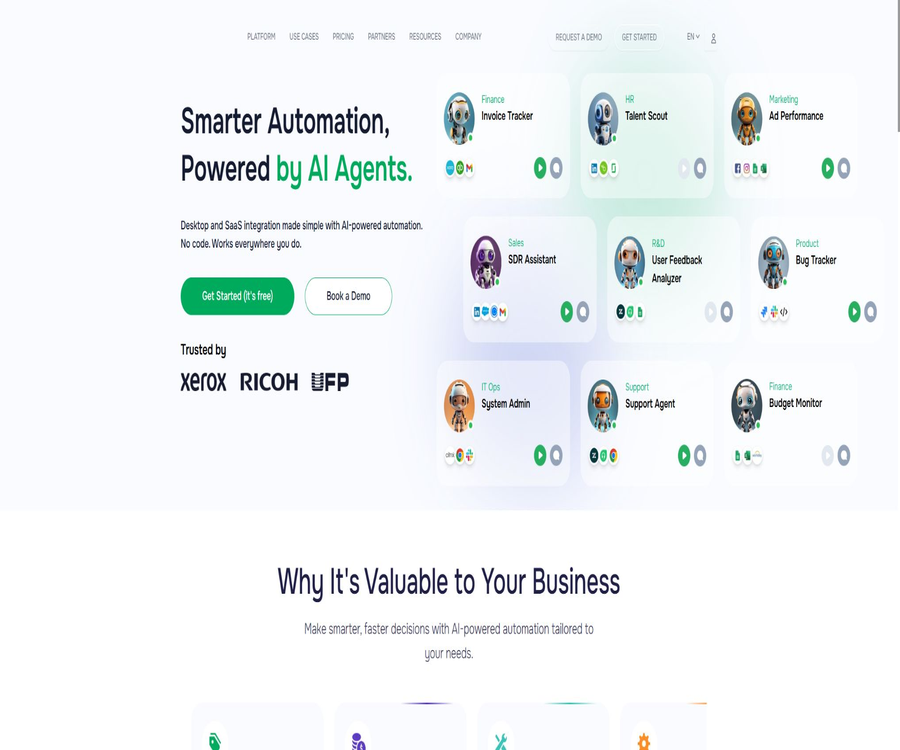
ElectroNeek is an intelligent automation platform designed for enterprises and hosting service providers; it enables the combination of AI Agents, SaaS applications, desktop RPA robots, intelligent document processing tools, forms, manual approval processes, and system interfaces within code-free workflows.
Tool Introduction
ElectroNeek’s product range has expanded from traditional RPA to include AI Agent Management, Document Intelligence, and RPA Bot Orchestration. Users can use cloud-based workflow solutions to handle application events, and when necessary, they can invoke local robots, document processing workflows, or manual tasks.
The platform primarily serves organizations that have needs related to continuous processes, permission management, and production operations; it also offers capabilities for partnerships and reselling. It is not a personal automation tool that can operate all business processes safely just by using a single command – for proper deployment, process analysis, credential management, testing, and monitoring are required.
Product module
| module | Core components | Main function | Operation location |
|---|---|---|---|
| AI Agent Management | AI Workflows, Agents, Forms, Tasks, and Connections | Connecting AI, SaaS, manual input, RPA, and document processing | Browser and cloud |
| Document Intelligence | IntelliDocs and Document Streams | Identify, classify, extract, normalize, and validate document data | Cloud services that can be invoked by workflows and APIs |
| RPA Bot Orchestration | Studio Pro, Bot Runner, and Orchestrator | Develop, execute, schedule, and monitor desktop and web bots | Windows execution tier with orchestration in the cloud or on-premises |
| Business Hub | Marketing, sales, and human resources content | Assist hosting service providers in developing automated business processes. | User portal |
| Service Hub | Support center, community, and AI support | Product learning, issue resolution, and experience sharing | Online portal |
| Reselling | Trial allocation and customer management | Have partners deliver the products to end customers. | Partner Portal |
Main functions
Code-free AI workflows
AI Workflows make use of a visual editor in the browser, and are composed of triggers and subsequent actions. A workflow can incorporate application events, AI Agents, document flows, RPA robots, conditions, loops, and manual input.
Customizable AI Agent
Users can create AI Agents with tool capabilities within workflows, which are used for generating, classifying, summarizing, extracting information, searching, and invoking application actions. The outputs of these Agents may be uncertain; therefore, rules-based validation and human approval should be applied to high-risk operations.
Built-in AI service provider key
The platform supports centralized configuration of OpenAI, Anthropic, Google Gemini, Azure OpenAI, OpenRouter, Cloudflare AI Gateway, as well as compatible interfaces. Users are responsible for creating the keys for these services, and the cost associated with invoking models typically needs to be considered separately from the ElectroNeek licensing costs.
SaaS connectors and triggers
Workflows can respond to events from applications such as Gmail, Google Sheets, Google Calendar, Slack, Notion, Zoho, Outlook, and OneDrive; they also support scheduled tasks, Webhooks, email servers, file transfers, and manual input.
The official website, basic documentation, and updates for 2026 contain respectively over 150, over 500, and over 580 different integration options; these variations may be due to differences in the scope of what is displayed and in the timing of updates. When making a selection, it is necessary to check the desired connectors, triggers, and actions within one’s own tenant account.
Forms, chat, and manual approval
Form Builder allows the creation of forms that can be used publicly or within a team, while Tasks serve as a manual to-do list. Approval processes can be initiated through Slack, Teams, Gmail, or Outlook, enabling pauses at key stages of the workflow.
Desktop and web RPA
Studio Pro allows robots to be created using a drag-and-drop approach; it can simulate mouse and keyboard operations, as well as the use of web browsers, desktop applications, Excel, files, email, and databases. Workflows can be exported as NEEX files for execution by Bot Runner, or they can be published to Orchestrator for scheduling.
Robot scheduling and orchestration
Orchestrator is used for publishing, starting, queuing, monitoring, and managing robots; it can be utilized in SaaS solutions or on-premises enterprise setups. A Bot Runner executes one workflow at a time, while other scheduled tasks are placed in the queue.
Intelligent document processing
IntelliDocs can extract structured fields from invoices, driver’s licenses, and other images or documents; it also supports handwriting recognition, data normalization, and validation. Users can describe custom document models using natural language, and each Document Stream has its own separate interface key.
AI development assistance
Studio Pro offers AI workflow assistance, code assistance, and AI-driven features to help users create or modify automation logic. The selectors, scripts, and error-handling mechanisms that are generated still need to be tested in the actual application version.
Logs, dashboards, and auditing
AI Agent Management provides operation logs and the ability to reproduce processes step by step; the dashboard offers a summary of activities as well as an estimate of the time saved. The account owner can also view and download audit events related to the team.
How do AI workflows function?
- Triggers monitor SaaS events, scheduled times, form submissions, chats, file servers, or external calls.
- The process reads the trigger data and uses the output from the previous step as input for subsequent actions.
- Connectors invoke email, forms, messages, customer management, or other business applications.
- In the AI phase, the configured model service providers are used to carry out tasks such as classification, summarization, extraction, or agent operations.
- When a non-interface system is required, the cloud-based process invokes the RPA robots in Orchestrator.
- The document is sent to IntelliDocs’ Document Stream, from where the extracted and validated fields are returned.
- High-risk steps require manual decision-making through form, task, or message approval.
- After the process is completed, the results of each step are recorded; in case of failure, the process proceeds to retry, manual handling, or compensation.
Tutorial on Creating AI Workflows
Create the first cloud-based process
- Log in to the user portal, go to AI Agent Management, and create a new empty AI Workflow.
- Assign a name to the process that reflects its business purpose; do not use the default unnamed state.
- Select a trigger, such as a new email, form submission, scheduled time, or Webhook.
- Create an application connection for the trigger, and authorize it using an account with the minimum required permissions.
- Add application actions, AI actions, conditions, loops, or data transformation steps.
- At each step, use the data selector to reference the validated output from the previous step.
- First, run tests with desensitized samples to check field mapping and error handling.
- Add manual approval, idempotent keys, retry mechanisms, and alerts before enabling it for release.
- On the Runs page, observe the step-by-step logs and adjust the process according to the actual failures.
Configure AI service providers
- Create a dedicated key in the console of the AI service provider that you intend to use, ensuring it is not used alongside personal projects.
- Go to the AI Providers page on the AI Agent Management page and select the appropriate service provider.
- Enter the key; for gateways, Azure, or compatible services, it is also necessary to enter the endpoint.
- After saving, select the specific model in the testing process and use non-sensitive input for verification.
- Set budgets, rate limits, and the range of available models for the model account.
- Confirm whether the prompt, input, and output will be sent to third-party model services.
- Regularly rotate keys, remove connections to services that are no longer in use, and fix any dependent processes.
Add manual approval
- Determine which amounts, customers, accounts, and deletion or external action requests require human approval.
- Generate a clear summary before taking action, showing the original data, the operation to be performed, and the associated risks.
- Choose Slack, Teams, Gmail, Outlook, or a task form as the approval channel.
- Process branches are set up separately for approval, rejection, and timeout.
- Prevent the same approval link from being used repeatedly, and record the identity of the approver and the time.
- After approval, read the target status again to avoid delays that might result in changes to the data.
Tutorial for Desktop RPA
Install Studio Pro
- Ensure that the computer runs 64-bit Windows 10, Windows 11, or Windows Server 2019/2022.
- Ensure at least 8GB of RAM, 5GB of available space, and the operating components required by the platform.
- Use a non-visitor account and obtain the local administrator privileges required for installation in accordance with the company’s policies.
- Log in to the user portal and download the Studio Pro installation package from the RPA Bot Orchestration module.
- Complete the installation after reading the license agreement, and let the loader check the prerequisites.
- After logging in, check the license expiration date and then create a test project.
- Do not disable certificate verification or expand the antivirus exclusion list without first assessing the risks.
Build and release a robot
- Use flowcharts to document the current manual steps, inputs, outputs, exceptions, and responsible persons.
- Create a project in Studio Pro and drag in web, desktop, file, or data activities in sequence.
- Store account credentials in the credential manager; do not include them in scripts, default variable values, or logs.
- Set stable selectors for windows, elements, and data, independent of volatile screen coordinates.
- Add exception handling for failed logins, pop-ups, empty data, timeouts, and application upgrades.
- It is run on a dedicated test computer to verify that the robot does not interfere with manual mouse and keyboard operations.
- Export the NEEX and hand it over to Bot Runner, or publish it to Orchestrator and associate it with an execution machine.
- After setting the queue, scheduling, timeout, alerting, and retry rules, roll it out gradually.
Document processing tutorial
Create an IntelliDocs document stream
- Collect representative document samples and first remove sensitive data that is not needed for testing.
- Go to Document Intelligence and create a new Document Stream.
- Describe the document type and the fields to be extracted, along with the format and validation rules.
- Test separately with clear, blurred, tilted, handwritten, and multi-page samples.
- Check the normalized results for name, date, amount, currency, and identifier.
- Manual review is added for fields with low confidence, missing values, and conflicts.
- Generate a separate interface key for this Document Stream and restrict its scope of access.
- Call from AI Workflows, RPA robots, or enterprise applications to monitor the error rate.
Triggers, actions, and human roles
| Type | Representative capabilities | Typical input | Main risks |
|---|---|---|---|
| Apply triggers | New emails, forms, calendars, and message events | Third-party app data | Recurring events and excessive authorization |
| Universal trigger | Planning, Webhooks, file server, and manual execution | Time, file, or external request | Forged requests and repeated executions |
| AI actions | Generate, classify, summarize, extract, and run Agents | Prompt and business context | Hallucinations, prompt injection, and data exfiltration |
| Applied action | Send emails, update records, and create tasks | Output from previous steps | Incorrect writing and irreversible operations |
| RPA actions | Run desktop or web bots | Parameters, files, and target machine | Interface changes and machine occupancy |
| Document actions | Call Document Stream | Image or document | OCR errors and sensitive content |
| Manual approval | Approval, rejection, and additional information | Task summary and form | Identity, timeout, and approval fatigue |
| Logical actions | Conditions, routing, loops, and code | Structured variables | Infinite loops and error branches |
Differences between RPA, AI Agents, and document processing
| Ability | The most appropriate question | Advantages | Restrictions |
|---|---|---|---|
| AI Agent | Language comprehension, unstructured judgment, and multi-tool collaboration | Adapts to input changes and can invoke tools | The output is uncertain; boundaries and verification are required. |
| SaaS connector | Cloud applications with stable interfaces | Fast speed, clear fields, and no occupation of desktop space | Affected by application permissions, limits, and interface changes |
| RPA robots | Only old systems with graphical user interfaces and desktop software | The target system does not need to provide modern interfaces. | Depends on window, selector, machine, and session status |
| IntelliDocs | Extraction of invoices, documents, forms, and scanned copies | Supports custom fields, handwriting, normalization, and validation. | Affected by image quality, layout, and model description. |
| Manual tasks | Exceptions, approvals, and high-risk decisions | Retain responsibility and rely on contextual judgment. | It will increase waiting times and operational costs. |
Which users are it suitable for
- Hosting service provider: Designs, delivers, and maintains automated services for various small and medium-sized enterprises.
- Enterprise Automation Center: Provides unified management of AI workflows, document processing, and desktop robots.
- IT Services Team: Connects cloud applications with legacy on-premises systems and establishes a manual exception queue.
- Financial operations: Handling invoices, receipts, Excel reports, and data entry in accounting systems.
- Human Resources team: Automation of candidate data, onboarding, and multi-system account processes.
- Customer support team: Routes tickets, generates summaries, and invokes backend bots for inquiries.
- RPA developers: Use Studio Pro, JavaScript, Python, and system commands to extend processes.
- Compliance and Security Team: Controls production automation through roles, SSO, audit logs, and local solutions.
Typical use cases
- Invoices are received via email, extracted using IntelliDocs, then submitted for approval by staff and entered into QuickBooks.
- Regularly organize multiple Excel files, generate comprehensive reports, and send them to the business managers.
- Perform duplicate data entry on AS400 or desktop systems that lack interfaces.
- Migrate data from the old system, and use rules and manual tasks to handle abnormal records.
- Upon receiving a support ticket, AI classifies it, searches for relevant information, and then routes it to the appropriate queue.
- Create new employee accounts in multiple applications, and request administrators to approve high-privilege roles.
- Local RPA robots are triggered by SaaS events, and the results are then sent back to the cloud-based workflow.
- Let the AI Agent use its built-in models to perform text summarization, leaving the final action for human confirmation.
Product advantages
- On the same platform, combine cloud AI workflows, desktop RPA, document recognition, and manual approval.
- The browser-based visual editor reduces the coding barriers associated with basic SaaS automation.
- It allows you to use multiple AI service provider keys, making it easier to make choices based on model, cost, and data policies.
- Connectors cover application events, files, emails, forms, chats, and external systems.
- Studio Pro is suitable for automating Windows desktop and web applications that lack modern interfaces.
- IntelliDocs allows custom document models to be described in natural language, and it provides separate keys for each stream.
- It supports SaaS and on-premises robot orchestration, making it suitable for controlled enterprise environments.
- Operation logs, roles, SSO, and auditing capabilities contribute to production governance.
- The Partner and Reselling modules are suitable for managed service providers that offer automation as a service.
Usage restrictions and precautions
- The official website does not disclose standard prices; quotes are required for each module, usage level, user count, robots, and local solutions.
- When the AI model keys are provided by the user, fees for invoking third-party models are also incurred.
- AI workflows run in the cloud, and sensitive data may pass through ElectroNeek as well as the selected AI service providers.
- Studio Pro and Bot Runner primarily support Windows; they are not native RPA development environments for macOS or Linux.
- GUI robots are vulnerable to window positions, application updates, pop-ups, and screen sessions.
- The same Bot Runner executes one workflow at a time, with other tasks waiting in line.
- When operating the robot, manual use of the same computer can interfere with the automation of the mouse and keyboard.
- Although IntelliDocs supports any type of document, its accuracy depends on the quality of the descriptions, samples, and images.
- The way in which the number of integrations is counted varies across different pages of the official website; therefore, it is not possible to determine the availability of a particular application based solely on the total number.
- For automatic sending, deletion, payment processing, account changes, and batch writing, approval processes and rollback mechanisms must be established.
- The platform allows scripts and system commands; erroneous or malicious input can increase the risk of execution.
Prices and packages
As of August 22, 2026, ElectroNeek’s pricing page does not specify a fixed amount in US dollars; instead, it allows customers to contact sales to obtain customized packages based on the modules needed and the size of their business. The official website offers options to start a trial or begin using the service for free, but it does not disclose any fixed details regarding the duration of the trial, the amount of usage allowed, or the rules for switching to a paid subscription.
| Product package | Public price | Core content | Deployment or quota characteristics | Suitable for users |
|---|---|---|---|---|
| AI Agents & Process Management | Contact sales | AI Agents, processes, approvals, forms – all connected to RPA | Apply the restrictions as specified in the plan. | Teams that need cloud-based intelligent processes |
| Document Processing | Contact sales | Document extraction, classification, template matching, verification, and enrichment | The model and processing capacity need to be confirmed. | Finance, Operations, and Documentation Center |
| RPA & Integrations | Contact sales | Studio Pro, Bot Runner, orchestration, OCR, and AI development tools | The promotion includes an unlimited number of robots and workflows; the scope of the contract needs to be confirmed. | Windows Process Automation Team |
| On-premise RPA | Contact sales | Robot orchestration in the enterprise environment | It is necessary to consult locally for packages separately. | Data or network-controlled organizations |
| Enterprise | Contact sales | Combination of AI, RPA, document processing, and business process management | Cloud and local options; customization is limited. | Large-scale complex organizations |
| Trial | Apply for a trial version | Used to evaluate the selected module | The deadline, limit, support options, and automatic renewal details are not publicly available in a unified manner. | Concept validation team |
The terms state that purchases can be made using credit cards, automated settlement transfers, or wire transfers; the pricing is in US dollars and sales tax may apply. Prices may vary, and the costs related to specific modules, usage beyond designated limits, implementation, support, as well as third-party AI and cloud services are subject to the terms of the contract.
Enterprise quotation request form
- List the number of AI workflows, document flows, developers, robots, execution machines, and end customers.
- Distinguish between cloud process execution, RPA execution, the number of document pages, model calls, and storage usage.
- It specifies the required SaaS connectors, legacy systems, databases, file servers, and manual approval processes.
- Confirm how the AI keys provided by the user and the AI built into the platform are billed and how data is processed in each case.
- Ask about the number of trial days, the quota, support available, what happens when it expires, data export options, and whether automatic renewal is available.
- Separate prices are required for licensing, implementation, training, migration, professional services, and production support.
- For on-premises deployment, it is necessary to clarify the responsibilities regarding servers, updates, telemetry, backups, and disaster recovery.
- The contract specifies SLAs, price adjustments, exit from migration, and the deletion of customer data.
Deployment method
| Deployment method | Applicable components | Main advantages | Confirmation is needed. |
|---|---|---|---|
| ElectroNeek Cloud | AI Workflows, Portal, IntelliDocs, and Orchestrator SaaS | Fast deployment, centralized management, and a wide range of connectors | Location, usage, retention of data in the United States, and external AI data streams |
| Windows execution machine | Studio Pro and Bot Runner | Control the local desktop, browser, and older systems | Dedicated sessions, patches, screen locks, and credentials |
| Local orchestration | RPA Orchestration | Meets the requirements of controlled networks and local operations. | Licenses, servers, upgrades, telemetry, and support |
| Hybrid architecture | Cloud AI workflows combined with local robots | Connect SaaS to legacy internal network systems | Network channels, task identities, failure compensation, and data boundaries |
| Third-party AI services | OpenAI, Anthropic, Gemini, and others | Select models and gateways based on tasks. | Additional fees, regions, reservation, and training policies |
System requirements and supported platforms
| Platform or component | Support status | Main requirements |
|---|---|---|
| AI Agent Management | Web browser | Create and monitor cloud workflows through the user portal |
| IntelliDocs | Web and interfaces | Access must be granted by the team Owner or Admin. |
| Studio Pro | Windows | 64-bit Windows 10, 11, or Server 2019, 2022 |
| Bot Runner | Windows | Running the NEEX robot on the execution machine |
| Recommended memory | 8GB | Both the official minimum and recommended amounts are 8GB. |
| Available disks | 5GB | No additional space for projects, logs, and business files |
| Running components | .NET Framework 4.8 | It is required in a Windows environment. |
| Native macOS RPA development | Not supported | The Web portal can be used, but there is no native version of Studio Pro. |
| Native Linux RPA development | Not supported | The Web portal can be used, but there is no native version of Studio Pro. |
| Studio interface language | English, Spanish, German, French, and Portuguese | The Chinese interface is not indicated. |
APIs and development capabilities
ElectroNeek provides interface documentation for Orchestrator and IntelliDocs, which enables external systems to manage robots or invoke document streams. IntelliDocs generates a separate key for each Document Stream, while the Orchestrator interface is used to carry out certain robot management tasks without needing to access the product interface.
| Development capability | Support status | Primary uses | Precautions |
|---|---|---|---|
| Orchestrator API | Support | Start and manage robot-related tasks | An account, authentication, and permissions are required. |
| IntelliDocs API | Support | Submit the document and retrieve the extraction results. | Each Document Stream uses a separate key. |
| AI Workflow Webhook | Support | Trigger the process from an external system | Verify signatures, channels, and idempotency |
| Custom network requests | Support | Systems that are not connected to a system with pre-installed Pieces | Limit target, credentials, and response size |
| JavaScript | Native support | Expressions, parameters, and code activities | It is not possible to manually add any JavaScript libraries. |
| Python | Supports calling | Execute external logic within a workflow | Manage the runtime environment, dependencies, and inputs |
| System commands | Support | Start other language scripts or local tools | High permissions should be strictly restricted. |
| Database | Support | Queries for MySQL, MSSQL, PostgreSQL, and Oracle | Use the minimum required permissions and parameterized queries. |
Secure access interface
- Create service identities and keys separately for development, testing, and production.
- Only the permissions required to start a specific robot or invoke a specific Document Stream are granted.
- Store the key in the enterprise key system; do not include it in the frontend, process names, or logs.
- Use an idempotent identifier to prevent repeated execution of robot or document tasks due to timeout retries.
- Verify the file type, size, source, and for any malicious content before submitting it for processing.
- Record the caller, target, input summary, result status, and associated business ID.
- Design compensations for throttling, timeouts, queuing, partial failures, and service unavailability.
- Check all dependent processes before rotating the key, and revoke the old key once the process is complete.
GitHub and open source
As of the date of verification, no official GitHub organization or core product repository that represents the current source code of ElectroNeek’s platform was identified. The Open Source Disclosure section on the official website is used to list the third-party open-source components used in the product, but it does not mean that the platform itself is open source.
| Project | Current conclusion | Explanation |
|---|---|---|
| ElectroNeek platform | Closed-source commercial products | Services and desktop software are subject to commercial terms and licenses. |
| Studio Pro | Not open source | Available for installation via Windows software. |
| Bot Runner and Orchestrator | Not open source | Available through licensing and enterprise services |
| IntelliDocs | Not open source | Through the platform and interface calls |
| Official core GitHub | Not verified. | No official repository containing the source code of the current product was found for review. |
| Open-source disclosure | Yes | It refers to third-party components; no rights to the platform’s source code are granted. |
| Private deployment | Partial support | Local RPA solutions do not imply that the source code is available or can be modified freely. |
Security, Privacy, and Data Governance
ElectroNeek publishes security-related information stating that its platform has passed SOC 2 Type II audits; it uses both transport encryption and static encryption, and it supports SAML 2.0, OAuth, and SSO. The cloud infrastructure is located in the United States, and companies need to take into account the requirements related to cross-border data transfers, industry regulations, and customer contracts when using this platform.
Cloud AI workflows may also send the input data to third-party model service providers chosen by the user. Even though the connection credentials for ElectroNeek are stored in an encrypted form and not displayed in the editor or runtime logs, it is still necessary to verify separately the data policies, regional regulations, and retention rules of those model service providers.
- First, classify the data for each process to identify personal information, financial details, medical data, credentials, and trade secrets.
- Apply the principle of least privilege when using Connection, robot accounts, databases, and AI keys.
- Place the production robots on dedicated Windows machines or sessions to prevent humans from competing with the robots for the desktop.
- Filter out prompt injection, malicious attachments, and hidden commands in external texts.
- Sensitive data is de-identified before being fed into third-party AI systems, and the training and retention settings of the service providers are verified.
- Use SSO, roles, and audit logs to track the configurations and operational activities of team members.
- Request the current SOC 2 report, the scope of penetration testing, sub-processors, and data processing agreements.
- Verify the local solution regarding telemetry, updates, remote support, backups, and the pathways by which customer data leaves the network.
- Manual approval is required for deletion, payment, sending messages, account permissions, and bulk writing.
- Establish processes for robot shutdown, key revocation, error rollback, data recovery, and incident response.
Basic information
| field | Content |
|---|---|
| Tool name | ElectroNeek |
| Development company | ElectroNeek Robotics Inc. |
| Tool type | AI Agents, RPA, intelligent document processing, and business process automation |
| Main modules | AI Agent Management, Document Intelligence, and RPA Bot Orchestration |
| RPA components | Studio Pro, Bot Runner, and Orchestrator |
| Document components | IntelliDocs and Document Streams |
| Target users | Enterprise automation teams, hosting service providers, and IT service providers |
| Price pattern | Trial access and customized enterprise quotes |
| AI models | Includes built-in support for OpenAI, Anthropic, Gemini, Azure, and compatible service keys |
| Desktop system | Windows 10, 11 and Windows Server 2019, 2022 |
| Chinese interface | Not verified. |
| API | Yes, it mainly covers Orchestrator and IntelliDocs. |
| SDK | No unified official SDK has been identified. |
| Official GitHub | The warehouse for core products has not been verified. |
| Is it open source? | No |
| Deployment | Cloud, Windows-based, and on-premises RPA solutions |
Recommendation score
It receives a rating of 4.4 out of 5 points. ElectroNeek is able to connect AI Agents, SaaS connectors, Windows RPA, document processing tools, and manual approval processes into end-to-end workflows; it is particularly suitable for companies and hosting service providers that need to handle both cloud applications and legacy on-premises systems simultaneously.
The main shortcomings are the lack of transparency regarding prices and licensing rules; Studio Pro relies on Windows, and the number of connectors varies depending on the page. A proper selection process should involve testing in real-world scenarios to evaluate the costs associated with AI, the stability of the robots, the accuracy of documents, queue throughput, and security measures.
Frequently Asked Questions
What is ElectroNeek?
It is an enterprise intelligent automation platform that integrates cloud-based AI workflows, SaaS connectors, desktop RPA, document recognition, and manual tasks within a single product suite.
Is ElectroNeek free?
The official website offers a way to get started for free as well as a trial version, but it does not disclose any fixed limits regarding the free usage amount, the duration of the trial, or the rules for renewal. For production packages, it is necessary to contact sales for a quote.
What is AI Agent Management?
It is a code-free automation module available in browsers, capable of creating AI Workflows that combine AI Agents, applications, forms, chat functions, document workflows, RPA robots, and human approvals within a single process.
Can I bring my own AI model keys?
Yes. It officially supports OpenAI, Anthropic, Google Gemini, Azure OpenAI, OpenRouter, Cloudflare AI Gateway, as well as compatible interfaces; users are required to create their own model accounts and bear the associated costs.
How many application integrations are supported?
The official page currently shows various figures such as 150, 500, and 580; these may correspond to the items featured on the home page, the Piece library, and the updated versions. It is necessary to check within the tenant environment to identify the specific triggers and actions associated with the target application.
Does Studio Pro support macOS?
Native macOS development is not supported. Studio Pro is currently available for 64-bit Windows 10, Windows 11, and Windows Server 2019/2022; macOS users can only access the Web module or use a Windows environment.
Can a Bot Runner execute multiple processes at the same time?
A Bot Runner executes one workflow at a time; other scheduled workflows wait in the queue. When parallel execution is required, more machines, Runners, and corresponding licenses must be arranged.
What types of documents can IntelliDocs handle?
Officials state that Document Stream can be created for any type of document, and it supports handwriting, normalization, and verification. The actual accuracy depends on the description, layout, image quality, language, and samples used.
Are APIs provided?
It provides the Orchestrator and IntelliDocs interfaces. The former is used for managing robots, while the latter is used for submitting documents and retrieving the extraction results; an account, appropriate permissions, and keys are required to use them.
Is ElectroNeek open source?
It is not open source. The disclosure of open-source components does not mean that the source code of the platform is made available; local deployment also does not give customers the ability to modify or redistribute the core product.
Where are the data stored?
According to the official security documentation, ElectroNeek’s cloud infrastructure is located in the United States. If the processes make use of third-party AI or SaaS services, the data may also end up with those service providers; it is therefore necessary to verify the location of the data and the relevant policies in each case.
Will RPA robots affect the use of computers?
Yes. Robots that use mice, keyboards, and graphical interfaces may compete with human operators for the same desktop, and the developers do not guarantee stable operation on machines where Studio Pro is also being used by humans at the same time.
Is it suitable for high-risk automation without human review?
It is not recommended. For tasks such as payment, deletion, sending data to external parties, managing account permissions, and making changes to critical business functions, it is necessary to implement checks, approvals, idempotency, auditing, and rollback mechanisms; relying solely on AI or interface bots is not sufficient.
Summary
The advantage of ElectroNeek lies in its ability to work across cloud applications, unstructured documents, and older Windows systems, enabling AI agents, connectors, RPA tools, and human users to work together to carry out various processes. It is more suitable for long-term enterprise automation than single chatbots or standalone desktop scripts.
Before making a purchase, it is necessary to clarify the volume of usage for each category, the costs associated with third-party AI services, the resources required for Windows to function, the accuracy of documents, and the security parameters. An end-to-end pilot test should then be conducted. Only by simultaneously designing mechanisms for handling exceptions, human approval processes, logging systems, key management, and procedures for exiting the migration process can the benefits of automation be fully realized.
Tools similar to ElectroNeek





 Guigong Network Security Registration No. 45132202000164