






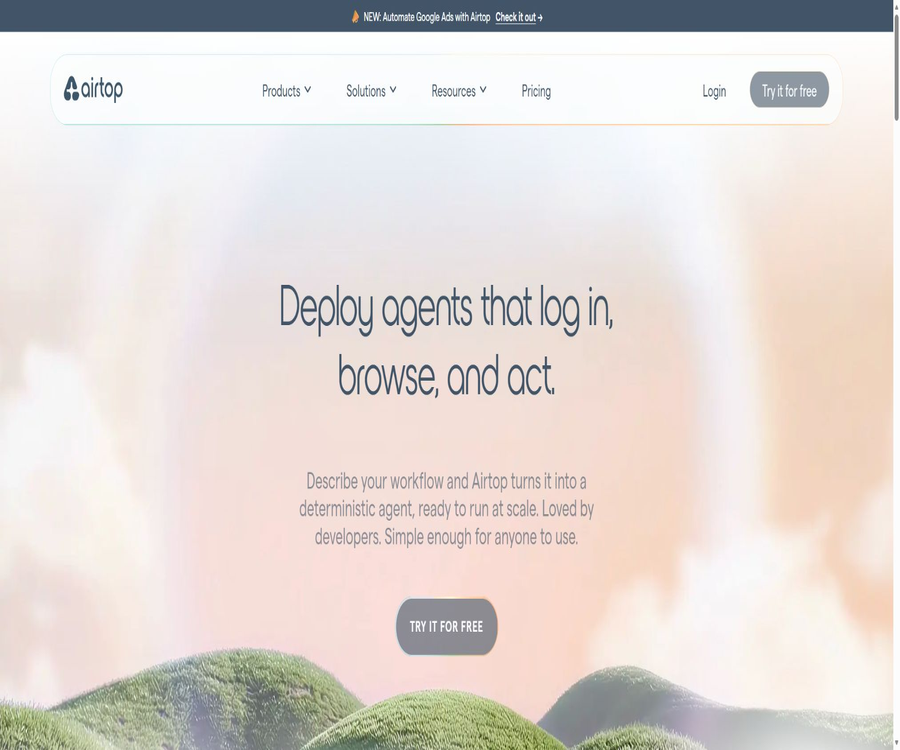
A one-sentence summary
Airtop is a platform that enables AI agents to log in, click, fill in forms, extract data, and carry out various tasks within real browsers in the cloud. It offers natural language APIs and an Agent Builder, and it is also compatible with Playwright, Puppeteer, and Selenium.
Tool Introduction
Airtop is designed for web tasks that cannot be completed using the API of the target system; it handles the browser infrastructure, session concurrency, proxy functions, login status, and operation records. Developers can use it as a browser for existing agents, or they can have the platform convert text-based workflows into automated agents that can be run repeatedly.
The current products include Web Automation, Agent Builder, and the marketing automation tool Mark. Users can either use the REST APIs and official SDKs directly, or they can carry out browser-based tasks through integrations such as n8n, Zapier, Make, Claude Code, or Codex.
Product Capability Overview
| Products | Core competencies | Primary users | Typical output |
|---|---|---|---|
| Cloud Browsers | Create isolated browser sessions and multiple windows | Developers and automation platforms | CDP, ChromeDriver, and Live View |
| AI Web Automation | Use natural language queries, clicks, input, and extraction. | AI Agent developers | Structured data and web page operation results |
| Agent Builder | Describe, test, compile, and deploy web page workflows | Developers and business teams | Compiled Agent that can be scheduled to run |
| Profiles | Save cookies, local storage, and extension configurations | The process required to log in to the target website | Reusable authentication status |
| Live View | Embed a real-time browser within the application for manual operation | Authentication and human-robot collaboration scenarios | Interactive browser interface |
| Recordings | Record the browsing activity of each window. | Auditing, troubleshooting, and operations | MP4 playback and operation records |
| Mark | Study businesses and develop marketing and sales automation solutions. | Marketing and Growth Team | Research, outreach, and advertising workflows |
Cloud browser session
Session and Window
A Session represents an instance of a cloud browser and can contain multiple separate Windows. Once a session is created, the application can open web pages, set the resolution, wait for the pages to load, and be controlled through APIs or traditional automation frameworks.
Initialization and timeout
A session is usually ready within a few seconds; in cases of high demand, the wait time may be around one minute. The default idle timeout is 10 minutes, but developers can set their own timeout value. It is also necessary to terminate the session actively once the task is completed in order to stop billing.
Billing granularity
Browser sessions are billed in 30-second increments, and idle sessions can still consume Credits. Batch processes should include termination logic for both abnormal and normal scenarios, to prevent browsers from remaining active as a result of program exits or retries.
Natural language web page manipulation
Airtop’s AI API understands web pages by taking into account visual elements, page text, and the DOM structure; developers can describe the desired elements and data using natural language. It reduces the reliance on CSS selectors, which are prone to errors, but page redesigns, pop-ups, and anti-automation mechanisms can still lead to failures.
| Operation | Enter | Output or effect | Suitable for tasks |
|---|---|---|---|
| Query | Problem or data description | Answers or structured content on the page | Read dashboard and web page information |
| Click | Description of natural language elements | Click and wait for the redirect. | Buttons, menus, and pagination |
| Type | Target fields and text | Enter, press Enter, or use Tab | Search and form filling |
| Extraction | Field Schema or Prompt | Structured extraction results | Lists, details, and reports |
| Paginated Extraction | Instructions for extracting across pages | Multi-page aggregated data | Search results and catalog collection |
| Monitor | Conditions and polling settings | Return when the conditions are met. | Status, inventory, and page changes |
| Screenshot and Live View | Current Window | Screen or manual takeover entry point | Troubleshooting, logging in, and verification |
Integration with traditional automation frameworks
When precise control is required, Playwright, Puppeteer, and Selenium can be connected using the CDP or ChromeDriver endpoints provided by Airtop. This approach allows one to take advantage of the positioning, waiting, and scripting capabilities of these established frameworks, while simultaneously delegating browser execution, networking, and scaling tasks to the cloud platform.
| Framework | Primary language | Access method | Applicable scenarios |
|---|---|---|---|
| Playwright | Node.js and Python | Connect to the CDP endpoint | Modern web pages, precise control across multiple steps |
| Puppeteer | Node.js | Connect to Browser WebSocket | Chromium automation and existing scripts |
| Selenium | Node.js and Python | Connect to the ChromeDriver endpoint | WebDriver testing and automation are already available. |
| REST API | Any language that can be used to send requests | Bearer API Key | No official SDK languages or backend services available. |
| Node.js SDK | JavaScript and TypeScript | Official client | Typed APIs and asynchronous tasks |
| Python SDK | Python | Official client | Data, Agents, and backend processes |
Logging in and persisting profiles
Profiles store the Cookies, local storage data, and other authentication information generated during a browser session, allowing these details to be retrieved in subsequent sessions. They are suitable for websites that require OAuth, SSO, or two-factor authentication, enabling users to log in first through Live View and then having the Agent carry out further actions.
- Create new Sessions and Windows for the target process.
- Generate a Live View and send it only to the actual users who need to complete authentication.
- The user logs in to the target website via a remote browser and completes multi-factor authentication.
- The marked Session is saved to the specified Profile upon termination.
- Explicitly terminate the session to ensure that the authentication status is actually written to the Profile.
- Subsequent runs create a new session using the Profile name, restoring the Cookies and local storage.
- Re-authenticate after login expiration, password change, or authorization revocation, and delete any Profiles that are no longer needed.
Live View and human intervention
Live View provides a real-time interactive interface for cloud browsers, which can be integrated into customers’ own applications. In addition to logging in, it is also suitable for use in scenarios such as verification codes, human-machine approval processes, error correction, and training; it allows the Agent to pause its operations when necessary and hand control over to the user.
- Authentication: The user enters a password or completes multi-factor authentication.
- Manual review: Verify the final content before submitting the form, making a payment, or publishing it.
- Exception handling: When the page structure changes, a person is responsible for fixing the current step.
- Process training: Observe browser behavior and improve the automation logic.
- Customer authorization: Allows end-users to have full control over their third-party accounts.
- Debugging: View pages, pop-ups, redirects, and failure statuses in real time.
Agent Builder
Agent Builder enables users to describe repetitive web processes in natural language; the platform handles the construction and testing of these processes, after which they are converted into reusable code. There is no need to have the large model perform inference for each step during execution, making it suitable for stable, repetitive, and verifiable web tasks.
- Describe in words the website to be accessed, the data to be entered, the actions to be taken, and the final result.
- Connect secure credentials or a profile to the sites that require login.
- Compile web actions into reproducible Agents.
- It can be run as scheduled, via Webhook trigger, or manually.
- Perform batch processing on URLs or data rows, and use concurrent sessions to increase speed.
- Perform self-healing or reconstruction when page changes cause failures.
- Check each run through logs, traces, and video replays.
- Copy an existing process from the template library and then adjust it according to the business fields.
Mark Marketing Automation
Mark is Vibe Automation, a product offered by Airtop for marketing and sales teams; it analyzes companies, customers, competitors, and market positioning, and converts user objectives into web agents, sequences, and workflows. It is not a simple text-generation robot, but rather a marketing execution layer built upon Airtop’s browser and data tools.
| Mark’s abilities | Main function | Common results | Precautions |
|---|---|---|---|
| Corporate research | Analyze website, customer, and competitive positioning | Company Profile and Strategic Foundation | Manual verification and inference are required. |
| Contact data | Combine multiple data providers | Contact person and enrichment fields | Comply with privacy and marketing regulations |
| Social Intelligence | Track public statements and engagement signals | Social insights | Collecting data beyond authorized limits is not permitted. |
| Email verification | Check the validity of the address. | Reduce the risk of rejected emails | It does not equate to obtaining marketing consent. |
| Web Automation | Log in to the website, collect data, and carry out actions. | Marketing operation process | Subject to the website’s terms. |
| Google Ads management | Create, monitor, and adjust ads | Advertising campaign management | Set budgets and manual approvals |
| Native integration | Connect Workspace, Airtable, HubSpot, and Slack | Cross-tool process | Restrict write permissions |
Session recording and observability
Session Recording is disabled by default; once enabled, each window will have its own MP4 file created, capturing clicks, keystrokes, scrolling, navigation actions, as well as any visual changes. The recordings can be viewed on the Portal or downloaded via API. The documentation associated with this document will be automatically deleted after 7 days.
- Use video to reproduce page failures that cannot be determined from logs.
- Check whether the audit Agent clicks, fills in, and submits as expected.
- Download evidence that needs to be preserved for a long time within the 7-day retention period.
- Recordings may contain passwords, personal information, and customer pages, so access to them should be strictly controlled.
- Do not enable all production recordings by default; first assess the necessity and privacy requirements.
- The record retention policy should be in line with the enterprise’s data classification and deletion rules.
Agents and browser extensions
The Starter version includes an Integrated Proxy, while the Professional version adds a Custom Proxy; when using a built-in proxy, the user pays the proxy provider directly. The built-in residential proxies allow for country selection and Sticky Session functionality, but not all countries have nodes available.
Airtop also allows Chrome extensions to be loaded within a Session, but currently only those extensions that have been released on the Google Web Store are supported; custom extensions cannot be uploaded. The configuration of these extensions can be saved along with the Profile, and it is necessary to assess their permissions and data access rights before installing them.
Complete development process
- Register for Airtop and create an organization-level API key; do not include this key in the front-end code.
- Choose API script, Agent Builder, or workflow platform integration as the main entry point.
- Create Sessions and Windows, and set the idle timeout, resolution, proxy, and recording policies.
- If login is required at the target site, Live View is used to authenticate the user and save their Profile.
- Use natural language AI or frameworks such as Playwright to perform clicks, inputting, and data extraction.
- Set Cost Threshold and Time Threshold for AI calls to limit abnormal consumption.
- Write the structured results to the business system, while retaining the necessary logs and Run IDs.
- Terminate the session in all cases of success, failure, and cancellation.
- Test the resilience using web page redesigns, verification codes, timeouts, rate limiting, and expired permissions.
- After going live, monitor Credits, concurrency, success rate, and the status of the target website account.
No-code and integration usage
Airtop offers connections to n8n, Zapier, and Make, allowing business users to incorporate cloud browser actions into existing workflows. The integration with Claude Code and Codex is more suitable for developers who want to create, run, and monitor browser agents.
| Integration | Usage method | Suitable for tasks | It is necessary to pay attention. |
|---|---|---|---|
| n8n | Workflow nodes | Data extraction, looping, and system writing | Distinguish between cloud-based and self-hosted credentials |
| Zapier | Zap steps | Triggering between business applications and web actions | Check the number of tasks completed and Airtop Credits. |
| Make | Scenario module | Asynchronous authentication and multi-branch processes | Saving the profile depends on terminating the session. |
| Claude Code | Developer integration | Building browser automation from a code environment | Restricting tool and site permissions |
| Codex | Developer integration | Allow the encoding agent to use a cloud browser. | High-risk actions require approval. |
| Webhook | Trigger deployment of Agent | Event-driven automatic operation | Verify signatures and prevent replay attacks |
Which users are it suitable for
- AI Agent developers: It is necessary to equip the agent with a scalable and verifiable cloud browser.
- Data engineering team: Collects web data that requires interaction, pagination, or login.
- Operations team: Automatically downloads reports, updates the backend, and synchronizes business systems.
- Finance team: Retrieves invoices from the supplier portal and assists with account reconciliation.
- Marketing and sales team: Researching leads, managing contacts, and handling processes related to duplicate web pages.
- Automation Advisor: Creates observable, reusable browser agents for clients.
- Testing team: Uses cloud browsers along with existing Selenium or Playwright scripts to carry out the testing process.
Typical use cases
- Log in to the supplier portal to download reports, bills, and operational documents.
- Extract product, price, inventory, and competition information from paginated lists.
- Fill out forms and update records in the backend when no applicable API is available.
- Monitor account dashboards, costs, status, or page changes and send notifications.
- The user is prompted to log in once, after which the Agent reuses the authentication profile.
- Study companies, contacts, and public market information in bulk.
- Perform marketing activities that are subject to approval controls on platforms such as Google Ads.
- Use browser automation as part of the workflows in n8n, Zapier, or Make.
Product advantages
- It offers both high-level natural language APIs and low-level controls via Playwright, Puppeteer, and Selenium.
- Profiles, Live View, and credential workflows address the challenges related to logging in and enabling human-machine collaboration.
- The cloud-based isolated browser can be scaled to handle a higher level of concurrent requests through package upgrades.
- Agent Builder compiles the validated processes and runs them repeatedly, thereby reducing the overhead of each inference step.
- Integrated Proxy, Custom Proxy, and captcha handling reduce the need for assembling infrastructure.
- Logs, traces, and video replays enhance operational observability.
- Native integration with n8n, Zapier, Make, Claude Code, and Codex.
- The free plan provides Credits and a deployment Agent to help verify requirements first.
Usage restrictions and precautions
- Automated third-party websites must comply with their terms of service, robots policies, and applicable laws.
- Bypassing anti-automation measures may result in rate limiting, account suspension, or legal risks for the target account.
- AI-based positioning may still result in clicks on the wrong elements; manual verification should be added for high-risk submissions.
- The browser’s CPU, AI models, and proxy bandwidth all consume Credits; the cost is not determined solely by the duration of the session.
- Sessions are billed in 30-second increments; failing to terminate them will result in additional charges.
- The free version and the Starter version allow only 3 concurrent sessions, which is not suitable for large-scale real-time tasks.
- The profile contains cookies and local storage, which are equivalent to sensitive authentication assets.
- The recorded content may contain personal information; access control should be implemented before downloading and sharing it.
- Custom Chrome extensions are not supported; only extensions published in the store can be loaded.
- The website structure, verification codes, regional restrictions, and account risk controls still affect stability.
Prices and packages
As of August 22, 2026, Airtop offers five tiers: Free, Starter, Professional, Enterprise, and Custom. The monthly prices are 0, 29, 189, and 558 dollars respectively; a 10% discount is available when paying annually, along with credits for the entire year at once.
| Package | Monthly price | Concurrent Sessions | Deploy Agent | Agent and Mark | Support and compliance |
|---|---|---|---|---|---|
| Free | $ | 3 | 1 | Mark can use it for 7 days or until his Credits are used up. | Basic experience |
| Starter | 29 dollars | 3 | 10 | Integrated Proxy, Mark trial version | Standard support |
| Professional | 189 dollars | 30 | 30 | Custom Proxy, including Mark | Dedicated Support |
| Enterprise | 558 dollars | 100 | No restrictions | Includes Mark | Dedicated Support and SOC 2 Type 2 reports |
| Custom | Custom quote | Customization | In accordance with the contract | Includes Mark | Batch prices and custom Credits |
The Free plan offers 1,000 Credits per month as well as a one-time bonus of 10,000 Credits; the actual amount credited will be indicated on the Billing page after registration. For plans above Starter, the specific amount of Credits required must be selected on the pricing page – it is not possible to determine the number of uses based solely on the basic monthly fee.
Credits billing method
Airtop uses a unified credit system to measure browser CPU usage, AI API consumption, and the bandwidth of the built-in proxy. AI tasks may dynamically invoke services from OpenAI, Anthropic, Google, or custom models; the official documentation states that no additional fee is added to the cost of the underlying LLMs.
- Each time the AI API responds, it returns the number of Credits consumed in that instance.
- On the Billing page, you can view the total amount of AI usage for the current month.
- The Cost Threshold allows subsequent model calls to be canceled once the threshold is reached.
- The threshold is based on periodic checks rather than being an absolute upper limit; a single invocation may slightly exceed it.
- The Time Threshold sets the maximum duration for a single AI operation.
- Browser sessions are calculated in 30-second intervals, and they should be terminated promptly when the device is idle.
- The built-in residential proxy consumes Credits based on bandwidth usage, while the proxy provided separately requires additional payment by the user.
- Annual Credits are issued in a single payment, and budget management should take into account the rate at which these amounts are consumed.
Supported platforms
| Platform or method | Support status | Explanation |
|---|---|---|
| Web Portal | Support | Manage Agents, Sessions, Profiles, Billing, and operation records |
| REST API | Support | Create sessions, windows, AI operations, and file management |
| Node.js SDK | Support | For JavaScript and TypeScript |
| Python SDK | Support | Synchronous and asynchronous clients |
| Playwright | Support | Connecting Node.js and Python to cloud browsers |
| Puppeteer | Support | Node.js connects to CDP |
| Selenium | Support | Connecting ChromeDriver with Node.js and Python |
| n8n, Zapier, Make | Support | Code-free and low-code workflows |
| Claude Code and Codex | Support | Developing agent integration |
| Standalone desktop application | Not provided | It is primarily used through cloud platforms and APIs. |
Data security and privacy
The Airtop official website states that it meets SOC 2 Type II standards and is compliant with HIPAA; profile data is encrypted using AES-256, and each session operates in an isolated encrypted environment. Companies that require reporting, a BAA, SSO, or RBAC should verify the package details and contract terms at the time of purchase.
- Airtop states that it will not use customer data to train AI models.
- The contracts with third-party LLMs prohibit the use of Airtop customer data to train their models.
- The Profile contains login cookies and local storage, and should be protected in accordance with the sensitivity level of the credentials.
- Recording is disabled by default; once enabled, the files are retained for 7 days and may contain sensitive pages.
- The Privacy Policy states that the services are hosted in the United States, and personal data may be transferred and stored there as well.
- Users can request access to, correction of, deletion of, restriction on, or export of certain personal data.
- When creating API keys, apply isolation by organization and environment, and rotate them regularly.
- Before performing write, payment, or publication operations on the target website, set minimum permissions and require manual approval.
API, SDK, and open-source status
Airtop offers REST APIs as well as official Node.js and Python SDKs; the GitHub repository also provides TypeScript examples, LangGraph helper packages, and Claude Code skills. The Python SDK and various example repositories are licensed under the MIT license.
The open-source SDK is intended solely for calling Airtop’s commercial APIs; it does not include the source code for the cloud browser infrastructure, the AI compilation system, Agent Builder, or Mark’s full server-side components. Therefore, this product should be classified as a commercial, closed-source platform, with it being noted that the official SDK is open source.
| object | Open state | License or form | Explanation |
|---|---|---|---|
| Airtop Cloud Platform | Not open source | Commercial SaaS | Use by Credits and package |
| REST API | Public documents | An API Key is required. | Charging is based on the account limit. |
| Node.js SDK | Public warehouse | Check each warehouse individually | Official TypeScript client |
| Python SDK | Open source | MIT | Support for synchronous, asynchronous, streaming, and retry mechanisms |
| TypeScript example | Open source | MIT | Show the API and authentication process |
| LangGraph Helpers | Open source | MIT | Connect Airtop to LangGraph |
| Agent Builder and Mark | Not open source | Commercial functions | Available as a package |
Basic information
| field | Content |
|---|---|
| Tool name | Airtop |
| Tool type | Cloud Browser, AI Web Automation, and Agent Builder |
| Primary users | Developers, automation teams, operations, marketing, and sales teams |
| Core input | Natural language tasks, API requests, and automation scripts |
| Core output | Web actions, structured data, files, logs, and videos |
| Free plan | Yes, 1,000 Credits and a one-time bonus are based on the account. |
| Minimum payment amount | Starter costs $29 per month. |
| Highest standard concurrency | Enterprise 100 Sessions |
| Browser billing | 30-second increments |
| agent | Integrated Proxy and Custom Proxy |
| Authentication status | Profile saves cookies and local storage. |
| API | Yes |
| Official SDK | Node.js and Python |
| Traditional framework | Playwright, Puppeteer, and Selenium |
| Official GitHub | Yes |
| SDK license | Python and various examples are under MIT license. |
| Is the product open source? | No |
| Safety | SOC 2 Type II, HIPAA, Profile AES-256 |
Recommendation score
Its rating is 4.5 out of 5 points. Airtop is particularly suitable for browser Agent projects that require login functionality, proxy support, concurrent operations, manual intervention, and operation auditing; its compatibility with advanced AI APIs and traditional frameworks also provides developers with ample control options.
The main drawback is that Credits cover multiple types of resources at the same time, and the actual cost must be determined through actual testing of tasks; automated third-party websites may also face issues related to terms and conditions, risk management, and account suspension. For high-risk write operations, permissions and manual approval are necessary.
Frequently Asked Questions
What is Airtop?
Airtop is a cloud-based browser and AI web automation platform that enables agents to open real websites, log in, click, enter data, extract information, and carry out tasks according to a predetermined plan.
Is Airtop free?
There is a Free plan available: 0 dollars per month, 3 concurrent sessions, and 1 deployment agent. The pricing page lists 1,000 Credits as well as a one-time bonus of 10,000 Credits; the actual amount received will be indicated in the Portal.
How much is the starter?
The Starter plan costs $29 per month and includes 3 concurrent sessions, 10 deployment agents, an Integrated Proxy, as well as trial access to Mark and support. The specific number of credits available needs to be selected in the price configurator.
How does Airtop charge fees?
The CPU usage of the browser, the AI models, and the bandwidth of the built-in proxy are all converted into Credits; sessions are billed in increments of 30 seconds. Each AI response indicates the amount of resources used in that instance.
Is it possible to log in to the website automatically?
Users can be allowed to log in through Live View, and the cookies and local storage data can be saved as a Profile for use by subsequent Agents. However, the login status may still expire or be revoked by the target website.
Is Playwright supported?
It is supported – you can connect to the Airtop cloud browser using Node.js or Python. Node.js Puppeteer, as well as Node.js and Python Selenium, are also supported.
What is Agent Builder?
It takes the web process described in natural language, builds it, tests it, and compiles it into reusable Agents that can be run on a scheduled basis, via Webhook, or manually, while also providing logs and replay capabilities.
What is Mark?
Mark is an automated assistant designed for marketing teams, used for company research, contact information enrichment, social media insights, email verification, web page management, and Google Ads administration. The Free and Starter versions are available only for trial use.
Will Airtop use data to train models?
The authorities have clearly stated that customer data will not be used to train AI, and they require third-party LLM providers not to utilize such data for the training of their own models. Companies should still review contracts, DPA agreements, and the specific flow of data.
Is Airtop open source?
The cloud platform, Agent Builder, and Mark are not open source. The official Python SDK along with various example repositories are licensed under the MIT license; the fact that the SDK is open source does not mean that the server side is also open source.
Is it legal to use web automation?
It depends on the terms of the target website, the type of data, the permissions granted, and the laws of the country in question. Airtop prohibits any use that is illegal or violates the terms of the target website; misuse may result in penalties for the account.
How long will the recording be saved?
The current document states that Session Recording is disabled by default; when it is enabled, an MP4 file is generated for each window, and these files are automatically deleted after 7 days. If they need to be retained for a longer period, they should be downloaded in advance and stored securely.
Summary
Airtop integrates a cloud browser, natural language commands, traditional automation frameworks, login profiles, proxies, as well as agents for compilation and execution auditing into a single platform. It can serve as an API for developers, and it also enables business teams to utilize the Agent Builder and Mark services.
When selecting a solution, it is first necessary to use Free or Starter to measure the Credits, success rate, and account risk control associated with a real-world task, before deciding on the level of concurrency and the appropriate package. All Agents that write data to third-party systems should have minimal permissions, complete logging, and the possibility of manual intervention.
Tools similar to those that deploy AI agents capable of logging in, browsing, and taking actions.





 Guigong Network Security Registration No. 45132202000164