






A one-sentence summary
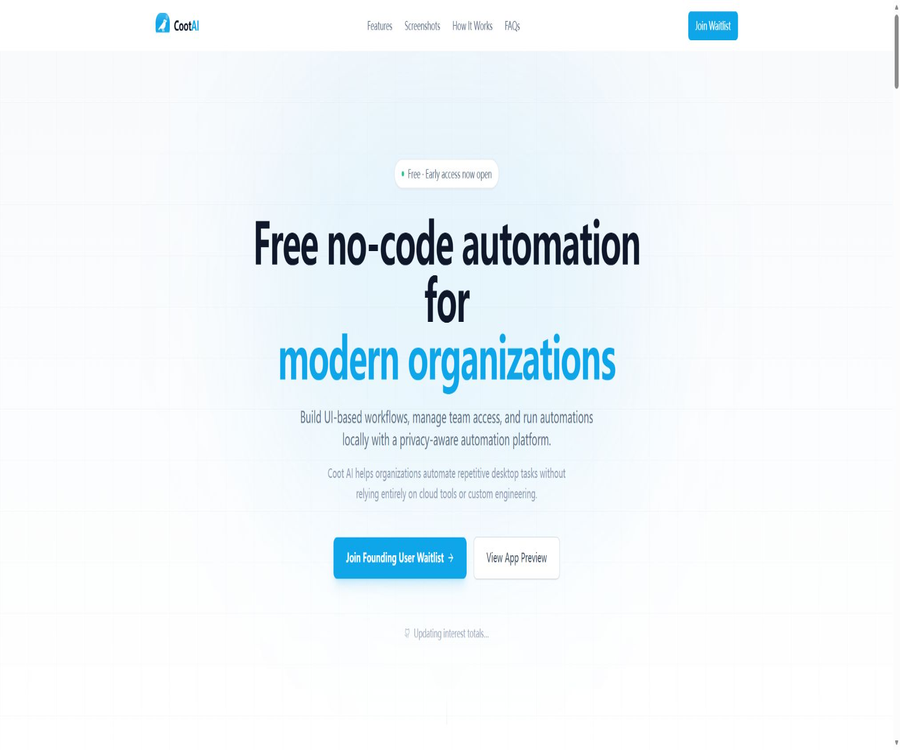
Coot AI is a code-free automation platform that gives priority to local use, designed for macOS users; it allows for the visual creation of desktop UI workflows, and manages automation through organization, role-based permissions, and run logs. It is currently in the early access phase as a Founding User product, so not all users can download and install it yet.
Tool Introduction
The goal of Coot AI is to enable businesses, startups, organizations, and individuals to automate repetitive desktop tasks without having to write complex scripts. The processes are carried out using the resources of the Mac itself, thereby reducing reliance on cloud-based platforms.
As of August 22, 2026, the official website offers only product previews and a waitlist for early access; there is no official download link, no released version, no minimum system requirements, and no long-term commercial plans available. The status of this product should be marked as “early access” rather than “officially released”.
Current open status
| Project | Current status | Explanation |
|---|---|---|
| Product stage | Founding User Early Access | An application must be submitted and an invitation awaited. |
| Public download | Not open | The official website does not provide a direct installation package or an entry to the app store. |
| Use the platform | macOS | The Windows and Linux versions are not available publicly. |
| Price | Early access is marked as free. | This does not mean that the official version will remain free forever. |
| Official release date | Not announced | No date for a public roadmap has been announced. |
| System requirements | Not announced | The minimum macOS version and hardware requirements have not been specified. |
Main functions
Visual workflow construction
Users can design steps and connection relationships on the visual canvas to enable interaction between processes and the application interface. The official website states that no scripts are required, but it does not provide a complete list of nodes, syntax for conditions, or support for variables.
Local execution takes priority.
The core execution of automation takes place within the user’s Mac environment, utilizing the system resources of that machine directly. This facilitates the performance of tasks that can only be carried out on the desktop, but it also places the responsibilities related to permissions, stability, and device security in the hands of the local administrator.
Organization and team management
The platform allows for the creation of organizations, inviting team members, and managing processes within a unified workspace. The team features imply that account and collaboration services are still available; local execution should not be considered as completely offline.
Role permissions
Administrators can control members’ permissions to create, edit, approve, run automated tasks, or manage team settings. The actual number of roles, inheritance rules, and single sign-on support have not yet been made public.
Operation records and activity tracking
The product preview shows the operation history, console interface, execution status, and an overview of team activities. Logs are useful for troubleshooting and auditing, but it is necessary to verify whether they contain screen content, input values, or other sensitive data.
Local runtime console
Users can view the real-time progress and output of the process to understand the steps that are being carried out automatically. In case of any abnormalities, it should be possible to stop the process manually and keep track of the point where the failure occurred, rather than continuing to click without any restrictions.
Process access and approval
Workflows allow access to be assigned based on member roles, and tasks such as creation, modification, approval, and execution are assigned different levels of permission. This design is suitable for enterprise governance; however, it is still necessary to verify that operation logs cannot be altered before it is put into use.
- Create desktop UI automation through a visual canvas.
- Running the process using the Mac’s local environment and system resources
- Create an organization and invite team members
- Control creation, editing, approval, and execution permissions by role
- View automation run history, status, and console output
- Track the performance of teams and processes in the activity overview.
Official workflow
The official website describes the usage process in five stages, ranging from establishing the organization to monitoring its operational activities. The content currently available is more akin to a product design description; the actual interface and steps may change during the beta testing phase.
- Create an organizational workspace and invite the members who need to be involved in the automation process.
- Create steps and connections in the visual editor to form a desktop workflow.
- Assign roles and permissions for creation, editing, approval, execution, and management.
- Perform automation using local system resources on the specified Mac.
- Check the operation history, team actions, and process status to handle failed tasks.
Early Access Application
The application form requires the entry of name and work email address; additional information such as company, user type, team size, areas of interest, tasks to be automated, and willingness to contribute can also be provided. Submitting this information constitutes providing personal and professional details to the platform.
- First, confirm the willingness to provide a work email address and basic organizational information, and avoid including customer data in the requirement description.
- Select the user type, team size, and interest area that are closest.
- Describe the tasks that are to be automated in an abstract manner, without including account details, passwords, internal links, or actual business records.
- After submitting the application, wait for an official invitation; do not download any so-called installation packages from unofficial sources.
- After obtaining testing eligibility, read the license, privacy, and data processing documents first, then try it out in an isolated environment.
Safe trial tutorial
Create a testing environment
- Use a non-production Mac or a dedicated test user account to avoid direct control over the regular working environment.
- Prepare example files and test accounts that do not contain personal information, customer data, or actual credentials.
- Only the system permissions necessary for the current process are granted, with the reasons and scope of such authorization being recorded.
- First, run a read-only or reversible process to observe each action, the logs, and any failure occurrences.
- Verify the processes of stopping, resuming, reverting, and revoking permissions before considering expanding the pilot program.
Publish team workflow
- The process owner is responsible for documenting the objectives, inputs, outputs, dependent applications, and risk level.
- Assign editing, approval, and execution permissions to different roles to prevent any single individual from bypassing the approval process.
- Multiple rounds of testing are carried out using test data, covering window changes, network disruptions, and application updates.
- Manual confirmation is required for steps such as sending, deleting, paying, publishing, and overwriting files.
- After going live, regularly review the operation history, failure rate, permissions, and disabled members.
Which users are it suitable for
- Operations team: Automatically handles tasks such as entering duplicate desktop data, organizing it, and checking it.
- Startups: Verifying internal processes in the absence of full-time automation engineers
- Agency: Manages repetitive local operational processes for different clients.
- Developers and testers: Automatically execute regression or demonstration steps for the application interface.
- Corporate teams: Exploring local desktop automation with role-based permissions
- Individual efficiency users: Reducing repeated clicks and fixed-sequence desktop operations
Tasks suitable for automation
| Task type | Degree of suitability | Precautions |
|---|---|---|
| Data entry in a fixed order | More suitable | Field changes need to be verified before submission. |
| File organization and format conversion | More suitable | Keep the original file and set overlay protection. |
| Regression testing for desktop applications | More suitable | Updates to the interface may cause the steps to become ineffective. |
| Report download and archiving | More suitable | Confirm login, file name, and date range. |
| Send an email or message | Caution | It is necessary to preview the recipient and the content. |
| Payment, deletion, and public release | High risk | Requires manual approval and traceable logs |
| Businesses that require complex judgment | Fully automatic operation is not advisable. | Reserve decision-making for professionals. |
What does local priority mean?
Local priority means that the core automation tasks are carried out on the Mac, rather than being handled by third-party cloud servers. This helps to keep the desktop interface and application operations within the device, but it does not guarantee that all data remains local.
| Data or functions | Confirm local? | Current judgment |
|---|---|---|
| Workflow execution | Confirmed | The official website clearly states that it runs on Mac computers. |
| Organizations and member accounts | Not fully explained | Team management may require online services. |
| Workflow definition synchronization | Not fully explained | There is no public storage and synchronization architecture. |
| Operation history and logs | Not fully explained | It has not been determined whether it is saved locally or in the cloud. |
| AI model processing | Not disclosed | The model, inputs, and data flow are not specified. |
| Telemetry and error reporting | Not disclosed | There is no information available regarding the scope of data collection or the methods used to shut it down. |
Product advantages
- Combine code-free process design with execution on a Mac.
- Designed for organizations and teams, rather than just individual quick operations
- Role permissions cover creation, editing, approval, and execution stages.
- Operation history and the console aid in troubleshooting and assigning responsibility.
- It can be used for legacy processes that can only be carried out through the desktop interface.
- Early users have the opportunity to provide feedback on actual business needs and product directions.
Usage restrictions and precautions
- The product is still on the waiting list; there is no guarantee that eligibility will be granted immediately upon application.
- There is no official public download, version number, system requirements, or hardware requirements.
- The versions for Windows and Linux have not been disclosed; currently, only the macOS version is confirmed.
- Details on connectors, node directories, variables, conditions, and error handling have not been made public.
- The AI model used, its supplier, and whether a custom key is required are not made public.
- Local execution does not mean that data, logs, and account information are completely offline.
- Changes to the desktop UI, resolution, permission dialogs, and application updates can disrupt the workflow.
- Automation grants high levels of access to devices, and incorrect steps may lead to data being deleted, sent incorrectly, or overwritten.
- Early access is free, but this does not mean that the official version, team features, and future quotas will remain free forever.
Price and billing status
The official website describes Coot AI as a free, code-free automation tool, and it is indicated as free on the early access page. Since the product has not yet been released to the public, there are no plans, usage limits, seats, trial periods, or renewal rules; therefore, the category should be labeled as \"Free Early Access\".
| Project | Currently available public information | Conclusion |
|---|---|---|
| Early Access | Free | After joining the waitlist, you will be invited by the authorities. |
| Personal Official Version | Not announced | A permanent free service cannot be guaranteed. |
| Team or corporate packages | Not announced | The price of seats and permissions is unknown. |
| Amount used or number of runs | Not announced | There is no verifiable limit. |
| Refunds and cancellations | Not applicable or not published | There are no public paid settlement options available at the moment. |
Platform and system requirements
| Platform projects | Current status | Explanation |
|---|---|---|
| macOS apps | The main clients planned for use | Used for visualizing designs and executing them locally |
| Public installation package | Not open | Do not download unknown programs from third parties. |
| Mac App Store | No findings were detected. | No official store page was found. |
| Windows | Unpublished support | The official website only emphasizes macOS. |
| Linux | Unpublished support | There are no release notes. |
| Minimum macOS version | Not announced | It is not possible to determine the range of compatibility. |
| Intel or Apple Silicon | Not announced | Hardware support requires confirmation upon invitation. |
Permissions and security
UI automation typically requires controlling applications, reading the interface, or sending keyboard and mouse events; as a result, it may demand permissions for accessibility features, screen recording, file access, or automation. Coot AI has not yet made public a detailed list of these permissions, so users should verify each one individually during installation.
Do not grant full access just because the process is running locally. Workflow tasks of different risk levels should be separated from each other, and test accounts, minimal permissions, manual approval, backups, and operation logs should be used to minimize the impact of mistakes.
| Permissions or risks | Potential impacts | Control recommendations |
|---|---|---|
| Accessibility controls | It is possible to operate other applications and interfaces. | Only when the testing equipment is authorized and undergoes regular reviews. |
| Screen content reading | Sensitive windows and notifications may be visible. | Close unrelated applications and use a dedicated account. |
| File access | It is possible to read, move, or overwrite files. | Restrict the directory and back it up first. |
| Browser session | It is possible to use an already logged-in business account. | Create dedicated accounts with limited permissions for automation purposes. |
| Sending and publishing | It may represent the user’s external operations. | Mandatory preview and confirmation before execution |
| Operation log | It may record the input values and business content. | Mask sensitive data and set retention and access policies. |
Privacy and Data Information
The official website emphasizes privacy awareness and a focus on local needs, but at present no complete privacy policy, terms of service, data processing agreements, list of sub-processors, or information regarding retention periods can be found. The claims of transparency and control made in marketing cannot replace these legal and technical documents.
Before preparing to join the beta test, the organization should first inquire as to where accounts, process definitions, logs, screenshots, AI inputs, telemetry data, and error reports can be found, and whether it is possible to stop data uploads and exports as well as to delete accounts.
- Determine which data is stored only on the Mac itself.
- Verify that the organization, members, and workflows have been synchronized to the cloud.
- Check whether the operation logs contain screenshots, input data, and application content.
- Confirm the AI model supplier sowie the rules for training, storage, and cross-border processing.
- Confirm the processes for data export, deletion, backup, and event notification.
- Determine what the team administrator and the platform operator can access respectively.
API, extensions, and open-source status
The official website identifies developers as its target users and asks in the application form whether they are willing to make contributions, but it does not make available the API, SDKs, plugin specifications, script interfaces, or developer documentation. The option to contribute does not mean that the code is already open source.
At present, no official Coot AI GitHub repository with a clear ownership or open-source license has been found; therefore, it should be classified as an early-stage product that is not open source. Other software for molecular modeling, stock tickers, and Mac automation projects with similar names available on the internet are not related to it.
| Project | Current status | Explanation |
|---|---|---|
| Public API | No findings were detected. | There are no verifiable interface documents. |
| Official SDK | No findings were detected. | There are no package or version details. |
| Plugins and connectors | Not disclosed | The product preview mentions connectors but there is no catalog. |
| Script extension | Not disclosed | Code-free positioning does not mean that future expansion is prohibited. |
| Official GitHub | No findings were detected. | Warehouses with the same name cannot be considered official. |
| Is it open source? | No or not yet made public | There is no verifiable source code license. |
Basic information
| field | Content |
|---|---|
| Tool name | Coot AI |
| Tool type | Code-free UI automation with macOS local priority |
| Product stage | Founding User Early Access |
| Main platforms | macOS |
| Core functions | Visual workflow, local execution, team permissions, and activity tracking |
| Price pattern | Early access is free; the official price has not been announced yet. |
| Public download | None available |
| System requirements | Not announced |
| AI models | Not announced |
| APIs and SDKs | No findings were detected. |
| Official GitHub | No findings were detected. |
| Is it open source? | Not disclosed |
Recommendation score
Based on the product concept, the recommendation score is 3.8 out of 5 points. The combination of local execution, visualized workflows, team permissions, and activity tracking makes it suitable for organizations that wish to control desktop automation.
Based on the current availability, the score is only 2.5 points, as an invitation is still pending; the system requirements, privacy policies, connectors, and long-term pricing have not been made public. An isolation pilot and a security assessment must be completed before it can be adopted officially.
Frequently Asked Questions
Can Coot AI be downloaded now?
The official website does not provide an option for direct download; one must join the Founding User waitlist to request early access. Do not install software with the same name from third-party sites, as the source of such software is unknown.
Is Coot AI free?
The early access page indicates that the service is free, but there is no guarantee that it will remain free in the official version. Team memberships, usage quotas, and future commercial packages have not yet been announced.
Is it compatible with Windows or Linux?
At present, only macOS versions of the application are described; Windows or Linux versions have not been made available. Nor are there any plans or timelines for a cross-platform release.
What Mac is needed?
The official website does not specify the minimum version of macOS, required memory or storage, nor does it indicate compatibility with Intel or Apple Silicon processors. Once you have received an invitation, you should first check the official installation instructions.
Is the workflow completely offline?
It can only be confirmed that the core automation takes place on the Mac machine itself. The aspects related to organization management, member accounts, process synchronization, logging, and AI processing – and whether they require an internet connection – have not been fully explained.
Is it necessary to write code?
Its main focus is on code-free visual construction, eliminating the need for users to write complex scripts. However, advanced conditional functions, data transformation capabilities, and custom integration options have not yet been made available.
Can multiple people work together?
Yes, the official website displays information about the organization, how to invite members, and their role permissions. At present, the number of members in the team, the cost of membership, and details regarding conflict resolution are not made public.
Can it automatically operate any Mac application?
Such promises cannot be made. Application permissions, interface structure, security restrictions, and anti-automation mechanisms all affect compatibility, and the official website does not provide a list of supported applications.
Are APIs or plugins available?
No public API, SDK, or plugin directories were found. The path for developers to extend the functionality still requires official documentation.
Is Coot AI open source?
To date, no official source code repository or open-source license has been found. The application form asking whether one is willing to make contributions does not mean that the product is already open source.
Is running it locally necessarily safe?
Not necessarily. Local automation gives access to devices and applications, and faulty processes can still lead to data leaks or errors; therefore, minimum permissions, backups, approval procedures, and log reviews are still necessary.
Summary
Coot AI aims to combine the automation of the Mac desktop UI, visualization of processes, and organizational-level permission management; it has a clear direction and emphasizes local execution. It is something that teams looking to reduce their reliance on cloud services should pay attention to in advance.
At present, it remains a free early access program; its functions and commercial aspects have not yet been finalized. Applicants should describe their needs anonymously, and once they are approved, they will start using it in an isolated environment, with additional measures for handling permissions, privacy, and data flow being implemented before broader use is allowed.
A tool similar to Coot AI for MacOS





 Guigong Network Security Registration No. 45132202000164