






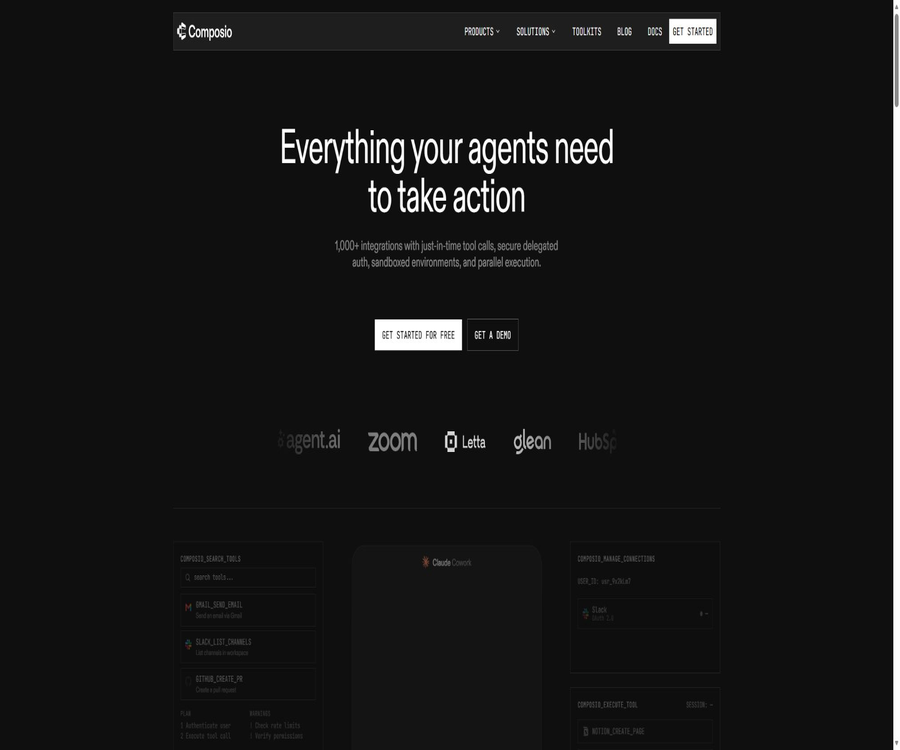
What is Composio?
Composio is a platform designed for the discovery of tools, account authentication, and execution of actions related to AI agents. Developers can enable their own agents to connect to services such as Gmail, Slack, GitHub, Notion, CRM, and others, without having to develop separate code for handling authorization, token renewal, and API calls for each application.
The product is offered by Sampark Inc under the Composio brand; it includes a developer platform, a CLI, MCP integration capabilities, agent plugins, as well as tools for enterprise governance and sandboxing. It is not intended to replace the large models chosen by users, but rather to address the issue of how agents can connect securely to external applications and carry out actual operations.
A one-sentence summary
Composio offers AI agents more than 1,000 toolkits, user-level authentication, session-based tool search, event triggers, an MCP gateway, and optional sandboxes; it also enables integration with existing applications through Python, TypeScript, and various framework adapters.
Core concepts
| Concept | Function | Developers need to provide it. | The platform is responsible for handling it. |
|---|---|---|---|
| Toolkit | Organize the actions of an external service into a toolkit. | Select the applications you want to make available. | Tool definitions, parameters, and versions |
| Tool | Execute a single action | Action parameters and user scope | Calls, authentication injection, and structured results |
| Session | Users and states that limit the number of times an agent can run | Stable userID and permitted tools | Tool search, connection, execution, and sandbox status |
| Auth Config | Define the application authentication methods and permissions. | Managed authentication or custom client credentials | OAuth, API Key, Bearer, or Basic authentication methods |
| Connected Account | Save the account connection for a user after authorization. | Have the end user complete the authorization. | Token storage, renewal, and lifecycle |
| Trigger | Push external application events to the agent | Event types and callback handling | Subscription, reception, and event delivery |
| Sandbox | Execute batch processing, conversion, and multi-step code | It is explicitly enabled during the session. | Persistent access to environments, files, and tools |
Main functions
Intent discovery tool
Agents can search for tools that meet the requirements of a task while it is in operation, rather than having all tools defined in advance and included in the model’s context. This reduces the amount of context required and allows the selection of tools to adapt to the actual needs of the task.
- The name of a tool is formed by combining the toolkit name with a descriptive action, which facilitates logging, permission management, and version control.
- By default, sessions provide meta-tools such as search, connection management, and execution; the search function itself is not considered a paid tool usage.
- If the developer knows in advance what actions are required, they can also use preset tools to avoid the need for searching.
Over 1,000 application toolkits
The current directory contains over 1,000 toolkits, with common categories including collaboration, email, code hosting, project management, marketing, sales, finance, and data services. Each toolkit includes executable actions, as well as input and output structures.
The number of covered services does not indicate that all interfaces of each external service have been encapsulated. When an endpoint that is not available is encountered, the proxy can be used to call the underlying interfaces of the connected service, while Composio continues to supply the necessary credentials.
User-level authentication and connection management
Composio isolates end-users based on the stable userID provided by the developers, with each user connecting to their own application account. The platform supports OAuth2, API Key, Bearer Token, and Basic Auth, and it can automatically refresh the appropriate tokens.
- Managed authentication is suitable for rapid development, as there is no need to create an OAuth client for each external application first.
- Self-certification is suitable for brands in production environments that have specific requirements regarding permission scopes and independent quotas.
- Connect Link can handle the authorization process and return the connection status once it is completed.
- The same user can be connected to multiple accounts, such as work and personal accounts, and can choose the desired connection when carrying out tasks.
Contextual session
A session binds together the user, the available tools, the authentication connection, and the execution status. An agent can first search for tools within the same execution session, request authorization from the user, and then proceed with execution; there is no need for the application to combine all these elements on its own.
Triggers and Webhook events
Triggers are used to monitor new emails, payments, tickets, or other events in external applications, and to push those events to the developer’s callback function. Billing is based on the number of trigger events that are successfully delivered, rather than on the number of polling attempts.
MCP access
Composio can expose sessions or individual toolkits as MCP services, allowing agent clients that support MCP to discover and execute these tools directly. Users still need to authorize external accounts as part of the connection process; MCP does not eliminate the requirements related to third-party permissions.
Remote sandbox
A remote sandbox is an optional, persistent Python environment available within a session; it is suitable for batch operations, data transformation, and multi-step workflows. It can invoke Composio tools, execute code, process files, search web pages, and utilize platform-based models when explicitly requested.
| Sandbox specifications | Computing resources | Suitable for tasks |
|---|---|---|
| Standard | 1 vCPU, 1 GB memory | Light data processing and ordinary multi-step tasks |
| Medium | 2 vCPU, 2 GB memory | Medium-sized data tables and parallel processing |
| Large | 4 vCPU, 4 GB memory | Larger datasets and complex transformations |
| XLarge | 8 vCPU, 8 GB memory | Heavy preprocessing and tasks requiring more resources |
Variables, imports, and memory state within a sandbox remain intact throughout the same session, and file mounts are also retained across sandbox restarts. The file interface is currently located in the experimental namespace, and its format may change in the future.
Multi-framework adapter
The official repository maintains both Python and TypeScript SDKs, as well as various model SDKs and adapters for agent frameworks. These adapters are responsible for converting Composio tools into a format that can be understood by the target frameworks, thereby reducing the need for manual code customization.
| Access to the ecosystem | TypeScript | Python |
|---|---|---|
| OpenAI | Support | Support |
| OpenAI Agents | Support | Support |
| Anthropic | Support | Support |
| LangChain | Support | Support |
| LangGraph | Through LangChain | Support |
| LlamaIndex | Support | Support |
| Vercel AI SDK | Support | Not listed |
| Google Gemini | Support | Support |
| Google ADK | Not listed | Support |
| CrewAI and AutoGen | Not listed | Support |
| Mastra and Cloudflare | Support | Not listed |
Complete workflow
- Create a Composio project and obtain its API key; then choose one of the integration methods: Python, TypeScript, CLI, or MCP.
- Assign stable, unchangeable userID to end users, and limit the toolkit, tools, or tags that can be accessed during a session.
- Create a session and obtain the tool definitions suitable for the target model or framework.
- When a tool requires an account, a Connect Link is generated to allow the end user to complete authorization on the hosted page.
- The agent searches for the appropriate tool and submits the parameters; Composio then executes the task by injecting the credentials associated with that user’s connection.
- Read structured results, errors, and logs; require manual confirmation for high-risk actions such as sending emails, deleting resources, and making payments.
- Configure triggers, spending limits, token expiration notifications, and audit retention policies for long-term operation.
Usage tutorial
Connect using the Python SDK
- Install the official Python package named composio, and initialize the client using the project API Key.
- Create sessions based on the end user ID, and restrict the allowed toolkits as needed.
- Pass the tool for returning the session to the selected model or agent framework.
- If execution requires authorization, display the secure connection entry to the user and wait for the connection to be established.
- After executing the tool, it records the tool identifier, parameter summary, connected account, results, and errors.
Connect using the TypeScript SDK
- Install the official core package and retrieve the project API Key on the server; the current SDK is tested on environments with Node 22 or higher.
- Initialize the Composio instance, create a user-level session, and specify the scope of the tools.
- Choose OpenAI, Anthropic, Vercel, or another adapter to convert the tool into the target framework format.
- Handle authorization callbacks, connection status, and retry on failures; do not send the project key to the browser side.
- Fix the toolkit version in the production environment and prepare regression tests for version migration.
Connect to existing agents via MCP
- Create sessions specific to individual users in Composio, and decide whether to make all directories available or to restrict the set of tools.
- Generate managed MCP connection information and add it to clients that support MCP.
- The connection management tool is invoked from the client side to allow users to grant permissions to the required third-party applications.
- First, execute read-only queries to verify the account scope, and then gradually enable write or send operations.
- Regularly review connections, permissions, tool allowlists, and execution logs.
Configure external event triggers
- Select the event types supported by the target toolkit and prepare the callback endpoint for receiving events.
- Enable triggers for specific users and connections, and save the subscription identifier returned by the platform.
- Verify event signatures and replay protection, and convert the original events into internal tasks.
- Implement idempotent handling for repeated deliveries, and set up retries and alerts for failed events.
Which users are it suitable for
- AI application developers: Enable chat assistants and agents to read from and write to external applications.
- SaaS team: Delegate multi-user OAuth, token refresh, and connection lifecycle management to a unified platform.
- Automation engineer: Combines emails, tickets, CRM, calendars, and data services to create cross-application workflows.
- Model and framework team: Uses the same set of tool layers to adapt to different large models and agent frameworks.
- Enterprise Platform Team: Controls agent connections through permissions, auditing, SSO, SCIM, and key management.
- Advanced individual users: Enable existing programming agents to invoke everyday tools through CLI, plugins, or MCP.
Typical use cases
- Read the unread emails, identify urgent matters, and write the results into the task system.
- Draft follow-up messages are generated based on CRM records; after manual verification, they are sent and the sales stage is updated.
- Monitor code repository events, create tickets, notify the team, and save records of the handling process.
- Classify customer service tickets, extract key information, and then sync it to the product and engineering systems.
- Data is retrieved from multiple applications, cleaned and aggregated in a sandbox, and then used to generate tables or reports.
- It provides user-isolated application connections for self-built agents, rather than using a single universal credential.
Product advantages
- Broad tool catalog: A set of interfaces that cover more than 1,000 external application toolkits.
- Integration of authentication and execution: Connection, token renewal, tool search, and invocation all operate within the same user scope.
- Model-agnostic: It can be combined with various model SDKs, agent frameworks, and MCP clients.
- Higher free quota: For applications using their own credentials, 100,000 free tool calls are provided per month.
- Improved open-source SDK: Python, TypeScript, CLI, and adapter code are maintained in one place and licensed under the MIT license.
- A wide range of production management options are available: support for expenditure limits, logging, white labeling, DPA, BAA, ZDR, and enterprise identity management.
- Complex tasks can be upgraded to a sandbox: batch conversions and multi-step processes do not need to be broken down into numerous individual tool calls.
Usage restrictions and precautions
- The platform can reduce the workload associated with integration, but it cannot replace developers in designing business authorization mechanisms, handling manual approvals, or recovering from errors.
- Tools can be used by users to send messages, modify records, or delete resources; excessive permissions increase the risks of prompt injection and accidental actions.
- The 100,000 free calls included in Free are primarily intended for use with proprietary applications or proprietary keys; the limit on free calls for applications hosted on Composio is lower.
- Pro is charged on a pay-as-you-go basis after the free quota is used; additional fees may apply for direct execution, proxy execution, sandboxing, shared connections, and compliance features.
- Advanced tools pass on third-party costs and impose platform fees; the cost per execution for media generation and browser tasks is significantly higher than that of using ordinary tools.
- The definition of the toolkit will evolve; therefore, a fixed version should be used in the production environment, and input/output values as well as permission settings must be verified before any upgrades.
- The sandbox file interface is still in the experimental phase; in the future, sandbox computing resources will be charged separately.
- An open-source SDK does not equate to a Composio hosting platform; the tool catalog and authentication infrastructure can be fully self-hosted.
- There are differences in the licensing provisions between the terms of service and the positioning of the commercial products intended for developers; corporate purchases should be governed by the signed order and the main service agreement.
Prices and packages
As of August 22, 2026, the new pricing will apply to customers who register on or after August 15, 2026. Existing customers who registered earlier can continue to use the original pricing scheme until December 31, 2026; the fee for advanced tools will be applicable to all customers starting from September 1, 2026.
| Package | Base price | Main limit | Members and Governance | Suitable for users |
|---|---|---|---|---|
| Free | $ | 100,000 tool calls per month, 50,000 trigger events, and 1 million sandbox model tokens | 3 members, 7 days of logging, strict limit in place | Prototypes, individual developers, and small development teams |
| Pro | $ | Includes a $29 credit that is reset each month; any usage beyond the free amount is billed on a pay-as-you-go basis. | Open membership, 30-day logging, spending limits, and additional features | Launched products and growth team |
| Enterprise | Custom quote | Promised usage and discounts | KMS, SSO, SCIM, MSA, DPA, SLA, and dedicated support | Large-scale and regulated deployment |
Free version does not require a credit card; its use is suspended once the limit is reached, and no additional charges are incurred. The usage quota for the Pro version is reset each month and is not carried over, with charges applied according to the price list for any amount that exceeds the free portion and the quota allowance.
Base usage price
| Billing items | Free quota | premium price | Explanation |
|---|---|---|---|
| Regular tool invocation | 100,000 times per month | $ | Suitable for custom applications, API keys, or MCP |
| Trigger event | 50,000 times per month | $ | Charged per delivery event |
| Platform model token in the sandbox | 1 million tokens per month | $ | It is generated only when the sandbox explicitly calls the platform model. |
| Connect account | There are no limits on applicable use cases, and it is free. | Free | Managed applications have their own dedicated quota. |
Composio hosting application quota
| Project | Free includes | The additional cost after payment |
|---|---|---|
| Tool invocation | Up to 20,000 managed calls out of a total limit of 100,000. | $ |
| Trigger event | Up to 10,000 hosting events out of a total limit of 50,000. | $ |
| Connect account | Up to 1,000 free connections | The paid plan costs $0.10 per connection. |
The quota for managed applications is included within the total free quota and is not an additional benefit. If you need a full amount of free usage, a separate quota for external services, or custom permission settings, you should use your own OAuth application or key.
Common additional items
| Additional capabilities | Price | Available range |
|---|---|---|
| Shared connection tool invocation | An additional charge of $0.0003 per transaction; the first 1,000 transactions per month are free. | Shared team account |
| Execute directly outside the session | An increase of $0.0001 each time; the first 10,000 times are free. | For Pro and higher tiers, after exceeding the free usage limit |
| Execute via proxy | An additional charge of $0.0002 per time; the first 1,000 times are free. | Pro and above |
| Sandbox execution | An increase of $0.0001 each time; the first 10,000 times are free. | Pro and above |
| DPA or compliance package | An additional $500 per month | Pro and above |
| BAA | An additional $500 per month | Pro and above |
| IP allowlist | A fee of $0.0001 is added for each tool invocation. | Pro and above |
| Zero data retention | A fee of $0.0001 is charged for each call, and an additional $0.0005 is added when an event is triggered. | Pro and above |
| Advanced white labeling | $ | Pro and above |
Prices of advanced tools
A few tools make use of paid third-party services; Composio passes on the actual cost charged by those suppliers and adds a 5% platform fee. The approximate prices listed officially are as follows: around 0.70 dollars for browser tasks, about 1.20 dollars for videos, approximately 0.14 dollars for images, and between 0.008 and 0.011 dollars for web searches.
These costs are influenced by third-party models, resolution levels, and supplier prices; therefore, they should not be regarded as fixed amounts over the long term. Before the official launch, the actual costs should be calculated based on the specific tools used, and a spending limit should be set for Pro users.
How to choose a package
| Demand | Suggested solution | Reason for selection |
|---|---|---|
| Verify single-user agent | Free | No credit card is required; the available quota is sufficient for testing tools, validations, and triggers. |
| Small team launches a product | Pro | Open to all members, 30-day logging, and support for usage overages and spending limits |
| A DPA, BAA, or ZDR is required. | Pro with additional items | Compliance capability is not part of Free’s default features. |
| SSO, SCIM, and KMS are required. | Enterprise | These governance capabilities are part of the corporate solutions. |
| A large number of OAuth users under management | For Pro or Enterprise, evaluate your own applications. | Managed connections and calls are billed separately. |
Supported platforms and connection methods
- Web console: Manage projects, API keys, connections, authentication settings, logs, and billing.
- Python SDK: It supports Python 3.10 and later, and offers various framework adaptation packages.
- TypeScript SDK: Designed for the Node environment; the official repository is currently tested with Node 22 and later versions.
- REST API: Covers tools, toolkits, connected accounts, authentication settings, triggers, and sessions.
- CLI: Search for, connect to, and execute tools from the terminal; it can also be integrated into coding agent workflows.
- MCP: Provides access to hosted tools for Cursor, programming agents, and other MCP clients.
- Agent plugin: Provides a more direct way to install and use specific programming agents.
- Remote and local sandboxes: For complex tasks, a managed environment can be used; alternatively, the capabilities of local sandboxes can be explored.
Security, Privacy, and Corporate Governance
Composio handles account connections, tokens, and data related to the execution of tools; therefore, scope of permissions and retention policies are key aspects in its deployment. The official security page mentions encryption for data transmission, AES-256 static encryption, RBAC, IP allowlists, audit logs, and annual third-party penetration testing.
| Ability | Public status | Selection hint |
|---|---|---|
| SOC 2 | The official statement meets the requirements. | Enterprise procurement should verify the scope and frequency of reports at the Trust Center. |
| ISO 27001:2022 | Currently listed on the official website | When a certificate is required, obtain a valid document from the authorities. |
| Log retention | Free: 7 days, Pro: 30 days, Enterprise: customized | Selected based on the audit and incident investigation cycle |
| DPA | Paid add-ons for Pro and above | It is not included by default in the basic subscription. |
| BAA | Monthly paid add-ons for Pro and above | In medical scenarios, the contract must be finalized first. |
| ZDR | Pay-as-you-go add-ons for Pro and above | Reduce request and response payload size |
| KMS Proxy | Enterprise | The customer holds the key, but this does not mean that the complete data is stored there. |
| SSO and SCIM | Enterprise | Used for centralized identity and personnel lifecycle management |
The privacy policy states that Google will not use users’ data for advertising, selling, sharing with third parties, or training general AI models; YouTube data is retained for a maximum of 30 days. Other implementation details depend on the product configuration, contractual agreements, and ZDR options.
Agent permission security
- Use a stable and isolated identifier for each user; do not allow different customers to share the default user.
- Only the toolkits and actions necessary for a task are made available, and read and write permissions should be separated.
- Actions such as sending, paying, deleting, publishing, and changing permissions should require manual confirmation.
- Regularly terminate connections that are no longer in use, and handle invalid token Webhooks.
- Avoid saving the full sensitive payload in the logs, while still retaining sufficient information regarding the tools used and the status of the results.
APIs, SDKs, and open-source status
Composio offers a full set of REST APIs, Python SDKs, TypeScript SDKs, a CLI tool, MCP, as well as framework adapters. The API documentation covers tool execution, account connection, authentication settings, toolkits, triggers, and sessions; the rate limits vary depending on the plan selected.
- The official GitHub organization has passed domain name verification, and its core repository provides publicly maintained SDKs, CLI tools, documentation, and adapters.
- The core repository is licensed under the MIT license, allowing developers to view, modify, and contribute to the SDK code.
- The TypeScript core package, lightweight packages, CLI, as well as adapters for various models and frameworks are all maintained in the same workspace.
- On the Python side, there are core packages along with adapters for OpenAI, Anthropic, LangChain, CrewAI, AutoGen, and others.
- The scope of open sourcing includes primarily the client SDK, CLI, documentation, and adaptation layers; it does not mean that the entire commercial hosting platform is made available under an open source license.
- Using the open-source SDK still requires a Composio project key; hosting authentication, tool execution, and enterprise features are available in accordance with the platform’s terms and pricing.
Basic information
| Project | Content |
|---|---|
| Tool name | Composio |
| Operating entity | Sampark Inc |
| Tool type | AI agent tool integration, authentication management, and execution platform |
| Tool scale | Over 1,000 toolkits |
| Core competencies | Tool search, identity authentication, connection management, execution, triggers, MCP, and sandbox |
| Price pattern | Free, Pro with monthly fees plus usage-based charges, Enterprise with custom options |
| Free quota | 100,000 tool calls per month, 50,000 trigger events, and 1 million sandbox model tokens |
| Primary development language | Python and TypeScript |
| Whether API is provided | Yes |
| Is an SDK provided? | Yes |
| Is MCP supported? | Yes |
| Official GitHub | Yes, the domain name has been verified. |
| Is it open source? | The SDK and CLI are licensed under the MIT license, while the hosting platform is not a fully open-source product. |
Recommendation score
It receives a rating of 4.7 out of 5 points. Composio brings together tool directories, multi-user authentication, execution capabilities, triggers, and support for multiple frameworks in one platform; it offers a generous amount of free usage, along with comprehensive official SDKs and documentation.
The main costs relate to production management and complex billing: hosted applications, direct execution, sandboxes, advanced tools, and compliance-related add-ons can all contribute to these costs. The team should first create a real-world invocation model before deciding whether to use hosted authentication or its own OAuth application.
Frequently Asked Questions
Is Composio free?
There is a free plan that does not require a credit card; it includes 100,000 tool calls, 50,000 trigger events, 1 million sandbox model tokens, and access for 3 team members per month. Services are suspended once the limits are reached, and no additional charges are generated automatically.
How much is the Pro package?
Under the new pricing, Pro costs $29 per month; this amount includes a $29 credit that is renewed on a monthly basis as well as unlimited access for multiple users. Any usage beyond the free quota and after the credit has been used is charged on a project-by-project basis, with an option to set a spending limit.
Can managed OAuth be used for 100,000 free calls?
It cannot be understood in such a simple way. The calls made to managed applications are included in the total of 100,000 calls, but up to 20,000 of these are free managed calls; only by using one’s own application or key can one access the full amount of free regular calls.
Will Composio run large models for me?
Usually, this does not happen. The user’s own agents and models are responsible for carrying out the reasoning, while Composio is in charge of tool discovery, authentication, and execution; platform model tokens are generated only when platform model helper functions are explicitly called within a sandbox.
Which models and frameworks are supported?
The official adapters support ecosystems such as OpenAI, Anthropic, Google, LangChain, LangGraph, LlamaIndex, Vercel, Mastra, CrewAI, and AutoGen. The specific languages supported vary depending on the adapter.
Does Composio support MCP?
Yes, it is possible to integrate a single toolkit or user session with the MCP client. MCP calls are still subject to constraints such as the user’s connection status, tool permissions, usage limits, and the rules set by third-party services.
Is Composio open source?
The official SDKs, CLI tools, documentation, and adapter repositories are licensed under the MIT license. Hosting certifications, tool execution mechanisms, the console, enterprise governance features, and the entire backend platform should not therefore be labeled as fully open source.
Where should the API Key be placed?
The project API key should be stored in a server-side secret management system or in protected environment variables; it must not be included in frontend code, public repositories, or logs. The external account credentials of end users should be handled through authentication processes.
Is it suitable for medical or other regulated data?
BAA, DPA, ZDR, and enterprise governance options are available, but they are not part of the default Free benefits. The compliance team must first confirm the contracts, data flows, retention policies, sub-processors, and rules regarding third-party applications before processing actual data.
Is the sandbox now charged?
The official documentation states that sandbox computing is not currently subject to any fees, but it is planned to charge based on the computing specifications and runtime. Calls to sandbox tools, platform model tokens, and related additional services may still incur costs.
How to prevent misoperations by agents?
The scope of tools and permissions should be limited; manual confirmation is required for actions such as sending, publishing, deleting, and making payments, and limits on expenditures as well as audit logs must be in place. Platform safeguards cannot replace the application’s own business rules and approval processes.
Summary
Composio is suitable for developers and enterprise teams that need to enable AI agents to carry out real-world tasks across multiple applications. It combines tool discovery, user-level authentication, calls, triggers, and sandboxes into a unified infrastructure, while also offering extensive framework compatibility.
When implementing it, it is essential to focus on aspects such as userID isolation, minimum permissions, manual verification, fixed versions, and cost monitoring. The free version is suitable for testing purposes, while in a production environment the total cost should be calculated based on the proportion of managed connections, trigger events, advanced tools, and compliance requirements.
Tools similar to Composio





 Guigong Network Security Registration No. 45132202000164