






What is By the Numbers?
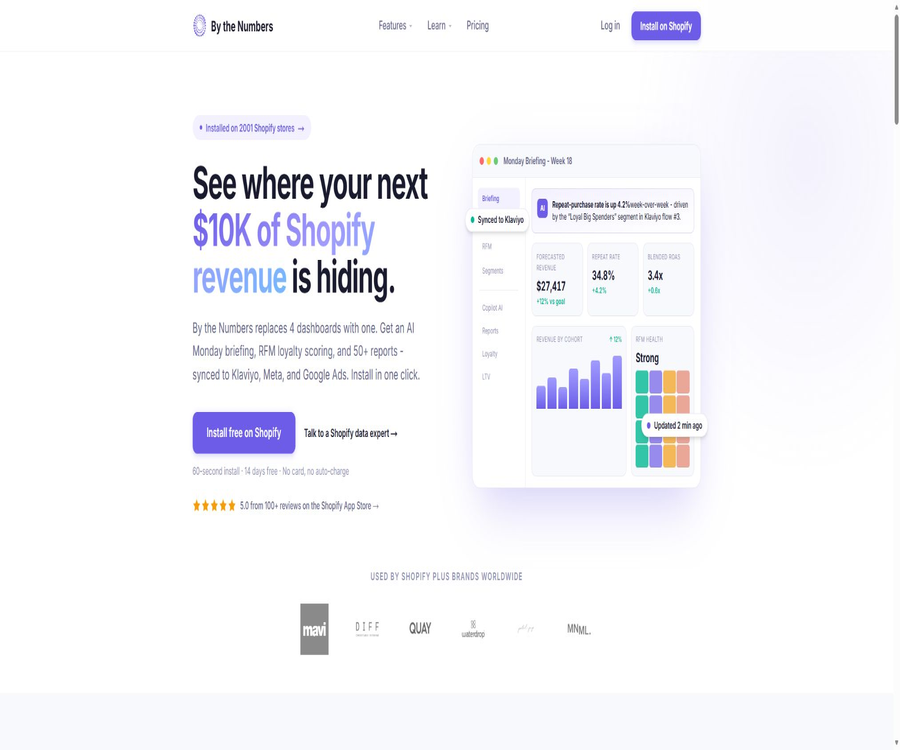
By the Numbers is an e-commerce analysis, customer segmentation, and growth insights tool designed for Shopify merchants; it is operated by Unsupervised LLC. It consolidates order, customer, product, and advertising data into a unified dashboard, and uses AI-generated reports, Copilot features, predictions, and alerts to help teams understand changes in their business operations.
It is neither a general-purpose spreadsheet analyzer nor an independent chatbot. The application must be installed in a Shopify store in order to gain access to the relevant data; it is designed for brands that wish to analyze repeat purchases, LTV, RFM metrics, marketing attribution, and product performance.
A one-sentence summary
By the Numbers transforms Shopify data into sales reports, customer segments, predictive outcomes, and actionable AI insights; it also allows for the synchronization of target audiences to marketing platforms such as Klaviyo, Meta, Google Ads, and TikTok.
Main functions
1. Unified e-commerce analytics dashboard
The application displays key metrics related to sales, orders, customers, products, and advertising in one place, thereby reducing the need for team members to switch back and forth between Shopify Analytics, GA4, and spreadsheets. Uniform definitions of these metrics are used across different reports, which helps ensure consistency in the data presented to operations, marketing, and finance teams.
2. AI Monday Briefing
The system sends a natural-language business summary every Monday, outlining revenue, retention rates, advertising returns, any unusual changes, and recommended actions. It enables managers to quickly grasp the changes that occurred over the past week; however, the causal explanations provided in the summary still need to be verified by considering data related to campaigns, inventory, and distribution channels.
3. Copilot AI Q&A
The built-in AI Copilot enables users to pose business-related questions based on store data, and to discover insights regarding customers, products, and growth opportunities through dialogue. It reduces the difficulty of dealing with large amounts of reports, but natural language responses should not be considered as audit or financial conclusions.
4. Sales and Customer Reports
The catalog of official reports covers topics such as sales volume, order trends, average order value, sales channels, countries, discount codes, revenue from first-time purchases and repeat purchases, purchase frequency, customers who have stopped buying, and the interval between orders. Currently, different website pages use figures such as 38 or over 50; the actual numbers may vary depending on the version and the criteria used for statistics.
5. RFM and Loyalty Analysis
RFM classifies customers based on their recent purchase date, purchase frequency, and spending amount, thereby creating a 16-cell loyalty matrix. Businesses can identify high-value, active customers as well as those who are at risk of churning or who have become inactive, and then design appropriate strategies to retain them.
6. Cohort and LTV analysis
Queue analysis is used to compare the repurchase and retention performance of customers acquired in different months, through different channels, or from different customer groups. The LTV and CLV metrics are employed to estimate the long-term value of customers. Based on this information, marketing teams can determine whether a particular channel generates one-time orders or customers who will repeat their purchases over time.
7. Custom customer segmentation
Businesses can create dynamic segments using criteria such as orders, products, lifetime value, recent purchases, discounts, and UTM codes, while also applying AND, OR, and NOT logic. The official website currently offers more than 75 filtering criteria and over 30 pre-defined segments; the exact number of segments and available criteria depend on the version of the store.
8. Synchronization of marketing audiences
Dynamic segmentation can be synchronized to Klaviyo, Meta, Google Ads, and TikTok for use in email workflows, advertising audiences, and retargeting. The website states that the segmentation data can be updated on an hourly basis; however, the actual synchronization speed is also influenced by the permissions of the target platforms, data matching, and the status of the interfaces.
9. Sales forecasting and target tracking
The forecasting module estimates sales trends based on the store’s historical data and seasonal patterns, and converts monthly targets into daily targets for monitoring. It can be used for inventory management, cash flow planning, and event organization; however, new stores, sudden promotional campaigns, or significant changes in business operations can reduce the reliability of the historical models.
10. Product and advertising analysis
The product report provides information on SKU, suppliers, products purchased together, repurchase rates, and delivery speed, while the ad report focuses on costs, click-through rates, attribution, and ROAS. The app also offers Meta Pixel capabilities to consolidate ad conversion data.
Report and metric ranges
| Analysis categories | Representative content | Problems that are suitable for solving |
|---|---|---|
| Sales | Total sales, order trends, average order value, channels, countries, discounts | Where does the revenue come from, and do promotions affect the quality of orders? |
| Customers | First time, repurchase frequency, churn, order interval | Which customers will return, and which ones need to be recalled |
| Products | SKU, suppliers, bundled purchases, repeat purchase rate, sales speed | Which products should be restocked, combined, promoted, or adjusted |
| Loyalty | RFM matrix, LTV, CLV, and customer segmentation | How to identify high-value and high-risk customers |
| Queue | Compare retention and revenue by time, channel, or segment. | Which customer acquisition channel brings greater long-term value |
| Advertising | CAC, ROAS, cost, clicks, and attribution | Do marketing investments yield sustainable returns? |
| Prediction | Revenue forecasting, target schedule, anomaly alerts | Whether growth is proceeding as planned and when adjustments are needed |
Complete workflow
- Install By the Numbers from the Shopify App Store and authorize it using Shopify OAuth.
- Wait for the application to import order, customer, product, and channel data; filling in the historical data for larger stores may take overnight.
- Check the basic metrics such as total sales, number of orders, refunds, time zone, and currency to ensure they correspond properly with those in the Shopify backend.
- Check the Monday Briefing, the key dashboards, and any alert messages to identify the metric changes that require further analysis.
- Use customer, product, queue, RFM, or advertising reports to analyze issues, rather than relying on a single aggregated figure.
- Create target customer segments and check whether their numbers, income levels, average order value, and repurchase rate meet the marketing objectives.
- After authorizing Klaviyo or the advertising platform, synchronize the audience and create workflows or campaigns in the target platform.
- Continuously compare the results before and after the campaign, as well as those of the test group and the control group, and then adjust the grouping, budgeting, and product strategies.
Getting started guide
- First, select a specific problem to address; for example, identify high-value customers who have not made any repeat purchases in the past 90 days.
- Open the customer or RFM report to verify the definitions and time ranges for recent purchases, purchase frequency, and spending amount.
- Create a narrower dynamic cluster using LTV, date of latest purchase, number of orders, and product conditions.
- A sample of customer records was inspected, with refund orders, test accounts, employee orders, and abnormal data excluded.
- Synchronize the segments to Klaviyo or advertising platforms, and first verify data matching through small-scale campaigns.
- Track the number of messages sent, conversion rates, cancellations, advertising costs, revenue from repeat purchases, and gross profit – not just the click-through rate.
- After the activity is over, return to the queue and client reports to determine whether the improvement stems from the target group.
How to use AI Copilot
- First, select a specific date range, as well as the range of stores and customers, on the dashboard.
- Propose questions that can be answered using store data, such as which channel generates customers with the highest six-month LTV.
- Ask the AI to list the metrics used, the filtering criteria, and the range of comparison, so as to avoid receiving only conclusions.
- Open the corresponding report to verify the figures, and check for external factors such as promotions, stockouts, or missing tracking information.
- Convert the validated insights into grouping, activity, or inventory actions, and set a date for review.
Which users are it suitable for
- Shopify’s brand manager: Stay informed about the status of the store through weekly updates, goals, and forecasts.
- E-commerce operations staff: Analyze orders, products, repeat purchases, and customer churn to determine the priority actions for the week.
- CRM and email marketing teams: Create dynamic customer segments and synchronize them with Klaviyo’s automation processes.
- Performance advertising team: Evaluates the quality of channels based on CAC, ROAS, attribution methods, and the long-term value of customers.
- Products and Inventory Team: Supports replenishment and mixed-selling efforts through SKU performance, combined purchases, and predictive analytics.
- E-commerce agents: Manage multiple customer stores in a unified manner, within the limit of the number of stores supported by the respective plan.
- Small and medium-sized brands that lack full-time data analysts can use pre-built reports and AI-driven explanations to lower the barriers to data analysis.
Typical use cases
- Increase repeat purchases: Identify high-value customers whose purchasing pace has slowed down, and initiate recall campaigns for them.
- Channel evaluation: Compare the retention rates, LTV, and ROAS of Meta, Google, TikTok, or email marketing clients.
- Product decision-making: Identifying products with growth potential, slow-selling SKUs, common combinations, and products with high repeat purchase rates.
- Promotion review: Determine whether the discounts were intended solely to increase order volume or to acquire long-term valuable customers.
- Inventory planning: Identifies replenishment risks in advance by taking into account the sales pace of products and revenue forecasts.
- Operational weekly meeting: Use unified metrics and the Monday Briefing to reduce the time required for manually managing multiple dashboards.
- Audience activation: Sync dynamic segments to email and advertising platforms, replacing the need for frequent export of static CSV files.
Product advantages
- The design related to Shopify data, as well as installation and permission management, are closely linked to the store’s backend.
- Sales, customers, products, advertising, queues, and forecast reports are all included in the same product.
- RFM, LTV, churn detection, and dynamic clustering form a chain that goes from analysis to marketing actions.
- AI Briefings and Copilot convert complex metrics into natural language, making them accessible to non-technical teams.
- Groups can be synchronized to various email and advertising platforms, reducing the need for repeated import of static lists.
- All paid plans currently include comprehensive reports and unlimited historical data, and they are categorized primarily based on the number of orders and stores.
- The 14-day trial does not require the submission of a credit card in advance, and no charges are applied automatically at the end of the trial period.
Usage restrictions and precautions
- The product is designed specifically for Shopify merchants and is not suitable as a direct replacement for other e-commerce platforms or general BI systems.
- The current interface and official materials are primarily in English; it has not been confirmed that a complete Chinese localization exists.
- AI’s capabilities in explanation, prediction, and anomaly detection rely on historical data, and it cannot replace financial, tax, or audit reviews.
- Different report pages use varying criteria for determining the number of built-in reports; the actual content available should be based on the version within the store.
- The official website states that data from 24 months needs to be filled in after installation, while the paid plans claim unlimited access to historical data; the initial scope of data to be provided and the speed at which this scope can be expanded should be determined during the trial period.
- Audience synchronization requires authorization from a third-party platform, and the matching rate, refresh frequency, and available fields are affected by external interfaces.
- Low order volumes, new stores, extreme promotions, stockouts, and lack of tracking can all affect the quality of predictions and attributions.
- The package is determined based on the rolling average order volume over the past three months; brands with rapid growth should pay attention to the next cost level in advance.
- There are differences between the package information available on the Shopify App Store and on the official website; therefore, it is not possible to make purchases based on just one of these pages.
Prices and packages
As of August 20, 2026, the pricing page on the official website offers five monthly subscription options, all of which include a 14-day trial period with full functionality; no credit card is required for this trial, and no automatic charges are made. If no payment plan is selected by the 15th day, access will be suspended.
| Package | Monthly fee | Maximum order quantity | Number of stores | Core rights and interests | Suitable for users |
|---|---|---|---|---|---|
| Starter | 19 dollars | A maximum of 500 orders per month. | 1 | All reports, unlimited historical data, email support | New stores and single-store brands |
| Growth | 39 dollars | Up to 2,000 orders per month | 3 | All reports, full integration, priority email support | Growing brands |
| Pro | 89 dollars | A maximum of 5,000 orders per month | 5 companies | Full integration, priority support, one-on-one guidance | Established e-commerce brands |
| Advanced | 179 dollars | Up to 15,000 orders per month | 10 companies | One-on-one guidance, dedicated account manager | Teams with high order volumes |
| Unlimited | $ | No order limits | No restrictions | Dedicated account manager, custom reports | Multiple stores and corporate brands |
The order volume is calculated based on the rolling average of the past three months; the official website states that short-term spikes in orders do not trigger an automatic upgrade immediately. Payments are processed through the Shopify Billing API, and cancellations take effect at the end of the current billing cycle. The actual prices, taxes, and benefits are as indicated on the Shopify settlement page.
Price differences between the official website and app stores
The current Shopify App Store still displays the \"Free Forever\" option, as well as different subscription limits for the Starter, Growth, and Pro plans compared to those on the official website. The pricing details on the official site, along with the terms updated in May 2026, state that access will be suspended if no paid plan is selected after the trial period ends; therefore, there are clear discrepancies in the information regarding whether it is still possible to opt for the free plan.
| Information location | Display content | How to handle it when making a choice |
|---|---|---|
| Official website pricing and terms | 14-day trial without a card; five pricing tiers: Starter – 500 orders, Growth – 2000 orders, Pro – 5000 orders | Serves as a reference for the current main pricing structure on the official website |
| Shopify App Store | Free Forever includes an overview, over 14 types of reports, and 90 days of historical data; the limit for paid orders is relatively low. | It might be an older version, a regional version, or information that hasn’t been synchronized by the store yet. |
| Shopify installation and payment page | Practical solutions tailored to the current store, region, and order volume | Before making a purchase, refer to the available options and authorization details shown here. |
Platform support and integration
| Platform or capability | Support status | Explanation |
|---|---|---|
| Shopify apps | Support | Main installation, licensing, usage, and billing interfaces |
| Web-based embedded dashboard | Support | View analytics in the browser and the Shopify admin panel |
| Klaviyo | Support | Synchronize customer segments for use in emails and automated workflows |
| Meta | Support | Audience synchronization, advertising, and pixel-related analysis |
| Google Ads | Support | Synchronize the audience and analyze ad performance |
| TikTok | Support | Synchronize the audience and analyze channel data |
| Google Analytics | Listed in the app store | The specific data range must be confirmed on the connection page. |
| Mailchimp | Listed in the app store | The specific synchronization methods and version restrictions must be confirmed in the store. |
| Independent mobile apps | No findings were detected. | No official iOS or Android clients have been identified. |
| Desktop client | No findings were detected. | It is primarily used via the Web and the Shopify backend. |
MCP, API, and developer capabilities
The Shopify App Store provides detailed information on the MCP connectors designed for AI agents, allowing compatible AI agents to access more in-depth store analyses and insights. The public page does not outline the connection addresses, authentication methods, list of available tools, minimum requirements for using these services, or data permissions; these details need to be confirmed within the app or through support channels before activation.
As of the time of verification, no REST API, GraphQL API, or official SDK documentation available for use by ordinary developers was found. The MCP connector represents a controlled mechanism for accessing AI services; it cannot be used as an indication that the product offers general data interfaces.
GitHub and open source
No official GitHub repository, maintained by Unsupervised LLC or By the Numbers and specifically associated with this Shopify app, was found. The product should be considered a closed-source hosting service; the MCP connectors, AI Copilot, and internal integrations within the app do not imply that the source code is available publicly.
Data permissions and privacy
Applications need to handle data related to orders, customers, products, advertisements, and store operations. The permissions specified on the Shopify app page include access to customer names, email addresses, phone numbers, addresses, as well as information about devices and activities. Businesses should grant only the permissions necessary for their operations, and they must provide customers with privacy notices that comply with local regulations.
The security page states that transmission is carried out using TLS 1.2 or a higher version, while static data is encrypted with AES-256; data processing and storage take place on infrastructure located in the European Union. Access to production systems is restricted and monitored, and the time required to address serious security issues is seven days. These commitments should still be verified in conjunction with the contract and the data processing appendices.
Third-party processing and data residency
The platform shares the data required for its operations with Shopify, as well as with Klaviyo, Meta, Google, TikTok – services to which the merchants have given explicit authorization – and with cloud and transactional email service providers. The provider can supply appendices detailing how the data is processed upon request; companies that have location-specific requirements should verify in advance whether those requirements can be met before making a purchase.
Services, Cancellation, and Availability
All packages include email support; the official website states that the support team in North America will respond within 24 hours. The Pro and higher plans offer one-on-one assistance, while the Advanced and Unlimited plans come with dedicated account managers. The actual response time should not be considered as a strict guarantee of service level.
The terms of service set a monthly availability target of 99.5%, but automatic service credits are not provided, unless an Unlimited customer has a separate written agreement to that effect. Merchants can cancel this service through the Shopify dashboard, and the cancellation takes effect at the end of the current billing cycle.
Basic information
| Project | Information |
|---|---|
| Tool name | By the Numbers |
| App store name | By the Numbers - Pro Dashboard |
| Developers and operators | Unsupervised LLC |
| Tool type | Shopify analytics, customer segmentation, AI-driven business insights |
| Main functions | Sales reports, RFM, LTV, queues, attribution, forecasting, segmentation, and audience synchronization |
| Price pattern | 14-day trial without a card and monthly subscriptions; limited free options are available separately in the app store |
| Initial payment | The current price on the official website is $19 per month. |
| Primary language | English |
| Main platforms | Shopify and the Web |
| MCP | The app store confirms that connectors are available, but there is limited public technical documentation. |
| Public API | No findings were detected. |
| Official SDK | No findings were detected. |
| Official GitHub | No findings were detected. |
| Is it open source? | No |
Recommendation score
The recommendation score is 4.4 out of 5. By the Numbers consolidates Shopify’s sales, customers, products, advertising, RFM data, queues, and forecasting into a single tool; it also allows for the synchronization of dynamic segmentation data to marketing platforms, making it suitable for brands that wish to move from generating reports to taking action.
The deductions are mainly due to inconsistencies between the prices listed on the official website and those in app stores, a lack of detailed information regarding MCP technology, an interface that is primarily in English, and the fact that AI and forecasting functions still rely on data quality. It is recommended to make use of the trial version that does not require a card, in order to test the metrics, handle historical data, verify synchronization capabilities, and examine the payment options using one’s own store.
Frequently Asked Questions
Is By the Numbers free?
The official website offers a 14-day trial with full functionality; no credit card is required and no charges are deducted automatically. The Shopify App Store still lists the \"Free Forever\" option, but the terms on the official website state that access will be suspended if no payment plan is selected after the trial period ends. Whether the free option is still available depends on the details provided on the store’s installation page.
Will a charge be deducted automatically after the trial period ends?
No. Credit card information is not collected during the trial period; subscription fees are incurred only when the user actively selects and authorizes a payment method in Shopify.
How much historical data can it support?
The installation process outlined on the official website states that the order history for the past 24 months will be filled in at night during the first installation; paid plans, on the other hand, offer unlimited access to historical data. It is necessary to check in the trial store to find out when earlier data will become available and whether the entire history for all relevant periods is included.
Which indicators can be analyzed?
The core areas include sales, orders, products, customers, repeat purchases, churn, RFM, LTV, CLV, queues, CAC, ROAS, attribution, and forecasting. The specific number of reports and the definitions of the metrics may change as the product is updated.
Where can customer segments be synchronized to?
The official website currently highlights Klaviyo, Meta, Google Ads, and TikTok; the Shopify App Store also lists Google Analytics and Mailchimp. Before making a connection, it is necessary to verify the permissions for the target platform as well as whether the current plan supports it.
Is Chinese supported?
The Shopify App Store lists the product language as English; a complete Chinese interface is not available. The data related to Chinese-language stores can be analyzed, but the interface, explanations of various metrics, and support communications may require proficiency in English.
Are the answers provided by AI Copilot reliable?
It can help explain the data and identify potential directions for analysis, but the outcomes may be influenced by the scope of the data considered, data gaps, and the assumptions underlying the model. Important business decisions should be verified by referring back to the original reports, orders, and financial figures.
Is MCP provided?
The app store clearly states that it supports MCP connectors, which enable connection to AI agents in order to obtain analytical insights. Public information does not provide a complete list of the methods for integration, the supported clients, permissions, and plan requirements; these details need to be checked within the product itself.
Are public APIs or SDKs available?
As of the time of verification, no public API console or official SDK documentation was found. MCP capabilities cannot be automatically equated to standard REST APIs.
Is By the Numbers open source?
No. No official open-source repository or license that corresponds specifically to this product was found; it should therefore be considered a closed-source commercial SaaS solution.
Where are customer data stored?
The security page states that customer data is processed and stored within EU infrastructure, with transmission and static encryption being used. Companies with compliance or residency requirements should still request an appendix detailing data processing and verify the actual contract terms.
Is it suitable for large stores?
Advanced supports up to 15,000 orders per month and 10 stores; Unlimited offers no limit on the number of orders or stores, along with the possibility of creating custom reports. Large brands should consider factors such as the volume of data, the level of support provided, MCP permissions, and the written service terms.
Summary
By the Numbers is suitable for teams that wish to carry out business analysis, customer segmentation, growth forecasting, and marketing audience activation within Shopify. Its value lies not only in providing more charts, but also in creating a continuous workflow that connects RFM, LTV, queue management, AI-driven insights with external marketing platforms.
Before making a purchase, it is essential to check the actual package options available in the store, as the website and app stores provide different information regarding free plans and order limits. After trying out the service, a decision should be made as to whether to subscribe on a long-term basis, based on the accuracy of the data, the level of adoption by the team, and the actual increase in marketing results.
Tools similar to By the Numbers





 Guigong Network Security Registration No. 45132202000164