






A one-sentence summary
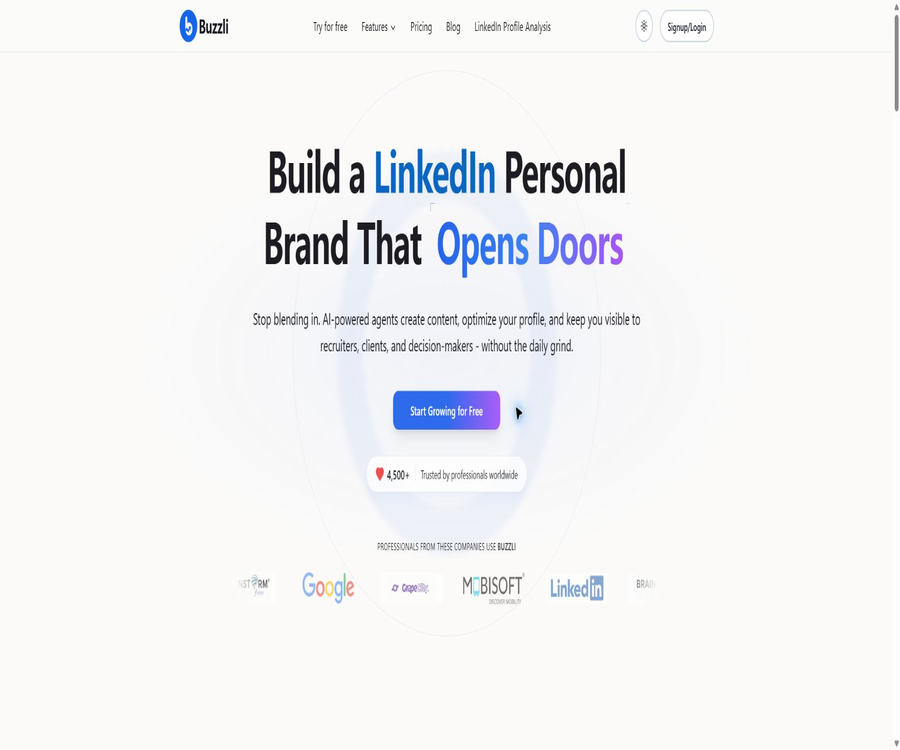
Buzzli is an AI-powered content platform designed for managing one’s personal brand on LinkedIn; it can handle tasks such as selecting topics, creating posts and images, generating slideshows, analyzing data, studying popular content, scheduling publications, and performing automatic research.
What is Buzzli?
Buzzli is designed for professionals who wish to consistently publish content on LinkedIn, as well as founders, salespeople, consultants, and content teams. It brings together various steps – from the initial idea to the final draft, including visual elements and publishing schedules – in a single web-based workspace.
The product is not designed for general long-form writing; rather, it is aimed at helping to develop a personal brand on LinkedIn as well as creating professional content. Users can have the AI learn from their own examples of writing, use popular posts as references, analyze their profiles, and then save the generated content, schedule its publication, or post it on LinkedIn.
List of main tools
| Tools | Main inputs | Output result | Suitable for tasks |
|---|---|---|---|
| Idea Generator | Industry, field of specialization, or an initial idea | Several topics on which further writing can be done | Solve the problem of not knowing what to send. |
| Post Creator | Theme, perspective, tone, language, and writing style | Structured LinkedIn post draft | Quickly create editable professional posts |
| Carousel Generator | Theme, text, or content approach | Content and visual materials for multi-page slider slides | Create knowledge-based or story-driven sliding content |
| Profile Analyzer | LinkedIn profile information | Suggestions for improving the title, overview, experience, and positioning | Optimize the personal brand page |
| Viral Posts | Industry or sub-topic | High-performing posts and reusable structural ideas | Forms of research content and perspectives of expression |
| Research Agent | Long-term themes, channel preferences, format, and operational plans | Drafts of posts or slideshows that have been studied | Professional content is continuously generated in the background. |
| News Agent | Industry and news topics | LinkedIn draft based on recent news | Quickly follow up on new events |
| Scheduler | Reviewed posts and publication dates | Scheduled tasks and release records | Maintain a steady release schedule |
Core functions
- LinkedIn topic generation: Expanding from one main idea to generate multiple angles of content related to industry and professional experience.
- Post writing: Generate draft LinkedIn posts based on topic, audience, tone, language, and structure.
- Content rewriting: Optimize the beginning, rhythm, readability, and call to action of the user’s existing text.
- Personalized writing style: Develop a distinct writing personality based on past post examples, in order to reduce the generic AI tone.
- Slideshow creation: Convert ideas into scrollable multi-page content and provide visual templates.
- AI image generation: Creates images to accompany posts or sliders; higher payment tiers offer higher-quality options.
- Profile analysis: Examine sections such as Headline, About, and Experience and provide optimization suggestions.
- Popular Posts Library: Explore over 5,000 highly successful posts to study topics, hooks, and structures.
- Content calendar: Save drafts, set dates, and manage release schedules from a calendar perspective.
- Direct sharing and scheduling: The content that has passed the review will be published or scheduled on LinkedIn.
- AI content agent: Conducts regular research, writes content, and sends or schedules it based on a set theme.
How to use a post generator
- Enter the viewpoint, experience, example, or topic you wish to express; do not simply use a general industry term.
- Choose the target audience, tone, language, length, and the writing style you prefer to use.
- After creating a post, check the opening hook, facts, examples, numbers, quotes, and call to action.
- Rewrite the key paragraphs based on your own experiences, and remove any results that cannot be verified as well as any excessive exaggerations.
- Save the approved version as a draft to preview the line breaks and the viewing experience on mobile devices.
- Choose to publish immediately or schedule it, and record the actual interaction performance after publication.
Personalized writing style
Buzzli allows users to paste multiple posts they have published in the past and save them as selectable writing personas. When creating new content, these personas can be used to make the tone, sentence structure, and rhythm more similar to the user’s existing style of expression.
- Priority should be given to post samples that were indeed created by the individual themselves and that reflect their current profile.
- The samples should cover various content types such as professional perspectives, stories, cases, and teaching methods.
- Do not upload confidential client information, unpublished business data, or copyrighted content belonging to others.
- AI can only imitate the superficial style; true experiences, judgments, and professional details still need to be provided by the individual themselves.
Slideshow and image generation
The carousel generator allows you to break down a theme or existing text into multiple pages of content, creating visual materials suitable for sliding reading on LinkedIn. The free version of this tool includes watermarks, while the Pro and Premium versions offer watermark-free carousels.
AI-generated images can be used as content for posts, but creating such images consumes a significant amount of points each time. Before using them, it is necessary to check for issues related to characters, text, brand logos, and copyright risks; visual images that may seem reasonable should not be regarded as evidence of actual events.
Profile analysis
Profile Analyzer focuses on checking the various sections of a profile such as Headline, About, and Experience, to help users determine whether their identity is clearly defined and whether their value is fully conveyed. Free users can enjoy a limited version of this service, while paid subscription packages allow for the analysis of more information.
- Verify that the position, services, achievements, and contact information in the details have been updated.
- Run the analysis and view the title, summary, experience, and overall positioning suggestions separately.
- Only make modifications that are consistent with the real situation; do not invent fake positions, customers, or performance figures.
- After making the changes, read it again from the perspective of potential customers or recruiters, and then seek feedback from actual peers.
- Pay attention to changes in access to observation data, the frequency of searches, and valid inquiries, rather than focusing solely on tool ratings.
Research on Popular Posts and Topics
The Viral Posts Library offers over 5,000 high-performing LinkedIn posts, allowing users to find inspiration by category. The proper approach is to study the hooks, rhythm, content structure, and target audience, rather than simply copying the original posts or making minor changes before publishing them.
- Document the themes, opening approaches, and reasoning methods commonly used in multiple high-performing posts.
- Distinguish between the content format and the author’s unique stories, as the latter cannot be used directly.
- Reconstruct the post by incorporating one’s own experience, data, and perspective.
- After publishing, use actual performance to verify whether the structure is suitable for the target audience.
How Research Agent works
The Research Agent is Buzzli’s backend content generation tool; users first set the main topic, channels to be used, whether to include citations, the writing style, the output format, and the duration for processing. The system then searches for new topics, reads relevant articles and reports, and generates text posts or slide shows.
- Select a Research Agent from the agent market and create a name for it.
- Fill in the topic to be studied continuously, the sources that can be used for reference, and whether to include citations in the final document.
- Choose the writing style, post or carousel format, as well as the target audience.
- Set the date and time for weekly execution, and choose between email notification or posting on LinkedIn.
- After starting the proxy, review the first few results in order to adjust the topic, channel, and tone.
- Regularly review the topics that have been used to avoid situations where the content is not repetitive but the viewpoints remain highly similar.
The difference between Research Agent and News Agent
The Research Agent focuses on long-term themes to identify trends and relevant information, carrying out in-depth analysis across multiple sources. The News Agent, on the other hand, aims to create posts quickly based on recent industry news; it offers greater timeliness, but requires more careful verification of the dates of the events and the original reports.
The complete process from creation to release
- First, determine the personal brand positioning, three to five content pillars, and the target audience.
- Use Idea Generator or the library of popular posts to create a list of topics for the week.
- Choose a topic and use a post or carousel tool to create a first draft.
- Add personal experiences, customer issues, real figures, and independent opinions.
- Check facts, copyrights, privacy, LinkedIn rules, and image content.
- Save it to the calendar, set an appropriate release time, and avoid repeating the publication in a short period.
- After publication, track views, valid comments, data access, and actual inquiries.
- Adjust the theme and structure based on real data, rather than allowing AI to generate similar content indefinitely.
Which users are it suitable for
- Professionals in the workplace: Continuously share their experience to establish a clear position within their industry and a reputation as experts.
- Entrepreneurs and founders: They manage content related to products, markets, and the entrepreneurial process.
- B2B sales professionals: Build trust through professional content and encourage potential customers to engage in communication on their own initiative.
- Consultants and freelancers: Present methods, examples, and opinions to create a solid portfolio for building a personal brand.
- Job seeker: Optimize personal profiles and content themes to increase visibility in relation to the target positions.
- Content operators: Manage topics, posts, slide shows, and the publishing calendar.
- Small agencies: They conduct research on the structure and create drafts for multiple personal brands, but it is necessary to verify the account details and the boundaries of authorization.
Typical use cases
- Professional insight posts: Organize meeting notes, industry observations, or work experience into concise posts.
- Case review: Transform the project background, actions, outcomes, and lessons learned into a readable story.
- Knowledge carousel: Break down processes, frameworks, or checklists into multiple pages of visual content.
- News analysis: Select recent industry events and add personal insights to create timely content.
- Data optimization: Analyze the Headline and About sections to enhance the portrayal of the target audience and the value offered.
- Content scheduling: Prepare drafts one week or one month in advance to ensure a consistent output.
- Automatic research: Have the Research Agent regularly provide draft versions of content compiled from various sources.
Product advantages
- Focusing on the personal brand on LinkedIn, its functional structure is more focused than that of general writing tools.
- It covers topic selection, writing, images, sliders, data analysis, scheduling, and automated agents.
- Writing styles can be trained using past posts, which helps maintain consistency in personal expression.
- The library of popular posts provides structural inspiration, reducing the time needed to start research from scratch.
- The free quota does not require a credit card; it allows you to test posts, images, and scheduling processes first.
- Pro and Premium use one-time credit packs, with no requirement for a recurring subscription.
- Sharing, scheduling, and viewing popular posts do not consume points, making it easy to manage content repeatedly.
Usage restrictions and precautions
- AI-generated posts may contain factual errors, fake citations, outdated news, or statements that do not correspond to the author’s actual experiences.
- The personally generated brand content that is created automatically tends to be homogeneous, and its excessive use can undermine the authenticity of one’s voice as well as professional credibility.
- Popular posts can only be used for research; the original text, unique stories, images, or others’ methods should not be copied.
- Direct publishing and automatic scheduling require a LinkedIn account; users should check the scope of permissions and the platform’s rules.
- For the multi-channel research conducted by Research Agent, it is still necessary to consult the original text for verification; one cannot rely solely on the abstracts.
- The 500 free points are a one-time allowance and are not renewed automatically on a monthly basis.
- The consumption varies significantly among different tools; image processing, data analysis, and research agents deplete points more quickly.
- The privacy policy still uses the wording from the old applications and domain names; moreover, some categories of data are not clearly related to the current web-based products.
- Currently, there are no public APIs, SDKs, or enterprise development documentation, which makes it unsuitable for teams that rely on automated bulk production.
Prices and packages
As of August 20, 2026, Buzzli’s main products offer one-time free quotas and one-time credit packs, rather than monthly subscriptions. Different pages on the official website display prices in either US dollars or Indian rupees depending on the region; the final amount, taxes, and currency to be used shall be those indicated on the actual payment page.
| Plan | Current reference price | Points or outputs | Primary interests | Suitable for users |
|---|---|---|---|---|
| Starter | Free of charge, no credit card required | 500 points per time, approximately 17 posts | Posts, topic selection, scheduling, AI-generated images, slideshows with watermarks, limited access to agency services and data analysis tools, writing personas, library of popular posts | First-time experience and low-frequency creation |
| Pro | 12.5 dollars, one-time payment | 5000 points | Content proxy, an unlimited library of popular posts, additional data analysis tools, watermark-free slideshows, and advanced image features | Individual creators who are stable but do not require a monthly subscription |
| Premium | 25 dollars, one-time payment | 10,000 points | For all Pro capabilities, the availability of content proxy and data analysis services is higher. | High-frequency personal brand managers |
| Personal Branding Agent settings | Discount of $299; the original price on the page is $399. | One-time service configuration | Personal introduction to communication, voice training, content pillars, strategies, and complete content engine setup | Professionals needed to configure and manage policy services |
| Monthly usage for Personal Branding Agent | $ | 16 pieces of text, image, or carousel content per month | Monthly strategy updates, custom AI-generated images, and ongoing sound optimization | Users who wish to continue hosting content for their personal brand |
Points consumption
| Operation | Each time the integral is referenced | Explanation |
|---|---|---|
| Share to LinkedIn | 0 | The act of publishing itself does not result in any point loss. |
| Schedule LinkedIn posts | 0 | Scheduling the release time does not result in any loss of points. |
| Generate 10 topics. | 10 | A new set of topics is generated each time. |
| Generate AI carousel slides | 20 | The free tier may retain watermarks. |
| Create a post | 30 | Each time a deduction is generated, it is not determined based on whether a refund is ultimately issued or not. |
| Generate image | 100 | It belongs to the category of actions with high consumption. |
| LinkedIn profile analysis | 150 | Deduction for each analysis |
| News Agent | 100 | Each time it is generated by the news agent |
| Research Agent | 200 | Each time deep research on agent generation is conducted |
The page for paid credit packages uses the phrase “use as needed, no subscription required”; the Research Agent page also states that Premium credits do not expire. It is still necessary to check the validity period of the credits, the currency used in the region, and the scope of available functions in your account before making a purchase, as the local prices displayed on different pages of the official website can vary.
Rules for refunds and cancellations
According to Buzzli’s refund policy, it is possible to request a cancellation for AI content creation tools within 48 hours after the service is activated; no refunds are available after that period. Users need to contact official support for assistance, and they should determine in advance what is meant by “activation” as well as whether the points that have been used affect the possibility of a refund.
The dedicated Personal Branding Agent page mentions a full refund guarantee, but it does not specify the exact conditions under which this guarantee applies. These rules may vary depending on the product; therefore, it is necessary to request written clarification regarding the scope, timeline, and delivery standards before purchasing such a service.
Supported platforms and services
| Platform or capability | Support status | Explanation |
|---|---|---|
| Web page version | Support | The main entry point for creation, analysis, proxy management, calendar, and account management |
| LinkedIn connection | Support | Used for direct publishing, scheduling, and personal brand workflows |
| Support | The Research Agent can send notifications to convey relevant content. | |
| iOS or Android app | Not confirmed | No verification was found on the current official independent app store page. |
| Desktop client | No findings were detected. | It is primarily used through a browser. |
| Browser extensions | No findings were detected. | There are no public official extensions. |
| Public API | None | No developer console or API documentation was found. |
| Official SDK | None | No official development package was detected. |
APIs, GitHub, and open source status
As of the time of verification, Buzzli does not provide any public APIs, Webhooks, documentation for developer authentication, or official SDKs. The LinkedIn connections and automatic posting features available on the website are internal product functions and cannot be considered as public interfaces that third parties can use.
No official GitHub repository or open-source license associated with the Buzzli LinkedIn tool has been found; therefore, the product should be considered a closed-source commercial service. Other marketing platforms with the same name available online, as well as Buzzly’s own products or third-party codes, are not related to this tool.
Privacy and data processing
The data listed in the privacy policy includes name, email address, phone number, payment methods, device identifiers, IP address, location, service usage patterns, customer service records, and communication interactions. This data may be processed by services related to cloud infrastructure, communication, payments, logging in, analysis, and error tracking.
The policy states that users can request access to, correction of, or deletion of their personal information; data is retained for a reasonable period necessary to provide services, offer support, ensure security, and meet legal requirements. Posts, profiles uploaded by users, and LinkedIn authorization details are sensitive, and it is necessary to avoid sharing client confidential information or unpublished business data.
User content rights
The terms of use state that Buzzli does not own the content submitted by users; the users remain responsible for its accuracy, legality, and intellectual property rights. Users grant the platform the rights to access, copy, store, transmit, rearrange, and display such content as is necessary to provide the services.
LinkedIn account security and rules
- LinkedIn is connected only through Buzzli’s official login and authorization process; passwords or session tokens are not sent to any third parties.
- Check the permissions for submitting application requests, as well as for publishing and scheduling; any permissions that are not in use should be revoked promptly.
- Avoid using automation to generate large amounts of spam content, fake interactions, carry out scraping, or send unwanted private messages.
- Manual review is required before publication, especially for employer information, client cases, job titles, and performance figures.
- Regularly check LinkedIn accounts for connected apps, login history, and scheduled posts.
- When disabling Buzzli, delete the scheduled tasks, export the necessary content, and revoke the LinkedIn authorization.
Basic information
| Project | Information |
|---|---|
| Tool name | Buzzli |
| Tool type | LinkedIn AI writing, personal brand, and content scheduling tools |
| Description of the operating entity | The privacy policy uses the name MYC Productions. |
| Core functions | Topic selection, posts, sliders, images, data analysis, popular libraries, scheduling, and AI agents |
| Price pattern | One-time free points, one-time paid point packages, and standalone monthly brand agency services |
| Free quota | 500 points per transaction |
| Initial payment | Pro for $12.50, one-time payment |
| Main platforms | Web and LinkedIn |
| Supported languages | The interface and official support are primarily in English, while the language can be selected for the generator. |
| Public API | None |
| Official SDK | None |
| Official GitHub | No findings were detected. |
| Is it open source? | No |
Recommendation score
The recommendation score is 4.1 out of 5. Buzzli offers a comprehensive set of tools for managing a personal brand on LinkedIn, including options for content creation, visual design, analysis, and scheduling; its one-time payment package is also suitable for individual users who do not wish to subscribe on a recurring basis.
Its shortcomings include a lack of skilled developers, outdated wording in the privacy policy, inconsistent local prices on different pages, and risks related to accounts and content arising from automatic publishing. It is advisable to use free credits first to assess the quality of writing and the workflow before deciding whether to make a purchase.
Frequently Asked Questions
Is Buzzli free?
New users can receive 500 points for free, once only, without the need for a credit card; these points are sufficient to create around 17 posts. This quota is not renewed on a monthly basis, and once it is used up, users must purchase Pro or Premium credit packs.
Are Pro and Premium subscriptions?
No. On the current main pricing page, both options are presented as one-time credit packages that can be used on demand without any subscription, offering 5000 and 10000 credits respectively.
Do the points expire?
The Research Agent page indicates that the 10,000 points associated with the Premium plan do not expire, whereas the main pricing page does not list all the rules regarding the validity period of these points. It is necessary to check the specific details on the account or order page before making a purchase.
Can it be posted directly on LinkedIn?
Posts can be saved, shared directly, or scheduled; sharing and scheduling do not result in any loss of points. Even after connecting an account, the content still needs to be manually reviewed, in accordance with LinkedIn’s rules regarding automation and content.
How many points does a post consume?
The current price list indicates that 30 points are required for each post generated. Rewinding and generating the post again will usually result in another charge; therefore, it is necessary to enter the information correctly before running the process.
Will the Research Agent be published automatically?
Users can choose to receive only email notifications, or they can set up options for direct delivery or scheduling. It is recommended to maintain manual review first, and to consider a higher level of automation only after ensuring that the channels, the information provided, and the tone used are consistent.
Does Buzzli support Chinese?
When creating a post, it is possible to select the language, but the official website and support services are primarily available in English. The quality of the Chinese content, the way lines are formatted, and its suitability for LinkedIn’s audience should be tested using the free quota first.
Can the generated content be used for commercial purposes?
Users are responsible for the legality, accuracy, and rights of the content they submit and create. Before using such content for commercial purposes, it is necessary to verify the facts, images, citations, as well as the rights related to persons and brands, and to comply with the rules of the platform and those in the respective region.
How long is the deadline for a refund?
AI content creation tools can be requested to be canceled within 48 hours after activation; after that period, the company refuses to issue any refunds. The guarantee terms provided by independent brand agents may vary, and these should be confirmed in writing before making a purchase.
Is an API provided?
No public APIs or developer documentation were found. Buzzli’s internal publishing and scheduling functions are not meant to be called directly by external programs.
Is Buzzli open source?
No. No official code repository or open-source license was found; it should be considered a closed-source online service.
What will happen to the profile information and sample posts?
The platform needs to handle tasks related to analysis, personalization, and service delivery; the privacy policy also allows service providers to be involved in aspects such as infrastructure, analysis, and payments. Do not upload confidential information, and you can request access to, correction of, or deletion of your personal data in accordance with the policies in place.
Summary
Buzzli integrates LinkedIn topics, posts, carousels, images, profile analysis, research on popular content, and scheduling into a single platform, and it uses Research Agent to further automate the creation of long-term content. It is particularly suitable for professionals and B2B users who need to maintain a consistent personal brand.
When choosing a plan, it is necessary to distinguish between one-time credit packages and monthly services provided by independent Personal Branding Agents, and to check the prices for different regions as well as the conditions for refunds. While AI can speed up research and creation, it is personal experience, factual accuracy, independent opinions, and ongoing interaction that truly determine long-term results.
Tools similar to Buzzli





 Guigong Network Security Registration No. 45132202000164