






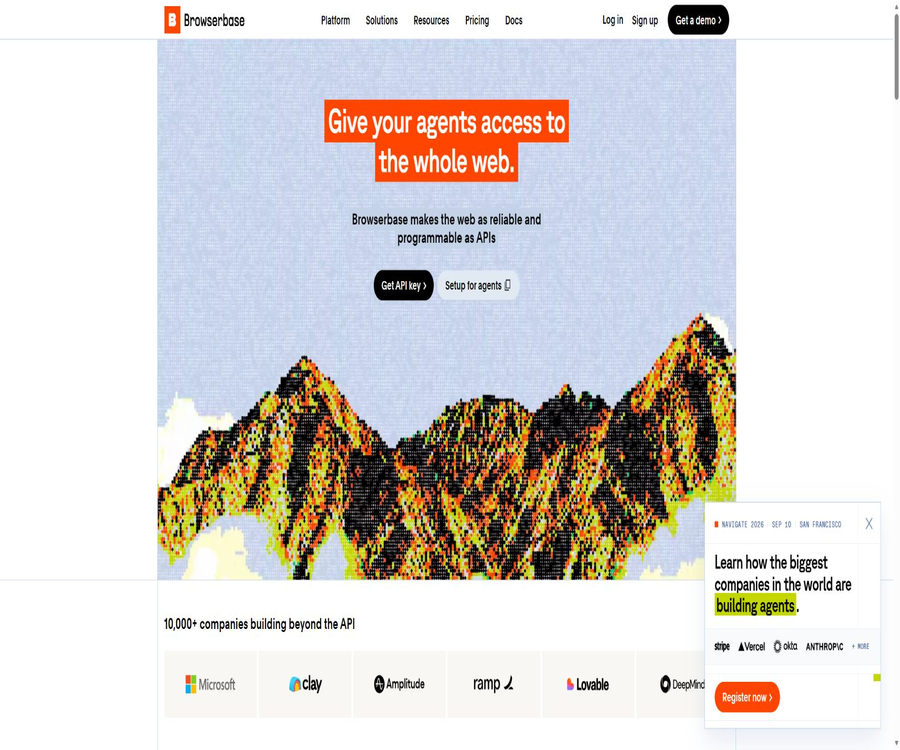
A one-sentence summary
Browserbase is a cloud-based browser platform designed for building, running, and debugging web proxies; it brings together remote Chromium, Search and Fetch interfaces, the Functions runtime, model gateways, proxy networks, authentication capabilities, and session monitoring under a single developer account.
Tool Introduction
Browserbase is operated by Browserbase Inc, and it serves developers and companies that need their applications to be able to browse websites, log in, click on elements, fill out forms, or extract data from dynamic web pages. It handles the infrastructure related to browser clusters, concurrency, networking, sessions, and debugging; the business logic, however, is determined by the user’s code or AI agents.
The platform supports Playwright, Puppeteer, Selenium, as well as the proprietary Stagehand; it also provides REST APIs, Node.js and Python SDKs, MCP, and integration with various proxy frameworks. The Browserbase cloud service and the open-source Stagehand are related but distinct product layers.
Platform composition
| Components | Function | Suitable for tasks |
|---|---|---|
| Browser API | Create, connect to, configure, and terminate isolated browser sessions | Login process, forms, dynamic web pages, and end-to-end testing |
| Search API | Return structured web search results | Research, candidate page discovery, and RAG retrieval |
| Fetch API | Obtain the page response content without executing JavaScript. | Lightweight crawling, preprocessing, and static page reading |
| Functions | Deploy browser proxies or scripts in the platform’s sandbox environment. | Execute automation on a scheduled basis or as needed |
| Model Gateway | Use a unified key to invoke the supported models and perform unified settlement. | Stagehand actions and agent reasoning |
| Identity | Agents, verification codes, authentication, and website trust capabilities | Websites that require login or are protected against automation. |
| Observability | Real-time viewing, recording, logging, and network debugging | Debugging, auditing, and operational quality analysis |
Main functions
Remote browser session
Developers create cloud-based Chromium sessions using APIs, and then connect to them via CDP or WebDriver. Each session runs in isolation; it is possible to set parameters such as the viewport size, location, proxy settings, timeout values, extensions, CAPTCHA handling, and other browsing options.
Concurrency and global regions
Different packages offer 3, 25, 100, or more than 250 concurrent browsers, with the sharing quota determined based on the organization. The public API lists regions such as the Eastern United States, Western United States, Central Europe, and Singapore in the Asia-Pacific region; additional regions and capacities may require negotiation with the company.
Persistent Context
Context allows cookies, login tokens, and browser storage to be retained across sessions, so that the proxy does not need to log in again each time. It also increases the risk of credential leakage; therefore, it is necessary to isolate users, restrict access, and provide a mechanism for revoking access.
Proxy and anti-automation capabilities
The platform offers residential or data center proxies, custom proxies, basic or advanced stealth modes, as well as automatic CAPTCHA handling. Access to a target website still depends on the site’s terms, technical policies, location, and authorization; these functions should not be viewed as a way to bypass rules.
Session viewing and recording
Each session can be viewed in real time using Session Inspector, and a video record is generated by default; multiple tabs can be displayed separately. Companies can disable logging and recording to achieve sessions with no records at all, but this will reduce the available evidence for debugging.
Search API
The Search API uses the same Browserbase key to return structured search results; a maximum of 25 results can be requested at once. It is suitable for first filtering out candidate pages and then passing those that require interaction to a full browser.
Fetch and Extract
Fetch retrieves the original response via the Browserbase network; it offers options for proxies, redirection, and TLS processing, but it does not execute JavaScript and the maximum size of the response content is 1 MB. For dynamic or large pages, browser sessions should be used instead, as Extract incurs different pricing for such cases.
Browserbase Functions
Functions allows Playwright scripts, Stagehand agents, or other browser automation tools to be deployed as callable cloud functions, with automatic session management. The current documentation specifies a maximum execution time of 15 minutes, requires the use of TypeScript only, and does not provide persistent storage between calls.
Model Gateway
Model Gateway enables Stagehand to use only Browserbase keys to select models from providers such as OpenAI, Anthropic, or Google, with the tokens being included in the same billing statement. According to the official statement, charging is based on the market price of the models without any additional fees, and it is also possible to use one’s own provider’s keys.
Agent Identity
The identity layer includes account API keys, access via 1Password credentials, Cloudflare Signed Agents, as well as proof of human support based on AgentKit. Certain Verified capabilities, Web Bot Auth, and enterprise network functions require Scale, a test request, or additional configuration.
What is a stagehand?
Stagehand is an open-source browser proxy SDK created and maintained by Browserbase; it builds on the control capabilities of Playwright by adding support for natural language commands, structured data extraction, observation of actionable elements, self-healing mechanisms, and multi-step proxy operations. It can connect to Browserbase’s cloud browsers as well as run in a local browser environment.
| Stagehand skills | Uses | Precautions |
|---|---|---|
| act | Perform a click, input, or page action in natural language | Key transactions should have limited objectives and prerequisites. |
| extract | Extract page information based on the structural definition. | It is still necessary to verify missing fields, data types, and page validity. |
| observe | Identify actionable elements or next steps. | Changes to the page will affect the candidate results. |
| agent | Execute multi-step web tasks | It is necessary to limit the maximum number of steps, domain names, permissions, and costs. |
| Self-healing and caching | Reduce selector maintenance and repeated model calls when the page changes. | An appropriate expiration policy must be set for cached results. |
Standard workflow
- First, use the Search API to locate the candidate pages, thereby avoiding the need to launch a full browser for each search.
- Use Fetch for static pages or those that do not require interaction, in order to determine whether the content is sufficient to complete the task.
- Browserbase sessions are created when JavaScript is required, during logging in, on clicks, or when filling out forms, and the region, proxy, and context are set.
- Use Playwright, Puppeteer, Selenium, or Stagehand to control the page and perform structural validation on input and output.
- The reasons for failure are identified by reviewing real-time data, videos, logs, and network information, and the session is explicitly terminated once this process is complete.
- Deploy the stable process as a Function or integrate it with custom queues, and establish mechanisms for retrying operations, ensuring idempotency, generating alerts, and setting cost limits.
Quick Start Tutorial
Create the first session
- Register an account and create a project to obtain the project-level API key from the console.
- Install the official Node.js or Python SDK, and store the keys in secure environment variables or key management services.
- Call the session creation interface, selecting the default region and a test configuration without a persistent Context.
- Use the returned connection address to connect to Playwright, Puppeteer, Selenium, or CDP clients.
- Open the test webpage to perform navigation and take screenshots, then view the recordings and logs in the session inspector.
- Proactively terminate the session and check the usage to ensure that no keep-alive tasks continue to incur charges.
Build a proxy using Stagehand
- Install Stagehand and the structural validation libraries, and choose either the Browserbase cloud environment or a local environment.
- Configure the Browserbase key, and select either Model Gateway or your own model key.
- First, use observe to identify page elements, then use act to perform minor actions, and use extract to return structured data.
- Set system boundaries, allowed domain names, maximum number of steps, and termination conditions for multi-step agents.
- Add manual confirmation for irreversible actions such as purchasing, sending, deleting, and submitting.
- Record input, output, session IDs, and business results, and use actual site changes to establish regression tests.
Deploy Browserbase Function
- Write a function with a unique name in TypeScript locally, and define the structure of the input parameters.
- The connection function creates browser sessions automatically in order to carry out the Playwright or Stagehand logic.
- Package the dependencies, deploy them, obtain the Function ID, and make asynchronous calls using test parameters.
- Poll the operation status and verify the results, as well as watch recordings, console logs, network requests, and error messages.
- Avoid passing the key directly as a regular parameter over a long period; instead, wait or use available secure key schemes.
- Break down long tasks within the 15-minute limit, and design idempotent identifiers for repeated calls.
Which users are it suitable for
- AI agent developers: Need to enable agents to access web pages that lack APIs or require interaction.
- Data engineering team: Parallel extraction of dynamic pages, data after login, and structured web page information.
- Automation and Operations Team: Handles the supplier portal, forms, file uploads and downloads, as well as repetitive back-office tasks.
- Test engineer: Runs end-to-end tests in the isolated cloud browser and uses recording for debugging.
- SaaS developers: Incorporate browser capabilities as part of their products, without having to maintain browser clusters.
- Regulated enterprises: Require DPA, BAA, SSO, private cloud connectivity, data residency, or zero-logging sessions.
Typical use cases
- Research agent: It searches web pages, extracts candidate content in a lightweight manner, and then accesses dynamic pages to carry out structured data extraction.
- Automation after login: Save the Context, and access the enterprise portal and backend systems repeatedly with the user’s authorization.
- Price and inventory monitoring: Run scheduled tasks in parallel to track page changes and failed sites.
- Form and application processing: Fill out multi-step forms, upload documents, and retain manual approval steps.
- End-to-end testing: Verify the user workflow under different viewports, regions, and network configurations.
- Web data products: Combine browsers, Fetch, and proxies to create a scalable data collection pipeline.
Product advantages
- Integrate the browser, search, scraping, runtime, models, identity, and monitoring functions into a single API key and billing structure.
- It is compatible with Playwright, Puppeteer, Selenium, and Stagehand, making it easy to migrate existing automation code.
- The Free, Developer, and Startup plans clearly specify the number of concurrent tasks, duration, number of calls, and the price per additional unit.
- Context, real-time viewing, video recording, logs, and network debugging cover development as well as troubleshooting in production environments.
- Stagehand and the multilingual SDK come with active official GitHub repositories, which make it easy to examine the implementation and contribute to them.
- Scale offers higher concurrency levels, as well as enterprise features such as Verified Agents, SSO, DPA, and HIPAA BAA.
Usage restrictions and precautions
- The cloud browser does not automatically grant the ability to scrape, log in to, or automate actions on third-party websites; it is necessary to comply with laws, site terms, and user permissions.
- Each browser session is charged based on a minimum of 1 minute of resource usage, and the duration keeps increasing as long as the keep-alive mechanism is active.
- A single session can last up to 6 hours; the free tier allows sessions of 15 minutes each, and a single execution of Functions lasts no more than 15 minutes.
- Automatic video recording may contain sensitive information such as account details, forms, and page content; therefore, the recording and retention policies should be adjusted before processing personal or health data.
- Fetch does not execute JavaScript and has a 1 MB limit; it cannot replace all tasks that real browsers perform.
- Agents, verification codes, and model tokens represent separate cost components; for high-concurrency tasks, it is necessary to set budgets, speed limits, and termination conditions.
- Currently, Functions supports only TypeScript; secure storage of keys is still part of the roadmap, and temporary directories do not guarantee complete isolation with each invocation.
- The ability to counter automation is not 100% effective; changes to the target site can still result in verification codes, account bans, issues with selectors, and failures in business processes.
Prices and packages
As of August 20, 2026, Browserbase offers four tiers: Free, Developer, Startup, and Scale. The monthly fees and core quotas listed on the official website apply to these tiers; however, model tokens, proxies, additional browser usage time, as well as certain Search and Fetch requests may incur extra charges.
| Package | Monthly fee | Concurrency and browser session duration | Agent, Search, and Fetch | Agency and retention |
|---|---|---|---|---|
| Free | $ | 3 concurrent; 1 hour; 15 minutes per session | 3 agents; 1,000 searches; 1,000 fetches | No agent quota; retained for 7 days; includes a $5 model token |
| Developer | 20 dollars | 25 concurrent users; 100 hours, at a cost of $0.12 per additional hour | 15 Agent requests; $7 per thousand searches; pricing based on type after 1,000 fetches | 12 dollars per GB after 1 GB of proxy usage; retention for 7 days |
| Startup | 99 dollars | 100 concurrent users; 500 hours, at a cost of $0.10 per additional hour | 50 Agent actions; $7 per thousand searches; pricing based on type after 10,000 Fetch actions | 10 dollars per GB after 5 GB of data is used; retention period of 30 days |
| Scale | Customization | Over 250 concurrent users; pay-as-you-go for over 500 hours | Custom Agent; Search and Fetch on a pay-as-you-go basis | Charged based on usage for amounts over 5 GB; retention period of over 30 days; enterprise features |
Excess pricing for Fetch and Extract
| Call type | Developer’s public price | Startup’s public offering price | Explanation |
|---|---|---|---|
| Regular Fetch | $ | The package card states $1 per thousand transactions, while the comparison table shows $0.50. | There are inconsistencies on the page; the information in the console billing should be taken as the reference. |
| Proxy Fetch | $ | $ | It may also consume proxy traffic. |
| Extract | $ | $ | Structured extraction billing is higher than that of regular Fetch. |
| Proxy Extract | $ | $ | It also involves extraction and proxy networks. |
How to choose a package
| Demand | Suggested solution | Reasons |
|---|---|---|
| Learning and prototyping | Free | Zero monthly fee, including a basic browser, Search, Fetch, Functions, and a small number of model tokens |
| Development and small-scale testing | Developer | 25 concurrent tasks, 100 hours of operation, and automatic verification code processing – with predictable costs |
| Production workflow | Startup | 100 concurrent tasks, 500 hours, more fetches, and 30 days of retention |
| High-concurrency or regulated scenarios | Scale | Customizable capacity, Verified Agents, SSO, DPA, BAA, and networking capabilities |
The current introductory documentation states that a free account can only run one session at a time, while the pricing page mentions support for 3 concurrent browsers; old version names may also remain in some documents. After registration, the actual quotas shown in the console and those on the billing page should be taken as the reference.
APIs, SDKs, and integration
| Method | Support status | Uses |
|---|---|---|
| REST API | Provide | Manage browser sessions, Search, Fetch, Functions, and platform resources |
| Node.js SDK | Provide | Apache-2.0 license, suitable for TypeScript and JavaScript |
| Python SDK | Provide | Apache-2.0 license, supports synchronous and asynchronous clients |
| Stagehand | Provide | MIT license; the core repository includes implementations in TypeScript, Python, and Go. |
| Other Stagehand languages | Provide or Alpha | Ruby, Java, C#, PHP, Kotlin, Rust, etc. are in different states. |
| MCP | Provide | Managed stream transmission or local STDIO can be used, allowing the MCP client to control the browser. |
| Automation framework | Support | Playwright, Puppeteer, Selenium, and various proxy frameworks |
Open-source status
The Browserbase cloud platform, hosted browsers, proxy networks, as well as identity and billing services are not fully open-source products. What is available on the official GitHub repository are Stagehand, SDKs, Skills, templates, integration tools, and several other utilities; the licensing terms for each of these components need to be checked separately.
| Project | License or status | Can it represent open-source platforms? |
|---|---|---|
| Stagehand main warehouse | MIT | No, it only refers to the browser proxy SDK. |
| Browserbase Node.js and Python SDKs | Apache-2.0 | No, it is just a commercial API client. |
| Official Skills, Templates & Integrations | Most are from MIT. | No, it belongs to examples, skills, and connection codes. |
| Multilingual Stagehand library | Most are MIT, with some labeled Alpha. | No, stability and compatibility need to be checked separately. |
| Browserbase cloud service | Commercial closed-source | Account, API key, and the appropriate plan are required for use. |
Data privacy and security
According to Browserbase’s privacy policy, browser data will not be used to train generative AI models without the explicit consent of the users. The platform can still create aggregated or anonymized data for legitimate business purposes, and it will work with suppliers to handle relevant information as needed for its services.
- For free plans and Developer plans, the data is retained for 7 days by default; for Startup plans, it is retained for 30 days, while for Scale plans, the retention period can be negotiated and is longer than 30 days.
- By default, the service records video of sessions, and the general terms allow the session recording feature to store those videos for 30 days; it is necessary to verify the specific plan and settings accordingly.
- Companies can disable logging and recording to achieve sessions with zero data retention, but they will lose the corresponding monitoring capabilities.
- The authorities announced in 2024 that compliance with SOC 2 Type I and HIPAA standards has been achieved; the current medical information page states SOC 2 Type II compliance. Purchasers should request the most up-to-date version of the reports.
- Scale offers HIPAA BAA, DPA, SSO, private cloud options, VPC connectivity, and data residency controls.
- The Context may contain cookies and login tokens; it should be isolated per user, stored in an encrypted manner, access to it should be restricted, and a mechanism for deletion should be provided.
Deployment and Region
Browserbase is a cloud-first platform that does not offer standard on-premises deployment. Large enterprises can inquire about private cloud, VPC connections, data residency, or hybrid architecture services, but these options are not equivalent to installing the full Browserbase software on their own servers.
| Deployment options | Status | Explanation |
|---|---|---|
| Public cloud Browserbase | Standard | The main mode of operation for all packages |
| Multi-region sessions | Support | Public areas can be selected; additional capacity in the Asia-Pacific region may require an application from the enterprise. |
| Private cloud and VPC | Companies can request quotes. | Used for network isolation and internal system connectivity |
| Local deployment | Standard products are not available. | You can consult about hybrid architecture services, but it’s not a self-service option. |
| Stagehand runs locally | Support | It only means that the SDK can connect to local browsers; it does not imply that the Browserbase platform is localized. |
Basic information
| field | Content |
|---|---|
| Tool name | Browserbase |
| Development company | Browserbase Inc |
| Tool type | Cloud browser, AI proxy infrastructure, and web data API |
| Price pattern | Free version, monthly subscription, pay-as-you-go for excess usage, and enterprise customization |
| Free quota | 1 browser hour, 3 Agent requests, 1,000 searches, and 1,000 fetches |
| Is registration required? | It is necessary. |
| Chinese interface | The official website and documentation are primarily in English. |
| API | Provides a complete REST API |
| SDK | Multi-language implementations for Node.js, Python, and Stagehand |
| MCP | Offers hosting and local access. |
| Is the platform open source? | No |
| Open-source components | Stagehand, SDK, Skills, templates, and integrations |
| Standard local deployment | Not available |
Recommendation score
Its rating is 4.7 out of 5 points. Browserbase offers a complete set of products for AI proxies, including browsers, search tools, scraping functions, models, deployment capabilities, identity management, and monitoring features; it also maintains compatibility with major automation frameworks as well as the open-source Stagehand.
The deductions are mainly due to the complexity of multi-dimensional pay-as-you-go pricing, discrepancies between some documents and the quotas specified on the pricing page, as well as the fact that there are still testing or roadmap items related to Functions and identity capabilities. Cost and data governance tests should be conducted before using them in production.
Frequently Asked Questions
What is Browserbase?
It is a cloud browser and web proxy infrastructure that provides programs with controllable, concurrent, and observable real browsers, as well as capabilities for searching, scraping, runtime processing, and modeling.
Is Browserbase free?
There is a free version; the current pricing page specifies 3 concurrent sessions, 1 hour of browser usage time, 3 runs of the Agent, 1,000 searches and 1,000 fetches per session, along with a model token worth $5.
What is the difference between a developer and a startup?
Developer costs $20 per month and offers 25 concurrent connections as well as 100 hours of usage; Startup costs $99 per month, providing 100 concurrent connections, 500 hours of usage, more fetch requests, proxy traffic, and 30 days of data retention.
What are browser hours?
It is the unit used for billing based on the actual duration of operation of the remote browser. Each session is billed at a minimum of 1 minute, and the time spent on multiple concurrent sessions is accumulated together.
How long can a single session last?
The API allows a timeout period of anywhere from 60 seconds to 21,600 seconds, with a maximum of 6 hours. The free version imposes an additional limit of 15 minutes per session, as specified on its pricing page.
What is the relationship between Stagehand and Browserbase?
Stagehand is an open-source AI browser SDK maintained by Browserbase, which in turn is a commercial cloud infrastructure. Stagehand can operate locally or be connected to Browserbase.
Is Playwright supported?
It is supported, and it is also compatible with Puppeteer, Selenium, as well as direct CDP connections. Developers can use their existing code, replacing only the parts related to browser startup and connection.
Are Search and Fetch available?
Available. Search is used to locate pages, Fetch is used for lightweight retrieval of pages that do not require JavaScript, while a full session handles logging in and interaction.
Can Fetch retrieve all web pages?
No. Fetch does not execute JavaScript and its content limit is 1 MB; dynamic pages, login pages, or complex interactions require browser sessions.
Is MCP supported?
It supports managed streaming endpoints and local STDIO packets, enabling MCP-compatible clients to operate Browserbase sessions using natural language.
Is Browserbase open source?
The cloud platform is not a fully open-source product. Stagehand, the official SDK, Skills, and some of the integration codes are available under an open-source license, but to use the hosted services a commercial account is required.
Will the browsing data be used to train the model?
The privacy policy states that browser data will not be used to train generative AI models without explicit consent. Companies should also assess the data flows separately based on recordings, logs, Context, and the model providers.
Can session recording be turned off?
Enterprise security documentation indicates that it is possible to turn off logging and recording in order to achieve sessions with no records at all. Doing so reduces the capabilities for troubleshooting and auditing; therefore, this option should be chosen based on the level of data sensitivity.
Can it be deployed locally?
The standard Browserbase service cannot be deployed locally; companies can consider options such as private clouds, VPCs, and hybrid architectures. Running Stagehand locally does not mean that the platform is privatized.
Tools similar to Browserbase





 Guigong Network Security Registration No. 45132202000164