






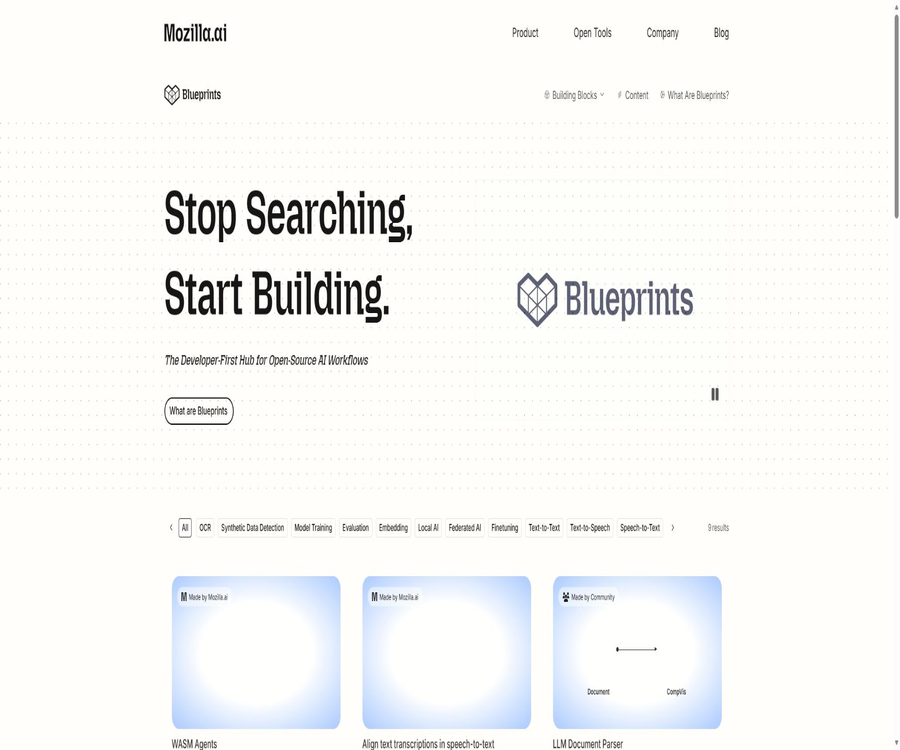
What is Mozilla.ai Blueprints?
Mozilla.ai Blueprints is an open-source collection of AI workflows maintained by Mozilla.ai, which helps developers combine models, open-source libraries, configurations, command-line tools, and demonstration interfaces to create functional projects. It is suitable for developers who are just starting to work with AI applications, as well as for engineering teams that wish to explore various technical options.
Blueprints is not a unified chat application, a model hosting platform, or a commercial API. The website is primarily used for discovery and explanation; each workflow is hosted in its own GitHub repository, and users need to run it locally, in containers, Codespaces, Colab, or in demonstration environments, according to the instructions provided for each project.
The core concept of Blueprint
- Ready for immediate use: it offers a complete starting point that includes installation, configuration, and the results of operation, rather than just providing conceptual code.
- Scalable: Developers can replace the models, prompts, data sources, interfaces, and processing components.
- Templateization: The project should employ consistent directory structures, configurations, command lines, documentation, and testing methods wherever possible.
- Community-driven: Users can Fork, submit issues, contribute fixes, or provide new workflows.
- Open source first: Prioritize the use of transparent and auditable models and tools to reduce reliance on closed-source services.
- Practice-oriented: Each Blueprint is focused on specific tasks such as documentation, speech, visuals, recommendations, or fine-tuning.
What does the Blueprints Hub offer?
| Components | Main content | User value | Precautions |
|---|---|---|---|
| Blueprint directory | Browse workflows by use case, data type, model, tool, and tag | Quickly find runnable reference projects | The catalog is not a uniformly managed product. |
| Workflow details page | Time, complexity, state, licenses, tools, system requirements, and technical trade-offs | Assess the costs and difficulties before downloading. | The information should be cross-checked with the current README of the warehouse. |
| GitHub repository | Code, configuration, testing, documentation, issues, and contribution records | It can be downloaded, audited, modified, and deployed independently. | Each warehouse license may be different. |
| Hosted Demo | Some projects offer an online experience. | It is possible to see the results without a full installation. | Resources are limited and do not equate to production services. |
| Tools and Models Directory | Introduce the open-source models, libraries, and runtime components used in workflows. | Understand dependency and replacement options | Model weight permissions need to be checked separately. |
| Resource and technology selection | Use cases, research background, solution comparison, and trade-offs | Understand why a certain architecture was chosen | The manufacturer advises that its own benchmark tests should not be replaced. |
| Blueprint Template | A unified starting template for Python projects | Reduce the structural design work for new projects | It is necessary to add business code and documentation on one’s own. |
Representative open-source workflows
| Blueprint | Main inputs | Main output | Core technical areas |
|---|---|---|---|
| Document to Podcast | Document or text | Audio for a two-person dialogue podcast | Text cleaning, local LLM script generation, and text-to-speech conversion |
| Structured Document Q&A | Documents such as PDF, HTML, TXT, DOCX, or Markdown | Question and answer based on materials | Document parsing, segmentation, selection of relevant sections, and local generation |
| Speech to Text | Audio formats such as MP3, MP4, M4A, WAV, WebM, etc. | Text, JSON timestamp, or SRT subtitles | Speaches, Whisper-compatible models, and local APIs |
| Speech to Text Finetune | Own voice or Common Voice data | Speech recognition models adapted for specific domains or languages | Dataset creation, Whisper fine-tuning, and model comparison |
| Federated Finetuning | Local data owned by multiple data owners | The model after collaborative fine-tuning | Flower federated learning and the training process without sharing the original data |
| BYOTA | Mastodon timeline content | Local search, grouping, and recommended results | Local embedding, interpretable sorting, and personal control |
| WASM Agents | Tasks and tools in the browser | Python proxy that runs within a web page | Pyodide and WebAssembly |
| OpenStreetMap CV Workflow | Maps and visual data | Candidate map elements | Object detection, segmentation, and open map collaboration |
Main functions
End-to-end reference implementation
Each Blueprint connects several open-source components to form a complete workflow, typically including input processing, model inference, output conversion, and an interactive interface. Compared to tutorials that contain only a few lines of example code, it is more suitable for understanding how these components work together.
Local AI and data control
Multiple workflows prioritize running models and data on the user’s own device, such as document-to-podcast conversion, document Q&A, and personal timeline algorithms. Whether operation is entirely offline depends on factors such as the specific repository, model downloads, telemetry, external data sources, and whether the user has enabled cloud services.
Models and tools can be replaced.
Blueprints emphasizes customization; developers can modify the configurations or code in order to replace the language models, speech models, prompts, embedding methods, and user interface. After making such replacements, it is necessary to reverify the interfaces, licenses, hardware, performance, output quality, and security aspects.
Demo interface and command line
The official submission standards require that Blueprint include demonstrations using Streamlit, Gradio, or Jupyter Notebook, as well as command-line support. These different interfaces are designed for use in user experiences, development, and automation, but not all repositories offer the same commands.
Configuration and project structure
Workflows typically expose models, data, prompts, and runtime parameters through configuration files, and use pyproject.toml to manage the dependencies of Python projects. A unified structure reduces the difficulty of understanding the code, but developers should still lock in specific versions and generate dependency lists for production projects.
Testing, code quality, and documentation
The Blueprint Template includes unit tests, pre-commit checks, automated workflows, and an MkDocs documentation structure. The template provides only a starting point for ensuring quality; coverage rates, integration tests, security scans, and production observability still need to be addressed by the project maintainers.
Technical decision-making and trade-off explanations
Some detail pages explain the reasons behind the selection of certain models, libraries, and architectures, as well as the alternatives that were ruled out and the known trade-offs. Based on this information, developers can determine whether local privacy, speed, quality, and hardware costs meet their objectives.
Blueprint Template structure
| File or directory | Uses | Required degree | Usage suggestions |
|---|---|---|---|
| README | Explain the objectives, quick start, principles, prerequisites, and troubleshooting | It is necessary. | Include architecture diagrams, real-world examples, and known limitations. |
| pyproject.toml | Declare project, dependency, command, and tool configurations | It is necessary. | Lock in the compatibility range and avoid unbounded dependencies. |
| src directory | Place reusable core Python code | It is necessary. | Separate business logic from the user interface |
| demo directory | Presentation applications such as Streamlit or Gradio | At least one of demonstration or Notebook. | Do not expose development demos directly to the public internet. |
| Configuration file | Set models, paths, prompts, and runtime parameters in a centralized manner. | It is necessary. | Keys are utilized through environment variables or security management services. |
| CLI | Run the workflow from the terminal | It is necessary. | Provides repeatable parameters and clear exit codes |
| tests directory | Unit and subsequent integration testing | Template provided | Add representative data and failure scenarios. |
| docs and mkdocs.yml | Project documentation site | Recommendation | Synchronized maintenance of installation, architecture, scaling, and security guidelines |
| Dockerfile | Containerized demonstration and deployment | Recommendation | Fix the base image and scan for vulnerabilities. |
| Colab Notebook | Rapid cloud-based experimentation | Recommendation | Clarify that the data will be transferred to a third-party environment. |
Run the existing Blueprint tutorial
- In the Hub, select workflows by task, input type, complexity, status, and hardware requirements.
- Open the corresponding repository and read the README, license, model card, and known issues in their entirety.
- Verify the requirements for the operating system, Python version, memory, disk space, GPU, Docker, and external accounts.
- Use Fork or download the repository, and install the dependencies in an isolated virtual environment, container, or Codespace.
- Use a minimal, non-sensitive sample to complete the official quick start; do not import production data from the beginning.
- Check the output, logs, cache, model download locations, and local file storage areas.
- Modify the configuration and test the model item by item, checking the prompts, language, performance, and resource usage.
- After testing it in the warehouse, decide whether to integrate the code into your own application.
Create a project using a template.
- Create a new repository from the official Blueprint Template, and define a clear, single use case.
- Rename the example package, project title, and placeholder content, and enter the actual Python version as well as hardware requirements.
- Implement the core workflow in the src directory, and separate clearly the model invocation, data processing, and output logic.
- Expose models, paths, and adjustable parameters through configuration files, to avoid embedding credentials in the code.
- Provides a runnable CLI, along with Streamlit, Gradio demos, or Notebooks.
- Write tests for normal, abnormal, boundary, and offline scenarios, and run pre-submission checks.
- Improve the README, architecture diagrams, installation instructions, examples, license information, as well as information on risks and troubleshooting.
- After reproducing the installation in multiple clean environments, submit it to the Blueprints community for review.
Document to podcast workflow
- Select an input document that contains no sensitive information and whose rights are clear, and first check the text that can be extracted.
- Install the local model, text-to-speech components, and demonstration dependencies according to the warehouse instructions.
- Use the preprocessing steps to extract and clean the text, checking to ensure that no titles, annotations, or tables are lost.
- Small local language models are used to convert the content into a script for a two-person dialogue.
- Manually check whether the script misstates facts, assigns errors to the wrong causes, or omits important limitations.
- Use text-to-speech models to generate audio of different speakers and check their pronunciation.
- Save scripts, configurations, model versions, and audio to enable the repeated generation of results.
Local document Q&A process
- Identify the supported PDF, web page, text, Word, or Markdown files, and remove any sensitive copies.
- Parse the document and split it by title or structure; check whether OCR is needed to scan the PDF.
- Save the document name, chapter, page number, and other traceable metadata for each segment.
- After entering the question, let the process select the most relevant chapter or carry out a search.
- The model is restricted to providing answers based on the selected content, and the source location is displayed on the interface.
- Questions with known answers are used to test accuracy, handling of unanswered questions, cross-document scenarios, and long texts.
- Access control, auditing, encryption, and update mechanisms need to be added when production use begins.
Voice recognition and fine-tuning process
- Select either basic transcription or model fine-tuning Blueprint, and verify the CPU, GPU, and disk requirements.
- Prepare audio files with legitimate licensing, accurate transcriptions, language labels, and training/validation splits.
- First, use the existing model to establish baselines for word error rate, speed, and resource usage.
- Clean the audio and text to prevent the inclusion of personal sensitive information and incorrect labels in the training data.
- In the configuration, set the model, data path, number of iterations, and save location.
- Run training or local transcription, and compare the results on an unseen test set.
- Record the model, dataset, license, metrics, and restrictions before releasing the weights.
Which users are it suitable for
- Beginner AI developers: Learn through complete projects how models, data, interfaces, and configurations are connected.
- Application engineer: Start by replacing the model with executable code and testing new product ideas.
- Researchers: Compare the practical advantages and disadvantages of local models, federated learning, as well as voice and vision approaches.
- Teachers and students: Use Blueprint as a foundation for open-source AI courses, experiments, or project assignments.
- Privacy-sensitive teams: Exploring ways to process documents, voice data, and recommendation data locally.
- Open-source maintainers: contribute fixes, documentation, adaptations for new models, or complete new Blueprints.
- Prototype team: Quickly prove the feasibility of the workflow before deciding whether to proceed with a production-grade refactoring.
Typical use cases
- Convert research materials, meeting notes, or study notes into local podcasts.
- Create a personal document Q&A assistant that does not send data to third-party APIs.
- Convert the audio recording to text in the form of JSON with timestamps or SRT subtitles.
- Fine-tune the Whisper-based speech recognition model using proprietary language data.
- Allow multiple data owners to attempt federated fine-tuning without centralizing the original data.
- Run a Python proxy experiment using WebAssembly within a browser.
- The study focuses on user-controlled, locally computed recommendations for social timelines.
- Use a unified template to release new open-source AI workflows to the community.
Product advantages
- Moving from a single model example to a complete workflow that includes input, processing, inference, interface, and output.
- The project code is made public, which facilitates the selection of auditing techniques, the identification of dependencies, and the actual implementation.
- Unified templates reduce differences in directories and documents across different workflows.
- Multiple use cases are preferably executed locally, which facilitates data control and offline experiments.
- It offers various options for use, such as Hosted Demo, Codespaces, Colab, Docker, or local execution.
- It covers various areas such as text, voice, vision, recommendations, agents, and federated learning.
- Replace models, configurations, and components is encouraged, so as not to lock developers to a single supplier.
- The template is licensed under Apache-2.0 and includes the infrastructure for testing, documentation, and contribution guidelines.
Usage restrictions and precautions
- A Blueprint is usually a reference implementation or prototype; it is not equivalent to a production product that comes with SLAs, security auditing, and operational support.
- The Python, memory, disk, GPU, and system requirements vary greatly depending on the project.
- Some Hosted Demo resources have limited capabilities; their speed, model size, and availability do not reflect the results that can be achieved locally.
- Running locally may still require an internet connection to download models, datasets, containers, and Python dependencies.
- The website states that open-source tools are given priority, but it also allows for the consideration of models or tools that do not fully meet the OSI standards when there is clear value in doing so.
- The rights related to code licenses, model weights, datasets, fonts, sounds, and the output content need to be verified separately.
- LLMs, as well as speech and vision models, can generate errors, biases, hallucinations, and unpredictable outputs.
- After forking, you are responsible for maintaining dependency updates, security patches, model versions, and compatibility.
- CPU compatibility is merely a recommendation; not every Blueprint can run quickly on a regular computer.
- Exposing the demonstration interface directly to the public internet may lack authentication, rate limiting, isolation, and security headers.
Fees and operating costs
Mozilla.ai Blueprints Hub, the open-source code, and Blueprint Templates are available without any commercial subscription fees; users can obtain the code under the respective open-source licenses. The fact that the code is free does not mean that there are no costs associated with its use – downloading models, using GPUs, cloud servers, storage, bandwidth, and maintenance can all incur expenses.
| Cost items | Is there a fee for Hub? | Potential actual costs | Control method |
|---|---|---|---|
| Browse and Read | Free | Network traffic and time | First, filter by complexity and hardware. |
| Download the code | Free | Git hosting and local storage | Only retrieve the required repositories and versions. |
| Runs on local CPU | No platform fee | Power, memory, disk, and latency | Choose small models and quantized versions. |
| Run on local GPU | No platform fee | Hardware, power, and drive maintenance | First, conduct capacity testing using small amounts of data. |
| Codespaces or cloud GPUs | Blueprint is free of charge. | Costs for GitHub or cloud service providers | Set budget, timeout, and automatic shutdown |
| Colab | Some scenarios can be tried out for free. | Paid computing units or resource limits | Do not rely on free resources to complete production tasks. |
| Models and data | Many are available for free. | Specific licensing, download, and storage costs | Check the model cards and data terms item by item. |
| Production maintenance | Not provided by Hub. | Development, security, monitoring, backup, and support | Restructure the prototype into a controlled service. |
Platform and operation mode
| Method | Support status | Suitable scenarios | Precautions |
|---|---|---|---|
| Windows | Template support | Local development and demonstration | Specific dependencies may require additional tools. |
| macOS | Template support | Local development and Apple Silicon experiments | The backend compatibility of the model needs to be checked on a per-project basis. |
| Linux | Template support | Development, containerization, and server operation | It is often the environment with the most complete set of dependencies for open-source AI. |
| Python | The template requires version 3.10 or higher. | The primary language for most workflows | Specific warehouses may impose higher version requirements. |
| Docker | Some items are available. | Isolating dependencies and reproducing experiments | The image still needs to be fixed and vulnerabilities need to be scanned. |
| GitHub Codespaces | Some projects are supported. | Development environment that requires no local installation | Fees may apply when using it. |
| Google Colab | Some projects are supported. | GPU experiments and teaching | The data will be transferred to a third-party cloud environment. |
| Hosted Demo | Some items are available. | Quick experience | Resources, privacy, and stability are limited. |
| WebAssembly | Support for specific Blueprints | Proxy in the browser or Python experiments | Browser resources and package compatibility are limited. |
| PyPI | It is among the recommended items. | Install reusable packages | Not every Blueprint has been released. |
Data, Privacy, and Security
Blueprints emphasize local priority and control, but the boundaries of privacy are determined by the specific workflows, configurations, and methods of deployment. As long as Hosted Demo, Colab, external model repositories, cloud storage, or third-party APIs are used, data can leave the local device.
Open-source code can be reviewed, but this does not necessarily mean that it is free of vulnerabilities, malicious dependencies, or unsafe default values. Before deployment, it is necessary to examine the source code, dependency tree, model files, containers, network requests, telemetry data, cache, and output directories.
- First, use fictional or anonymized samples to determine what data the workflow will read, write, and send.
- The source, version, checksum, and license for downloading the model and dataset should be recorded.
- Keys, tokens, and database passwords must not be written into repositories, Notebooks, or configuration examples.
- When a demonstration application is deployed on the public network, it is necessary to add authentication, rate limiting, input validation, and file isolation.
- Set limits on the size, format, path, and parsing of uploaded files to prevent malicious documents.
- When generating audio, text, and visual outputs, records of the model, configurations, and human reviews should be retained.
- Federal learning reduces the transmission of data from the original dataset, but gradients, updates, and the model itself can still leak information.
- After forking a project, dependency updates, static analysis, secret scanning, and vulnerability fixing processes should be enabled.
APIs, SDKs, and open-source status
The Blueprints Hub does not come with a unified reasoning API or official SDK; each workflow operates through its own Python package, CLI, demonstration application, or locally compatible interface. For example, the text-to-speech blueprint can start a local Speeches service that is compatible with OpenAI, but this does not mean that the Hub provides a hosted API.
The Blueprint Template is available on Mozilla.ai’s official GitHub repository; it is licensed under the Apache-2.0 license and includes Python projects, demonstrations, documentation, tests, and contribution guidelines. The official Blueprints also have their source code made available, but it is necessary to check each repository, model, dataset, and the corresponding license separately.
Open-source license boundaries
| object | Open source or open status | Common licenses | Correct understanding |
|---|---|---|---|
| Content from the Blueprints Hub | Public browsing | The terms regarding website content need to be verified separately. | Being publicly accessible does not mean that the entire content can be copied freely. |
| Blueprint Template code | Open source | Apache-2.0 | It can be used, modified, and distributed in accordance with the license. |
| Various Blueprint codes | Officials state that it is all open source. | Apache-2.0 is the most common; other versions may also be used. | Subject to the LICENSE of the corresponding warehouse. |
| Third-party Python dependencies | Decide for yourselves. | MIT, Apache, BSD, GPL, and others may coexist. | Check license compatibility during distribution. |
| Model weights | It could be open-weight or open-source AI. | Model-specific licenses may exist. | Just because the code is open source does not mean that the model can be used for commercial purposes without any restrictions. |
| Training dataset | It might be opened. | The terms, consent requirements, and privacy policies for datasets vary. | It is necessary to verify the permissions for retraining and republishing. |
| Generated result | It is determined by the model, inputs, and purpose. | There is no unified conclusion regarding authorization. | Check the rights of models and materials before commercial use. |
Production checklist
- Clarify whether Blueprint is merely a prototype, an internal tool, or a formal service offered to customers.
- Fix code submissions, dependencies, model, data, and container versions, while retaining a reproducible checklist.
- Establish realistic benchmarks for quality, latency, memory, throughput, error rate, and cost.
- Additional authentication, authorization, tenant isolation, auditing, encryption, and deletion of sensitive data.
- Establish clear strategies for model errors, content security, copyright, and manual upgrades.
- Replace the demonstration server, and add queue management, rate limiting, monitoring, backup, and disaster recovery capabilities.
- Check each license, signature, source code disclosure, and terms for commercial use of the model.
- Establish processes for dependency updates, security announcements, vulnerability fixes, and rollbacks.
- Have the target users conduct usability and accessibility tests, rather than merely verifying the technical functionality.
Basic information
| field | Content |
|---|---|
| Tool name | Mozilla.ai Blueprints |
| Development and maintenance | Mozilla.ai and the open-source community |
| Tool type | Open-source AI workflow center, development templates, and learning resources |
| Primary users | Developers, learners, researchers, and AI experimenters |
| Key areas | Text, voice, vision, agents, recommendations, and federated learning |
| Price pattern | The hub and code are free; costs for operation and maintenance are to be borne by the user. |
| Registration requirements | Browsing does not require registration; Forking, contributing, and certain hosting services may require a third-party account. |
| Main platforms | Windows, macOS, Linux, and some cloud or browser environments |
| Basic Python version | The template lists Python 3.10 or higher. |
| Unified API | None |
| Unified SDK | No; each project provides Python packages, a CLI, or local interfaces. |
| Official GitHub | Yes |
| Template license | Apache-2.0 |
| Is it open source? | Yes; the specific warehouses and dependencies need to be checked one by one. |
Recommendation score
The comprehensive recommendation score is 4.6 out of 5 points. Mozilla.ai Blueprints is suitable for developers who wish to understand local AI, speech, document, and federated learning workflows through complete, editable code; it also helps to significantly reduce the time required for prototype development.
It is not a maintenance-free production platform; the maturity level of various projects varies, as do their resource requirements. Open-source stacks also present complexities related to dependencies and licenses. Before being used in actual business operations, security, performance, quality, licensing, and operational aspects must be addressed and improved.
Frequently Asked Questions
Is Mozilla.ai Blueprints an online AI tool?
It is primarily an open-source directory of workflows and development resources, rather than a single online application. Some Blueprints come with hosted demonstrations, but for actual use it is usually necessary to run the code oneself.
Are Blueprints free?
Hub and public repositories do not charge any subscription fees; the code can be obtained under a license. Costs may still apply for computing, cloud services, storage, models, and maintenance.
Is programming knowledge required?
Certain skills in Python, the terminal, and dependency management are required. Hosted Demos or Notebooks can lower the barrier to getting started, but modifying and deploying applications still constitutes development tasks.
Can it run on a regular computer?
Some projects give priority to CPU and local devices, while other training, vision, or large-model workflows require more memory, disk space, or GPUs. It is necessary to check the specific requirements of each project.
Are all Blueprints completely offline?
Many projects support local processing, but model downloading, data sources, Hosted Demo, Colab, or optional APIs may still require an internet connection. To determine whether a system is completely offline, it is necessary to check the configuration and network requests.
What is a Blueprint Template used for?
It provides unified Python packages, demonstrations, tests, documentation, pre-commit checks, and a project configuration structure to assist developers in starting new Blueprints; the business logic, however, still needs to be implemented by the developer themselves.
Is a unified API provided?
No. Each project runs via its own CLI, Python code, demonstration application, or local interface; the Hub does not provide a unified API for hosting inference tasks.
Is Blueprints open source?
Yes. Officials state that each Blueprint is hosted under an open-source license, while the Template uses the Apache-2.0 license; it is still necessary to check the specific licenses for the repositories, models, and data.
Can it be used for commercial purposes?
Whether it is possible depends on all the licenses associated with the code, models, datasets, and input materials used. It cannot be assumed that the entire workflow can be used for commercial purposes without restrictions just because the Template is licensed under Apache-2.0.
Is it suitable for direct deployment in production?
Typically, the demonstration version should not be deployed directly. For production use, additional elements such as authentication, permissions, input isolation, rate limiting, monitoring, backup, security audits, and service level agreements are necessary.
How to contribute new Blueprints?
You can start with the official templates, which provide a standardized code structure, configuration options, a CLI, demonstrations or Notebooks, a complete README file, as well as a license; after that, you can submit the project through the Hub’s submission process to have it included.
Can Chinese users use it?
The website and documents are primarily in English, but some models and voice data support multiple languages. The quality of Chinese output depends on the selected model, data, word segmentation, font, and voice resources.
Tools similar to Blueprints | Mozilla.ai





 Guigong Network Security Registration No. 45132202000164