






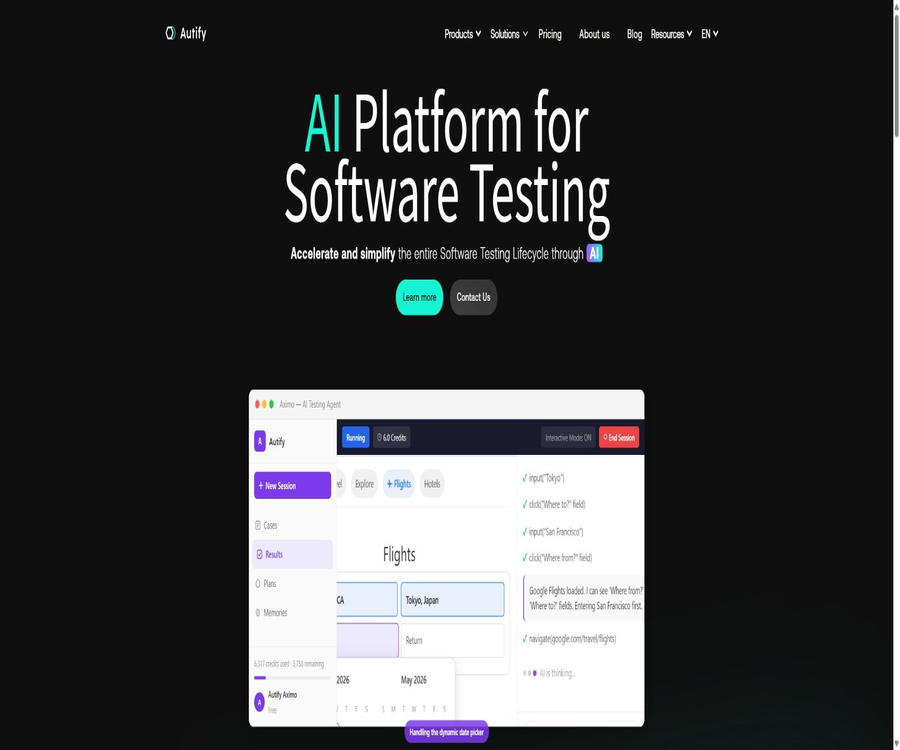
What is Autify?
Autify is an AI testing platform designed for software quality engineering, development, and QA teams. Its current offerings include the ability to execute tests using natural language, low-code and code-based testing with Playwright, AI-driven test design, automation of web and mobile applications, as well as professional quality assurance services.
Autify was initially known for its NoCode-based recording testing capabilities and AI-driven self-healing functions; it has since expanded to include product lines such as Aximo, Nexus, Genesis, and Mobile. The testing methods, platform coverage, and billing mechanisms vary significantly among these products, so it is necessary to evaluate each one separately when making a choice.
Product Line Overview
| Products | Main positioning | Testing method | Suitable for |
|---|---|---|---|
| Aximo | Autonomous AI testing agent | Describe the goal in natural language, and the agent carries out the task as if it were the user. | Teams that need to reduce scripting and maintenance efforts |
| Autify Nexus | Test automation based on Playwright | A combination of natural language, low-code, and editable code | Teams that wish to balance ease of use with code ownership |
| Autify Genesis | AI testing design and QA documentation | Analyze requirements, source code, and generate test structures for files | Large-scale product and enterprise QA teams |
| Autify Mobile | iOS and Android automation | Recording, scenarios, and execution on real devices or cloud environments | Native mobile app team |
| Autify NoCode | Traditional web pages and mobile no-code automation | Record user actions and allow AI to automatically identify the issues. | Non-engineers and regression testing team |
| Professional services | Quality assurance and test automation support | Consultants and engineers assist with design, migration, and operation. | Organizations that lack internal testing resources |
Aximo autonomous AI testing agent
Aximo allows users to describe in natural language the processes that need to be verified, with the AI then handling the operations on web, mobile, or desktop applications. It does not rely on fixed selectors or traditional testing scripts as its main methods of execution; as a result, there is usually no need to manually adjust the positioning details whenever the interface changes.
- Understand the objectives, prerequisites, and expected outcomes of natural language testing.
- Navigate through the pages, click, enter information, and complete tasks just like a real user would.
- During execution, the next step is determined based on the current interface.
- Verify whether the process yields the expected results and provide a clear report.
- It covers web pages, iOS, Android, macOS, as well as enterprise desktop environments.
- It supports tests such as email testing, visual regression testing, and operating system-level interactions.
- Choose between different models based on speed, reasoning ability, and integration overhead.
How to create tests using Aximo
- Select the web page, mobile application, or supported desktop environment that you want to test.
- Describe the starting point, the user’s goals, the key steps, and the expected results in simple and natural language.
- Prepare a test account for isolation, reproducible data, and the necessary login information.
- Select an AI model that is suitable for the task’s difficulty and cost.
- Run the tests and observe the proxy’s navigation, input, and decision-making processes.
- Examine the evidence of failure to determine whether it is due to product defects, environmental issues, or misjudgments by the agent.
- Repeat the process after adjusting the description or test data to confirm that the results can be reproduced consistently.
- Include scenarios for verifying stability in continuous regression and release checks.
Aximo scoring rules
Aximo consumes points based on the steps involved in AI testing; different models and platforms use different multiplication factors. More advanced models as well as testing on mobile devices typically require more points, while desktop testing falls under the Enterprise capabilities.
| Model | Web page per step | Move one step at a time | Suitable for tasks |
|---|---|---|---|
| Sonnet 4.5 | 1 point | 1.5 points | Complex processes, strong understanding and judgment skills |
| Haiku 4.5 | 0.5 points | 1 point | Simple and stable processes as well as cost-sensitive regression |
| Kimi K2.5 | 0.5 points | 1 point | General testing with lower-cost execution |
Aximo package prices
| Package | Price | Integration | Concurrency and key rights |
|---|---|---|---|
| Free | $ | 2,000 one-time points that do not expire | Web concurrency 1, mobile concurrency 1, cloud hosting, web and mobile testing |
| Core | $ | 72,000 per year or 6,000 per month | 5 concurrent sessions for web pages, 2 concurrent sessions for mobile devices, cloud hosting |
| Team | $ | 360,000 per year or 30,000 per month | 20 concurrent sessions on the web, 5 concurrent sessions on mobile devices, script generation |
| Enterprise | Custom quote | Customization | Custom concurrent, dedicated, or on-premises infrastructure, desktop testing, and enterprise control |
Differences in features of Aximo plans
| Ability | Free | Core | Team | Enterprise |
|---|---|---|---|---|
| Web page testing | Support | Support | Support | Support |
| Mobile testing | Support | Support | Support | Support |
| Desktop testing | Not supported | Not supported | Not supported | Support |
| Email testing | Not included | Support | Support | Support |
| Visual regression | Not included | Support | Support | Support |
| Script generation | Not included | Not included | Support | Support |
| IP allowlist | Not included | Not included | Support | Support |
| Deployment method | Cloud | Cloud | Cloud | Local or dedicated infrastructure |
Aximo script generation and MCP
Aximo can use MCP to provide the testing context to Claude, Cursor, Copilot, or other coding agents. These agents can then generate scripts using frameworks such as Playwright, Selenium, Cypress, or others; the resulting code becomes the property of the user and can be integrated into existing repositories.
- Quickly explore and validate user workflows using natural language.
- Convert the stable process into code testing that aligns with team preferences.
- After generating the script, continue with manual editing and review.
- Commit the code to version control and run it in the existing CI environment.
- Reduce reliance on proprietary testing formats specific to a single platform.
- MCP connections should restrict access to testing credentials and the internal environment.
What is Autify Nexus?
Autify Nexus is a modern test automation platform based on Playwright, which incorporates natural language recording, low-code steps, and full code editing. Users can use code-free assertions, JavaScript, or Playwright code within the same scenario, and they can import or export scripts.
- The natural language Recorder converts business descriptions into test steps.
- The low-code interface is suitable for QA and product teams to create scenarios.
- Most steps can be converted into Playwright code for further modification.
- It supports code-free assertions as well as custom code assertions.
- Trace and main logs are provided to help identify failures.
- It supports visual regression, test plans, folders, and tags.
- Use URL substitution to reuse scenarios in development, testing, and production environments.
- The paid plan supports script import and export, shared workspaces, and cloud parallel processing.
How to create regression tests using Nexus
- Install the Nexus desktop environment and create a test project.
- Select the local testing environment along with the Chrome or Edge browser.
- Record core user workflows using natural language Recorder or low-code steps.
- Add assertions for page status, text, elements, and visual results.
- When precise control is required, convert the steps into Playwright code.
- Executing and downloading Trace and log analysis locally failed.
- Verify development, testing, and production pre-environments through URL replacement.
- Paid teams can share scripts and integrate with cloud parallelization and CI processes.
Price of Nexus package
| Package | Price | Primary interests | Suitable for |
|---|---|---|---|
| Core Features Trial | Free trial | 1 user, local environment, execution on-site, unlimited testing scenarios, basic generative AI, low-code and code assertions | Individual assessment and local PoC |
| Professional | Starting at $3,600 per year or $400 per month | 1 user, 1 shared workspace, script import/export, testing and sharing capabilities, plus supported and optional cloud functions | Small team |
| Enterprise | Custom quote | Custom users, workspace and cloud concurrency, local execution, IP allowlist, and enterprise support | Multiple teams and large organizations |
Price of Nexus additional features
The basic price of Nexus Professional does not represent the total cost of an entire team; users, shared workspaces, cloud concurrency, generative AI, and IP whitelists may incur separate charges. A formal purchase order should be based on a quote that takes into account the combination of team size and CI usage.
| Additional items | Annual reference | Monthly reference | Explanation |
|---|---|---|---|
| Professional users | $ | $ | Increase the number of users who can use Nexus. |
| Cloud concurrency | $ | 150 dollars per concurrent session per month | Increase the number of cloud tests running simultaneously |
| Share remote workspaces | $ | 100 dollars/work area/month | Used for team collaboration and synchronization |
| Generative AI | Contact sales | Contact sales | Designed with fixed fees and monthly rate limits. |
| IP allowlist | 60 dollars per year | $ | Environment used to restrict source addresses for access. |
| Enterprise additional capabilities | Customization | Customization | Users, concurrency, workspaces, and enterprise support are all governed by the contract. |
Nexus free version and full trial version
Nexus offers a free tier that allows users to experience its core local capabilities on a long-term basis, as well as a full-time limited trial version intended for corporate use in the context of PoC projects. The product page provides different details regarding the duration of this trial; once registered, the deadline shall be determined according to what is specified in the account settings and confirmed by sales.
| Way of experiencing it | Default capabilities | Not enabled by default |
|---|---|---|
| Free tier for core functions | Local creation, local execution, unlimited testing and scenario options, as well as code and low-code approaches | Cloud execution, shared workspaces, and some advanced AI features |
| Full-featured PoC | After applying, you can experience advanced AI and cloud execution. | It is necessary to get in touch with the Autify team. |
| Professional | Sharing, script import/export, and support | Options such as cloud concurrency can be added as selected. |
| Enterprise | Local execution, customized concurrency, and enterprise-level control | The specific scope is as specified in the contract. |
Autify Genesis test design
Autify Genesis operates before the automatic execution phase; it is responsible for converting product requirements, specifications, source code, and uploaded files into structured QA assets. The team can review and modify the AI-generated outputs at each step, after which the test cases are sent to Nexus, Aximo, or other execution tools.
- Analyze product specifications, user stories, source code, and related documents.
- Organize the list of functions and the capabilities that need to be verified by the system.
- Generate test perspectives, risk areas, and coverage strategies.
- Create detailed test cases that include steps, data, and expected results.
- Generate test plans, QA documents, and assets that can be reused by the team.
- Manual editing is allowed at the functionality, perspective, and test case stages.
- Connect the confirmed use cases to automatic execution and autonomous testing.
Genesis usage process
- Import authorized requirements, specifications, design documents, source code, or testing materials.
- Have Genesis extract the functions and business behaviors, which are then verified by the product and QA teams.
- Generate test scenarios and boundary conditions for high-risk functions.
- Expand the concept into a use case that includes prerequisites, data, steps, and expected results.
- Remove duplicate and low-value use cases, and add implicit rules known to domain experts.
- Determine automation priorities based on risk, level, and scope of deployment.
- Hand the selected use cases over to Nexus, Aximo, or manual testing for execution.
- Update test design assets based on defects and production feedback.
Autify Mobile
Autify Mobile is designed for native iOS and Android applications; it helps teams record test scenarios and execute them in various mobile environments. It is suitable for teams that want to reduce repetitive manual testing efforts without having to write Appium code for each scenario.
- Automate the user workflows for native iOS and Android apps.
- Create and maintain mobile testing scenarios through intuitive operations.
- Use AI to locate changed interface elements and reduce maintenance efforts.
- Run regressions on various devices, systems, and environments.
- Integration with CircleCI, Jenkins, Webhook, TestRail, Slack, and others is supported.
- Include mobile testing results in the release and quality processes.
Traditional Autify NoCode
Autify NoCode enables non-engineers to record user actions through browser extensions or mobile apps, and save them as automated scenarios. AI self-healing attempts to reposition elements when their interface properties change, thereby reducing the need to maintain selectors.
- Record clicks, inputs, selections, navigation, and common business operations.
- Add text, elements, URLs, and other result assertions.
- Perform cross-browser testing using a combination of PC and mobile browsers.
- Use JavaScript steps to handle special logic.
- Use local playback to quickly resume recording or debug scenes.
- Access local or intranet applications via Autify Connect.
- Use the API or CLI to trigger the test and wait for the results.
The role and limitations of AI self-healing
AI self-healing will look for similar targets after changes in element attributes or page structure, thereby reducing failures caused by minor adjustments to selectors. It cannot guarantee that the business processes will remain correct, and it may also select similar but incorrect buttons as targets.
| Type of change | Self-healing might be effective. | Manual processing is still required. |
|---|---|---|
| The element ID or class name has changed. | It can be repositioned based on other characteristics. | Verify whether it is still the same business entity. |
| Adjustment of button position | It is possible to look for it using text and context. | When there are multiple buttons with the same name, it is necessary to specify the scope. |
| Page layout restructuring | Some steps may continue to run. | The process structure and assertions usually need to be reviewed. |
| Changes in business rules | It is not possible to automatically determine new requirements. | The use cases and expected results must be updated. |
| Visual changes | Visual regression comparison is required. | Determine whether the change is a defect or a design update. |
| Backend data issues | Self-healing is powerless. | Diagnosis requires the use of APIs, logs, and test data. |
Testing environment and private applications
- The free and standard cloud solutions are executed in the Autify hosting environment.
- Nexus allows tests to be created and debugged first in the local desktop environment.
- Autify Connect enables NoCode Web connections to local or intranet websites.
- An IP allowlist is used to permit specific Autify sources to access restricted environments.
- Enterprise offers local, dedicated infrastructure, or options for local execution.
- Test accounts, keys, and data should be strictly separated from those of production users.
CI/CD and Integration
| Integration method | Primary uses | Precautions |
|---|---|---|
| Public API | Starting the scenario, executing the query, and obtaining the results | Use tokens with the minimum required permissions and handle retries. |
| Autify CLI | Run in terminal or pipeline mode and wait for completion. | Suitable for scripted CI processes |
| CircleCI Orb | Calling Autify from a CircleCI workflow | Use the official version and lock out upgrades. |
| Jenkins | Trigger regressions during the building or deployment phase | Set timeout, concurrency, and failure policies |
| Webhook | Send the execution completion status to an external system | Verify the source and prevent duplicate events. |
| TestRail | Associate test cases with execution results | Unified use case numbering and status mapping |
| Slack | Notify test results and exceptions | Avoid leaking test data on public channels. |
Appropriate use cases
- Release regression: Verify login, purchasing, payment, and core processes before each deployment.
- Cross-browser testing: Check how the webpage behaves in different browsers and with various settings.
- Mobile app regression: Covers key user journeys on iOS and Android.
- Autonomous exploration and execution: Use natural language to have Aximo verify processes that are constantly changing.
- Test design: Generate structured test perspectives from large specifications and codebases.
- Visual regression: Detecting changes in element styles, layout, and page appearance.
- Environmental reuse: URLs are used to replace environments for development, testing, and production.
- Continuous testing: Automatically enforce release gates via APIs, CLI, and CI tools.
- Script migration: Import, export, and continue maintaining Playwright code in Nexus.
Which teams are suitable?
- There is a lack of full-time automation engineers, but the QA team needs stable regression testing.
- It is hoped that QA and development teams will work together to maintain the engineering framework for Playwright tests.
- Companies that offer both web versions, mobile apps, and some desktop applications.
- Enterprise teams that need to develop test designs based on complex requirements and source code.
- Agile teams with frequent interface changes and high maintenance costs for traditional selectors.
- Developers who wish to transform the exploration of natural language testing into their own custom code scripts.
- Organizations that need consultant assistance to migrate and establish quality engineering processes.
How to choose Autify products
| Main requirements | Suggested products | Reason for selection |
|---|---|---|
| Direct execution of tests in natural language | Aximo | It does not rely on fixed scripts and selectors as the primary method. |
| Playwright needs to be combined with low-code solutions. | Nexus | It is possible to switch between code-free steps and editable code. |
| Test design from requirement generation | Genesis | First, establish functions, perspectives, and detailed use cases. |
| Automated recording for native iOS and Android. | Autify Mobile | For mobile app regression testing |
| Return of mature recorded web pages | Autify NoCode Web | AI self-healing and cross-browser execution |
| Fully own test code is required. | Nexus or Aximo script generation | Export to frameworks such as Playwright for further maintenance. |
| Lack of internal QA capabilities | Professional services | Implemented with the assistance of quality and automation specialists |
Costs other than price
- Test design: Define risks, coverage levels, and the scope that can be automated.
- Test data: Prepare repeatable accounts, orders, files, and environment settings.
- Use case maintenance: Update objectives, assertions, and expected results in response to business changes.
- Execution costs: points, cloud concurrency, devices, waiting time, and retry attempts in case of failures.
- Manual review: Determine whether the failure of the AI is due to a defect in the product or an incorrect decision by the agent.
- CI integration: Managing tokens, pipelines, timeouts, and release gates.
- Compliance and security: Management of credentials, isolation of personal information and production data.
Product advantages
- It also offers autonomous agents, the Playwright hybrid approach, and traditional code-free solutions.
- It covers various aspects such as test design, creation, execution, maintenance, and CI integration.
- Aximo reduces the burden on maintaining dynamic interfaces caused by selectors and fixed scripts.
- Nexus supports the import and export of scripts, thereby reducing the risk associated with locked formats.
- Genesis can convert large-scale requirements and source code into a QA structure that is suitable for review.
- It covers web, iOS, Android, and Enterprise desktop testing as well.
- Public APIs, CLIs, and official CI projects facilitate integration with existing toolchains.
Usage restrictions
- The functions of different Autify products overlap, so the team needs to clarify the testing methods and responsibility assignments first.
- Autonomous AI systems can make mistakes and exhibit uncertainty; it is not sufficient to consider only the result of a single attempt.
- Aximo consumes points according to specific steps and models; complex movement processes incur higher costs.
- Users of Nexus Professional, workspaces, cloud concurrency, and AI may be charged separately.
- Traditional AI self-healing may incorrectly match similar elements, leading to false approvals.
- Desktop testing, local deployment, and advanced enterprise controls require Enterprise.
- Automation cannot replace exploratory testing, usability assessment, and domain risk analysis.
- Strict security controls are required for testing credentials, production data, and access to private networks.
Implementation suggestions
- Start with 10 to 20 processes that carry the highest risk of errors and are executed on a weekly basis.
- Prepare separate test data and clear expected results for each process.
- Use Aximo and Nexus respectively to evaluate the costs associated with autonomous execution and Playwright maintenance.
- Statistics on actual defects found, false positives, false negatives, execution time, and manual interventions.
- Based on stability, decide whether to retain AI agent testing, export the code, or use traditional approaches.
- Before connecting to CI, set up retry mechanisms, isolation, screenshotting, logging, and manual review for failures.
- Continuously remove duplicate tests and use Genesis to help identify coverage gaps.
Security and Quality Governance
- Test accounts must not reuse real administrator or customer accounts.
- Keys, verification codes, and tokens are managed using secure variables or credential management systems.
- The production environment only runs approved read-only or low-risk tests.
- Set clear boundaries for AI-driven clicking, as well as for the creation and deletion of data.
- Retain executed videos, screenshots, logs, models, and test versions.
- When personal information is involved, use masked data and establish retention and deletion policies.
- Evaluate AI test results in conjunction with unit, API, integration, and manual tests.
GitHub and open source
The Autify commercial testing platform, cloud execution environment, and AI agents are not fully open-source products. The official GitHub repository provides API documentation, CLI tools, JavaScript SDKs, CircleCI Orbs, example code snippets, and Webhook utilities.
| Official projects | Uses | Open-source status |
|---|---|---|
| autify-api | Public API documentation and interface specifications | Public warehouse |
| autify-cli | Calling Autify and Connect locally and in CI | Public CLI |
| autify-sdk-js | Calling Autify capabilities from JavaScript | Public SDK |
| autify-circleci-orb-web | Run web tests from CircleCI | Public official Orb |
| autify-circleci-orb-cli | Installing and using the CLI in CircleCI | Public official Orb |
| autify-javascript-snippets | Common examples of Autify JS steps | Public, Apache 2.0 license |
| Aximo, Nexus, and Genesis backends | AI execution, testing platforms, and generation services | Not open source |
Basic information
| Project | Content |
|---|---|
| Product name | Autify |
| Tool type | AI software testing and quality engineering platform |
| Current products | Aximo, Nexus, Genesis, Mobile, NoCode, and professional services |
| Covering platform | Websites, iOS, Android, macOS, and Enterprise desktop environments |
| Testing method | Natural language agents, low-code, Playwright code, and recorded scenarios |
| Free entry | Aximo: 2,000 points per use; trial of Nexus’s core features |
| Payment starts at a certain amount. | Aximo Core costs $99 per month on an annual basis; Nexus Professional starts at $3,600 per year. |
| Development capability | API, CLI, JavaScript SDK, Webhook, and CI integration |
| Is it open source? | The core platform is not open source; however, some CLI tools, SDKs, and integration components are available publicly. |
Recommendation score
The comprehensive recommendation score is 4.5 out of 5 points. The Autify product line offers a wide range of options, making it suitable for teams that wish to explore AI agents, Playwright, and no-code testing under one single vendor; however, it is necessary to carefully compare the overlapping features of the products, their individual prices, and the stability of AI-driven operations.
Frequently Asked Questions
What is Autify mainly used for?
It uses AI, natural language, low-code, and Playwright to help teams design, create, execute, and maintain software tests.
What is the difference between Aximo and Nexus?
Aximo is an application that is operated directly by AI, while Nexus creates editable and exportable tests based on Playwright.
Can Autify test mobile applications?
Yes, Aximo and Autify Mobile support iOS and Android; using Aximo in mobile mode requires more points.
Is there a free version of Aximo?
Yes, the free version provides 2,000 one-time credits that do not expire, and it supports testing on both web and mobile devices.
How much is the Nexus?
The Professional plan starts at $3,600 per year or $400 per month; additional fees may apply for users, workspaces, cloud concurrency, and AI services.
Will Genesis run tests automatically?
It is primarily responsible for generating and organizing test designs, while the actual execution can be carried out using Aximo, Nexus, or other tools.
What is AI self-healing?
After the interface elements change, the system attempts to identify the correct target based on other characteristics, thereby reducing the need for ongoing adjustment of the positioning.
Can the test code be exported?
The Nexus paid plan supports import and export using Playwright, and Aximo can also be used to generate scripts for various frameworks via MCP.
Does Autify provide APIs?
It offers public APIs, CLI, JavaScript SDKs, Webhooks, and an official integration with CircleCI.
Is Autify an open-source tool?
The core platform is not an open-source project, but the developers have made available a CLI, SDK, API documentation, as well as various integration projects.
Tools similar to Autify|An AI platform for software testing





 Guigong Network Security Registration No. 45132202000164