






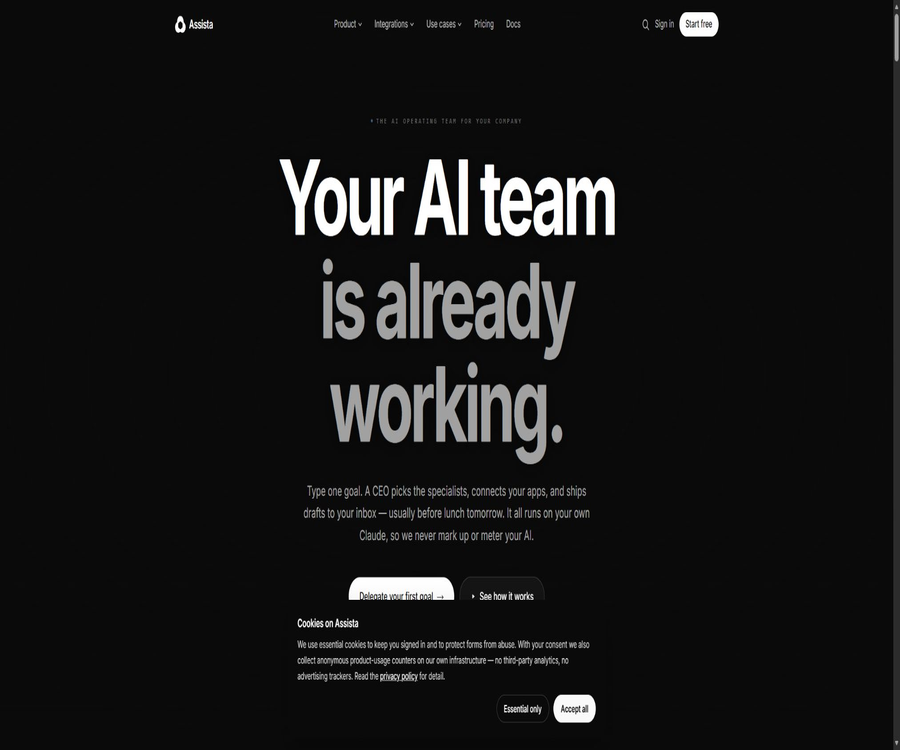
What is Assista?
Assista is an AI-powered work execution platform designed for entrepreneurs and corporate teams. Once a user enters a business goal, the system assigns tasks through a virtual CEO, selects appropriate intelligent agents for areas such as sales, marketing, customer service, engineering, operations, or finance, and displays these tasks on a dashboard.
Assista operates with its own Claude model; users connect to their own Claude subscription or API account. The platform itself provides functions such as scheduling, application integration, memory management, approval processes, and task handover. The cost associated with using the model is borne directly by the users to Anthropic, and Assista does not charge any extra fee for the tokens.
Main functions
- Goal decomposition: Break down natural language business goals into actionable workflows.
- Formation of the AI team: Select roles such as CMO, SDR, customer service staff, CTO, operations personnel, and finance experts based on the goals.
- Task board: Displays tasks in pending, in progress, blocked, drafted, and delivered states.
- Scheduled execution: Allows the agent to operate automatically on a daily, weekly, or other periodic basis.
- Event trigger: Tasks are initiated after events such as payment failure, Issue creation, or mentions in Slack occur.
- Inter-Agent handover: Enables different professional roles to share data and results toward the same goal.
- Corporate memory: Learning about products, tone of voice, customer profiles, objections, and past decisions.
- Manual approval: Wait for confirmation before making changes to the status of external sending, public publishing, and sharing.
- Application operations: Reading, searching, drafting, updating, and triggering actions within the authorized scope.
- Activity log: View execution, reminders, history, and exports by agent.
Roles in the AI team
| Characters | Typical tasks | Main delivery |
|---|---|---|
| Sales and SDR | Filtering leads, researching companies, and drafting follow-ups | Clue assessment, email drafts, and contact background information |
| Customer service | Categorize tickets, search for knowledge, and draft responses | Priority, reply drafts, and manual escalation |
| Marketing | Researching topics, writing posts, and planning the content schedule | Social content, briefings, and publishing queue |
| Products and guidance | Organize requirements and assist new users in completing their first tasks | Guidance steps and troubleshooting for common issues |
| Engineering | Monitor issues, tag problems, and draft reproduction steps. | Labels, survey feedback, and obstruction alerts |
| Operation | Aggregate multiple systems and generate periodic status reports. | Weekly reports, list of anomalies, and pending tasks |
| Finance | Pay attention to income, payments, and operational events. | Payment issues, renewal, and operational reminders |
Application integration
The official website states that Assista can connect to more than 1,000 applications, and it assigns limited OAuth permissions to different agents. The available actions, triggers, and read/write capabilities vary depending on the application and the setup used.
- Communication and collaboration: Gmail, Slack, and other messaging tools.
- Code development: GitHub, Linear, Jira, and Vercel.
- CRM for sales: HubSpot, Salesforce, and related lead management systems.
- Customer service platforms: Intercom, Zendesk, and knowledge bases.
- Project management: Notion, Asana, Airtable, and task management tools.
- Finance and e-commerce: Stripe, Shopify, and other transaction systems.
- Calendar meetings: Google Calendar, Calendly, and Zoom.
- Marketing channels: LinkedIn, X, Reddit, and Mailchimp.
- File design: Drive, Dropbox, and Figma.
What use cases are suitable?
- Sales follow-up: Research potential customers and create personalized email drafts.
- Customer service routing: Reading tickets, assigning priorities, and drafting responses based on the available information.
- Content management: Generate social media posts, newsletters, and a publishing queue on a weekly basis.
- Competitor monitoring: Regularly check prices, features, and industry trends to prepare brief reports.
- Engineering triage: Add tags, reproduction steps, and suggested responsible persons for new issues.
- Operational Weekly Report: A summary of progress in terms of code, sales, customer service, and communication tools.
- Renewal management: Identify accounts that are approaching their renewal date or have failed to make payments, and prepare for communication with them.
- Event response: Subsequent tasks are automatically assigned based on application triggers.
Which users are it suitable for
- Entrepreneurs and team leaders who need to undertake multiple responsibilities at the same time.
- Marketing, sales, and customer service teams that wish to automate the execution of repetitive tasks.
- Individuals who are already using Claude and wish to integrate it with their business applications.
- Small and medium-sized enterprises that need shared agents, approval processes, and auditing capabilities.
- Users who wish to describe goals in natural language without creating complex flowcharts.
- Operations teams that require scheduled and event-driven automation.
Working method
- Connect your own Claude subscription or API account.
- Describe a measurable business goal in natural language.
- Have the virtual CEO break down the tasks and select the appropriate specialized agent.
- Connect to Gmail, Slack, GitHub, or other business applications as needed.
- Check each agent’s permissions, task scope, and approval rules.
- Track studies, drafts, stalled items, and pending approvals in the dashboard.
- Approve sensitive actions before allowing the system to send, publish, or update them.
- Adjust goals, memory, and scheduling based on the results and feedback.
Create a tutorial on setting up scheduled automations
- Choose a task that is repetitive, has clear rules, and is easy to check.
- Specify the input source, execution frequency, output location, and success criteria.
- Only connect the applications required to complete the task and grant the minimum necessary permissions.
- Run the manual task once first to check the generated content and applied actions.
- Modify the approval settings for sending emails externally, as well as for public release and sharing of data.
- Enable plans or triggers, and set up alerts for failures and exceptions.
- Observe at least one complete cycle to check for omissions, duplicates, and errors.
- After stabilization, increase the frequency, data range, or add more agents.
Built-in Claude mode
Assista does not include language model tokens as part of the platform subscription; the agents run via the user’s own Claude account. Users can choose between Haiku, Sonnet, or Opus, and they can also terminate the associated connection.
| Costs or controls | To whom should it be paid? | Explanation |
|---|---|---|
| Assista platform fee | Assista | Used for agents, scheduling, integration, memory, approval, and team functions |
| Claude subscription | Anthropic | The official website states that it can be connected to existing Pro or Max plans, with compatibility determined by the current rules of the account. |
| Claude API usage | Anthropic | When using an API key, charging is based on Anthropic’s real-time model pricing. |
| External application fees | Various application providers | LinkedIn, CRM, email, messaging, or other services may incur additional fees. |
The official website states that busy intelligent agents typically incur costs of a few dollars per month in terms of Claude usage, but this is only an approximate figure. The actual cost varies depending on the model used, the context, the frequency of use, the length of the input data, and the complexity of the task.
Comparison of package prices
Assista offers Free, Starter, Pro, and Team plans; the annual subscription includes two months free. Enterprise is intended for organizations that require more advanced features, greater capacity, and different contractual terms.
| Package | Average monthly amount for annual payment | Monthly price | Main positioning |
|---|---|---|---|
| Free | $ | $ | View weekly drafts and try sending once |
| Starter | 17 dollars per month | $ | Individuals and small projects: a timed intelligent agent |
| Pro | $ | 35 dollars per month | For personal use; intelligent agents with no time limits. |
| Team | $ | $ | Up to 25 people can share a workspace and agents. |
| Enterprise | Contact for a quote | Contact for a quote | More than 25 seats, or SAML/SCIM and a custom contract are required. |
Comparison of package features
| Functions | Free | Starter | Pro | Team |
|---|---|---|---|---|
| Claude model | You can choose to use your own account. | You can choose to use your own account. | You can choose to use your own account. | You can choose to use your own account. |
| Timed Agent | Continuous scheduling is not supported. | 1 | No restrictions | No restrictions |
| User | 1 person | 1 person | 1 person | Up to 25 people |
| Publishing and sending | A trial session | Supports plan execution | Supports full scheduling and triggering. | Team-shared execution |
| Activities, reminders, and exports | Basic review | Foundation | Provided by the agent | Team analysis and auditing |
| SSO | None | None | None | Provide |
Refunds, suspension, and cancellation
- A full refund can be requested within 7 days after the first deduction, provided that the service has not been used.
- Subscriptions can be suspended for 1 to 3 months, and the data is retained during that period.
- Users can cancel with just one click in the settings, without the need for phone communication.
- After cancellation, the account enters a 30-day read-only recovery period, after which the data will be deleted.
- The annual fees are 200 dollars per year for the Starter plan, 350 dollars per year for the Pro plan, and 400 dollars per seat per year for the Team plan.
- Model accounts and costs related to external applications are not covered by the Assista platform’s refund policy.
Approval and permission control
- Low-risk tasks such as reading and drafting can be carried out automatically in accordance with the rules.
- Sending emails externally, making public postings, and sharing status changes require manual approval.
- Each agent uses its own set of OAuth permissions, adhering to the principle of least privilege.
- Application connections can be revoked from the settings.
- The team solution provides shared history, analytics, and audit logs.
- Enterprise solutions allow for further evaluation of SAML, SCIM, and custom security provisions.
Corporate memory
Assista learns about the product, tone of voice, ideal customer profile, customer objections, past decisions, and recurring workflows from tasks. Continuous memory reduces the need to restate the background information each time, but it also increases the requirements regarding data management.
- Specify the scope of company information that the system is allowed to remember.
- Distinguish between public brand information and internal secrets.
- Regularly check expired product, price, customer, and strategy information.
- Set up access and off-employment recovery processes for team members.
- Cancel the previous export to retain the historical data and work results.
Product advantages
- Automatically form multi-role teams based on business objectives, without requiring users to define workflows first.
- It supports one-time, scheduled, and event-triggered tasks.
- It connects over 1,000 applications, covering sales, customer service, engineering, and operations.
- Sensitive actions are automatically routed for approval, thereby reducing the risk of automatic external transmission.
- The built-in Claude mode allows users to directly control model selection and usage.
- Dashboards, activities, and handovers make it easier to observe multi-agent operations.
- The free version allows you to view the draft first before deciding whether to enable automatic execution.
Usage restrictions
- It is necessary to have or create a connected Claude account; the platform does not include model tokens.
- The capabilities related to Claude subscription connections on the platform’s official website should still be governed by Anthropic’s current policies.
- Changes in the interfaces, permissions, and rates of external applications can lead to failures in automation.
- Multiple intelligent agents can amplify issues such as erroneous backgrounds, outdated data, or problems with permission settings.
- The fact that there is no limit on the number of agents does not mean an unlimited amount of models can be used; the cost of Claude remains the responsibility of the user.
- There are no publicly specified fixed amounts for Enterprise pricing and dedicated capacity.
- System memory may store sensitive business information, and it needs to be cleaned up and audited regularly.
- No official public source code repository for the full Assista platform was found.
Suggestions for safe use
- Start with read-only applications and internal draft tasks; do not grant external sharing permissions right away.
- Only the operations necessary for a given role are authorized for each agent.
- Use a test account to verify the processes for emails, CRM, code, and payment transactions.
- Manual approval is required for sending out, making payments, deleting, and publicly releasing content.
- Regularly rotate or revoke Claude keys and OAuth permissions.
- Check whether the model prompts and memory contain customer, employee, or business secrets.
- Prepare recovery procedures for failures, repeated transmissions, and incorrect updates.
Effect evaluation
| Indicators | Measuring content | Precautions |
|---|---|---|
| On-time completion rate | Are scheduled tasks delivered as planned? | Tasks that are only drafts and not completed need to be excluded. |
| Approval rate | How much of the generated result requires little modification? | A high pass rate does not equate to good business results. |
| Labor saves time | Actual working hours reduced compared to the original process | Time for review and error correction is included. |
| Error rate | Ratio of repetitions, misdeliveries, or incorrect updates | Any high-risk error should be reviewed separately. |
| Model cost | Claude’s actual monthly usage | Split by agents and workflows |
| Business results | Clues, resolution rate, delivery, and renewal changes | Distinguished from seasons and other activities |
GitHub and open source
As of the time of verification, no official complete product source code repository that could be verified in conjunction with Assista’s official website was found. There are several projects with the same name on GitHub as well as code related to ordinary assistants, but these cannot be considered the official code for the Assista platform.
Assista should be classified as a commercial SaaS service for hosting, rather than an open-source automation framework. It makes use of Claude and third-party application interfaces, but the licenses of these external systems do not extend to cover the Assista platform.
Basic information
| Project | Content |
|---|---|
| Product name | Assista |
| Tool type | Multi-agent AI teams and workflow automation platforms |
| Model approach | Connect to the user’s own Claude subscription or API account |
| Key capabilities | Goal breakdown, role assignment, scheduling, triggering, memory, and approval |
| Number of integrations | The official website states that there are over 1,000 apps. |
| Free version | Supports draft review and one-time sending for trial use |
| Payment starts at a certain amount. | $ |
| Team plan | $ |
| Is it open source? | No |
Recommendation score
The comprehensive recommendation score is 4.3 out of 5 points. Assista integrates multi-agent systems, scheduling, application operations, and approval processes quite effectively; its built-in Claude mode also contributes to greater transparency in terms of costs. However, strict management is still required with regard to permissions, memory, and automatic execution.
Frequently Asked Questions
What is Assista mainly used for?
It breaks down a business goal into multiple AI-specific roles and carries out the tasks continuously within the connected applications.
Is a Claude account required?
It is necessary; the agent operates through the user’s own Claude subscription or API account.
Does the platform fee include the usage of Claude?
It is not included; the cost of the model must be paid directly by the user to Anthropic.
Is Assista free?
There is a free option that allows you to view drafts, select the Claude model, and try sending a message once.
How much is the starter?
$
How much is Pro?
$
Will sensitive operations be executed automatically?
The official website states that sensitive actions such as sending, publishing publicly, and sharing status changes require approval.
Which applications are supported?
The official website states that it supports more than 1,000 applications, including Gmail, Slack, GitHub, HubSpot, Stripe, and others.
Is Assista open source?
No official complete source code repository was found; it should be used as a commercial SaaS solution.
Tools similar to Assista





 Guigong Network Security Registration No. 45132202000164