






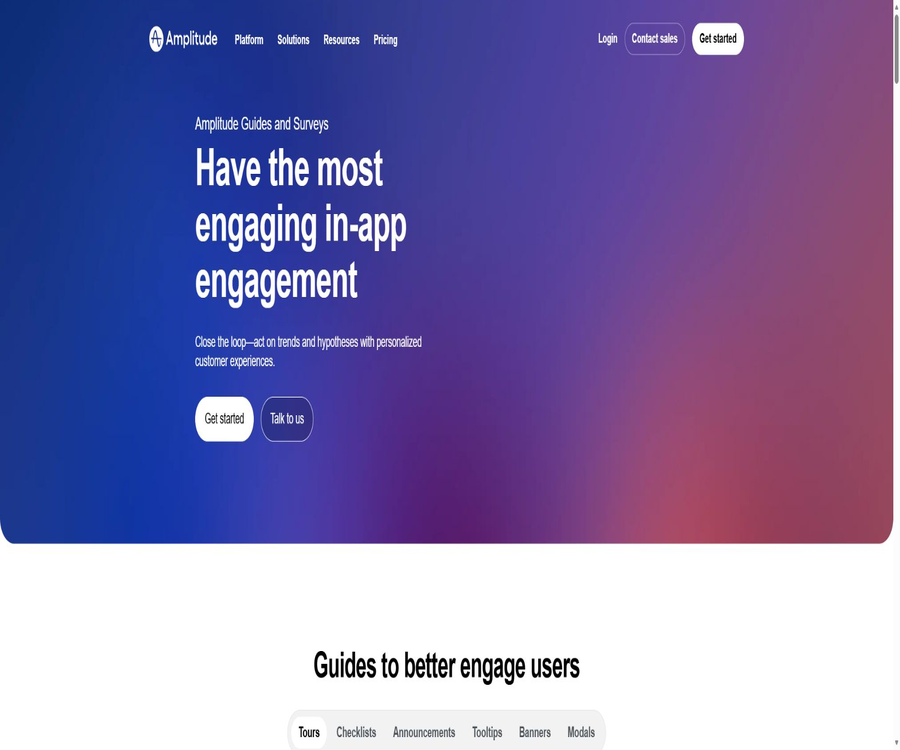
Amplitude Guides and Surveys is a set of tools for guiding users within a website and collecting their feedback; it allows for the presentation of product guides, feature instructions, and surveys on both web pages and mobile applications. It is integrated with Amplitude’s capabilities for behavior analysis, user segmentation, A/B testing, and session replay, enabling teams to deliver content based on actual user behavior and to measure the outcomes of such actions.
What are Amplitude Guides and Surveys?
Some of the capabilities of this module originate from Command AI, which was acquired by Amplitude, and they have been integrated into Amplitude’s unified product platform. Its purpose is not to display ordinary marketing pop-ups, but rather to provide context-related guidance when users need help or feedback.
Main functions
- Create product overviews and step-by-step tutorials.
- Release announcements for new features and operation guidelines.
- Create NPS and in-site user surveys.
- Triggers precisely based on behavior, attributes, and grouping.
- Display is controlled by usage time and event conditions.
- Set priorities, frequencies, and do-not-disturb rules.
- The reused theme maintains the brand’s font and colors.
- Conduct A/B testing on the guidance copy and processes.
- View exposure, completion, response, and quick shutdown data.
- Analyze user behavior by combining session playback.
Product Overview
Guides can walk new users through the core functions step by step, helping them complete their first key tasks. The guides should be designed around a clear goal; too many steps will increase the dropout rate.
Feature announcement
The team can use the relevant pages to showcase new features, interface changes, or important reminders, and guide users to the desired actions. The effectiveness of such announcements is determined by the degree of adoption of the features, rather than just by the number of times the pop-ups appear.
NPS and user surveys
Surveys are used to gather NPS scores, opinions, intentions, and unmet needs during the use of a product. Intranet-based questionnaires are located closer to the place where the behavior in question takes place, but the sample may still be influenced by triggering factors and respondents’ willingness to answer.
Behavior trigger
Guides and questionnaires can be triggered based on what the user is doing, such as completing a certain action, visiting a specific page, or performing repeated actions. Triggering them in response to behavior is more relevant than showing pop-ups at fixed times, but errors in event tracking can lead to inaccurate display of these elements.
User segmentation
Amplitude allows for the creation of cohorts based on behavioral analysis, and it enables targeted delivery of guidance and surveys to users belonging to specific account levels, with certain attributes, or who perform certain actions. The criteria used for grouping should be reviewed regularly to prevent users who have already completed the tasks from being included in these groups again.
Do Not Disturb and Priorities
The platform offers guardrails, priorities, and Air Traffic Control to reduce the occurrence of multiple consecutive alerts. Teams should establish a unified display policy for emergency notifications, educational content, and surveys.
Rage Close: quick shutdown
Amplitude calculates the percentage of users who quickly close or exit the onboarding processes and surveys, in order to identify situations where the timing is inappropriate or the content is distracting. Quick closure is an indicator of the user experience; it does not necessarily mean that the user dislikes a particular feature – it could also be due to the fact that the content is already familiar to the user or because the task is urgent.
A/B testing
The Growth and Enterprise expansion packs allow for A/B testing of in-site messages, enabling the comparison of different text versions, processes, and presentation methods. Such experiments require stable grouping, a sufficient number of samples, and clear criteria for determining success; it is not sufficient to choose the best version based solely on short-term click rates.
Theme and brand style
Teams can use reusable themes to set colors, fonts, and component styles, so that the guidance elements appear to be part of their own product. Advanced options also provide the ability to customize CSS and offer more comprehensive theme features.
Effect analysis
- Number of guidance exposures.
- Number of guided completions and completion rate.
- Number of questionnaires exposed and completed.
- Performance across different dates, groups, and attributes.
- Data for individual contents over the past 30 days.
- Ratio of users who shut down quickly.
- Real-time interactive activity stream.
- Conduct an in-depth analysis by combining user flow and session playback.
Supported platforms
| Platform | Support status | Access method |
|---|---|---|
| Websites and Web applications | Support | Unified Web SDK |
| iOS apps | Support | Mobile SDK |
| Android apps | Support | Mobile SDK |
| React Native apps | Support | React Native SDK |
Which users are it suitable for
- The product manager in charge of activating new users.
- Teams that need to increase the adoption rate of their functions.
- The Customer Success team that aims to reduce basic teaching-related tickets.
- Researchers who need to collect NPS and feedback within the product.
- Companies that are already using Amplitude for behavioral analysis.
- Teams that wish to link experiments with in-station messages.
- A product organization that operates both web and mobile applications.
Typical use cases
- A core navigation guide is displayed when new users log in for the first time.
- A prompt is displayed when the user accesses the new feature page.
- Collect feedback on the experience after completing key tasks.
- Provide additional support to those at risk of churning.
- Provide differentiated guidance for different payment tiers.
- Test two sets of functional announcement copy.
- Excessive disturbance was detected through rapid shutdown.
- Link questionnaire responses to subsequent retention behavior.
It’s not very suitable for which situations
- Only teams that need to send bulk email surveys.
- Websites that lack product event tracking and user identification.
- Internal systems that require to operate entirely offline.
- Marketers who only want to create external landing pages.
- Projects that cannot have the SDK installed or whose front-end code cannot be modified.
- Operational teams that are unwilling to implement frequency controls for the content displayed to users.
- Organizations that hope for a completely open-source core hosting platform.
Start using the tutorial
- Create or access an Amplitude project.
- Install the unified SDK according to the target platform.
- Verify that user identities, events, and attributes are reported correctly.
- In the navigation menu, select Guides and Surveys.
- Enable the web or mobile application for which content needs to be published.
- Create a test guide and restrict it to internal users.
- Verify the display, event logging, and shutdown behavior before publishing.
Create a product guidance tutorial
- Identify the single key task that the user must complete.
- Select the page element that needs the most explanation.
- Break the process down into a small number of clear steps.
- Configure target groups, behavior triggers, and frequency control.
- Apply the brand theme and check the mobile layout.
- Release it to employees and test accounts first.
- Optimization based on completion rate and rapid closure data.
Tutorial on creating an NPS questionnaire
- Clarify the target population and business stage for the NPS survey.
- Avoid forcing a pop-up as soon as the user encounters an error.
- Set a multiple-choice question and an optional open-ended question.
- Configure the interval for repeated display and the audience to be excluded.
- Verify response events and user attributes before publishing.
- Compare scores and response themes by group.
- Provide feedback on the improvements to the users who participated.
Tutorial on running A/B tests
- Select a guide or questionnaire that needs improvement.
- The setting function uses key indicators such as adoption, completion, or retention.
- Only one main variable is changed at a time.
- Set up the control group and experimental variants.
- Check whether trigger constraints cause sample imbalance.
- Run until the predetermined number of samples and cycles are met.
- Choose the winning version or continue collecting data.
Overview page
The overview page displays information on the exposure, completion, responses, quick closure, and recent performance of guides and surveys. The Filter Card allows narrowing down the scope of analysis by date, user groups, and attributes.
Used in conjunction with Session Replay
The team can move from data points to user flows and session replays in order to observe the users’ actual behavior before and after they see the prompts. Replay data may contain sensitive interfaces, so it is necessary to apply masks, set access permissions, and define retention periods.
Used in conjunction with Product Analytics
Behavioral analysis helps identify funnel friction and target segments, while Guides and Surveys are used for intervention and feedback collection. By combining these two approaches, it is possible to compare changes in feature usage and user retention before and after the introduction of prompts.
Used in conjunction with Experiment
The experimental module allows for verifying the causal effect of prompts or questionnaires on behavioral indicators, and it ensures that the same user sees a fixed version of these elements repeatedly. Display priorities and frequency controls can affect the proportion of exposure; therefore, it is necessary to examine the actual Exposure events when conducting analysis.
Price pattern
All Amplitude plans include access to Guides and Surveys, but the Free and Plus plans offer a limited number of uses. The Growth and Enterprise plans allow for the purchase of additional packages that provide unlimited access to guides and surveys, with these packages being priced at a certain percentage of the cost of the respective plan tier.
Comparison of Amplitude plans
| Package | Platform price | Event quota | Guides and Surveys |
|---|---|---|---|
| Free | Free | 2 million events per month | Limited guidance and questionnaires are provided; no credit card is required. |
| Plus | The starting price for the first 2 million events is $0; charges apply on a per-unit basis for amounts exceeding that. | It can be expanded up to 70 million events. | It has limited capabilities, with the option to purchase expansions. |
| Growth | Custom event pricing | By business scale | Unlimited online guidance and questionnaire expansions are available for purchase. |
| Enterprise | Custom event pricing | By business scale | Advanced extensions and corporate governance can be purchased. |
Advanced extensions include
- An unlimited number of online guides and questionnaires available.
- Conduct A/B testing on the in-site prompts.
- Custom CSS.
- Premium brand theme.
- Air Traffic Control displays scheduling.
Billing criteria
The product page states that Guides and Surveys are billed based on the number of guides and surveys created, rather than on a monthly basis depending on the number of users or events. Meanwhile, the basic package of the Amplitude platform is still priced according to the number of events; therefore, these two components should be calculated separately.
Startup Scholarship
Eligible startups with financing of less than 10 million US dollars and fewer than 20 employees can apply for free access to the Growth program for one year. Whether all the required qualifications, capabilities, and additional packages are included will depend on the outcome of the application.
SDK and developer capabilities
The official unified SDK is available for Web, iOS, Android, and React Native, and various client SDKs are maintained in Amplitude’s official GitHub repository. The fact that the SDKs are open source does not mean that the cloud-based editors, analysis platforms, and server-side systems are also open source.
MCP capabilities
Amplitude MCP offers tools for listing, retrieving, and analyzing Guides and Surveys configurations; it allows one to view the publication status, priority, objectives, triggers, and step details. Before integrating AI agents with production data, it is necessary to restrict project permissions and the fields that are visible.
GitHub and the open-source status
Amplitude has an official GitHub organization that has been verified using domain names; it makes available SDKs for TypeScript, Swift, Kotlin, and other languages. The unified Web SDK includes features for conducting guides and surveys. The core SaaS platform as well as the hosted analysis services remain closed-source commercial products.
Privacy and Compliance
To trigger precise behaviors, it is necessary to collect events, user attributes, and page context; questionnaires may also include free-text fields. Enterprises should implement consent management, masking of sensitive fields, data collection on a minimal basis, and role-based access control.
Product advantages
- Guidance, questionnaires, and behavior analysis are all available on the same platform.
- It can be triggered precisely based on actual behavior and Cohort.
- It supports Web, iOS, Android, and React Native.
- It offers frequency control, priority settings, and do-not-disturb features.
- Questionnaire responses can be linked to subsequent behaviors.
- The advanced plan supports A/B testing and custom CSS.
- The free plan can be used for an extended period of time.
- The official team maintains open-source SDKs for multiple platforms.
Usage restrictions
- The guidance and survey capabilities of the free and Plus plans are limited.
- There is no fixed public price for advanced extensions.
- Implementation relies on the correct user identity and event tracking.
- Too many pop-ups can interfere with users’ core tasks.
- Rapid shutdown cannot explain the true reason on its own.
- A/B testing may be affected by triggers and frequency control.
- Behavioral and questionnaire data are related to privacy governance.
- The core cloud platform is not open-source.
Basic information
| Project | Content |
|---|---|
| Product name | Amplitude Guides and Surveys |
| Development company | Amplitude, Inc. |
| Tool type | In-site guidance and user surveys |
| Core competencies | Guidance, NPS, behavior triggering, frequency control, and experiments |
| Supported platforms | Web, iOS, Android, and React Native |
| Price pattern | Free with a limited quota, available as event packages and for enterprise use |
| Is MCP provided? | Yes |
| Is it open source? | The platform is not open-source, but the official SDK is. |
Recommendation score
The comprehensive recommendation score is 4.5 out of 5 points. It is particularly suitable for product teams that are already using Amplitude to analyze data, as it helps reduce the costs associated with clustering and identity synchronization; however, its practical value still depends on the quality of the tracking elements used and on a strategic approach to their display.
Frequently Asked Questions
What can Guides and Surveys do?
It is possible to create product overviews, feature announcements, NPS scores, and in-site surveys, which can then be triggered by user behavior to group users together.
Is it compatible with mobile apps?
It supports iOS, Android, and React Native, as well as web sites and web applications.
Is Amplitude free?
The Free plan is permanently free and does not require a credit card; it includes 2 million events per month as well as limited capabilities for guidance and surveys.
How much do the advanced features cost?
Growth and Enterprise charge based on customized events, while Guides and Surveys are priced according to the proportions set by the platform plan.
Can A/B testing be done?
Advanced extensions support bootstrapping and A/B testing of surveys, and can be integrated with Amplitude Experiment for analysis.
How to avoid disturbing users?
It is possible to set priorities, frequency control, guardrails, and Air Traffic Control, as well as to monitor the proportion of rapid shutdowns.
Is MCP available?
It is available to enable AI-compatible tools to read and analyze guidance and questionnaire configurations.
Does the official team have a GitHub account?
There is a verified official GitHub organization that publicly maintains multiple SDKs.
Is Amplitude completely open source?
No, the client SDK is available publicly, but the cloud platform, editor, and analysis services are closed-source SaaS products.
Tools similar to Amplitude





 Guigong Network Security Registration No. 45132202000164