






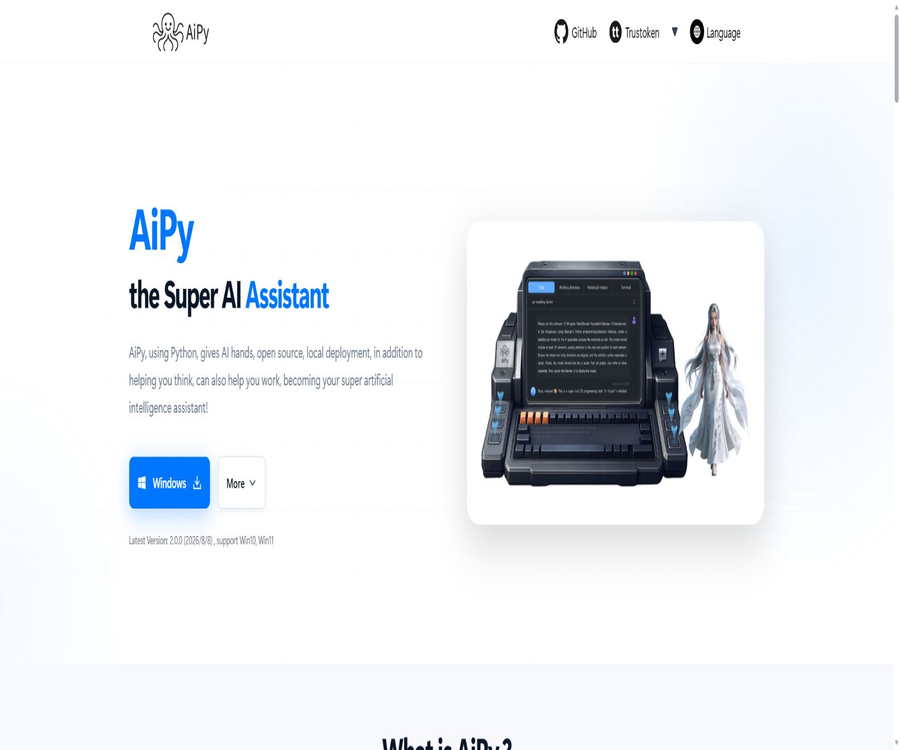
What is AiPy?
AiPy is a local AI execution tool developed by the ZhiDao ChuangYu team; it is also referred to as AIPyApp or Python-Use. It combines large language models with the Python interpreter, enabling AI to automatically plan tasks, generate code, execute it, read the results, and make further adjustments.
It focuses on delivering the results of tasks, rather than merely generating a piece of code for the user to copy. Since the program has access to local files, the network, databases, and system resources, its capabilities are greater than those of ordinary chat tools; however, this also increases the security risks.
Core work cycle
- Receive natural language tasks.
- Break down the goal into actionable steps.
- Generate the appropriate Python code.
- Execute the code in the local environment.
- Read output, errors, and environmental feedback.
- Automatically adjust the plan and execute it again.
- Organize files, analyze results, or prepare final reports.
Main functions
- Natural language drives Python execution.
- Local file reading and batch processing.
- Table cleaning, statistics, and visualization.
- Web page access and data organization.
- Call third-party APIs.
- Use Python packages as needed.
- Connect to database and LAN resources.
- Generate programs, documents, and media files.
- Automatic debugging encountered an error.
- There are two ways to use it: through a desktop interface or via the command line.
Task mode
Task Mode is the default mode: users simply describe the task they want to accomplish, without having to write Python code first. AiPy uses code as an internal mechanism to carry out the tasks, and ultimately returns the results or the generated files.
- Suitable for users who are not familiar with Python.
- Focus on task objectives rather than code snippets.
- It allows the model to plan continuously and correct errors.
- Suitable for data organization and office automation.
- High-risk operations still require manual confirmation.
Python pattern
Python Mode is designed for advanced users who are familiar with Python; it allows them to enter regular Python commands as well as issue tasks using AI functions. Users can more directly examine variables, the execution process, and the code generated by the model.
Local file processing
- Read CSV, Excel, and text files.
- Rename or organize directories in bulk.
- Extract information from PDFs and documents.
- Merge, split, and convert data.
- Generate statistical results and charts.
- Write the processing results to a new file.
Data analysis
AiPy can utilize Python libraries such as Pandas, OpenPyXL, and Seaborn to process local data. Compared to uploading the entire file to the cloud, it is more suitable for handling large volumes of data that need to be processed on the local machine; however, the model may still produce incorrect analysis results.
- Check the field types and missing values.
- Clean up duplicate or abnormal records.
- Grouped statistics and pivot analysis.
- Generate trend and distribution charts.
- Export a new table or report.
- Conduct a sample review of the conclusions.
Web and API automation
The model can generate Python code to access web pages or call public APIs, and convert the resulting data into structured format. When using it, it is necessary to comply with the website’s terms of service, restrictions on the frequency of access, login requirements, and rules regarding the protection of personal information.
Third-party software packages
When a task requires libraries that are not available in the current environment, AiPy can submit a request to install them; the process will first ask the user for confirmation. Do not agree to install packages from unknown sources or with similar names – in enterprise environments, it is necessary to use an allowed list and fixed versions.
Local devices and local area network
The examples on the official website demonstrate tasks such as connecting to a smartphone, locating printers on a local network, and invoking local software. The success of these operations depends on the operating system, drivers, network permissions, device protocols, and the specific program interfaces; not all devices can be controlled directly.
Program and prototype generation
AiPy can generate code as needed, run tests, fix errors, and save projects to the computer. The official website shows examples of small games and web prototypes, but the resulting executable versions still require manual verification for security, functionality, and licensing aspects.
Document and contract analysis
These tools can read documents and assist in locating specific clauses, summarizing information, or providing suggestions for revisions. Legal matters, bidding processes, and contract drafts cannot rely solely on models; the final version must be reviewed by individuals who possess the necessary responsibilities and professional qualifications.
Audio and video processing
By leveraging Python libraries and local models, AiPy can handle tasks such as audio extraction, speech recognition, subtitle generation, and media conversion. The processing speed, accuracy, and available formats depend on the specific software packages and hardware used.
Supported platforms
| Platform | Public method | Explanation |
|---|---|---|
| Windows | Desktop version and Python package | The official website states that it is compatible with Windows 10 and Windows 11. |
| macOS Apple chip | Independent desktop download | Suitable for Apple Silicon devices |
| macOS Intel chips | Independent desktop download | Suitable for Intel Macs |
| Linux | Desktop version and Python environment | It is necessary to conduct tests based on the version and dependencies. |
| Python command line | Install the aipyapp package | The project requires Python 3.11 or a higher version. |
Model configuration
The open-source version connects to large models through configuration files; the official examples use the DeepSeek model type along with the corresponding API key. The project relies on libraries compatible with OpenAI and Anthropic, but the availability of specific models is subject to the current code, configuration documents, and the APIs provided by the service providers.
- Create an API Key from the model service provider.
- Only write the key to the protected local configuration.
- Do not submit configuration files to the code repository.
- Set the model type and the necessary interface parameters.
- Test the connection using low-risk tasks.
- Monitor token consumption and account bills.
- Regularly rotate keys that have been exposed or used for an extended period of time.
Desktop version installation guide
- Select the appropriate installation package based on the computer system and chip.
- Download from the project’s official website and check the files.
- Install it in a directory that can be controlled by regular users.
- Only the permissions necessary to complete the task are granted during the first startup.
- Configure your own model services and API Key.
- Verify using a test task that does not contain sensitive data.
- Verify that the execution process is visible and the output meets expectations.
Command-line installation tutorial
- Install Python 3.11 or a later version.
- Create an independent virtual environment to isolate dependencies.
- Install aipyapp using the Python package manager.
- Create a model configuration file in the user’s configuration directory.
- Enter the model type and your own API Key.
- Start aipy to enter the default task mode.
- First, execute tasks with low permissions in the test directory.
Data analysis tutorial
- Create a copy of the original data as a read-only backup.
- Place the files to be analyzed in the isolation directory.
- Describe the fields, objectives, and desired output format.
- Ask AiPy to first check the data rather than overwriting it directly.
- View the generated statistical logic and error messages.
- Sample-check key records and calculation results.
- After verification, export the new file and charts.
Secure Execution Tutorial
- Create a dedicated system account or isolated environment for AiPy.
- Only the file copies required for the task are mounted.
- The production keys, browser sessions, and profiles are removed.
- Restrict permissions for networks, databases, and system commands.
- Review the model plan and the code to be executed step by step.
- Reject requests to install software packages of unknown origin.
- After completion, check for file changes, processes, and access logs.
Which users are it suitable for
- Users who wish to process local data using natural language processing.
- Python developers familiar with risk control.
- Teams that need to rapidly create automated prototypes.
- Analysts who need to process office documents in bulk.
- Researchers who develop code-executing intelligent agents.
- An organization that is willing to review and make further modifications to the source code.
Typical use cases
- Clean and analyze large tables.
- Organize local files in batches.
- Generate data charts and reports.
- Call the business API to aggregate information.
- Create prototypes for web pages or mini-programs.
- Extract speech from video and generate subtitles.
- Connect to the database to perform a one-time analysis.
- Organize experiments for operating LAN devices.
It’s not very suitable for which situations
- An environment in which sensitive production data cannot be isolated.
- Companies that do not allow the automatic generation of code.
- The model needs to be held accountable for legal or financial conclusions.
- Users who wish to use cloud agents without any configuration at all.
- Teams that are unable to review model behavior and system permissions.
- There are plans to package the project as a commercial SaaS product without authorization.
- Require manufacturers to provide complete business SLAs for critical systems.
Free and usage costs
The desktop version of AiPy and its open-source code are available free of charge; the official website does not offer any personal subscription plans. The actual costs associated with its use stem from model APIs, computing resources, third-party services, hardware, as well as enterprise maintenance efforts.
| Cost items | Public mode | Explanation |
|---|---|---|
| AiPy software | Free download | The desktop version and open-source projects are available. |
| Model invocation | Charged by the model provider | Determined by the selected model, token, or package. |
| Local computing | The user is responsible for it. | Including computers, storage, and power. |
| Third-party API | Decided by the interface provider. | Some data and automated services may be subject to fees. |
| Commercial licensing | Contact the project owner | Uses such as SaaS and business integration that are subject to additional restrictions |
Open-source license
The warehouse license is based on GPL 3.0, with two commercial restrictions added. It is not permitted to offer the project as a SaaS service to third parties without permission, nor is it allowed to integrate the project or its code into commercial products for sale or distribution.
| Usage method | Public License Notes | Suggestions |
|---|---|---|
| For internal use by individuals or companies | It can be used for free, provided that the license terms are followed. | Retain the license and assess data security. |
| Modification and distribution | The conditions of the license must be complied with. | Verify additional restrictions and obligations regarding derivative code |
| Provide SaaS to external clients | It is prohibited without permission. | Obtain commercial authorization in advance. |
| Integrated into the sale or distribution of commercial products | It is prohibited without permission. | Obtain commercial authorization in advance. |
License compatibility reminder
Licenses with additional restrictions should not be presented as standard GPL 3.0, nor can it be assumed that any commercial use is permitted merely based on the open-source repository. Before planning to distribute, host, or integrate something, legal experts should examine the project’s license as well as all its dependencies.
Code execution security risks
The project’s disclaimer explicitly states that the code generated by the model may delete files, access the network, execute system commands, or cause damage to data and privacy. AiPy cannot guarantee that the code is accurate, complete, or suitable for a particular purpose; users must bear the consequences of using it.
- Error codes may overwrite or delete files.
- Network requests may upload sensitive information.
- System commands may change the computer’s configuration.
- Malicious web content may induce the model to carry out certain actions.
- Third-party software packages can pose supply chain risks.
- Writing to a database can corrupt production data.
- Error analysis can lead to misleading conclusions.
Suggestions for safe use
- It is preferred to run it in virtual machines or containers.
- Use a regular account instead of administrator privileges.
- Process copies of the files rather than the original ones alone.
- Access to the production database is prohibited by default.
- Set minimum permissions and limits for the API Key.
- Manual confirmation is required for write, delete, and send operations.
- It records the generated code and execution logs.
- Regularly update dependencies and check security announcements.
Data privacy
The fact that AiPy runs Python locally does not mean that the task data stays on the computer; the prompts and context information may be sent to the third-party service provider that hosts the large model. Before using it, it is necessary to verify what data will be sent, the data policies of the model provider, the rules regarding log retention, and any corporate compliance requirements.
Differences from ordinary AI programming assistants
| Comparison items | AiPy | Ordinary AI programming assistant |
|---|---|---|
| Main goal | Complete the task and deliver the results. | Assist in writing and explaining code |
| Execution location | It can be executed directly in the local Python environment. | It is usually executed after being confirmed by the user. |
| System access | Access to files, networks, and local resources | It is usually focused on code editors and projects. |
| Interaction method | Task mode and Python mode | Chat, completion, and editing commands |
| Risk level | Automatic execution poses higher risks related to permissions. | It depends on whether authorization is given to the agent to carry out the action. |
Product advantages
- Create a closed loop that connects planning, coding, and execution.
- It can directly process local files and data.
- Leverage the rich Python software ecosystem.
- It offers both task mode and Python mode.
- It supports paths on Windows, macOS, and Linux.
- The open source code facilitates review and modification.
- Chinese speakers can get started more easily.
- Suitable for quickly verifying automated tasks.
Usage restrictions
- Automatically generated code may contain dangerous operations.
- The accuracy of the results depends on the model and the task description.
- Using cloud models still incurs API costs.
- Local execution does not mean that data is never sent outside.
- Installing third-party packages poses supply chain risks.
- The control of complex devices relies on drivers and system permissions.
- Commercial SaaS and product integration are subject to additional restrictions.
- High-risk transactions must be reviewed manually.
Basic information
| Project | Content |
|---|---|
| Tool name | AiPy / AIPyApp |
| Technical philosophy | Python-Use |
| Development team | Know Chuangyu |
| Tool type | Local code execution AI agent |
| Operation platform | Windows, macOS, Linux, and Python command line |
| Requirements for Python | Version 3.11 or higher |
| Price pattern | Software download is free; models and third-party services are charged separately. |
| Is it open source? | Yes, but the license includes additional commercial restrictions. |
| Main risks | The model automatically generates and executes local code. |
Recommendation score
The comprehensive recommendation score is 4.0 out of 5 points. AiPy is valuable for handling local data and automating tasks, but it is more suitable for users who can create isolated environments, review code, and manage permissions.
Frequently Asked Questions
Is AiPy free?
The software can be downloaded for free; however, model APIs, third-party interfaces, local hardware, and commercial licenses may incur costs.
Can AiPy execute code?
Yes, its core function is to enable the model to generate and execute code in a Python environment, followed by further adjustments based on the feedback received.
Can it be used without Python?
The default task mode can be used, but it is still necessary to understand permissions, file backup, and the risks associated with automatic execution.
Which systems are supported?
The official website provides download links for Windows, macOS with Apple chips, macOS with Intel chips, and Linux.
Do I need my own model API key?
The examples for open-source command-line configuration require the API Key of the model provider; the specific configuration for the desktop version is subject to the current version.
Does running locally mean being completely offline?
This does not mean that when connecting to cloud-based large models or external APIs, the task context may be sent to third parties.
What license does AiPy use?
The license is based on GPL 3.0, but it imposes additional restrictions on the integration of unauthorized SaaS and commercial products.
Can AiPy be turned into a paid SaaS service?
It is not allowed without permission; the license explicitly requires a commercial authorization for such uses.
Is it suitable for direct operation on a production computer?
It is not recommended to run it without isolation; instead, a low-privilege environment, file copies, and strict manual verification should be used.
Tools similar to AiPy





 Guigong Network Security Registration No. 45132202000164