






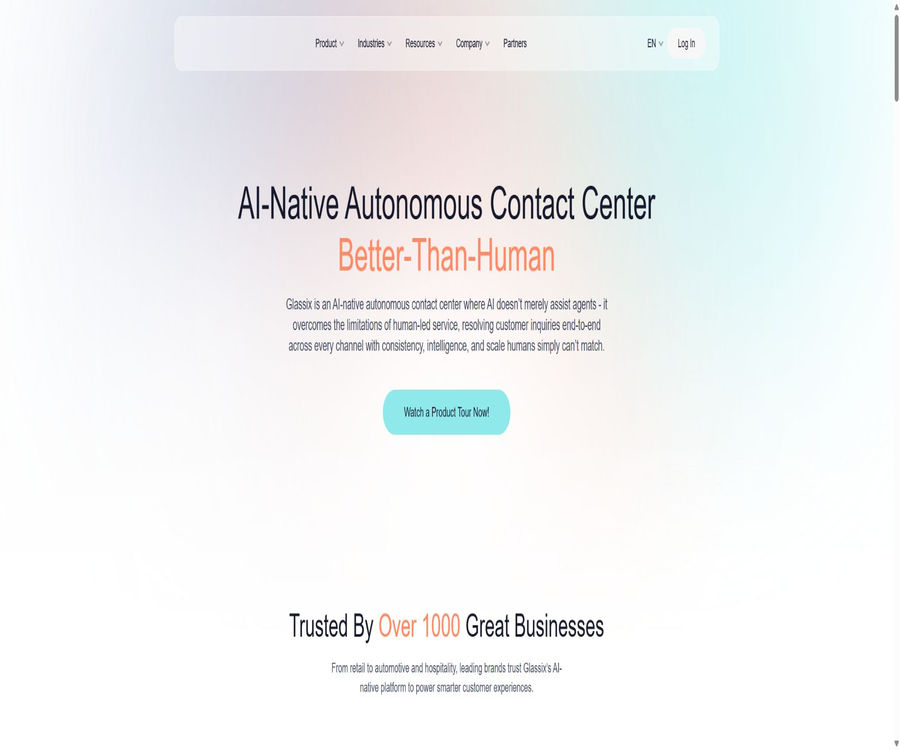
What is Glassix?
Glassix is an AI-driven omnichannel contact center that brings digital messages, voice communications, human agents, and automated processes together on a single platform. It is designed for customer service, sales, and operations teams, aiming to address issues such as fragmented multi-channel conversations, inconsistent responses, and insufficient staffing during peak times.
A one-sentence summary
Glassix can consolidate messages from WhatsApp, emails, web chats, and social media platforms into a single inbox, after which AI agents, robots, or human agents handle the sorting, processing, and escalation of these messages.
Core functions
- Aggregate customer sessions from various channels into a unified workspace.
- Use AI Agents to understand intentions and carry out multi-step tasks.
- Configure robots and automation paths using the process builder.
- Assign tickets based on skills, queue, department, and service level.
- It supports manual takeover, internal collaboration, and continued conversations across different channels.
- It provides real-time dashboards, reports, surveys, and operational analysis.
- Connect business systems through APIs, events, and Webhooks.
Unified inbox across all channels
The unified inbox combines customer information, past messages, attachments, and processing status in a single view. Agents do not need to switch between applications frequently to see the steps that have been completed by the robot.
- View pending, in-progress, and closed sessions at a glance.
- Organize tickets using tags, dynamic fields, and queues.
- Save frequently used replies to avoid typing them repeatedly.
- Exchange images, files, and forms during the session.
- Messages are processed through the mobile agent application.
- Switch between support channels as per customer requirements.
AI Agent capabilities
Glassix’s AI Agents do not merely generate responses; they can identify intentions within a controlled process, invoke tools, select appropriate actions, and pass the resulting outcomes to the relevant steps of that process. Complex business tasks can be broken down into routing Agents, domain-specific Agents, and specialized Agents.
- The routing Agent is responsible for initially identifying the requirements and selecting the appropriate processing path.
- Domain Agents handle common business issues such as support and sales.
- Specialized Agents are responsible for narrow-range tasks such as claims, invoices, or orders.
- The tool can be used to query accounts, verify identities, or collect form information.
- An action represents the next decision made by the Agent.
- The process steps are responsible for sending messages, updating fields, calling interfaces, or creating work orders.
- When it exceeds the authorized scope, it can be upgraded to a human agent.
Robots and automated processes
- Use the visual flow builder to design the dialogue path.
- Branch based on keywords, intent, entities, and business conditions.
- Answer common questions using a Q&A knowledge base.
- Trigger forms, attachments, and authentication during the conversation.
- Call external interfaces to read or write business data.
- Forward sessions that cannot be resolved to the appropriate department.
- Set different handling strategies for times within and outside working hours.
Supported communication channels
The public pricing and the digital channels listed in the documentation include WhatsApp, email, web chat, Facebook Messenger, Facebook Posts, Instagram, Instagram Direct, Viber, Apple Messages, and Google Business Messages. The actual number of available channels is limited by the plan chosen.
- The Starter can be configured with up to 4 channels.
- Growth supports up to 8 channels.
- The public comparison table for Enterprise is labeled as channel-agnostic.
- Starter is primarily focused on inbound text conversations.
- Growth and Enterprise support inbound and outbound text sessions.
- Voice services and some new channels should be confirmed separately at the time of procurement.
WhatsApp customer service
Teams can receive WhatsApp messages in Glassix, manage templates, and send messages that are not related to tickets. The costs associated with WhatsApp messages or conversations themselves are not included in the price of the basic subscription; such additional costs are indicated on the pricing page with a symbol indicating extra fees.
- Handle WhatsApp customer inquiries in a centralized manner.
- Manage message templates that have been approved by the platform.
- Configure inbound and permitted outbound sessions.
- Upgrade the robot’s response to a human agent.
- Provide personalized responses by leveraging CRM data.
- Before going live, confirm number migration, template approval, and regional rates.
Ticket assignment and team collaboration
- Allocation is done automatically based on skills, availability, and preset conditions.
- Organize service teams using departments, queues, and tags.
- Adjust the processing order based on service level and priority.
- Maintain order or customer status through dynamic fields.
- Use automated rules to reduce manual routing.
- Keeping session records facilitates review and quality inspection.
Reports and operational analysis
- View real-time workload and session status.
- Track first response time, resolution efficiency, and agent performance.
- Use surveys to collect customer feedback.
- Starter provides a fixed dashboard and reports for the past 14 days.
- Growth offers customizable dashboards and report periods of up to 3 months.
- Enterprise offers advanced automated reporting, BI, and a time range of up to 6 months.
- The specific metrics and export capabilities should be verified through a trial period.
API and system integration
Glassix offers REST APIs, an event mechanism, and developer documentation that enable the creation of tickets, sending of messages, reading of sessions, and integration with external systems. The API and event capabilities of the Growth version are limited, while Enterprise provides more comprehensive interface access.
- Enter the customer information from the website or app into the ticket.
- Create tickets with participants and fields through the interface.
- Send compliant messages via WhatsApp, text messages, and other channels.
- Monitor events and synchronize them to CRM or a data warehouse.
- Use AI tools to query orders, accounts, or inventory.
- Expand the agent workspace using embedded components.
- Minimum permissions and rate limiting should be set before making the call.
Safety and compliance
The official security page states that the platform complies with GDPR and has achieved SOC 2 compliance; data at rest is encrypted using AES-256, while transmission takes place via TLS 1.2 or higher versions. Companies still need to assess on their own the data storage locations, retention periods, and industry-specific regulatory requirements.
- Data is encrypted in both static and transmitted states.
- Use role permissions to restrict access to sensitive data.
- Monitor and record the activities of authorized personnel.
- Adopt the development principle of integrating privacy protection into the design.
- Conduct third-party audits, risk assessments, and ongoing monitoring.
- It offers audit logs and enterprise-level security options.
- When an incident occurs, the relevant parties are notified in accordance with the applicable regulations.
Key security aspects of AI Agents
- Only the data necessary to complete the task is made available to the Agent.
- Different permissions are set for query and write operations.
- High-risk refunds, price changes, and identity-related transactions require manual verification.
- Configure different response rules for websites, WhatsApp, and other channels.
- Use testing tools to proactively detect unauthorized access paths before going live.
- Restrict the external actions that may be triggered by prompt injection.
- Continuously review incorrect answers, tool calls, and upgrade records.
Which users are it suitable for
- Companies that operate multiple digital customer service channels at the same time.
- Retail and e-commerce teams that need WhatsApp business support.
- Hope to use AI to assist customer service centers that handle front-line inquiries.
- Companies that need to manage customer service, sales, and operational conversations in a unified manner.
- Teams that have a need for integration with CRM, order, or account management systems.
- Large and medium-sized organizations that require service levels, queue management, and analysis capabilities.
- Brands that wish to offer round-the-clock support in addition to human agents.
Typical use cases
- Automatically answers questions regarding products, stores, and delivery.
- Check the order status and send subsequent notifications.
- Collect information on sales leads and assign consultants.
- Handle pre-sales and after-sales conversations via WhatsApp.
- During off-hours, robots handle the initial reception.
- Upgrade complex complaints to a dedicated queue.
- Analyze service quality through surveys and reports.
- Allow internal employees to query business knowledge through an Agent.
It’s not very suitable for which situations
- A personal website that only requires a simple web chat window.
- Small teams whose budget does not allow for the costs associated with subscriptions per seat and channel fees.
- Organizations that must be deployed entirely on-premises and cannot use cloud services.
- Developers who wish to obtain the source code for open-source contact centers directly.
- Teams without staff to maintain the knowledge base, processes, and permissions.
- Businesses with high sensitivity that cannot tolerate AI-generated responses or automated operations.
- Companies that only need email support tickets and have no need for multiple communication channels.
Price packages
As of August 2026, the official website offers a 30-day free trial without the need for a credit card. The prices in USD are calculated based on the number of seats and the features used; additional fees may apply for WhatsApp, AI capabilities, and certain enterprise services.
| Package | Monthly price | Annual total price | Minimum number of users |
|---|---|---|---|
| Starter | $ | 499.80 dollars | 1 person |
| Growth | $ | $ | 2 people |
| Enterprise | Contact sales | Contact sales | According to the enterprise plan |
Comparison of package features
| Project | Starter | Growth | Enterprise |
|---|---|---|---|
| User scope | 1 to 5 people | 2 to 9 people | No restrictions |
| Channel limit | 4 | 8 | No restrictions |
| Email address | 1 | 3 | 10 |
| Robot conversation | 50,000 | 100,000 | 500,000 |
| Dashboard | 1 fixed | Customizable | Customizable |
| Scope of the report | Past 14 days | Up to 3 months | Up to 6 months |
| API | Not listed as open | Finite | No restrictions |
| AI capabilities | Not listed as an additional item | Additional items | Enhanced additional items |
| Support | Digital support | Email and Chat | According to the plan |
Additional fees and limits
- WhatsApp is listed in the price list as an additional charge.
- AI capabilities are listed as an additional option in Growth and Enterprise plans.
- Phone calls, text messages, and carrier fees need to be confirmed separately.
- The robot session quota is set separately for each package.
- The number of channels, email addresses, and brands is limited by the plan.
- Taxes, exchange rates, and regional prices can affect the final bill.
- Implementation, migration, and advanced support for enterprises may be quoted separately.
How to choose a package
- Single-person teams can first use Starter to test the unified inbox.
- Compare Growth when multiple email addresses, surveys, and limited APIs are needed.
- For operations with ten or more people or multiple brands, please contact Enterprise.
- Include the AI add-ons and channel fees in the total cost.
- The quota is estimated based on the peak number of robot sessions.
- Verify whether the scope retained in the report meets the audit requirements.
- Use the 30-day trial to conduct actual business validation.
Free trial
The official website offers a 30-day free trial, and it states that no credit card is required for registration. As for whether the trial includes specific AI capabilities, official WhatsApp numbers, and all enterprise features, this will depend on the workspace once it is activated.
Subscription, modification, and cancellation
- Monthly and annual payment options are available; the annual payment page shows a discount of up to about 20%.
- Users can upgrade or downgrade their plan as needed.
- When the user limit is exceeded, the platform provides a grace period for adjustment.
- The official website states that cancellations are possible without any additional cancellation fees.
- For the public Q&A session that lasts 30 days, the cancellation time should be confirmed with customer service.
- After cancellation, a period of time will be available for data export.
- Before making the payment, it is necessary to confirm the renewal date, as well as the rules regarding refunds and data deletion.
Refund policy
The price page indicates that it is possible to cancel the subscription, but it does not provide clear information regarding general refund policies, the percentage of refund for the periods already used, or the calculation method for refunds in case of an annual payment. Before making a purchase, it is necessary to obtain written terms regarding refunds and early termination applicable to that order.
Pre-deployment preparations
- List the channels, numbers, and email addresses that need to be connected.
- Organize departments, queues, roles, and service levels.
- Clean up the knowledge base and assign owners to the content.
- Determine the range of data that AI can read and modify.
- Prepare the CRM, order management system, and authentication interfaces.
- Design rules for manual intervention and exception handling.
- Establish pilot indicators, rollback plans, and audit processes.
Guide to Using the Unified Inbox
- Create a workspace and invite a small number of pilot agents.
- Connect to a low-risk email address or web chat channel.
- Create departments, queues, tags, and dynamic fields.
- Configure automatic assignment and working hours rules.
- Import common replies and set the upgrade path.
- Send various types of messages using test clients.
- Check whether the allocation, response, closure, and reporting are correct.
Tutorial for Building AI Agents
- Choose a single, well-defined business scenario.
- Create a routing agent and define recognizable intents.
- Create domain agents and integrate them with the reviewed knowledge.
- Only add the query tools necessary to complete the task.
- Configure corresponding process steps for each action.
- Manual escalation for failed setup, low confidence, and sensitive operations.
- Testing is carried out using normal, adversarial, and out-of-bound scenarios.
- It is launched on a limited scale, with session records being continuously reviewed.
WhatsApp integration tutorial
- Verify the ownership of the corporate account and number, as well as the regional eligibility.
- Select the WhatsApp channel in Glassix.
- Follow the wizard to link the business number to the relevant account.
- Submit the message template that needs to be sent proactively.
- Set rules for queues, robots, and manual takeover.
- Test inbound messages, template messages, and attachments.
- Go live after confirming the platform fee, channel fee, and template review status.
API Integration Tutorial
- Confirm that the package provides the necessary API and event capabilities.
- Create a dedicated integrated identity and restrict permissions.
- Authentication and ticket creation are completed in the testing environment.
- Verify message sending, field updates, and event callbacks.
- Add idempotency, retry, timeout, and rate limiting.
- Hide the key and log key operations.
- Launch via grayscale traffic and monitor the failure rate.
Product advantages
- Integrate multiple digital messaging channels in a single workspace.
- AI Agents can be involved in routing, decision-making, and task execution.
- The process builder offers both code-free configuration and the ability to expand interfaces.
- It supports manual agent takeover and complex queue management.
- REST APIs and event documentation are made publicly available.
- The packages are priced per seat, with the basic prices made public.
- A 30-day trial period without the need for a credit card is available.
- It provides compliance documentation for GDPR and SOC 2.
Product restrictions
- Growth requires purchasing at least 2 users.
- AI capabilities are not included by default in all packages.
- WhatsApp and some channels incur additional fees.
- Starter has many restrictions on channels, email, reports, and APIs.
- The terms for public refunds are not specific enough.
- AI Agents require continuous testing, supervision, and knowledge maintenance.
- Auto-responses may generate errors or unlawful commitments.
- Complex integrations still require development and security reviews.
- The platform is a closed-source cloud service; it cannot be deployed using the publicly available source code.
Operational suggestions after going live
- Randomly select sessions resolved independently by AI or upgraded manually on a weekly basis.
- Monitor first response time, resolution rate, escalation rate to human agents, and complaints.
- Trace erroneous responses back to knowledge, prompts, or tool permissions.
- Regularly delete expired policies and duplicate knowledge.
- Manual approval is reserved for high-risk actions.
- Check templates, privacy, and marketing compliance by channel.
- Review the usage of seats, channels, and add-ons before renewing.
GitHub and the open-source status
During this verification, no source code repository for the contact center product as officially provided by Glassix was found. The platform offers developer APIs and documentation, but the availability of these APIs does not mean that the product is open source; it should be classified as a closed-source SaaS solution in the relevant directories.
Basic information
| Project | Content |
|---|---|
| Tool name | Glassix |
| Tool type | AI contact centers, omnichannel customer service, and automation |
| Primary channels | WhatsApp, email, web chat, and social messaging |
| Trial | 30 days, no credit card required |
| Starting price | $ |
| Billing method | Seat subscriptions and optional add-ons |
| API | Provides REST APIs and an event mechanism |
| Safety | GDPR, SOC 2, static and transmission encryption |
| Open-source status | Not open source |
Recommendation score
Recommendation score: 4.4 / 5. Glassix is suitable for customer service teams that need to integrate WhatsApp, email, web chats, and social conversations, and that wish to introduce AI agents gradually.
The focus of procurement should be on the additional costs associated with AI, channel costs, API restrictions, data requirements, and human backup solutions, rather than merely comparing the prices of basic plans.
Frequently Asked Questions
Is Glassix free?
There is no publicly available long-term free plan; the official website offers a 30-day free trial without the need for a credit card.
What is the lowest price for Glassix?
The monthly rate for Starter is $49 per user, while the annual price is $499.80.
Why does Growth show $130?
The price for Growth is $65 per user per month, but a minimum of 2 users must be purchased, so the minimum monthly cost is $130.
Is the AI Agent included in the basic price?
On the pricing page, Growth’s AI capabilities are listed as additional features, and Enterprise versions also have enhanced AI features; a separate quote must be obtained for these.
Is WhatsApp supported?
It is supported, but WhatsApp is listed in the price list as an additional charge; the actual cost is also affected by channel policies and the region.
Are APIs provided?
REST APIs, events, and development documentation are provided; access is limited for Growth plans, while it is unrestricted for Enterprise plans.
Can it be canceled at any time?
The price page states that cancellation is possible without any additional fees, but the information regarding refunds and the 30-day period is not clear enough; it is necessary to check the order terms before making a purchase.
Is the data secure?
Official statements claim compliance with GDPR and SOC 2, as well as the use of encryption standards such as AES-256 and TLS 1.2 or higher; however, companies still need to conduct their own security assessments.
Is Glassix open source?
It is not open source. The platform provides APIs, but no verifiable official source code repository for the product has been found.
Tools similar to AI-Native Autonomous Contact Centers powered by AI agents





 Guigong Network Security Registration No. 45132202000164