






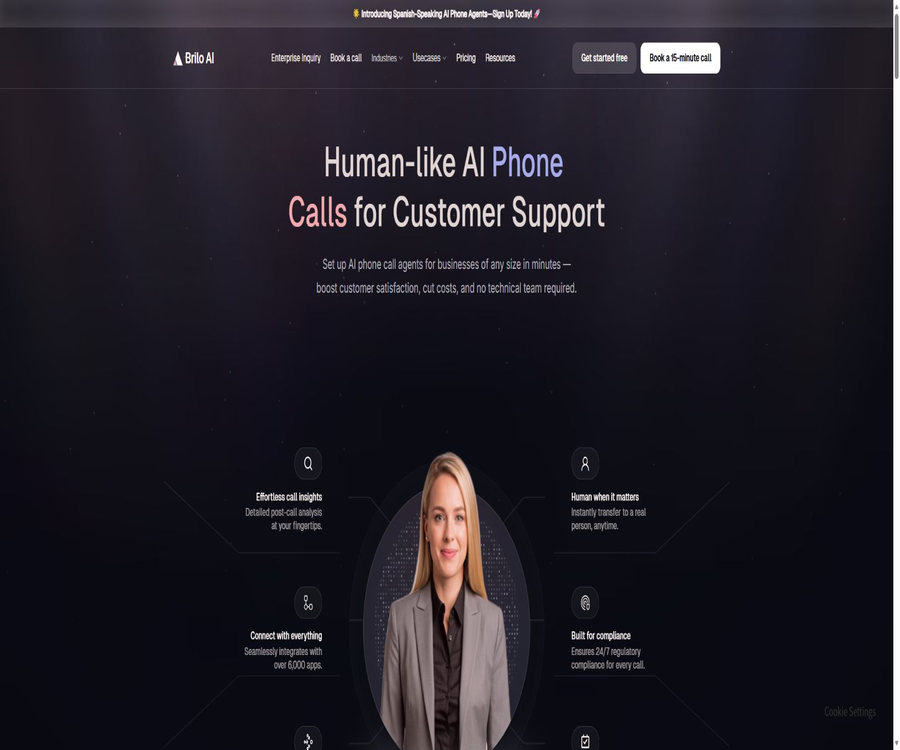
What is Brilo AI?
Brilo AI is an AI-powered phone agent platform designed for corporate customer service, sales, and operations teams. Users can create voice agents to answer or initiate calls, and integrate them with scheduling, CRM, customer service, and industry-specific business systems.
The platform focuses on natural speech, the ability to handle multiple calls simultaneously, manual transfer of calls, real-time transcription, and call analysis. It offers a free trial as well as monthly subscription plans based on the number of minutes used; it also provides customized solutions for large-scale or regulated environments.
A one-sentence summary
Brilo AI helps businesses deploy 24/7 AI phone customer service within minutes, using natural speech processing for handling inquiries, bookings, leads, reminders, and transfers to human agents.
Core competencies
| Ability | Main function | Typical value |
|---|---|---|
| AI Phone Agent | Automatically answer or make calls | Expand service and outbound call capacity |
| Human Handoff | Route to a live agent according to the rules | Handling complex and high-risk requests |
| Appointment Booking | Connect calendars with business system reservations | Reduce manual scheduling |
| Live Transcript | Generate call transcripts in real time | Monitoring, handover, and analysis |
| Call Analytics | Summary, emotions, intentions, and themes | Identify operational and customer trends |
| Integrations | Connects CRM, customer service, and automation tools | Execute the complete business process |
Inbound AI phone customer service
Brilo can answer calls around the clock and address customers’ questions based on its business knowledge and procedures. Companies can handle common requests automatically and refer complex cases to human agents.
- Automatically answer calls both during and outside business hours.
- Identify the intent behind calls and customer needs
- Answer questions regarding orders, services, and common policies.
- Collect names, contact information, and necessary fields.
- Check reservation, order, or account status
- Switch to manual handling in high-risk situations or when issues cannot be resolved.
- Generate a summary and write it into the subsequent workflow.
Outbound AI phone calls
The platform can also be used for proactive dialing, follow-up, and reminders. In outbound scenarios, it is necessary to comply with the rules regarding consent in the target area, caller ID display, silent period, unsubscription, and number blocking.
- Contact new leads and conduct preliminary eligibility assessments.
- Remind customers about appointments, payments, or service times.
- Automatic redial for missed calls
- Conduct surveys on customer satisfaction and follow-up inquiries
- Notifications for orders, deliveries, and status changes
- Log rejection, cancellation, and block requests
- Forward the successful results to sales or customer service staff.
Natural speech and interruption handling
Brilo places emphasis on natural speech and interruption handling, allowing the dialogue to be adjusted when customers interject. The quality of the experience is still affected by factors such as language, accent, network connection, noise, and model latency.
- Use a voice that sounds almost like that of a real person to conduct calls.
- Detecting customer interruptions while the Agent is speaking
- Stop or adjust the current response based on new information.
- Handling confirmation, repetition, and clarification of expressions
- Ask for a repetition when there is silence or the speech is unclear.
- Upgrades designed for urgent, angry, and special needs
- Test end-to-end latency in a real phone environment
Concurrent calls
An AI Agent can handle multiple calls simultaneously, making it suitable for periods of high demand, marketing campaigns, and incoming requests outside regular business hours. Its concurrent processing capacity is not unlimited; it is still necessary to take into account the restrictions related to packages, phone numbers, and data rates.
- Reduce waiting times and missed calls during peak periods
- Create separate Agents for multiple departments or locations
- Route calls based on intent and region
- Set maximum concurrency and rate limits
- Monitor circuitry, models, and bottlenecks in external systems
- Play secure fallback messages when the dependency is unavailable
Manual transfer
Brilo enables smooth handover to a live agent during calls. The handover rules should cover explicit requests, sensitive information, escalating emotions, failed authentication attempts, and the limitations of the agent’s capabilities.
- If the customer requests a live person, make the transfer immediately.
- Upgrade triggered by intent, keywords, or emotion.
- Transfer to the designated department, queue, or phone number
- Provide summaries and collected fields to the human operator.
- Offer options to leave a message or call back when no one answers
- Record the reason for the transfer, waiting time, and final outcome.
Appointments and calendar
AI phone agents can check available times, create appointments, send confirmations, and handle schedule changes. Appointments should be based on the status in the server’s calendar to avoid double booking.
- Identify service options, locations, and customers’ time preferences
- Check the available times in real time on the calendar
- Verify time zone, employee, and resource constraints
- Create, reschedule, or cancel appointments
- Send reminder and confirmation notifications
- Handle cases with no available time and no backup list.
- Add confirmation and idempotent protection to write operations.
Real-time transcription and call records
Brilo can generate real-time transcripts of calls, and recording is available as part of paid packages. Recording and transcription involve matters related to notifications, consent, retention, and access control, which enterprises should configure in accordance with regional and industry-specific requirements.
- View the text content of both callers in real time
- Help the supervisor determine whether intervention is needed.
- Provide context to the human agent during transfer
- Save searchable text for quality inspection and training.
- Mask sensitive data such as payment and health information.
- Delete recordings and transcriptions in accordance with the policy.
- Playback is restricted to authorized positions only.
Call summary
After each call, a concise summary along with the key fields can be generated for use in CRM systems, ticketing systems, or for subsequent tasks. The summary must be verified against the original conversation and the status in the business system.
- Summarize the customer’s goals and main issues
- Record the steps taken and the unresolved issues.
- Extract name, time, product, and commitment.
- Generate sales, customer service, or medical front desk formats
- Enter the summary into CRM or the ticket.
- Manual confirmation is required for significant amounts and dates.
Emotion analysis
The platform can identify positive, neutral, or negative emotions at the level of words, sentences, and entire paragraphs. The emotion models serve only as indicators and should not be used alone to decide whether to deny a service or to assess employee performance.
- Identify trends in customer emotional changes
- Frustrating sessions that require immediate upgrading were identified.
- Compare the experience across different services and agents
- Help with quality inspection by prioritizing random checks of high-risk calls.
- Calibrate accuracy by combining results with manual judgment.
- Avoid making excessive assumptions about accents, language, and cultural expressions.
Intent recognition and topic detection
Brilo analyzes the intentions and main topics of customers during calls, in order to facilitate routing, automation, and the generation of subsequent reports. A single call may involve multiple intentions, and the model needs to be able to handle changes and complex requests.
- Identify appointments, orders, complaints, and sales intentions
- Track changes in intent during the conversation
- Apply different workflows to different topics.
- Automatic classification and tagging after calls
- Statistical analysis of reasons for frequent contacts and emerging issues
- Submit unknown topics to the operations team for review.
Knowledge and dialogue configuration
Companies need to provide agents with accurate business knowledge, processes, and scripts, as well as define the actions that are allowed to be carried out. The ability to launch applications quickly without coding does not mean that testing and governance can be skipped.
- Define the Agent role, objectives, and language.
- Provide information on products, services, and policies
- Design greeting, identity verification, and closing phrases.
- Configure common intents and required fields.
- Set restrictions on answering and define high-risk thresholds.
- Specify manual transfer and fallback in case of system failure
- Continuous testing using real call samples
Webhooks and business actions
The official website’s FAQ outlines the GET and POST response capabilities of Webhooks. Development teams can use them to link calls to appointments, CRM systems, orders, and custom processes.
- Read customer and account information before the call.
- Query orders or available time slots during the conversation
- Send a summary and structured fields after the call.
- Create leads, tasks, tickets, or appointments
- Receipt status and result callback
- Verify signatures, permissions, and request origin.
- Add idempotent control for retry and repeated events
Application integration
The official website claims to support connection to over 6,000 different applications, and it lists CRM, insurance, healthcare, communication, and automation tools among them. Many of these integration options may rely on standard connection methods; it is necessary to verify the specific two-way functionality before making a purchase.
- Salesforce, HubSpot, Zoho, and Pipedrive
- Zendesk, Intercom, Freshdesk and Gorgias
- Google Calendar, Calendly, and Cal.com
- Twilio, Telnyx, RingCentral and Genesys
- Shopify, WooCommerce, and e-commerce systems
- Insurance systems such as Guidewire and Duck Creek
- Zapier, Make, n8n, and Workato
- Custom Webhooks and business interfaces
Medical scenarios
Brilo is designed primarily for clinics and medical reception areas, offering services such as appointment scheduling, reminders, non-clinical inquiries, and call routing. Agents should not replace medical professionals in carrying out diagnoses or making emergency triage decisions.
- Answer calls made during the clinic’s opening hours.
- Schedule, confirm, and reschedule appointments
- Collect basic patient and visit information
- Reminders for follow-ups, appointments, and administrative matters
- Answer regarding address, business hours, and requirements.
- Refer symptoms, urgent, or complex issues to professionals.
- Protect recordings and transcripts in accordance with medical privacy requirements.
E-commerce and retail scenarios
- Answer questions regarding order status, returns, and product issues.
- Handle requests for stockouts, deliveries, and address changes
- Reach out to potential customers who have abandoned their shopping carts
- Receive phone orders for restaurants or retail stores
- Proceed to manual verification before making a payment or refund.
- Synchronize the call results with the customer service and order systems.
Real estate and hotel applications
- Answer basic questions about properties or rooms.
- Arrange viewings, check-ins, and restaurant reservations
- Gather potential customers’ budget and time preferences
- Handling room service and common concierge requests
- Provides check-in, check-out, and local information.
- Forward urgent repairs and safety issues to a human agent.
Financial and debt collection scenarios
Financial services can make use of AI for sending reminders, collecting necessary information, and distributing customer inquiries among different support teams, but strict controls must be in place regarding identity verification, disclosure of information, obtaining consent, and ensuring fair communication.
- Send payment and bill reminders
- Collect basic information on leads related to loans or insurance.
- Answer questions regarding non-recommended products and processes
- Conduct pre-emptive diversion for compliant repayment negotiations
- Record customer approvals, objections, and request to be excluded from calls.
- Transfer contentious, difficult, and high-risk matters to manual handling.
- Agents are prohibited from making unauthorized financial commitments.
Which teams are suitable?
- Small and medium-sized enterprises that receive a large number of repeated incoming calls
- Teams that require overnight, weekend, or peak period overflow support
- Sales organization that screens leads and schedules appointments via phone
- Companies that wish to connect CRM and calendars in order to create a closed loop
- An operational team that requires multiple workspaces and several AI Agents
- Industries that offer capabilities for compliant calling, quality inspection, and manual intervention.
Brilo AI price
Brilo offers four monthly subscription plans: Free, Pro, Growth, and Custom. The paid plans include a certain number of minutes at no cost, with additional charges applied per minute beyond that limit; it is necessary to check whether there are separate costs for calls to specific numbers, third-party services, or international calls.
| Package | Monthly fee | Includes minutes | AI Agent | Work area | Extra minutes |
|---|---|---|---|---|---|
| Free | $ | 10 minutes/month | 1 | 1 | Not disclosed |
| Pro | $ | 600 minutes | 3 | 3 | $ |
| Growth | $ | 2,500 minutes | No restrictions | 5 | $ |
| Custom | Custom quote request | Over 5,000 minutes | No restrictions | No restrictions | Less than $0.14 per minute |
Comparison of package features
| Functions | Free | Pro | Growth | Custom |
|---|---|---|---|---|
| Team members | Not listed | Support | Support | Support |
| AI phone numbers | Not listed | 1 | Confirmation is required. | Customization |
| Recording | Not listed | Support | Support | Support |
| CSV import | Not listed | Support | Support | Support |
| Private Slack channels | Not listed | Support | Support | Support |
| White Gloves goes online | Not listed | Not listed | Not listed | Support |
| Concurrency and enterprise control | Foundation | Standard | Expansion | As required |
Cost estimation
| Use cases | Basic package | Examples of additional usage amounts | Estimate monthly fee |
|---|---|---|---|
| 600 minutes | Pro | 0 minutes | 149 dollars |
| 1,000 minutes | Pro | 400 minutes × $0.16 | About $213 |
| 2,500 minutes | Growth | 0 minutes | 499 dollars |
| 3,000 minutes | Growth | 500 minutes × $0.14 | About $569 |
The figures above are based solely on the basic monthly fee and the price per additional unit as listed on the official website; they do not include taxes, fees related to phone numbers, international calls, text messages, third-party applications, or implementation costs.
Quick Start Tutorial
- Choose a telephone scenario that involves high frequency of use and manageable risks.
- Sign up for the free plan and create your first workspace.
- Configure the Agent’s identity, voice, language, and business hours.
- Organize knowledge, processes, and the fields that need to be collected.
- Set up manual transfer and fallback numbers in case of failure.
- Use internal phone lines to cover normal, interrupted, and abnormal scenarios.
- Connect to the test calendar or CRM.
- Launch with a low data volume and verify the results one by one.
Tutorial for booking Agents
- Connect to the testing calendar and specify the available resources for reservations.
- Define service duration, buffering, and advance reservation rules.
- Collect names, contact information, and service types.
- Ask the Agent to repeat the time zone, date, and specific time period.
- The customer is required to confirm before the calendar is created.
- Configure handling for rescheduling, cancellation, and no one available.
- Send a confirmation and record it in CRM or the business system.
- Monitor repeated bookings, failures, and no-shows.
Outbound Compliance Tutorial
- Confirm the telemarketing and auto-dialing rules for the target area.
- Only contact numbers that have a legitimate basis or explicit consent.
- Reveal the identity of AI, the company, and the purpose of the call at the beginning.
- Check the time period, caller ID, and blocked numbers list.
- Provide clear ways to decline and unsubscribe.
- Immediately record and execute the block request.
- Limit frequencies and monitor complaints as well as number reputation.
- It is regularly audited by the Legal and Compliance team.
Webhook Integration Tutorial
- Determine the data that needs to be exchanged before, during, and after the call.
- Establish minimal-privilege endpoints for read and write operations.
- Verify the signature, timestamp, and source of the request.
- Use an idempotent key to prevent duplicate reservations or tickets.
- Set clear timeout values, error codes, and retry rules.
- Avoid writing sensitive fields to regular logs.
- Simulate the unavailability of external systems in the testing environment.
- Monitor the success rate of deployment and the final status of the service.
Call quality assessment
| Indicators | Measuring content | Suggestions |
|---|---|---|
| Task completion rate | Has the business action been correctly resolved or completed? | Compare CRM and calendar results |
| Conversion to manual mode rate | Upgrade ratio and reasons | Distinguish between necessary upgrades and capability gaps |
| Average processing time | Duration of each call | Observe quality and satisfaction at the same time. |
| End-to-end latency | After the customer finishes speaking, the Agent responds. | Layered by language and route |
| Interrupt recovery rate | Is it adjusted correctly after the interruption? | Test with real concurrent conversations |
| Success rate of business actions | Appointments, tickets, and CRM entries | The status of the target system shall prevail. |
| Compliance incidents | Disclosure, consent, cancellation of subscription, and sensitive data | Set as a mandatory threshold |
| Unit cost to complete | Platform, minutes, line costs, and labor costs | Calculate based on the valid results. |
Safety and compliance
The official website emphasizes compliance, call monitoring, prompt filtering, rate limiting, and periodic audits, but it does not provide on the homepage a complete table showing certification results alongside audit reports. Clients who are subject to regulations should request the latest security documents and data processing agreements.
- Restrict the access rights of administrators, supervisors, and agents.
- Set retention periods for recordings, transcriptions, and summaries.
- Complete the necessary disclosures and obtain consent at the start of the call.
- Mask sensitive fields such as payment information, medical data, and identity details.
- Use Prompt Filtering to reduce the risk of malicious input.
- Configure rate limiting and abnormal call monitoring.
- Log the Agent version, prompts, and business actions.
- Regular audits of scripts, models, and third-party integrations
Product advantages
- It can handle both incoming and outgoing calls simultaneously.
- Free minutes are provided to enable low-cost testing.
- Full support for natural speech, interruption handling, and concurrent calls.
- Integrated manual routing, real-time transcription, and post-call analysis
- Supports scheduling, CRM, and Webhook for a complete business workflow.
- Covers medical, e-commerce, hospitality, real estate, and financial sectors
- Publicly displayed minutes for paid plans and price per additional minute
- Growth offers an unlimited number of AI Agents.
- Custom supports large-scale deployment on a minute-by-minute basis as well as seamless, premium deployment.
Usage restrictions and precautions
- The free plan provides only 10 minutes per month, and it is suitable solely for testing purposes.
- Pro and Growth excess usage is charged on a per-minute basis.
- The costs related to numbers, international calls, and third-party applications are not fully disclosed.
- The link to the official website’s help documentation leads to a page that does not exist.
- A large number of integrated pages does not mean that every system has a deep, native connection.
- Accent, noise, and network latency can affect the quality of voice communication.
- Incorrect reservations, account operations, or financial-related statements can result in actual losses.
- Outbound calls must comply with local approval rules, restrictions on calling, and disclosure requirements.
- Recording and transcription increase the responsibilities related to privacy and data retention.
- The core platform is closed-source; long-term use relies on hosted services.
GitHub and open source
The official Brilo AI website does not contain a link to the official GitHub repository. On public platforms, there is an organization named briloai as well as a repository with document templates, but there is no mutual link between the website and these repositories; moreover, the content of those repositories consists only of basic template documents.
Brilo AI’s phone agents, console, analysis, and integration platforms are not open-source projects; their core source code or open-source licenses are not made available publicly. Third-party repositories with similar names cannot serve as a basis for claiming open-source status.
Basic information
| field | Content |
|---|---|
| Tool name | Brilo AI |
| Product type | AI phone agents and call center automation |
| Key capabilities | Inbound, outbound, transfer to manual handling, scheduling, transcription, and analysis |
| Primary users | Customer service, sales, medical front desk, and operations team |
| Price pattern | Free, monthly subscription plans, additional minutes, and corporate customized options |
| Public language | The official website focuses on promoting agents who speak English and Spanish. |
| Developer capabilities | Webhooks enable integration with a large number of third-party services |
| Is it open source? | No; no official GitHub code corresponding to the link on the official website was found. |
Recommendation score
4.4 / 5. Brilo AI is suitable for teams that wish to quickly implement AI-based phone reception, scheduling, customer service routing, and outbound calling functions. Its pricing structure and the cost per additional unit used are transparent, and it offers broad integration capabilities; however, the access to its documentation is unavailable, and when using it under regulatory constraints, it is necessary to thoroughly verify compliance, security, and the actual level of integration.
Frequently Asked Questions
What is Brilo AI mainly used for?
It creates AI voice agents that can receive or make calls, for use in customer service, sales, scheduling, reminders, and follow-ups.
Does Brilo AI support incoming calls?
Supported: it can answer calls around the clock and handle multiple calls simultaneously.
Does Brilo AI support manual transfer?
Supported: Calls can be transferred to a human agent based on the customer’s request, intentions, or specific rules.
Is Brilo AI free?
A Free plan is available, which includes 10 minutes per month, 1 workspace, and 1 AI Agent.
How much is Brilo AI?
Pro costs $149 per month, Growth costs $499 per month, and Custom is priced based on a requirement of over 5,000 minutes.
How is the charge calculated for exceeding the number of minutes?
The cost is 0.16 dollars per minute for Pro, 0.14 dollars per minute for Growth, and less than 0.14 dollars per minute for Custom.
Does Brilo AI support booking appointments?
Supported: It allows connection to calendars and business tools for checking times, creating appointments, and sending confirmations.
Does Brilo AI offer Webhooks?
The official website’s FAQ states that Webhook responses are supported in both GET and POST formats.
Is Brilo AI open source?
The core product is not open-source, and the official website does not provide a link to any verifiable official GitHub repository.
Tools similar to AI Call Center for Support & Sales





 Guigong Network Security Registration No. 45132202000164