






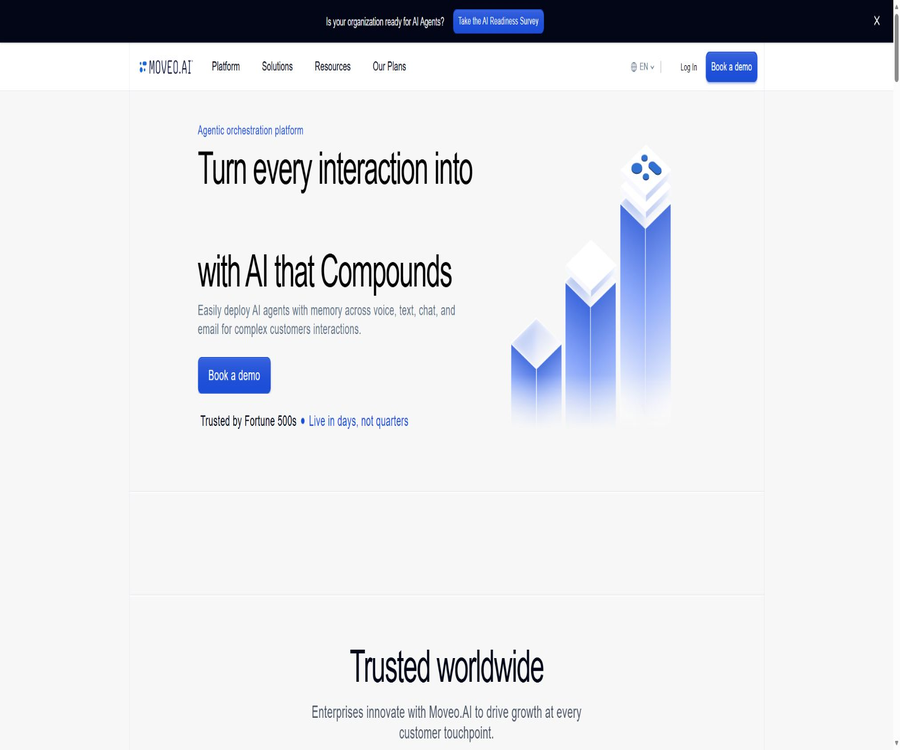
What is Moveo.AI?
Moveo.AI is an intelligent agent orchestration platform designed for interactions with corporate clients; it connects customer service, sales, and billing processes by leveraging a shared customer profile. Companies can deploy AI agents through web interfaces, chat, SMS, email, and voice channels, allowing these agents to access knowledge bases, APIs, and business tools.
The platform enables the rapid creation of generative AI customer service solutions using knowledge bases and behavior guides, while also maintaining deterministic dialogue processes, manual handoffs, version control, testing, and operational analytics. It is particularly suitable for teams with a steady flow of customers, as well as those with specific business system requirements and compliance needs.
A one-sentence summary
Moveo.AI integrates AI-powered customer service across all channels, customer memory, knowledge retrieval, business processes, human collaboration, and performance analysis within a single enterprise AI agent platform.
Core product positioning
| Capability layer | Main function | Business value |
|---|---|---|
| AI Agents | Understand the question, generate an answer, and complete the task. | Automated handling of customer service and operational requests |
| Knowledge and Guidelines | Provide reliable information and guidelines for brand behavior. | Improve the basis and consistency of responses. |
| Dialogs and Tools | Orchestrate deterministic processes and external actions | Complete queries, updates, and multi-step tasks |
| Omnichannel | Connect digital channels, email, and voice | Maintain continuity of cross-channel services |
| Human Agents | Receive the upgrade session and continue processing it. | Covers complex, high-risk, and exceptional situations |
| Analytics | Analyzing sessions, customer satisfaction, and team performance | Identify gaps and continue to optimize. |
Method of building AI Agents
Moveo.AI adopts a knowledge-first approach to development. Once the team uploads relevant materials, connects to knowledge sources, and creates guidelines, the intelligent agent uses retrieval techniques to enhance the quality of the responses generated; for most common scenarios, it is not necessary to establish complex processes first.
- Define the scope of services using Agent objectives and identities.
- Provide product, policy, and operational information using a knowledge base.
- Use Guidelines to regulate tone, format, and business practices.
- Use model strategies to select the generation model and the fallback logic.
- Use Dialogs to handle deterministic and multi-step processes
- Connect to external systems using Tools, Webhook, or MCP.
- Use version and environment control for testing and production releases
Knowledge base and retrieval enhancement
A knowledge base can aggregate Q&A pairs, documents, web page content, and structured data. When a customer asks a question, an intelligent search mechanism retrieves relevant snippets, and then generates a response based on business guidelines and the context provided.
- Enter direct Q&A and frequently asked questions.
- Upload business files such as PDF and Word documents
- Crawl and synchronize approved website content
- Connect to external knowledge sources
- Test the coverage of retrieval results and answers
- Review content changes before releasing a new version
- Organize knowledge by theme to reduce conflicts.
Guidelines: Behavioral Guidelines
Guidelines determine how an agent should express itself, when to refuse responses, how to handle objections, and what compliance steps must be followed. Clear and verifiable rules make it easier to ensure consistent execution than vague suggestions.
- Define the brand’s tone, addressing style, and response format
- Rules for stating price, policies, and product information
- Design a response framework for sales or customer service objections
- Restricting high-risk recommendations in areas such as medicine and law
- Specify when to provide clarification, decline a request, or transfer to a human agent.
- Set compliance boundaries for different regions and business units.
- Avoid including mutually conflicting requirements in the same rule.
Customer context and memory
The session context can store the name, account type, session channel, environment, tags, and process status, which helps the agent make more appropriate decisions during the current interaction. Temporary context is automatically deleted once the session ends.
- Obtain customer details from the initial message Webhook.
- Provide personalized responses based on account, region, or customer stage.
- Save temporary states in multi-step processes
- Use system variables to determine channels, environments, and business hours.
- Identify the reasons for contact and the handling results through labels.
- Limit sensitive fields to what is necessary.
- Manage long-term customer memories separately from session-specific variables.
Dialogs deterministic process
Dialogs can be used when tasks need to be carried out in a fixed order, when decision-making based on conditions is required, or when it’s necessary to call external services. It complements knowledge-based responses and is suitable for shifting high-risk steps from autonomous generation to a controlled process.
- Collect and verify customer input
- Select different business branches based on conditions.
- Set variables, labels, and session status
- Use a Webhook to query or update data.
- Send file, image, carousel, and form-based responses
- Handle pause, replay, timeout, and unknown inputs
- Resolve the session at the designated node or transfer it to a human agent.
MCP and external tools
Moveo.AI enables connection to external tools via model context protocols; agents can query databases, call interfaces, or operate third-party services during conversations. The platform identifies the tools provided by servers, and it is then up to the administrator to decide which of those tools are allowed to be used by the agents.
- Public connection, request header authentication, or OAuth tool server
- Use stream-based network transmission.
- Enable the minimum necessary set of tools for different Agents.
- Store the key as confidential information and keep it hidden from view.
- Specify the input, output, and limitations in the tool description.
- Add confirmation for writing, payment, or account actions
- Log tool calls, failures, and outcomes of manual intervention
Webhooks and open interfaces
Development teams can expand the platform using REST APIs, Analytics APIs, Webhooks, and custom channel interfaces. Common uses include synchronizing customer information, processing order actions, logging and analyzing events, and integrating with proprietary mobile applications.
- Create, read, update, and publish AI Agents
- Managing knowledge collections and dialogue resources
- Receive session, message, and status Webhooks
- Create custom inbound and outbound channels
- Export analysis data to a data warehouse or BI tool
- Trigger an intelligent session in the business system
- Verify Webhook signatures, retries, and idempotency.
Omni-channel customer interaction
Moveo.AI enables the deployment of the same intelligent agent on web pages, messaging platforms, emails, customer service systems, and telephone channels. Companies should design the response time, latency, allowed attachments, and methods for human intervention based on the characteristics of each channel.
- Chat components for web pages and apps
- WhatsApp, Viber, and social messaging apps
- SMS and rich-media messages
- Email client session
- Customer service platforms such as Intercom, Zendesk, and Front
- Voice calls with Twilio and Telnyx
- Slack and custom channel interfaces
Voice AI customer service
Voice integration can be used to answer or initiate calls, as well as to share knowledge and customer context with digital channels. The actual experience is influenced by telephone lines, speech recognition, text-to-speech synthesis, model latency, and the speed of business interfaces.
- Processing natural language requests over the phone
- Use knowledge to answer common questions.
- Check the status of accounts, bills, or orders
- Transfer to a human agent in complex situations
- Include voice conversations in unified analysis
- Tested by language, accent, and noise environment
- Prepare for disconnection, silence, and tool timeout policies
Manual agents and session escalation
When AI is unable to complete a task safely, the conversation can be transferred to a human agent or an external customer service system. The upgraded design should include a summary, customer information, the steps that have already been taken, and the reason for the transfer, so as to avoid the customer having to repeat their details.
- Transfer to a human agent immediately at the explicit request.
- Upgrade triggered by intent, emotion, or number of failures
- Assign the session to the designated department.
- Retain conversation records and key context.
- Agents are allowed to use quick replies and internal tags.
- Record the waiting time, processing results, and follow-up contact.
- Provide an alternative processing route during off-hours.
Simulations simulation tests
Simulations represent multi-round regression testing for AI Agents. The team describes the customer roles, scenarios, and success criteria in natural language; the system then carries out the conversations through actual Agent pipelines and provides a result indicating pass or fail, along with an explanation.
- Simulate normal, boundary, and high-risk customer scenarios
- Covers multiple languages, typos, and mood changes
- Check whether there are any issues with the tools, Webhooks, and manual transfers.
- Verify that the final context and tags are correct.
- Establish 10 to 20 basic regression use cases for key behaviors.
- Run again after updating knowledge, rules, or models
- Transform production failures into new test scenarios.
Analysis and continuous optimization
Analytics offers insights regarding the number of sessions, users, channels, response times, satisfaction levels, cases that require human intervention, and unknown issues. The platform defines a \"Meaningful Conversation\" as a session in which at least one effective AI response is provided; the specific definition of this concept should be taken into account for billing and operational analysis purposes.
- Filter sessions by date, environment, Agent, and channel.
- View trends in meaningful sessions and active users
- Analyze the manual upgrade rate and agent response speed
- Unaddressed issues and knowledge gaps were identified.
- Track customer ratings and written feedback
- Compare the performance of AI agents with that of human teams
- Access the enterprise BI system through the Analytics API.
Applicable scenarios
- Banks handle account management, bank cards, and common service requests.
- The fintech and lending teams carry out qualification assessments and lead screening.
- Insurance companies answer questions regarding policies and guide the claims process.
- Energy and telecommunications companies handle billing, payment, and service-related issues.
- The collection team provides compliance reminders and discusses repayment options.
- Car rental handles reservations, changes, and roadside assistance.
- Educational institutions handle enrollment consultations and student services.
- The medical billing team deals with issues related to non-diagnostic expenses.
- The iGaming platform offers support for players in multiple languages.
- The sales team identifies conversion opportunities from service interactions.
Which teams are suitable?
- Companies that need to provide consistent service across multiple channels
- A customer service center that receives a large number of repeated inquiries from customers
- Teams that hope AI can both answer questions and carry out business actions
- Organizations that require private deployment, SLAs, or customized compliance reviews
- Companies that possess capabilities in knowledge governance, interface integration, and quality management.
- Customers who wish to manage costs based on active sessions rather than simply on the number of messages sent
- Management that needs to conduct unified analysis of customer service, sales, and collection data
Moveo.AI packages and prices
The Moveo.AI website offers three subscription plans: Growth, Pro, and Enterprise. However, it does not disclose the base price of each plan; to make a purchase, one must contact sales. The amount of $40 per user mentioned on the website refers to the additional cost for dedicated support staff under the Pro plan, and it cannot be considered the total price of that plan.
| Project | Growth | Pro | Enterprise |
|---|---|---|---|
| Base price | Sales inquiry | Sales inquiry | Sales inquiry |
| AI Agents | 2 | 5 | 100 pieces |
| Collaborators | 2 | 5 | 10 |
| Meaningful conversations/month | 100 times | 1,000 times | 10,000 times |
| Analysis data retention | 30 days | 90 days | 180 days |
| Human agent | 3 | 5; additional seats at $40 per user | 10 |
| SLA availability | 99.0% | 99.5% | 99.9% |
| Main features | Generative AI, omnichannel, manual transfer | Includes Growth and enhances analysis, branding, and self-improvement. | Includes Pro, offering large storage capacity and a dedicated success manager. |
Suggestions for package selection
- Growth is suitable for small-scale testing of knowledge-based Q&A systems and omnichannel processes.
- Pro is suitable for teams that need more agents, sessions, analysis capabilities, and brand control.
- Enterprise is suitable for organizations with high traffic volumes, those that prefer private deployment, and those with strict SLA requirements.
- First, confirm the metrics and excess rules for Meaningful Conversation.
- Check whether there are separate charges for voice calls, text messages, and services from third-party providers.
- Confirm the differences in permissions between AI Agents, collaborators, and human agents.
- Include implementation, migration, model customization, and customer success services in the budget.
List of corporate procurement costs
| Cost items | Items that need to be confirmed | Common influencing factors |
|---|---|---|
| Platform subscription | Minimum package price, contract duration, and minimum commitment period | Number of agents, team size, and environment |
| Session usage | Valid session definitions, excess, and peaks | Monthly traffic and automation coverage rate |
| Channel fees | Are voice calls, text messages, and messaging platforms charged separately? | Region, minutes, and message template |
| Model cost | Is there a surcharge for custom models or advanced models? | Call volume, context, and generation length |
| Integrated implementation | Connections to interfaces, Webhooks, and customer service systems | Number of systems and process complexity |
| Data and Security | Private deployment, auditing, and retention policies | Industry regulations and regions |
| Support services | Go live, training, SLA, and dedicated manager | Response level and business criticality |
Quick Start Tutorial
- Select a customer scenario that features high frequency, complete data, and controllable risks.
- Create workspaces, team permissions, and testing environments.
- Create an AI Agent and define its objectives, language, and service boundaries.
- Upload the reviewed knowledge and formulate specific Guidelines.
- Verify normal, missing, and conflict issues in the testing window.
- Connect a low-risk channel to carry out internal testing.
- Configure transfer to human agents, logs, tags, and analysis metrics.
- It goes live with a low data volume and is continuously optimized based on actual sessions.
Knowledge base configuration tutorial
- Remove expired, duplicate, and conflicting business documents.
- Split the knowledge set by product, region, or process.
- Upload files, questions and answers, or links to approved external sources.
- Retain versions, responsible persons, and effective dates for key policies.
- Present the test search results using actual user expressions.
- Add synonyms, boundary conditions, and clear rules for refusing responses.
- Invite business experts to review the facts and wording.
- After publication, missing issues and sessions with low ratings will be addressed further.
Tutorial for integrating business tools
- List the business actions that the agent must read from and be allowed to write to.
- Design minimal-privilege interfaces or MCP tools for each action.
- Define required parameters, return structure, timeouts, and error codes.
- Add verification and confirmation for customer identity and sensitive actions.
- Add an idempotent key and audit record to write requests.
- The test environment covers failure, repetition, and partial success scenarios.
- Set up manual takeover and safety fallback paths.
- Monitor the call success rate and business outcomes through production logs.
Simulation testing tutorial
- Specify the customer’s goals and background for each key intent.
- Add emotions, multiple languages, typos, and social engineering variants.
- Express the success conditions as observable responses or actions.
- Check whether the correct tools, Webhooks, and knowledge are being utilized.
- Verify that the processing is upgraded when it should be, and remains as it is when an upgrade is not necessary.
- Group the tests into core, compliance, and boundary scenarios.
- Perform regression after each update of knowledge, rules, and models.
- Convert the reasons for failure into fixes and run the verification again.
Deployment and Environment Management
Companies should separate the development, preview, and production environments in order to prevent unreviewed content from affecting customers directly. Changes to agents, knowledge bases, channels, and tools require version tracking, acceptance criteria, and rollback plans.
- Test all new configurations in the preview environment.
- Different interface credentials are used for testing and production.
- Restrict publishing permissions and enable two-person review.
- Record the Agent version, knowledge version, and reason for the change.
- First, release it in a phased manner based on the channel or traffic ratio.
- Monitor errors, upgrades, satisfaction, and business actions
- Roll back to the stable version quickly in case of major issues
Safety and compliance
The official security documentation indicates compliance with SOC 2 Type II, ISO 27001, and HIPAA, and it provides information regarding corporate security and compliance. The specific scope of certification, applicable regions, subcontractors, and data processing terms must still be verified through the Trust Center as part of the procurement process.
- Use single sign-on and role-based access control.
- Edit permissions are restricted based on environment, Agent, and tools.
- Protect API keys, customer data, and logs.
- Confirm requirements for data retention, deletion, and cross-border processing
- Verify the Webhook signature and the allowed outbound addresses.
- To determine the applicable agreements and boundaries of responsibilities for industries such as healthcare.
- Regularly review third-party channels and model suppliers
- Human oversight and appeal mechanisms are retained for automatic decision-making.
Effect evaluation indicators
| Indicators | Measuring content | Precautions |
|---|---|---|
| Meaningful Conversations | At least one session with a valid AI response | It is necessary to verify in accordance with the official measurement definitions. |
| Containment | Percentage of sessions that can be completed without human intervention | Exclude incorrect terminations and duplicate contacts |
| Handover Rate | Percentage and reasons for transferring to manual handling | Distinguish between necessary upgrades and capability gaps |
| CSAT | Customer ratings and feedback | Tiered by channel, language, and intent |
| Unknown Rate | Problems that agents cannot address | Used to identify gaps in knowledge and processes |
| Tool Success | Proportion of externally initiated actions completed correctly | Final state of the reference business system |
| Response Time | AI vs. human response speed | End-to-end latency also needs to be considered for voice. |
| Revenue or Collection | Transformation, cash collection, and customer value | Establish a control group to avoid incorrect attributions. |
Product advantages
- Knowledge-based responses can be combined with deterministic business processes.
- Covers web pages, messages, emails, customer service systems, and voice channels
- Reduce repetitive explanations by taking into account the context and the customer’s memory.
- Supports Webhook, REST API, and MCP external tools
- Simulation tests can verify multi-turn conversations and tool behavior.
- Analyze session coverage, satisfaction, unknown issues, and team performance.
- Provides manual routing and department-based routing capabilities.
- Supports enterprise SLAs, private deployment, and compliance audits.
- The official documentation and API references are quite comprehensive.
Usage restrictions and precautions
- The official website does not disclose the price of the basic subscription; it is necessary to contact sales for a quote.
- The Growth quota for 100 monthly sessions is not suitable for high-traffic production environments.
- Voice calls, text messages, and third-party messages may incur additional charges.
- Generative responses may still contain factual errors or deviations from rules.
- The long-term outcomes depend on the quality of knowledge, testing, and ongoing operation.
- Complex business operations require interfaces, permissions, and exception recovery mechanisms.
- Cross-channel customer memory involves risks related to privacy and identity matching.
- Simulation tests cannot fully replace real-user grayscale testing.
- Custom models and private deployments increase procurement and maintenance costs.
- The core code of the platform is not made available publicly; migration requires the ability to export dependent data and configurations.
GitHub and open source
Moveo.AI has an official GitHub organization that is consistent with its official website; it provides public integration guides, virtual agent analysis tools, and applications for creating agents for specific use cases. The public repositories can be used as a reference or for further development, but they do not contain the complete source code of the commercial platform.
| Official warehouse | Open-source status | Primary uses |
|---|---|---|
| integration-guides | Apache-2.0 | Webhook and WebView templates, examples, and integration guides |
| virtual-agent-analysis | MIT | Analyzing the behavior and performance of Moveo virtual agents |
| moveo-agent-creator | Public warehouse; no license specified | Automatically create Moveo Agents for collection scenarios |
| Moveo.AI core platform | Commercial closed-source | Agent orchestration, channels, analytics, and enterprise operations |
Basic information
| field | Content |
|---|---|
| Tool name | Moveo.AI |
| Product type | Enterprise AI customer service and intelligent agent platform for interacting with customers |
| Key capabilities | AI Agents, knowledge bases, processes, tools, channels, and analytics |
| Support channels | Websites, messages, text messages, emails, customer service platforms, and voice calls |
| Primary users | Customer service, sales, collection, operations, development, and compliance teams |
| Price pattern | Growth, Pro, Enterprise; sales inquiry |
| Developer capabilities | REST API, Analytics API, Webhook, MCP, and custom channels |
| Security capabilities | Enterprise certification, SSO, role-based permissions, and custom compliance reviews |
| Is it open source? | The core platform is not open source; some tools and examples are made available by the official team. |
Recommendation score
4.6 / 5. Moveo.AI is suitable for medium to large teams that need AI-powered customer service across various channels, as well as capabilities for handling external business tasks and ensuring corporate governance. It offers a solid set of functions such as knowledge management, MCP tools, simulation for testing changes, and opportunities for human collaboration; however, its pricing is not transparent, and its practical value depends on integration capabilities, data management, and the ability to maintain ongoing operations.
Frequently Asked Questions
What does Moveo.AI do mainly?
It helps companies create AI customer service agents that can operate via chat, email, messaging, and voice channels, while connecting knowledge systems with business systems.
Is programming required for Moveo.AI?
Q&A systems and behavior guides can be configured through the interface; complex processes, custom channels, and business actions usually require development support.
Does Moveo.AI support voice?
Supported: It enables voice integration for handling phone interactions, with the option to transfer calls to a human operator when necessary.
Does Moveo.AI support MCP?
Supported: It is possible to connect to MCP servers that use stream-based network transmission, and to select the tools that agents are allowed to call.
Is Moveo.AI free?
The official website currently displays the Growth, Pro, and Enterprise plans; however, it does not reveal information regarding a free version or fixed subscription prices. It is necessary to contact sales to arrange a trial period and obtain a quote.
Is the Pro version of Moveo.AI priced at 40 dollars?
No. The $40 per user listed on the official website refers to the cost of additional support agents for the Pro plan, not the total price of that plan.
What does “Meaningful Conversation” mean?
It refers to the situation where, after the user sends the first message, the agent provides at least one valid and relevant response; whether such a session should be counted depends on what is specified in the contract.
Does Moveo.AI offer manual transfer?
It is possible to upgrade the session to an internal agent or an integrated customer service system, with routing based on department.
Is Moveo.AI safe?
Although the authorities list various aspects related to a company’s security and compliance capabilities, customers should still verify the scope of certification, the location of deployment, and the terms of the contract.
Is Moveo.AI open source?
The core platform is not open-source; the official GitHub site only makes available some integration guides, analysis tools, and application examples.
Tools similar to AI agents that turn every interaction into revenue





 Guigong Network Security Registration No. 45132202000164