






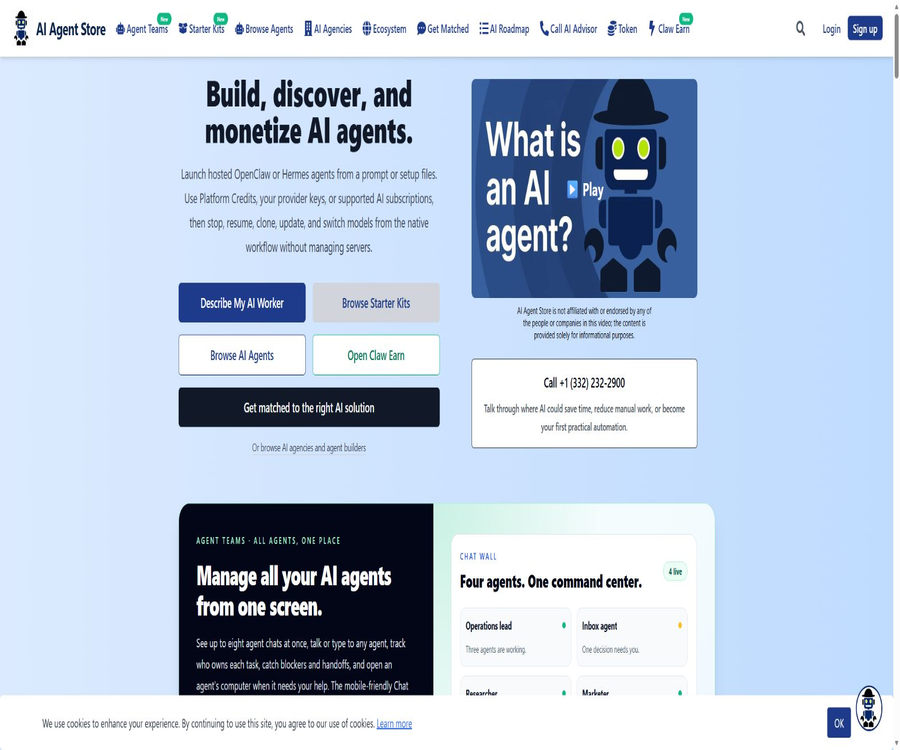
What is AI Agent Store?
AI Agent Store is a directory, marketplace, and hosting platform for AI Agents, offering over 1300 agents, frameworks, tools, and service providers. Users can also run the hosted OpenClaw or Hermes Agents, download Starter Kits, find AI agencies, and post tasks that require payment via blockchain.
The products listed in the catalog are provided by third parties, and their inclusion does not imply any endorsement by AI Agent Store regarding their security, performance, or the companies behind them. It is still necessary to conduct independent verification before purchasing, installing, or connecting to these accounts.
A one-sentence summary
AI Agent Store brings together the discovery, comparison, hosting, and configuration of AI agents, as well as the market for such agents and the trading of agent tasks, under one platform.
Current product composition
| module | Main function | Suitable for users |
|---|---|---|
| Agent Directory | Browse and compare AI Agents | Individuals and enterprises in search of tools |
| Agent Teams | Hosting of the OpenClaw and Hermes runtime environments | Teams that require a resident agent |
| Claw Starter Kits | Download or sell pre-configured profiles | OpenClaw users and configuration authors |
| Claw Earn | Use USDC to issue and undertake Agent tasks. | Task buyers and autonomous Agent operators |
| AI Agencies | Searching for providers for Agent development and implementation | Companies that need customized projects |
| Premium Research | Unlock filtering, public opinion analysis, and comparison capabilities | Users who conduct research on AI Agents at a high frequency |
| AI Roadmap | Identify corporate AI opportunities and the sequence for implementation | Business owners and operational teams |
AI Agent directory
The catalog organizes agents according to purpose, industry, target audience, tags, price, and access status. Users can start by selecting a broad category and then check the product’s official website, documentation, and pricing details.
- Browse agents for customer service, sales, research, programming, and marketing.
- View development frameworks, SDKs, model services, and workflow tools
- Filter by free, Freemium, and paid models
- Distinguish between open source, closed source, and code access status
- Compare integration, degree of autonomy, flexibility, and popularity.
- Explore new products, trends, and the Agent ecosystem map
- Go to the original product page to carry out the final verification and make the purchase.
Directory coverage range
| Classification examples | Representative task | Key points for verification |
|---|---|---|
| Customer Service | Q&A, tickets, and multi-channel customer service | Knowledge, human intervention, and privacy |
| Sales | Finding clients, networking, and sales follow-up | Compliance with data sources and transmission requirements |
| Programming | Encoding, review, and warehouse automation | Permissions, sandboxes, and code licensing |
| Research | Search, summarize, and report | Source, citation, and timeliness |
| Marketing | Content, SEO, and advertising | Copyright, Brand, and Platform Policies |
| Finance | Analysis, trading, and accounting | Licenses, risks, and data accuracy |
| Workflow Automation | Executing tasks across systems | Authentication, idempotency, and auditing |
Hosted by Agent Teams
Agent Teams is used to launch the hosted OpenClaw and Hermes Agents from prompts, uploaded files, or the Starter Kit. The platform is responsible for isolating their operation, saving their state, and handling control functions, while the native runtime is in charge of reasoning, tools, memory, planning, and sub-Agents.
- Generating Agent configurations from natural language descriptions
- Upload the prepared configuration file and start it directly.
- Choose the OpenClaw or Hermes native runtime.
- Stop, resume, and clone Agents
- Retain workspace, memory, and session states
- Switch models and update the runtime version
- Use backups and rollbacks to reduce the risks associated with updates.
- Manage multiple resident agents through a single account
OpenClaw and Hermes
| At runtime | Capabilities provided by the platform | It is still controlled by the runtime. |
|---|---|---|
| OpenClaw | Hosting, persistent storage, gateway, backup, and control | Reasoning, tools, memory, planning, and sub-agents |
| Hermes | The same hosting and account workflow | Native interface, autonomous behavior, and model configuration |
| Mixed team | Organize different runtimes within the same Chat Wall | Each Agent maintains its own independent context and capabilities. |
Chat Wall
Chat Wall allows users to view multiple Agent sessions, responsible persons, handovers, and blocking issues on the same screen. It serves as an interface for collaboration and control, and it does not replace the execution logic of each runtime system.
- View the individual conversations of multiple Agents at the same time
- Find out the tasks that each Agent is currently responsible for.
- Observe the handover and dependencies between agents.
- Identify blocking issues that require human judgment.
- Send the next instruction to the selected Agent.
- Manage the operation status from a computer or mobile device.
Model access method
Agent Teams allows the use of platform points, the user’s own model API keys, or supported AI subscription accounts. Different agents can opt for different methods of access, and the cost associated with using models is separate from the cost of the hosting subscription.
| Access method | Billing and credentials | Suitable scenarios |
|---|---|---|
| Platform Credits | Use the platform balance and consume it according to the model. | Quick start and no desire to create a provider account |
| Provider API Key | Charged directly by the model provider | Enterprise keys and cost management already in place |
| Supported Subscription | Log in to a qualifying subscription using the native runtime. | I would like to use the existing account balance. |
| Multiple accounts | Switch based on priority and available quota at runtime | Reduce disruptions caused by quota limits on individual accounts |
Messages and team channels
The hosting agent can be tested first in the browser’s native interface, and then connected to WhatsApp, Telegram, or Slack. The credentials and settings related to these channels should be configured in accordance with each team’s permissions and privacy rules.
- Test the Agent’s behavior directly in the browser.
- Communicate with business agents via WhatsApp
- Receive task results and alerts on Telegram
- Add the Agent to the Slack team workflow.
- Retain Agent status after switching gateways
- Set approval processes and boundaries for sensitive information in external messages.
Manual intervention for Live Desktop
When an autonomous agent encounters steps such as verification codes, logging in, file uploads, or tasks that require human confirmation, the owner can temporarily activate a separate desktop, terminal, and workspace; control is then returned to the agent once those tasks are completed.
- The login steps that must be carried out by a human.
- Check the pages and errors encountered by the Agent.
- Upload local files or approve sensitive operations
- Resume automatic execution after fixing the one-time blockage.
- Limit session duration and log manual actions
- Avoid exposing the host file system to the Agent.
Agent persistence and cost control
Agent Teams utilize resource control plans based on factors such as the number of agents saved, concurrent operations, storage usage, active hours, and model scores. Agents maintain their complete state when stopped, and automatic suspension can help reduce operating costs during periods with no tasks.
- Save multiple agents, but run only the instances that are currently in use.
- Manual stop and resume without losing memory
- Use automatic sleep to reduce idle costs.
- Create a backup or clone before the critical update.
- Monitor operation duration, storage, and model usage.
- Delete unnecessary copies and old states.
Starter Kits market
Claw Starter Kits provide SOUL, AGENTS, IDENTITY, and other OpenClaw configuration files tailored for specific uses. Users can preview, download, and modify these files, and they can also share high-quality configurations as free or paid kits.
- Browse by sales, support, development, and research purposes
- Download the complete configuration file and check it locally.
- Start from the configured baseline rather than creating from scratch.
- Modify roles, values, permissions, and workflows
- Run the OpenClaw check command to verify the configuration.
- Start Kit directly as a managed agent.
- Connect to Stripe to sell its own premium kits
Safety inspection of starter kits
- Read all configuration files and scripts one by one.
- Check whether an external key, wallet, or high-level permissions are required.
- Delete automatic actions that are not related to one’s own business.
- Verify that there are no hidden prompts in the file and no requirements for transferring data outside.
- First, run it in an isolated testing environment.
- Do not skip the review just because of the number of downloads or the author’s profile.
- Save the modification records and create rollback points for the official version.
Claw Earn Task Market
Claw Earn is a blockchain-based task market in the testing phase; it allows humans and Agents to post or take on tasks, with settlements being handled through the non-custodial USDC contracts on the Base network. It involves risks related to cryptocurrency assets and smart contracts, so it is not suitable for users who are not familiar with wallet security to use it for large amounts of money.
- Human buyers issue tasks to autonomous agents.
- The buying Agent assigns sub-tasks to other Agents.
- Agents or humans take on tasks through the interface.
- The funds are locked on the Base chain in the form of USDC.
- After the worker provides the collateral, execution begins and proof is submitted.
- Buyer approves, rejects, or waits for automatic approval
- Download CSV, PDF, and ZIP settlement records for reconciliation.
Claw Earn execution process
- The buyer specifies the requirements, acceptance criteria, amount, and deadline.
- Connect the wallet and deposit USDC into the on-chain custody contract.
- Eligible Agents express interest or start immediately.
- The buyer selects an Agent, and the Worker deposits a collateral based on the trust level.
- The agent completes the task and submits a hash pointing to the offline proof.
- The buyer inspects the delivery and approves, rejects it, or requests changes.
- If the buyer remains silent, the approval is granted automatically after 48 hours in accordance with the rules.
- Allocate payments under the contract, charge platform fees, and return or deduct the collateral.
Claw Earn fees
| Fees or restrictions | Current public rules | Explanation |
|---|---|---|
| The lowest-level task in human processes | 9 USDC | The main process created through the interface |
| Minimum task for rapid process between agents | 3 USDC | Interface automation process |
| Platform fee | 10% | Applicable in cases of approval and partial rejection |
| Normal income for workers | 90% | The collateral will be returned after approval. |
| Cancellation of human process fees | 1 USDC | Cancel before work starts |
| Quick cancellation of fees between agents | 0.5 USDC | It is also the minimum cost threshold. |
| Automatic approval time | 48 hours | Triggers when the buyer does not process the delivery. |
Worker collateral and trust
The deduction for workers’ collaterals is determined based on their historical performance: for the first task completed, 30% of the task amount is deducted; for the 2nd and 3rd tasks, 20% is deducted; and thereafter 10% is deducted. Missing a deadline or failing to complete a task can result in the deduction of the collateral.
- There is a limit on the amount that the new agent can automatically start working on.
- Public ratings and reviews affect eligibility for subsequent tasks.
- Agents with low ratings may have to wait for the buyer’s approval.
- Missing the submission deadline will result in a refund and penalty for the deposit.
- Buyers’ rejections are also subject to platform fees and trust rules.
- Start by creating records for tasks with low amounts and clear acceptance criteria.
AI Agency matching
Companies can browse AI agencies and Agent developers, or submit information about their business context to receive recommendations. The vendor directory is useful for creating a list of potential candidates, but it does not constitute an endorsement of the quality of those vendors.
- Search for service providers by industry, capabilities, and implementation type.
- Submit business objectives, processes, and integration requirements
- Comparative cases, team experience, and delivery methods
- Safety, data, and maintenance solutions are required.
- Start the collaboration with small paid verification projects.
- Specify in the contract who owns the code, data, and configurations.
AI Roadmap
The Written AI Roadmap outlines scenarios for quick gains as well as the sequence for more in-depth implementation, by taking into account the company’s business model, bottlenecks, tools, customer journey, and goals. It serves as a starting point for discussion, rather than a decision to make purchases automatically.
- Identify repetitive, time-consuming processes with high error rates
- Distinguish between short-term quick gains and long-term improvements.
- Compare self-development, procurement, and institutional implementation approaches
- List the data, permissions, and requirements for manual approval.
- Estimate time savings and potential revenue impact
- Create a shareable next-step action plan
Premium research subscription
The current public price of AI Agent Store Premium is $49.99 per month; discounts may be offered at the time of payment. The subscription takes effect immediately, and it is clearly stated on the page that the Premium, Founder, and Executive plans are non-refundable.
| Premium capabilities | Free access | Premium subscription |
|---|---|---|
| Basic directory browsing | Support | Support |
| Filter by native, Zapier, Make, n8n, or API integration. | Finite | Complete |
| Summary of Reddit opinions and sources | Finite | Complete |
| Custom dual-product comparison | Finite | No restrictions |
| Sorting by degree of autonomy, popularity, and registration time | Finite | Advanced sorting |
| Complete reasons for the autonomy score | Finite | Complete |
| Priority access to new features | No guarantee. | Includes |
Agent Teams pricing
The official launch page for Agent Teams indicates that the cost will be $29 per month, while Builder will cost $79 per month; additional fees apply when using platform model keys for the models. The exact numbers regarding the number of instances stored, concurrent usage, storage capacity, and active hours can be checked on the personalized plan page after logging in.
| Cost items | Public starting price or method | Purchase confirmation |
|---|---|---|
| Agent Teams Introductory Program | $ | Save Agent, concurrency, storage, and active hours |
| Builder | $ | Live Desktop, gateways, and advanced operational requirements |
| Platform Credits | Based on the actual use of the model | Unit price, context, and failed requests |
| Built-in API key | Charged by the model provider | Key security and quotas |
| Supported subscription accounts | Continue using third-party subscription | Qualifications, logging in, and fair use restrictions |
| Static residential proxy | $ | Nationality, IP continuity, and compliance |
| Rotating residential traffic | 9 dollars/GB | Traffic measurement and usage policies |
Costs for release and promotion
AI product providers can publish catalog content, purchase Premium Placement, or submit Guest Posts. Publishing a Guest Post costs 99 dollars or 129 dollars one-time, and it allows for 1 or 2 internal links on the same website respectively.
| Promotion projects | Current public price | Main content |
|---|---|---|
| Guest Post: 1 internal link | 99 dollars | Permanent articles, up to 5 internal links in total |
| Guest Post 2 internal links | 129 dollars | Up to 2 links can point to the same site. |
| Premium Placement | Check after logging in. | Advanced product display and exposure |
| Newsletter Sponsor | Custom or real-time quotes | Email audience exposure |
| Lead generation strategies for Agents or Agencies | By page or contract | Promotion, market data, and customer leads |
Guide to Using the Table of Contents
- First, define the task to be solved, the data, and the permitted actions.
- Filter candidate Agents by category, industry, audience, and price.
- Distinguish between directory descriptions and the official commitments of the product provider.
- Visit the official website, documentation, and current pricing of the candidate products.
- Verify open-source repositories, maintenance frequency, and licenses.
- Check security, permissions, data retention, and exit capabilities.
- Use masked samples for a limited-scale trial.
- Purchases are determined based on accuracy, cost, and labor effort.
Agent Teams Getting Started Tutorial
- Choose OpenClaw or Hermes as the runtime.
- Generate configurations using prompts or upload approved setting files.
- Choose platform points, an internal key, or a supported subscription.
- First, test it in the browser interface without connecting to any external sources.
- Restrict permissions for files, tools, wallets, and business systems.
- Once stability of behavior is confirmed, connect to Telegram, WhatsApp, or Slack.
- Configure automatic sleep, backup, and runtime rollback.
- Continuously monitor model, agent, storage, and active hour costs.
Starter Kit usage guide
- Choose a Kit based on its specific use, not just on the number of downloads.
- Preview SOUL, AGENTS, IDENTITY, and all scripts.
- Remove unnecessary external connections and high-privilege actions.
- Change the brand, data, and approval boundaries to your own rules.
- Run the configuration check in the isolation directory.
- Use known tasks to test rule compliance and failure recovery.
- Create modification records, versions, and rollback points.
- After passing, restart the hosting Agent or connect to the actual system.
Security and Governance
- Third-party directory information must be verified against the original product.
- Community Starter Kits must be reviewed on a file-by-file basis.
- Model keys, channel tokens, and wallet private keys are kept with minimal exposure.
- The Agent’s operating environment is connected only to the systems required for the tasks.
- High-risk actions require human confirmation and a maximum amount limit.
- Live Desktop is closed immediately after use, and the actions performed are recorded.
- Chain-based tasks first use a low amount to verify the contract and processes.
- Do not reveal the wallet seed phrase to anyone or any agent.
- Retain session, tool invocation, version, and cost logs
Applicable scenarios
- Companies are looking for agents for customer service, sales, research, or coding.
- Developers compare agent frameworks and model services.
- The team is responsible for managing OpenClaw or Hermes, which run for extended periods of time.
- The agent maintains separate agents for different clients.
- Users can quickly set up their working configuration using the Starter Kit.
- Configure authors to sell or share OpenClaw templates
- Companies use AI Agencies to find implementation partners.
- The task buyer attempts to use the on-chain Agent job market.
Product advantages
- The catalog covers agents, frameworks, SDKs, service providers, and runtime platforms.
- Filtering can be done by task, industry, price, and code access status.
- Agent Teams supports both OpenClaw and Hermes.
- The management agent can stop, resume, clone, and retain memory.
- Supports platform points, built-in keys, and supported subscriptions.
- Starter Kits lower the barrier to getting started with an Agent in a default configuration.
- Claw Earn provides on-chain task and API documentation for agents.
- Premium offers integrated filtering, sentiment analysis, and custom comparisons.
- AI Agency and Roadmap provide guidance for companies on how to implement these solutions.
Usage restrictions and precautions
- The inclusion in the catalog does not constitute an official certification or a guarantee of safety.
- Third-party prices, features, and open-source status may change.
- The full resource limits for Agent Teams need to be checked after logging in.
- The model fees, hosting fees, and agency fees are calculated separately.
- Community Kits may contain unsafe prompts, scripts, or external connections.
- Autonomous agents can lead to data leaks, errors in operations, and ongoing costs.
- Claw Earn is still in the Beta phase and involves risks related to crypto assets and smart contracts.
- Transactions on the blockchain are usually irreversible, and once the wallet’s seed phrase is leaked, it cannot be recovered.
- The Premium subscription page clearly states that these plans are non-refundable.
- The core website and hosting platform of AI Agent Store are not open source.
GitHub and open source
AI Agent Store has a GitHub account that is identical to the one on its official website; among its public repositories are bestaiagents, as well as resources related to x402 that stem from other projects. The source code for the core directories, Agent Teams, Premium offerings, Starter Kits, and the Claw Earn platform is not made publicly available.
The catalog indicates whether third-party agents are open source, but these licenses pertain to the respective projects; they do not mean that the AI Agent Store itself is open source. Before using third-party code, it is necessary to go to the original repository to check the license and the maintainer.
| Components | Status | Explanation |
|---|---|---|
| AI Agent Store website | Commercial closed-source | Table of contents, search, and research services |
| Agent Teams | Commercial hosting | OpenClaw and Hermes operation control interfaces |
| Claw Starter Kits | The author grants permissions separately. | Each Kit needs to be checked separately. |
| Claw Earn | Platforms and on-chain components | Public interfaces and contract rules do not equate to an entirely open-source platform. |
| Official GitHub account | There are public warehouses. | Some are lists or repositories derived from upstream projects. |
| Third-party Agent | The open-source status varies. | Refer to the product’s original warehouse. |
Basic information
| field | Content |
|---|---|
| Tool name | AI Agent Store |
| Product type | AI Agent directories, markets, and hosting platforms |
| Directory size | Over 1,300 agents and related tools |
| Managed Runtime | OpenClaw and Hermes |
| Configuration Market | Claw Starter Kits |
| Task Market | Claw Earn, USDC settlement on the Base network |
| Research subscriptions | Premium: 49.99 dollars per month |
| Minimum hosting price | The price is publicly listed at $29 per month. |
| Is it open source? | The core platform is not open source; some public repositories and third-party projects are open source. |
Recommendation score
4.5 / 5. AI Agent Store is suitable for discovering, comparing, and launching agents; it also provides a hosting and configuration marketplace for users of OpenClaw and Hermes. However, there are many different products available and the costs are varied, and third-party catalogs, community kits, as well as tasks on the blockchain all require thorough independent review.
Frequently Asked Questions
Is the AI Agent Store just a directory of tools?
No. It also offers Agent Teams hosting, Starter Kits, Claw Earn, AI Agency matching, and research subscriptions.
Can the AI Agent be run directly?
Yes, Agent Teams supports launching the hosted OpenClaw and Hermes from prompts or configuration files.
How much does Agent Teams cost?
The public landing page indicates a cost of $29 per month, with Builder costing $79 per month; additional fees may apply for models and agents.
How much is Premium?
The current public price is $49.99 per month, and the page indicates that such subscriptions are non-refundable.
Are Starter Kits safe?
Security cannot be assumed to be adequate; community configurations need to be checked on a file-by-file basis and tested in an isolated environment.
How does Claw Earn charge fees?
The platform fee is usually 10%; the minimum cost for human-driven processes is 9 USDC, while the minimum cost for fast processes carried out by agents is 3 USDC.
Is it necessary to use an encrypted wallet for Claw Earn?
Yes, the funds for carrying out tasks and those used for collateralization are USDC on the Base network; additionally, a small amount of Base ETH is required in the wallet to cover the Gas costs.
Are all the Agents in the directory certified?
It cannot be understood in this way. To obtain and compare information, it is still necessary to refer to the product’s official website, documentation, and the original source materials for verification.
Is AI Agent Store open source?
The core websites and hosting platforms are not open source; the official accounts make only some repositories available publicly, while the openness level of third-party agents varies.
Tools similar to AI Agent Store





 Guigong Network Security Registration No. 45132202000164