






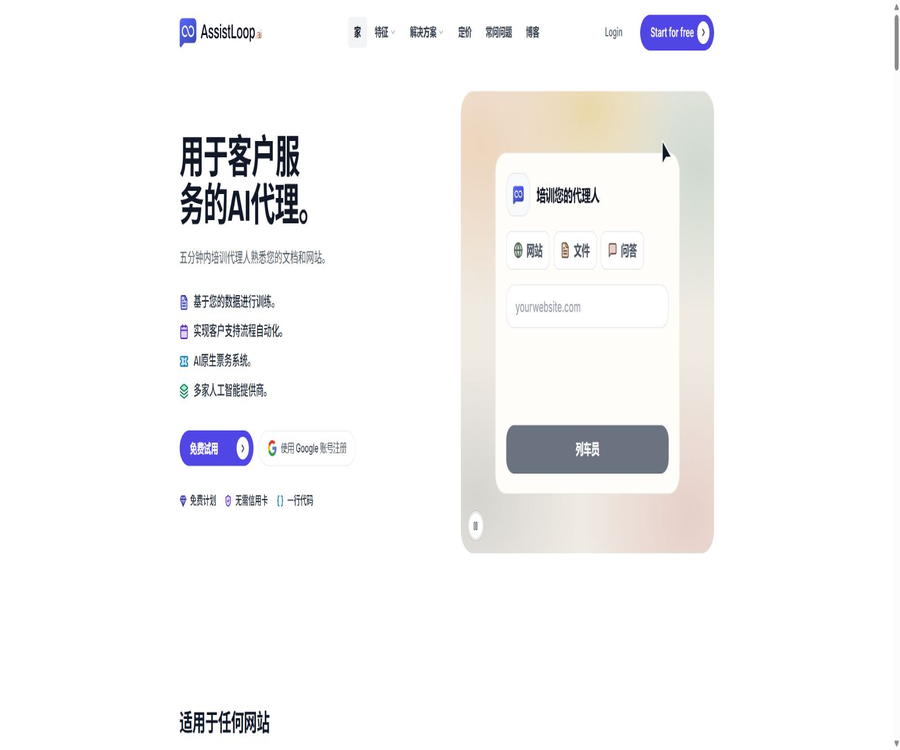
What is AssistLoop?
AssistLoop is an AI Agent platform designed for website customer service; it can learn from corporate websites, files, texts, and predefined Q&A pairs, and then use chat functions to answer visitors’ questions. When human intervention is needed, customer service staff can take over within the same conversation.
The platform also offers ticket systems, lead forms, meeting scheduling, the ability to define custom system actions, multiple model options, and a mobile inbox. It is suitable for quickly implementing customer service automation, but the knowledge base, permissions, and business processes still require ongoing maintenance by the company.
A one-sentence summary
AssistLoop integrates corporate knowledge queries, live human chat, tickets, and business processes to create an AI customer service solution that can be embedded on websites.
Core functions
- Training customer service agents using websites, documents, texts, and fixed Q&A sets
- Add the chat component to the website using an embedded code snippet.
- Switch between AI mode, AI-assisted manual mode, and pure manual mode.
- Hand over the entire conversation to a human customer service agent.
- Convert conversations into assignable and trackable tickets
- Collect details such as names, email addresses, and phone numbers during the conversation.
- Schedule via Calendly or Cal meetings
- Call REST, Webhook, or GraphQL business interfaces
Ways of knowledge training
The AI customer service of AssistLoop replies based on the content specified by the user, rather than guessing product details from the open internet. When knowledge changes, administrators can update the sources and retrain the system.
| Sources of knowledge | Appropriate content | Key maintenance points |
|---|---|---|
| Website scraping | Product page, help center, and policies | Delete old pages and control the scope of links |
| File upload | Manuals, PDFs, and internal instructions | Version, permissions, and file size |
| Paste text | Short descriptions and temporary knowledge | Retain the person in charge and the update time. |
| Fixed Q&A | Refunds, prices, and answers that cannot be changed | Maintain accurate wording and policies. |
| Chat history | Real problems and ways of expressing them | First, desensitize and filter out incorrect answers. |
Three response modes
Each Agent can be set to AI, Handoff, or Human mode, allowing the team to adjust the level of automation according to the business risks. Switching modes does not require retraining the algorithms.
| Pattern | Working method | Suitable scenarios | Risk control |
|---|---|---|---|
| AI | AI provides answers 24/7 based on its knowledge. | Frequently Asked Questions and Outside Business Hours | Answer with refusal or create a ticket when there is no answer. |
| Handoff | AI responds first; human intervention is used if necessary. | Most commercial customer service teams | Define upgrade signals and response times |
| Human | Turn off AI and use only online chatting. | High-risk or special activities | Arrange for manual staffing and offline ticket handling |
Manual takeover
The paid packages allow visitors to upgrade to a live agent during the session; the customer service staff can see the complete history, as well as information regarding the country, browser, and device used, in the shared inbox. Visitors do not need to restate their issues.
- Retain all previous messages between AI and the customer.
- Allow the agent to respond from a web page or mobile app.
- View the visitor’s basic environment and source information.
- Handling refunds, complaints, and complex technical issues
- Convert offline issues into tickets that can be followed up on sustainably.
- Record the reasons for the takeover and the final resolution.
AI-native tickets
Tickets allow issues to remain unresolved even after the chat ends; the team can assign responsible persons, set priorities, and track their progress. Customers can view the status updates through a private link.
- Create a ticket directly from the current session.
- Retain customer questions, context, and attachment information
- Set owner, status, and priority.
- Pass on the issues that cannot be resolved immediately to the back-end team.
- Sync status with customers via a private link
- Record the solution adopted and any knowledge gaps when closing a ticket.
Agent Actions
Agent Actions enable AI to not only answer questions but also invoke external systems after collecting the necessary parameters. Administrators should restrict the actions that can be performed, and implement confirmation, authentication, and logging for write operations.
- Check the status of orders, subscriptions, or accounts
- Update CRM records or submit business requests
- Trigger automated workflows and Webhooks
- Call REST or GraphQL interfaces
- Collect the parameters required for actions during the conversation.
- Have the user confirm high-risk operations before execution.
- Recover from failures, timeouts, and repeated calls.
Meeting reservation
AssistLoop can be connected to Calendly or Cal, allowing the AI to show available times during conversations and to arrange appointments directly. Compared to sending only appointment links, this approach helps reduce the number of visitors who leave the chat after that.
- Identify the visitor’s intention to make a reservation
- Ask about the time zone, date, and type of meeting.
- Read the actual available time in the calendar.
- Confirm and create a meeting via chat.
- Save the reservation results and related sessions
- Avoid having AI make unwarranted promises about times that do not exist.
Clue collection
The chat component allows for the display of structured forms within conversations, enabling the collection of names, email addresses, and phone numbers; it also saves these details along with the full conversation history. Paid plans additionally offer the possibility to connect to systems such as HubSpot.
- Generate a form based on the intention to purchase or inquire.
- Only collect the necessary fields required for follow-up.
- Associate clues with dialogue questions and page sources.
- Sync to CRM or hand over to the sales team
- Record user consent and privacy notices
- Avoid requesting sensitive identity information in regular messages.
Multi-model selection
AssistLoop supports multiple AI providers and models, and it displays the cost per message before a selection is made. Teams can use faster models to handle FAQs, while opting for more powerful models in high-risk scenarios.
- Select the model based on response quality, speed, and cost.
- View the points consumed by each message of the model
- No need to retrain the knowledge when switching models.
- Select different reasoning capabilities for various agents.
- Use real-world problems to compare accuracy and rejection rates.
- Recalculate the service budget after cost changes
Multilingual support
The chat component can respond in various languages, including those that are written from right to left such as Arabic. The official website states that no additional translation plugins are required, but companies should still test industry-specific terms and regional expressions.
- Ask and answer questions based on the visitor’s language.
- Supports Arabic interface orientation.
- Reuse the same knowledge base for different markets
- Test brand names, numbers, dates, and currencies.
- Manual review of legal and medical translations is required.
Customization of website components
Administrators can change the Agent’s name, logo, color, welcome message, and quick replies. Paid plans allow the AssistLoop brand logo to be removed.
- Set the brand name, logo, and primary color.
- Write welcome messages and chat instructions
- Add a quick access link for frequently asked questions
- Adjust AI, switch to manual mode, and enable offline mode
- Use the white-label components after payment.
- Check the display on the desktop and mobile devices.
Website and framework installation
Ordinary websites can be installed using a script, and the developers provide guidelines and plugins for various platforms. The current website components are available through official channels, while WhatsApp, Telegram, Instagram, and Slack are still listed as projects in the roadmap.
| Installation method | Applicable platforms | Explanation |
|---|---|---|
| Generic script | HTML, Wix, Webflow, Squarespace, etc. | Copy the Agent code to the site-wide template. |
| Official guide | WordPress, Shopify, Framer, Bubble | Complete the embedding based on the platform’s location. |
| Front-end framework | React, Vue, and Next.js | Controlling environment variables and the timing of their loading |
| iframe | Restricted pages and internal portals | Verify dimensions, logging in, and cross-domain behavior |
| Odoo plugins | Odoo 14 to 19 | Enter the Agent ID in the settings. |
Available on the roadmap channel.
| Channels | Current status | Suggestions |
|---|---|---|
| Website chat component | Officially available | It can be used for AI, human, and hybrid customer service. |
| iOS and Android apps | A manual inbox is available. | Used to take over sessions on mobile devices |
| Coming soon | Do not purchase based on existing functions. | |
| Telegram | Coming soon | Waiting for the official release and price details. |
| Coming soon | Check platform permissions and message restrictions. | |
| Slack | Coming soon | It should not be marked as an official customer service channel at the moment. |
Verify the logged-in user
Verified User Identity is used to confirm that the person chatting is indeed a registered customer of the company, thereby allowing secure display of account-related information. The identity token must be issued by the company’s server; one cannot rely solely on the user ID sent by the browser.
- Distinguish between anonymous visitors and logged-in customers
- Link the conversation to the internal customer account.
- Verify identity before performing account actions
- Avoid determining a user’s identity based on the content of their messages.
- Set token expiration, signing, and replay protection.
- Hide sensitive identity credentials in the logs
Applicable scenarios
- The SaaS website answers common questions regarding products, prices, and accounts.
- E-commerce store: check orders, delivery details, and return/refund policies
- The real estate team gathers information and schedules property viewings.
- The education platform answers questions related to courses and arranges consultations.
- The clinic deals with common non-urgent issues and handles requests for appointments.
- The agent deploys white-label customer service agents for multiple clients.
- Small teams provide basic support outside working hours.
- Companies convert complex issues into manual handling or ticket tracking.
Which teams are suitable?
- Small and medium-sized enterprises that already have websites and support materials
- Teams that wish for AI and human customer service to share the same conversation
- Startups that need to deploy quickly without having to set up their own customer service system
- A technical team capable of maintaining APIs, identities, and permission settings for actions.
- Agents that need multi-brand white-label deployment
- An operations team willing to continuously review the quality of answers, tickets, and leads
AssistLoop price
AssistLoop offers four subscription tiers: Free, Basic, Pro, and Business. The table below shows the monthly price equivalent for an annual subscription as listed on the official website; the annual payment page indicates a savings of around 20%. The monthly prices are listed separately, and the final amount will be as stated on the payment page.
| Package | Monthly price equivalent to annual payment | Monthly price | Monthly points | Number of agents |
|---|---|---|---|---|
| Free | $ | $ | 150 | 1 |
| Basic | 25 dollars | 29 dollars | 3000 | 1 |
| Pro | 109 dollars | 130 dollars | 15000 | 2 |
| Business | 325 dollars | 390 dollars | 50000 | 5 |
Detailed comparison of packages
| Functions | Free | Basic | Pro | Business |
|---|---|---|---|---|
| Size of training file | 1MB | 50MB | 50MB | 50MB |
| Link to each Agent’s website | 10 | 50 | No restrictions | No restrictions |
| Agent Actions | Absent or limited | 5 | 10 | No restrictions |
| Manual takeover | Not included | Includes | Includes | Includes |
| Team members | 1 | 2 | 4 | 6 |
| Component customization and white labeling | Basic customization | Includes | Includes | Includes |
| Clue form | Not included | Includes | Includes | Includes |
| Priority support | Not publicly available, included. | Includes | Includes | Includes |
Price of additional packages
| Additional items | Current price | Content | Billing method |
|---|---|---|---|
| Extra message points | 10 dollars | 1500 points | One-time purchase |
| Additional AI Agent | $ | Add 1 Agent | Monthly additional fee |
| Additional team members | $ | Add 1 seat | Monthly additional fee |
Message point rules
The pricing page states that each user message and the AI response contribute to the point tally, and other information on the official website also specifies that the cost per message for different models is displayed in the selection interface. The actual charge shall be based on the indications provided for each model in the control panel.
- The free version provides 150 message credits per month.
- The credit amount for paid plans is refreshed on a monthly basis.
- Unused monthly points are not carried over.
- Different models may consume different amounts of credits per message.
- A pack of 1500 points can be purchased additionally once.
- When close to the upper limit, it is possible to purchase points without having to upgrade immediately.
- The team should monitor irrelevant conversations and malicious attempts to inflate metrics.
Refunds and package changes
- All paid plans come with a 14-day refund guarantee.
- A refund must be requested by contacting support within 14 days of purchase.
- During the upgrade, a difference based on the proportion of remaining cycles is charged.
- The reduced price will take effect in the next billing cycle.
- Additional items can be canceled independently, without the need to change the main package.
- The total annual amount and the renewal date must be confirmed before making the payment.
Quick Deployment Tutorial
- Register for a free account and create your first customer service agent.
- Import the help center, website pages, and approved FAQs.
- Delete expired, conflicting, and inappropriate materials for public release.
- Select a model and view the cost per message in points.
- Configure the brand, welcome message, and AI or takeover mode.
- Copy the embedded code to the test website.
- Test with real questions, typos, and unanswered questions.
- It goes live officially after passing the assessments for privacy, security, and customer service.
Tutorial on manual takeover configuration
- Select the Handoff mode and add team members for customer service.
- Define the conditions for complaints, refunds, account management, and low-confidence escalations.
- Set online hours, offline notifications, and response deadlines.
- Let the agent view the full history before sending the first response.
- Create tickets for issues that cannot be resolved immediately.
- Record the reasons for takeover, the outcomes of the handling, and customer feedback.
- Add repeated questions to the knowledge base or fixed Q&A section.
- The rules are continuously adjusted based on the takeover rate and resolution time.
Custom Action Tutorial
- Choose a query action that is low-risk and performed frequently.
- Define interface authentication, parameters, request bodies, and response fields.
- Restrict the Agent to access only the data required to complete tasks.
- Set format validation for parameters such as order numbers and email addresses.
- Add user confirmation for write or cancel actions.
- Configure timeout, retry, repeated requests, and error messages.
- The test environment covers normal, unauthorized, and failed paths.
- After going live, audits are conducted for each invocation and the final business outcome.
Knowledge base maintenance tutorial
- Designate a person in charge for each type of policy and product documentation.
- Indicate the version of the source record, the date of entry into force, and the applicable region.
- Give priority to using fixed Q&A pairs to save policy answers that cannot be modified.
- Regularly check sessions with no answers, those routed to human agents, and sessions with low ratings.
- Delete duplicate, conflicting, or invalid pages.
- Run a set of fixed regression problems after the update.
- Check whether the citation truly supports the generation of an answer.
- Once approved, share the new knowledge with all visitors.
Data security and privacy
- Only import public or authorized knowledge that is suitable for customers to view.
- Delete personal and payment information before uploading chat history.
- Separate permissions for administrators, Agents, and regular members
- Use server-side signing to verify the identity of logged-in users.
- Protect API keys, Webhooks, and OAuth credentials
- Log manual takeovers, ticketing activities, and business action audits
- Confirm data retention, export, deletion, and subcontractor rules
- Add professional review for medical, financial, and legal scenarios.
Effect evaluation
| Indicators | Key points of evaluation | Suggested method |
|---|---|---|
| Automatic resolution rate | Proportion of conversations that can be handled by AI without human intervention | Exclude incorrect terminations and duplicate contacts |
| Accuracy of answers | Check whether the response is supported by the knowledge source. | Manual sampling is carried out to check the origin. |
| Manual takeover rate | Which issues need to be handled by the agents? | Classified by intent and reason |
| First response time | How long does it take for customers to receive a valid response? | Distinguish between AI and human labor. |
| Ticket closure time | The complete processing cycle for complex problems | Analyze by priority |
| The efficiency of clues | Do the information in the form represent genuine business opportunities? | Verify against CRM results |
| Integrated cost | How many points are consumed for each successful resolution | Comparison by model and Agent |
Product advantages
- The free version does not require a credit card and is suitable for testing knowledge through quizzes first.
- Website components can be deployed via scripts in about five minutes.
- Flexible switching between AI, hybrid, and fully manual modes
- Manual takeover preserves the complete context, so the customer does not need to describe it again.
- The ticket allows the issue to be tracked on after the chat ends.
- Agent Actions can be connected to a company’s own business systems.
- Multiple models and transparent integration costs facilitate budget control.
- Offers mobile apps, official templates, and Odoo plugins
- The rules regarding packages, additional bundles, and message points are clear and transparent.
Usage restrictions and precautions
- The current official customer service channels are primarily website components, while several social media channels are still part of the roadmap.
- The free version provides only 150 points, 1 MB of storage space, and 10 website links.
- Every user message and AI reply consumes points.
- Unused monthly points are not carried over.
- The message costs associated with different models may vary, and continuous monitoring is required.
- Incorrect or outdated sources of information can directly affect the accuracy of the answers.
- Incorrect configuration of custom actions may lead to data leakage or the execution of incorrect operations.
- Manual takeover and responses via mobile devices require the team to be on duty in person.
- High-risk industries cannot rely solely on AI-generated answers.
- The core platform is closed-source; the only publicly available code are templates and plugins.
GitHub and open source
AssistLoop has an official GitHub organization that is identical to the one on its official website; it provides templates for integrating Next.js as well as plugins for Odoo chatbots. The public repositories are meant for installation or integration purposes, whereas the core AI customer service features, inbox system, ticketing functionality, and hosting services are not made available under an open-source license.
| Official repository or components | License and Status | Uses |
|---|---|---|
| nextjs-template | The README indicates MIT license. | Demonstrate the integration of Next.js environment variables with the Agent. |
| Odoo | README indicates LGPL-3 | Install the chat component for Odoo 14 to 19 |
| AssistLoop core platform | Commercial closed-source | Knowledge training, chatting, tickets, and operation backend |
| Public API and OAuth | Open interface capabilities | Used for authorization in integration; it is not open source. |
| AI models and hosting systems | Not open source | Use through a business account |
Basic information
| field | Content |
|---|---|
| Tool name | AssistLoop |
| Operating entity | AssistLoop, LLC |
| Product type | AI customer service, online chat, and ticketing platform |
| Sources of knowledge | Websites, files, texts, Q&A, and chat history |
| Primary channels | Website components; mobile apps for customer service handling |
| Price pattern | Free version, subscription, and add-ons |
| Free quota | 150 message points per month |
| Developer capabilities | API, OAuth, custom actions, and official plugins |
| Is it open source? | The core platform is not open source; some templates and plugins are open source. |
Recommendation score
4.6 / 5. AssistLoop is suitable for small and medium-sized enterprises that need AI customer service systems that can be deployed quickly, as well as options for manual intervention and specific business actions. Its free version, transparent pricing, ticketing system, and available plugins are very useful; however, its coverage is limited at the moment, and there is a need to continuously improve the quality of the available knowledge, ensure the security of the performed actions, and manage the consumption of points.
Frequently Asked Questions
What is AssistLoop mainly used for?
It transforms corporate knowledge into AI customer service on websites, and offers options for manual intervention, ticket management, lead tracking, scheduling, as well as custom actions.
Is there a free version of AssistLoop?
Yes. The free version does not require a credit card; it provides 150 message credits and 1 AI Agent per month.
How is AssistLoop charged?
When paid annually, the monthly rates are $25 for Basic, $109 for Pro, and $325 for Business; the monthly prices are higher.
Are message points carried over?
No. The monthly points are refreshed at the start of a new cycle, and any unused portion is not carried over.
Can it connect me to a live human customer service agent?
Yes, all paid plans allow for manual intervention within the same session.
Can AssistLoop query orders?
Enterprise interfaces can be called through Agent Actions, but authentication, parameters, and permissions must be configured correctly.
Is WhatsApp supported?
The official website still lists WhatsApp as soon to be available, with the main way to use it being through the chat feature on the site.
Does AssistLoop provide APIs?
Public APIs, OAuth, and custom interface actions are available; for specific permissions and limits, please refer to the account documentation.
Is AssistLoop open source?
The core platform is not open-source, but the official team has made the Next.js templates and Odoo plugins available publicly.
Tools similar to the AI Agent for customer service





 Guigong Network Security Registration No. 45132202000164