






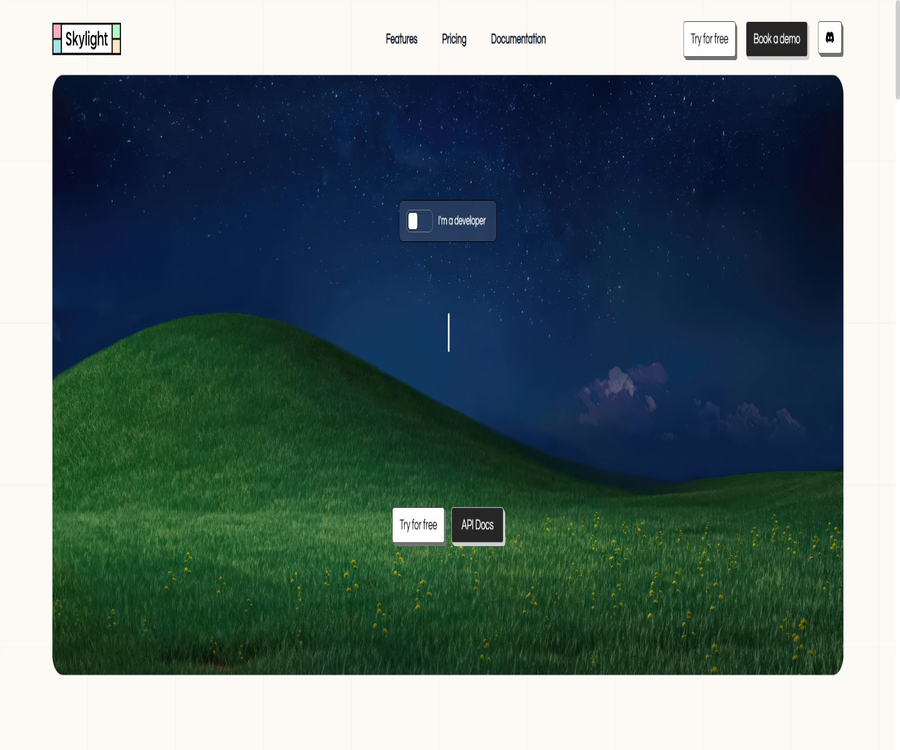
What is a Skylight?
Skylight is a hosted Windows virtual machine service designed for AI Agents and developers; its official website refers to it as \"Agents for Windows\". Developers can start Windows instances as needed, allowing built-in agents or their own agents to use APIs to monitor the screen, perform clicks, enter data, and carry out tasks related to desktop applications.
It addresses the issue of traditional Windows software lacking APIs or automation interfaces, and is particularly suitable for business systems that can only be operated through a graphical user interface. The platform offers real-time visuals, the possibility of manual intervention, and confirmation for destructive actions; however, performing production tasks still requires additional permissions, as well as audit trails and verification of the results.
Core functions
- Create and manage hosted Windows virtual machines as needed.
- Use natural language to instruct the built-in agent to perform desktop tasks.
- Send screenshot, click, drag, input, and key press commands via API
- Windows applications required for the installation task
- Watch the Agent’s actions in real time and take over manually at any time
- Maintain work progress when stopping and resuming instances
- Upload files to a virtual machine or download the results generated.
- Running multiple Windows instances in parallel increases task throughput.
- Use Python, TypeScript SDKs, and MCP to connect to the Agent system.
- Enable Human-in-the-Loop verification for high-risk operations.
Working principle
| Steps | Platform capabilities | Developer responsibilities |
|---|---|---|
| Create a computer | Start a pre-configured Windows instance | Select the application, status, and resource scope. |
| Prepare the environment | Supports installing applications and uploading files. | Ensure software licensing and file security |
| Run the Agent | The built-in agent can handle natural language tasks. | Provide clear goals and limitations. |
| Interactive execution | Screenshot, mouse, keyboard, and file APIs | Handle waiting, pop-ups, and abnormal states |
| Real-time monitoring | Live video, questions, and manual takeover | Decide when to suspend or approve |
| Save results | Download the file and maintain the instance status. | Verify the output and remove sensitive data. |
Windows virtual machine
Each Skylight Computer is a Windows-based environment that can be controlled remotely; applications suitable for specific workflows can be installed on it, and its state can be saved. Instances can be started, paused, resumed, or terminated, and storage and maintenance costs remain low even when they are paused.
- Create isolated instances for different customers and tasks.
- Install desktop applications, browsers, and internal tools
- Save application settings, login status, and generated files
- Start when in use and go into sleep mode when idle
- Check the current desktop status through real-time streaming.
- Terminate the instance and clean up the data after the task is completed.
Built-in Windows Agent
The built-in Agent can receive natural language commands and carry out tasks step by step based on the content on the screen. Each step taken by the Agent involves either observation or some action; as a result, complex tasks require both additional steps from the Agent and more time for execution.
- Plan and execute multiple desktop steps based on the objectives.
- Identify buttons, menus, input fields, and dialog boxes
- Copy and organize information between applications
- Ask the user questions when encountering uncertain information.
- Request human confirmation before performing destructive operations.
- Continue with the same task based on feedback or stop executing it.
Playground’s no-code experience
Skylight Playground allows users to deploy the built-in Windows Agent without having to write any code. Users can enter tasks, view their desktop in real time, answer questions posed by the Agent, and upload or download files.
- Quickly verify whether a Windows application is suitable for automation.
- Observe how the Agent handles pop-ups, tables, and multiple windows.
- Test the clarity of the instructions for natural language tasks.
- Manually take over and correct the operations at key steps
- Verify that the generated file can be downloaded properly.
- Estimate the steps and time costs before developing API integration.
Interactions API
The Interactions API provides basic computer operations, enabling developers to directly control Windows instances or create their own Computer Use Agents. These basic actions can be combined to create more predictable automation processes, and they can also serve as a supplement to built-in agents.
| Interactive actions | Function | Common uses |
|---|---|---|
| Screenshot | Get the image of the current screen | Perception interface and verification status |
| Click and Move | Move the mouse and click on the coordinates | Buttons, menus, and options |
| Drag | Drag screen elements | File, slider, and window adjustments |
| Type | Enter text | Forms, searching, and document editing |
| Keypress | Send keyboard keys or key combinations | Keyboard shortcuts, confirmation, and navigation |
| Scroll | Scroll the current window | Long pages, lists, and documents |
| Install | Install the application in the instance | Prepare a dedicated working environment |
Agent API
The Agent API can start and stop tasks, check the status of the Agent, and answer questions raised by the Agent during its operation. Applications need to define clear procedures for handling status changes, waiting for manual input, and terminating tasks.
- Submit a natural language goal and initiate the Agent task
- Poll or monitor the current operating status
- Provide additional information while the Agent is waiting.
- Stop the Agent when errors or risks are detected.
- Save task outputs, steps, and manual decisions
- Avoid running conflicting tasks on the same instance at the same time.
File upload and download
Skylight allows for file transfer between the local device and Windows instances; it is useful for sending input materials to desktop software and then retrieving reports, tables, or exported results. Each upload and download is charged separately.
- Upload tables, documents, or media files that need to be processed.
- Allow the Agent to open and modify files in desktop applications.
- Download the reports generated from the instance or export the package.
- Set rules for file names, directories, and output format.
- Scan for malicious content and restrict sensitive data before uploading.
- Verify the file integrity and actual content after downloading.
Real-time monitoring and manual takeover
Developers and operators can view the instance’s screen in real time and take over control when an error occurs with the Agent or when a decision is needed. The Human-in-the-Loop approach is suitable for handling high-impact tasks such as deletion, submission, payment, sending, and permission changes.
- Watch the operation status of each virtual computer in real time.
- Pause immediately before a mistaken click causes further damage.
- Answer questions related to logging in, business rules, or error messages.
- Verification codes that are entered manually, or verification processes that require human intervention.
- Approve key actions such as submission, deletion, or external sending.
- Return control to the Agent after the takeover is complete.
Persistence and knowledge
Instances can be paused and resumed, and all progress is not lost after each task. The official website also provides an Instance Knowledge Base that helps instances accumulate work-related knowledge over time.
- Retain installed apps and local settings
- Reduce the time required for repeated logins and environment initialization.
- Save the templates and reference documents required for the task.
- Have the same instance handle consecutive business processes.
- Regularly clean up cache, temporary files, and expired credentials.
- Avoid mixing sensitive contexts from different customers.
Concurrency and scalability
Both the Free and Pro versions state that an unlimited number of computers can be used simultaneously, but the actual throughput is still constrained by Credits, API capabilities, as well as the stability of the target applications and tasks. For large-scale use, it is necessary to implement task queues, concurrency limits, and mechanisms for isolating failed tasks.
- Assign a separate Windows instance to each task.
- Handle multiple clients, documents, or application processes simultaneously
- Limit the number of parallel tasks based on application resource consumption
- Prevent multiple instances from modifying a shared account concurrently.
- Set timeouts, retry options, and a manual queue for failed instances.
- Adjust the scale dynamically based on task cost and success rate.
Applicable scenarios
- Windows business software with automated operations but no modern APIs
- Enter data into desktop ERP, financial, or operational systems
- Batch processing of Excel, PDF, and proprietary file formats
- Run Windows-specific testing and regression processes
- Export reports or conversion files from desktop applications
- Provide an isolated Computer Use environment for AI Agents
- Automatically handle the process across browsers and desktop applications.
- Developing business automation that requires real-time human supervision
Which users are it suitable for
- AI development team for creating Computer Use Agents
- Companies that need to automate traditional Windows applications
- Engineers who develop desktop testing tools, RPA solutions, and file processing workflows
- Start-up teams that wish to quickly test the Windows Agent scenario
- Data operations teams that require parallel isolation of computer environments
- Organizations that are able to manage credentials, software licenses, and high-risk actions
Skylight price
Skylight uses a billing model based on subscribed Credits plus actual usage, and offers free, Pro, and Enterprise versions. The first 5 dollars worth of Credits can be used for a free trial without the need for a credit card.
| Package | Monthly fee | Includes Credits | Primary interests |
|---|---|---|---|
| Free | $ | 5 dollars | Unlimited concurrent computers for interaction, APIs, file uploads and downloads, as well as community support. |
| Pro | 20 dollars | 20 dollars | Free tier includes priority support and one-on-one communication. |
| Enterprise | Custom quote | In accordance with the contract | Run on its own virtual machines, with connections to its own APIs and enterprise services. |
Pay-as-you-go pricing
| Billing items | Public unit price | Explanation |
|---|---|---|
| Active Computer | $ | Charging is applied when the instance is running. |
| Hibernated Computer | $ | Charging when paused and in a retained state |
| Agent Step | $ | Agent steps such as screenshotting, clicking, typing, etc. |
| File Upload | $ | Upload from local to instance |
| File Download | $ | Extract files from an instance |
Pro costs $20 per month and also provides an equal amount of Credits; therefore, the actual usage is still deducted from the allocated quota according to the rules mentioned above. Prices, taxes, the validity period of Credits, and the rules regarding corporate usage may change, so it is necessary to refer to the settlement page for accurate information.
Cost estimation
The cost of a task typically consists of three elements: the time required for the computer to run, the number of steps taken by the agent, and the data transfer volume. Instances that are in a dormant state incur lower costs, but maintaining a large number of such instances over an extended period still results in ongoing expenses.
| Sources of cost | Main influencing factors | Optimization methods |
|---|---|---|
| Runtime | Application startup, waiting time, and task execution time | Reuse the environment and reduce unnecessary waiting. |
| Agent step | Screenshots and number of interactions | Use clear tasks and deterministic API actions. |
| File transfer | Number of uploads and downloads | Package the files and transmit only the necessary results. |
| Dormant instance | Quantity and duration of retention | Set automatic termination and retention policies. |
| Retry on failure | Page changes and application errors | Diagnose the error first before limiting the number of retries. |
Playground usage guide
- Register an account and get free Credits.
- Create a new Windows computer in Playground.
- Prepare test files and tasks that contain no sensitive information.
- Describe the goal, output, and prohibited actions with a clear instruction.
- Observe in real time how the Agent opens the application and interacts with its interface.
- Provide a human response when the Agent asks questions or requests confirmation.
- Download the result and verify the content and format item by item.
- Check the steps and time required before deciding whether to make it an API.
API Integration Tutorial
- Create an API Key and save it in the key management system.
- Install the Python or TypeScript SDK and fix the version.
- Start the instance and wait for Windows to become available.
- Install the necessary applications and upload the input file.
- Choose either the built-in Agent or use the Interactions API for control.
- Set timeouts, status checks, and error handling for each step.
- Download the result and verify the file or service status.
- Pause or terminate instances, and record usage and audit information.
Production Deployment Tutorial
- Choose processes that are low-risk, reproducible, and whose results can be verified.
- List the applications, accounts, files, and business permissions involved.
- Assign a separate instance to each customer or security boundary.
- Define the actions that can be performed automatically and those that require manual approval.
- Tests for overlay pop-ups, updates, network disconnections, invalid logins, and faulty files.
- Set up alerts for instance creation, steps, files, and failure costs.
- Start with manual bypass supervision for operation, and gradually increase the level of automation.
- Ongoing regression testing is carried out to address changes in the application interface and Agent versions.
Python SDK
The official Python SDK provides synchronous and asynchronous clients; it uses API keys for authentication and enables management of Agents, files, interactions, and Windows instances. According to PyPI, this SDK was developed by Speakeasy and is still in beta version – production projects should use a stable version of it and test any upgrades carefully.
| Resources | Main methods | Uses |
|---|---|---|
| Agent | run, stop, answer, status | Run and monitor built-in agents |
| Files | upload, download | Incoming materials and retrieved results |
| Interact | click, drag, screenshot, type, etc. | Direct control of the Windows interface |
| Windows | start, pause, resume, terminate, etc. | Manage instance lifecycle |
| Retry and Errors | Retraction and abnormal objects | Handle temporary API or service errors |
MCP capabilities
The official website states that the Python and TypeScript SDKs can be used as MCP Servers, enabling MCP-compatible Agents or development tools to leverage the capabilities of Windows computers. When integrating them, it is necessary to restrict the range of tools, instances, files, and high-risk actions.
- Only expose the Windows tools that are truly necessary for the task.
- Bind instance identifiers to specific users and projects.
- Prevent the model from creating unlimited instances arbitrarily or uploading files.
- Set approval thresholds for deletion, submission, and external sending.
- Record each MCP call, along with its parameters and results.
- Warnings to prevent injection attacks on untrusted file and web page contents
Security and permissions
- Log in to the application using a short-term or dedicated business account.
- Do not write passwords in plain text within task instructions or logs.
- Isolate instances and files at the customer and data level.
- Limit the software that an Agent can install and the networks it can access.
- Manual confirmation is required for payments, deletions, transmissions, and permission changes.
- Clear downloads, clipboard, and temporary credentials after the task is completed.
- Regularly rotate API keys and revoke unused integrations.
- Apply access control to live video and recorded data.
Quality assessment
| Indicators | Key points of evaluation | Suggested method |
|---|---|---|
| Task success rate | Have the complete business objectives been achieved? | Verify the final state rather than the last screenshot |
| Accuracy of step execution | Check whether the clicks and entries are accurate. | Add assertions to the key steps |
| Manual takeover rate | How many tasks require manual correction? | Statistics by application and cause of error |
| Average cost | How many Credits are consumed per successful task | Includes the costs of failure and retries |
| Average duration | Time taken for the instance to go from startup to completion | Distinguish between application waits and Agent operations |
| High-risk errors | Has there been any accidental deletion, accidental sending, or incorrect submission? | Establish a zero-tolerance policy for reviewing such incidents. |
Product advantages
- Provide a ready-made Windows virtual machine environment for AI Agents
- It supports both built-in agents and agents developed by developers.
- Screenshots, mouse, keyboard, files, and instance APIs are relatively comprehensive.
- Playground facilitates code-free validation of desktop workflows.
- Real-time streaming, manual intervention, and confirmation mechanisms enhance controllability.
- Instance persistence reduces the need to configure environments repeatedly.
- Supports parallel computers and scale-out tasks
- Provides Python, TypeScript SDKs, and MCP connection methods.
- Public pricing is based on minutes, steps, and file transfers.
Usage restrictions and precautions
- Changes to the desktop interface, pop-ups, and software updates can cause tasks to fail.
- Errors may occur when an agent clicks or types; it cannot be assumed that the actions will always be accurate.
- There are charges for runtime, Agent steps, and file transfer, all at the same time.
- Computers in sleep mode continue to incur charges; it is necessary to set up an automatic cleanup policy.
- Each upload and download of a file costs $0.05; frequent transfers result in higher costs.
- Login verification codes and security challenges may require manual intervention.
- Using commercial Windows software still requires compliance with the respective licenses.
- Sensitive accounts and data must undergo a security assessment before being placed on managed computers.
- The SDK is in beta version, and an upgrade may cause compatibility issues.
- The core hosting platform is not open-source, and the SDK cannot replace a full-service solution.
GitHub and open source
Skylight has made the Python SDK repository available on GitHub; this repository contains the client source code, OpenAPI documentation, and usage guides. The public SDK is intended for calling commercial APIs, but it does not mean that the Windows infrastructure, built-in agents, or the control platform as a whole are open sourced.
The official repository page does not clearly display the name of the unified license in the summary section; it is necessary to check the current license file and package metadata in the repository before using or redistributing it. The core Skylight services should still be labeled as commercial and closed-source.
| Components | Status | Explanation |
|---|---|---|
| Skylight hosting platform | Commercial closed-source | Provides Windows instances, agents, and control services. |
| Python SDK | Open-source code | It can be viewed on the official GitHub account; it is in Beta version. |
| TypeScript SDK | Official development tools | The official website indicates that it is necessary to verify the corresponding warehouse and version. |
| OpenAPI description | Available in the SDK repository | Used to generate or understand clients |
| Built-in Windows Agent | Business capabilities | The model and execution services are not provided as a complete open-source project. |
| Complete self-hosted version | Enterprise solutions need to be confirmed. | Enterprise can run on its own VMs, but this does not mean it is open source. |
Basic information
| field | Content |
|---|---|
| Tool name | Skylight |
| Product positioning | Managed Windows virtual machines for AI Agents |
| Core competencies | Screenshotting, clicking, keyboard operations, file management, Agent, and instance management |
| Usage method | Playground, API, Python and TypeScript SDKs, MCP |
| Free quota | 5 dollar Credits |
| Pro price | $ |
| Enterprise | Custom quote |
| Concurrency | The packages listed on the official website specify that there is no limit on the number of computers that can be used simultaneously. |
| Is it open source? | The core platform is not open-source; the official Python SDK has its source code made available publicly. |
Recommendation score
4.6 / 5. Skylight is suitable for development teams that need their AI Agents to operate Windows-specific software or traditional desktop systems; its APIs, supervision capabilities, and pricing are relatively transparent. However, reliability of complex interfaces, the cost associated with following specific steps, and the management of sensitive accounts remain key challenges when implementing this solution.
Frequently Asked Questions
What is Skylight mainly used for?
It provides hosted Windows computers that can be controlled by AI Agents, for automating desktop and browser applications.
Is coding required for Skylight?
Playground can be experienced using natural language; production integration typically relies on APIs, SDKs, or MCP.
Can Skylight be used for free?
Yes, the Free plan offers 5 dollars in credits; the official website states that a credit card is not required.
How much is Pro?
Pro costs $20 per month and includes 20 dollars in usable Credits.
How is the cost of running a computer determined?
Active computers cost $0.005 per minute, while dormant computers cost $0.0005 per minute; Agent tasks and file transfers are charged separately.
Does Skylight support manual takeover?
It supports real-time viewing and manual control; the built-in Agent can also request confirmation before performing destructive actions.
Can I install my own Windows applications?
Applications required for the workflow can be installed, but the user must have a valid license and verify compatibility.
What SDKs does Skylight provide?
The official website lists the Python and TypeScript SDKs; the Python SDK is also available on GitHub and PyPI.
Is Skylight open source?
The core hosting platform is not open source; the official Python SDK provides its source code as well as OpenAPI documentation.
Tools similar to Agents for Windows





 Guigong Network Security Registration No. 45132202000164