






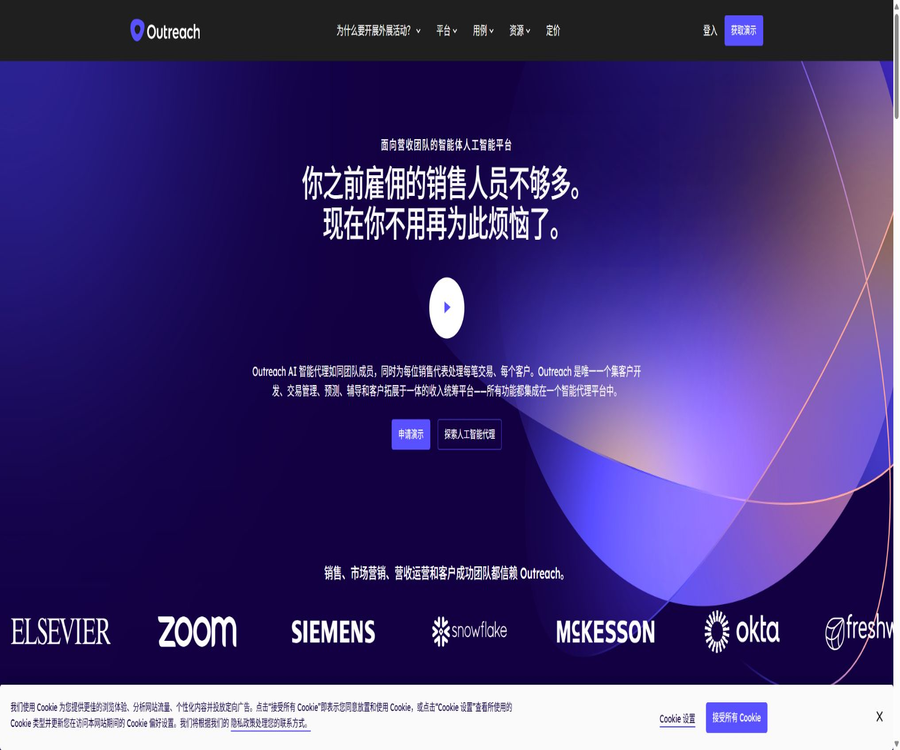
What is Outreach?
Outreach is an Agentic AI platform designed for sales, marketing, revenue operations, and customer success teams. It brings together customer acquisition, sales interactions, meeting intelligence, opportunity advancement, pipeline management, and forecasting in a single workspace.
The AI agents on the platform can analyze accounts and contacts, generate personalized content, identify transaction risks, and suggest next steps. Companies still need to control the data that these agents can access and the actions they can perform, through mechanisms such as permissions, approval processes, and audit records.
Core functions of Outreach
- Reach out through multiple channels via sequenced emails, calls, social media, and tasks
- Use Revenue Agent to identify target customers and automatically initiate the development process.
- Use Research Agent to aggregate accounts, contacts, and public information.
- Use the Personalization Agent to generate content relevant to the customer’s situation.
- Use Deal Agent to analyze meeting and CRM data and recommend field updates.
- Use Kaia for real-time transcription, meeting summaries, and sales coaching.
- Check the transaction health, risks, and next steps in the business opportunity list.
- Aggregate team forecasts and analyze pipeline changes and performance trends.
- Use Omni to query records in natural language and carry out controlled operations.
- Leverage MCP, APIs, and app markets to integrate with existing revenue-generation technologies
AI Agent System
| Agents or capabilities | Main tasks | Suitable scenarios |
|---|---|---|
| Omni Agent | Cross-account, opportunity, contact, and meeting Q&A with action-taking | Entry point for daily sales tasks |
| Revenue Agent | Follow the customer acquisition process based on the target profile and signal operations | Large-scale customer acquisition |
| Research Agent | Study accounts, contacts, and interaction history. | Pre-session preparation and personalization |
| Personalization Agent | Create engagement content that is appropriate for the context and aligned with brand knowledge. | Personalized emails and follow-ups |
| Deal Agent | Identify risks, summarize transactions, and recommend updates to CRM fields | Business opportunity advancement and data maintenance |
| Meeting Prep Agent | Summarize account history, participants, and suggested topics | Automatically generate pre-meeting briefings |
| AI Coach | Analyze call performance and provide ratings and guidance. | Sales training and manager reviews |
Omni conversational work entry point
Omni enables sales professionals to query accounts, opportunities, contacts, Sequences, activities, and Kaia meetings using natural language. It not only provides information but also allows them to draft emails or take action based on their permissions.
- Check what has happened to a particular account recently.
- Gain a quick understanding of the risks associated with key business opportunities and the next steps to take.
- Extract customer concerns from meeting minutes and emails
- Draft personalized follow-up emails based on the existing context.
- Retain conversation history to carry out complex sales tasks
- Access via web, mobile devices, or collaboration tools
Customer development and sales interactions
Outreach standardizes repetitive outreach tasks using Sequence, and guides sales efforts based on task priorities. Revenue Agent enables an expansion of the scope of actions that can be taken, by taking into account target accounts, existing contacts, new contacts, as well as real-time signals.
- Create sales actions such as inbound, outbound, nurturing, and follow-up.
- Combines automated emails, manual emails, phone calls, and other tasks
- Filter candidates based on customer profiles, region, position, or behavioral signals.
- Have sales staff complete their daily tasks within a unified task queue.
- Compare the contributions of different Sequences in terms of responses, meetings, and pipelines
- Sync key interactions and outcomes back to CRM records
Account research and content personalization
The Research Agent can analyze internal interaction data and public information, and save the results in the contacts or account fields. The Knowledge feature enables companies to upload case studies, white papers, informational materials, and competitive analyses to help shape personalized content.
- Study the customer’s business, roles, needs, and potential objections.
- Identify the level of participation from historical emails and meetings
- Study multiple contacts in batches or run analyses individually.
- The research results are written into custom fields for use in filtering and generation.
- Unify product representation and brand tone through corporate knowledge.
- Before sending, sales staff check the facts and wording.
Kaia Conference Intelligence
Kaia is Outreach’s intelligent capability for meetings and conversations; it can be used for real-time transcription, post-meeting summaries, identification of action items, emotion analysis, and topic tracking. It supports common video conferencing services as well as Outreach Voice calls.
- Automatically record and transcribe authorized sales meetings
- Generate meeting summaries, action items, and key excerpts.
- Display real-time content cards and guidance tips during calls
- Topics such as tracking products, competitors, and customer objections
- Add recordings to the playlist for training and review.
- Use AI-powered Q&A to quickly find information on one or more meetings.
- Use the meeting signals to assess the health of business opportunities and determine subsequent actions.
Business opportunities and Deal Agents
Deal Agent identifies changes in transactions by utilizing CRM fields, emails, and Kaia meetings, and suggests updates for the next steps, the date of completion, or other fields. Administrators can decide which fields should only be suggested, allowed to be edited, or accepted automatically.
- Generate a summary of the current transaction status and key events.
- It was found that there is a lack of stakeholders, low levels of participation, and time-related risks.
- Update the opportunity fields based on the suggestions from the conversation.
- Send the suggestions to the collaboration tool for the person in charge to handle them.
- Use past meetings to fill in some of the AI insights.
- Record suggestions, manual modifications, and automatically updated results
Prediction and pipeline management
Outreach combines opportunity assessment, pipeline analysis, and forecasting together, allowing managers to go from team-level forecasts to specific deals. The Pro package adds AI-based forecasting, Scenario Planner, Forecast Trends, and parallel forecasting capabilities.
- View and modify business opportunities in the Deal Grid.
- Predictions such as Commit and Best Case are submitted by sales.
- Use AI models to assess the health of transactions and the probability of winning bids.
- Compare predicted submissions, AI projections, and actual revenue
- View the increase, advancement, and loss of pipelines over a specified period.
- Simulate the impact of win rates or pipeline changes on the results
- Summarized by team, region, sales action, and currency
Sales coaching and team analysis
Managers can use call ratings, topics, transcripts, and outcome data to identify opportunities for coaching. AI Coach Cards and automated scoring help transform sales methods into standards that can be regularly checked.
- Check questioning, listening, handling of objections, and confirmation of next steps
- Compare call behaviors and business outcomes by team or individual.
- Create a playlist of excellent call recordings
- Provide sales staff with hints through real-time content cards
- Track the trends in how products and competitors appear in customer conversations.
- Provide more targeted guidance based on the actual schedule of conversations.
Agent Studio and workflows
Agent Studio offers pre-defined AI workflows for common sales tasks, which can be configured in a visual manner. The team should first determine the trigger conditions, the available data, the permissible actions, and the steps that require manual confirmation.
- Use predefined processes to reduce the time it takes for the Agent to go online.
- Study, generate, and execute steps based on combinations of sales actions
- Restrict the range of target accounts and contacts through rules.
- Manual approval is reserved for high-risk actions.
- Use activity logs to check for configuration and operational changes.
- First, test the effectiveness with a small team before expanding its use.
Applicable scenarios
- The sales development team identifies and contacts potential customers in bulk.
- The account manager conducts pre-meeting research and personalized communication.
- The sales manager evaluates transaction risks and provides guidance on the next steps.
- The manager reviews calls, trains new employees, and standardizes sales methods.
- The revenue operations team standardizes CRM data and sales processes.
- Management aggregates forecasts and analyzes pipeline changes.
- The Customer Success team identifies renewal risks and expansion opportunities.
- Revenue workflow for unified multi-regional teams in large enterprises
Which companies are suitable?
- B2B companies that have dedicated teams for sales development and customer management
- Organizations that need to standardize complex, multi-step sales processes
- Teams that are already using CRM and wish to improve the quality of data processing
- Users who need platforms featuring meeting intelligence, sales coaching, and predictive capabilities
- Companies that are able to allocate resources for administration, data governance, and sales operations
- Large and medium-sized customers willing to adopt customized quotes and annual procurement processes
Outreach package and prices
Outreach does not disclose fixed prices for its services; for all four package options, it is necessary to contact a sales representative to obtain a customized quote. The cost is determined by factors such as the size of the team, the amount of usage, the AI workflows employed, and the platform capabilities required.
| Package | Positioning | Included AI Credits | Number of API calls | Knowledge capacity |
|---|---|---|---|---|
| Amplify Essentials | Dialogue intelligence, coaching, and transaction insights | 10,000 | 250,000 times | 500 MB |
| Amplify Core | Customer acquisition, Sequence, and account management | 25,000 | 250,000 times | 500 MB |
| Amplify Plus | Integrate interaction, meeting intelligence, and opportunity management. | 50,000 | 500,000 times | 750 MB |
| Amplify Pro | End-to-end revenue orchestration and advanced forecasting | 100,000 | 1,000,000 times | 1,500 MB |
Essentials and Core do not have a simple hierarchical relationship; rather, they focus respectively on conversation intelligence and sales execution. Plus combines the key capabilities of both, while Pro adds advanced forecasting and managed services.
Comparison of package features
| Scope of functions | Essentials | Core | Plus | Pro |
|---|---|---|---|---|
| Omni and Research Agent | Support | Support | Support | Support |
| Revenue and Personalization Agent | Not listed as core | Support | Support | Support |
| Deal Agent and Meeting AI | Support | Some abilities | Complete integration | Complete integration |
| Multi-channel Sequence | Not listed as core | Support | Support | Support |
| Real-time meeting transcription and coaching | Support | Basic call insights | Support | Support |
| Transaction and Pipeline Management | Support | Not listed as core | Support | Support |
| Advanced forecasting | Not included | Not included | Not included | Support |
| Maximum number of custom objects | 5 | 5 | 10 | 20 |
Explanation of AI Credits billing
Outreach employs a system that combines seat licensing with the consumption of AI Credits, allowing companies to scale their usage according to their actual AI workflow needs. The pricing rules for different Agent actions as well as the prices for additional purchases are specified in the quotation sheet and the management interface.
- The Credits included in the package do not have a fixed price in terms of public currency.
- The number of AI workflows and their execution frequency affect the overall consumption.
- Some backfilling or batch processing tasks may consume Credits separately.
- Excessive use, additional purchases, and expiration dates need to be specified in the contract.
- Consumption budgets and alerts should be established based on teams and workflows.
- When comparing options, calculate the costs of implementation, integration, and training simultaneously.
Outreach usage tutorial
- Apply for a product demonstration, and specify the team size, sales strategies, and CRM environment.
- Choose a package that focuses on conversational intelligence, sales execution, comprehensive acceleration, or forecasting.
- Connects CRM, corporate email, calendars, meetings, and identity management systems.
- Configure users, teams, roles, field mappings, and data synchronization scope.
- Create sequences, templates, dialing rules, and daily task workflows.
- Activate the required AI agents, and define the data, objectives, and permitted actions.
- Verify accuracy, permissions, and synchronization results using a small-scale real sales process.
- Train sales staff to review AI recommendations, and continuously evaluate response rates, meeting outcomes, and revenue metrics.
Tutorial on Creating Sequences
- Define clear objectives for inbound, outbound, development, or follow-up, etc.
- Define the appropriate customer profiles and exclusion criteria to prevent incorrect outreach.
- Add automatic emails, manual emails, calls, and tasks in chronological order.
- Create templates and variables, and check how missing fields are handled.
- Set rules for exit, reply, unsubscribe, frequency, and working hours.
- Use internal test contacts to check email, task, and CRM synchronization.
- First, release it to a small list of recipients and observe the responses as well as the error rate.
- It is based on the iteration of conference conversion and pipeline contributions, rather than just the amount sent.
Online tutorial for AI agents
- Select a sales process that has a clear goal and is measurable.
- Identify the accounts, contacts, meetings, and knowledge materials that the agent can access.
- Define the target profile, trigger signals, prompts, and output format.
- Distinguish between actions that are only recommended, those that require approval, and those that can be executed automatically.
- Prepare test samples for normal, boundary, sensitive, and malicious inputs.
- Verify content facts, field updates, unsubscription, and permission boundaries.
- Monitor activity logs, AI Credits, and business outcomes.
- It will be expanded gradually after being approved by sales, operations, security, and legal teams.
Integration and development capabilities
Outreach can be connected to CRM systems, email services, calendars, meeting platforms, and collaboration tools; it also offers API capabilities, a Marketplace, and MCP functions. The maximum number of interfaces available varies depending on the package chosen, and for all integrations, the principle of minimum permissions and separate credentials should be applied.
| Integrated categories | Common uses | Precautions |
|---|---|---|
| CRM | Synchronize accounts, contacts, events, opportunities, and forecasts | Clarify master data, field mapping, and conflict resolution. |
| Email and calendar | Send messages, schedule meetings, and record activities | Control agent permissions, retention, and sending rules |
| Meeting platform | Recording, transcription, summarization, and dialogue analysis | Obtain permission for recording and comply with local regulations. |
| Slack and Teams | Receive trading suggestions and collaboration notifications | Prevent sensitive data from leaking to public channels |
| API | Reading records, performing actions, and connecting to internal systems | Comply with call limits, scope, and retry rules. |
| MCP | Allow compatible agents to invoke Outreach data and tools. | Inherit user permissions and log each action. |
Security, Privacy, and Governance
- Use enterprise-grade encryption to protect data in transit and at rest.
- Access is controlled through single sign-on and role-based permissions.
- Limit the visible records and management capabilities for different teams.
- Configure the actions that an agent can and cannot perform.
- Retain audit records of changes to agent operations and configurations.
- Set up the consent process before recording and comply with local laws.
- Regularly review connected applications, API keys, and permissions of users who have left the company.
- Determine the scope of AI input, retention, and export in accordance with corporate policies.
Effect evaluation indicators
| Indicators | Focus on issues | Avoid misunderstandings |
|---|---|---|
| Effective response rate | Does reaching out initiate genuine business conversations? | Do not count automated replies as successes. |
| Meeting conversion rate | Can the reply be converted into a valid meeting? | Check for missed appointments and quality at the same time. |
| Pipeline contribution | How many qualified business opportunities does the process generate? | Avoid focusing solely on the number of activities. |
| Win rate | Do transaction insights improve the success rate of deals? | Control differences in customer types and cycles |
| Prediction error | Submit the deviation between predictions and actual results | Observe over multiple cycles |
| Data integrity | Are the key CRM fields updated in a timely and accurate manner? | Randomly check the content automatically updated by AI. |
| Credits output | How much savings or revenue is generated by AI usage | Evaluate based on workflows rather than the total amount |
Product advantages
- A comprehensive sales process that covers lead generation, interaction, meetings, transactions, and forecasting.
- Various specialized AI agents are integrated directly with business records.
- Sequence and task queues are suitable for large-scale execution.
- Kaia connects real-time coaching and post-session insights to business opportunities.
- Transaction health metrics and forecasts enable sales and management to use the same data.
- Provides API, app market, and MCP extension capabilities.
- Features enterprise-level permissions, governance, and operational audit capabilities.
- The four-tier package can be selected according to the maturity level of different teams.
Usage restrictions and precautions
- The price for a single seat is not publicly available; the exact cost must be obtained by inquiring with the sales team.
- Deployment requires CRM governance, field mapping, and investment in sales operations.
- AI Credits introduce additional workload management for high-frequency automation.
- The functions of different packages do not add up in a completely linear manner; it is necessary to check each item individually when making a choice.
- There may be errors or outdated information in AI research, summaries, and field suggestions.
- Automatic emails still need to comply with unsubscribe, privacy, and anti-spam rules.
- Recording and transcribing meetings requires proper consent.
- Incorrect synchronization or excessive automation can contaminate CRM data.
- Complex platforms can result in higher costs for setup and training for small teams.
- Business results depend on the quality of the list, sales strategies, and actual execution.
GitHub and open source
The Outreach core platform, AI agents, and Kaia are commercial, closed-source products; they are not available as open-source projects that can be deployed independently. The availability of open APIs, MCP, and developer resources for integration does not mean that the core sales orchestration logic or model code is open source.
| Components | Status | Explanation |
|---|---|---|
| Outreach platform | Commercial closed-source | A license must be purchased and managed services must be used. |
| AI Agents | Commercial closed-source | The agent logic and platform code are not publicly available. |
| Kaia | Commercial closed-source | Intelligent meeting capabilities are provided upon licensing. |
| APIs and developer tools | Open interface | Used for authorization in integration; it is not equivalent to open source. |
| Outreach MCP | Standardized connection capability | Uses open protocols, but is governed by platform permissions and packages. |
Basic information
| field | Content |
|---|---|
| Tool name | Outreach |
| Product positioning | Agentic AI platform for the revenue team |
| Primary users | Sales, Marketing, Revenue Operations, Management, and Customer Success Teams |
| Core competencies | Customer acquisition, sales interactions, meeting intelligence, transaction management, and forecasting |
| Billing method | Seat licenses and AI Credits are consumed. |
| Public packages | Amplify Essentials, Core, Plus, and Pro |
| Free version | No public, free self-service version is available. |
| Trial method | Apply for a demonstration or contact sales. |
| API | Available; the limit varies depending on the package. |
| Is it open source? | No, the core platform is a commercial, closed-source product. |
Recommendation score
4.7 / 5. Outreach is suitable for medium to large B2B teams that wish to integrate sales execution, conversational intelligence, opportunity insights, and forecasting within a single platform; however, it is important to carefully evaluate the customized pricing, AI Credits, differences between packages, and implementation costs before making a purchase decision.
Frequently Asked Questions
What does Outreach mainly do?
It helps the sales team to find and reach customers, manage sales meetings and business opportunities, provide guidance to sales staff, and carry out pipeline analysis and forecasting.
Is Outreach a CRM?
It is not a replacement for traditional CRM systems; rather, it keeps records in sync with CRM and offers sales execution capabilities, intelligent agents, meeting management tools, and predictive functions.
What AI agents are available in Outreach?
Currently, the main specialized agents include Omni, Revenue, Research, Personalization, Deal, and Meeting Prep; the specific range of functions available depends on the package chosen.
How much is Outreach?
The authorities have not announced a fixed price per seat; the cost is determined based on the size of the team, the level of usage, the AI workflows employed, and the capabilities of the platform.
How to choose among the four Amplify packages?
Essentials focuses on conversational intelligence, Core emphasizes sales execution, Plus combines the main functionalities, while Pro offers advanced forecasting and managed services.
What are AI Credits?
It is the unit of measurement for certain AI workflows; different packages offer varying amounts of usage, and the specific rules regarding charges and additional purchases are determined by the contract and the system backend.
Which meeting platforms does Outreach support?
The official package page lists meeting integrations such as Zoom, Microsoft Teams, Google Meet, and Cisco Webex.
Does Outreach provide an API?
Various packages are available, each with a different number of API calls; it is also possible to connect to other systems through app stores and MCP.
Is Outreach suitable for small teams?
Small teams can consider Essentials or Core, but they still need to take into account the costs associated with purchasing through quotes, administrator setup, data governance, and training.
Is Outreach open source?
It is not open source. The core platform and AI agents are commercial services, while APIs and MCPs merely provide integration capabilities.
Tools similar to the Agentic AI Platform for Revenue Teams





 Guigong Network Security Registration No. 45132202000164