






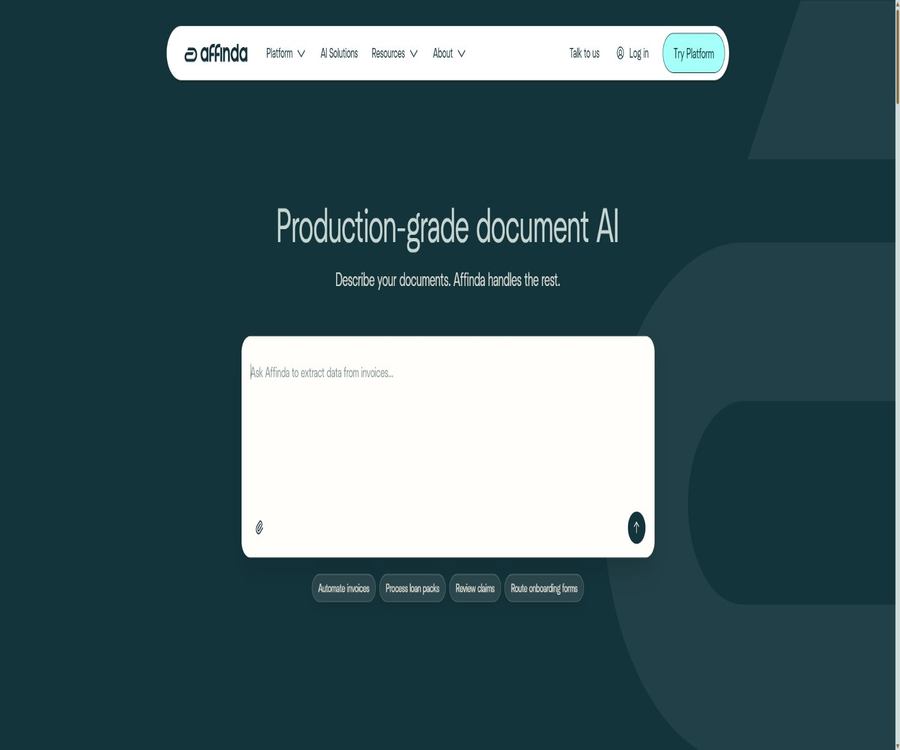
Affinda is an AI platform for businesses that enables the conversion of invoices, resumes, claims documents, loan paperwork, and logistics records into structured data. It focuses on ensuring verifiability, traceability, and integration into business processes, rather than merely performing an OCR recognition task.
The platform enables teams to create custom document types, extract fields and tables, and enhances the reliability of the results through rule-based validation, master data matching, and manual review. Users can also use Affinda Agent to configure workspaces and processing workflows in natural language.
What is Affinda?
Affinda is positioned as a production-grade intelligent document processing platform; its core processes include receiving files, identifying documents, splitting and categorizing them, extracting data, verifying the results, and delivering them to business systems. It is suitable for handling enterprise documents of various formats, in large quantities, and those that require audit trails.
- Identify text and layout information from PDFs, scans, and images
- Split the combined file package into individual documents and automatically categorize them.
- Extracting fields, complex tables, signatures, checkboxes, and handwritten content
- Use rules, confidence levels, and master data matching to verify results.
- Manually review the queue to handle items with low confidence or anomalies.
- Connect to existing systems using APIs, Webhooks, email, and embedded interfaces
Core functions
Custom document types
Teams can create their own document types and field structures for their files, without being constrained by the preset templates provided by the platform. Fields can include various data types such as text, dates, amounts, addresses, entities, lists, and nested data.
- Define separate data structures for different business documents.
- Set required fields, data types, and field descriptions.
- Handle variations in different suppliers or formats among documents of the same type.
- Manage multiple document types within a workspace
Document splitting and classification
When a PDF contains multiple documents, Affinda can identify the boundaries between them, split the file into separate parts, and determine the type of document in each part. This capability is useful for loan packages, claim-related documents, onboarding materials, and archives that have been scanned in bulk.
- Identify the starting and ending pages in a multi-document file package
- Automatically route to the corresponding extraction model or task queue.
- The classification mode can be run independently, without the need to extract all fields.
- Manual confirmation steps can be set for uncertain results.
OCR and layout understanding
The platform is capable of processing machine-printed text, scanned content, and certain handwritten information, while preserving the position of the text and the structure of the pages. Tables, key-value pairs, and visual layouts can serve as criteria for identifying fields.
- Identify scanned PDFs and common image files
- Extract consecutive content from multiple pages of a document.
- Supports complex tables, checkboxes, signatures, and formatting information.
- It covers more than 50 languages, including Simplified and Traditional Chinese.
Field and complex table extraction
Affinda not only returns plain text, but it can also map key information to predefined fields. For files that contain multiple lines of data related to products, costs, or records of activities, it is possible to generate structured arrays and tables.
- Extract the name, number, date, amount, and address.
- Identify multiple line items in invoices and orders
- Analyze work experience, education, and skills listed in the resume
- Format, standardize, and convert text of the results.
Verify that the rules match the master data.
Users can set rules for natural language validation to check amount relationships, date ranges, field completeness, and business conditions. The extracted values can also be matched with supplier, customer, or product master data, thereby reducing errors caused by differences in names.
- Check that the subtotal, tax amount, and total amount are consistent.
- Verify whether the date on the identification document, policy, or contract is valid.
- Map non-standard names to internal master data records
- Fields with missing, conflicting, or rule-violating markers
Manual review and quality control
Fields with low confidence levels and rule exceptions can be taken to the manual review interface, where business staff can make corrections by referring to the original text. The platform keeps track of the confidence level, processing time, and operation history, which facilitates quality analysis and auditing.
- Allocate documents awaiting review by queue.
- View and modify fields next to the original page
- Use role-based permissions to control the scope of viewing and operations.
- Retain audit logs and records of status changes
Affinda Agent
Affinda Agent is a natural language configuration assistant within the platform. Users can describe the documents and fields that need to be processed, and the Agent helps in creating workspaces, document types, extracting fields, and setting validation rules.
- Explain the objectives of document processing in natural language.
- Based on the suggested fields and data structure in the sample file
- Assist in establishing validation rules and output formats.
- Reduce redundant operations in the initial configuration
The configurations generated by the agent should still be reviewed by someone who is familiar with the business rules. For regulatory, financial, or claims processing tasks, it is not sufficient to rely solely on automated suggestions when deciding on the final fields and validation logic.
Workflows and automation
Once a document enters the platform, it goes through processes such as classification, extraction, rule verification, and manual review before being sent to downstream systems. The queue mechanism is suitable for handling files of different priorities, belonging to various customers or business types, separately.
- Automatic routing based on document type or result status
- Create a manual review branch for results with low confidence.
- Use Webhooks to trigger subsequent actions when the status changes.
- Write structured data into ERP, ATS, CRM, or custom systems
APIs and integration methods
Affinda provides REST APIs, client libraries, and Webhooks, allowing development teams to submit documents within their applications, retrieve results, and monitor the processing status. Non-development teams can also participate in this process by uploading files via email or using an embedded verification interface.
| Integration method | Primary uses | Suitable for users |
|---|---|---|
| REST API | Submit documents, retrieve structured results, and manage resources | Development team |
| Client library | Leverage platform capabilities using common programming languages | Application developers |
| Webhook | Receive notifications when the document is completed or its status changes. | Automated processes |
| Email upload | Receive and process attachments by specifying an email address. | Operations and Finance Teams |
| Embedded verification interface | Review the recognition results within the existing application. | Software service provider |
| Affinda Agent | Establish processing configurations using natural language. | Business and implementation personnel |
Supported document types
The platform allows for the creation of custom document types, so its applications are not limited to predefined templates. Below are some of the most common approaches to handling corporate documents.
| Category | Document example | Commonly extracted content |
|---|---|---|
| Financial procurement | Invoices, receipts, purchase orders | Supplier, date, amount, tax amount, line item |
| Recruitment and HR | Resumes, application forms, certificates | Personal information, experience, education, skills |
| Insurance | Claim forms, insurance policies, supporting documents | Policy number, claimant, items of loss, amount |
| Financial loans | Application form, bank statements, loan documentation package | Applicant, account, income, risk information |
| Logistics and trade | Bill of lading, packing list, customs documents | Goods, quantity, port, carrier |
| Identity and Compliance | Passport, identification documents, compliance documents | Name, ID number, expiration date |
| Law and Contracts | Contracts, agreements, and attachments | Parties, dates, terms, key entities |
Applicable scenarios
- The finance team automatically enters invoices, receipts, and purchase orders.
- Recruitment platforms parse resumes in bulk and insert them into the candidate database.
- Insurance companies organize the claims packages and check for completeness of the documents.
- Banks and fintech companies process loan application documents
- Logistics companies obtain bills of lading, packing lists, and customs declaration data.
- Software providers integrate document recognition and manual review into their products.
- The compliance team handles sensitive documents in regional deployment environments.
Which users are it suitable for
- Large and medium-sized enterprises that need to process a large number of duplicate documents
- Software development teams that wish to integrate document AI capabilities using APIs
- Business departments that require custom fields, rules, and workflows
- Regulated organizations that place emphasis on permissions, audit logs, and regional deployment
- An international team for handling multilingual documents and cross-regional business operations
Start using the tutorial
- Register for a trial account and create an organization and workspace.
- Select a predefined document type, or create a custom type based on your business documents.
- Upload representative sample files and define the fields and tables that need to be extracted.
- Check the initial recognition results, and add field descriptions as well as conversion and validation rules.
- Set up the manual review queue, role permissions, and criteria for approving results.
- Connect to business systems via API, Webhook, email, or an embedded interface.
- Conduct small-scale tests using real documents to calculate the accuracy rate, error rate, and cost per page.
- After confirming the quality and budget, increase the processing volume while continuing to conduct random checks on the results.
Create a custom document model
- Collect sample documents that cover common layouts, languages, and exceptional situations.
- Create document types and select an appropriate data structure for each target field.
- Specify the name, meaning, and desired format of each field to avoid semantic overlap.
- Test the extraction performance of tables, handwritten text, checkboxes, and multi-page fields.
- Add amount, date, required fields, and master data matching rules.
- Fields with low confidence levels are sent for manual review, and the reasons for the errors are recorded.
- The configuration is iterated based on the review results until the business acceptance criteria are met.
API Integration Tutorial
- Create API keys with appropriate permission scopes within the account.
- Confirm the target workspace and document type identifier.
- Submit the files via a secure connection and save the returned document identifier.
- Poll the status or configure a signature-based Webhook to receive completion notifications.
- Read field values, confidence levels, page numbers, and verification results.
- Abnormal results are sent to the review process, while normal results are stored in the business system.
- It records requests, execution time, and point consumption, and provides retry options for failed requests.
Effect evaluation methods
To determine whether document AI can be put into use, it is not sufficient to rely on just a few demonstration files. It is recommended to calculate separately the accuracy of field data, the success rate of document processing, the proportion of documents that require manual review, the processing time, and the actual cost associated with this processing.
| Indicators | Key points of evaluation | Recommended approach |
|---|---|---|
| Field accuracy | Are the key fields correct? | Sample verification by field type |
| Completion rate | Are any required fields missing? | Calculate the proportions of null values and unrecognized items. |
| Classification accuracy | Has the document been routed through the correct process? | Test using a mixed file package |
| Splitting accuracy | Are page boundaries determined correctly? | Test different lengths and scanning orders |
| Manual review rate | How much work can automation save? | Log low confidence and rule anomalies |
| Processing latency | Can it meet the business timing requirements? | Test the regular and peak batch sizes separately. |
| Cost per document | The sum of integration costs and labor costs | Calculated based on the actual average number of pages. |
Pricing on the Affinda platform
The Affinda platform uses a pricing model based on the number of pages processed; there are no restrictions tied to specific seats or modules for its core functions. No fixed price per page is listed on the public website, and the actual cost is determined based on the volume of processing, the method of deployment, the support services provided, and any additional features.
| Plan | Billing method | Suitable situations | Main explanation |
|---|---|---|---|
| Free trial | 200 Credits within 2 weeks | Functional verification and small-scale testing | It is possible to test the capability for processing core documents. |
| Monthly usage | Pay monthly after use | The processing volume is uncertain or subject to significant fluctuations. | Charged based on the actual number of pages used that month |
| Annual commitment | Pre-agree on the annual usage amount | The processing volume is stable and predictable. | The excess amount is calculated at the agreed rate. |
| Customized solutions | Contact sales for a quote | High capacity, special deployment, or support requirements | The price depends on scale, deployment, and additional services. |
The unused quota from the annual commitment is not typically carried over automatically; therefore, companies should estimate their procurement needs based on the actual average number of pages and any fluctuations in business activity. Services such as implementation, training, continuous integration and maintenance, custom infrastructure setup, and special compliance support may be charged as additional services.
Resume analysis product prices
Affinda’s documentation recruitment services have a separate pricing system: payment is made per page, or based on the total number of documents per year. The figures listed below represent reference rates for available plans; the actual price and benefits will depend on the account details or the contract terms.
| Number of plans or annual documents | Reference price | Explanation |
|---|---|---|
| Pay-as-you-go | $ | No annual commitment; the first 14 days include a 200-page trial period. |
| 66,000 copies/year | $ | Annual starting plan |
| 132,000 units per year | $ | The excess amount is charged at the agreed rate per document. |
| 240,000 copies/year | $ | Suitable for medium-sized recruitment platforms |
| 420,000 copies/year | $ | Suitable for high processing volumes |
| 600,000 copies/year | $ | Suitable for large-scale parsing |
| 780,000 units per year | $ | Quotations can be customized for higher quantities. |
Credits and billing rules
- Most AI document processing products charge Page Credits based on the number of pages processed.
- Recruiting products are usually calculated based on Document Credits.
- In the classification mode alone, each document consumes a maximum of 3 Credits.
- It is possible to configure a range of consecutive page numbers; pages that have not been processed are not counted as part of the usage.
- For pay-as-you-go accounts, it is possible to purchase Credits and set up automatic top-ups.
- Monthly plans are usually settled after actual use.
- Customers with high volume usage can request customized packages and invoice-based billing.
Processing limitations
The platform does not set a fixed maximum limit on the total number of documents that can be submitted, but the queue speed, the number of pages per document, and account settings affect the actual throughput. The high-priority queue listed in the official documentation allows 20 documents per minute, with a default limit of 20 pages per document.
| Project | Public rules | Precautions |
|---|---|---|
| Total submitted amount | No unified maximum limit has been set. | It is still affected by account limits and queue speeds. |
| High-priority queue | 20 documents per minute | Excess tasks can use a low-priority queue. |
| Default number of pages | Single document, 20 pages | You can contact the platform to request an increase. |
| Dedicated mode for classification | Up to 3 Credits per item | Only categorize, without performing full field extraction. |
| Selective pages | A range of consecutive page numbers can be specified. | Pages that are not processed nor charged are excluded. |
Security and Deployment
Affinda offers role-based permissions, multi-factor authentication, audit logs, and regionalized services; it also states that it complies with the control requirements specified in ISO 27001 and SOC 2. Companies still need to review the contracts, data retention policies, cross-border data transfers, and arrangements related to sub-processors in light of the regulations specific to their industry.
- Use role-based permissions to restrict access to workspaces and functions.
- Supports multi-factor authentication via email or authenticator.
- API keys allow control over the scope of permissions based on their intended use.
- Retain audit records of operations and processing status.
- Regional deployment and self-hosting options can be discussed.
- A corporate security assessment must be completed before sensitive documents are integrated.
Self-hosting and open-source status
Affinda has made available repositories containing the configurations and instructions for self-hosted deployment, but the core parsing services, containers, and models are not open-source software. To obtain self-hosted images and related components, a commercial license as well as platform authorization are required.
| Components | Open state | Explanation |
|---|---|---|
| Affinda platform | Commercial closed-source | The core cloud services and management platform are not open source. |
| Document parsing model | Commercial closed-source | The model weights and training code are not publicly available. |
| Self-hosted configuration | Public warehouse | Deployment instructions are provided; the core image requires authorization. |
| Client library | Publicly available | Used to call APIs; it is not equivalent to exposing the core engine. |
| API | Business services | Called by account, usage, and contract permissions |
Product advantages
- Custom document types are supported, without being limited to a few predefined templates.
- Place classification, splitting, extraction, verification, and review on the same platform.
- It can handle complex tables, handwriting, signatures, and checkboxes.
- Provides natural language agents to reduce the barriers to initial configuration.
- APIs, Webhooks, and embedded review interfaces are fairly comprehensive.
- Supports over 50 languages, suitable for cross-regional document workflows.
- Offers options for permissions, auditing, regional deployment, and self-hosting
Usage restrictions and precautions
- The platform’s core products are not open-source software, and self-hosting also requires a commercial license.
- The universal platform does not provide a fixed, public price per page; a quote must be obtained before making a budget.
- The unused annual quota is usually not carried over, and an overestimation of purchase volume can lead to waste.
- The default number of pages per document and the speed of high-priority queues may require adjustment requests.
- Complex layouts, low-quality scans, and non-standard handwriting may still require manual review.
- Natural language agents can assist with configuration, but they cannot replace the review of business rules.
- When making decisions related to finance, insurance, or compliance, a manual verification step must be retained.
- The accuracy varies depending on the document type and the distribution of samples; testing with real data should be carried out before deployment.
Basic information
| field | Content |
|---|---|
| Tool name | Affinda |
| Tool type | AI for corporate documents and intelligent document processing platforms |
| Core competencies | OCR, classification, segmentation, field extraction, verification, and manual review |
| Common documents | Invoices, resumes, claims documentation, loan packages, and shipping documents |
| Supported languages | Over 50, including Simplified Chinese and Traditional Chinese. |
| Integration method | REST API, client libraries, Webhooks, email, and embedded interfaces |
| Deployment method | Cloud, regional deployment, and authorized self-hosting |
| Free trial | Platform: 200 Credits per 2 weeks |
| Price pattern | Based on page usage, annual commitment, or custom quote |
| Is it open source? | The core products are not open source; some configurations and client libraries are available publicly. |
Recommendation score
4.5 / 5. Affinda is suitable for document processing tasks that require custom fields, complex tables, rule-based validation, and enterprise integration; it offers comprehensive functionality. However, before making a formal purchase, it is important to assess the actual number of pages, the approval ratio, throughput limitations, and the commercial pricing.
Frequently Asked Questions
What does Affinda do mainly?
It converts business information contained in PDFs, scans, and images into structured data, and offers capabilities for sorting, splitting, verification, manual review, and system integration.
Is Affinda just an OCR tool?
No. OCR is just a basic step; the platform is also responsible for document classification, extraction of fields and tables, verification of business rules, matching of master data, and workflow routing.
Is Affinda free?
The platform offers a trial period of 2 weeks along with 200 Credits; for regular use, the pricing is based on the number of pages, an annual commitment, or a custom contract.
Does Affinda support Chinese?
Supported. Official documentation lists Simplified Chinese and Traditional Chinese among more than 50 supported languages, but the accuracy of specific documents should still be tested using one’s own samples.
Can it handle PDFs with multiple documents merged together?
Yes. The platform is able to determine the boundaries of documents, split multi-page files into separate parts, and classify different materials according to the appropriate processes.
Can complex tables be extracted?
Yes, the platform supports complex tables and multi-row data structures; however, when there are significant changes in layout or the quality of the scan is poor, manual review may be required.
Does Affinda provide an API?
Available. Developers can submit documents, retrieve fields and confidence levels using REST APIs and client libraries, and receive status updates via Webhooks.
Can Affinda be deployed privately?
Authorization for self-hosting and custom deployment can be discussed, but the core images, parsing models, and platform remain proprietary commercial products; permission must be obtained by contacting sales.
Is Affinda’s annual quota carried over?
The public pricing guidelines state that any unused annual commitment quota is generally not carried over, and it should be assessed based on the actual volume of business before making a purchase.
Is Affinda open source?
The core platform and the parsing models are not open source. The company has made some client libraries and configurations for self-hosted deployment available publicly, but this does not mean that the core services can be used without a license.
Tools similar to Affinda





 Guigong Network Security Registration No. 45132202000164