






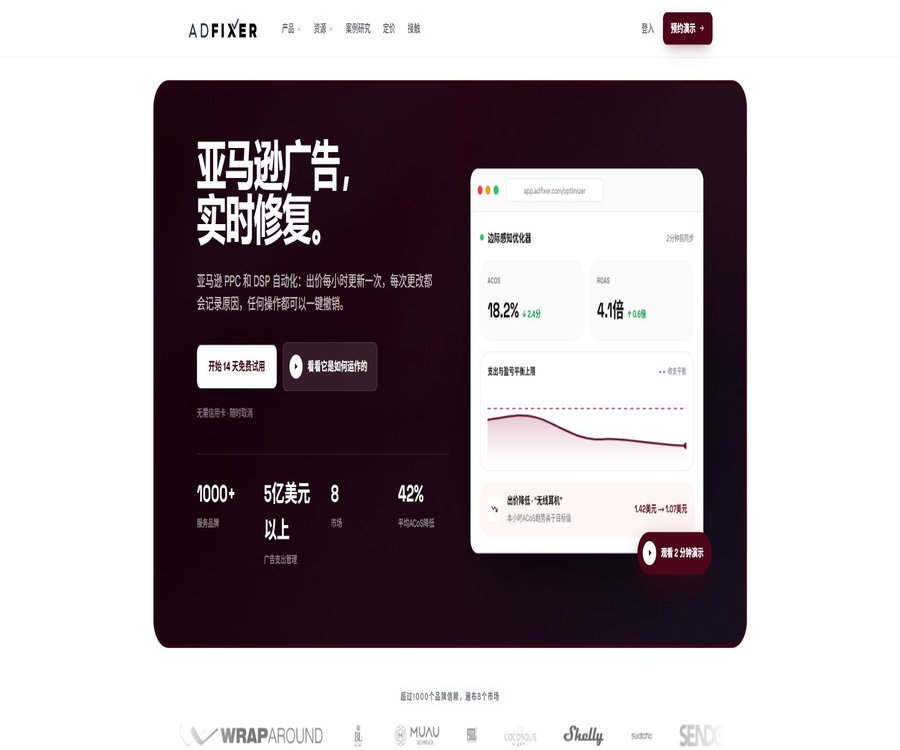
What is ADFIXER?
ADFIXER is an advertising automation platform designed for Amazon brands, sellers, and advertising agencies; it focuses on managing Sponsored Products, Sponsored Brands, and Sponsored Display. It brings together bidding strategies, budgets, keywords, display locations, timing of ad placements, and profit analysis in a single control panel.
The platform offers both Self-Service, which allows teams to manage everything on their own, and Managed PPC, where dedicated strategists handle the operations. Users can first review each action in the advisory mode, and then switch to automatic execution based on their risk tolerance.
The core functions of ADFIXER
- Target bidding: Recalculate keyword bids based on ACoS, ROAS, or profit targets.
- Keyword funnel: It collects search terms from automated advertising, progressing gradually from broad matches to phrase matches and precise matches.
- Negative word detection: Identifies words that are continuously used but do not lead to any conversion, and explains the reasons why it is recommended to mark them as negative.
- Budget pacing: Adjust the budget based on the progress of the day to avoid either premature exhaustion or unused budget.
- Time-based delivery: It analyzes the differences in conversion rates across different dates and times, and automatically adjusts the timing strategy accordingly.
- Optimization of display locations: Analyze performance in search results at the top, on product pages, and in other locations.
- Optimization of profit perception: Set profit and loss thresholds by taking into account the gross margin of products, costs, and conversion data.
- Conversion heat map: Examine the change from exposure to sales by ASIN, display location, and time period.
- Advanced analytics: Offers analysis modules such as queues, share of voice, and competitive intelligence.
- Decision ledger: Records each change, the triggering signals, the execution time, and the expected results.
AI bidding and two-hour optimization cycle
ADFIXER synchronizes data on impressions, clicks, conversions, search terms, and display locations on a regular basis, and then uses more than forty different indicators to evaluate keywords. The official website states that the full optimization cycle takes place approximately every two hours, and the target bidding amount can be recalculated more frequently based on the new data.
- Collect the latest advertising performance and product data for the account.
- Analyze profit potential, life cycle, seasonality, and confidence.
- The bidding amount, budget, and display position are calculated within the boundaries set by the user.
- Push the approved changes to the Amazon Ads account.
- Compare the expected results with the actual outcomes, and adjust the weights of the subsequent model.
- Keep the reasons and cancellation options in the decision ledger.
Recommended mode and autonomous driving mode
| Pattern | Execution method | Suitable for users | Main points to note |
|---|---|---|---|
| Suggestion | Generate suggestions and wait for manual approval. | First connection or strong control team | It is necessary to assign staff to carry out timely reviews. |
| Autopilot | Automatically executed within the guardrail. | Accounts with stable data and clear patterns. | Before going live, it is necessary to set limits on the maximum bid amount and the allowable range of changes. |
| Managed PPC | Operated on the same platform by dedicated strategists | Brands that lack staff for advertising management | The ratio of service fees to advertising expenses is calculated simultaneously. |
Automated guardrails that can be configured
- Maximum bid amount and the allowable adjustment range for individual bids.
- Minimum ROAS or maximum ACoS target.
- Daily budget and maximum budget change limit.
- Products or categories whose automatic placement is prohibited.
- Ad combinations, markets, and ASINs that allow for optimization.
- High-impact actions that require manual approval.
- Alerts for abnormal fluctuations, inventory changes, and ranking changes.
How does the keyword funnel work?
The platform transforms the processes of identifying, testing, upgrading, and excluding search terms into a continuous workflow. High-quality search terms progress from automatic advertising to broader matching, and based on their performance they move on to phrase and precise matching, while less effective terms are added to the list of excluded terms.
- It automatically collects the actual search terms that led to clicks and orders.
- Decide whether to continue testing based on the sample size and conversion quality.
- Move the stable transformation terms to a more precise matching method.
- Prevent the same keyword from competing uncontrollably in multiple ad groups.
- Negative recommendations are given for words with high consumption, low relevance, or no conversion over time.
- Keep the reasons for each promotion, demotion, and rejection.
Analysis of profit, ACoS, and ROAS
Simply reducing ACoS does not necessarily lead to increased profits; low-margin and high-margin products should not be assigned the same targets. ADFIXER takes into account the cost of the products, Amazon’s fees, and advertising expenses when determining the profit and loss for each ASIN.
| Indicators | Uses | Problems that are easy to overlook |
|---|---|---|
| ACoS | Measuring the proportion of advertising expenses relative to advertising sales revenue | Does not include natural sales and the full cost of the products. |
| ROAS | Measuring the sales revenue generated per unit of advertising expenditure | High sales figures do not necessarily mean a positive net profit. |
| TACoS | Observe the relationship between advertising expenses and total sales revenue. | It is affected by natural rankings and promotions. |
| Gross profit or contribution margin | Set the acceptable bidding limits and expansion boundaries. | Costs, returns, and fees must be updated promptly. |
| Break-even ACoS | Determine whether an advertisement exceeds the profit threshold. | Different ASINs should be calculated separately. |
Timed deployment and budget pacing
- Analyze the differences in conversion rates on a weekly basis, across the seven days, as well as per hour within each day.
- Increase bidding or budget availability during the high-conversion window.
- Reduce inputs during periods of low efficiency, rather than mechanically stopping everything completely.
- Handle the timing according to the time zone of the account to avoid timing discrepancies.
- Observe the quality of traffic during the same period by considering the display location.
- Set aside a budget for exploration purposes for new products and those with insufficient data.
- Pay attention to attribution delay and avoid concluding that a certain period is ineffective too early.
Supported ad types and markets
The official page specifies that it covers Sponsored Products, Sponsored Brands, and Sponsored Display, and it also offers Amazon DSP hosting services. The specific markets, ad formats, and account types that are supported depend on the scope of Amazon’s offerings; it is necessary to verify each one on a site-by-site basis before starting use.
| Range | Support methods | Uses |
|---|---|---|
| Sponsored Products | Platform automation | Product keywords and product placement |
| Sponsored Brands | Platform automation | Brands, product portfolios, and video ads |
| Sponsored Display | Platform automation | Product browsing and audience retargeting |
| Amazon DSP | Hosting services and customized quotes | Programmatic displays, videos, and redirects |
| Seller Central | Authorized connection | The advertiser’s account for their brand |
| Vendor Central | The official page states that support is available. | Advertising accounts for product brands |
Appropriate use cases
- Established Amazon brands continuously optimize a large number of advertising campaigns and keywords.
- The team aims to reduce ACoS while maintaining product profits and sales volume.
- Advertisers need to reduce the repetitive tasks related to bidding adjustments, negative keywords, and budget changes.
- Multiple ASIN accounts require unified policies, audit records, and exception alerts.
- New products need to adjust their strategies among growth, ranking, and profit goals.
- Agents want to use a single console to manage multiple brand accounts.
- Brands need a combined approach that includes Sponsored Ads and DSP.
Which users are not suitable for it
- Sellers with very low advertising spending, for whom a monthly fee of $300 fails to generate reasonable returns.
- Only integrated sellers who handle product selection, listing creation, or inventory management are needed.
- There are no new accounts with stable conversion data.
- Teams whose data on product costs and profits is inaccurate over the long term.
- Companies that require the entire platform to be open source and to be deployed on their own.
- The main channels for distribution are not Amazon advertisers.
- Users who wish for AI to assume full responsibility without any safeguards or human oversight.
ADFIXER Integration Tutorial
- Register an account and select the appropriate Amazon Advertising marketplace.
- Use the authorization process to connect to an Amazon Advertising account; do not share the password of the root account.
- Check whether the imported ad campaigns, ASINs, keywords, budgets, and historical data are complete.
- Add costs, expenses, target ACoS, ROAS, or profit requirements to the product.
- First, enable the Suggestion mode to observe the model’s suggestions and the reasons behind its decisions.
- Set safeguards such as maximum bid amount, budget, daily changes, and prohibited categories.
- Review at least one complete attribution cycle before selecting certain activities to place in Autopilot.
- Review profits, search terms, inventory, rankings, and any unusual changes on a weekly basis.
Migration tutorials from existing tools
- It displays the current ad structure, objectives, rules, negative keywords, and performance over the past 90 days.
- Record the automation being carried out by the original tool, to prevent both systems from modifying the same activity at the same time.
- First, connect in read-only or advisory mode to verify the data parameters and time zone.
- The goal of converting key rules into ADFIXER is to establish safeguards.
- Select a small number of representative advertising campaigns for parallel observation.
- Once it is confirmed that the recommendations are reasonable, revoke the old tools’ write access to the pilot activities.
- Migrate the remaining activities in batches, retaining baseline metrics for each batch.
- After completing the migration, revoke any third-party authorizations that are no longer in use.
Tutorial on setting profit targets
- Organize the prices, purchase costs, fulfillment fees, platform fees, promotional costs, and return costs by ASIN.
- Calculate the pre-advertising contribution profit and break-even ACoS.
- Distinguish among three types of business objectives: profit, growth, and ranking.
- For new products with insufficient data, a wider but limited exploration range is set.
- Align the targets for mature products with the actual gross profit, rather than using the average value of the accounts.
- Update the profit figures whenever there are changes in prices, costs, expenses, or promotions.
- Compare advertising sales, total sales, and net profit to avoid focusing only on superficial metrics.
Price packages
The table below shows the monthly fee in US dollars as published on the official website at the time of this verification. Costs related to advertising media, taxes, DSP services, and custom implementation may be additional; the final price will be indicated on the purchase or contract page.
| Package | Basic monthly fee | Proportional fee | Main content |
|---|---|---|---|
| Self-Service | $ | When the monthly advertising expenditure exceeds $10,000, a fee of 3% of the total expenses for that month is charged. | Complete modules, decision ledger, suggestion or automatic mode, no restrictions on ASINs or keywords |
| Managed PPC | $ | Charged at 3% of the cost of managed ads, starting from the first dollar. | Includes self-service features, dedicated strategists, weekly reviews, project management, and reporting. |
| Agency | Customization | Confirmed per contract | White-label solution, multi-merchant control panel, and agent-level reports – intended for 10 or more merchants. |
| Managed DSP | Customization | Related to DSP expenditures and service scope | Programmatic display and redirection hosting services |
How are proportional fees calculated?
| Example | Self-Service reference fee | Referenced costs for managed PPC |
|---|---|---|
| $ | 300 dollars | $ |
| $ | 300 dollars | $ |
| $ | 300 dollars plus 450 dollars | $ |
| Calculation basis | Once the threshold is exceeded, a 3% fee is applied to all expenses for that month. | No threshold; 3% is charged on all hosting expenses. |
The official website states that all plans are free for the first 14 days and no credit card is required; there are no fees for account setup or annual contracts. The end of the free period, cancellation rules, refund policies, and options for transferring advertising accounts still need to be confirmed before activation.
It is necessary to confirm before making a purchase.
- Which advertising expenditure method is used for proportional fees, and how are refunds or invalid traffic handled?
- After exceeding the $10,000 threshold, Self-Service experiences a sudden increase in the cost of charging for all expenses.
- Dedicated personnel for Managed PPC, frequency of communication, and deliverable reports.
- Supported country sites, ad types, and range of Vendor accounts.
- The frequency at which historical data, product costs, and inventory information are synchronized.
- Processes for dealing with automated errors, interface delays, and Amazon’s rate limiting.
- Methods for data export, authorization revocation, and retention of audit records after cancellation.
- Are DSP media budgets, creative production, and management services charged separately?
Data and permission security
- Connect the account through Amazon’s authorized method; the password for the main account is not sent to any third parties.
- Only the advertising accounts and markets required for optimization are authorized.
- Independent roles and minimal permissions are provided for agency clients.
- Regularly check the permissions of third-party applications and those of employees who have left the company.
- Save approval records for important objectives, safeguards, and automated changes.
- Avoid uploading unnecessary customer personal information in the cost data.
- Immediately pause the automatic mode in the event of abnormal bidding or budget changes.
Effect evaluation indicators
- ACoS, ROAS, TACoS, and contribution profit.
- The proportion of ad-driven sales, total sales, and organic sales.
- Expenses for invalid search terms and savings from negative keywords.
- Number of times the budget was exhausted prematurely and the proportion of the budget that remained unused.
- Conversion stability after keyword promotion.
- Comprehensive changes in new product rankings, sales volume, and profits.
- Automation suggestions: acceptance rate, cancellation rate, and anomaly rate.
- The amount of manual work time saved by the team each week.
Product advantages
- Focus on Amazon PPC, rather than treating advertising as a supplementary element.
- Bidding, keywords, budget, time periods, and display locations form a complete automated loop.
- It supports differentiated targets for profit and for each ASIN.
- The recommended approach facilitates initial verification before gradually expanding the scope of automatic execution.
- Every automatic action has a reason, a time record, and the ability to be reversed.
- The basic prices for self-service and managed services are made public to facilitate budgeting.
- No limit on the number of seats, ASINs, or keywords; suitable for complex accounts.
- It also offers self-service software, as well as hosted PPC and DSP services.
Usage restrictions and precautions
- A monthly fee starting at $300 may be too high for sellers with low advertising expenses.
- Once the self-service option exceeds the spending threshold, a 3% fee will be applied to all advertising expenses for that month.
- Automatic optimization relies on historical data; therefore, the confidence level in identifying products with low traffic is limited.
- Attribution delay may cause short-term bidding adjustments to appear inconsistent with the final results.
- Inaccurate data on costs, expenses, and inventory can undermine profit optimization.
- The average improvement figures shown by the supplier do not represent each individual account.
- Changes in Amazon’s policies, interfaces, and ad formats can affect the available features.
- Automation cannot replace products, pricing, creativity, and supply chain strategies.
- High-impact budgets and bidding actions should still be supervised by the advertising manager.
GitHub and the open-source status
During this verification, no public GitHub repository was found that could be confirmed as belonging to ADFIXER and that contained the complete source code of the platform. The Amazon advertising scripts, SDKs, and similar tools listed in the search results cannot be considered official ADFIXER projects.
| Project | Status | Explanation |
|---|---|---|
| ADFIXER platform | Closed-source commercial services | The optimizer, website construction module, as well as the analysis and decision-making tools are available through an online platform. |
| Official open-source repository | No findings were detected. | It has not been confirmed that the core code has been made publicly available by the authorities. |
| Public API documentation | No complete documentation available for ordinary developers. | The enterprise’s integration capabilities need to be verified with the authorities. |
| Official Amazon Ads tools | Independent projects | It cannot represent the ADFIXER source code or licensing. |
| Self-hosted version | No findings were detected. | Companies that wish to privatize should obtain written confirmation prior to making a purchase. |
Basic information
| field | Content |
|---|---|
| Tool name | ADFIXER |
| Tool type | Amazon PPC and DSP advertising optimization platforms |
| Primary users | Amazon brands, sellers, internal advertising teams, and agents |
| Advertising scope | Sponsored Products, Sponsored Brands, Sponsored Display, and DSP services |
| Operation mode | Suggested modes, autonomous driving, and managed services |
| Price pattern | Base monthly fee plus a percentage-based cost for advertising expenses |
| Free trial | 14 days; the official website states that a credit card is not required. |
| Is there a charge based on the number of seats? | No, the current website states that there is no fee for seat reservations. |
| Is it open source? | No, no complete official open-source version has been found. |
Recommendation score
4.4 / 5. ADFIXER is suitable for brands that have invested a significant amount in advertising and wish to manage their Amazon PPC campaigns through automated processes with clear profit targets; however, sellers with limited budgets need to carefully consider the fixed monthly fees, and they must also pay attention to any increases in costs once they exceed the threshold for proportional billing.
Frequently Asked Questions
What is ADFIXER mainly used for?
It automatically optimizes Amazon Ads’ bidding amounts, budgets, keywords, negative keywords, display locations, and timing of ad placements, while recording each change in a decision log.
Which Amazon ad types are supported?
The official page explicitly covers Sponsored Products, Sponsored Brands, and Sponsored Display, and offers Amazon DSP hosting services.
Can I review the suggestions first before carrying them out?
Yes. In the Suggestion mode, only recommendations are made and approval is awaited, while Autopilot carries out actions automatically within the boundaries set by the user.
How much is ADFIXER?
Currently, Self-Service costs $300 per month, while Managed PPC costs $999 per month; in addition, a 3% fee may be applied based on the amount spent on advertising.
Is the 3% fee applied only to the amount that exceeds the threshold?
No. Once the self-service option’s monthly expenditure exceeds 10,000 dollars, a 3% fee is applied to the total amount spent on advertisements that month, rather than only to the amount that exceeds that threshold.
Are there any free packages?
The official website offers a 14-day free trial, with no credit card required; no permanent free subscription plan is available.
Is it necessary to sign an annual contract?
The current pricing page indicates that there are no annual contracts; the plan can be changed or canceled through the console, but corporate contracts are subject to the terms agreed upon in writing.
Is Vendor Central supported?
Supported. The official website provides a dedicated page with instructions for advertising automation in Vendor Central, listing three types of Sponsored Ads.
Is ADFIXER suitable for small sellers?
If advertising expenses are low, the fixed monthly fee of $300 may be difficult to recoup; it is first necessary to estimate the savings on advertising costs, the increase in profits, and the time saved.
Is ADFIXER open source?
The complete platform is not an open-source project, and no official source code repository that can be identified as such was found this time.
Tools similar to ADFIXER





 Guigong Network Security Registration No. 45132202000164