






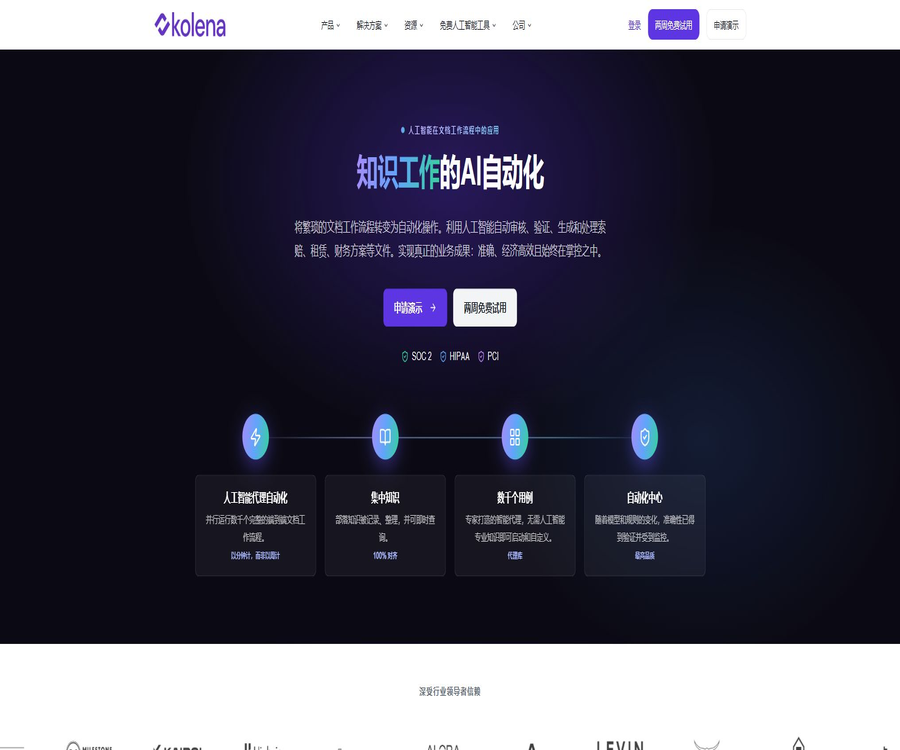
What is Kolena?
Kolena is currently a platform for automating enterprise document processes in the real estate, finance, insurance, and banking sectors. It can receive files from email accounts, cloud storage services, or manual uploads, extract information, apply specific rules, generate Word or Excel documents, and then send the resulting outputs to designated systems.
In its early days, Kolena was renowned for its machine learning and large-model evaluation platforms; the related Python clients as well as AutoArena are still available on the official GitHub repository. The commercial focus of the current website has shifted to AI Agents that can handle complete document processing workflows.
Core functions
- Document extraction: Extract structured fields from PDFs, scans, emails, and office documents.
- Rule analysis: Process the data in accordance with corporate policies, lists, and calculation logic.
- Template output: Write the results to an existing Word, Excel, or CSV template.
- Batch processing: Handle a large number of documents in parallel within the same process.
- Source citation: retains page information, confidence levels, and reasoning details.
- Process integration: Connects Google Drive, SharePoint, email, and target systems.
- Quality monitoring: Continuously verify accuracy and the impact of model changes.
- Knowledge retrieval: Consolidates processes, policies, and rules into searchable documents.
End-to-end document automation
Kolena is not a chat tool that responds to a question only once; rather, it allows an Agent to process documents repeatedly following a fixed procedure. The typical procedure includes receiving the data, extracting information, analyzing it, applying rules, generating templates, and delivering the results.
- Automatically fetch files from Drive, SharePoint, or email.
- Identify the document type and assign it to different Agents.
- Perform extraction, verification, comparison, and calculation.
- In cases of low confidence or rule conflicts, manual review is required.
- Fill in the company’s existing report and spreadsheet templates.
- Send the results to downstream systems or trigger actions via a Webhook.
Real estate applications
- Lease summary: Extracts the lease term, rent amount, renewal options, maintenance, and fee provisions.
- Quarterly lease audit: Verify revisions, changes in notifications, and obligations.
- Rent schedule analysis: Generate a standard rent schedule from the lease agreement and appendices.
- CAM verification: Check the costs for common areas in accordance with the terms of the contract.
- Loan calculation: Analyze the loan amount based on the asset information available.
- Due diligence: Reading evaluation reports, lease agreements, and transaction documents on a bulk basis.
- Investment Memorandum: Organize multiple documents into a corporate template.
Financial services applications
- Generate an investment memorandum from the private placement memorandum and evaluation materials.
- Fill in the financial data into the existing models and reports.
- Verify fund capital statements, transaction, and accounting documents.
- Extract, cross-verify, and flag risks in the due diligence documents.
- Generate analysis tables, summaries, and committee materials in a unified format.
- Retain the document references corresponding to each figure and conclusion.
Insurance and banking applications
- Analyze Loss Runs and identify large or abnormal claims.
- Compare the insurance policy, COI, and underwriting terms.
- Handle the acceptance of claims, their classification, and verification of the completeness of the relevant documents.
- Review loan packages, collateral, and customer verification documents.
- Conduct regulatory compliance testing and handle complaints.
- Prepare a list of customer compensations or corrective actions in accordance with the rules.
Agent directory
The platform offers Agents and sets of Agents designed by industry experts; users can clone them and then modify their prompts, rules, inputs, and outputs. The available categories cover tasks such as leases, Loss Runs, loans, compliance, valuation, and finance.
- Get started quickly with verified templates.
- Sort by organizational terms and policy adjustment fields.
- Combine multiple Agents to form a complete process.
- Automated recommendations are provided based on the usage scenario.
- Verify with sample files before putting it into production.
Template-based output
Kolena can write the results generated by the Agent into existing Word, Excel, or CSV templates from the enterprise, preserving the font style, formatting, formulas, macros, images, and borders. Placeholders can also be used to automatically generate the names of the output files.
| Template type | Primary uses | Output instructions |
|---|---|---|
| Word | Lease summary, investment memorandum and report | Available in DOCX or PDF format for download |
| Excel | Financial models, Loss Run, and rent schedules | Maintain format and formulas |
| Run Excel multiple times | Aggregate multiple Agent Runs | Suitable for batch combining of results |
| CSV | Structured data export | Facilitates import into other systems |
| Excel with macros | Existing automated workbooks | Supports the corresponding macro workbook format. |
Quality verification and model upgrading
- Establish accuracy benchmarks for real files.
- Monitor field-level errors, confidence levels, and abnormal cases.
- Run regression tests before changing the model or rules.
- Select the model with the more appropriate accuracy and cost for the task.
- Keep the source references and audit records for the key fields.
- Results with low confidence levels are assigned for manual review.
How to create a document Agent
- Choose a document process that is repetitive, time-consuming, and has relatively clear rules.
- Prepare masked samples that represent normal, abnormal, and edge cases.
- Clone an Agent from a directory or create new input, prompt, and output structures.
- Define the fields that need to be extracted, calculated, compared, and verified.
- Upload a corporate Word or Excel template and add placeholders.
- Run the sample and check the references, confidence levels, and results field by field.
- Set rules for manual review, permissions, retention, and failure handling.
- After a small-scale launch, connect to email, cloud storage, and downstream systems.
Enterprise launch process
- Measure the manual time, error rate, and turnaround time of existing processes.
- List the system, data owner, file type, and compliance requirements.
- Apply for a two-week trial and select a quantifiable pilot project.
- Use historical files to compare manual results with the Agent’s outputs.
- Define the amounts, terms, and exceptions that require manual approval.
- Configure role permissions, data retention, auditing, and service accounts.
- Connect to the production process via API, Python SDK, or Webhook.
- Continuously monitor quality, page count scores, excess costs, and business revenue.
Which users are it suitable for
- Teams that need to process leases and real estate documents in bulk.
- Financial institutions that rely on financial models and investment memorandums.
- Insurance companies that handle policies, loss records, and claims documentation.
- Banks that need to review loan packages and compliance documents.
- Enterprise development teams that wish to integrate document processing into their existing systems.
- AI engineers who need to systematically evaluate models, RAG, and prompt words.
Typical use cases
- Convert commercial leases into structured summaries in bulk.
- Generate a risk analysis table from insurance loss runs.
- Fill in the transaction documents using the investment memorandum template.
- Perform CFPB compliance checks on credit card statements.
- Check the assessment report, loan documents, and underwriting conditions.
- Automatically receive files from the email address and return standard results.
- Regression evaluation is performed on multiple model and prompt outputs.
Product advantages
- It is focused on the entire document processing workflow, rather than just individual questions and answers.
- It covers extraction, analysis, rules, templates, and system delivery.
- The output includes references, confidence levels, and reasoning records, which facilitate review.
- It allows the retention of the existing Word and Excel template formats of the enterprise.
- It provides a directory of industry agents, reducing the barriers to starting from scratch with a design.
- Experience with long-term model testing and open-source evaluation tools.
- It supports APIs, Python SDKs, Webhooks, and various data connections.
- It offers enterprise-level permissions, auditing, retention, and SSO capabilities.
Usage restrictions
- The subscription fees for Starter, Professional, and Enterprise are not disclosed.
- Monthly points are calculated based on the newly uploaded pages; additional credits must be purchased once this limit is exceeded.
- The non-Enterprise plan lacks audit logs, fine-grained permissions, and automatic retention policies.
- There are limits on the number of files, total size, and number of pages per run.
- Complex tables, scan quality, and handwritten content can still lead to errors.
- Citations and high confidence levels do not mean that legal or financial conclusions are necessarily correct.
- To launch the process, business experts are required to provide rules, samples, and acceptance criteria.
- The old machine learning evaluation documents differ in scope from the current Agents products.
Free tools and trials
Kolena offers a two-week trial period of the platform along with several free single-task tools; users can upload documents that have had their sensitive information removed, in order to view summaries of leases, loss reports, investment memorandums, rent schedules, assessment reports, and compliance checks.
| Method | Price | Ability | Restrictions |
|---|---|---|---|
| Free single-task tool | Free | Manually upload and download specific analysis results | Lacks batch processing, automatic connection, and team features. |
| Platform trial | 2 weeks free | Clone and customize the Agent | The scope and amount are determined by the account. |
| Starter | Contact sales | Unlimited agents, APIs, SDKs, integrations, and templates | No Dashboard and advanced governance. |
| Professional | Contact sales | Add Dashboard, data analysis, and web search. | Lacks Enterprise governance capabilities. |
| Enterprise | Custom quote | Permissions, auditing, retention, SSO, teams, and workspaces | Determined in accordance with the contract and usage amount. |
Comparison of package quotas
| Project | Starter | Professional | Enterprise |
|---|---|---|---|
| Monthly points | 800 | 1,800 | Customization |
| User seats | 3 | 10 | 15 cases, customizable |
| Number of agents | No restrictions | No restrictions | No restrictions |
| API and Python SDK | Support | Support | Support |
| Dashboard | Not supported | Support | Support |
| Data analysis and web search | Not supported | Support | Support |
| Audit logs | Not supported | Not supported | Support |
| Fine-grained permissions and custom roles | Not supported | Not supported | Support |
| Automatic data retention | Not supported | Not supported | Support |
| SSO and SCIM | Not supported | Not supported | Support |
The monthly points associated with a package are not carried over; however, any additional points purchased in advance can be carried over for an extended period, and bulk discounts may apply. The official party does not disclose a fixed dollar value for these points, so it is necessary to inquire about the price based on the actual quantity on the website at the time of purchase.
File and runtime restrictions
| Restrictions | Current limit | Explanation |
|---|---|---|
| Number of files per run | 300 | Suitable for batch processing, but requires proper splitting. |
| Total size per run | 2GB | Total of all files |
| Size of a single file | 250MB | Pay attention to larger images or archives. |
| Pages per Run | 1,000 pages | The number of pages also affects the use of points. |
| Prompt attachment | Up to 5, 5MB each | Used to create or supplement hints. |
| File for creating a Prompt | 20MB per unit | Large files need to be simplified first. |
API, Python SDK, and Webhook
- Upload files via API and create Agent Runs.
- Query the status and results of single or batch executions.
- The results include values, references, confidence levels, and reasoning metadata.
- Use the kolena-agents Python client to manage Agents and Runs.
- Download PDF, Word, Excel, macro workbook, or CSV template results.
- After completion, the business system is notified via Webhook.
- Enterprise can query access logs through the SDK.
Data security and compliance
The official website outlines the compliance capabilities related to SOC 2, HIPAA, and PCI, stating that customer data is not used to train models, and that the data is encrypted both during transmission and when stored in a static format. Companies still need to determine the specific scope of the certifications as well as the relevant business agreements.
- Mask sensitive information in the uploaded documents and apply the principle of least privilege.
- Determine the relevant compliance scope for financial, health, and payment information.
- Use the Enterprise retention policy to automatically clean up historical runs.
- Deleting a Run will immediately remove its files and results.
- Enable SSO, SCIM, role-based permissions, and access logs.
- When invoking external models, verify zero retention and the data area.
Old model evaluation platform
The early version of Kolena was used for scenario-based testing in areas such as computer vision, NLP, generative AI, and multimodal models. It enabled teams to analyze failures by looking at individual data subsets rather than relying on just one overall metric; the relevant applications, documents, and Python clients remained accessible.
- Create a test set, define scenarios, and run the model.
- Filter the results by brightness, size, category, or business conditions.
- Compare models, prompts, and RAG configurations.
- Identify the production scenarios where errors occur frequently.
- Integrate regression testing into the development and release processes.
AutoArena
AutoArena is an open-source LLM evaluation tool developed by Kolena; it allows for pairwise comparison of two sets of outputs using multiple evaluation models, and it generates rankings via methods such as Elo. It can be run locally and is suitable for comparing models, RAG systems, and prompt templates.
- Import the prompt and response columns from CSV.
- Configure review models such as OpenAI, Anthropic, and Cohere.
- Use multiple small models to form a jury.
- Define the company’s own evaluation logic.
- Run in a local environment and control the evaluation data.
- Compare the outputs of different systems and generate a ranking.
GitHub and the open-source status
| Project | License or status | Uses |
|---|---|---|
| Kolena Agents business platform | Closed-source SaaS | Automation of corporate documents |
| Python client for Kolena | Apache 2.0 | Connect to the old model testing platform |
| AutoArena | Apache 2.0 | Comparative evaluation of local LLMs, RAG, and prompt engineering |
| agents-notebooks | Public examples | Demonstrate the kolena-agents Python client. |
| Agent templates and managed services | Not fully open source | Operated through a commercial platform |
Basic information
| field | Content |
|---|---|
| Tool name | Kolena |
| Current type | AI intelligent agent for enterprise document processes |
| Key industries | Real estate, finance, insurance, and banking |
| Price pattern | Free tools, 2-week trial, Starter, Professional, Enterprise |
| Minimum public allocation quota | Starter: 800 points per month, 3 seats |
| API and Python SDK | Support |
| Template output | Word, Excel, CSV, and PDF |
| Security capabilities | SOC 2, HIPAA, PCI, encryption, and corporate governance |
| Is it open source? | No commercial platform; the client and AutoArena are open source. |
Recommendation score
4.6 / 5. Kolena is suitable for companies that need to automate the entire process of handling high-value documents, from uploading them to delivering templates; it offers a comprehensive quality and audit framework. However, its subscription price is not disclosed, and ongoing verification of rule and model changes by business experts is required for production deployment.
Frequently Asked Questions
What does Kolena do mainly these days?
The current focus is on automating corporate document processes in the real estate, finance, insurance, and banking sectors.
Is there a free version of Kolena?
Multiple free single-task tools are available, along with a two-week trial of the platform; for a complete automation package, it is necessary to contact sales.
How much credit is included in the Starter plan?
Starter provides 800 points per month as well as 3 user seats, and it supports an unlimited number of Agents, APIs, SDKs, integrations, and templates.
What is added to Professional?
Professional offers 1,800 points and 10 seats per month, in addition to a Dashboard, data analysis, and web search capabilities.
Will the points be carried over?
The monthly points associated with a package are not carried over, whereas any excess points paid in advance can be carried over for an extended period.
Is it possible to output the original Excel template?
Yes, it is possible to replace placeholders while preserving the format, formulas, and macros; it can also generate files in Word, PDF, and CSV formats.
Does Kolena provide an API?
It provides APIs, the kolena-agents Python client, and Webhooks, which enable file uploading, result querying, and template output downloading.
Will customer data be used for training?
The official website states that customer data will not be used to train models; companies should still confirm in the contract who the supplier of those models is and what the scope of data retention is.
What is AutoArena?
AutoArena is an open-source local evaluation tool under Apache 2.0, which uses paired comparisons and automated evaluation models to rank LLMs, RAGs, and prompts.
Is Kolena open source?
The commercial Agents platform is not open source, but the official Python client, AutoArena, and some example repositories are open source.
Tools similar to kolenaIO





 Guigong Network Security Registration No. 45132202000164