






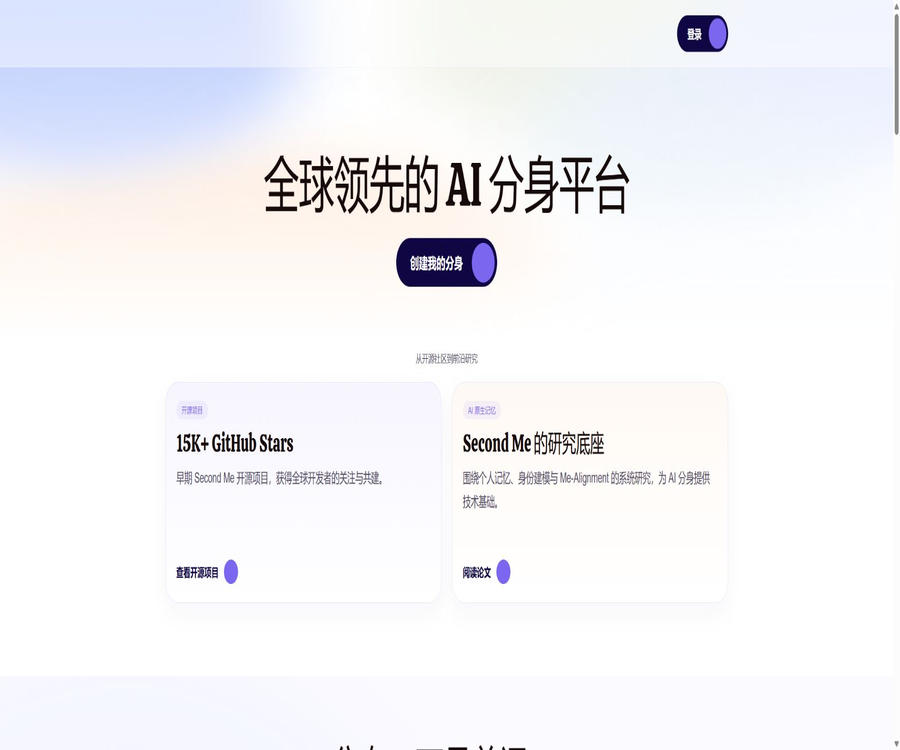
What is Second Me, the smaller self?
Second Me is a set of products and open-source infrastructure designed for personal AI digital identities; Chinese users often refer to it as “Xiao Ji”. Users can import their own text, files, links, and application data, allowing the AI to gradually learn about their personal experiences, preferences, knowledge, relationships, and style of expression.
Its goal is not merely to create a chatbot, but rather to develop an “AI avatar” that can represent users in various scenarios. The current product is available for use on cloud-based web platforms, as well as on iOS and Android devices; it supports the sharing of avatars, web components, development interfaces, and local open-source deployment.
Core functions
- Material import: Add notes, files, links, images, audio, and export application data.
- Key memory: Management requires AI to prioritize remembering facts, relationships, preferences, and boundaries in communication.
- AI self-conversation: Chatting with an avatar shaped based on personal data.
- Alignment level: Indicates the degree of similarity between the AI and real users, on a scale from Lv.0 to Lv.10.
- Avatar Hub: Create avatar images for various scenarios such as consultations, introductions, Q&A, and communication.
- Presentation document: It allows the avatar to explain each page of a PDF and answer questions.
- Scheduled tasks: Conduct research and summarization at fixed times, intervals, or on a one-time basis.
- Sharing with others: Share the AI avatar through web links, embedded components, and NFC stickers.
- Develop interfaces: Create a key for each avatar and integrate it with third-party applications.
- Manual takeover: When communicating with others via the profile picture, users can reply personally at any time.
- Multi-platform use: Supports Web, iOS, and Android.
- Open-source deployment: Provides Second-Me projects that can be trained, run, and scaled locally.
How does Second Me understand you?
Second Me converts the data entered by users into retrievable and manipulable memory signals, and then combines these with key memories, personality traits, and feedback from conversations to create an AI identity. A larger amount of data isn’t necessarily better; it’s more important to consistently organize high-quality content.
| Information layer | Included content | Function |
|---|---|---|
| Basic identity | Name, personal introduction, profile picture, cover, and voice | Establish a recognizable digital identity |
| Materials | Notes, documents, links, app content, and daily records | Provide examples of experience, knowledge, and expression. |
| Key memories | Important facts, relationships, preferences, and boundaries | Let AI give priority to using high-value information. |
| Shades | Personality traits derived from materials and memory retrieval | Helps to establish a tendency toward stable expression. |
| Chat feedback | Acknowledge, correct, and supplement | The corrections are not similar to the user’s responses. |
| Relationship information | Context of friends and social relationships | Understanding different people and their communication styles |
How to create an AI self
- Register for a Second Me account using your phone number or email address.
- Set the name, avatar, and basic personality traits for the AI self.
- Complete initialization and proceed to the memory management page.
- First, add a high-quality memory that represents yourself.
- Import a small number of notes, articles, or project materials for testing.
- Chat with the AI by yourself to test its understanding of facts and style of expression.
- Correct the incorrect answers and supplement any missing key information.
- Create avatars for different uses step by step and set sharing boundaries.
Material management
Material management is used to collect content that users have thought of, said, or written down. New ideas can be written directly as Quick Notes, while existing materials can be imported through files, links, or applications.
- Experiences, stories, and important decisions.
- Personal preferences, habits, and values.
- Work projects, professional knowledge, and methods.
- Views, writing style, and long-term interests.
- Reflections, diaries, and short-term feelings.
- Public articles, speeches, and social content.
- Stable information related to an individual’s identity.
Supported import methods
| Import method | Supported content | Precautions |
|---|---|---|
| Quick notes | Current thoughts, reflections, and brief notes | It is suitable to express things directly in one’s own words. |
| Batch files | Markdown, TXT, PDF, Word, PPT, images, audio, and ZIP | The analysis results need to be sampled for inspection. |
| Link | Web pages, articles, and public media pages | The page must be accessible and readable. |
| Application import | Notion, Apple Notes, Evernote, X, Flomo, and Get, etc. | Authorization or export usually involves a one-time snapshot. |
Restrictions on material import
- A single batch import can include up to 100 files or 100 links.
- The text resulting from the analysis of a single piece of material can be up to 1MB in size.
- It is recommended that Markdown and TXT files be kept under 1MB in size.
- The maximum file size is displayed in real time on the product upload interface.
- Complex documents, embedded content, and database structures may be flattened.
- Application import generally does not involve continuous automatic synchronization with the source application.
- Back-end processing takes time, and the imported content may not appear in the conversation immediately after successful import.
- Files that fail to parse should have their format, permissions, and content integrity checked.
Key memories
Key memories are used to tell the AI which information is more important than ordinary data. They are suitable for storing facts about one’s identity, important relationships, long-term values, expression preferences, and the communication boundaries that should not be crossed.
- Clearly state the stable facts, and do not treat temporary states as permanent identities.
- Add background information on relationships and interactions for important figures.
- Record the principles that are often used when making decisions.
- Explain the ways to express liking and disliking.
- The settings should not represent the topics and boundaries of the user’s responses.
- Update or delete old memories promptly once the information changes.
- Avoid including passwords, keys, and sensitive identity information.
Alignment levels from Lv.0 to Lv.10
Alignment is represented by levels from Lv.0 to Lv.10, and it indicates the degree to which the AI has been shaped and how similar it is to a certain standard. It is an internal metric used within the product; it is not an objective assessment of a personality, nor does it guarantee that the AI will be able to represent the user accurately in all situations.
| Grade stage | Main tasks | What should be paid attention to? |
|---|---|---|
| Lv.0 to Lv.3 | Improve the name, ID, description, profile picture, cover image, and voice. | Is the basic identity accurate? |
| Lv.4 to Lv.7 | Continuously import materials, key memories, and chat feedback | Content quality and contradictory information |
| Lv.8 to Lv.10 | Accumulate more high-quality, long-term signals | Consistency in judgment and tone across different scenarios |
How to improve alignment levels
- First, complete the setup of basic information, profile picture, cover image, and voice settings.
- Import high-significance materials that can explain an individual’s experiences and way of thinking.
- Organize long-term facts, relationships, and boundaries into key memories.
- Remove duplicate, outdated, contradictory, and irrelevant content.
- Test the AI’s self-reponses using real-world questions.
- Acknowledge answers that are similar to one’s own, and specifically correct those that differ.
- Add background information on key figures and relationships.
- Periodically recheck whether the AI still corresponds to the current version of itself.
Avatar Hub scene avatar
Avatar Hub allows users to create multiple scene avatars based on the same AI model. For each avatar, it is possible to set a purpose, scenario details, a title, an opening statement, distribution channels, and separate session records.
- Professional consultation: Answering common questions in areas where one has expertise.
- Customer service: Handles basic inquiries related to products or services.
- Candidate interview: Initial communication based on predefined questions.
- Self-introduction: Allow visitors to learn about one’s personal background through a chat.
- Knowledge sharing: Explaining specific topics in one’s own words.
- Event communication: Provides ongoing coverage for conferences, exhibitions, and communities.
- Product demonstration: Present the solution or research findings using a PDF.
Presentation Document Mode
Users can attach a PDF to a scene avatar, and that avatar will then explain each page of the document and answer questions. The limitation specified in the official documentation is that one avatar can have only one PDF file, with a maximum size of 30MB.
| Project | Current restrictions | Suggestions |
|---|---|---|
| File format | Only PDF | Check fonts, charts, and links before uploading. |
| File size | Up to 30MB | Compress images while preserving readability |
| Number of files | One copy per profile picture | Different profiles can have different avatars created from various sources. |
| Handling method | Asynchronous parsing after upload | Complete full-process testing before sharing. |
| Use cases | Products, training, and research presentations | Do not allow AI to generate information outside of the document. |
Scheduled tasks
Scheduled tasks enable the AI to collect information, summarize content, or carry out research tasks according to a predetermined plan. Each successful execution consumes one diamond by default, and the number of concurrent tasks is limited by the current plan package.
| Plan type | Operation mode | Suitable scenarios |
|---|---|---|
| At a fixed time every day | Once or more times a day at specified times | Morning and evening industry summaries and review of what was learned |
| At short time intervals | Run every N hours starting from the initial time. | Ongoing monitoring and periodic updates |
| Single task | Run once at a specified date and time | Meeting preparation and ongoing research |
How to create scheduled tasks
- Access the scheduled tasks area from the profile activity page.
- Create a new task and describe the goal in natural language.
- Confirm the task title, prompt, and data range.
- Choose to run at a fixed time, at short intervals, or just once.
- Check the number of currently active tasks and the available slots in the package.
- Verify that the diamond balance is sufficient to cover the number of times the plan will be executed.
- Read the first run report and adjust the task instructions.
- Pause or delete tasks when they are no longer needed.
Task quota and status
- Each package limits the number of tasks that can be active at the same time.
- Each successful execution consumes 1 diamond by default.
- When the diamond balance is 0, the planned execution will be skipped.
- Once the balance is replenished, the tasks that are still in active status will resume operation.
- When the package limit is exceeded, tasks may be automatically paused.
- The operation history shows Pending, Running, Successful, Failed, and Skipped.
- The task report includes a summary, Markdown text, and detailed items.
Sharing and distribution
- Web link: Anyone who receives the link can communicate with the profile picture through a browser.
- Chat component: Embed AI directly into personal websites or product pages.
- Personal card: Displays information about the AI’s identity and details of its self.
- NFC sticker: Touching the phone opens the AI self-page.
- Avatar development interface: for integrating with Lark bots, customer service systems, or custom applications.
- Manual takeover: Users can respond to visitors directly within the session.
Develop interfaces
For each scenario avatar, it is possible to create multiple separate keys, which can be given distinct names and enabled or disabled as needed. Developers can integrate these AI avatars into third-party applications, websites, robots, and workflows.
- Different applications use different keys, which facilitates revocation and auditing.
- The key is stored only on the server side and is not written to the frontend of the website.
- Set the frequency, content, and user permissions for the robot.
- Test before going live to see if the avatar reveals unintended memories.
- It should be made clear to outsiders that this is an AI avatar, and it does not pretend to be the actual person in order to provide real-time responses.
- Regularly check session records and abnormal calls.
- Once a failure set is created, the corresponding key is immediately disabled.
Member price
The following are the monthly payment options in US dollars as listed in the official documents verified in August 2026. Prices, taxes, and promotions may vary in the app stores; the actual cost is subject to what is displayed on the payment page within the app.
| Plan | Monthly price | New memories added each month | Reply with diamonds every month |
|---|---|---|---|
| Free | $ | 100 items | 30 pieces |
| Pro | 10 dollars | Unlimited, subject to reasonable use constraints | 500 pieces |
| Max | 45 dollars | Unlimited, subject to reasonable use constraints | 2500 pieces |
Diamond top-up package
| Top-up packages | Price | Approximately per 1,000 pieces |
|---|---|---|
| 1000 pieces | 20 dollars | 20 dollars |
| 10,000 pieces | 170 dollars | 17 dollars |
| 50,000 pieces | 800 dollars | 16 dollars |
Diamonds are digital units within the Second Me platform; they are not physical objects nor exchangeable assets. They cannot be converted into cash, transferred, or exchanged for legal tender.
Diamond consumption and expiration period
- For ordinary AI responses using one’s own AI or other free avatars, 1 unit is consumed per response by default.
- A higher level of response intelligence may require more diamonds per message.
- By default, each successful execution of a scheduled task consumes 1 unit.
- The diamonds obtained through subscriptions and top-ups are valid for 12 months from the time they are credited.
- Diamonds that are not used by the expiration date will become invalid without any compensation.
- Diamonds cannot be transferred to other accounts.
- Before making a purchase, it is necessary to estimate the amount needed based on the frequency of conversations and the number of tasks.
How to choose a package
| Usage status | Suggested solution | Basis for judgment |
|---|---|---|
| At the beginning, efforts were made to shape the AI’s identity. | Free | 100 memories and 30 diamonds are sufficient to experience the process. |
| Continuous recording and conversation on a weekly basis | Pro | 500 diamonds, with the usual limit on the number of memories removed. |
| Frequent chatting, multiple avatars, and tasks | Max | 2500 diamonds are more suitable for intensive use. |
| Occasional excess | Package with Diamond Pack | Compare the cost of the upgraded package with that of individual top-ups |
| Place emphasis on local control. | Open-source deployment | Bear the costs of models, hardware, and operation and maintenance yourself. |
Reasonable use and hour limits
The price FAQ on the official website states that, although there is no limit on the number of new memories and messages, there are fair usage limits of 50 new memories and 50 chat messages per hour. The current subscription details use terms related to the number of Diamond replies; it is therefore necessary to refer to the latest benefits available within the app at the time of purchase.
- “Unlimited” does not mean automatic unlimited writing.
- Abnormal usage patterns may be subject to speed limits.
- Different versions of the document contain both old and new rules.
- Diamonds, task slots, and hourly frequency should be checked separately.
- Enterprises should confirm the capacity and service terms with the authorities in advance before using it on a large scale.
Subscription, renewal, and refunds
Users can choose between packages or diamond top-up bundles in the settings. When purchasing through the Apple or Google App Stores, renewals and refunds are subject to the rules of those respective stores; for web-based subscriptions, invoices can be viewed in billing management.
- Before purchasing, confirm the monthly price, taxes, and renewal date.
- Check the diamond balance and expiration date.
- Unsubscribing does not mean that the purchased diamonds will be automatically refunded.
- In the event of a wrong order or dissatisfaction, please submit a request as soon as possible through the app or customer service.
- Whether a refund is approved depends on the purchase channel and specific circumstances.
- Save screenshots of orders, invoices, and package benefits.
Supported platforms
| Platform | Support status | Primary uses |
|---|---|---|
| Web | Support | Complete creation, memory management, and avatar management |
| iPhone and iPad | Support | Move records, chat, and share |
| Android | Support | Move records, chat, and share |
| Web components | Support | Website chat and personal profiles |
| NFC sticker | Support | Physical interaction to share AI self |
| Develop interfaces | Support | Robots, customer service, and custom applications |
| Local deployment | Open-source version supported | Windows, Linux, macOS, and Docker |
Which users are it suitable for
- Users who wish to create a long-term personal AI memory database.
- Content creators and experts create digital avatars that enable public Q&A sessions.
- Consultants use AI avatars to handle repetitive professional introductions.
- Entrepreneurs create products, conduct pitch presentations, and use their personal profiles to showcase their avatars.
- Teachers and trainers create explanation aids based on the materials.
- Participants in the event share their personal AI business cards via NFC or links.
- Developers integrate personal context into the application through APIs.
- Technical users who place emphasis on local control and have the capability to deploy solutions.
Tasks that are not suitable for completion directly
- Make legal, medical, and investment decisions on behalf of the user.
- Signing contracts or making commitments on behalf of a user without authorization.
- Use the AI avatar to pretend to be the real person and be online in real time.
- Import data containing passwords, keys, and complete authentication credentials.
- Automatically handle recruitment rejection decisions that do not require manual review.
- Use the public profile picture to answer all private and internal questions.
- Treat the alignment level as a personality or psychometric outcome.
- It is believed that there are no costs associated with security or models after open-source deployment.
Product advantages
- It starts from individual memories and identities, rather than merely offering generic conversations.
- Materials, key memories, and feedback form a continuous shaping process.
- The scene avatar can reuse the same AI self.
- Supports importing files, links, and various note applications.
- It supports web pages, mobile devices, components, NFC, and development interfaces.
- Scheduled tasks enable AI to carry out information-related tasks on its own initiative.
- The avatar can be used to demonstrate documents around the PDF.
- Users can manually take over external sessions.
- Free plans are available, along with clear pricing tiers.
- The open-source version is licensed under the permissive Apache-2.0 license.
Usage restrictions and precautions
- Digital avatars may misinterpret materials or confuse times.
- A large amount of low-quality input reduces the consistency of responses.
- A high alignment level does not mean that all responses are accurate and reliable.
- Sharing a profile picture can reveal too much about one’s personal background.
- Visitors may try to uncover private memories by asking suggestive questions.
- The features of cloud-based products and the open-source local version are not exactly the same.
- The diamond subscription is valid for 12 months.
- The unlimited memory in Pro and Max is subject to reasonable usage limits.
- Different official pages may retain the old version of the quota description.
- Importing third-party applications is usually not synchronized in real time.
- Automatic tasks and external responses require ongoing supervision.
- The effectiveness of local training is constrained by data, models, and hardware limitations.
Privacy and data protection
According to the official data protection documentation, encrypted connections are used for data transmission, and AES-256 encryption along with data masking is employed for storing data. User information is used solely for training the platform’s own AI systems; the platform states that it does not sell personal data to third parties.
- Users can export or delete their own data.
- The account information listed in the privacy policy includes the email address, username, and password.
- When making a payment, the billing address and payment-related information may be processed.
- Payment data is stored by payment processors such as Stripe.
- Cloud services also make use of sub-processors for authentication, hosting, email, and connectivity services.
- No network or storage technology can guarantee absolute security.
- The concept of “localized evolution” in data protection documents does not mean that all computing tasks in the cloud are carried out solely on devices.
- For highly sensitive materials, local deployment or not importing them should be chosen.
Data import security checklist
- First, determine which materials really need to be made known to the AI.
- Delete passwords, keys, bank card details, and identification numbers.
- Obtain the necessary authorization to access information related to customers, colleagues, and family members.
- Separate private memories from the accessibility of public profiles.
- After importing, check the text and metadata parsed by the system.
- Remove duplicate, outdated, and no longer relevant materials.
- Regularly export backups and test account recovery.
- When the service is no longer in use, the account and data are deleted following the established procedure.
Public Profile Picture Safety List
- The opening statement makes it clear that the response was generated by AI.
- The scenario prompt specifies the topics for which responses are allowed.
- Do not expose unnecessary personal memories to the profile picture.
- The tests involve attempts to inject data, obtain private information, and pose questions beyond one’s authority.
- Regularly sample visitor sessions and incorrect responses.
- High-risk issues prompt visitors to contact the individual directly.
- AI should not be allowed to make decisions regarding commitments, quotes, and hires on its own.
- Deactivate any unused sharing links and development keys.
Open-source Second-Me project
Mindverse has made the Second-Me project available on GitHub; the main repository is licensed under the Apache License 2.0. It emphasizes local training and hosting, allowing users to create their own AI models on their own devices, with the possibility of connecting to the Second Me network.
| Composition | Function | Explanation |
|---|---|---|
| LPM Frontend | User interface | Manage materials, training, and interactions |
| LPM Kernel | Core of memory, training, and reasoning | Implement the process for local personal models |
| MCP component | Integration of tools with context | Connect to external capabilities |
| Docker configuration | Containerized deployment | Provides CPU, Apple, and CUDA-related images |
| Integrated module | Network and application expansion | Used to connect to external services |
Differences between the open-source version and the cloud version
| Comparison items | Second Me cloud-based products | Second-Me open-source version |
|---|---|---|
| Usage method | Use it right after registration. | Self-installation and maintenance |
| Data location | Provided by the cloud and relevant processing parties. | It can run in an environment under user control. |
| Training and models | Platform management | Users can choose local models and configurations. |
| Costs | Free, Pro, Max, and Diamond | The software is free; costs for hardware and models are to be borne by the user. |
| Mobile version | Official iOS and Android | Primarily through a local web interface |
| Profile picture and tasks | The current product has complete functionality. | It depends on the open-source version and deployment configuration. |
| Technical barriers | Low | High; requires knowledge of the command line, containers, and models. |
| License | Commercial Service Terms | Apache-2.0 |
Reference for locally deployed hardware
The official repositories provide estimates of the model size that can be run based on memory usage, but emphasize that the actual results depend on optimization techniques and the platform used. Models with fewer than about 0.5 billion parameters may struggle to handle complex tasks.
| Memory | Docker example scale | Scale of integrated installation example | Explanation |
|---|---|---|---|
| 8GB | Approximately 0.4B to 0.8B | Approximately 0.6B to 1.0B | Suitable for introductory testing |
| 16GB | Approximately 0.5B to 1.5B | Approximately 0.8B to 2.0B | A more comprehensive personal model can be tried. |
| 32GB | Approximately 1.2B to 2.8B | Approximately 1.5B to 3.5B | More suitable for complex training and reasoning |
Apple chips enable MLX to accelerate the execution of larger models, but the documentation indicates that this approach is primarily used via the command line. The values in the table are merely examples and should not be considered as guarantees of performance.
How to deploy locally
- Verify that the computer system, memory, disk, and container environment meet the requirements.
- Get the latest version from Mindverse’s official repository.
- Read the deployment guide, security policies, and version notes.
- Choose Docker, integrated installation, or the Apple chip acceleration option.
- Configure the model, storage directories, and necessary environment variables.
- After it is started, access is only possible from the local machine, and basic functionality testing is carried out first.
- Use a small amount of desensitizing material to test memory processing and training effects.
- Check the logs, resource usage, backups, and model outputs.
- When external access is required, authentication, encrypted connections, and access control should be implemented.
- Continuously upgrade dependencies and pay attention to security announcements.
Local deployment costs
| Cost | Factors affecting it | Explanation |
|---|---|---|
| Hardware | Memory, video memory, disk, and power consumption | Larger models require more resources. |
| Training time | Quantity of materials, model, and acceleration method | Local shaping may take a longer time. |
| Online model | Number of calls and context length | Some workflows may still require external models. |
| Storage | Raw data, indexes, models, and backups | An individual’s long-term data volume continues to increase. |
| Operation and maintenance | Updates, security, and troubleshooting | Deployment on the public network requires more professional management. |
| Manual sorting | Material quality and memory retention | Determine the actual effects of the digital avatar |
Apache-2.0 license
Apache-2.0 permits the use, modification, and distribution of the code, and it also includes provisions related to patent licensing. When redistributing it, it is necessary to retain the license, copyright information, and any notes regarding changes; companies should also check the licensing terms applicable to the model weights and any third-party dependencies.
An open-source repository does not equate to the Second Me trademark; cloud services, mobile applications, and network resources can all be copied freely. Before using them for commercial purposes, it is necessary to examine the brand, data, models, and service terms separately.
Basic information
| field | Content |
|---|---|
| Tool name | Second Me |
| Common Chinese names | Little self |
| Operating company | MINDVERSE AI PTE. LTD. |
| Tool type | AI digital avatars, personal memories, and agent platforms |
| Core competencies | Memory, alignment, scene avatars, tasks, and distribution |
| Free plan | 100 memories and 30 reply diamonds per month |
| Pro | 10 dollars per month, 500 diamonds |
| Max | $ |
| Is registration required? | The cloud version is required. |
| Whether API is provided | Yes, create a key using the profile picture. |
| Supported platforms | Web, iOS, Android, local deployment |
| Is it open source? | Yes |
| License | Apache-2.0 |
Recommendation score
4.7 / 5. Second Me combines personal memories, AI identities, scenario-specific avatars, and automated tasks to create a comprehensive digital avatar system; it offers both cloud-based versions and an open-source local version. However, long-term privacy management, boundaries regarding external representation, the costs associated with using the “Diamond” version, and the complexity of local deployment all require careful attention.
Frequently Asked Questions
What is the difference between Second Me and ordinary chatbots?
While ordinary chatbots mainly provide general Q&A functions, Second Me focuses on continuously shaping the AI’s identity based on personal data and memories, enabling it to represent the user in various situations.
Is Second Me free?
A free plan is available: it allows adding 100 new memories per month and granting 30 reply diamonds. For higher capacities, one can subscribe to the Pro or Max plan, or purchase diamonds separately.
How much are the Pro and Max versions?
According to the official documentation from August 2026, the monthly subscription fees are $10 and $45 respectively. The prices in the app stores, as well as any taxes and discounts, are subject to those stated on the payment page.
How many diamonds are consumed per reply?
A standard AI response typically consumes 1 unit, while those with a higher level of intelligence may require more. A scheduled task also consumes 1 unit each time it is executed successfully.
Do diamonds expire?
Yes. The diamonds obtained through subscription or top-up are valid for 12 months from the time they are credited; if not used by the end of that period, they become invalid and cannot be transferred or redeemed.
What types of data can be imported?
It supports notes, links, Markdown, TXT, PDF, Word, PPT, images, audio, ZIP, as well as data from various note-taking applications. It is necessary to check the parsing results after importing.
Can an AI avatar be placed on a website?
Yes. The platform provides interfaces for developing chat components, personal profiles, and avatars; it is also possible to share content using web links or NFC stickers.
Is Second Me open source?
It is open source; the official Mindverse repository is licensed under the Apache-2.0 license. Cloud services, brands, and mobile applications are still subject to their respective terms of service.
Is no data uploaded at all in the case of local deployment?
It depends on the configuration. If online models, external services, or networking features are enabled, data may still leave the device; it is necessary to examine each model and connection setting individually.
Tools similar to Second Me





 Guigong Network Security Registration No. 45132202000164