






What is Activepieces?
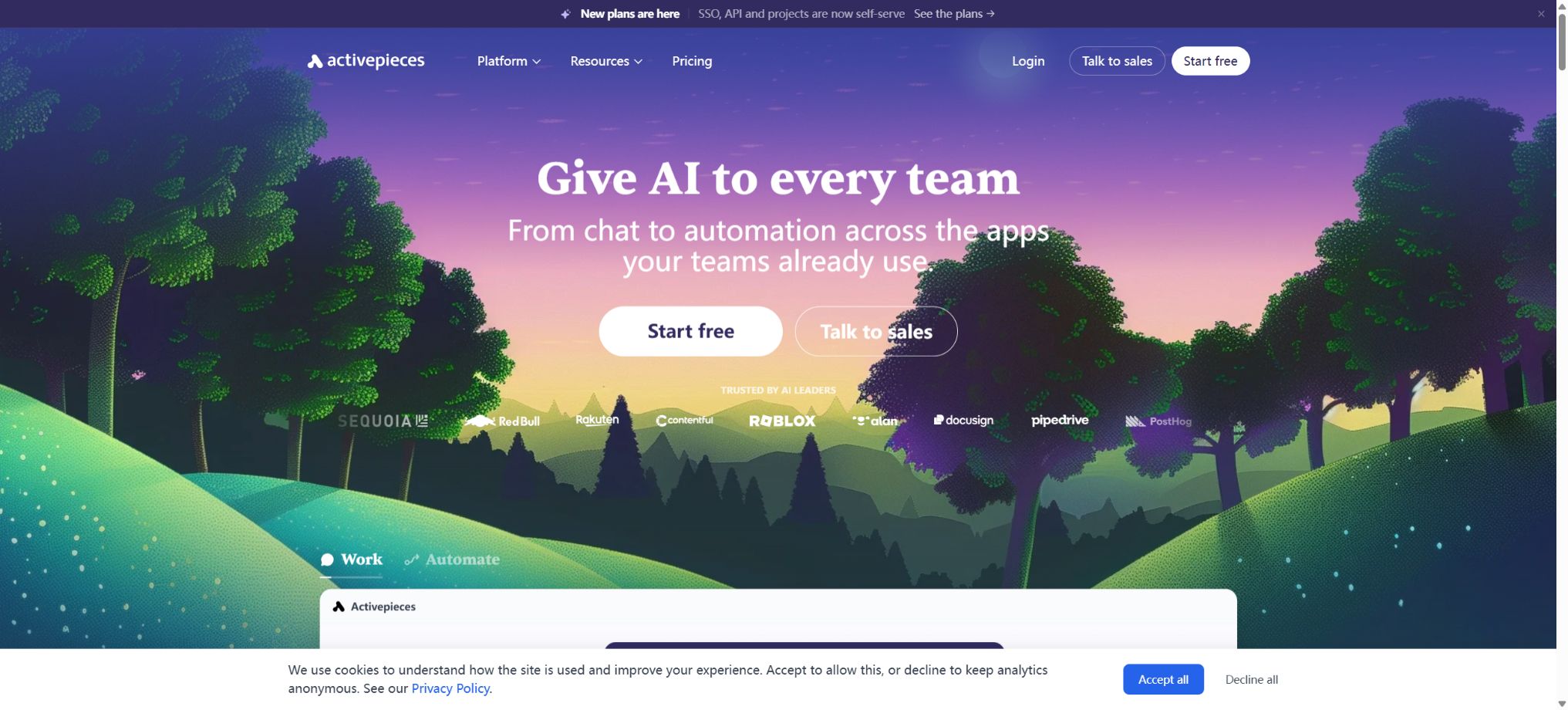
Activepieces is a visual workflow platform designed for business automation and AI agents. Users can connect common applications, databases, and AI models to automate the handling of repetitive tasks through triggers and actions.
It offers official cloud services, while also allowing organizations to deploy the Community Edition or the commercial enterprise version. The Community Edition is licensed under the MIT license, whereas the enterprise features are subject to a commercial license; therefore, being \"open source\" does not mean that all advanced governance functions are available free of charge.
Main functions of Activepieces
- Visualizing Flows:Combine triggers, actions, conditions, loops, and data transformations by dragging them.
- Apply Pieces:Connect applications such as email, spreadsheets, CRM systems, databases, messaging tools, and development services.
- AI Agents:Configure models, instructions, and tools so that the agent can select and carry out actions based on the task.
- MCP support:The Pieces capability is provided as an MCP tool for compatible AI clients and agents.
- Tables:Save process data, status, queues, and lightweight business records within the platform.
- Chat to automation:Describe requirements in natural language to generate or adjust automated processes.
- Human intervention:It supports delays, approvals, and manual verification, making it suitable for high-risk steps or those that require judgment.
- Code steps:Use code to handle complex conversions, or develop custom TypeScript Pieces.
- Webhooks and timers:Start a workflow based on external events, scheduled times, or application events.
- API access:Resources are managed through the platform’s API, with automated integration into internal systems.
- Team project:In higher-tier packages, processes, connections, and user permissions are isolated by item.
- Self-hosting:It supports deployment methods such as Docker, Docker Compose, and Kubernetes.
The core concept of Activepieces
| Concept | Function | Example |
|---|---|---|
| Flow | Define a complete automated workflow | Upon the arrival of new clues, add relevant information and inform the sales team. |
| Trigger | Determine when the process should be initiated | Webhook, scheduled tasks, or new form submissions |
| Action | Perform specific business operations | Send emails, fill out forms, or invoke AI |
| Piece | Encapsulates application connections, triggers, and actions | Connections to Slack, Google Sheets, and OpenAI |
| Agent | Select available tools autonomously according to instructions. | Customer service diversion, research, or internal assistance |
| MCP | Provide the tool to compatible AI clients | Allow external agents to call the business pieces. |
| Table | Save structured state and business data | Thread queue, approval status, and synchronization records |
Price of the Activepieces package
The following are the reference monthly rates in US dollars for annual payment, as shown on the official price page during verification; an annual payment is usually settled in a single installment. The monthly fee, taxes, region, available activities, and Credit limits may vary, so it is necessary to refer to the settlement page on the workspace before making a purchase.
| Package | Monthly average for annual payment reference | Users and Credits | Key capabilities |
|---|---|---|---|
| Free | $ | 1 person, Credits are refreshed daily. | Infinity of Flows, Agents, Tables, MCPs, and APIs |
| Plus | 16 dollars per month | Up to 5 people, approximately 3 times the Credits of Free. | An AI Key can be used, with monthly updates available; overage payment is supported. |
| Team | $ | It contains 25 people, which is about 5 times as many as in Plus; Credits | Unlimited projects, SSO, standard roles, global connectivity, and email support |
| Ultimate | Custom quote | Customized number of users and annual Credits pool | SCIM, custom roles, auditing, Secrets, Git Sync, and dedicated support |
For the Team package, once there are more than 25 users, the official comparison table shows that an additional cost of $25 per month is applied for each extra user. The Free package remains active once it reaches its credit limit, but any new operations have to wait until the next day when the quota is refreshed.
Plus and Team can continue to operate according to the rules, with additional fees incurred.
How to choose among the different packages
| Demand | Suggested solution | Reason for selection |
|---|---|---|
| Individual learning and a small amount of automation | Free cloud service | No bank card is required; it is possible to test Flows, Agents, and MCP. |
| Frequently used by individuals or small teams | Plus | Up to 5 people; it is possible to bring one’s own AI model keys, and excess usage is also supported. |
| Multi-department projects and unified login | Team | Project isolation, 25 users, SSO, roles, and global connections |
| Strict governance and large-scale operation | Ultimate | Auditing, SCIM, Secrets, private Pieces, and priority execution |
| Personal construction or technical experiments | Community Edition | Open source by MIT; you are responsible for the costs related to servers and maintenance. |
| Corporate intranet or isolated environment | Self-hosted Business Edition | Retain data control and obtain corporate governance and support. |
Cloud vs. self-hosted
| Dimension | Activepieces Cloud | Self-hosted |
|---|---|---|
| Launch speed | It can be used right after registration. | It is necessary to prepare a domain name, a database, and a runtime environment. |
| Infrastructure | Maintained by the authorities | The organization is responsible for upgrades, backups, and monitoring. |
| Data location | Handle according to cloud services and contracts | It can be retained within one’s own network and region. |
| Expansion method | Expand by package and Credits | Scale by Worker, PostgreSQL, Redis, and object storage |
| Open-source scope | Cloud services are available as packages. | Community Edition is licensed under MIT; enterprise features require a commercial license. |
| Applicable recipients | Individuals and teams that wish to reduce operational tasks | Organizations that place emphasis on data sovereignty, internal network connections, or customization |
Tutorial on creating automated workflows
- Define the goal:Specify the trigger conditions, input data, desired output, and the actions to take in case of failure.
- Select trigger:Use application events, Webhooks, timers, or manual initiation depending on the scenario.
- Connected account:Create the necessary application connections, granting only the permissions that the process truly requires.
- Add action:Add the steps of reading, converting, judging, writing, and notifying in sequence.
- Mapped data:Select fields from the previous steps, and handle null values, dates, arrays, and type conversions.
- Test branch:Run the critical path sequentially with normal, repeated, missing, and erroneous data.
- Publish monitoring:After enabling the process, check its operation history and set up notifications as well as retry strategies for failures.
Tutorial on Creating AI Agents
- First, determine the range of tasks that the Agent can handle, as well as the boundaries beyond which requests must be rejected or forwarded to a human operator.
- Select AI model connection; plans at Plus level and above come with model API keys as part of their features.
- Write concise system instructions that specify the objectives, inputs, conditions for using the tools, and output requirements.
- Only add the Pieces and Flows required to complete the task, in order to avoid granting excessive write permissions.
- Manual approval is required for actions such as sending messages, making payments, deleting, and modifying customer data.
- Use a real but anonymized test set to validate tool selection, parameter generation, and exception handling.
- After going live, record the costs of calls, the failure rate, and the reasons for manual intervention, in order to continuously reduce the scope of risks.
MCP Usage Tutorial
- Identify the client:Verify that the target AI tool supports MCP and the corresponding authentication methods.
- Select tool:Only the Pieces or automation capabilities that are needed are made available; irrelevant connections are not exposed.
- Create configuration:Generate MCP endpoints or connection details in Activepieces, and store the credentials properly.
- Connection test:Have the client first execute a read-only query to check the tool name, parameters, and return structure.
- Restrict write operations:Add confirmation and permission checks for external publishing, modification, and deletion actions.
- Monitoring and auditing:Check the operation logs, source of calls, and errors; revoke credentials promptly once any anomalies are detected.
Self-hosted deployment tutorial
- Selection method:For individual testing, a single container can be used; in a production environment, Docker Compose or Kubernetes is preferred.
- Prepare components:Production deployment typically requires PostgreSQL, Redis, and object storage that is compatible with S3.
- Set domain name:Configure HTTPS, as well as the public address for the frontend and the accessible address for Webhooks.
- Save key:Use secure random keys, Secrets management, and database accounts with the minimum required permissions.
- Select sandbox:Implement isolation and network access policies based on multi-tenant risks and code requirements.
- Create a backup:Regularly back up the database, object storage, as well as the configurations and Secrets required for encryption.
- Capacity testing:Estimate the number of Workers based on the peak concurrent flow, while simultaneously monitoring the stress on the database and queues.
Who is Activepieces suitable for?
- Operations and Marketing Team:Synchronize leads, generate content, send notifications, and organize event data.
- Sales Team:Add customer information, update the CRM, and automatically schedule follow-ups.
- Customer Service Team:Classify tickets, generate draft responses, and assign high-risk issues to human handlers.
- Internal IT team:Connect SaaS to internal network systems to establish approval and account management processes.
- AI developers:Combine models, Agents, MCP, and business tools to create a runnable workflow.
- Open-source users:Technical teams that wish to have control over data, the deployment environment, and the integration code.
- SaaS vendors:Integrate the automated editor and AI Agent into your own products through the Embed solution.
Product advantages
- Community Edition can be self-hosted and is licensed under the MIT open-source license;
- Flows, Agents, MCPs, and Tables are integrated on the same platform;
- All packages support an unlimited number of Flows, and the pricing is not based on the number of tasks executed per workflow.
- Pieces is written in TypeScript, enabling the development, debugging, and distribution of custom connections;
- According to the official documentation, about 60% of the Pieces come from contributions made by the community, thereby expanding the ecosystem and making it more open.
- It is suitable for non-technical users to drag and drop elements, while still providing developers with access to coding and API capabilities.
- Cloud and on-premises deployments follow the same product approach, facilitating compliance with various requirements.
Usage restrictions and precautions
- Once the free quota is exhausted, new executions on that day will be suspended; critical operations should not rely on unpredictable free quotas.
- Plus and Team allow for overage billing, so it is necessary to set budgets, monitor usage, and establish alerts for any abnormalities.
- The quality of Community Contributions Pieces varies, as does the frequency of their maintenance; it is necessary to check permissions and update status before using them in production.
- AI Agents may choose the wrong tools or generate incorrect parameters, and high-risk operations must be verified manually;
- Self-hosting does not guarantee security automatically – the organization is still responsible for applying patches, ensuring isolation, performing backups, and managing keys.
- Single-container and lightweight databases are suitable for testing, but not appropriate for high-concurrency production environments;
- Features such as the enterprise directory, private Pieces, auditing, and Git Sync require a commercial license.
Recommendations for secure and efficient deployment
The Activepieces documentation considers isolation to be one of the most important security measures in a self-hosted environment. In multi-tenant enterprise scenarios, it is recommended to use the V8 code sandboxing approach as suggested by the developers, while also employing network policies to restrict access to internal resources.
- Connected accounts are granted only the necessary read and write permissions, and credentials that are no longer in use are revoked on a regular basis;
- Thoroughly separate the production and testing workspaces, projects, connections, and databases;
- Verify webhook signatures, limit the size of the data transmitted, and prevent the recording of sensitive content;
- Establish review processes for code steps, community Pieces, and external MCP tools;
- Build a resilient architecture using PostgreSQL, Redis, object storage, and independent workers;
- Monitor tracking failures, retries, concurrency, and database performance to prevent the impact of automation storms from worsening.
Open-source license details
Activepieces Community Edition is licensed under the MIT license; the community versions of Pieces as well as the main open-source code can be found in the official GitHub repository. Developers can examine the source code, make contributions, and deploy or modify it in accordance with the requirements of the license.
The enterprise versions of the directories available in the warehouse, along with the related server-side enterprise codes, are subject to separate commercial licenses and are not covered by the MIT license. If SSO, SCIM, auditing, private Pieces, or other enterprise features are required, corresponding packages or licenses must be purchased.
Frequently Asked Questions
Is Activepieces free?
The Free cloud package allows one person to use it at no cost, with Credits being refreshed on a daily basis. The Community Edition can also be hosted privately for free, but the costs related to servers, domain names, databases, as well as maintenance and backups are borne by the user.
How much is Activepieces Plus?
The average monthly price for an annual subscription, as verified on the official website, is 16 dollars; up to 5 users can use it. It includes monthly credits, options for paying extra in case of overuse, and built-in AI key functionality. The final price will be indicated on the settlement page.
Can Activepieces replace Zapier?
It can cover common scenarios such as triggers, application connections, conditions, and data synchronization, and it offers an open-source, self-hosted option. Whether it can fully replace other solutions depends on the requirements related to the application components needed, error handling, throughput, and team governance.
Does Activepieces support MCP?
Supported. Users can provide application connectivity and automation capabilities to AI clients that are compatible with MCP, but the range of available tools as well as the permissions for writing operations must be strictly limited.
Is Activepieces completely open source?
Community Edition is licensed under the MIT license, while the enterprise features are covered by commercial licenses. Therefore, it can be regarded as an open-source automation platform, but not all of its enterprise features are open-source software.
Tools similar to Activepieces





 Guigong Network Security Registration No. 45132202000164