






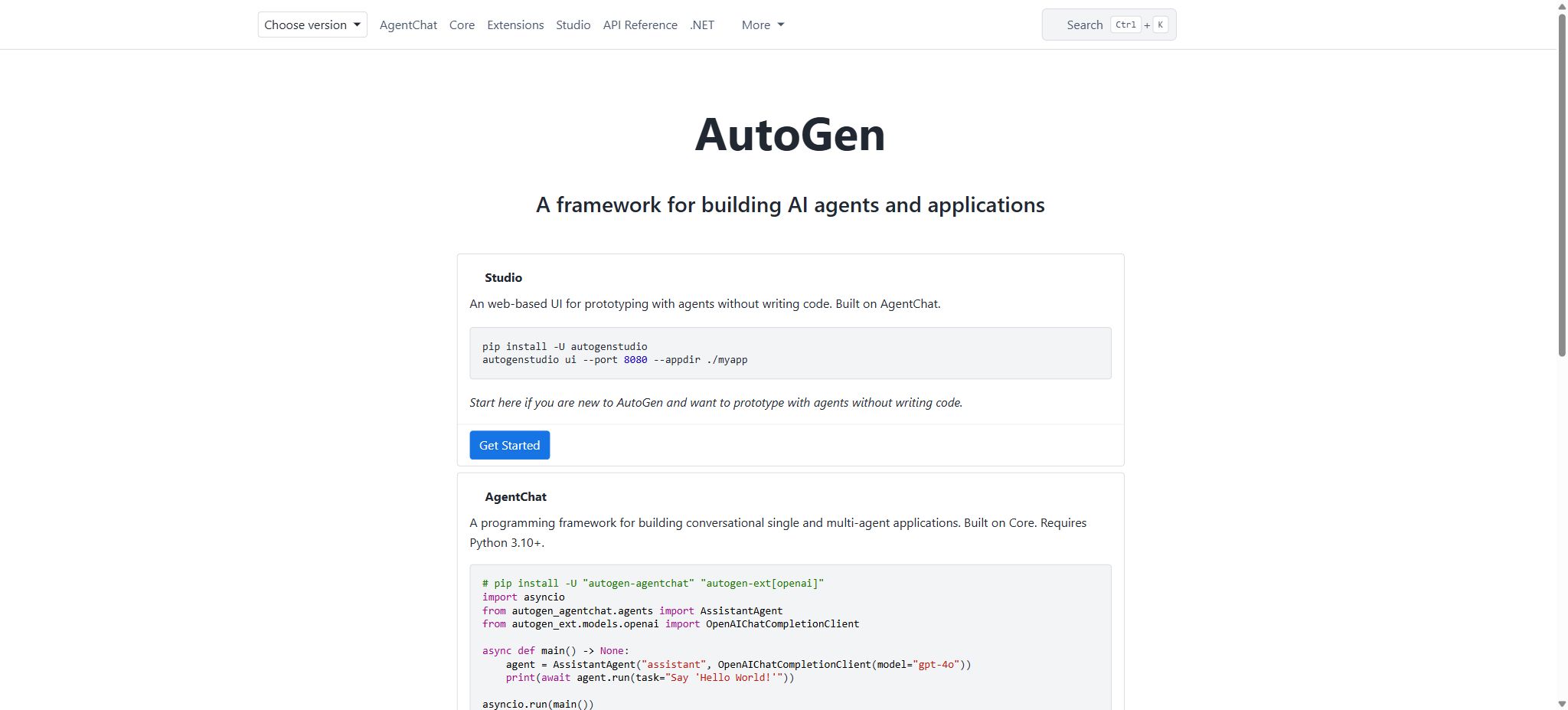
What is AutoGen Studio?
AutoGen Studio is an open-source, low-code interface built on Microsoft AutoGen AgentChat, designed for rapid prototyping, debugging, and demonstrating multi-agent workflows. Users can configure models, agents, tools, teams, and termination conditions in a browser; they can assemble processes by dragging elements or using declarative JSON syntax, and then observe the messages exchanged among various agents as well as the tool calls in the Playground.
It is not a website generated by a hosted AI application; rather, it is a research prototype that requires installation on the user’s local device. The software itself is available free of charge under the MIT license, but to run it one needs to have API keys for OpenAI, Azure OpenAI, Anthropic, or other compatible models, or it is possible to connect to local model services.
The costs related to models, searches, databases, servers, and third-party tools are borne by the user.
Current maintenance status
By 2026, Microsoft’s official AutoGen repository will be in maintenance mode; it will primarily be used for ensuring stability, security, and community support, and it will no longer serve as the preferred framework for adding new features. Microsoft directs new users to the Microsoft Agent Framework.
Projects that already rely on AutoGen can continue to use it and lock in their current version, but new long-term production systems should first evaluate the costs of migration versus alternative frameworks.
The documentation for AutoGen Studio is still available, and installable packages can be found on PyPI; however, this does not mean that it is suitable for use in production without any enhancements. Users should pay special attention to distinguishing between situations where a package can still be installed and those where it remains a focus of official development efforts.
Core functions of AutoGen Studio
Team Builder
Team Builder is used to visually configure teams, Agents, model clients, tools, and stop conditions. Users can drag and drop components, as well as edit declarative configurations that are compatible with AgentChat.
It is suitable for comparing various methods of multi-Agent collaboration such as RoundRobin and Selector, or for quickly testing the division of roles.
Playground
Playground enables the execution of team tasks, displaying in real time the flow of messages from agents, tool calls, and control transitions; it also allows for pausing or stopping these processes. It is useful for debugging prompts, handling role transitions, and defining termination logic. However, a single successful demonstration does not prove that the process is stable – repeated tests along with clear metrics are needed for an accurate assessment.
Gallery
Gallery is used for discovering, importing, and reusing component configurations, helping users get started by using examples. Third-party components, prompts, and tools should be regarded as untrusted inputs; after importing them, it is necessary to check the code, permissions, models, key fields, and network access levels.
Deployment and Export
Studio allows for the export of team configurations, which can then be run in Python code; it also enables testing of endpoints or executing teams within Docker containers. What is exported are the Agent configurations and prototype assets, and complete production-level authentication, permissions, auditing, monitoring, and resilient architecture are not generated automatically.
Model compatibility
AutoGen makes use of model client abstraction, allowing it to connect to OpenAI, Azure OpenAI, Anthropic, as well as local services that provide OpenAI-compatible interfaces such as Ollama, vLLM, or LM Studio. Different models offer varying levels of support for tool calls, structured output, and visual input; therefore, it is not sufficient to simply replace the model name while ignoring the details regarding its capabilities.
Tools and code execution
An Agent can call custom functions, HTTP services, MCP tools, as well as search and code executors. For code execution, isolated methods such as DockerCommandLineCodeExecutor should be preferred.
Code generated by the model, when run directly on the host, may read, modify, or delete files, as well as access environment variables and network credentials.
Comparison of AutoGen products with subsequent solutions
| Component or framework | Positioning | Current status | Suitable scenarios |
|---|---|---|---|
| AutoGen Studio | Low-code multi-Agent visual prototype and debugging interface | Research prototype; entered maintenance phase with AutoGen | Learning, demonstration, configuration verification, and experimentation |
| AutoGen AgentChat | High-level multi-agent application API | Maintenance mode | Maintenance of existing projects and experimental studies on dialogic multi-Agent systems |
| AutoGen Core | Event-driven architecture and the fundamentals of distributed Agent operation | Maintenance mode | The underlying system that uses AutoGen has already been adopted. |
| Microsoft Agent Framework | The subsequent Agent frameworks from the AutoGen and Semantic Kernel teams | The new project directions recommended by the authorities | New production projects scheduled for long-term maintenance |
Comparison of prices and costs for AutoGen Studio
AutoGen Studio does not offer official subscription tiers such as Free, Pro, or Enterprise; it is free and open-source software. The actual cost depends on the model chosen, the number of Agent iterations, the tools used, and the operating environment.
When multiple agents discuss with each other, the context is repeatedly carried, and the cost is usually higher than that of a single conversation.
| Cost items | Software price | Source of actual costs | Control method |
|---|---|---|---|
| AutoGen Studio | Free, MIT license | Local CPU, memory, storage, and maintenance time | Use virtual environments, lock versions, and clean up historical tasks. |
| Business model API | Priced by the provider | Input, cached input, output tokens, or model invocation | Limit on the number of rounds, context, output length, and budget |
| Azure or cloud-based models | Charged by cloud account | Model deployment, throughput, regions, and additional services | Set quotas, cost centers, and monitoring. |
| Local model | The model may be free. | GPU, video memory, power, operation and maintenance, and inference time | Test quality based on tasks to avoid repeated executions with low success rates. |
| Third-party tools | Separate billing | Search, vector databases, browsers, databases, and SaaS APIs | Minimum permissions, caching, rate limiting, and separate keys |
| Production deployment | There are no official fixed packages. | Servers, containers, authentication, logging, security, and support | Give priority to evaluating subsequent frameworks and enterprise architectures. |
AutoGen Studio Installation Guide
- Select the isolation environment:Install a supported version of Python and create a separate venv or Conda environment to prevent contamination of other projects.
- Install the stable package:Install or upgrade autogenstudio using the Python package manager; if it is necessary to modify the source code, build it from the official repository.
- Specify data directory:Use the appdir parameter to specify a dedicated directory for storing the SQLite database and generated files; do not use general directories that contain sensitive information.
- Launch the local interface:Run the Studio UI and specify a port; by default it is bound to localhost only, in order to prevent direct exposure to the public network.
- Configuration model:In the model components, enter the model type, name, and endpoints; the API Key should preferably be provided through a secure configuration environment.
- Create Agent:Set system prompts, models, tools, and determine whether human agents are needed, while clarifying the boundaries of each role.
- Combined team:Choose the team coordination method and termination conditions to avoid endless conversations.
- Playground test:First, run small tasks that do not contain sensitive data to observe messages, tool calls, costs, and failure patterns.
Visual creation of multi-Agent workflows
- First, define a task that can be verified; for example, the researcher organizes the materials, the editor checks the structure, and the reviewer only identifies the issues.
- Assign non-overlapping responsibilities to each Agent, so as to prevent all roles from doing the same thing.
- Tools are configured only for the agents that need them; researchers can use them for searching, while reviewers generally do not need to run any code.
- Set a maximum number of messages, keywords, or task completion conditions to prevent endless discussions.
- In the Playground, check the control flow and tool parameters, and record the token and the time taken.
- Repeat the testing with successful, failed, and malicious inputs, then export the JSON or Python configuration.
Model selection recommendations
The Selector team generally needs models that can reliably choose the next Agent, while tool-based Agents require stable function calls and structured outputs. If inexpensive models frequently select the wrong role or repeat the use of tools, the overall cost may end up being higher.
It is recommended to first use a more capable model to establish a proper baseline, and then replace each character with a cheaper model one by one.
When connecting to a local model, it is necessary to specify accurately within the component whether vision, function calling, JSON output, and structured output are supported. Incorrect specifications can result in the configuration generated by Studio appearing functional, but tool calls failing at runtime.
Security restrictions
The official documentation makes it clear that AutoGen Studio is a research prototype, not an application ready for production use. It does not provide full functionality in terms of jailbreaking prevention, fine-grained data permissions, multi-tenant isolation, or enterprise-level authentication.
Experimental GitHub authentication cannot replace mature identity systems.
- Code execution must take place within Docker or a separate virtual machine, with only the necessary directories mounted.
- The service is tied to the local machine only; remote access requires a reverse proxy, authentication, TLS, and network restrictions.
- Tool keys are granted the minimum level of permissions, and it is prohibited to include them in exportable JSON files or chat messages;
- Websites, files, databases, and user messages can all contain prompt injection;
- Set the maximum number of iterations, tokens, time limit, and cost, while retaining complete call logs;
- The production system should re-implement permissions, auditing, manual approval, and disaster recovery.
From AutoGen Studio to the production environment
Studio is suitable for demonstrating whether a particular team structure can solve a problem, but it is not appropriate for handling production traffic directly. Once the prototype is approved, its configuration should be converted into code; the dependencies and model versions should be fixed, and elements such as automatic testing, evaluation, observability, permissions, retry mechanisms, idempotency, and manual approval processes should be added.
For new projects that will be launched in 2026, the Microsoft Agent Framework should also be given priority for evaluation; one should not stick to existing maintenance-oriented technologies just because there is already a Studio interface available.
Is it open source?
The code for AutoGen and AutoGen Studio is licensed under the MIT license, allowing it to be viewed, modified, and used for commercial development. The MIT license applies only to the software code; it does not cover the rights related to external models, APIs, data, or third-party tools.
Users must still comply with the terms set by the respective model providers and data sources.
Which users are it suitable for
- Developers who are learning about multi-agent collaboration and the AgentChat concept;
- Researchers who wish to quickly compare team configurations using a drag-and-drop interface;
- Teams that maintain existing AutoGen projects and require visual debugging;
- Engineers who are ready to convert the prototype into a Python application and possess skills in secure development;
- Users who conduct course demonstrations, paper experiments, and internal concept validations.
Advantages and usage limitations
- The advantages of AutoGenStudio are its open-source nature, the ability to run it locally, a wide range of model compatibility, and its capacity to transform complex agents, tools, teams, and termination conditions into visual components.
- Playground and configuration export reduce the barriers to developing multi-agent prototypes;
- The main limitations are that it is not a product ready for production, it lacks adequate security and multi-user capabilities, and AutoGen is now in maintenance mode.
- Multi-Agent systems are not inherently superior to single-Agent systems; they often lead to increased latency, higher token costs, and more failed connections.
- New projects should use it as an experimental tool, rather than as the default production technology stack.
Frequently Asked Questions
Is AutoGen Studio free?
The software is free and available under the MIT license, but the model API, local GPUs, cloud servers, and third-party tools may incur costs.
Does AutoGen Studio require an API Key?
A corresponding Key is required when connecting to a business model; using local OpenAI-compatible model services eliminates the need for an external model Key, but local computing resources are still necessary.
Can AutoGen Studio be used directly in production?
It is not recommended. The official version is intended as a research prototype; it lacks proper certification, security measures, access controls, and production governance, so it needs to be rebuilt using an appropriate framework.
Is AutoGen still being updated?
AutoGen is currently in maintenance mode, with its focus on repairs and community support; it is no longer the preferred option for adding new features. New users should consider Microsoft Agent Framework instead.
What is the difference between AutoGen Studio and AutoGen?
AutoGen is a Python/.NET agent framework along with related components, while Studio is a visual prototyping interface built on top of AgentChat.
Tools similar to AutoGen Studio





 Guigong Network Security Registration No. 45132202000164