






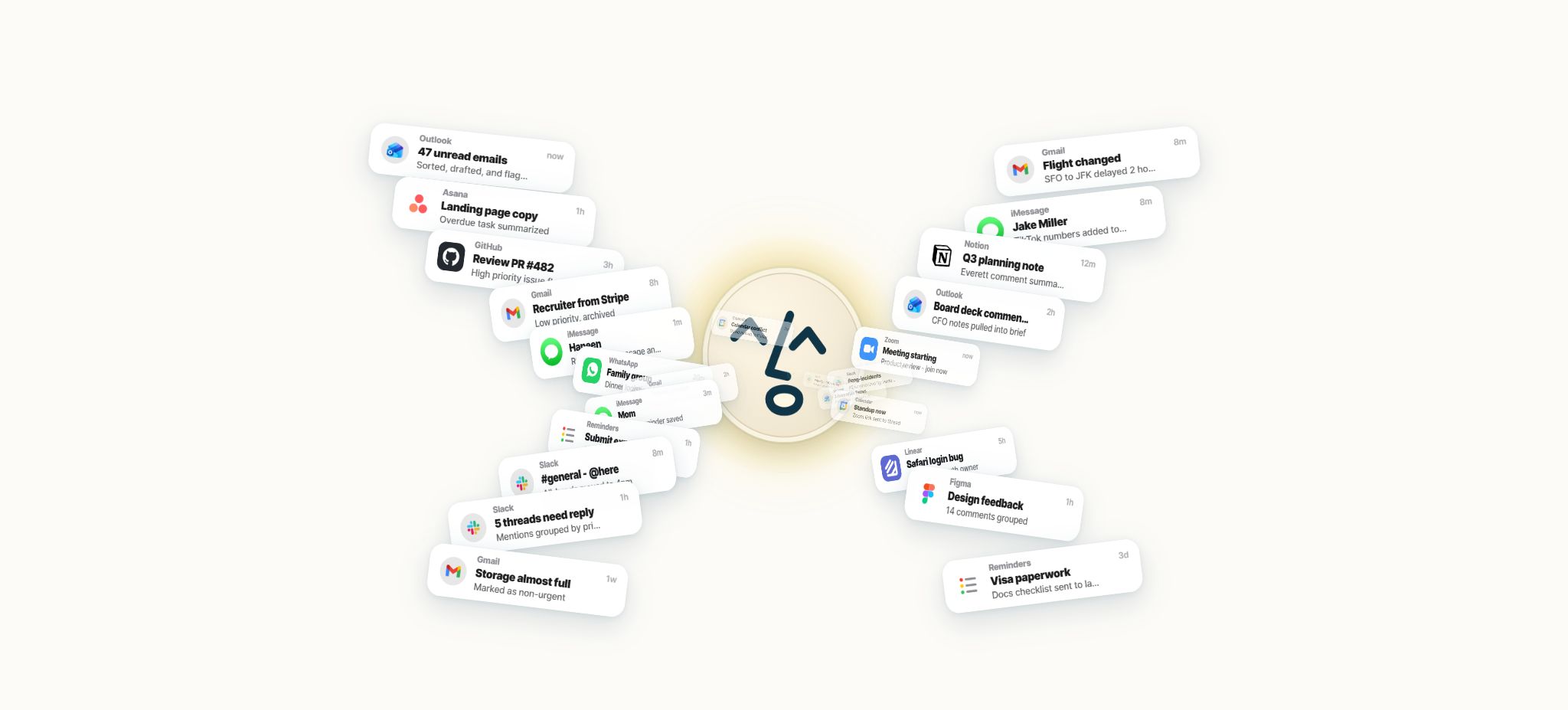
What is Lindy?
Lindy is an AI-powered employee and no-code agent platform that can perform tasks in Slack, email, calendars, meetings, CRM systems, and thousands of other tools. Users can simply describe their goals, and Lindy will then search for information, generate documents, draft responses, update systems, run code, utilize computer interfaces, or carry out repetitive tasks on a scheduled basis.
By 2026, Lindy’s role has evolved from that of a general-purpose no-code Agent Builder to that of a work assistant similar to a “Teammate”. The subscription plans available on the official website are Plus, Pro, Max, and Enterprise; the former options such as Free with 400 credits, Starter at $19.99, or Business at $299 are no longer part of the current pricing structure.
Slack’s built-in AI teammates
The team can summon Lindy via Slack private messages, channel conversations, or @mentions to have it search for connection tools, summarize the context, prepare meetings, draft documents, or carry out tasks. It can keep track of matters within Thread, and it can also send Daily Briefs, Weekly Reports, and reminders at set intervals.
New members who join via Slack are granted a 7-day trial period, after which it becomes a paid subscription. Anyone who uses Lindy, joins a Workspace, or @Lindy in Slack needs a Seat; administrators should control the rules for joining a workspace.
Email management and personal writing style
Lindy can be connected to up to 5 email accounts; it allows for the organization of incoming messages, the identification of those that need a response, the creation of drafts, the summarization of long emails, as well as the management of follow-ups and the collection of the necessary CRM data and document information. It is able to learn the user’s tone in writing emails and maintain a similar style in the drafts.
Sending emails constitutes an action that has an external impact, and the current design requires user approval for such actions. Companies should retain the right to approve emails, especially those related to quotes, contracts, customer complaints, hiring, and legal matters.
Meeting recording, preparation, and follow-up
Lindy can be connected to calendars, used for recording and organizing team meetings, generating notes, action items, and follow-ups, and storing meetings in shared libraries and folders. Briefs can be created from emails, CRM data, and past meetings before a meeting, while emails can be drafted and task serta customer records can be updated after a meeting.
By default, the privacy of a meeting is reserved for the users involved in it, unless it is shared intentionally. Participants must be informed about any recordings or transcriptions made, and the responsible persons, numbers, and dates mentioned in the meeting minutes still need to be confirmed manually.
Scheduled Routines
Lindy can carry out repetitive tasks according to a schedule: for example, summarizing urgent emails on a daily basis, analyzing customer calls on a weekly basis, regularly checking the CRM for pending opportunities, generating reports on competitors, consolidating information from the support queue, and sending operational summaries to Slack.
High-frequency scheduled tasks can consume Credits rapidly. It is recommended to start with small datasets and low-frequency scheduling, by limiting the number of queries, the time range, and the models used, before gradually increasing the scale.
Persistent Workspace Context
Lindy allows for the sustainable use of the contexts available in the Workspace, including team files, meetings, connected applications, past conversations, and user preferences. Team Files feature a version history, which provides a shared basis for product knowledge, scripts, processes, and internal rules.
Persistent memory can reduce the need for repeated explanations, but it may also allow outdated rules to continue influencing the outcomes. After a file is updated, its version, owner, and effective date should be verified, and any obsolete information should be removed.
Over 40 skills and custom capabilities
The package includes over 40 pre-built Skills that cover email, calendar, meetings, search, documents, CRM, project management, and messaging tools. Users can create their own Skills using natural language, specifying the tools, context, triggers, and completion criteria.
For stable and predictable data transfer, traditional workflow tools may be easier to use for prediction; Lindy is more suitable for tasks that require understanding semantics, integrating multiple sources of data, generating content, and making decisions based on specific circumstances.
Computer Use
Lindy enables interaction with web interfaces that lack appropriate APIs through Computer Use, allowing for the completion of forms, searches, exports, use of internal tools, and cross-interface operations. This approach helps to expand the scope of functionality, but interface changes, pop-ups, verification codes, and network delays can all lead to failures.
When it comes to payments, deletions, publications, bulk modifications, and permission-related actions, it is necessary to establish clear approval procedures, restrict access to certain websites and test accounts, and keep records of all such operations.
Model selection
Lindy supports the major AI models, allowing users to choose different ones depending on the task at hand. For simple queries, models that are faster and require fewer Credits can be used, while for extensive research, complex reasoning, and coding tasks, models with higher capabilities are available.
The pricing page describes the platform as model-agnostic, but the amount of Credit consumed varies depending on the model, the length of the context, and the number of tool steps involved. Teams should take model selection into account when formulating their cost and data strategies.
Thousands of integrations
Lindy can be connected to Gmail, Slack, Notion, HubSpot, Salesforce, Google and Microsoft calendars, CRM systems, task management tools, as well as storage and communication tools. The homepage of the service states that it supports over 1,000 different tools, while the documentation on Webhooks mentions more than 5,000 pre-built integrations; these figures may vary depending on the way native actions, connectors, and automation platforms are counted.
When connecting to tools such as HubSpot and Salesforce, only the necessary read and write permissions should be granted. The system’s polling interval must comply with the rate limits set by third-party services; for example, HubSpot recommends a polling interval of 15 minutes to ensure stability.
Webhooks and HTTP Requests
With Webhook Received, a unique URL can be used to trigger Lindy in real time from an internal system or a third-party service; the Agent can analyze the Payload, invoke other Skills, and then send the results to the Callback. The HTTP Request action allows access to any API or Webhook Endpoint, and it supports custom Headers, Queries, and JSON Bodies.
Both the Webhook URL and API credentials should be protected as secrets, with features such as signature verification, replay protection, timeout handling, retry mechanisms, and idempotency in place. Never include the API key in visible prompts or in the request body.
Run Code
The Run Code action allows Python or JavaScript to be executed within a workflow, enabling data cleaning, transformation, calculations, API calls, conditional logic, and the generation of structured results from previous steps. It helps to handle complex logic that is difficult to express using code-free nodes.
Code nodes need to have restrictions on keys, network connections, input data, and execution time, and they must handle exceptions. Data sent from external Webhooks should not be directly incorporated into code, SQL statements, or commands.
MCP support
Lindy can connect to any server that is compatible with MCP, allowing external data and tools to be turned into Agent Skills. This enables companies to access their internal APIs, databases, and emerging SaaS solutions without having to wait for native integrations.
The MCP Server should be evaluated based on supply chain codes, authentication, available resources, write operations, and audit capabilities. A successful connection does not mean that all tools should be accessible to every Lindy user.
iMessage and multi-device use
The package includes the ability to communicate with the assistant at any time via iMessage; users can pose questions, keep track of tasks, and schedule follow-up actions from their mobile devices. The main interfaces for working remain Web, Slack, email, and the connected tools.
How are credits calculated?
Credits measure the amount of work completed by Lindy, and they are consumed only when that work is actually carried out. The range indicated on the pricing page is: around 2 to 250 Credits for basic Q&A, summaries, searches, and tool updates.
Competitor research reports, support queue categorization, call proposals, and basic HTML outputs amount to around 250 to 1,000; complex dashboards, multimedia presentations, and complex scheduled tasks range from 1,000 to 2,500.
The actual consumption depends on the model, context, number of tool uses, length of the output, and frequency of execution. The Credits associated with each Seat are added to the Workspace shared pool, and administrators can set allocations for these Seats.
Handling of Credit refresh and depletion
Credits are refreshed at the start of each billing cycle, and any unused amount is not carried over. When the shared pool runs out, Lindy will pause operations that require Credits and notify the user; no unexpected overcharges are incurred by default.
Administrators can wait until the next cycle or upgrade to a plan with more Credits.
Price and version comparison
| Package or version | Prices, quotas, and core benefits |
|---|---|
| Plus price | At present, Plus costs $29.99 per user per month; each seat comes with 3,000 Credits per month, making it suitable for regular everyday use. It offers all the essential features such as Slack, email, meetings, scheduled routines, Team Files, Computer Use, thousands of integrations, MCP, as well as options for model selection and approval. |
| Pro price | The current price for Pro is 99.99 dollars per user per month; each seat comes with 15,000 Credits per month, which represents five times the amount provided by Plus. This option is suitable for users who need to send frequent emails, conduct research, hold meetings, update CRM systems, and use multi-step automation functions. |
| Max price | The current price for Max is $199.99 per user per month; each seat comes with 35,000 Credits per month, which is approximately 12 times the amount offered by Plus. It is designed for heavy research tasks, multimedia productions, dashboards, extensive computer usage, and frequent scheduled workflows. |
| Seat and billing management | All Seats within the same Workspace are included in a single bill, with their Credits being aggregated in a shared pool. Once a Seat is deleted, it remains active until the end of its paid period, and no partial refund is issued during that time; Lindy does not automatically add back members that have been removed by the administrator. |
Plus price
At present, Plus costs $29.99 per user per month; each seat comes with 3,000 Credits per month, making it suitable for regular everyday use. It offers all the essential features such as Slack, email, meetings, scheduled routines, Team Files, Computer Use, thousands of integrations, MCP, as well as options for model selection and approval.
Pro price
The current price for Pro is 99.99 dollars per user per month; each seat comes with 15,000 Credits per month, which represents five times the amount provided by Plus. This option is suitable for users who need to send frequent emails, conduct research, hold meetings, update CRM systems, and use multi-step automation functions.
Max price
The current price for Max is $199.99 per user per month; each seat comes with 35,000 Credits per month, which is approximately 12 times the amount offered by Plus. It is designed for heavy research tasks, multimedia productions, dashboards, extensive computer usage, and frequent scheduled workflows.
Enterprise plan
Enterprise is a customized price for sales outreach; it includes all Max features, as well as HIPAA compliance and the option to sign a BAA, usage sharing and additional credits, dedicated support, audit logs, onboarding services, and activation procedures. The enterprise version also lists SSO as one of its security measures.
7-day free trial
Lindy currently offers a 7-day free trial, but there is no long-term free plan. The old option of 400 credits for free is no longer listed on the official website.
The billing threshold can differ between direct registration and joining via Slack; during the trial period, it is necessary to check the seats and effective dates on the Billing page.
Seat and billing management
All Seats within the same Workspace are included in a single bill, with their Credits being pooled together. Once a Seat is deleted, it remains active until the end of its paid period, and no partial refund is issued during that time.
Lindy will not automatically re-add members that have been deleted by the administrator.
Security and data
The official price FAQ mentions encryption for data transmission and storage, states that user data is not sold and that workspace data is not used to train models, and notes compliance with SOC 2 and GDPR. Enterprise versions include SSO, Audit Logs, and HIPAA BAA.
When using external AI models, MCP Servers, Computer Use, and connectors, enterprises should still review sub-processors, data retention, OAuth scopes, key management, and the flow of sensitive data.
GitHub and the open-source status
The official Lindy-ai GitHub organization has a limited number of publicly available repositories; it does not include the complete source code for the Lindy workspace, Agent Runtime, as well as the tools for handling emails and meetings. Its core product is a hosted business service, and it cannot be classified as open source or made available for private deployment.
Lindy’s tutorial
Complete a basic task.
- Verify recordings, audio, music, and participant authorization;
- Upload or enter clear audio into Lindy;
- Select settings such as language, speaker, and Slack’s built-in AI teammates;
- Use email management and personal writing styles to generate transcripts, voiceovers, or cleaned-up versions;
- Check each segment for names, numbers, pauses, volume, and mood;
- Before exporting, verify the format, loudness, copyright, and privacy requirements;
Create reusable professional workflows
- A test set is created using real noise, accents, and multi-person segments;
- Compare the differences in Slack’s built-in AI features for working with teammates, email management, as well as personal writing styles, and also in the handling of meeting recordings, preparation, and follow-ups.
- Retain the original recordings and the unmodified transcripts;
- Arrange for a manual hearing before releasing it to the public;
- Statistically analyze processing time, error rate, and quota consumption;
- Regularly update the glossary, sound licensing, and deletion policies;
Which users is it suitable for?
- Entrepreneurs and executives who spend a great deal of time on email, meetings, and schedule management;
- Teams that wish to collaborate directly in Slack and summon AI teammates;
- An operational team is needed to handle research, content creation, sales, customer service, and CRM workflows;
- Developers who need to connect to internal systems via Webhook, HTTP, Python, JavaScript, and MCP;
- Teams that wish to use Computer Use for automating operations on APIs-free web pages.
Product advantages
- An integrated AI teammate that covers Slack, email, meetings, and backend tools;
- Supports persistent workspace contexts, Team Files, and meeting libraries;
- Over 40 skills, custom capabilities, and thousands of integrations;
- Computer Use, Run Code, HTTP, Webhook, and MCP offer a wide range of capabilities;
- An internal approval mechanism is built into external write operations;
- Operation is suspended once the credits are exhausted; no unexpected overage fees are applied by default.
Restrictions and Precautions
- There is currently no permanent free version available. Activities such as frequent research, ComputerUse, advanced models, and scheduled tasks can quickly consume Credits, and any unused balance is not carried over.
- Each user can become a paid Seat; it is necessary to control Slack access and Workspace membership.
- AI may make incorrect decisions, and page automation can fail due to changes in the page layout. All actions involving sending data outward, making updates, publishing content, or performing destructive operations should be accompanied by mechanisms for approval and rollback.
Frequently Asked Questions
Is Lindy AI free?
There is a 7-day free trial available at the moment, but no permanent free plan. The version offering 400 Credits for free found online refers to the old pricing structure.
How much is Lindy?
Plus costs $29.99 per user per month and includes 3,000 Credits; Pro costs $99.99 per month and includes 15,000 Credits.
Up to $199.99, including 35,000; custom price for Enterprise.
Will charges be deducted automatically when Lindy runs out of Credits?
Overcharging does not occur by default. According to the current official guidelines, any operations that require Credits will be suspended once those Credits are exhausted; the user must wait for a refresh or have an administrator upgrade the Credits.
Does Lindy have APIs and MCP?
Lindy can use HTTP requests to call APIs, trigger workflows via Webhooks, and connect to any MCP Server that is compatible with it; it also allows Python or JavaScript to be run within Agents.
Is Lindy open source?
The core AI employees and the Agent platform are not open source. There is a GitHub organization provided by the official team, but the complete source code of the product is not made available to the public.
Tools similar to Lindy





 Guigong Network Security Registration No. 45132202000164