






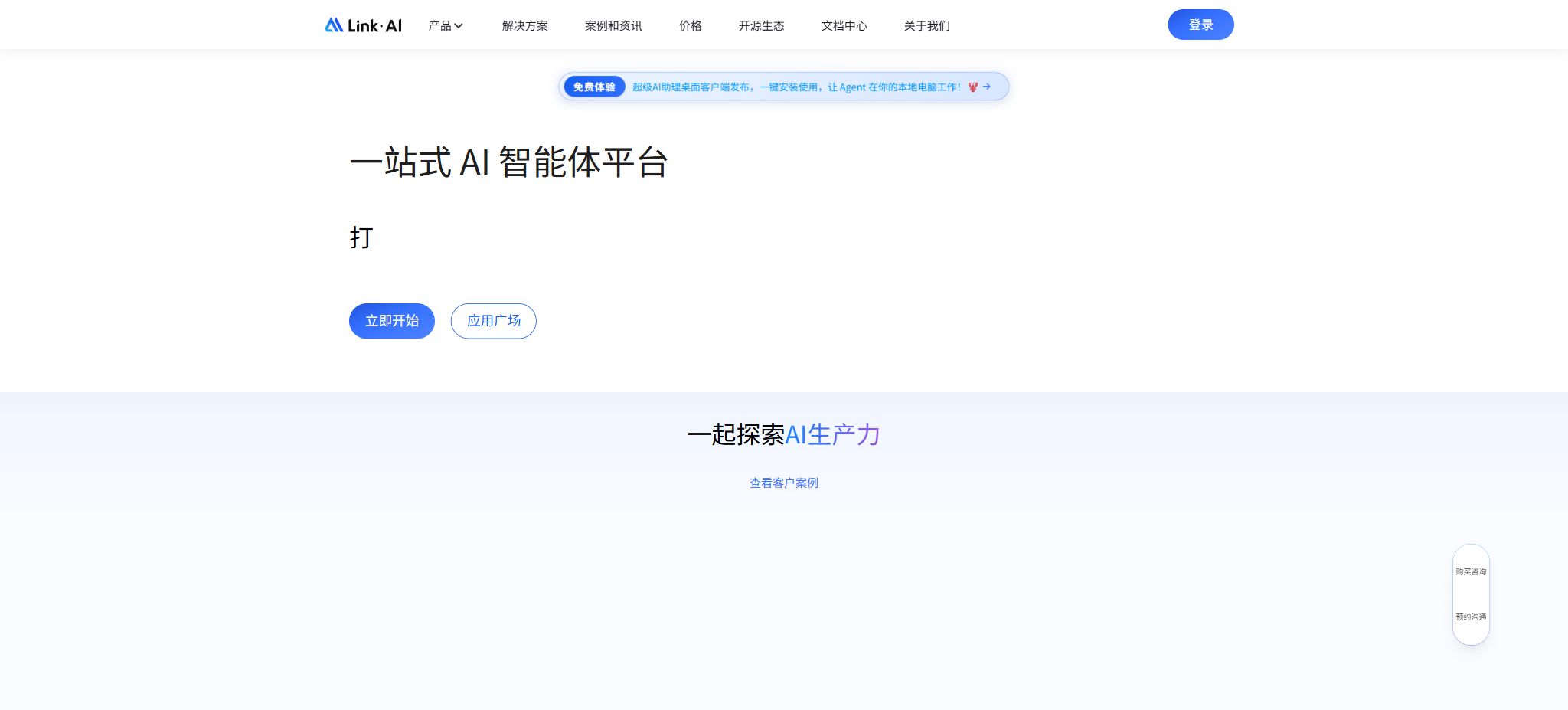
What is LinkAI?
LinkAI is a one-stop AI agent development and application platform launched by Shenzhen Minimal Future Technology Co., Ltd. It brings together various large models, knowledge bases, databases, plugins, workflows, multi-agent systems, channel integrations, and customer management tools within a single online console, enabling individuals, developers, and enterprises to create agents for knowledge-based Q&A systems, intelligent customer service, sales assistance, content creation, and business automation.
LinkAI is neither a basic large-scale model nor an overseas AI social application with a similar name. This platform aggregates models from both domestic and international sources, offering unified mechanisms for calling these models, as well as services for application orchestration and hosting; users can also use their own API keys provided by third-party vendors or their own private model services.
Model Aggregation Service
The platform currently aggregates over 100 types of models for text, reasoning, images, videos, speech, and vectors, including those from OpenAI, Claude, Gemini, DeepSeek, Qwen, Wenxin, Doubao, Kimi, GLM, iFlytek, and others. It also offers image and video models such as Nano Banana, Seedream, Jimeng, Keling, Seedance, and Veo.
The model details page displays its capabilities, parameters, and real-time price. Text models are charged based on the number of input and output tokens, with pricing also varying according to the length of the context; images and videos are billed based on their specific specifications, the number of times they are used, the number of seconds they last, or the number of tokens involved.
The unified API of the platform reduces the cost of switching, but model availability, content policies, and authorization are still determined by the respective manufacturers along with LinkAI’s service rules.
Dialog-based intelligent applications
Lightweight applications define the role, tasks, response methods, and model using a set of prompts; they are suitable for FAQs, writing, and general conversations. Knowledge base applications build on this by integrating private data, enabling the robot to search through documents before providing answers.
Each application has a unique app_code, which can be used for API, web page, and channel integration.
The creator can configure the opening statement, context, plugins, voice options, rate limits, and display settings. Prompt instructions serve only as constraints on behavior; they do not guarantee that the model will not make mistakes, act outside its authorized scope, or reveal the input content. Authentication and content filtering are still necessary for practical applications.
RAG knowledge base
The knowledge base supports the uploading of unstructured documents such as PDF, DOCX, Markdown, TXT, and single-column CSV files; it also allows for the import of question-answer pairs, structured tables, web pages, and sitemaps. The platform automatically parses these documents, splits them into segments, creates embeddings, and builds indexes. Users can preview the different segments, adjust the number of search results, and set similarity thresholds.
The knowledge base nodes within workflows allow for querying multiple knowledge bases, as well as dynamically inserting files or text into a specific knowledge base; they are suitable for maintaining documentation while having conversations in customer service channels. When question-and-answer files are inserted, they are automatically converted into QA format, while table files are processed based on their column structure.
Different versions impose limits on the number of files per upload, as well as on file size, the number of rows in tables, and the number of web pages. The current document shows that the Basic, Standard, and Professional versions allow 10, 15, and 30 files to be imported at a time respectively, with a maximum file size of 15MB, 20MB, and 30MB for each version.
The table can have up to 2000, 5000, or 10,000 rows.
The actual total capacity and entitlements shall be as indicated on the subscription page.
Scans, complex tables, and dynamic web pages may fail to be parsed correctly; a search result that turns up may not correspond to the correct answer. It is necessary to refer back to the original documents to verify the key facts, and to continuously update and refine the knowledge base with accurate questions and answers.
Databases and structured queries
In addition to the vector knowledge base, LinkAI allows databases to be used as agent resources for querying structured business data. The workflow can first retrieve results from the database, and then pass them to the model for interpretation, aggregation, or the generation of charts; this approach is suitable for analyzing orders, customers, inventory, and business operations.
Database connections should utilize read-only accounts with minimal permissions, in order to restrict access to tables, fields, the number of rows, and the execution time. Any queries generated by models must be protected against injection attacks and large-scale scans; public chatbots should not have write permissions.
Visual workflow
A workflow is composed of various nodes such as start/end points defined on a canvas, large models, agents, knowledge bases, plugins, Python or JavaScript code, decision-making mechanisms, intent recognition, loops, segment merging, scheduled tasks, channel-based deliveries, and human intervention. Inputs can include text, images, files, as well as custom variables.
It is suitable for combining deterministic business rules with generative AI, such as merging multiple files, content filtering, categorizing leads, generating scheduled reports, and transferring customer inquiries to human agents. The workflow functionality, along with advanced API support for files, images, custom variables, and context memory, is available only in the Standard version and above.
Code and plugin nodes may access external systems; therefore, it is necessary to implement settings for timeouts, retries, parameter validation, credential isolation, and log anonymization. For tasks involving loops, batch media generation, and multiple model calls, a limit on the number of operations per unit time should also be established.
Super AI Assistant
The Super AI Assistant is built on the open-source CowAgent; it provides each agent with its own virtual computer, enabling 24/7 operation and autonomous task planning. It has access to files, terminals, browsers, and scheduled tasks, and features long-term memory, its own knowledge base, various skills, as well as a Web console – making it an ideal choice for use as a digital employee.
Users can install Skills from Skill Hub, GitHub, ClawHub, LinkAI resources, or URLs; they can also install the applications, workflows, knowledge bases, databases, and plugins they have created as Skills. Long-term memory is retrieved through a combination of keywords and vectors, and it is organized automatically to form daily and core memories.
Cloud computers, terminals, and browsers have much higher levels of permissions compared to ordinary applications. Before installing unknown skills, it is necessary to check their source and code; never assign production keys, personal accounts, or actions that cannot be reversed to agents.
Logging in, sending, paying, and deleting require manual confirmation.
Multi-agent team
A multi-agent team can consist of various existing applications and workflows; each member has its own model, prompts, plugins, knowledge base, and memory, and collaborative mechanisms are used to handle complex tasks. Workflows can also make use of a super AI assistant, which enables independent research and tool execution within predefined processes.
Multiple agents increase the complexity related to context, model invocation, and error propagation; it is necessary to have clear divisions of labor among them, as well as nodes for summarizing and verifying the outputs. Just because multiple agents arrive at the same conclusion does not mean that the fact in question has been verified.
Plugin and Resource Market
Built-in and custom plugins are available for searching, computing, media generation, business APIs, and other tasks. Custom plugins allow the configuration of HTTP interface descriptions, addresses, and parameters; the model decides which one to invoke based on the intended purpose.
Public applications, workflows, plugins, and templates can also be published to the Agent Plaza for others to reuse.
Plugins are charged based on the number of times they are executed, and they may also earn model points. Third-party resources are not subject to comprehensive security audits by the platform; it is necessary to understand the data flow, permissions, failure handling procedures, and service terms before using them.
API and CLI
The open API enables the invocation of applications, workflows, knowledge bases, and aggregation models. The generic model interface can be used in certain projects within the OpenAI ecosystem by replacing the API address and key.
Advanced interfaces for images, videos, and workflows have their own separate parameters.
The API reviews issues, responses, and knowledge base content; requests that violate the rules may be rejected.
LinkAI CLI packages conversations, knowledge base searches, database queries, workflows, plugins, and multimedia generation into terminal commands that can be used with tools such as Cursor, Claude Code, OpenClaw, and CowAgent. The Python SDK is available on PyPI; the current version is 0.1.8.
API Keys should be stored on the server side or in a secure credentials storage system, and they need to be isolated by application, rotated regularly, and subject to rate limiting. When remote addresses are used for inputting workflow files, it is necessary to protect against fake server requests, malicious files, and overly large files.
Omni-channel access
Agents can reach users through separate web pages, iframes, pop-up windows, WeChat, WeCom, WeChat official accounts, WeChat customer service, DingTalk, Lark, AI hardware, and overseas platforms. There is no need to develop and operate programs for hosting; the service offers dialogue management, customer profiling, tagging, human customer service, and data dashboards.
For self-built channels, open-source projects such as CowAgent can be used, which is suitable for development purposes; the official documentation indicates that single-process self-built solutions have limited performance and stability, so managed services or enterprise deployments are more appropriate for production environments.
The use of unofficial automated tools for personal WeChat accounts may lead to account restrictions or suspension; it is therefore preferable to use the platform’s official interfaces.
Corporate capabilities
The professional and enterprise versions offer team spaces, customer management, manual intervention, data dashboards, system health monitoring, as well as higher resource capacities. The enterprise version includes a multi-level organizational structure, department settings, role-based permissions, and statistics on member activity; it also allows for SaaS deployment or on-premises installation, along with customization services.
Prices and billing
| Package or version | Prices, quotas, and core benefits |
|---|---|
| Professional Edition | The documents made available this time do not indicate the fixed amount in RMB that applies for both the standard and professional versions on a long-term basis; the actual prices need to be checked on the subscription page of the console version. |
| Enterprise Edition | The enterprise version is quoted based on capacity, deployment, permissions, and service customization. |
Version subscription
LinkAI is available in four versions: Basic, Standard, Professional, and Enterprise. The Basic version can be tried for free, and points can be earned by making purchases or logging in regularly;
The Standard version offers monthly or annual payment options and is intended for individual developers and small teams; the Professional version requires an annual subscription and is suitable for growing teams.
The enterprise version is quoted based on capacity, deployment, permissions, and service customization.
The documents made available publicly do not indicate the fixed amount in RMB that applies for both the standard and professional versions on a long-term basis; the actual prices can be viewed by logging in to the subscription page on the control panel. Paid subscriptions are generally non-refundable, and upgrades come with discounts based on the remaining validity period of the existing rights. It is necessary to check the storage capacity, number of users, distribution channels, API options, and points before making a purchase.
Model integration
The platform utilizes a unified point-based billing model for its services, with each point being equivalent to approximately 0.0016 to 0.0019 yuan in terms of the value of the recharge packages. The text processing system is responsible for determining tokens related to settings, past conversations, segments from the knowledge base, as well as user questions and responses.
For a single call with less than 1 point, 1 point will be deducted.
Importing a knowledge base consumes credits due to the use of Embeddings; the Embeddings used for dialogue retrieval are provided free of charge by the platform. However, once the retrieval results are fed into the model, it still results in an increase in input tokens. Plugins are charged based on the number of times they are used, and the specific prices for models and plugins can be found on the real-time pricing sheet.
GitHub and the open-source status
The LinkAI SaaS console, hosted models, and enterprise management and operation platforms are not fully open-source products. The official Python SDK is available as binary packages on PyPI, but this page does not provide source code versions nor an explicit open-source license; therefore, it cannot be concluded that these platforms are open-source.
The underlying CowAgent of its super AI assistant is maintained in zhayujie’s official GitHub repository; it was originally known as chatgpt-on-wechat. It is an open-source Agent Harness that can be deployed locally, and it supports multiple models, various channels, MCP, Skills, as well as memory and knowledge bases. The open-source CowAgent and the paid LinkAI platform are related but distinct products; their licenses, features, and levels of support should be checked separately.
Privacy and data
The privacy policy states that users have the right to upload data to the knowledge base, as well as data related to plugins and robots. In principle, the platform processes this data in accordance with the user’s instructions, and does not access or disclose it without authorization; personal information generated within mainland China is stored there.
The platform also states that free hosting does not imply an obligation for permanent storage.
When third-party models, plugins, channels, and MCPs are used, data may still be sent to the respective service providers. Companies must obtain authorization from customers and employees, and implement mechanisms for notifying them, controlling access, storing data, and deleting it in relation to messages, voice recordings, images, customer profiles, and marketing communications.
LinkAI usage guide
Complete a basic task.
- Register for LinkAI and create an API Key intended solely for the testing environment;
- Select a model based on input type, context, quality, speed, and price;
- First, invoke the model aggregation service to submit the minimum request and check the returned structure;
- Use conversational intelligent applications to test stream output, parameters, and abnormal response handling;
- Record Tokens, number of calls, latency, error rate, and cost per call;
- Move the key to the server-side key manager before integrating it into the actual application;
Create reusable professional workflows
- Different keys and quotas are used for development, testing, and production environments;
- Representative evaluation sets are created based on model aggregation services, conversational intelligent applications, and RAG knowledge bases;
- Set timeout, concurrency, retry, throttling, and budget limits;
- Perform checks on the output regarding facts, security, format, and sensitive information;
- Monitor changes in model version, price, latency, and failure rate;
- Prepare plans for downgrading the model, implementing circuit breaking, and taking manual control;
Which users is it suitable for?
- Individuals and teams looking to set up knowledge base customer service and business assistants without any coding required;
- Developers who need to uniformly invoke domestic and international text, image, and video models;
- Companies that connect knowledge bases, databases, and business APIs through workflows;
- Teams that need services across WeChat, WeCom, DingTalk, Lark, and a website;
- Users who wish to use cloud computers, Skills, long-term memory, and autonomous planning Agents;
- Customers who need an organizational structure, private deployment, and enterprise support.
Product advantages
- Unified access and billing for over 100 multimodal models;
- The combination of applications, knowledge bases, databases, plugins, and workflows is complete;
- CowAgent Super Assistant offers a browser, terminal, memory, and skills;
- Multiple agents and deterministic workflows can call each other;
- It covers the major domestic IM, office, and web platforms;
- APIs, CLI, and Python SDKs facilitate development and integration;
- There are tiered options ranging from free trials to enterprise privatization.
Restrictions and Precautions
- LinkAI is an aggregation platform, and the quality, availability, price, and terms of the underlying models may vary depending on the supplier.
- Long contexts, knowledge bases, multiple agents, plugins, and media generation all contribute to the accumulation of points; it is therefore necessary to set up alerts for budget and usage levels.
- Super AI assistants and workflow tools possess the ability to carry out actual actions; errors are no longer limited to inaccurate responses – they can also lead to changes in files or calls to business systems.
- Minimum permissions, sandboxes, manual verification, and audit logs should be used;
Frequently Asked Questions
Is LinkAI free?
The basic version is available for free trial, but model calls require credits; the standard, professional, and enterprise versions are charged on a subscription basis, with the specific amounts indicated on the version page after logging in.
How much are LinkAI points worth?
The value of each point varies depending on the recharge package, ranging from approximately 0.0016 to 0.0019 yuan per point; if a single transaction requires less than 1 point, 1 point will be deducted.
Can I use my own model key?
The Standard version and higher support the use of custom API keys provided by the user or the integration of private models; the specific compatible protocols and permissions must be checked in the model management section.
Can it be connected to WeChat and WeCom?
It supports WeChat, WeCom apps, WeChat customer service, official accounts, DingTalk, Lark, and the web. Automating personal WeChat accounts carries account-related risks; it is recommended to use the official API interfaces in a production environment.
Does LinkAI offer APIs?
It offers APIs for models, applications, knowledge bases, workflows, images, and videos, as well as a CLI and Python SDK. Some advanced interfaces require the Standard version or higher.
Is LinkAI open source?
The LinkAI platform itself is not a fully open-source product; the underlying CowAgent is an open-source project that can be deployed on one’s own, but it does not include all of the hosting and enterprise-related features provided by LinkAI.
Tools similar to LinkAI





 Guigong Network Security Registration No. 45132202000164