






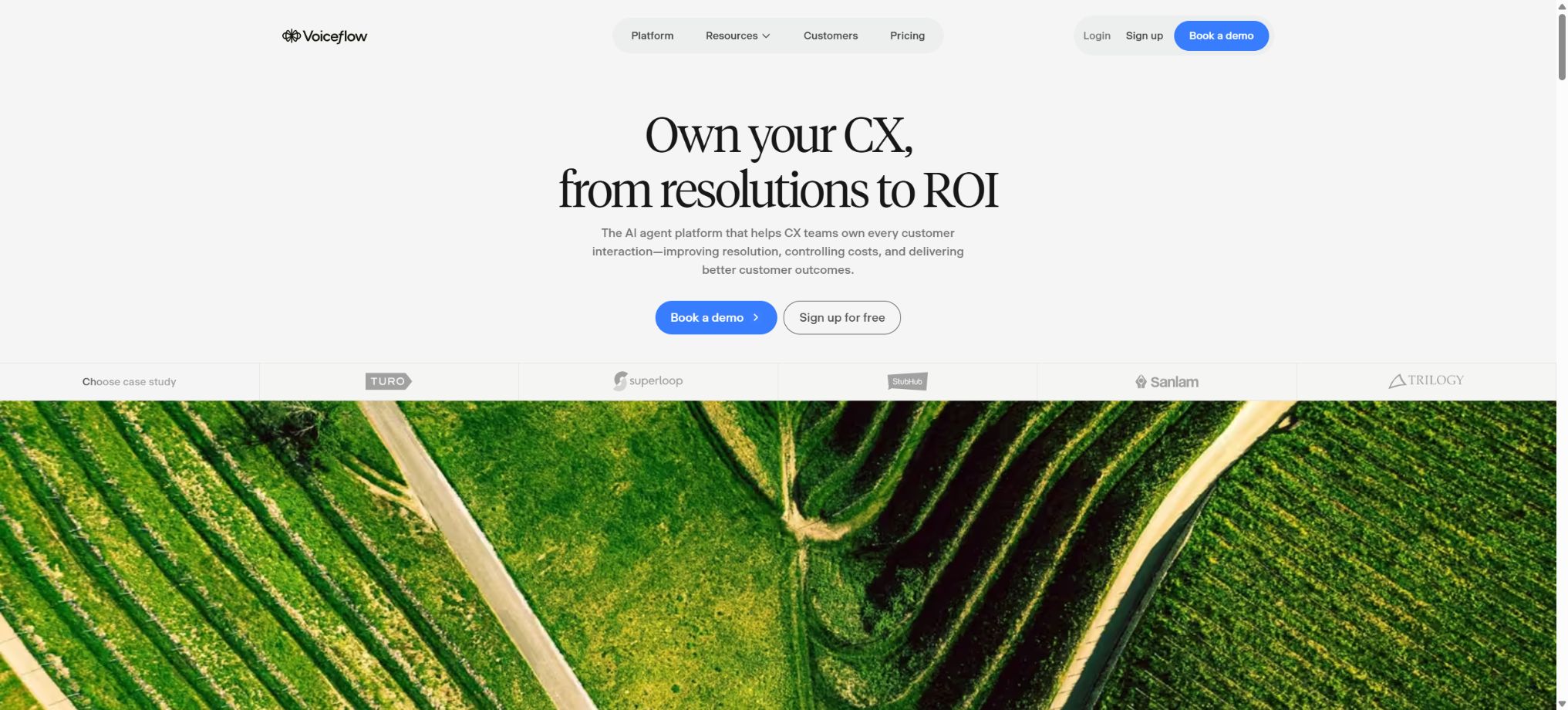
What is Voiceflow?
Voiceflow is a platform used for designing, developing, testing, deploying, and monitoring AI chat and voice agents, with a focus on customer service, call handling, lead generation, scheduling, and business automation. Teams can combine natural language agents, Agentic Playbooks, deterministic workflows, knowledge bases, and external tools within a visual canvas, and then deploy them on websites, phones, or custom channels.
Initially, Voiceflow focused on voice assistant prototypes and dialogue design tools, but it has since evolved into an Agent platform designed to enhance the customer experience in production environments. It allows non-developers to design workflows using a drag-and-drop interface; at the same time, it offers Conversations API, Knowledge Base API, functions, JavaScript, REST API, and MCP, enabling engineering teams to integrate with real business systems.
Core functions
1. Global Agent global configuration
For each project, it is possible to define the Agent’s objectives, identity, tone, behavior rules, and global tools. The global Agent is responsible for understanding the user’s current needs and making choices among Playbooks, Workflows, knowledge bases, and tools.
Recent versions allow API, MCP, Integration, and Function to be set as Global Tools, enabling them to be used in any Agentic context.
Global prompts need to clarify the scope of services, privacy policies, prohibited actions, procedures for handling failures, and the conditions under which a human agent should be involved. Stating simply that the agent will \"help with all issues in a friendly manner\" increases the risk of overstepping boundaries and generating misunderstandings; production agents should be restricted as to what they can promise, modify, or disclose.
2. Playbooks
Playbooks are used to describe goal-oriented, flexible dialogue tasks such as querying orders, scheduling appointments, collecting information, or handling returns. Developers describe the goals, steps, and tools in natural language, and the Agent decides on how to carry out these tasks based on the context of the conversation, without the need to list every possible way the user might express themselves.
Playbooks are suitable for scenarios where the language varies greatly but the goals are clear. Authentication, payment, legal consent, and operations that must be carried out in a specific order should not be left entirely to the discretion of the model; instead, they should be integrated with deterministic workflows.
3. Workflows
Workflow controls multi-step processes through Steps, Conditions, Variables, and Paths located on the canvas. It is suitable for businesses where predictability is essential, such as verifying the user first, checking the order, confirming the selection, submitting changes, and sending notifications.
Workflow can operate without AI, or it can invoke Prompts, a Knowledge Base, or tools as needed.
This combination of “Agentic Playbook + deterministic Workflow” is a key feature of Voiceflow: open-ended interactions are handled by the models, while the critical business constraints are enforced through predefined workflows. For large-scale projects, it is necessary to break down repetitive logic into reusable components, and to establish procedures for handling situations such as timeouts, failures, and cancellations.
4. Knowledge base
The knowledge base can import PDFs, text files, CSV data, web page URLs, manually entered text, and integrated data, providing the Agent with FAQ entries, policies, product information, and help center content. The system supports metadata filtering, which allows the same set of knowledge to display different content based on region, brand, product line, or user plan.
The Agent can perform queries automatically when needed, or it can carry out explicit queries within a Workflow and pass the results to the Prompt. The chat interface also displays the source URL, which facilitates verification by users.
For phone calls, it is necessary to state the source verbally or provide a separate link.
When knowledge is imported, only parseable text is retained, and complex styles as well as certain visual elements may be lost. Using LLM Chunking for synchronization consumes Credits, so it is advisable to reduce the frequency of updates when the content does not change often.
Prices, inventory levels, and account status are better queried through real-time APIs.
5. API, Functions, Integration, and MCP tools
API Tool allows for the configuration of GET, POST, PUT, PATCH, or DELETE requests without the need to write JavaScript; it enables the mapping of input values, headers, parameters, bodies, and response fields. It can be selected autonomously by Playbooks, or it can serve as a fixed step within a Workflow, supporting asynchronous \"fire and forget\" execution or delayed response delivery.
Function is used to write custom logic; Integration enables connections to common SaaS services; MCP exposes external tools and data sources to the Agent through a unified protocol. Starting in 2026, there will be a timeout limit for custom tools: up to 150 seconds for Pro and Business versions, up to 600 seconds for the Enterprise version, and up to 60 seconds for the Trial version.
Tools may read and modify actual business data. Keys should be stored in secure configurations, parameters must be validated, write operations require confirmation, idempotency, proper permissions, and auditing; user-generated text cannot be simply combined to form arbitrary requests.
6. Web Chat
The official Webchat component can be deployed as a floating window, pop-up overlay, or embedded section within a page; it supports text and voice input, voice output, as well as continuous Voice Mode. It is possible to adjust colors, icons, launchers, placeholder text, and privacy links, and to limit allowed domain names, display legal statements, and control whether transcripts are saved.
The Business plan allows the Voiceflow brand to be removed. Developers can also use Web Chat Extensions to add file uploading, calendar functions, forms, and custom cards, or to trigger JavaScript effects in other parts of a webpage.
7. Telephone Agent
Voiceflow Telephony allows phone numbers to be linked for handling incoming and outgoing calls. Users can adjust the tone, speaking speed, wait time in case of no response, voice recognition, TTS, as well as call workflows, and they can also make use of knowledge bases and business tools.
The phone agent is suitable for making appointments, handling FAQs, checking orders, and providing basic customer service.
The quality of phone calls is influenced by the service provider, latency, background noise, interruptions, accents, and proper nouns. The platform supports voice keywords and multilingual STT, as well as TTS models such as ElevenLabs.
Phone recording, outbound call approvals, AI identity disclosure, and marketing call rules vary by region; compliance audits must be completed prior to deployment.
8. Conversations API and custom interfaces
The Conversations API enables applications to carry out conversation turns via HTTP, send events, and read or modify Session State and Variables, thereby integrating Agents into mobile apps, games, hardware, or custom front-ends. Webchat is not the only method of delivery.
API Keys must not be placed in public clients. Production systems should use backend proxies to verify user identities, limit the rate of requests, and isolate the Session IDs of different users, in order to prevent session hijacking and the leakage of variables.
9. Transcripts, recordings, and logs
The platform stores message histories, phone call recordings, tool logs, metadata, and evaluation scores, which facilitates the identification of failures and the review of conversations. Whether to save transcripts can be adjusted according to Webchat settings and organizational policies.
Recordings and full conversations may contain personal information, payment details, and health-related content. The team should define retention periods, access roles, as well as processes for data masking and deletion, and ensure that integrated systems adhere to the same standards.
10. Evaluations and Simulations
Voiceflow can automatically assess customer satisfaction, as well as the parameters of Deflection and Resolution; it also allows for the creation of custom metrics. Batch simulations can be carried out using synthetic conversations or historical scenarios to test new versions of Agents, thereby identifying any issues related to routing, knowledge, and tools before real users start using them.
Each AI assessment also consumes Credits, and the results are based on the model’s judgments rather than on objective facts. Manual verification should be carried out through sampling, and important security and compliance tests should be expressed as clear, repeatable assertions.
AI models and voice service providers
Voiceflow supports the major large-model providers, allowing different prompts, agents, and tools to use the appropriate models. The list of available options changes as the platform evolves; the developers currently emphasize that access to the major model providers is possible.
The voice section includes separate functions such as STT, TTS, telephony, and concurrent calls.
Strong models generally improve the accuracy of tool selection and the stability of complex conversations, but they also consume more Credits. Telephone Agents must also handle tasks such as speech recognition, speech synthesis, determination of call duration, and Agent orchestration; therefore, the costs cannot be estimated solely based on text tokens.
Starter, Pro, Business, and Enterprise
Voiceflow currently offers four types of solutions:
- Starter:It is free for learning and testing purposes, has limited functions compared to Credits, and is not suitable for handling production-level traffic.
- Pro:For individual builders, all LLMs are made available, and the limit on the number of Agents is increased;
- Business:Designed for growing teams, it includes features such as the Fallback model, priority support, as well as capabilities related to teams and brands; its previous name was Teams.
- Enterprise:Designed for large-scale and highly secure organizations; it includes SSO, Private Cloud, custom Credits, as well as enhanced usage capabilities, with pricing based on contractual agreements.
The current public pricing page for Voiceflow offers free trials or the option to request a quote for Agencies, Partners, and Businesses; it no longer displays the details of all self-service pricing tiers. The official documentation requires users to log in to their Workspace, where they can find information on the prices of various plans, add-ons, and credit bundles under the Plans and Billing section.
Therefore, the catalog should no longer reference the old prices of $50, $60, or Teams as current prices.
The announcement regarding the updates to Credits in 2025 stated that Teams would be renamed Business, the basic price would increase to 150 dollars, and the cost of additional Editor Seats would drop to 50 dollars per month; these are details from the time of those updates, and current pricing should still be based on what is shown on the Dashboard.
Annual payment discounts, basic Credits, and package contents may continue to change.
How are Credits billed?
| Package or version | Prices, quotas, and core benefits |
|---|---|
| Starter | It is free for learning and testing purposes, has limited functions compared to Credits, and is not suitable for handling production-level traffic. |
| Pro | For individual builders, all LLMs are made available, and the limit on the number of Agents is increased; |
| Business | Designed for growing teams, it includes features such as the Fallback model, priority support, as well as capabilities related to teams and brands; its previous name was Teams. |
| Enterprise | Designed for large-scale and highly secure organizations; it includes SSO, Private Cloud, custom Credits, as well as enhanced usage capabilities, with pricing based on contractual agreements. |
Voiceflow uses a unified credit system to account for the activities of its production agents, including messages, LLM responses, phone calls, STT, TTS, knowledge processing, evaluation, and orchestration. Each plan comes with a set of monthly credits, and all Workspaces share the organization’s total credit balance.
Monthly Credits are reset at the start of each new billing period, and any unused amount is not carried over. Annual subscribers usually receive Credits for the entire year at once, to be used within that subscription period.
Test messages in the development environment and Shareable Prototype do not consume production Credits; billing applies only to sessions that are deployed in production.
When the credit limit is insufficient, it is possible to upgrade the Credit Bundle or enable Auto Top-up. The current billing documentation states that Auto Top-up will automatically make purchases when the balance reaches zero; however, a release announcement for 2025 mentioned that no charges would be incurred in cases of exceeding the limit, which indicates that the automatic renewal policy may change depending on settings and versions.
Before enabling it, confirm the purchase amount, threshold, and limit.
The real-time cost associated with each action can be viewed in the Credits Pricing Table and the Usage Dashboard. The costs vary depending on the model, the voice service provider, and the type of call; there is no fixed price per conversation. It is necessary to calculate the actual average number of calls and duration of each call before going live.
Paid Add-ons
The paid plans include a certain number of Editor Seats, with additional editing seats available for purchase on a monthly basis; Viewers are available free of charge and without any limits in all plans.
Each Workspace typically includes one Voiceflow phone number; additional numbers can be purchased as add-ons.
The number of concurrent phone calls can also be increased separately.
PII Redaction is an optional add-on that can be purchased to handle personal identification information related to specific items once it is activated. It cannot replace data minimization, access controls, encryption, or manual privacy reviews.
Enterprises and Private Cloud
Enterprise offers SSO, Private Cloud, customized quotas, and contract support. Private Cloud customers use a dedicated Runtime Endpoint in Webchat, rather than a public Runtime address.
The specific data areas, model providers, logs, backups, RTO values, and compliance requirements are subject to the terms of the enterprise contract.
A private cloud does not mean that all external integrations become private automatically; calling external LLMs, telephony systems, CRM platforms, MCP services, or APIs still generates corresponding data flows, and the architecture review must cover the entire workflow.
GitHub and the open-source status
Voiceflow has an official organization on GitHub that has its domain verified; this organization offers repositories containing API examples, client libraries, common components, demonstrations, and historical Chat Widgets. The licensing terms vary depending on the project, and some of these repositories have been archived.
Voiceflow’s core components such as Studio, Agent Runtime, the knowledge base, the Credits-based billing system, as well as the phone and management platforms are not fully open-source products; there is also no community version that can be deployed by users themselves. The availability of React Chat, API Examples, or Libraries does not mean that Voiceflow Cloud is open-source – it is necessary to check each repository for its license and maintenance status before using them.
Voiceflow usage guide
Complete a basic task.
- Verify recordings, audio, music, and participant authorization;
- Upload or enter clear audio into Voiceflow;
- Select settings such as language, speaker, and global configurations for the Global Agent;
- Use Playbooks to generate transcription, dubbing, or cleanup results;
- Check each segment for names, numbers, pauses, volume, and mood;
- Before exporting, verify the format, loudness, copyright, and privacy requirements;
Create reusable professional workflows
- A test set is created using real noise, accents, and multi-person segments;
- Compare the differences in handling between the Global Agent’s global configuration, Playbooks, and Workflows.
- Retain the original recordings and the unmodified transcripts;
- Arrange for a manual hearing before releasing it to the public;
- Statistically analyze processing time, error rate, and quota consumption;
- Regularly update the glossary, sound licensing, and deletion policies;
Which users is it suitable for?
- It is necessary to have a team that is responsible for both website chat services and telephone customer service agents.
- A structure that enables collaboration among product developers, dialogue designers, and engineers on a visual canvas;
- Customer service and operations teams that need to combine open AI with deterministic business processes;
- Developers who need to connect a knowledge base with Shopify, Zendesk, CRM, APIs, and MCP;
- Production teams that require transcripts, recordings, evaluations, simulations, and runtime analysis;
- Organizations that need to deliver Agents to multiple clients and require Workspace as well as handover capabilities.
Product advantages
- Chat and phone agents share the same design, knowledge, and tool platform;
- Playbook is responsible for flexible goals, while Workflow handles deterministic processes.
- The knowledge base supports source URL filtering, metadata filtering, and automated management;
- APIs, Functions, Integrations, and MCP tools handle business connections;
- Webchat supports scalable forms, file uploads, calendars, and custom interactions;
- It includes Transcript, Recording, Evaluation, Simulation, and Analytics;
- Any custom interface can be created using the Conversations API.
Limitations and precautions
- The total cost of Voiceflow consists of the platform plan, Credits, editing seats, phone numbers, concurrent calls, and third-party services. The official website no longer displays the exact cost figures, so it is necessary to log in or request a quote before making a purchase.
- It must be estimated using CreditCalculator and test traffic.
- The visualization canvas can become complex in large-scale projects, so it is necessary to establish naming conventions, component reuse rules, as well as standards for the environment and deployment.
- Changes to the knowledge base, tools, and global prompts must go through Staging, Simulation, and regression testing;
- Telephone agents carry higher risks related to compliance and customer experience;
- The AI identity should be disclosed, consent for recording audio must be obtained, external calls should be restricted, emergency situations and manual transfers should be established, and tests should be conducted for interruptions, muting, poor network connections, and multiple people speaking at once.
- Agents are able to call APIs and MCPs, so it is necessary to protect against prompt injection and unauthorized access.
- All write operations must verify identity, require double confirmation, limit parameters, maintain audit records, and provide compensation in case of failure.
Frequently Asked Questions
Is Voiceflow free?
The Starter plan is free and suitable for learning and testing, but it has limited functions and credits, making it unsuitable for handling actual production traffic. The Pro, Business, and Enterprise plans are paid versions.
How much does Voiceflow cost?
The current public page does not display the self-service amount in its entirety; for Pro, Business, Credits packages, Editor Seats, and phone Add-ons, you need to log in to Plans and Billing to view the details; Enterprise quotes are available upon request.
Do not use the old pricing.
Can Voiceflow be used to create phone bots?
Yes, it supports phone numbers, inbound and outbound calls, STT, TTS, interruption features, a knowledge base, and various tools. Calls, voice models, and concurrent sessions consume Credits or Add-ons.
What is the difference between Playbook and Workflow?
Playbook enables AI to engage in flexible conversations and utilize tools based on specific goals; Workflow, on the other hand, follows predefined steps and is suitable for processes that require predictability, such as authentication and order modifications.
Is knowledge base support available?
It supports PDF, text, CSV, URL, manual text, and integrated data, and allows filtering and displaying the source URL using metadata. Synchronization and querying may consume Credits.
Is MCP and API supported?
Supported. REST APIs, Functions, Integrations, and MCP tools can be configured; in addition, Conversations API and Knowledge Base API are also available.
Can the Voiceflow brand be removed?
The Business plan allows for the removal of the Voiceflow brand from Webchat; the specific capabilities related to branding and integration with other systems are determined by the current plan.
Is Voiceflow open source?
The core platform is not open source. The official GitHub page provides examples, libraries, and historical components; some of these are archived and cannot be considered a complete Voiceflow system that can be deployed on one’s own.
Tools similar to Voiceflow





 Guigong Network Security Registration No. 45132202000164