






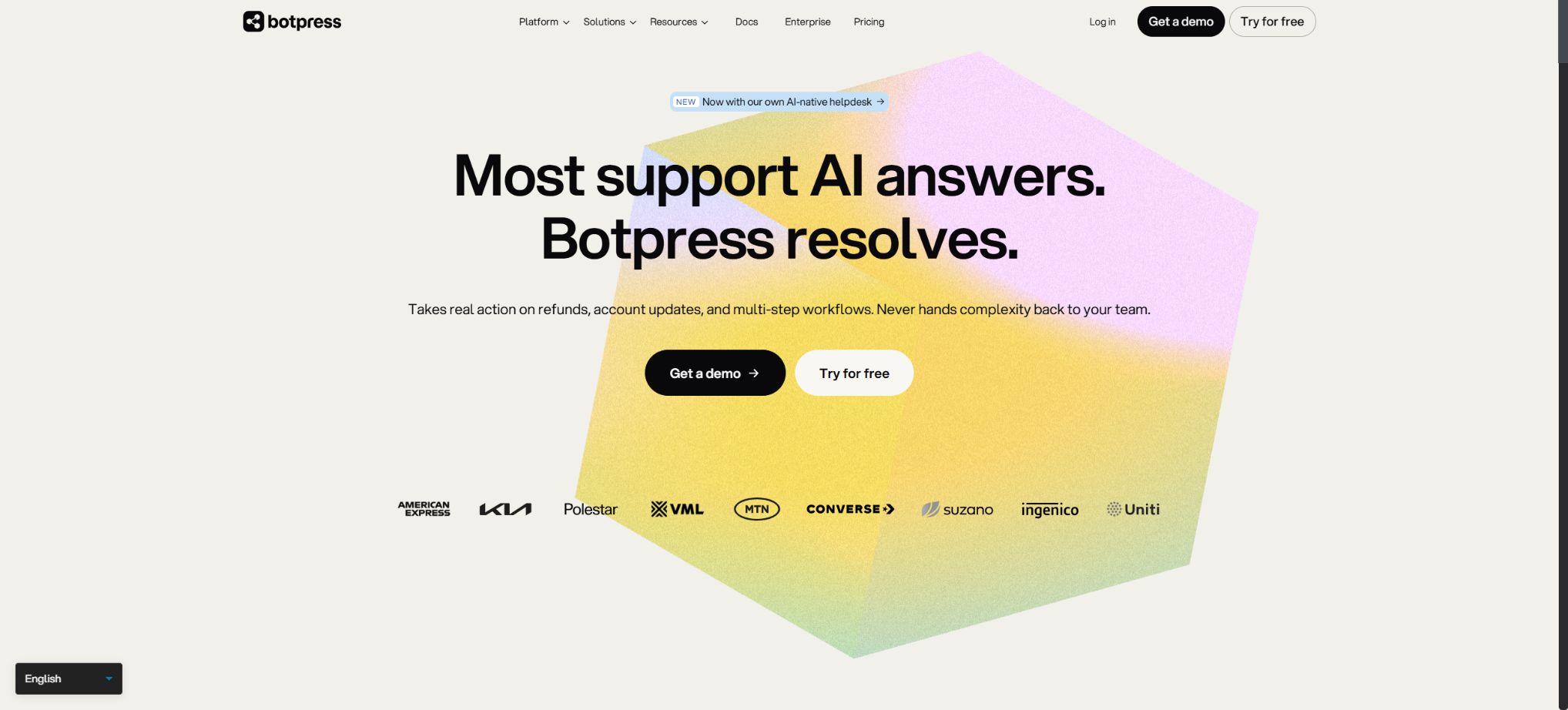
What is Botpress?
Botpress is a cloud platform used for building, deploying, and managing AI Agents and chatbots. It brings together visual workflows, Autonomous Nodes based on large models, knowledge bases, data tables, channel integrations, code cards, and human-AI handoffs within a single Studio, making it suitable for creating customer service assistants, sales lead bots, employee knowledge assistants, and business process Agents.
Botpress supports low-code drag-and-drop functionality, as well as APIs, SDKs, and custom integrations. Non-developers can start by using workflows and templates, while developers can write TypeScript code, connect to external systems, and deploy bots on websites, WhatsApp, Messenger, or other platforms.
Important change: The current product is available only in the cloud version.
Botpress v12, along with other local and self-hosted versions, has been officially discontinued; it can no longer be purchased, downloaded, or used for new deployments. Customers who still have a valid v12 subscription continue to receive official support, but new users must use Botpress Cloud.
The Botpress code and previous tutorials are still available on GitHub, but this does not indicate that it is possible to carry out a complete, private deployment of Cloud at no cost. New users looking for Windows installation packages, Docker Compose instructions, or tutorials for version v12 will find outdated content; they should use the official cloud-based Studio instead.
If data sovereignty or custom deployment is required, please contact Enterprise Sales to confirm the available options.
Core functions
1. Visualizing Botpress Studio
Studio organizes dialogues and business logic using nodes, cards, variables, and connections. Users can configure entry points, conditions, messages, data capture, code execution, API calls, and sub-workflows, and test them in the built-in simulator.
Visualization makes it easy to quickly understand processes, and it also facilitates joint maintenance by product, operations, and development teams.
In complex robots, it is difficult to debug when all the logic is placed in a single framework; it is recommended to divide processes such as authentication, querying, routing, and completion into separate Workflows, and to establish uniform standards for variables, errors, and exit conditions.
2. Standard Node and Autonomous Node
The Standard Node executes the various tasks in a fixed order, making it suitable for processes that require predictability, such as collecting forms, verifying accounts, and confirming orders. The Autonomous Node, on the other hand, relies on large models to decide what response to give, which tool to use, which knowledge base to consult, or which workflow to execute, based on the context; it is thus more appropriate for open-ended questions and multi-step Agent tasks.
An Autonomous Node can be configured with Instructions, Variables, Tools, Knowledge Bases, Workflows, and Exit Conditions; it can also override both the default dialogue model and the RAG model. High-performance models are generally better at understanding tool parameters.
Smaller models may encounter loops and failures due to context truncation or incorrect tool selection.
3. Knowledge base and RAG Q&A
The knowledge base can accept websites, documents, tables, rich text, web searches, and integrated data, enabling agents to provide responses based on company policies, product information, prices, FAQs, or structured records. By default, a newly created agent can use the Search Knowledge tool to access the knowledge base; it is also possible to specify that searches be conducted only in certain sources of information.
After a document is uploaded, it is usually converted to Markdown format; the original formatting and some images are removed. The Visual Knowledge Base index can handle images, charts, and diagrams, but this represents a more advanced capability.
For scanned documents, complex forms, and data that changes frequently, it is necessary to first verify the results of parsing.
The knowledge base consumes Vector DB storage. Retrieving data from multiple databases at the same time increases the usage of tokens, leads to higher latency, and raises the risk of confusion.
When the content domains are well defined, different knowledge bases can be configured as separate tools, with clear indications of when to invoke them.
4. Data table
Botpress Tables are used to store structured data, which can be queried or updated by Agents; examples of such data include products, stores, inventory, ticket categories, and customer preferences. These data tables can be integrated with knowledge-based responses, and they can also be synchronized with external systems via APIs, Webhooks, or scheduled tasks.
It is suitable for lightweight agent data and should not replace the enterprise’s main database without reservation. Sensitive data, transaction consistency, access control, and large-scale queries should remain in a dedicated backend and be made available through APIs with the principle of least privilege.
5. Integrations and Channels
Botpress Hub offers official as well as community-based integrations, enabling connections to WhatsApp, Messenger, Slack, CRM systems, customer service platforms, databases, and other APIs; it also allows agents to be deployed across various messaging channels. Developers can use the SDK to create custom integrations and define events and actions.
Before installing the integration, it is necessary to check the publisher, the required credentials, permissions, and costs. WhatsApp, models, search functions, SMS services, and customer support systems may incur additional charges from third parties; the Botpress package does not include these services automatically.
6. Webchat website chat component
Botpress allows chat components to be integrated into websites, with the possibility of customizing colors, avatars, welcome messages, and proactive messages. The Plus, Team, and Enterprise versions enable the removal of the “Powered by Botpress” watermark, but official support is not available for the White Label Studio or Dashboard.
Before embedding, it is necessary to handle cookie consent, privacy policies, mobile layout, accessibility, and cross-domain security. Robot management tokens or backend API keys should not be exposed in the public frontend.
7. Human-in-the-Loop human-computer handoff
HITL allows human agents to join conversations, approve AI-generated outputs, or take over in complex and sensitive situations. The human-AI handoff feature in the new Workspace has been moved to Botpress Desk;
The old Workspace can still use the legacy HITL integration.
HITL requires at least the Plus regimen.
A reliable transfer process requires the definition of trigger conditions, operating hours, waiting messages, context summaries, ticket routing, and procedures for when no one is available to respond. Simply adding a “Transfer to human agent” button does not constitute a complete customer service workflow.
8. Conversation Analysis
The platform can summarize the topics of conversations, the emotions expressed, the outcomes, and whether any issues were resolved. Plans at the Plus level and above offer more comprehensive Conversation Insights, while Team plans include the possibility of custom analysis. Administrators can use this data to identify knowledge gaps and the reasons for task transfers.
Emotions and resolution rates are inferred by AI, which may misinterpret sarcasm, dialects, and complex contexts. Analysis is suitable for identifying trends and should not be used alone for evaluating employees or assessing high-risk users.
9. APIs, SDKs, and Bots as Code
Developers can use the Botpress API and SDK to create integrations, plugins, and code-defined agent capabilities; they can also employ Webhooks to have external systems trigger workflows. TypeScript imposes constraints on events, actions, and configurations, making it suitable for incorporating Botpress into formal development processes.
Visual Studio and the code require defined versions as well as clear boundaries of responsibility. In a production environment, it is necessary to separate development, testing, and deployment phases, protect tokens, keep track of integration versions, and set timeouts, retry mechanisms, and idempotency features for external APIs.
AI models and AI spending
Botpress selects models based on whether the bot is set as an Autonomous Node or a RAG node; some nodes can use alternative models to those default. The available models and their pricing may change as the platform evolves, and complex tool calls typically require more advanced models.
The monthly fee for the package does not include unlimited model inference. AI Spend is calculated based on the token price set by the model provider, and Botpress includes the actual AI costs in the Workspace.
The current monthly limit for AI spending is as follows: PAYG and Plus have a limit of up to 100 dollars, Team has a limit of up to 500 dollars, while Enterprise offers customized limits. This limit serves as a protection against excessive spending, and it is not the amount included in the subscription package.
PAYG may include small monthly AI Credits; the amounts and types of these credits can vary. Costs related to third-party services such as Bing Search, messaging channels, CRM, and other APIs are charged separately.
Before going live, it is necessary to test the average number of tokens, knowledge retrieval performance, and the number of tool iterations through actual conversations.
Packages and prices
Botpress currently operates on a structure that consists of a platform base fee, AI-related costs, and optional add-ons. The monthly public base price is:
| Package or version | Prices, quotas, and core benefits |
|---|---|
| Plus: $89 per month, | It includes 2 bots, 2 collaborators, 5,000 messages, 100,000 rows of data in tables, 1 GB of vector database storage, 10 GB for file storage, and 1 Always Alive component. Additionally, it offers features such as human-machine routing, conversation insights, watermark removal, proactive messaging, visual knowledge indexing, and online technical support. |
| Team: $495 per month, | It includes 3 bots, 3 collaborators, 50,000 messages, 100,000 rows of data in tables, 2GB of vector database storage, 10GB for file storage, 3 instances with Always Alive functionality, as well as RBAC, real-time collaboration, custom analytics, and advanced support. |
| Enterprise: Request for quote, | Quotations are provided based on security, scale, deployment, support, and customization requirements. |
The official website also offers annual payment discounts, and the prices may vary depending on the contract terms and any ongoing promotions. The Managed page may display different pricing suggestions for various billing cycles; it is necessary to refer to the current sales prices when making purchases.
Prices of additional resources as add-ons
- An additional 5,000 Incoming Messages & Events: 20 dollars per month;
- Additional 100,000 rows of Table: $25/month;
- 1 additional bot: $10 per month;
- 1 additional Always Alive: $10 per month;
- Additional 1 Collaborator: $25/month;
- Additional 1GB of Vector DB Storage: $20 per month;
- Additional 10GB of file storage: $10 per month.
An Incoming Message or Event is any action that triggers the execution of a Bot; it’s not limited to text messages from users. Webhooks, channel events, and automated workflows can also consume quotas.
Always Alive reserves computing resources for bots in order to reduce the time required for the first response.
Supported platforms and deployment methods
Botpress Cloud allows users to work with Studio and Dashboard via a browser; the resulting Agents can be deployed on Webchat, messaging platforms, as well as in custom integrations. New users do not need to download a local version of Studio for Windows, macOS, or Linux, nor do they need to set up a self-hosted version using Docker v12.
It is necessary to confirm with sales whether Enterprise can obtain specific isolation, data zones, or dedicated deployment; the current cloud-based contract cannot be inferred from the old v12 self-hosted documentation.
GitHub and the open-source status
Botpress’s official GitHub repository remains publicly available; the packages in this repository are licensed under the MIT license, and they include SDKs, CLI tools, integration components, as well as code for further development within the ecosystem. Developers can study these open-source packages and use them to create their own solutions.
The Studio, managed runtime, billing system, administration interface, and full set of services available in the current Botpress Cloud do not become open-source products that can be deployed freely as a result of this. The official documentation explicitly prohibits the downloading or deployment of version 12 or any other self-hosted versions; therefore, the tool catalog should be labeled as \"Partial SDKs/packages are open-source, while the current platform is a proprietary cloud service,\" rather than simply stating that it is an open-source product that can be used in a private environment.
Botpress usage guide
Complete a basic task.
- Clarify the issue, time frame, location, source priority, and output format;
- In Botpress, upload materials for which you have permission to use, or enter a search query;
- First, create a framework using the visual Botpress Studio, and then supplement it with evidence through a knowledge base and RAG-based Q&A system.
- It is necessary to distinguish between factual information from the source, the author’s opinions, and AI-generated conclusions.
- Check each item for dates, numbers, the original location, and any conflicting evidence;
- The conclusions are manually revised, the verification time is recorded, and then they are published;
Create reusable professional workflows
- Break down complex topics into four categories of questions: background, data, comparison, and conclusions;
- The combination of Botpress Studio for visualization, a knowledge base, RAG for question-answering, and data tables constitutes a fixed set of research steps.
- Give priority to using the official website, research papers, regulatory documents, and raw data;
- A second person is assigned to review conclusions that are considered high-risk;
- Save queries, evidence, versions, and unresolved issues;
- Re-run after the data changes and update the conclusions;
Which users is it suitable for?
- There is a need to quickly assemble a team for website customer service, FAQ handling, and sales lead automation.
- Product developers hope to use visual workflow controls for key steps, while relying on LLMs to handle open-ended questions;
- Developers who need to connect to knowledge bases, tables, CRM systems, ticketing systems, and messaging channels;
- I hope to join the service team that handles live approvals and customer support.
- Large and medium-sized enterprises that require multi-member collaboration, RBAC, and analysis;
- Organizations that hope to have their Agent built, maintained, and optimized by an official team.
Product advantages
- Standard Nodes and Autonomous Nodes combine deterministic processes with Agent decision-making;
- Visual Studio reduces the barriers to creating workflows;
- The knowledge base supports searching for websites, files, tables, web pages, as well as integrating data;
- The Hub ecosystem includes channels, customer service, business systems, and custom SDKs;
- Built-in Webchat, conversation analysis, and human-to-machine routing;
- PAYG can be tested with no platform fees, and resources can be increased as needed;
- It offers different delivery options: Team, Managed, and Enterprise.
Usage restrictions and precautions
- Agents may experience hallucinations, incorrect tool calls, and infinite loops;
- It is necessary to define the Instructions, ExitConditions, scope of knowledge, and options for manual transfer. Before going live, tests should be conducted for scenarios such as unauthorized access, prompt injection, lack of answers, abusive behavior, privacy issues, and channel failures.
- The costs consist of messages, events, AITokens, knowledge storage, files, collaborators, and third-party channels;
- Focusing only on the base fee of $89 or $495 leads to an underestimation of the total cost; it is necessary to develop a model for the cost per session and set up alerts based on traffic usage through testing.
- Converting knowledge base documents may result in the loss of styles and visual information.
- Real-time data such as prices, inventory levels, and orders should not rely on static files; it should be obtained through controlled APIs or synchronized tables, with the update time indicated.
- Community integration and custom code allow access to user data as well as external accounts;
- In a production environment, it is necessary to restrict Token permissions, verify Webhooks, maintain audit logs, filter outputs, and regularly upgrade dependencies;
Frequently Asked Questions
Is Botpress free?
The basic fee for the PAYG platform is $0, allowing it to be used for testing; however, charges may apply for AI spending, excess resources, and third-party services.
How much is Botpress?
The monthly base prices are $0 for PAYG, $89 for Plus, $495 for Team, and $1,245 for Managed; a quote is required for Enterprise. In addition, there are costs associated with AI Spend and Add-ons.
Can Botpress also be self-hosted?
New users are not allowed to do this. Versions v12 and other local, self-hosted versions have been discontinued, and they cannot be downloaded or deployed.
Current valid v12 customers will continue to receive support.
Is Botpress open source?
The SDKs and Packages available on the official GitHub are released under the MIT open-source license, but the current Botpress Cloud platform as a whole is not an open-source version that can be hosted freely.
Is knowledge base support available?
It supports websites, documents, tables, rich text, web searches, and integrated data, with the amount of storage used in Vector DB determined by the respective plan.
Can I be connected to a human customer service representative?
Yes. The new Workspaces use Botpress Desk, while the old Workspaces can continue to make use of the HITL integration;
This capability requires a Plus or higher plan.
Does Botpress charge an additional fee for the model?
Yes. AI Spend takes into account the actual token cost of the selected model; the basic fee of the package does not allow unlimited model calls.
Can the Botpress watermark be removed?
Plus, Team, and Enterprise can remove the watermark from the Webchat component, but Studio and Dashboard do not support branding.
Tools similar to Botpress





 Guigong Network Security Registration No. 45132202000164