






What is Devin?
Devin is an autonomous software engineering Agent developed by Cognition. Users can hand over code repositories and development environments such as GitHub and GitLab to it; it can then analyze projects, create implementation plans, edit multiple files, install dependencies, run commands and conduct tests, browse web pages, and create Pull Requests.
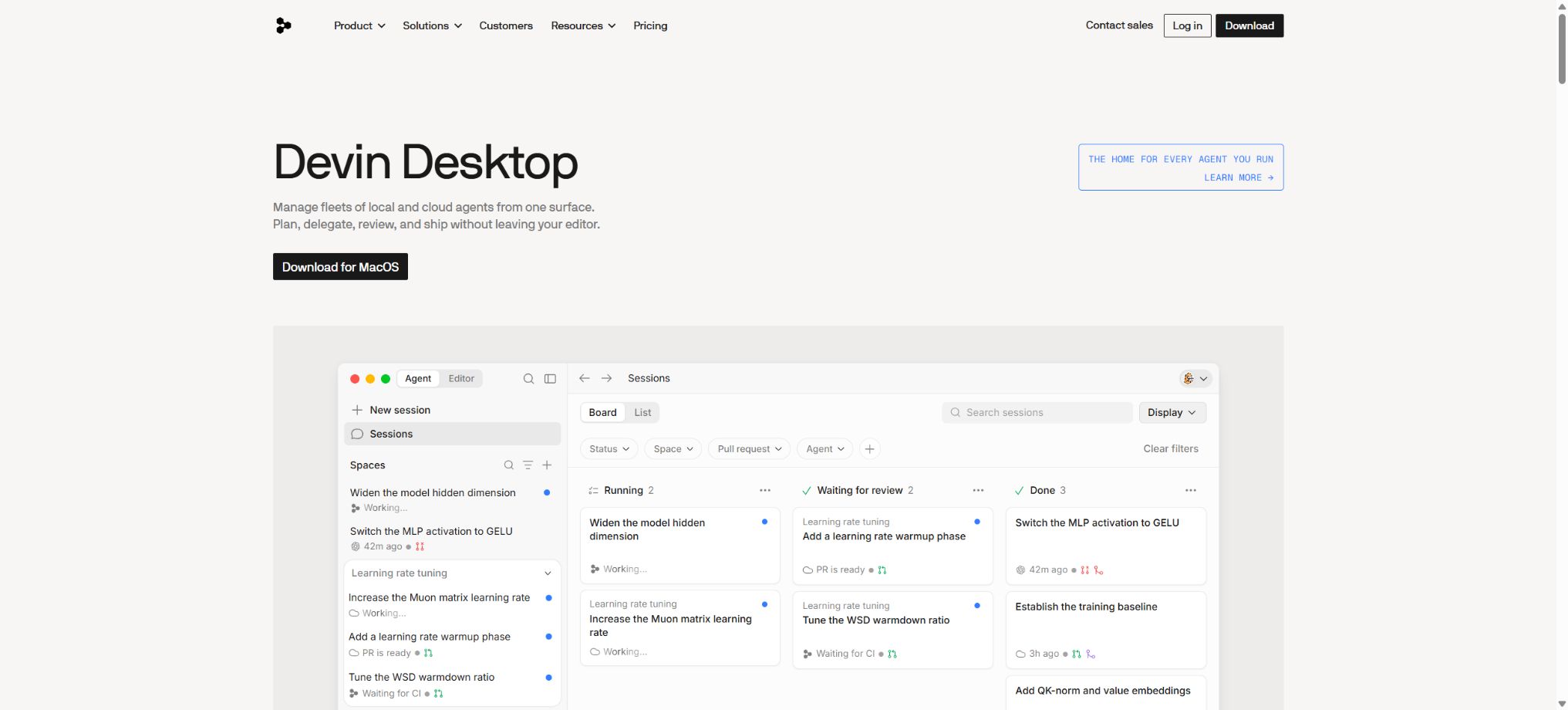
Devin offers not only chat-based code completion but also the ability to execute tasks in a standalone cloud computing environment, with the process being displayed through work logs, terminals, browsers, and Diff. After Cognition acquired Windsurf, the current package combines a desktop programming assistant, tab completion, inline editing, and Devin Cloud into one unified product.
Core functions
- End-to-end encoding task:Starting from an issue or a natural-language request, analyze the repository, implement features, fix bugs, add tests, and prepare a Pull Request.
- Isolated development environment:Each session comes with a shell, an editor, and a browser; it allows for installing dependencies, starting services, viewing logs, and performing end-to-end verification.
- Planning and collaboration:First, the steps and risks are outlined; the user can ask questions at any point, correct the direction, provide a key, or request further iterations.
- Devin Desktop:It offers Agent, Tab completion, inline editing, multiple models, and terminal workflows in the local development environment, making it suitable for interactive programming.
- Devin Cloud:Tasks are delegated to background agents for parallel processing, so users do not need to keep the IDE open at all times.
- Code review and knowledge:It allows for the analysis of Pull Requests, compliance with repository instructions and Playbooks, as well as the consolidation of repetitive processes into skills that can be reused by the team.
- Team integration:It supports Slack, Microsoft Teams, Linear, Jira, and MCP; tasks can be initiated from discussions or tickets, with progress updated back to the original thread.
- Automation and corporate governance:Sessions can be initiated based on events or schedules; the enterprise version offers additional features such as SSO, RBAC, centralized management, auditing, security modes, and dedicated deployment.
Price and quantity used
| Package or version | Prices, quotas, and core benefits |
|---|---|
| Free | $ |
| Pro | $ |
| Max | $ |
| Enterprise | Custom quotes are available, along with top-priority support, centralized enterprise management, multi-organization support, team isolation, customized Git providers, and dedicated deployment. |
The self-service plan utilizes a new system that includes quotas as well as credits on demand; the specific costs associated with tokens and tasks vary depending on the model, context, and length of execution. The Pro and Max plans are intended for individual use only – they cannot be shared with multiple people.
For workspaces that require multiple people, Teams must be chosen.
Enterprise continues to be billed based on the Agent Compute Units specified in the contract; ACU represents the workload associated with model inference and agent operations. Complex warehouses, long-running sessions, advanced models, as well as browser and testing cycles, all result in higher consumption of these resources.
The upper limits and auto-recharge thresholds should be set in Usage & Limits.
Devin’s tutorial
Complete a basic task.
- In Devin, specify the trigger conditions, input data, and the final action;
- Connect to the required application using a test account and grant only the minimum necessary permissions;
- Configure end-to-end encoding tasks and isolated development environments, mapping fields one by one;
- Add branch handling, failure management, retry options, and manual approval;
- Run with a small amount of test data and check the output at each step;
- Enable the official process only after confirming that there are no duplicate writes or abnormal charges.
Create reusable professional workflows
- Choose business processes with a high frequency of repetition and clear rules;
- Draw the paths for triggering, decision-making, execution, and rollback;
- Break down the end-to-end encoding tasks, as well as the isolation of development environments and planning and collaboration, into reusable modules;
- Set log settings, budgets, timeout values, and permission limits;
- Assign a responsible person to randomly check the results and handle the failed queues;
- Review application permissions, business rules, and actual costs on a monthly basis;
Which users are it suitable for
- A software team that assigns specific issues to backend agents for processing.
- Developers who need to upgrade dependencies in bulk, conduct testing, fix bugs, and migrate code
- Organizations that wish to initiate project tasks directly from Slack, Linear, or Jira
- Enterprises that require centralized permissions, dedicated deployment, and security auditing
Safety and usage restrictions
- Devin is able to execute commands, access repositories, use keys, and create external changes, which means it presents a higher risk in terms of permissions compared to ordinary chat assistants.
- Independent branches, tokens with minimal permissions, restricted test accounts, and sandbox resources should be used;
- Manual approval must be retained for database creation, cloud account management, as well as publishing and merging.
- Integration of MCP tools with third parties expands the range of accessibility; only trusted servers should be enabled, and each action must be reviewed.
- Agents may misinterpret requirements, choose outdated dependencies, modify irrelevant code, or create implementations that pass partial tests but compromise the functionality of the system.
- Delivery must undergo manual Diff review, CI, static analysis, security scanning, and actual acceptance;
- SessionInsights and ACU can only indicate the processes and costs involved, but they cannot prove that the code is correct;
Open-source status
The Devin core platform, model orchestration, and cloud agents are not open source. Cognition and Windsurf make some tools, examples, and integration projects available on their official GitHub repositories, but they do not provide the full Devin service or model weights for free private deployment.
The dedicated deployment for Enterprise is part of a commercial license and is not equivalent to open-source self-hosting.
Frequently Asked Questions
Can Devin be used for free?
There is a free plan that includes a limited number of lightweight agents and unlimited tab completion, but advanced models, cloud-based agents, and high usage levels require payment.
Will Devin automatically merge code?
It can create branches and Pull Requests and make further modifications, but the team should request manual review, CI checks, and approval before merging.
Can Pro be shared among multiple people?
No. Both Pro and Max are single-user plans; for collaborative work, Teams should be chosen.
Tools similar to Devin





 Guigong Network Security Registration No. 45132202000164