






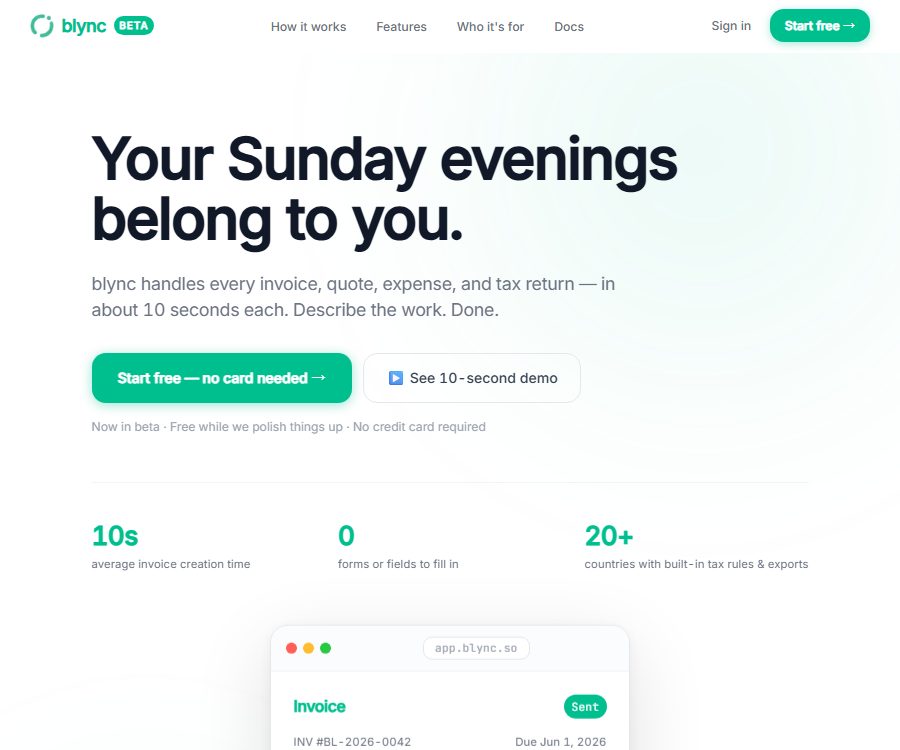
Blync Invoicing
Blync Invoicing: enables AI plugins to work more efficiently and simply with Skills.
Tags:Plugins and SkillsWhat is Blync?
Blync is an AI-powered financial dashboard designed for freelancers, self-employed individuals, and small businesses. Users describe clients, services, amounts, or expenses in natural language, and the system then uses the appropriate intelligent agents to create and maintain financial records.
The current Blync website has shifted from its original browser extension focus to products for invoice management, accounting, and tax automation. The old blog still contains links for previewing extensions, but it cannot represent the company’s current core services.
Blync’s main functions
AI invoices
The user specifies to whom the charge is to be made, what services are provided, and the amount; the system then generates an invoice including the tax rate and payment terms. A real-time preview is provided before sending, allowing for manual adjustments to the fields while keeping a record of previous versions.
Quotations and invoice transfers
Blync supports quotes that include multiple price options, and it keeps track of every modification made during the negotiation process. Once approved by the customer, it can be converted into an invoice instantly, thereby avoiding repeated data entry.
Expense records
The system identifies the cost categories, tax amounts, and whether these costs can be passed on to the customer, based on natural language descriptions, and adds them to the real-time ledger. High-value or suspicious items are marked, but the final classification still needs to be confirmed by the user.
Automatic debt collection
For overdue invoices, reminders with different tones can be sent automatically on preset dates, and payment commitments can be tracked. The system stops sending reminders once the payment is received, and users can also pause or adjust the strategies for specific customers.
Bank reconciliation
After uploading CSV, OFX, QFX, or MT940 bank statements, the AI will match the transactions with invoices, expenses, and payments. Unknown items will show a classification and a level of confidence; once confirmed, the relevant period can be locked in.
Financial statements
Users can generate income statements, balance sheets, cash flow statements, and accounts receivable aging through dialogue. These reports are based on the real-time account records available on the platform; if the data is incomplete, the results will be inaccurate as well.
Customer Intelligence
The platform generates a customer health score based on the payment speed, overdue amounts, and historical data, while also identifying any trends related to risk. This score is useful for determining priorities, but it cannot replace credit assessments or formal risk management methods.
Tax organization and export
Blync supports tax rules for more than 20 countries and regions, and provides exports in the formats of HMRC in the UK, GSTR-1 in India, VAT in the UAE, and GST in Australia. When tax laws are complex or when dealing with cross-border transactions, it is still necessary to have a professional accountant conduct an audit.
Blync usage tutorial
- Register an account and select the company’s registration location, currency, and tax settings.
- Links allowed bank accounts with payment processing services.
- Import customers, service items, payment terms, and tax rates.
- Describe in natural language the invoice or expense that is to be created.
- Check each item: customer, amount, currency, tax rate, and expiration date.
- After confirmation, the file is sent and the schedule for reminder alerts at expiration is set.
- Regularly upload bank transaction records to review matches with low confidence levels.
- Check profits and losses, cash flow, accounts receivable aging, and unusual items on a monthly basis.
- Before submitting the declaration, export the tax information and have it reviewed by a professional for final confirmation.
Which users are it suitable for
- Freelancers who need to issue invoices and collect payments quickly.
- Small businesses that manage quotes, costs, and customer payments.
- A team for the design, marketing, and consulting of project-based pricing.
- Cross-border service providers that require invoices in multiple currencies and basic tax processing.
- Business owners who wish to reduce manual reconciliation and repetitive data entry.
- Self-employed individuals who need to organize their accounts and hand them over to an accountant.
The advantages of Blync
- Use natural language for operations, reducing the need to fill out complex forms.
- Invoices, quotes, costs, receipts, reconciliations, and tax data are interconnected.
- Each scenario includes all ten financial agents.
- The document must be reviewed by the user before it is sent, to maintain manual control.
- It supports multiple currencies as well as different tax rules for various countries or regions.
- Provides version history and an immutable audit trail.
Usage restrictions and precautions
- AI financial tools cannot replace accountants, tax agents, or legal advisors.
- Tax rates, deductions, cross-border rules, and filing formats may change in accordance with regulatory updates.
- Before connecting a bank account to a payment account, it is necessary to check the scope of permissions and the methods for revoking them.
- Automatic debt collection can affect customer relationships, so it is necessary to establish exceptions and conditions for disabling it.
- Even automatic matching with a high degree of confidence can lead to accounting errors.
- The design of audit trails, which does not delete records, must comply with local requirements regarding record retention and deletion.
- \"Unlimited\" usage is usually still subject to reasonable use policies and service terms.
- The historical browser extension page does not have the same set of functions as the current financial products.
Blync price
As of August 26, 2026, the official website offers a free Starter version and a Pro version with monthly billing; an annual subscription provides a 20% discount. The page also states that new users can try the service for free for one month without needing a credit card; the actual eligibility for this trial period and the currency used for billing are specified on the account page.
| Plan | Reference price | Limit | Primary interests |
|---|---|---|---|
| Starter | Free | 10 documents per month | All 10 agents, invoices, quotes, costs, receivables, basic tax information, and audit history |
| Pro | 49 dirhams per month | No limit on invoices, quotes, charges, customers, and bank transactions. | Financial statements, customer ratings, forecasts, taxation in over 20 countries, automatic debt collection, and priority support |
The public price is displayed in UAE dirhams; taxes, exchange rates, and availability may vary. Before making a purchase, it is necessary to verify the total annual cost, bank connectivity, supported countries, data export options, and refund policies.
Security and data
The official website states that financial data is encrypted using AES-256 for static storage, and TLS is used for transmission; moreover, customer financial data is not used to train AI models. Every change is logged in an audit trail, and the platform claims that these records are not deleted.
These are official security statements and do not constitute independent audit certificates. Companies should further verify the location of the data, the sub-processors involved, access logs, backup and recovery procedures, event notification mechanisms, as well as the rules regarding data retention after accounts are closed.
Is Blync open source?
No official source code repository, open-source license, or self-hosted version for the current Blync financial platform has been identified; therefore it should be considered a closed-source SaaS solution. The use of local processing for initial expansions does not mean that the new financial system is open-source.
Frequently Asked Questions
Can Blync be used for free?
Yes, the Starter plan is free and includes all ten agents; it allows processing up to 10 documents per month.
Does Blync automatically send invoices?
The system first generates a real-time preview, and the content is sent only after the user reviews and approves it; the fields can be modified within the preview.
Does Blync support bank reconciliation?
It supports uploading CSV, OFX, QFX, or MT940 transaction files, and automatically matches invoices, expenses, and payments.
Can Blync replace accountants?
No. Complex tax assessments and formal filings should still be verified by qualified accountants or tax professionals.
How much is Blync Pro?
The reference price for a monthly subscription on the official website is 49 dirhams; an annual subscription offers a 20% discount, with the final amount depending on the payment page.
Is Blync an open-source tool?
No. At present, no official source code repository, open-source license, or self-hosted version for the financial platform has been identified.
Tools similar to Blync Invoicing




 Guigong Network Security Registration No. 45132202000164