






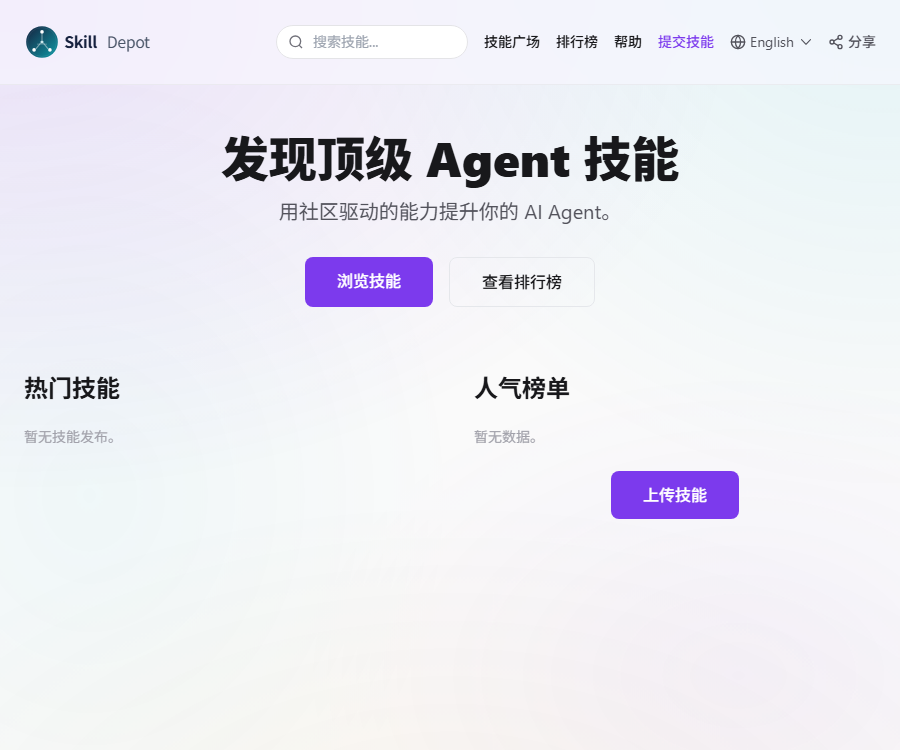
SkillDepot Skill Plaza
One-click download of AI skills for Alibaba International Station/Amazon/Shopify
Tags:Plugins and SkillsWhat is SkillDepot?
SkillDepot is an open market for AI Agent skills, aimed primarily at cross-border e-commerce sellers, operation teams, and AI developers.
Users can discover, download, publish, and evaluate skill packs, and they can also create their own skill markets based on MIT’s open-source code.
Main functions
- Browse Agent skills by category.
- View the weekly top picks, overall rankings, and latest skills.
- Download the skill pack in ZIP format.
- Upload skills containing SKILL.md.
- Like, rate, and leave comments on skills.
- View individual and team rankings.
- Display works through the personal homepage.
- Screen for skills in cross-border e-commerce operations.
- Connect using the Python or Rust SDK.
- Through a self-hosted platform using Docker Compose.
Overview of core functions
| Functions | Primary uses | Precautions |
|---|---|---|
| Skill discovery | Search for skills by category and rankings | Ranking does not equate to safety certification. |
| Skill download | Obtain the ZIP skill pack | Review all documents before installation. |
| Skill release | Upload your own SKILL.md and resources | It must not contain keys or customer data. |
| Rating comments | View community feedback | Code inspection is required. |
| Ranking list | Compare individual, team, and skill popularity | Popularity does not prove the effectiveness of a business. |
| Open-source deployment | Create a private skills market | You are responsible for your own security and operation. |
| SDK | Programmatic query and invocation skills | First, verify the version and API permissions. |
Which users are it suitable for
- E-commerce sellers across borders: looking for skills in operational automation.
- Amazon team: Handles Listings, ads, and reviews.
- Alibaba International Station team: Optimizing keywords and the RFQ process.
- Shopify sellers: Create product content and marketing emails.
- WordPress merchants: Automating WooCommerce operations.
- AI developers: Publish and maintain reusable skills.
- Corporate technology team: Builds its own internal skill repository.
- Agent users: Add specific capabilities to workflows.
Classification of skills for cross-border e-commerce
| Scene | Common skills | Verification is required. |
|---|---|---|
| Ali International Station | Listing optimization, RFQ responses, and keywords | Platform rules and account permissions |
| Amazon | Ads, Reviews, Product Selection, and A+ Content | Compliance, data source, and site differences |
| Shopify | Product description, emails, and customer service | Store permissions and customer privacy |
| WordPress | Content, plugins, and WooCommerce automation | Plugin security and write scope |
| Social media | Topic selection, copywriting, and publishing assistance | Platform policies and authorization |
| supply chain | Analysis, reminders, and process organization | Accuracy of business data |
| Compliance and risk control | Rule checks and risk alerts | It cannot replace professional review. |
SkillDepot usage guide
- Open SkillDepot, the skill platform.
- Search by business scenario or keyword.
- View the skill description, version, and author.
- Read ratings, reviews, and download data.
- Confirm that the skills match your Agent.
- Download the skill pack but do not execute it right away.
- Check the complete file tree after decompression.
- Read the instructions in SKILL.md line by line.
- Check the scripts, dependencies, and network addresses.
- Search for the presence of keys or dangerous commands.
- Install in an isolated testing environment.
- Only the permissions necessary to complete the task are granted.
- Test with examples that contain no sensitive data.
- Record the installation source and version.
- Use it in official operations only after confirming the results.
How to choose skills
It is necessary to evaluate task suitability, readability, permissions, dependencies, maintenance status, and actual test results simultaneously; one should not rely solely on popularity.
- Indicate whether the trigger conditions are described clearly.
- Whether to list inputs, outputs, and constraints.
- Are excessive system permissions required?
- Whether it includes interpretable scripts.
- It depends on whether the dependency comes from a trusted source.
- Are there any maintenance records from recent times?
- Check whether the comments reflect real-world usage scenarios.
- Can it be reproduced stably on test data?
Skill pack format
The official repository requires skills to be uploaded in ZIP format; the root directory must contain a SKILL.md file, and each skill package must not exceed 300 KB in size.
| File or field | Function | Suggestions |
|---|---|---|
| SKILL.md | Define skill metadata and descriptions | It must be located in the root directory of the ZIP file. |
| name | Skill name | Short and free of repetition |
| version | Skill version | Apply the clear version rules. |
| description | Capabilities and trigger instructions | Indicate the applicable and non-applicable scenarios. |
| tags | Classification and search tags | Use accurate business keywords. |
| scripts | Automation scripts | Describe the operating environment and permissions. |
| references | Additional documents and rules | Ensure that the content is necessary and traceable. |
Skill release tutorial
- Identify the specific business problem that the skill is designed to solve.
- Specify the triggering conditions and scope of application clearly.
- Create a SKILL.md file that includes metadata.
- Add the necessary scripts and reference documents.
- Delete accounts, keys, and customer data.
- Check all external downloads and online activities.
- Run the full tests with the minimum required permissions.
- Record the dependency versions and environment requirements.
- Add restrictions, failure handling, and security instructions.
- Compress the file into a ZIP file with a size of no more than 300KB.
- Verify that SKILL.md is located in the root directory of the compressed package.
- Log in to the platform and fill in the publication details.
- Check the displayed and downloadable content after uploading.
- Update the version and instructions based on feedback.
How to write SKILL.md
A high-quality SKILL.md should enable the Agent to accurately determine when to use it, what data needs to be retrieved, what actions can be taken, and when to stop.
- Keep the name and description specific.
- Specify the input data and the desired output.
- Split necessary steps and checkpoints.
- Limit the files and services that can be accessed.
- Add confirmation for paid or external writes.
- Echoing of keys and personal information is prohibited.
- Provide instructions for failure handling and rollback.
- Avoid hidden or ambiguous behavioral instructions.
Safety check before installing skills
Agent skills can essentially alter the behavior of AI; they may include scripts, dependencies, and calls to external services, and should be subject to a risk assessment regarding code execution.
| Check items | Potential risks | Handling method |
|---|---|---|
| Hint instructions | Meeting user requests or inducing leaks of information | Read the entire SKILL.md |
| Script | Delete files, execute commands, or persist data | Review line by line and isolate for testing |
| Network request | Upload data to an unknown service | Verify the domain name and the content being transmitted. |
| Dependency packages | Supply chain attacks or malicious updates | Lock the version and check the source. |
| Access with credentials | Read environment variables and configuration files | Only temporary, minimal-privilege credentials are provided. |
| File scope | Read or rewrite unrelated directories | Restricted to a dedicated workspace |
| Automatic publishing | Unconfirmed external write | Add a manual approval step |
How to test skills safely
- Create a test project that does not contain real data.
- A temporary account with limited access rights.
- Disable unnecessary network and file accesses.
- Record commands and requests for skill execution.
- Test normal inputs and malicious inputs.
- Check whether files outside the workspace are being read.
- Check for any leaks of prompts or credentials.
- Data is not corrupted when confirmation fails.
- Check whether the output meets the business rules.
- Grant more permissions gradually after the review is completed.
Scores and rankings
According to the official warehouse guidelines, the base score for a single skill is 5 points; likes and downloads each contribute to the score with a weight of 0.3.
In the individual and team rankings, the number of skills is subject to logarithmic decay, which reduces the impact of those who publish a large number of skills with low interaction levels on these rankings.
- The scores reflect community interaction rather than security audits.
- The number of downloads does not indicate the accuracy of the task.
- Comments may suffer from sample bias.
- Independent testing is still required before making a choice.
Python SDK
The skilldepot package on PyPI is listed as the official Python client; the current verifiable version is 0.1.3, and it requires Python 3.9 or a higher version.
- List the skills of the specified category.
- Read skill details and content.
- Run skills through the client.
- Use an API Key to complete authentication.
- It works based on httpx and pydantic.
PyPI marks the maintainers as verified, but the project links are considered unverified metadata; it is still necessary to consult the platform documentation, the repository, and the source code of the package before using it in production.
Rust SDK
Skilldepot 0.1.0, listed in docs.rs, is designated as the official Rust SDK; it allows for the search and download of skills as well as the management of API authentication.
- Check the crate publisher and repository before use.
- Fix the dependency version and verification files.
- Do not include the API Key in the source code.
- Configure timeouts and error handling for requests.
- Read the changes and retest before upgrading.
Prices and fees
At present, the official website and official repository do not list any fixed-paid subscription plans; browsing the platform, downloading skills, and accessing open-source code can be used for free.
| Project | Public price | Possible cost |
|---|---|---|
| Browsing skills | Fees are not yet publicly available. | Usually, no payment is required. |
| Download skills | Fees are not yet publicly available. | Services that rely on specific skills may incur fees. |
| Publish skills | Fees are not yet publicly available. | Development and maintenance time |
| Platform source code | MIT License | Deployment and operation costs |
| Self-hosted storage | The user is responsible for it. | Servers, databases, and OSS |
| Third-party API | Decided by the service provider. | Model and business interface invocation fees |
The fact that a certain skill can be downloaded for free does not mean that the models, email services, cloud storage, e-commerce platforms, or data services it relies on are also free.
Open source and self-hosting
The official SkillDepot repository is licensed under the MIT license and includes the front-end, back-end components, database structure, as well as Docker deployment files.
| Components | Official technology | Function |
|---|---|---|
| Frontend | Next.js 14, TypeScript, Tailwind CSS | Skill market and user interface |
| Backend | NestJS, TypeORM | Accounts, skills, and API services |
| Database | PostgreSQL 18 | Save business data |
| Object storage | Aliyun OSS | Save skill packs and other files |
| Authentication | JWT, WeChat, and email verification codes | Login and Identity Management |
| Deployment | Docker Compose | Start the frontend, API, and database. |
Self-hosted deployment tutorial
- Read the MIT license and the official README.
- Prepare an independent server and a Docker environment.
- Clone the official GitHub repository.
- Example of copying production environment variables.
- Generate a strong, random JWT key.
- Configure the database account and password.
- Configure OSS, email, and login services.
- Do not use the default credentials from the example to go live.
- Containers are created by using Compose for production.
- Configure HTTPS, domain names, and access restrictions.
- Create scheduled backups for the database.
- Test the registration, upload, and download processes.
- Add logging, monitoring, and capacity alerts.
- Conduct dependency and security scans before going live.
Self-hosted security recommendations
- Limit the types of skill packs and the paths for unzipping.
- Prevent ZIP path traversal attacks.
- Scan uploaded files for malicious code.
- Do not execute user scripts directly on the server.
- Rate limiting is applied to the download and login interfaces.
- Regularly rotate JWT, OSS, and email credentials.
- Back up the database and verify the recovery process.
- Continuously update dependencies and container images.
Product advantages
- Focus on the skills of cross-border e-commerce agents.
- It covers discovery, publishing, and community reviews.
- The skill pack format is simple and clear.
- Provides individual and team rankings.
- The code for the official platform is licensed under the MIT license.
- Supports self-hosted Docker Compose.
- There are Python and Rust client ecosystems available.
Usage restrictions
- The quality of skills within communities is not uniform.
- Rankings cannot replace security audits.
- Skills may contain dangerous commands or scripts.
- The platform does not disclose the full list of paid packages.
- The SDK is still in an early version stage.
- Self-hosting requires security and operations capabilities.
- Third-party business interfaces may incur additional fees.
- Changes in cross-border rules require continuous skill updating.
Frequently Asked Questions
What is SkillDepot platform?
SkillDepot is an open market for AI Agent skills, designed to help users discover, download, publish, and evaluate skills, with a focus on cross-border e-commerce scenarios.
Can SkillDepot be used for free?
The official website and official repository do not list any fixed pricing plans; browsing and downloading can be considered free, but third-party services used for calling functions may incur costs.
What are the format requirements for SkillDepot skill packs?
Skills are uploaded in ZIP format; the root directory must contain a SKILL.md file. The official repository specifies that the size of each skill package should not exceed 300KB.
Is the downloaded Agent skill safe?
Security cannot be assumed to be guaranteed; the software may contain instructions, scripts, and activities that involve network connections. It is necessary to examine all files before installation and to test them in an isolated environment.
Does SkillDepot provide an SDK?
There are officially designated Python and Rust SDKs; before using them in production, it is necessary to verify the package publisher, platform documentation, source code, and API permissions.
Can SkillDepot be deployed privately?
Yes, the official GitHub repository provides configurations for the front-end and back-end, as well as for PostgreSQL and Docker Compose; however, the person responsible for deployment must take care of security and maintenance matters on their own.
Is SkillDepot an open-source project?
Yes, the official agent-skill-platform repository is licensed under the MIT license; for third-party skills downloaded, it is necessary to check their respective licenses.
Tools similar to SkillDepot, the skill platform.




 Guigong Network Security Registration No. 45132202000164