






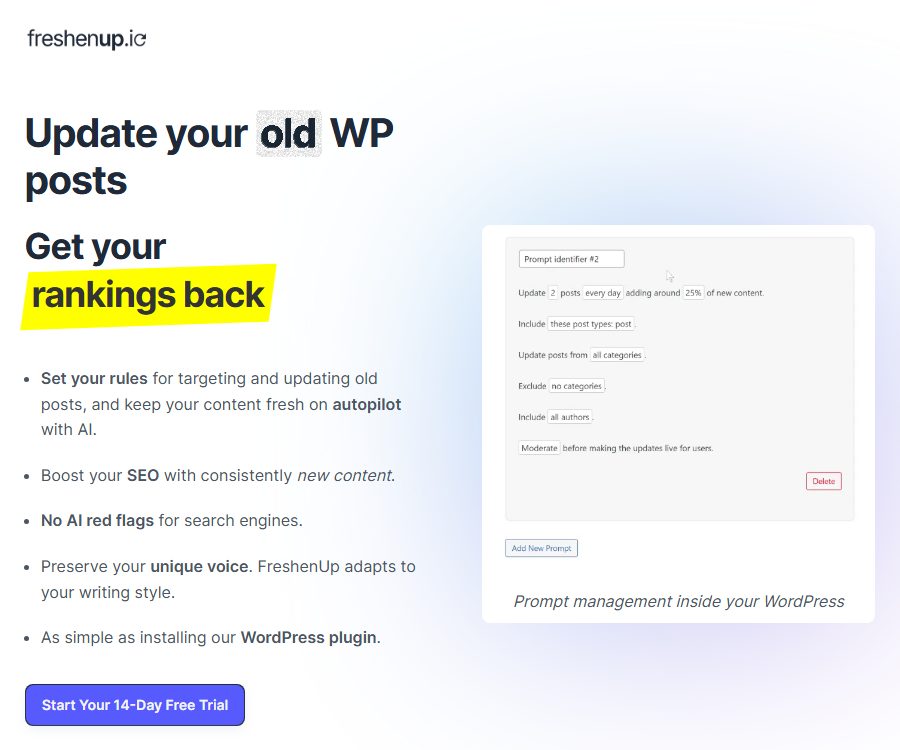
FreshenUp.io
FreshenUp.io – makes it more efficient and simpler to use AI plugins alongside Skills.
Tags:Plugins and SkillsWhat is FreshenUp?
FreshenUp is an AI-powered plugin designed for WordPress sites to update old content. It identifies outdated articles based on the settings specified by the user, passes the text to AI for processing, and then sends the updated versions back to WordPress for review or automatic publication.
The product is designed to serve blogs, SEO teams, content sites, and WooCommerce stores. It helps reduce the costs associated with maintaining large numbers of old articles, but it does not guarantee an improvement in rankings after updates, nor can it replace fact-checking and editorial review.
A one-sentence summary
FreshenUp is a plugin that allows for the scheduled removal of old articles, the use of various AI models to update the content, and the verification of that content within WordPress.
Main functions
Select old content according to the rules.
Users can filter the items to be updated based on article type, author, category, tags, and date criteria. Each prompt also allows setting limits on the number of items to be processed per day, the date of execution, the proportion of new content, and whether duplicate updates for the same article are permitted.
Multiple AI providers
The official website currently lists OpenAI, Google Gemini, and Anthropic; users need to enter their own API keys. The documentation for WordPress plugins indicates that OpenAI is required for the basic functionality, while Gemini and Anthropic offer more advanced capabilities – the actual models available depend on the settings of the account and the plugin in use.
Automatic scheduled processing
The plugin makes use of Action Scheduler to schedule tasks in the background and select articles according to certain rules. It is stated that this algorithm increases the weight of older articles, while also introducing random factors to prevent the bulk rewriting of numerous pages at the same time.
Comparison of original text and new text
The updated version can be displayed side by side with the original text, with any differences highlighted. The editor can approve it, reject it, or go to the WordPress editor to make changes before deciding whether to publish it.
Automatic publishing and manual review
For each update rule, it is possible to choose either manual review or automatic approval. New sites should first use the manual mode to gather test samples; only after confirming that the format, the facts, and the brand’s tone are consistent should automation be considered.
Custom prompt
Users can add their own instructions to the built-in processing sequence in order to define the tone, industry-specific rules, structure, and content that is prohibited. Custom prompts do not automatically address issues such as missing information or model hallucinations; reliable sources of updates are still necessary.
Internal links
The current version allows for the addition of relevant internal links in updates; the plugin update logs indicate that this functionality requires the YARPP plugin. The older documentation specified that existing internal links should be retained, so it is necessary to verify the rules and effects of these new internal links in a testing environment.
Multilingual and editor compatible
The interface is currently primarily in English, but articles can be written in various languages supported by AI providers. The official website lists Classic Editor, Gutenberg, and Elementor, noting that they can be used in conjunction with WPML; the documentation also explains the process for updating content in Polylang.
WooCommerce content update
FreshenUp allows for the customization of article types, which makes it suitable for use in WooCommerce product descriptions. Prices, inventory levels, specifications, and compliance statements should not be generated automatically by ordinary rewriting rules.
Which users are it suitable for
- Blog owner: Regularly check and update old articles that have been accumulated over the years.
- SEO team: Organizes the content refresh schedule by category, author, and update date.
- Content organization: Establish separate review processes for multiple client sites.
- News and information websites: provide supplementary background information, updates, and information that is no longer current.
- WooCommerce merchants: Maintain product descriptions and instructions.
- Multilingual website: Enter the translation workflow after updating the original text.
- Editorial team: Use side-by-side differences to reduce the time required for manual comparison.
Packages and prices
As of August 24, 2026, the official website offers three types of monthly licenses: for 1 site, 3 sites, and 10 sites. In all cases, users are required to provide their own model API keys; the costs associated with calling these models are not included in the plugin subscription.
| Plan | Public price | Activate site | Main explanation |
|---|---|---|---|
| 1 Site License | $ | 1 | Suitable for a single blog or store |
| 3 Site License | 39 dollars per month | 3 | Suitable for small teams or a limited number of client sites |
| 10 Site License | $ | 10 | Suitable for agencies and multi-site operations |
| Model API | Paid separately based on usage | It is independent of the number of sites. | Pay directly to OpenAI, Google, or Anthropic. |
The official website’s FAQ mentions both monthly and annual subscription options, but the currently displayed prices are only for the monthly plan; the price for the annual plan has not yet been made public. Taxes, promotions, models, and settlement periods are subject to the details provided on the purchase page.
AI invocation cost
The official documentation estimates that each update requires API fees of around 0.15 to 0.40 dollars, and states that approximately 50 articles can be processed for 10 dollars. The actual cost depends on the length of the original text, the proportion of new content added, the price of the model, the number of retries, and the length of the output.
| Cost section | Payment recipient | Factors affecting it |
|---|---|---|
| Plugin license | FreshenUp | Number of active sites and subscription period |
| Model input | AI providers | Article length, system instructions, and context |
| Model output | AI providers | New addition ratio, rewriting scope, and response length |
| Retry and failure | AI providers | Incorrect format, refusal to respond, and connection errors |
| Website operation and maintenance | Host provider | Backups, scheduled tasks, and database resources |
There are differences in the pages during the trial period.
The home page of the official website states that a 14-day free trial is available, while the pricing section in the official documentation mentions a 7-day unlimited trial. Due to this discrepancy between the two official pages, it is necessary to check on the payment page before registration to determine the actual length of the trial period, whether a payment method is required, the date on which automatic deductions will take place, and the option to cancel the trial.
Installation and setup tutorial
- Ensure that the website uses WordPress 6.5 or a higher version, and first create backups of the database and files.
- Select a license that suits the number of sites, and note the end date of the trial period as well as the date on which the fee will be deducted.
- Obtain the plugin from email purchase sources or WordPress plugin directories, install it, and activate it.
- Enter the license key in the FreshenUp settings and complete the activation.
- Create a separate model API key, and set cost limits and usage alerts.
- Enter the API key in the plugin settings to complete the connection verification.
- First, create a Prompt that matches only one test article, using a low addition rate.
- Enable manual review; after running the task, compare the original text, the updated version, and highlight the differences.
- Check the heading hierarchy, short codes, sections, internal links, tables, and brand tone.
- After passing the tests, gradually increase the number of categories and items; do not cover all old articles at once.
Create update rules
- Assign clear names to the rules, specifying the target field, language, and content type.
- Select an article, page, product, or another registered custom article type.
- Set categories, tags, and authors to include or exclude.
- Specify the earliest release date, the number of days since the last update, and the conditions for repeated updates.
- Set the daily processing volume, the weeks of operation, and the scheduled time.
- Start testing with a smaller increase range of 10% to 20%.
- Include the brand tone, factual evidence, retained paragraphs, and items that must not be altered.
- Maintain manual review until multiple consecutive batches of results meet the editing standards.
Checklist for reviewing the updated draft
- It is necessary to verify whether the newly added years, prices, individuals, regulations, and data are accurate and still valid.
- Whether the restrictive conditions, negative words, and important exceptions in the original text are retained.
- Check whether the titles, paragraphs, lists, tables, short codes, and embedded content are complete.
- Internal links are relevant and accessible, and point to the correct specification pages.
- Ensure that the keywords are natural, avoiding mechanical repetition and unnecessary expansion.
- Are the tone, terminology, spelling, regional variations, and brand expressions consistent with the original text?
- Are the images, metadata, Schema, and specification links in their expected state?
- Has the content related to health, law, finance, and security been reviewed by professionals?
Operation mechanism and data flow
The plugin uses Action Scheduler to initiate background tasks; the text of the selected article is sent to the FreshenUp server where a sequence of commands is executed, after which the model service chosen by the user is called. The WordPress side checks on the status of these tasks every 30 minutes, and the results are usually available within an hour.
The official documentation also states that format errors will be monitored manually, and the results will be sent back to the website. Companies must assess whether such manual intervention, server processing, and transmission of data via third-party models are in line with their internal policies, especially when it comes to confidential or unreleased content.
What content will be modified
The document states that the main focus of processing is the article text, and a WordPress revision is created before any updates are made. Images, metadata, and the existing structure remain unchanged in principle; however, the new version includes the option to add internal links, and any combination of theme and editor should be tested first.
What happens after canceling the subscription?
The content that has been generated and published is stored in the user’s own WordPress database; it is not automatically deleted by the platform when cancellation occurs. Once the subscription expires, the rules stop processing new articles, and software updates as well as support services may also cease.
The official website does not disclose the complete refund policy nor the exact timing for cancellation. It is necessary to check the rules regarding trials, renewals, cancellations, refunds, and license downgrades on the Freemius payment page before making a purchase.
Privacy and data security
The plugin’s documentation specifies that the text of the articles is sent to the FreshenUp server, where it is further processed using OpenAI, Gemini, or Anthropic. The vendor claims that it will not store the content for longer than necessary to complete the article updates, but the official policy does not specify exactly how many hours this is.
The plugin makes use of Freemius to manage advanced plans, licenses, and updates; when purchasing or selecting a tracking option, information such as email address, name, WordPress version, and PHP version may be collected. Unnecessary telemetry can be disabled in the plugin settings.
The privacy policy was last updated on December 16, 2024. Users can request access to, correction of, or deletion of their personal information, and the policy states that a response will be given within 30 days. The policy also mentions that AI and automated decision-making processes may be used to improve services, personalize the user experience, and detect security risks.
Suggestions for safe use
- Do not handle undisclosed trade secrets, personal health data, or content subject to confidentiality agreements.
- Create separate API keys for plugins, set limits on their usage, and rotate them regularly.
- Access permissions and key settings are available only to WordPress administrators and trusted editors.
- Automatically back up the database before updating, and ensure that the WordPress revision feature is enabled.
- Check the data policies of FreshenUp, Freemius, and the model providers.
- Revoke licenses and API credentials upon departure, completion of outsourcing, or site transfer.
WordPress compatibility
| Project | Current public requirements |
|---|---|
| WordPress | 6.5 or higher |
| Test version | Up to 6.9.7 |
| PHP | 7.0 or higher |
| Plugin version | 1.5.3 |
| Editor | Classic, Gutenberg, Elementor, etc. |
| Multilingual | Supports multi-language text, and can be used in conjunction with WPML and Polylang. |
| WordPress Multisite | Not supported yet |
| WooCommerce | Supports custom article types such as product descriptions. |
The version and compatibility range of the plugin directories are updated continuously; it is necessary to check the current page before installation. On production environments, it is also required to test the compatibility between themes, page builders, caching mechanisms, security plugins, and custom blocks.
Product advantages
- Filtering, creation, comparison, review, and publishing are all carried out within the WordPress backend.
- The scope can be precisely controlled by author, category, tag, date, and article type.
- It supports OpenAI, Gemini, and Anthropic, enabling a good balance between cost and performance.
- Manual review, rejection, editing, and revision rollback maintain editorial control.
- It supports scheduled automation and allows for a gradual transition from manual operation.
- The multi-site license is suitable for agencies and content teams.
- The plugin code is available in WordPress’s official repository, where the change history can be viewed.
Usage restrictions and precautions
- It is currently available only for WordPress and does not offer a separate platform for updating web page content.
- WordPress Multisite is not supported.
- In addition to the plugin fee, a model API fee must also be paid.
- The official website and documentation specify 14 days and 7 days for the trial period, respectively.
- The article will pass through the FreshenUp server and third-party models, and may also be subject to manual formatting checks.
- AI may generate outdated information, false facts, incorrect internal links, and unnatural expansions.
- Automatic publishing carries a high risk; important websites should undergo periodic sample audits.
- So-called avoidance of AI detection or SEO optimization does not guarantee a better search ranking.
- Updating a large number of pages may increase index fluctuations, editing costs, and model billing.
Open source and GitHub status
The FreshenUp plugin is listed as open-source software in WordPress’s official directory, and the terms specify that its source code is licensed under the GNU GPL. Users can view the plugin’s code and version history through WordPress’s SVN and Trac tools; no separate GitHub repository is provided by the official team.
Business licenses restrict services such as site activation, ongoing server processing, software updates, and support. The fact that the GPL plugin code is made public does not mean that FreshenUp’s backend command sequences, external processing servers, or paid services are also open source; it also does not imply that full functionality can be obtained without a subscription.
Basic information
| Project | Content |
|---|---|
| Tool name | FreshenUp |
| Developer | Julian Yanover |
| Tool type | AI old content update WordPress plugin |
| Main platforms | WordPress |
| AI providers | OpenAI, Google Gemini, and Anthropic |
| Price pattern | Time-limited trials, monthly site licenses, and paid options with built-in APIs |
| Content storage | The final content is stored in the user’s WordPress database. |
| Whether an independent API is provided | Not disclosed |
| Is the plugin open source? | Yes, GNU GPL |
| Is the full managed service open source? | No |
| Recommendation score | 4.2 points |
Frequently Asked Questions
Is there a free version of FreshenUp?
There are no permanent free premium services, but a limited-time trial is available. The official website states 14 days, while the documentation mentions 7 days; the current payment page should take precedence.
Is it still necessary to purchase an OpenAI quota?
You need to provide your own API keys for OpenAI, Gemini, or Anthropic, and payment is made based on usage. Plugin subscriptions do not include any quota for models.
Can it be reviewed first before being published?
Yes, users can compare the original text with the updated version side by side and choose to approve, reject, or edit it. The plugin also supports automatic approval, but it is not recommended to use automatic publishing for new rules.
Will the articles disappear after unsubscribing?
No, the updated content is saved in its own WordPress database. Once the license expires, new articles will no longer be processed automatically.
Is WordPress Multisite supported?
It is not supported at the moment. A multi-site license allows for the activation of multiple standard WordPress sites separately; it does not mean support for a Multisite network.
Is FreshenUp open source?
The code for WordPress plugins is licensed under GPL and can be found in the official repository; however, the external processing services and the backend command processes are not fully open sourced. Full functionality still relies on licenses, FreshenUp servers, and model APIs.
Summary
FreshenUp is suitable for website owners and SEO teams that have a large number of existing WordPress articles and wish to carry out regular updates while maintaining manual oversight. Before starting to use it, it is necessary to check the trial period, API costs, handling of external data, Multisite limitations, as well as the boundaries between GPL and commercial services; testing should be conducted first with a small number of articles that present low risk.
Tools similar to FreshenUp.io




 Guigong Network Security Registration No. 45132202000164