






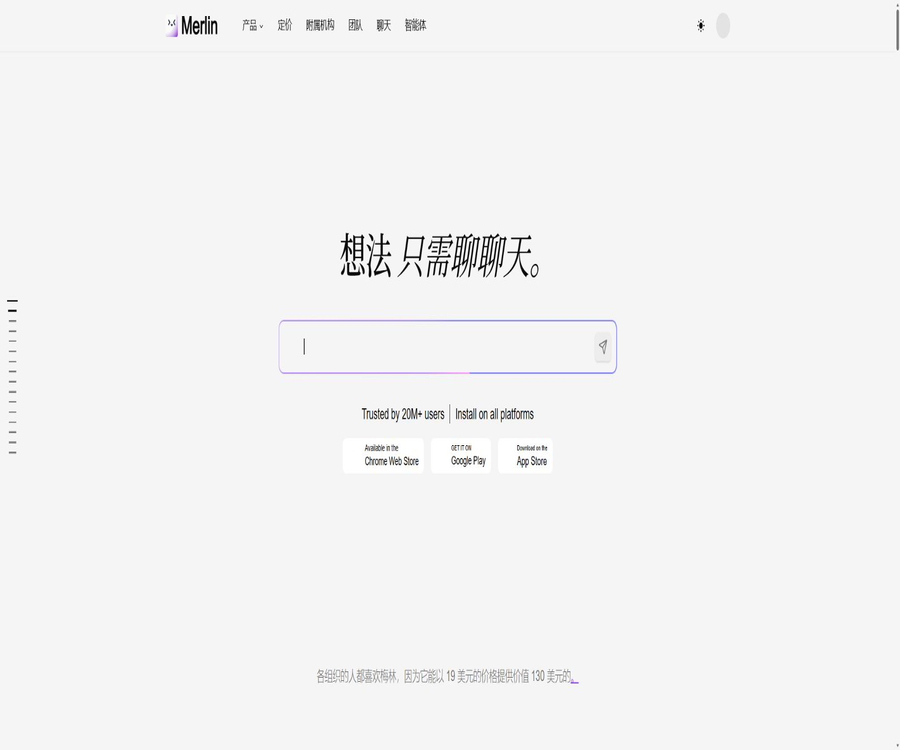
Merlin
Merlin: an intelligent tool focused on plugins and skills.
Tags:Plugins and SkillsWhat is Merlin AI?
Merlin AI is a multi-model AI assistant operated by Foyer Tech; it covers web applications, browser extensions, iOS, Android, an AI note-taker tool, as well as related API services. Users can use it to chat, search, summarize web pages and videos, analyze files, generate content, and invoke models from various providers, all within the same account.
Merlin has also introduced a separate Merlin Agent, designed for Mac computers with Apple chips, to provide local file access, application connectivity, as well as the ability to use Skills and automate tasks. The capabilities, platforms, and packages of the browser assistant and the desktop Agent differ from one another; it is necessary to determine which product line is suitable for one’s needs before making a purchase.
Main functions
- Multi-model chatting: On a unified interface, you can choose models from providers such as OpenAI, Anthropic, Google, DeepSeek, Mistral, Meta, or have the system route requests automatically to these providers. The specific models available, the context considerations, speed, and any fees associated with queries keep changing over time.
- Website sidebar: After installing the extension, Merlin can be opened on the current page; it is possible to ask questions, rewrite text, translate it, or summarize content without having to switch tabs. The shortcut keys and buttons on the page vary depending on the browser and website used.
- Search enhancement: Summaries are generated next to search engines such as Google, Bing, Baidu, DuckDuckGo, Yahoo, and Yandex, allowing for further inquiries. AI-generated summaries may miss some results or misstate dates; it is therefore necessary to check the relevant pages manually.
- Web page and article summary: Read the current web page or paste content to extract key points, action items, tables, or summaries of varying lengths. Login walls, dynamic pages, and content with restricted access may not be able to be fully accessed.
- YouTube transcription and dialogue: It involves summarizing videos based on subtitles, creating content for blogs or social media at specific time points, as well as asking questions related to the videos. The absence of subtitles, errors in the subtitles, or overly long videos can affect the quality of the results and increase the amount of processing required.
- Document Q&A: Upload PDF, PPT, DOC, CSV, XLS, images, and other files; ask questions based on their content or generate summaries. When working with contracts, papers, and financial tables, it is necessary to check page numbers, formulas, numbers, and references.
- Projects: It allows you to combine multiple documents, images, text entries, and web links to create a continuous knowledge base; custom commands can be set up, and multiple chat threads can be established. It is suitable for use with research materials, course resources, brand information, and technical documentation.
- Vaults: Allows for quick saving of web pages, PDFs, and images; tags can be applied for searching across different devices. Important materials can be further transferred to Projects for in-depth analysis. It functions more like an intelligent bookmarking tool, and it is not a complete document management system.
- Analyst Mode: After a well-structured CSV file is uploaded, the system generates and runs Python scripts to produce tables, charts, and explanations. However, the data types, missing values, and statistical findings still require verification by professionals.
- Image and video generation: Different image and video models are utilized based on the chosen package to create visual content, infographics, and short videos. The commercial viability of the output depends on the models used, the input materials, and local regulations.
- Custom robots and prompt libraries: Allow saving of frequently used prompts, as well as setting the robot’s name, purpose, welcome message, knowledge base, and whether it is public or private. Public robots should not contain any confidential documents or internal instructions.
- Deep Research and Pro Finder: Used for conducting multi-step web research or searches for large-scale projects, and are suitable for organizing information. Such functions may come with limits on the number of uses, deductions from the query quota, and experimental restrictions.
- Merlin Agent: It allows for reading, analyzing, and writing local files on Mac, connecting to tools such as Google Sheets, Google Docs, Slack, Notion, etc., and carrying out multi-step tasks using built-in or custom Skills. Model invocation still requires an internet connection, while file operations should be performed with minimal permissions and with human approval.
Common inputs and outputs
| Task | Enter | Output | Restrictions |
|---|---|---|---|
| Web research | Current page, search query, link | Abstracts, answers, research reports | It is necessary to verify the real-time nature and the pages being referenced. |
| Video learning | YouTube videos and subtitles | Transcription, key points, timeline, rewritten content | Subtitles and length affect the results. |
| Document analysis | PDF, PPT, DOC, tables, and images | Q&A, summaries, comparisons, and field extraction | Complex layouts and scanned documents may lead to recognition errors. |
| Data analysis | CSV with a clear structure | Python results, tables, charts, and explanations | It cannot replace statistical analysis and business review. |
| Content creation | Theme, brand materials, tone, and format | Emails, blogs, social content, images, and videos | The user is responsible for matters related to copyright and trademarks. |
| Desktop automation | Local files, application connections, and Skills | Modified files, scripts, and application operations | Only Merlin Agent; currently only specific Macs are supported. |
Steps to use the browser assistant
- Install the Merlin extension from the corresponding browser store, verify the publisher and permissions, and then create an account.
- Fix the expansion icon to open the sidebar, or use the shortcut keys displayed by the system to bring up the chat from the current webpage.
- Choose between a model or automatic routing, and enter the task objectives, tone, output format, as well as the range of pages that must be used.
- When summarizing a webpage or video, first check whether the extension has accessed the complete text and subtitles, and then ask for a list of key points or a timeline.
- When analyzing documents, create Projects based on specific items, upload the relevant materials, and set instructions for citations, rejections, and formatting.
- Use Vault to store individual web pages and files, and regularly remove any duplicate, outdated, or unnecessary content.
- Monitor the query deductions and fair usage in the account; high-cost models, online searches, long videos, and in-depth research typically result in higher consumption.
- Export the key results and return to the original page, file, or reliable source for verification, before using them for publication, submission, or decision-making.
Steps to use Merlin Agent
- Ensure that the device is a Mac with an Apple chip, that its operating system version is at least macOS 12, and choose either the Go or Pro package for the Agent.
- Install native applications and grant permission for access to local folders and tools on a per-item basis; do not allow access to the entire disk or all work accounts at once.
- Choose a built-in skill, or upload a custom skill to specify the task steps, allowed tools, output location, and termination conditions.
- Connect the required tools such as Google Docs, Sheets, Slack, Notion, etc., and verify using a test account or an account with limited permissions.
- To submit files for research, development, marketing, or automation tasks, first preview the plan and the files that are to be modified.
- Check the generated files, scripts, and external actions; only after confirming they are correct should you allow overwriting, sending, publishing, or batch execution.
Suitable for users and scenarios
- Students and researchers: Summarize papers, course videos, and web pages, create projects, and organize topics through in-depth research.
- Marketing and Content Team: Creates brand-themed copy, social media posts, infographics, and video materials, while also maintaining guidelines and a knowledge base.
- Sales and customer service staff: Draft responses on Gmail, LinkedIn, X, and websites; factual details and commitments must be verified manually.
- Data and operations staff: Use Analyst Mode to explore the CSV files, and then submit the findings to a professional analysis process for further review.
- Developer: Explain code, generate snippets, and manage local projects as well as execute scripts in Merlin Agent.
- It is not suitable for automatically handling payments, deletions, public releases, medical diagnoses, legal judgments, or other high-risk actions in the absence of manual approval.
Differences between platforms and products
| Platform or product | Key capabilities | Current status | Precautions |
|---|---|---|---|
| Web application | Multi-model chatting, Projects, creation, and research | Available | Depends on cloud accounts and the network. |
| Browser extensions | Websites, search, YouTube, email, and social sidebar | Chrome, Edge, Firefox, Safari | The store version and site buttons may differ. |
| Mobile apps | Chat, synchronization, and mobile creation | iOS and Android | The prices within the app may differ from those on the website. |
| AI Note Taker | Processing related to meetings and notes | Application of form alone | Consent must be obtained before recording. |
| Merlin Agent | Local files, connectors, Skills, code, and automation | Mac computers with Apple chips, macOS 12 and later | Windows and other platforms are not planned at the moment. |
Prices, inquiries, and fair use
| Package or version | Price | Billing cycle | Core benefits or quota | Suitable for users |
|---|---|---|---|---|
| Merlin Free | Free | Long-term free tier | Limited use of the Basic and Plus versions; limited use of basic images and over 70 different tools; limited capabilities for cross-device synchronization and expansion. | Light experience users |
| Merlin Pro | The annual total is $228, which amounts to $19 per month. | Annual payment | The basic model offers unlimited usage; the Plus model provides higher usage limits; there is also a dedicated model, as well as advanced features for images and videos. Additionally, there are over 70 different tools and various extensions available. | Users of high-frequency web pages, for research and creation purposes |
| Merlin Teams | Based on members’ quotes | Team subscription | Suitable for teams of at least 5 people; specific seats, management requirements, and usage amounts need to be confirmed through settlement. | Organizing and coordinating teams |
| Agent Go | The annual plan amounts to $6 per month, while the monthly plan costs $10 per month. | Annual or monthly payment | 10,000 queries per month, Lite model, local files, over 10 tools, Skills and programming automation | Beginner desktop agent users |
| Agent Pro | The annual rate is equivalent to $30 per month; the monthly rate is $50 per month. | Annual or monthly payment | 60,000 queries per month, Pro model, advanced image and video capabilities, plus all Go functionalities | High-frequency Mac automation users |
Merlin’s “unlimited” capacity is subject to the rules of fair use; all functions are subject to overall restrictions. Intensive use of a particular model or tool reduces the availability of other functions. The deductions applied to queries are adjusted dynamically based on the model, context, online searches, video length, and various functions, and the fixed conversion rates for older pages cannot be regarded as permanent standards.
The number of queries allowed per day for free accounts varies depending on the page; moreover, the main price table no longer indicates the quota based solely on the simple count of queries. Prices, regional taxes and fees, promotions, and in-app purchases may differ, and it is necessary to refer to the information provided on the account dashboard and the payment page after logging in.
Refunds and cancellations
For subscriptions purchased starting from August 12, 2026, refund requests must be submitted in writing within three days of the initial purchase; once approved, the refund is usually processed within seven to ten business days back to the original payment method. Payment and transaction fees, as well as any usage that has already taken place, are not refundable. No refund is given after three days, nor is any amount refunded based on the proportion of unused subscription time.
Unsubscribing will only prevent further renewals; it does not result in a refund for the current billing cycle. Purchases made earlier, through app stores, or as part of special promotions may be subject to different rules, so it is important to keep track of the date of purchase, the seller, and the payment terms applicable at that time.
API, Skills, and open-source status
- The privacy policy includes API services among the product offerings, but the public marketing pages do not provide complete developer documentation, authentication methods, endpoints, pricing information, or limits on usage; as a result, it is not possible to determine that all plans allow for the use of these APIs.
- Merlin Agent provides a built-in set of Skills, and it allows users to create or upload custom Skills. These Skills represent task instructions and tool configurations; they do not imply that the Merlin platform is open source.
- The complete source code of the Merlin product, as released by Foyer Tech, along with a unified open-source license, has not been made available. The platform does offer some open-source models, but this does not mean that the web pages, extensions, mobile applications, and the agents themselves are open-source.
- Custom Skills and third-party connections may modify files, execute commands, or perform external writes; users should review such content and restrict permissions accordingly.
Privacy, security, copyright, and commercial use
- Merlin handles account details, prompts, chats, files, web page context, as well as device and usage information; the extension can also access the current page at the user’s request. Teams administrators can access and control the content of organizational accounts.
- The service passes on the context required to complete the task to third-party model providers; Projects states that only the necessary and anonymized context is transmitted, and it specifies that user data is not used to train the models. Different features and regional policies still need to be checked separately.
- The platform page lists security and compliance statements such as GDPR, ISO 27001, and SOC 2; organizations purchasing services should verify the current holder of the certificates, their validity period, the scope of the audits, and the list of subcontractors.
- The privacy policy provides options for data deletion and requests to oppose processing, with responses typically given within thirty days. Legal requirements, anti-fraud measures, and financial obligations may necessitate the retention of certain data.
- Websites and software are the intellectual property of Foyer Tech or the content providers. Whether the generated content can be used for commercial purposes depends on the terms of the selected model, the copyright of the input materials, as well as the rights related to characters and trademarks.
- Browser extensions, mobile applications, and agents are each subject to the permissions set by their respective stores or platforms. It is necessary to check these permissions before installation, remove any unnecessary extensions and connections, and revoke third-party authorizations.
Advantages and usage limitations
- Advantages: One account covers multiple models, the web sidebar, videos, documents, data, images, as well as knowledge bases, thereby reducing the need to switch between different tools.
- Advantages: The extension can take advantage of the context of the current page, making it suitable for frequent searching, reading, writing emails, and engaging in social writing.
- Advantages: Merlin Agent combines local files, connectors, and Skills, making it suitable for more complex desktop workflows.
- Limitations: The conversion between models and queries is adjusted frequently, and the “unlimited” option remains subject to constraints related to fair use and sharing quotas.
- Limitations: The Agent currently supports only Mac computers with Apple chips; web and mobile capabilities cannot be equated with desktop automation.
- Limitations: Model aggregation does not eliminate the risks of hallucinations, copyright issues, regional restrictions, and service disruptions associated with third-party models.
- Limitations: Extensions have substantial permissions similar to those of agents; sensitive pages, work accounts, and local files require minimal authorization as well as manual review.
Summary
Merlin AI is suitable for those who wish to use multiple models, web summarization, document Q&A, and content tools across both browsers and mobile devices, while Merlin Agent is intended for users who need automation of local Mac files and tools. When making a choice, it is necessary to compare the main product with the Agent package, paying close attention to aspects such as fair usage policies, query deductions, platform support, data processing, and the three-day refund period.
Tools similar to Merlin




 Guigong Network Security Registration No. 45132202000164