






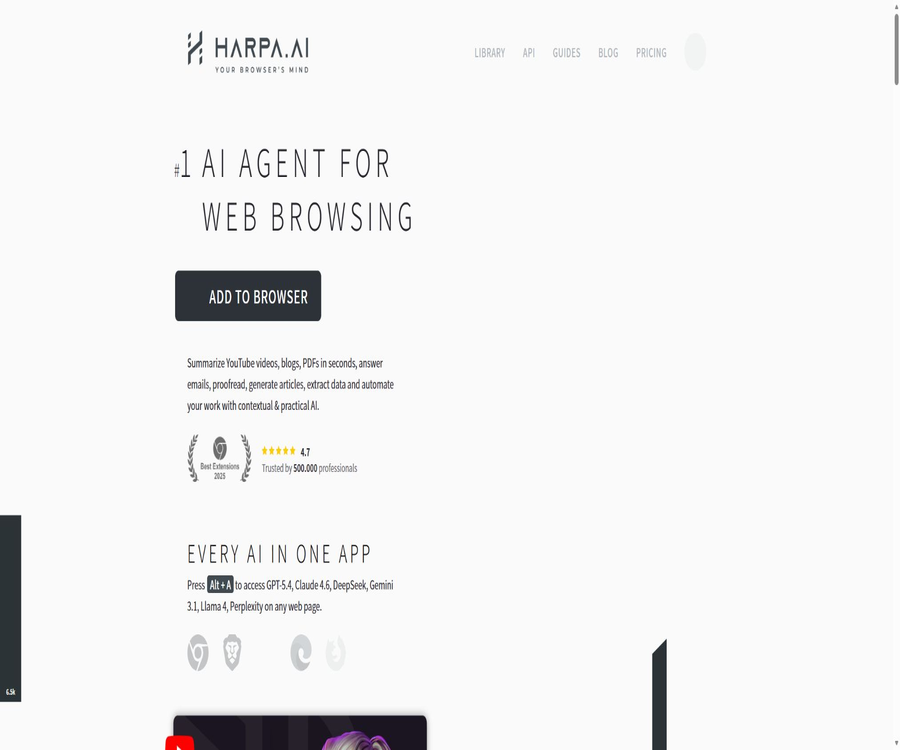
HARPA AI
HARPA AI: an intelligent tool focused on plugins and skills.
Tags:Plugins and SkillsA one-sentence summary
HARPA AI is an AI sidebar and web automation agent that runs in the Chromium browser; it can understand the current page, invoke various large-scale models, execute custom commands, and monitor changes on the web in the background.
Tool Introduction
The name HARPA comes from High Availability Robotic Process Automation; it was developed by the Finnish company HARPA AI TECHNOLOGIES. It combines the browser page context, large-model conversations, code-free commands, and automation steps within the same extension.
Unlike ordinary chatbots, HARPA is able to read the currently open tabs authorized by the user, extract elements from those tabs, perform clicks and navigation, and then send the resulting data to a designated model for processing. Users can also use it merely as a sidebar chat tool, without enabling page awareness or background monitoring.
Product composition
| Components | Main function | Operation location | Suitable for tasks |
|---|---|---|---|
| AI sidebar | Call the model on any webpage and engage in continuous conversations. | Browser tabs | Q&A, writing, translation, and explanation |
| Page awareness | Read pages, select text, titles, and structure | Extract locally and send it to the model. | Web page summarization, analysis, and data organization |
| AI commands | Save the prompts and multi-step processes as reusable commands. | Extended command engine | Standardized writing, research, and review |
| Web automation | Navigation, waiting, looping, decision-making, fetching, and submission | Run in the browser | Repeat webpage processes and batch processing |
| Web page monitoring | Regularly refresh and check for changes in elements, text, or prices. | Background browser tasks | Tracking of prices, inventory, positions, and competitors |
| GRID | Browser node tasks are triggered by external systems. | Cloud-based scheduling in collaboration with local nodes | REST API, Webhooks, and integration with business systems |
| Team space | Share commands, connections, and automated assets | HARPA account cloud storage | Team collaboration and unified configuration |
Main functions
Multi-model AI sidebar
HARPA can connect to various models through CloudGPT, web sessions, or the user’s own API keys. The currently available connections include those to platforms such as OpenAI, Anthropic, Google, DeepSeek, Perplexity, xAI, Meta, and OpenRouter.
Web-aware Q&A
Once page awareness is enabled, HARPA can read the content of the current webpage, allowing the model to provide responses related to the article being viewed, search results, product pages, or backend systems. Page variables also make it possible to include titles, selected text, and the main content of the page in custom prompts.
Web pages, PDFs, and video summaries
The built-in commands can summarize web pages, online PDFs, files, and YouTube videos, extracting key points and important timestamps. The official troubleshooting documentation also indicates that PDF support in the local file system may be limited; in case of problems, it is necessary to place the files on a cloud-based location that is accessible.
Writing, emails, and responding to social messages
Users can create, rewrite, proofread, and translate content using web forms, email, or social media platforms. The resulting content still needs to be manually checked for tone, recipients, facts, and platform rules; in particular, large-scale marketing messages should not be sent automatically.
Search and Research Agents
The search command allows for the retrieval of web pages, the analysis of search results, and the organization of multiple pages into reports. It is useful for competitor research, SEO keyword analysis, finding learning materials, and planning trips; however, the conclusions drawn from this model should not be regarded as facts that have been verified.
Web data extraction
HARPA can extract the text of a page or specific elements, and format them as CSV, JSON, tables, or command parameters. For pages that require login, the tasks are executed in the user’s own browser node; thus, the existing session can be used, but it also entails access to the permissions associated with that account.
Price and website change monitoring
Users can monitor prices, inventory levels, page elements, website availability, job openings, policy changes, or updates from competitors. The extension refreshes the page at set intervals, and sends notifications via the browser or connected channels once any changes are detected.
Advanced automated workflows
The command editor supports conditions, loops, grouping, waiting, jumping, calculations, page scraping, as well as request and parameter interpolation. It is suitable for combining a series of web operations with AI-based decisions to create processes that can be run repeatedly.
Image understanding and screen area analysis
The visual function allows for the capture of the current screen area, which is then passed to a model capable of processing visual data. The actual usability depends on whether the selected CloudGPT, web session, or API connection supports image input.
MCP tool connection
HARPA can connect to remote MCP servers, retrieve their tool definitions, and enable the models that support tool invocation to select tools based on a dialogue. Users are required to provide the server address, the necessary request headers, and keys; once this is done, the tool definitions will be included in the relevant AI requests.
Three AI connection methods
| Connection method | Cost coverage | Advantages | Main limitations |
|---|---|---|---|
| CloudGPT | Consuming HARPA Megatokens | Stable connection, centralized models, suitable for automation | Different models apply deductions based on a multiplier; once the balance is exhausted, top-up is required. |
| Web session | Use the existing ChatGPT, Claude, or Gemini account quota. | There is no need to enter an API key separately; the paid plan can be used for an extended period of time. | Affected by third-party accounts, subscriptions, rate limits, and website changes |
| Built-in API key | Charged by the corresponding model provider based on API usage. | The model and costs are under control, making it suitable for automation. | It is necessary to manage keys, balances, model names, and interface parameters. |
| Local model | Use the local hardware. | Sensitive content can be reduced in distribution to control inference costs. | It is necessary to install runtime environments such as Ollama as well as sufficient hardware. |
The HARPA subscription fee is not the same as the cost associated with third-party models. When choosing a web session or using an existing key, HARPA may not charge an additional fee for the corresponding model token; however, third-party accounts are still subject to their own subscription terms, quotas, and service conditions.
How are Megatokens billed?
A Megatoken is the unit used by HARPA to measure the balance of CloudGPT; 1 Megatoken corresponds to 1 million input tokens for high-performance models, which is approximately equivalent to 750,000 words in text. The number of output tokens is calculated as three times the number of input tokens, and more advanced models use an even higher multiplier.
| Example usage amount | 1 Megatoken can be processed on average | Factors affecting it |
|---|---|---|
| Basic chatting with efficient models | About 3,000 messages | Context length and output word count |
| Advanced model chat | About 300 messages | Model scaling factor and response length |
| Page-aware commands or video summaries | About 100 times | Size of pages, subtitles, and historical context |
| Actual automation | There is no fixed number of times. | Number of iterations, page content, tool calls, and model selection |
These figures are official average estimates used to understand the balance; they are not fixed quotas. The actual consumption can be seen below each request, and controlling the length of the context as well as choosing more efficient models can generally lead to significant cost reductions.
Custom commands and automated steps
| Steps or capabilities | Function | Typical example |
|---|---|---|
| Page parameters | Place the main text, titles, selected content, etc., in the prompt. | Summarize the current page or rewrite the selected text |
| ASK | Ask questions of the model or process data. | Categorized comments, summary generation |
| GRAB | Extract page elements and attributes | Read the product name, price, and inventory level. |
| NAVIGATE | Open a page or access multiple pages via the list. | Process the search results one by one. |
| WAIT | Wait time, text, element, or script conditions | Waiting for the dynamic page to load |
| LOOP and GROUP | Repeat a set of steps for the list. | Generate content line by line or collect in pages. |
| CONDITION and JUMP | Select different paths based on the results. | Retry on failure or skip null values |
| CALC | Regular expressions, lists, and basic calculations | Clean the price and calculate the changes. |
| REQUEST | Send a request to the external interface | Trigger a Webhook or business system |
Usage tutorial
Install and complete the first conversation.
- Install HARPA from the official Chrome Extensions store, and verify the publisher’s name and the extension ID.
- Fix the extension to the browser toolbar and open any regular web page.
- Log in to your HARPA account and select CloudGPT, Web Session, or API Connection from the model menu.
- If using a web session, first log in to the corresponding model’s website and test whether its own dialogue functions properly.
- Click the expansion icon or use the shortcut key to open the sidebar, and send a test message that does not contain any page data.
- Enable page awareness only when it is necessary to understand the current page, and ensure that the extension has permission to access that website.
- Enter a slash to browse the built-in commands; first conduct small-scale tests using summary or rewrite commands.
- Check the inspection results, Token consumption, and page data range before deciding whether to set up automation.
Create price monitoring
- Open the page of the specific product that needs to be tracked, and verify that the website allows individual monitoring.
- Switch to the automation section and select price or page element monitoring.
- Click on the price element to check whether the capture result contains only the current selling price.
- Set trigger conditions such as price reduction, price increase, appearance, or disappearance.
- Choose an appropriate refresh interval to avoid placing a burden on the website due to frequent requests.
- Configure browser notifications or external Webhooks, and run a test first.
- View the operation records on the automation panel, and select elements again after the product page has been redesigned.
Create secure web automation
- Break the target process down into separate steps such as navigation, reading, AI judgment, filling in information, and submission.
- First, enter the page selectors and parameters using a test account and non-production data.
- Set judgment and exit paths for waiting, null values, invalid logins, rate limiting, and page updates.
- Manual confirmation is required for submission, payment, deletion, mass sending, or publication.
- Limit the number of iterations, concurrency, runtime, model tokens, and external API budget.
- Check whether the log files contain passwords, Cookies, personal information, or internal business data.
- Operate on a small scale and conduct manual random checks; once the results are satisfactory, gradually expand the scope of the tasks.
- Regularly review the website terms, selectors, model behavior, and permissions of the connected keys.
HARPA GRID and REST API
HARPA GRID enables external systems to send commands to the connected browser nodes via REST APIs. It can perform web scraping, searching, using AI prompts as well as executing existing commands, and it supports receiving results synchronously or asynchronously through Webhooks.
The GRID action is ultimately executed in the user’s browser; therefore, the browser must be online and have a session with the target website. It is not a cloud-based crawler that allows bypassing login requirements or website access controls, nor can it eliminate the impact of automation on the terms and account security policies of third-party platforms.
| GRID action | Enter key points | Results | Suitable uses |
|---|---|---|---|
| scrape | Page addresses, element selectors, and attribute extraction | Page content or structured fields | Web data collection |
| serp | Search terms and target nodes | Search results | Automatic research and clue discovery |
| command | Command name, page, and user input | Result parameters specified by the command | Reuse existing HARPA workflows |
| prompt | Pages, model connections, and prompts | AI processing results | Page analysis and generation |
| Webhook | Callback address and asynchronous tasks | Results sent back after the node goes online | Long-duration or unstable online tasks |
Key security points of GRID
- API keys belong to the team space; only administrators can create them, and they are displayed only once.
- Old keys can be revoked within the extension, and they should be replaced immediately if compromised.
- Use a browser account with the minimum permissions for each automation; do not share administrator sessions.
- Webhooks require request verification, restriction of incoming fields, and protection against replay attacks.
- After logging in, the page may contain sensitive information regarding customers, employees, and business operations.
- Node browser and extension updates can affect the stability of selectors, sessions, and tasks.
Prices and packages
As of August 23, 2026, the annual payment page shows that S1 costs $12 per month and S2 costs $19 per month; the lifetime version of X costs $240 as a one-time payment. The annual prices are calculated for a full year, while team plans are priced based on the number of members. Actual taxes and the local currency amount will be indicated on the payment page.
| Package | Public price | Billing cycle | CloudGPT balance | Automation capability | Suitable for users |
|---|---|---|---|---|---|
| Demo | Free | Long-term limited quota | The fixed balance of CloudGPT is not made public. | Custom commands and web monitoring are subject to a total volume limit. | First experience and casual chatting |
| S1 for Everyone | $ | Settled on an annual basis | 75 Megatokens per year | Monitoring support available; no scheduled commands or advanced automation features. | Individuals who use AI on their daily web pages |
| S2 for Pros | $ | Settled on an annual basis | 225 Megatokens per year | Includes timed commands and advanced automation | Power users, automation, and small teams |
| X for Life | 240 dollars | One-time payment, per user | 30 Megatokens at a time | Includes timed commands and advanced automation | Individuals who are willing to use BYOK or to maintain web sessions over a long period of time |
| Add 20 Megatokens | $ | One-time purchase | Add 20 Megatokens | Used for CloudGPT and AI automation | Existing users with insufficient balance |
Free demo quota
The current pricing page states that the Demo version allows 10 messages to be sent per day through ChatGPT, Claude, and Gemini web sessions, with a maximum of 100 AI commands, page awareness functions, online connectivity features, or parameterized messages dapat be used in total. It also provides access to predefined commands, custom commands, and web monitoring capabilities.
The earlier guide to free use still mentioned 50 total commands, 2 web automation functions, and 2 custom commands. As the various official pages have not yet been fully synchronized, the information in the catalog should be based on the current pricing page and the real-time credit displayed in the account.
How to choose between S1 and S2?
The two subscription tiers can use the same CloudGPT model, web sessions, API connections, visual features, file summaries, history data, commands, and monitoring capabilities. S2 offers three times as many Megatokens per year as S1, and it includes scheduled commands as well as advanced automation features.
How to understand X Lifetime Edition?
X is a one-time license for a single user, including 30 Megatokens; however, these tokens are not replenished automatically on a monthly or annual basis. For long-term use, it is necessary to rely on the built-in API keys, web sessions, or by purchasing additional CloudGPT credits, and some future features may remain available only to users with an S subscription.
Subscription, cancellation, and refunds
- The S subscription is prepaid on a monthly or annual basis with automatic renewal, and it must be canceled before the next payment is deducted.
- If canceled, it can be used until the end of the current period, but no refund will be given for the remaining time on a proportional basis.
- HARPA enforces a no-refund policy for all its offerings, including subscriptions, the X Lifetime version, and Megatokens.
- Failing to cancel before renewal does not constitute a reason for a refund of the amount already charged.
- The X Lifetime Edition is sold as it is, without including the CloudGPT balance that needs to be topped up periodically.
- Purchases cannot be transferred to another HARPA account; first, verify the login email and storage space.
- Payments are processed by FastSpring, with the payment methods and currencies varying depending on the country and the order.
- Before making a payment, it is necessary to use a demo to verify browser compatibility, connection methods, and the core functions.
Team space
A Space is a personal, team, or organizational workspace where commands and configurations are stored. The S plan allows members to be invited, and commands as well as certain connections can be shared; pricing is based on the number of spaces and members.
| Ability | Personal space | Team space |
|---|---|---|
| Members | Single | Multiple members |
| Command | Created and used by individuals | It can be shared among members. |
| Connection management | Personal configuration | The space owner controls the shared connections. |
| Billing | Individual package | Charged based on the number of space members |
| Data governance | The individual is responsible for it. | Administrators, permissions, and offboarding procedures are required. |
| X Lifetime Edition | Only single user | Not applicable to shared spaces |
Privacy and data processing
According to HARPA’s privacy policy, this extension does not collect or store browsing history, content from third-party websites, or passwords on its servers. The page content is first extracted locally; it is processed only when the user activates page awareness, runs relevant commands, uses page variables, or enables background monitoring.
Local extraction does not mean that the data never leaves the device. As long as CloudGPT, web sessions, API keys, or MCP are used, the selected page content and prompts can be sent to the corresponding model or tool provider; therefore, it is also necessary to examine the rules regarding the storage and training of such services.
| Data category | Current public handling method | User control |
|---|---|---|
| Browse History | HARPA states that it does not collect or store data on servers. | Authorize the current tab only when necessary. |
| Content of the current page | Expand local extraction and send it to the selected model upon request. | Turn off page awareness or reduce the scope of crawling. |
| Background monitoring page | Once monitoring has been set up, it can be accessed in the background. | Pause, delete, or adjust monitoring. |
| Chat history | It is primarily stored locally; some cloud backup features depend on the settings and version. | Check the backup options and export them before uninstalling. |
| Custom commands | The payment capacity can be stored in the cloud account. | Do not include long-term keys in the commands. |
| Account information | Save the data required for registration, billing, and services. | Access, correction, or deletion can be requested. |
| Analyze data | Anonymized analysis is used, with Google Analytics and Mixpanel involved. | Limit cookies and opt out of marketing |
| Server region | The United States and Germany | Sensitive businesses require an assessment of cross-border requirements. |
Chat synchronization information needs to be verified by version.
The current pricing page lists cross-device chat history as part of the package’s features, but some troubleshooting documents state that chats are stored only locally and cannot be synchronized across different browsers. There is a discrepancy between these two types of documentation; important records should be exported manually, with regard to the current extension settings and account interface.
Suggestions for safe use
- Install only from the official extensions store, and check the publisher, extension ID, and date of the last update.
- Grant access rights on a site-by-site basis; do not allow reading of all web pages when it is not necessary.
- Use revocable minimal permission keys for API, MCP, and GRID respectively.
- Do not include passwords, Cookies, payment cards, private keys, or client secrets in prompts and commands.
- Before sending the page content to the model, verify the selected connection and its data rules.
- Manual approval is required for automated form submission, sending messages, posting, making payments, and deletion.
- Set limits on maximum iterations, waiting time, concurrency, tokens, and costs to prevent loss of control.
- Regularly export important commands and test recovery; uninstalling the browser may delete local history.
- Configure departure rights revocation, key rotation, and audit of shared connections for team members.
Compliance and usage restrictions
- Users must be at least 18 years old.
- Spam, impersonation, fraud, infringement of rights, and any use that harms others are prohibited.
- Reverse engineering, disassembly, or attempts to gain unauthorized access are prohibited.
- Do not allow automation to overload HARPA or third-party websites.
- Websites may restrict accounts due to automation, scraping, or mass sending, in violation of their terms.
- HARPA does not guarantee the continuous availability of web sessions, third-party APIs, and local models.
- The output generated by AI may be inaccurate; the user is responsible for ensuring the legality of the content and for its publication.
- Manual review is required when dealing with recruitment, medical, legal, financial, or personal information.
Supported platforms
| Platform | Support status | Explanation |
|---|---|---|
| Google Chrome | Official support | Main distribution channels |
| Microsoft Edge | Compatibility | With Chromium extensions, some protection settings can affect page injection. |
| Brave | Compatibility | Fingerprinting and Shield settings may prevent access to certain websites. |
| Opera | Compatibility | Used through Chromium extensions |
| Other Chromium browsers | Usually compatible | Stability depends on the extension and browser implementation. |
| Firefox | Not supported at the moment. | There is a discrepancy between the icon on the official website and the error documentation, which states clearly that there is no Firefox version yet. |
| Android | Non-native temporary solution | The official guide recommends Kiwi Browser, though its features may be incomplete. |
| iPhone and iPad | No official native applications were found. | Mobile plans cannot be considered as already launched. |
| Windows, macOS, Linux | It can be used through compatible browsers. | No independent desktop client required |
API, MCP, and open-source status
HARPA provides a GRID REST API that enables external systems to send requests for crawling, searching, executing commands, and providing prompts to the browser nodes. It also supports connection to third-party MCP servers; however, this does not mean that HARPA itself offers an API for general model inference.
No GitHub repository containing the complete extended source code, the automation engine, or the code for cloud services was found in public. HARPA is a commercial, closed-source product; the available interface documentation and shareable commands do not indicate that the product is open source.
| Development capability | Current status | Uses | Precautions |
|---|---|---|---|
| GRID REST API | Public documents | Externally trigger the browser to perform scraping, searching, executing commands, and using prompts | A GRID key and an online node are required. |
| Webhook | Support | Asynchronous task return and monitoring event reception | It is necessary to verify callbacks and retries. |
| Make, Zapier, n8n, etc. | It can be connected via Webhook or GRID. | Business process orchestration | Third-party platforms may charge additional fees. |
| MCP client | Supports remote servers | Add external tools to the model request | It is necessary to verify that the model supports tool calls. |
| Model API connection | Supports BYOK | Invoke OpenAI, OpenRouter, Azure, etc. | The fees are charged by the supplier. |
| Official SDK | No findings were detected. | It primarily uses REST and extended commands. | Do not treat third-party packages as official SDKs. |
| Open-source product | No | Commercial browser extensions and cloud services | Reverse engineering is prohibited. |
Which users are it suitable for
- Research and learning users: Summarize web pages, videos, and online PDFs, as well as ask questions about the current page.
- Content and SEO team: Extracting keywords, creating outlines, rewriting and analyzing search results.
- E-commerce users: Monitor price, inventory, reviews, and changes in competing products.
- Sales and Operations: Organize leads, backend data, and duplicate web pages in compliance with relevant regulations.
- Developers and automation engineers: Connect business systems via GRID API, Webhooks, and MCP.
- Customer service team: Uses templates and page context available in the web backend to assist with responses.
- Individual efficiency users: Use a unified multi-model sidebar on each tab.
- Small teams: Share commands, connections, and automated assets.
Typical use cases
- Extract conclusions and key time points from long articles and YouTube videos.
- Classify the emotions expressed in current product reviews and summarize their advantages and disadvantages.
- Continuously monitor for price reductions on products, the restoration of stock levels, or the availability of reservation slots.
- Monitor changes on competitors’ pricing pages, product updates, as well as job and policy pages.
- Extract specified fields from the CRM or backend after logging in, and generate a summary.
- Send web page data to spreadsheets, databases, or automation platforms via Webhook.
- Use a unified command to generate emails, social media responses, SEO content, and reports.
- Browser nodes are triggered by external applications through the GRID API to complete tasks.
Product advantages
- Integrate multi-model chatting, page understanding, data extraction, and browser operations into a single extension.
- The three model connection methods take into account ease of use, reuse of web accounts, and cost control through BYOK.
- It includes over 100 built-in commands, and allows the creation of complex processes using conditions, loops, and waits.
- Monitor prices, text, and page elements without the need to keep tabs open for manual inspection.
- The GRID REST API can connect to business systems, Webhooks, and major automation platforms.
- The MCP connection enables models that can be invoked by tools to utilize more external capabilities.
- The web page content is first extracted locally, and the user can decide when to send it to the model.
- It also offers a limited free version, annual subscriptions, and a lifetime personal license.
- Both the Chinese interface and responses from Chinese models are supported.
Main limitations
- Expansion requires broader web permissions, and incorrect configuration may expose the content of sensitive pages.
- CloudGPT, web sessions, and BYOK have different costs and limitations, and their learning curve is relatively steep.
- The free quota varies between 50 and 100 times in different official documents.
- S1 does not include timing commands or advanced automation; for more advanced functions, S2 or X is required.
- The 30 Megatokens in the X Lifetime version are a one-time amount that will not be replenished on a periodic basis.
- No refunds are provided for any purchases, and no refund will be given either if a subscription renewal is forgotten to be canceled.
- Website redesign, expired logins, verification codes, and anti-automation measures can render the process ineffective.
- Automation may trigger risk controls on third-party websites or violate their service rules.
- There are timing differences in the support for local PDFs, chat synchronization, and Firefox across different pages of the official website.
- There is no official open-source code; complex processes rely on HARPA extensions and ongoing maintenance via cloud services.
Basic information
| Project | Content |
|---|---|
| Tool name | HARPA AI |
| Meaning of the name | High Availability Robotic Process Automation |
| Developer | HARPA AI TECHNOLOGIES |
| Location | Finland |
| Product type | Browser AI assistant, web automation and monitoring |
| Main morphology | Chromium browser extensions |
| Model connection | CloudGPT, web sessions, built-in API keys, and local models |
| Chinese | Supports Chinese interface and responses. |
| Free version | Yes, but the amount is limited. |
| Minimum annual public fee | S1 costs $12 per month, with annual billing. |
| Professional annual plan | S2 costs $19 per month, with annual billing. |
| Lifetime version | X costs $240 per payment, for a single user. |
| Public API | There is a GRID REST API. |
| MCP | It can be connected to a remote MCP server. |
| Is it open source? | No |
| Refund | Not available |
| Minimum age | 18 years old |
| Verification date | August 23, 2026 |
Recommendation score
Recommendation score: 4.6 / 5. HARPA integrates page context, multiple models, command orchestration, web page monitoring, and external API connections in a comprehensive manner; it is particularly suitable for users who need to examine, extract data from, and process web pages repeatedly in a browser.
Its capabilities also imply higher levels of permissions and configuration complexity. It is recommended to use a demo to test the actual workflow first, and then choose between S1, S2, or X depending on whether CloudGPT credits, scheduled tasks, advanced automation, and team collaboration are needed.
Frequently Asked Questions
What is HARPA AI?
HARPA AI is a multi-model assistant and automated intelligent agent in the form of a browser extension; it can understand web pages, execute AI commands, extract data, monitor changes, and manipulate pages.
Is HARPA AI free?
There is a free demo available. The current pricing page specifies 10 web session messages per day, as well as a maximum of 100 AI commands or page-aware messages in total; however, the actual quota for the account is determined by what is displayed in the expanded view.
Does HARPA come with a large model built in?
It is not a single, independently developed model. Users can use CloudGPT hosted by HARPA, or they can make use of the web interfaces for ChatGPT, Claude, and Gemini; alternatively, they can enter their own API keys to connect to local models.
What is the difference between HARPA S1 and S2?
In year S1, the cost is $12 per month plus 75 Megatokens; in year S2, it is $19 per month plus 225 Megatokens. S2 also offers scheduled commands and advanced automation features.
Does the X Lifetime Edition really include unlimited AI?
It does not include unlimited CloudGPT access. X provides 30 Megatokens per session; it is possible to top up funds later, and long-term use can be achieved through the built-in keys and web session connections.
Can HARPA monitor product prices?
Yes. Users can select the price elements on the page, set the refresh interval and the conditions under which changes occur, and receive notifications when there are price reductions, increases, or changes in inventory status.
Can HARPA capture web pages after logging in?
GRID and browser automation run within the user’s own browser node, so they can make use of the current login session. The user still needs to have legitimate access rights and must comply with the website’s terms, as well as its rules regarding privacy and data usage.
Does HARPA provide APIs?
It provides a GRID REST API that can be used to initiate web scraping, searches, AI prompts, and saved commands. It requires a HARPA spatial key and an online browser node; it is not a general-purpose API for large-model inference.
Does HARPA support MCP?
It supports connecting to remote MCP servers. The model must be able to handle tool calls, and users are responsible for configuring the server address, request headers, keys, and permissions themselves.
Does HARPA save the browsing history?
The privacy policy states that browsing history is not collected or stored on HARPA servers. The content of the pages is retrieved locally, but when page awareness, monitoring, or model integration is enabled, selected content may be sent to the respective suppliers.
Does HARPA support Firefox?
The current error documentation clearly states that no Firefox version is available yet. Although Firefox icons appear on some pages of the official website, this does not mean that the official extension has been released.
Is there an Android or iOS app for HARPA?
No official native mobile applications were found. The developers offer only a temporary solution, which involves installing extensions in the Kiwi Browser for Android, and they warn that some functions may be incomplete.
Can HARPA issue a refund?
No. The official policy does not allow refunds for S subscriptions, the X lifetime version, or Megatokens; subscriptions must be canceled before the renewal fee is deducted.
Is HARPA open source?
It is not open source. The GRID interface, MCP connections, and shareable commands provide capabilities for integrated use, but the complete code for the expansion functions, automation engines, and cloud services is not made available publicly.
Summary
HARPA AI is suitable for integrating AI into real web workflows, moving it away from standalone chat windows. It can answer questions related to the current page, and it also enables the combination of tasks such as extraction, decision-making, looping, monitoring, and external system triggers to create reusable processes.
When making a purchase, it is necessary to take into account the cost of the HARPA package, the balance available in CloudGPT, as well as the fees associated with third-party models. It is also important to properly manage web permissions and mitigate automation-related risks. First, use a demo to test your browser, the target website, and the connection to the models, before deciding whether to opt for a subscription or a lifetime license.
Tools similar to HARPA AI




 Guigong Network Security Registration No. 45132202000164