






Autoname
Autoname: an intelligent tool focused on plugins and skills.
Tags:Plugins and SkillsWhat is Autoname?
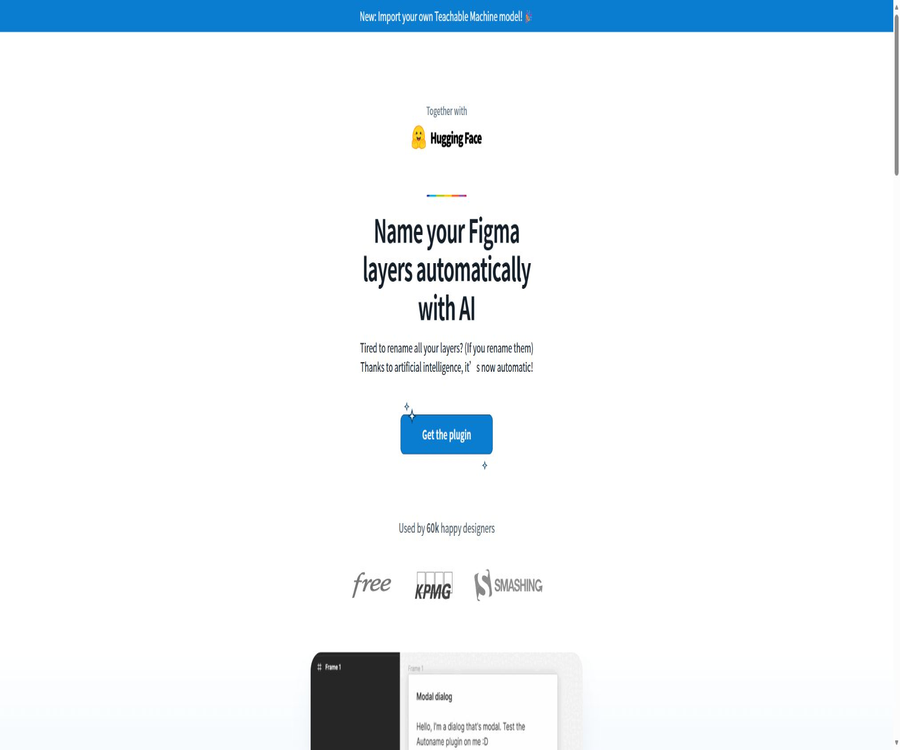
Autoname is an AI-based layer naming plugin designed for Figma designers, developed by Hugo Duprez. It can identify the selected design elements and generate more understandable names for the layers and their sub-layers.
This tool focuses on layer naming; it is not responsible for creating complete user interfaces or restructuring design systems. The plugin is available for free, and its client code is made public under the MIT license.
Main functions of Autoname
- One-click naming: Automatically identifies and renames the selected layers in Figma.
- Recursive processing: It continues to process the sub-layers contained within the selected range.
- Component protection: Monitors components and instances to prevent arbitrary changes to the names of key reusable objects.
- AI classification: Uses image classification models to identify common interface elements such as buttons, images, and text blocks.
- Custom models: It allows you to change the model address and import your own Teachable Machine models.
- Debug mode: Displays the images submitted to the model and outputs prediction information in the Figma console.
- Open-source client: Developers can view the implementation of plugins, build projects, or modify the code in accordance with the license terms.
Which layers are suitable for processing?
- The interface layers that still retain their default names such as Frame, Group, or Rectangle.
- Objects that lack semantic names after being copied from templates, wireframe drafts, or external files.
- Pages or component drafts that contain a large number of nested structures require preliminary organization first.
- Mobile and web design drafts in which the readability of layers is improved prior to development delivery.
- A unified classification model is needed to identify the design files of common interface elements in a team.
Component and instance protection mechanisms
Autoname detects components and instances, and strives to avoid renaming those objects that are part of a reuse relationship. This mechanism helps to reduce the risk of automatic operations interfering with the naming of components and the mapping of instances.
Protection mechanisms do not mean that the operations are completely risk-free. It is still necessary to verify the selected range before execution, and to check the names of components, variants, and special layers after it runs.
How does AI naming work?
- The user selects the layers or outer frames that need to be organized within the Figma canvas.
- The plugin organizes the target visual content into image inputs that can be recognized by the model.
- The classification model predicts the category of the interface element to which the layer is most similar.
- The plugin writes the prediction results to the corresponding layer name and then proceeds to process the sub-layers that can be modified.
- The user reviews the results and then manually adjusts the business-specific names or corrects any identification errors.
Tutorial for installing Autoname
- Log in to Figma and go to the Community Plugins page.
- Search for Figma Autoname published by Hugo Duprez, and verify the author and plugin identifier.
- Click to open or install the plugin, and authorize it to run in the current design file.
- Return to the design draft and start Autoname from the plugin menu.
- First, copy the test page and verify the naming results on a small-scale layer.
One-click automatic naming tutorial
- Select one or more layers that need to be organized; you can also choose a frame that contains multiple layers.
- Open the Autoname plugin and check whether the currently selected items include objects that should not be modified.
- Execute automatic naming, and wait for the model to finish loading and recognition.
- Expand the layers panel and check whether the names of the parent and child layers correspond to the design intent.
- Cancel the incorrect results or manually enter the page’s business name, then save the design file.
Selection range and sub-layer processing
Plugins operate around the currently selected element and its sub-elements; therefore, selecting the outer page framework can affect a large number of objects at once. When precise control is needed, it is possible to first select individual cards, navigation bars, or content modules.
For pages that already have a strict naming convention in place, it is recommended to process them in batches. Processing in batches makes it easier to identify any classification errors, and it also facilitates the use of Figma’s undo function for making corrections.
Import custom AI models
Autoname allows for the change of model addresses, and it can be used in conjunction with Teachable Machine to create one’s own image classification models. Teams can train categories that better suit their internal components, product terminology, and design patterns.
Steps for customizing model settings
- Organize the categories that need to be identified, such as main buttons, labels, avatars, cards, and navigation items.
- Prepare sufficient and varied interface screenshot samples for each category.
- Train an image classification model in Teachable Machine, and use test samples to check the accuracy rate.
- Export or host compatible models, and record the addresses of the models that the plugin can access.
- Replace the model address in Autoname and verify the output using a separate test file.
- After the model becomes stable, expand its scope of use and continue to add samples that are prone to causing confusion.
How to use debug mode
In debug mode, the framework images sent to the model are displayed within the plugin, and the prediction results are written to the Figma console. It is useful for troubleshooting issues related to inconsistencies in the selection range, model categories, and naming of results.
- Check whether the image actually received by the model is fully cropped.
- Observe the prediction results for different categories and the interface elements that are easy to confuse.
- Verify whether the custom model address can be loaded successfully.
- The positioning model identifies issues related to recognition, as well as problems with the logic used for renaming plugins.
Open-source code and local development
The official client repository is licensed under the MIT license, and the project makes use of technologies such as Svelte, TypeScript, Tailwind CSS, TensorFlow, and Teachable Machine. The open-source scope applies mainly to the plugin clients; it does not mean that the Figma platform or all model services are part of this project.
Basic process for local building
- Obtain the official client code, and read the license and development instructions in the repository.
- Install project dependencies, and start or build plugin resources locally.
- On the Figma desktop version, the manifest of a project can be imported by using the plugin functionality.
- Rebuild after modifying the code; if necessary, restart the plugin to see the changes.
- Enable debug mode to check image input, prediction logs, and named results.
- Before releasing the modified version, check the MIT license, third-party dependencies, and Figma platform rules.
Technology stack and dependencies
| Composition | Uses | Precautions |
|---|---|---|
| Figma plugin environment | Read selections, display the interface, and modify layer names. | The operational capabilities are constrained by the permissions of Figma plugins and the platform rules. |
| Svelte | Create a lightweight plugin interface | For secondary development, it is necessary to be familiar with the structure of front-end components. |
| TypeScript | Implement plugin logic and provide type checking. | After making changes, it is necessary to rebuild. |
| Tailwind CSS | Manage the plugin interface style | It does not affect the style of the design itself. |
| TensorFlow | Perform model-related calculations | The loading speed depends on the device and the size of the model. |
| Teachable Machine | Train or export a custom image classification model | The quality of the model depends on the category and the training samples. |
Typical use cases
- Design draft cleanup: Quickly replace numerous default layer names to improve the readability of the file.
- Development and delivery: Organize the page structure before delivery to help engineers locate the design elements.
- Template organization: Assigning preliminary semantic names to the templates that have been copied or imported.
- Team guidelines: Use custom models to identify common categories of internal components.
- Teaching exercises: Help beginners understand layer organization and basic naming principles.
- Open-source learning: Exploring the ways in which Figma plugins, front-end interfaces, and image classification models can be combined.
Which users are it suitable for
- Product designers and visual designers who need to frequently organize Figma layers.
- Design teams that manage large page files and wish to reduce the amount of work related to duplicate naming.
- Prepare to deliver the design drafts to the product team consisting of front-end or client-side engineers.
- Hope for the maintainers of the design system used to train specialized interface classification models.
- Developers who learn Figma plugin development and TensorFlow front-end applications.
The advantages of Autoname
- It has a single, clear goal, making it suitable for handling the frequent and repetitive task of naming layers.
- It supports selecting layers and sub-layers, which helps to reduce the time required for manual modifications layer by layer.
- Proactively protect components and instances to reduce the likelihood of damaging the reuse structure.
- There is no need to purchase a plugin package; both individuals and teams can try it for free.
- The client code is made public and is licensed under the permissive MIT license.
- Custom models are supported, allowing it to adapt to the design styles of different teams.
- A debugging mode is provided to enable developers to examine the model’s inputs and prediction results.
Usage restrictions
- AI classification is not always accurate; buttons, cards, and small objects that look similar may be confused with one another.
- Automatic names are usually general categories; they cannot convey the full semantic meaning of a product, such as its order status or the business module it belongs to.
- Choosing a large framework affects many sub-layers, and manual inspection of each area is required after execution.
- The plugin requires an internet connection to download the models, and it may fail to initialize properly when the network connection is limited.
- Custom models require the preparation of samples, training, hosting, and maintenance; they cannot operate stably over the long term just after being imported.
- Open-source repositories primarily cover the client side; it should not be assumed that all models, hosting services, or Figma features can be made private.
- The update schedule for official projects may change; it is advisable to check the status of the community page and the code repository before installation.
Privacy and security considerations
- Before running, verify the address of the model being used as well as the data range to which the plugins need access.
- When dealing with unreleased products, customer data, or confidential designs, internal approval within the organization must be obtained first.
- When using third-party or self-developed models, it is necessary to evaluate the logging and data retention policies of the party that hosts the model.
- Do not rely solely on automatic naming to determine the purpose of a layer; designers must still review it for important deliverables.
- It is recommended to test in copies, and use Figma’s version history to retain recoverable nodes.
Methods to improve the quality of naming
- First, delete the unnecessary layers and organize the obvious combinations clearly.
- Run in batches by page sections to avoid selecting the entire complex file at once.
- Retain the existing standard names for components, instances, and the business-critical layers.
- Replace the generic AI name with the page and status semantics agreed upon by the team.
- Record the elements that are frequently misclassified to provide targeted samples for custom models.
- After automatic naming is completed, a manual review is carried out before the content is delivered for development or archived.
Price and version
Autoname officially labels its plugins as completely free; there are no plans for membership fees, points systems, or charges based on the number of seats. The costs associated with using Figma, hosting custom models, or carrying out internal development do not fall under the pricing structure of Autoname’s plugins.
| Project | Price | Explanation |
|---|---|---|
| Autoname plugin | Free | It can be opened and used in the Figma community. |
| Client source code | Free and open source | It is licensed under the MIT license, and the requirements of this license must still be followed when using it. |
| Custom models | The plugin is available at no additional cost. | The costs associated with training, storage, and hosting are borne by the user themselves. |
| Figma account and designs | Follow Figma’s rules. | The related fees are not charged by Autoname. |
Basic information
| field | Content |
|---|---|
| Tool name | Autoname / Figma Autoname |
| Developer | Hugo Duprez |
| Tool type | Figma Layer AI Automatic Naming Plugin |
| Use the platform | Figma |
| Core model approach | TensorFlow and Teachable Machine for image classification |
| Price pattern | Free |
| Is registration required? | A Figma account is required to run the plugin. |
| Is it open source? | Open-source client, MIT license |
| Whether API is provided | No independent public API is provided. |
| Is custom modeling supported? | Supports changing the model address. |
Recommendation score
The comprehensive recommendation score is 4.2 out of 5 points. It is suitable for designers who need to quickly modify the default layer names in Figma, but the AI-generated results still require manual addition of contextual meaning and verification to correct any errors.
Frequently Asked Questions
What is Autoname mainly used for?
It uses an image classification model to automatically generate names for the selected layers and their sub-layers in Figma.
Is Autoname free?
It’s free; the official site does not offer any membership plans, point systems, or subscription packages based on the number of seats.
Will it rename components and instances?
The plugin will detect and protect components and instances, but it is still recommended to manually check key reusable objects after it is deployed.
Is it possible to process multiple layers at once?
Yes, the plugin will handle the currently selected item and can continue to examine the sublayers it contains.
Is the naming result always accurate?
Not necessarily; elements that are similar in appearance or have complex business semantics may suffer from errors in classification and naming.
Can I use my own model?
Yes, users can train a Teachable Machine model and change the address of that model within the plugin.
Why is an internet connection needed?
The plugin needs to download models over the network; recognition may not be possible if the network is unavailable or the model address is invalid.
Is Autoname an open-source tool?
The official client code is made available publicly under the MIT license, but the Figma platform and external model services are not covered by this license.
Is an independent API provided?
At present, there is no separate public API available for external systems; it is primarily used as a Figma plugin.
Is it suitable for large design systems?
It can be used for initial organization, but large design systems should incorporate internal standards, custom models, and thorough manual review.
Tools similar to Autoname




 Guigong Network Security Registration No. 45132202000164