






Amotions AI
Amotions AI: an intelligent tool focused on plugins and skills.
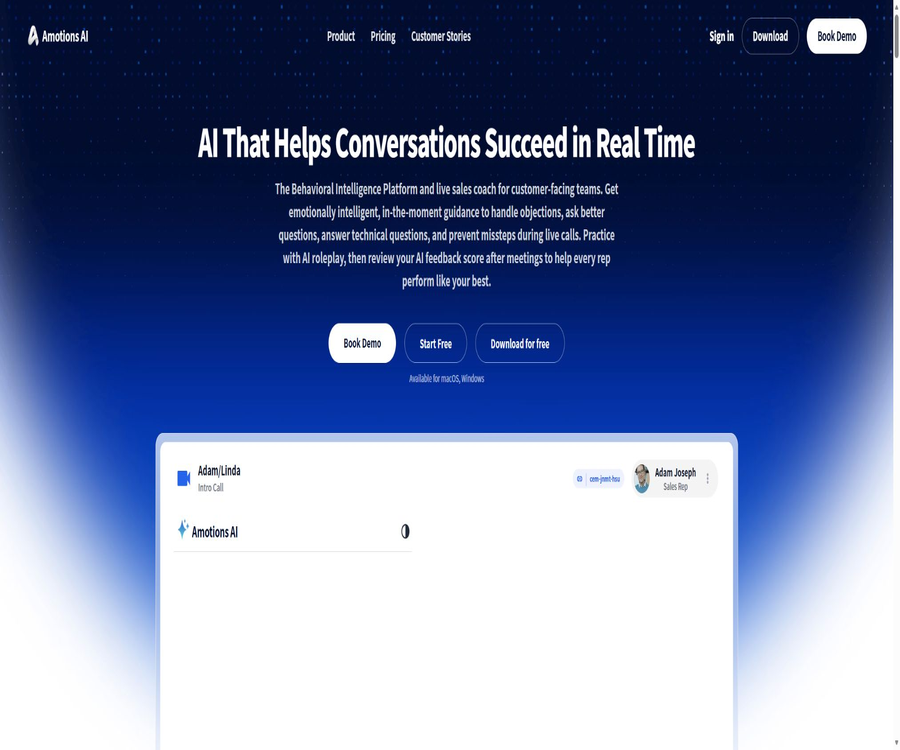
Tags:Plugins and SkillsAmotions AI is a behavioral intelligence platform designed for sales teams and those responsible for communicating with customers, focusing on providing private suggestions during calls. Users can also use AI-driven role-playing before a call, and after the call they can view transcripts, ratings, and suggestions for improvement.
What is Amotions AI?
It is not just a tool for recording and analyzing meetings; rather, it creates a closed loop that includes practice, real-time guidance, and post-meeting review. By leveraging dialogue understanding, emotional intelligence, corporate communication techniques, and sales processes, this platform helps employees handle objections, ask better questions, and reduce communication errors.
Main functions
- Provide real-time, private suggestions during sales calls.
- Identify objections and provide suggestions for responses.
- It provides hints for identifying problems, technical solutions, and next steps.
- Use AI clients for role-playing exercises.
- Customize training based on products, scripts, and processes.
- Generate post-meeting scores and key feedback.
- Save and analyze meeting transcripts.
- Upload recorded videos or text for analysis.
- Generates follow-up email drafts and transaction health indicators.
- Provide managers with insights into the team and multiple calls.
Real-time sales guidance
Amotions analyzes the conversation during a call and displays only suggestions to sales representatives, such as questions that should be asked, responses to objections, and technical answers. Real-time prompts can influence the course of the conversation, but too many prompts may distract attention, so it is necessary to control their frequency.
AI role-playing
Employees can practice with AI-driven simulated buyers before actual client meetings, and receive immediate ratings and feedback after those meetings. Companies can customize the simulation scenarios based on the products, target customers, script, and common objections.
Post-meeting analysis
The outcomes following the meeting include focused feedback, manager insights, trading signals, transcripts, and draft follow-up emails. The team can also upload existing sales videos or texts to obtain additional ratings.
Emotional and behavioral intelligence
The platform utilizes frameworks based on emotional intelligence and behavioral science to analyze factors such as trust, hesitation, confidence, purchasing indicators, and communication behaviors. Such ratings serve as a helpful tool for making judgments, but they should not be regarded as definitive conclusions regarding a person’s personality, psychological state, or job performance.
Corporate memory
Companies can transform their products, messages, sales scripts, methods for dealing with objections, and best practices in sales into customized knowledge. The authorities state that customer knowledge belonging to different organizations is kept separate from one another, and it is still necessary to verify the mechanisms in place for separating technical aspects from contractual aspects when making purchases.
Closed-loop learning
Amotions connects role-playing, real-time guidance, feedback after the session, and manager insights, thereby enabling further improvements to subsequent suggestions for calls. Teams should maintain a manual review mechanism to prevent incorrect practices from being reinforced over and over again.
Handling of objections
The system can provide confidential suggestions in response to customers’ questions regarding prices, competitors, timing, or risks. Sales staff still need to understand the customer’s true intentions and must not read out prompts mechanically or make commitments for unapproved conditions.
Call transcription and upload for analysis
Plans starting with Starter include insights and transcripts after the meeting; users can also upload recorded videos or text for scoring. Before recording, it is necessary to comply with local regulations regarding mutual consent, employee monitoring, and customer privacy.
Supported platforms
| Platform or method | Support status | Instructions for use |
|---|---|---|
| macOS desktop applications | Support | It can run in the background and monitor meetings. |
| Windows desktop applications | Support | It can be installed from the official website or the Microsoft Store. |
| Zoom app | Support | Provide real-time guidance during Zoom calls |
| Zoom browser meetings | Support | Connect to the meeting tab via the web application |
| Microsoft Teams | Support | Share the screen or browser tab and enable audio. |
| Record video or transcribe | Support | Conduct post-meeting analysis after uploading. |
| In-person meeting | It can be used. | Analysis is carried out after data is collected via desktop or web applications. |
Which users are it suitable for
- Sales representatives who need real-time assistance.
- The founder is in the process of building the first sales team.
- The manager in charge of training new employees and ensuring that the required communication techniques are applied.
- Companies that need to replicate successful practices on a larger scale.
- Sales teams with high order values, specialized in handling complex objections.
- People who work in the sales of insurance, real estate, medical equipment, and solar energy.
- Teams that need to review customer successes or service interactions.
Typical use cases
- New employees simulate a full sales meeting before contacting clients.
- Real-time suggestions for issues detected and next steps are provided during the call.
- Ideas for responding when a customer raises objections regarding the price.
- After the meeting, the transcript and suggestions for improvement are automatically organized.
- The manager searches in bulk for common training opportunities for the team.
- Upload historical recordings to establish sales benchmarks.
- Create custom AI agents based on corporate scripts.
- Prepare personalized exercises for important meetings.
It’s not very suitable for which situations
- Recording of calls without permission is prohibited in this area.
- Sales requires complete focus and prevents the user from seeing prompts.
- Those who hope that AI can take over sales tasks on their behalf.
- Teams that lack a clear sales process and training standards.
- Organizations that need offline self-hosting and open-source code.
- Managers who use emotional rating scores directly in making personnel decisions.
- Companies that are unable to conduct reviews regarding the privacy of customers and employees.
Start using the tutorial
- Register for a free account and choose AI Coach, role-playing, or real-time AI.
- Explain the product, customers, meeting objectives, and sales background.
- Test prompts and ratings in simulated calls.
- Connect to the meeting and audio for real-time guidance when needed.
- The confirmation message is displayed only to sales staff.
- After the meeting, view the transcript, scores, and suggestions.
- Choose an improvement goal to proceed with in the next exercise.
AI role-playing tutorial
- Select the target industry and customer role.
- Enter the product, price, value proposition, and limitations.
- Set customer goals, objections, and difficulties.
- Complete the opening and discovery just as in a real call.
- Practice asking questions, listening, responding, and concluding.
- Read the score and identify the most important weakness.
- Repeat the same scenario to verify the improvements.
Tutorial for real-time calls
- Install a desktop application on Windows or macOS, or open a web application.
- Enter Zoom, Teams, or the target meeting.
- Connect to the meeting in a systematic manner and enable audio.
- Confirm that recording and AI assistance are permitted before making the call.
- Keep the hints private and control the frequency of viewing them.
- In the event of a conflict between suggestions and facts, the approved materials shall take precedence.
- Data collection will be halted after the meeting, and the results will be checked.
Post-meeting review tutorial
- Open the transcript and summary of this meeting.
- Check whether the speaker, product name, and numbers have been recognized correctly.
- Use the reference scores to locate specific evidence from the conversations.
- Distinguish between system recommendations and manager-approved opinions.
- Choose a behavior as the goal for next time.
- Modify the follow-up email and manually verify the commitments.
- Add repeated questions to the script or knowledge base.
Price packages
| Package | Price | Main functions | Personalization and management |
|---|---|---|---|
| Basic | Free | AI Coach, AI role-playing, real-time AI | No personalization |
| Starter | $ | Basic: insights and transcripts after joining a session | No personalization |
| Professional | $ | All functions of Starter | Script customization and custom AI agents |
| Enterprise | Contact sales | All features of Professional | Manager dashboard, management controls, multiple call insights, and integration |
Basic free version
- Start using it for free.
- Includes AI Coach.
- Includes AI role-playing.
- Includes real-time AI suggestions.
- Personalization of corporate scripts is not available.
- Suitable for individual testing of the core experience.
Starter plan
- $
- Includes AI Coach and role-playing.
- Includes real-time AI guidance.
- Add insights after the meeting.
- Add meeting transcription.
- Personalization of the script is not included.
Professional plan
- $
- It includes real-time features, practice sessions, and a complete closed-loop process after the session.
- Personalized configuration is supported.
- Agents can be trained using corporate scripts and messages.
- Suitable for teams that need a unified sales approach.
Enterprise plan
- For the price, please contact sales.
- Provides manager dashboards and management controls.
- Provides insights into various call trends.
- Supports AI agents for customizing corporate knowledge.
- It offers system integration and more comprehensive governance.
Deployment and activation costs
According to the official budget guidelines, a lightweight self-service setup typically costs between $0 and $500, excluding the seats required; a standard Professional version with 10 seats costs around $1,500 to $5,000. For Enterprise versions, security assessments and integrations can result in costs of $5,000 to over $15,000. The actual cost will depend on the specific quote provided.
Example of cost for 10 seats
| Plan | Monthly seat fee | Annual seat fee | Items not included |
|---|---|---|---|
| Starter 10 seats | 490 dollars | 5880 dollars | Enable, train, and integrate |
| Professional 10 seats | 990 dollars | 11,880 dollars | Enable, train, and integrate |
| Enterprise 10 seats | Contact sales | Contact sales | Security review, SSO, and custom integration |
How to evaluate return on investment
- The time when new employees become capable of selling independently.
- The ratio of identified issues to subsequent actions.
- Meeting progress rate after handling objections.
- The conversion rate from opportunity to transaction.
- The amount of time the manager spends listening to recordings manually each week.
- Employees’ initiative in practicing and adopting it.
- Total cost of activation, training, and integration.
How should one interpret the official performance data?
The official website shows that 86.4% of the rated real-time AI calls were classified as successful or in progress, along with the percentage of subsequent dating signals. The site also explains that these figures come only from the sessions that were rated, and they do not represent all company calls; therefore, they cannot be considered as general conversion rates.
Privacy and recording compliance
Real-time analysis requires access to the audio of meetings, and the transcripts may contain customer personal information, prices, and trade secrets. Companies must establish guidelines regarding consent for recording, data retention, access rights, the purposes of model training, and the procedures for deletion.
Employee monitoring boundaries
Managing dashboards and analyzing multiple calls can affect employee evaluations; therefore, the team should explain in advance the purpose of these assessments and allow for manual review. An AI-generated score should not be used directly to determine salary, promotions, or disciplinary actions.
APIs and Integration
Enterprise features integration capabilities; the official website provides information on platform compatibility, but no complete and comprehensive API documentation nor details regarding the costs for independent calls are available. When making a purchase, it is necessary to clarify the aspects related to CRM data writing, identity management, data export, and Webhook functionality.
GitHub and the open-source status
No verifiable official Amotions GitHub open-source repository was found; the desktop application, real-time audio processing, behavior scoring, and custom AI agents are all closed-source online services.
Product advantages
- Provide private guidance during the call.
- It covers practice, real-time feedback, and post-session review.
- It supports handling of objections and providing recommendations for the next steps.
- It is possible to upload recordings and text for additional analysis.
- Professional support enables the personalization of corporate scripts.
- Desktop applications for Windows and macOS are available.
- It covers everything from the personal free version to enterprise deployments.
- Combine emotional intelligence with behavioral training.
Usage restrictions
- Real-time prompts may distract sales staff.
- Recording and transcribing involve privacy and consent requirements.
- Emotional scores cannot be used as a definitive basis for judging personality.
- Basic and Starter do not support personalization.
- Team costs increase with the number of active seats.
- Deployment, training, and integration can incur additional costs.
- Details of the public API are limited.
- The core platform is not open source.
Basic information
| Project | Content |
|---|---|
| Tool name | Amotions AI |
| Development company | Amotions, Inc. |
| Tool type | Real-time AI sales coaching and behavioral intelligence platform |
| Core competencies | Role-playing, real-time prompts, post-session analysis, and transcription |
| Primary users | Sales representatives, managers, and customer teams |
| Supported platforms | Web, Windows, macOS, and Zoom |
| Price pattern | Free version, subscription by seat, and enterprise pricing |
| Whether integration is provided | Enterprise support |
| Is it open source? | No |
Recommendation score
The comprehensive recommendation score is 4.3 out of 5 points. Amotions is suitable for sales teams that need to provide guidance during actual calls and establish a continuous training cycle; however, before adopting it it is necessary to address issues related to recording compliance, employee acceptance, and prompt interference.
Frequently Asked Questions
What is Amotions AI?
It is a real-time AI sales coach that allows for practice before calls, provides guidance during calls, and generates analyses after them.
Will the customers see the prompt?
Real-time suggestions are designed to be displayed only to sales staff, but it is still necessary to ensure that they are not exposed when the screen is shared.
Can historical recordings be analyzed?
You can upload videos of sales calls or their transcripts, and the system will generate an AI score along with suggestions for improvement.
Is it compatible with Zoom and Teams?
It supports Zoom apps, browser-based meetings, and Microsoft Teams connection processes.
Is Amotions AI free?
The Basic plan is free and includes AI Coach, role-playing, and real-time AI, but it does not offer personalization.
How much are Starter and Professional?
The Starter plan costs $49 per seat per month, while the Professional plan costs $99 per seat per month.
Can I use my own sales script?
Professional and Enterprise versions support the customization of AI agents based on corporate scripts, messages, and processes.
Are APIs provided?
Enterprise supports integration, but the official website does not provide complete and comprehensive API technical documentation.
Is Amotions AI open source?
It is not open-source; no official core platform or model code has been made available to the public.
Tools similar to Amotions AI




 Guigong Network Security Registration No. 45132202000164