






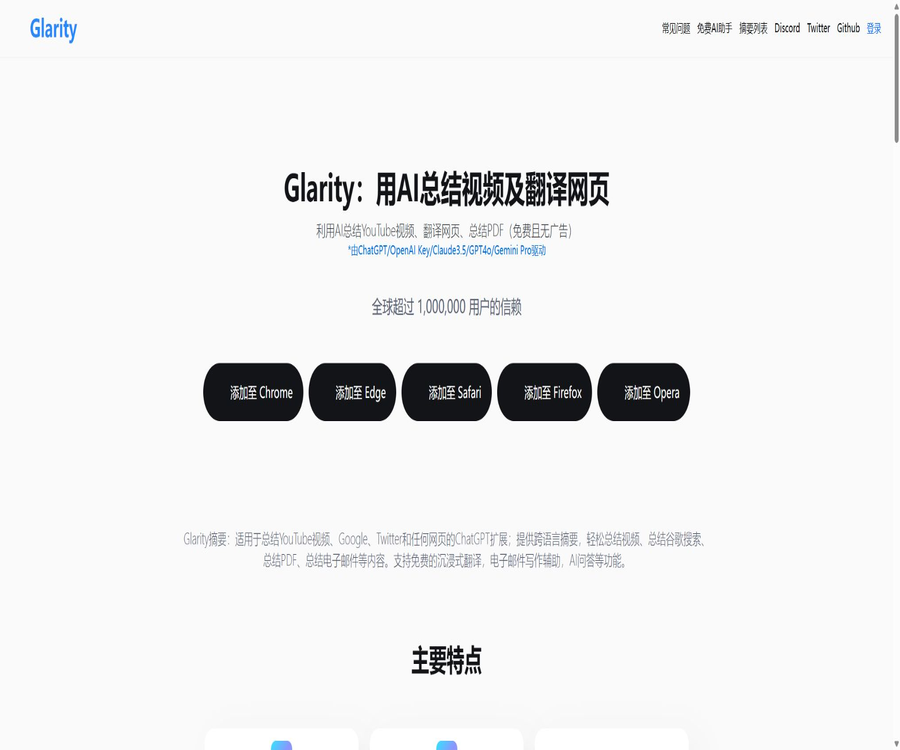
Glarity
Glarity: an intelligent tool focused on plugins and skills.
Tags:Plugins and SkillsWhat is Glarity?
Glarity is an AI assistant designed for use in browser-based reading; it can generate summaries, provide translations, or answer questions when users access web pages, YouTube content, search results, PDF files, and emails. It carries out tasks such as content extraction, cross-lingual understanding, and text generation either in the sidebar of the webpage or directly on the page itself.
The product is operated by Sparticle Inc, and the Felo Inc brand is mentioned in the footer of its website. The current services include free features, a Glarity Plus subscription, browser extensions, Apple platform apps, and a standalone AI chat interface.
Core functions
Summary of YouTube videos
The extension can read available video subtitles and generate multilingual summaries, timestamped key moments, as well as common questions. Users can also ask further questions related to the video content or create bilingual subtitles.
Web page and article summaries
After opening an article or a regular web page, Glarity can extract the main content and generate a summary. Custom prompts can be used to help locate arguments, data, conclusions, or specific sections, but complex page structures may still result in some information being missed.
Improved search results
It can display AI-generated summaries alongside search results on sites such as Google, helping users to quickly determine whether the results are relevant. Early official materials also listed scenarios where it is usable, including Bing, PubMed, PMC, Google Patents, and GitHub.
PDF Summary and Q&A
Glarity enables the summarization of online or local PDF files in a browser, and it allows for asking questions about the document as well as translating selected text. The official pricing page states that the membership version can handle around 300 pages of PDF content; however, the actual performance is influenced by factors such as file size, scanning quality, and usage limits.
Bilingual website translation
Mirror or side-by-side translation displays both the original text and its translation, making it easy to compare them paragraph by paragraph. The Chrome Store currently lists translation engines such as LLM Enhanced, Google, DeepL, and Microsoft.
Word selection, mouse usage, and shortcut key translations
Users can trigger translation by selecting text, double-clicking, long-pressing, using the middle mouse button, or custom shortcut keys. The methods of triggering and the gestures available may vary depending on the browser, operating system, and permissions of the page.
Screenshot translation and image Q&A
The extension can capture the content of the current tab and then identify and translate the text in images. The AI is also able to explain screenshots, mathematical formulas, and the information contained in images; however, it cannot guarantee complete accuracy in OCR and visual reasoning.
AI writing and email responses
Writing assistants can generate or rewrite articles, emails, and responses for social media; in the Gmail environment, they enable quick drafting of replies based on the context of the email. Before sending, it is necessary to check the recipient, the facts presented, the tone used, and any confidential information.
Q&A on web page content
Users can continue to ask questions about the current webpage or PDF, allowing the model to extract explanations from the content of those pages. The answers may still contain the model’s general knowledge or errors; therefore, important conclusions should be referenced back to the original text.
Multi-model AI chat
The official website states that more than a dozen models can be used in AI Chat, with models such as GPT-4o, Claude 3.5, and Gemini listed. The specific models, context window size, and free usage quota may change depending on updates to the underlying services and packages.
List of main functions
- Summarize YouTube videos and generate key segments with timestamps.
- Generate common questions and multilingual summaries based on video subtitles.
- Summarize regular web pages, news articles, search results, and long articles.
- Ask questions and get answers in the context of the current web page or PDF.
- Generate online and local PDF summaries and translate selected text.
- Translate the entire webpage in a side-by-side format.
- Translation can be triggered by selecting text, using the mouse, touch input, or shortcut keys.
- Capture a screenshot of a web page and translate it or ask about the content in the image.
- Create quick replies in Gmail.
- Rewrite web content, emails, and social media texts.
- Switch between various AI models within the same chat interface.
- Choose between the Glarity cloud mode, the ChatGPT mode, or the option using a built-in API key.
What use cases are suitable?
- Students quickly preview the course videos and identify the key time points.
- Researchers screen papers, patents, and lengthy PDF documents.
- Cross-border professionals read foreign-language web pages in a bilingual format.
- Content creators summarize videos, articles, and social media discussions.
- Marketers and operational staff can quickly grasp news and search results.
- Language learners can view the original text, the translation, and explanations of the chosen words at the same time.
- Customer service and sales staff draft emails and responses for social media platforms.
- Developers read the GitHub project descriptions and technical documentation.
- Regular users can invoke AI Q&A at any time while browsing web pages.
It’s not very suitable for which scenarios
- YouTube videos without subtitles that require an accurate summary of the audio details.
- Accurate extraction from scanned, blurry, complex tables, or PDFs filled with formulas.
- It is essential to ensure that the content of web pages remains entirely within the device and is not exposed outside it.
- Materials that require human-verified translation or translations with legal validity.
- High-risk decisions that rely on summaries rather than the original texts of papers, contracts, or policies.
- Teams that need multiple people to share a single individual membership account.
- A system that aims to enable bulk scraping and automated processing of web pages through public APIs.
- Devices with limited browser resources that cannot tolerate the performance impacts caused by extension injections.
Steps to install a browser extension
- Access the Glarity details page via the official website or the browser’s official extensions store.
- Check the extension name, publisher, website ownership, and permission details.
- Click Install and verify which website data it can read and modify.
- Fix the extension to the browser toolbar for easy access.
- Open the settings and select the interface language, output language, and activation method.
- Choose the free mode, the Glarity plan, or the self-hosted key mode that is allowed.
- First, test the summarization and translation on regular public web pages.
- Turn off permissions for unnecessary websites, as well as automatic triggers and shortcut gestures.
- Regularly check for updates to the extension store, changes in permissions, and the privacy policy.
Steps to summarize a YouTube video
- Open a YouTube video that has available subtitles or a transcript.
- Click the Glarity entry on the page or the browser extension icon.
- Select video summary and set the language in which you want the output.
- Wait for the system to read the subtitles and generate a summary along with the key time points.
- Click the timestamp to return to the video and review the important segments.
- Ask about concepts, opinions, or action items as needed.
- Distinguish between the original video text, Glarity’s summaries, and content added by the model.
- When saving notes, record the video title and key locations as well.
Steps to translate a webpage
- Open the webpage that needs to be translated and verify that you have the authority to handle its content.
- Choose to translate the entire page, select specific text for translation, or use keyboard shortcuts for translation.
- Set the source language, target language, and translation engine.
- Use the left-right comparison mode to maintain the original position.
- Pay special attention to checking numbers, names, terms, negative words, and units.
- Check the tables, footnotes, and image captions separately.
- If unsatisfied, switch engines or adjust custom translation prompts.
- It is reviewed by people familiar with the field and the language before its official release.
Prices and packages
Glarity offers a free version as well as Glarity Plus, and it allows users to switch between monthly and annual payment plans. The official website does not display a fixed amount that can be verified directly; therefore, it is not advisable to rely on the varying starting prices listed on third-party websites.
The authorities have specified that the Plus plan guarantees at least 600 GPT-4 queries per month; once this threshold is reached, the response speed and quality may decline. The Plus plan is still in the testing and adjustment phase, and details such as region, currency, taxes, promotions, and settlement amounts shall be based on those indicated on the purchase page after logging in.
| Project | Free mode | Glarity Plus |
|---|---|---|
| Price | Starting from 0 yuan | Monthly or annual payment is supported; the exact amount shall be as indicated on the settlement page. |
| Web page and video summaries | A basic credit limit is provided. | Supports longer content and more tasks |
| GPT-4 queries | Restricted by the free quota. | Ensure at least 600 occurrences per month |
| Once the query threshold is reached | It may no longer be possible to use advanced features. | Speed and quality may decrease. |
| Long-video processing | Subject to model context and quota limitations. | Officials state that they support summaries of the full length. |
| PDF Summary | Basic capabilities are limited. | The official comparison page states around 300 pages. |
| Parallel summary | Limited capabilities | The official FAQ states that multiple tasks can be processed in parallel. |
| Advanced models | The available range changes with adjustments to the free policy. | Supports more advanced models and Agents |
| Account usage | Personal use | Available only for individuals; robots or multiple people sharing is not allowed. |
| Unsubscribe | Not applicable | It can be canceled; continue using it until the current cycle ends. |
How to choose among different AI modes
| Pattern | Features | It is necessary to pay attention. |
|---|---|---|
| Glarity free version | You can try it out without needing to prepare a third-party key first. | There are limits on the quota, model, and length of the content. |
| Glarity Plus | Glarity offers more stable and longer content processing. | Subscribing on a monthly or annual basis, subject to fair use rules |
| ChatGPT web mode | Make use of the user’s existing web session | Affected by login status, upstream pages, and Cloudflare. |
| OpenAI Key mode | Users can control API projects and models. | API fees are charged separately and a security key is required. |
| Claude WebApp mode | The Claude web account can be used. | It is necessary to authorize the relevant cookies and accept the terms of third parties. |
| Custom API host | Suitable for testing compatible interfaces or technologies | The user is responsible for configuration, security, and costs. |
Supported platforms
| Platform | Support status | Explanation |
|---|---|---|
| Chrome | Support | The current main version – the store shows around 100,000 users. |
| Microsoft Edge | Support | Based on the Chromium extension framework |
| Firefox | Support | Some features and versions may differ from Chrome. |
| Safari | Support | Updates to the Apple platform version may be delayed. |
| Opera | Listed on the official website | The actual compatibility is determined by the extension store. |
| iPhone and iPad | Support | The App Store in the United States requires iOS or iPadOS 16 or later. |
| Mac | Support | The App Store lists versions of macOS 10.14 and higher. |
| Apple Vision | Compatibility | The App Store lists versions of visionOS 1.0 and later. |
| Web AI Chat | Support | There is no need to rely solely on the extended interface. |
Privacy and permissions
Browser extensions need to read the current webpage, PDF files, search results, or email content in order to perform summarization and translation. The Chrome Store states that such extensions handle authentication information and website content, and it is stated that they do not sell data nor use it for purposes unrelated to their core functions.
The official privacy policy covers a broader range of aspects; it specifies that data such as account information, payment details, user inputs, file uploads, logs, usage patterns, device information, Cookies, and analysis data may be collected. Necessary information may also be shared with cloud service providers, analysis services, affiliated companies, or third parties as required by law.
- Do not enable extensions on unauthorized work email accounts and internal systems.
- During installation, check the scope of permissions for reading and modifying data from all websites.
- Enable or disable access on a demand basis for banking, medical, and enterprise backend systems.
- Remove personal identification details, customer information, and confidential business data before uploading the PDF.
- Before using the web version of Claude, understand the account risks associated with Cookie authorization.
- When an API key is provided, a separate, low-credit limit key that can be revoked is created.
- Turn off the unnecessary automatic summarization, screenshotting, and page injection features.
- Regularly clean up historical data, caches, and account permissions that are no longer in use.
- Before organizational deployment, the security and legal teams review the extensions and data flows.
Accuracy of abstract and translation
- Video summaries rely on subtitles; errors in the automatic subtitles are reflected in the summary.
- Dynamic loading of web pages, login walls, and complex layouts can lead to the absence of content.
- PDF scans require OCR, as tables and formulas can easily shift out of place.
- AI may present assumptions as facts or fail to include counterexamples and constraints.
- Cross-lingual summaries may contain both summarization bias and translation bias.
- For legal, medical, financial, and academic citations, it is necessary to consult the original sources.
- Key points with timestamps should still be clicked to return to the video for review.
- Content generated by models cannot replace professional translation and editing.
Product advantages
- It is integrated directly into the browser’s reading process, reducing the need for copying and pasting.
- It covers web pages, videos, searches, PDFs, emails, and images as well.
- Side-by-side translation helps to preserve the context of the original text.
- It supports a variety of translation engines and several major AI models.
- YouTube’s timestamp, FAQ, and subtitle features are useful for learning.
- Q&A about web page content allows for further investigation of specific details.
- There are various ways to trigger actions, such as word selection, the mouse, and shortcut keys.
- The free features can be used for low-frequency and basic tasks.
- The official team has made the extended source code available, to enable the community to examine the early versions of the implementation.
- It covers Chrome, Edge, Firefox, Safari, and Apple devices.
Usage restrictions and precautions
- On the official price page, without logging in, there is no stable display of verifiable numerical amounts.
- The 600 GPT-4 queries per month offered by Plus do not constitute a guarantee of unlimited and high-speed access.
- After reaching the threshold, the response speed and quality may decline.
- Personal accounts prohibit robot activity or sharing among multiple users, and may be suspended.
- Promotional materials such as long videos and 300-page PDFs are still subject to limitations regarding subtitles, file size, and models.
- Expanding the reading of website content poses significant privacy risks for sensitive pages.
- Different browser versions and feature updates may not be synchronized.
- The history of public versions of Apple apps stops in 2024; compatibility must be tested in practice.
- Updates to the public GitHub code stopped in 2024, so they may not correspond to the current version of the store.
- Summaries, translations, and Q&A sections may all contain factual errors.
GitHub and the open-source status
Glarity has made the chatgpt-google-summary-extension repository available on GitHub; it is licensed under GPL-3.0 and has around 2,000 stars. The repository contains TypeScript, JavaScript, Swift, and style code related to extensions for Chrome, Firefox, Safari, and other browsers.
The most recent code update to the repository was in October 2024, while the current version available in the Chrome Store was updated as of July 2026. This only confirms that the extension versions in the public repository are open source; it does not prove that the current cloud services, paid systems, all model integrations, and the latest versions of the store correspond fully to those open-source codes.
Install the open-source version manually
- Go to the official GitHub repository and read the current README as well as the GPL-3.0 license.
- Check recent submissions, unresolved issues, and the security status of dependencies.
- Obtain the trial package from the packages directory provided by the warehouse, or build it yourself.
- Enable developer mode on the Chrome extensions management page.
- Select to load the decompressed extension and specify the correct directory.
- Check the extension ID, permissions, and the actual source of the code.
- Configure only test accounts or API keys with low permissions.
- Identify the differences between the functional version and the store version, and bear the responsibility for updates and maintenance yourself.
Basic information
| field | Content |
|---|---|
| Tool name | Glarity |
| Development and operation | Sparticle Inc; its official website is linked to the Felo brand. |
| Tool type | AI browser with reading, translation, summarization, and writing assistance |
| Main content | Websites, YouTube, PDFs, searching, emails, and screenshots |
| Price pattern | Free features and Glarity Plus subscription |
| Plus core credit limit | At least 600 GPT-4 queries per month |
| Main platforms | Chrome, Edge, Firefox, Safari, Apple devices, and the Web |
| Is Chinese supported? | Yes |
| Whether a public API is provided | The official website’s terms mention APIs, but there is no complete, publicly accessible interface available for ordinary developers. |
| Is it open source? | The open-source extension repository is available publicly; however, the current full commercial service is not entirely open source. |
| Open-source license | GPL-3.0 |
Recommendation score
4.5 / 5. Glarity offers a high level of integration among its web pages, videos, PDF files, and bilingual translations, making it suitable for cross-language reading; however, issues such as permission limitations, dynamic subscription options, differences between browser versions, and delayed updates to the open-source code need to be carefully considered.
Frequently Asked Questions
Is Glarity free?
Free features are available, as well as Glarity Plus. The amount of the free quota, the advanced models, and the specific pricing are determined by the current account settings and the payment page.
Can Glarity summarize YouTube videos?
It can generate summaries, timestamped key points, FAQs, and subtitle translations. The quality of the results is significantly affected when there are no subtitles or when the subtitles contain errors.
Can Glarity translate an entire webpage?
It is possible to translate an entire page using a side-by-side comparison method; word selection, shortcut keys, the mouse, and screenshot translation are also supported.
Can Glarity handle PDFs?
It supports summarization, Q&A, and word translation for online and local PDF files. Scanned documents, tables, formulas, and very large files require actual testing.
How much is Glarity Plus?
The official website accepts monthly and annual payment options; however, the amount due is not displayed clearly on the page without logging in. The amount should be based on that shown on the account settlement page, and third-party quotes should not be used.
Is Glarity Plus available for unlimited use?
It’s not unlimited and unconditional; the official guarantee is at least 600 GPT-4 queries per month, and once this threshold is reached, the speed and quality may decline.
Does Glarity collect web content?
Expansion requires processing website content in order to summarize and translate it; the official privacy policy also covers accounts, inputs, files, logs, and usage information. Sensitive pages should be disabled.
Is Glarity open source?
The official browser extension repository is licensed under GPL-3.0, but code updates ceased in 2024; therefore it cannot be assumed that all current cloud-based and store versions are open source.
Tools similar to Glarity




 Guigong Network Security Registration No. 45132202000164