






Impress AI
The AI-powered knowledge and information management features introduced by Notion
Tags:AI learning websitesWhat is Impression AI?
Impress AI is a generative AI capability provided by Beijing Impression Notes Technology Co., Ltd. for Impression Notes and its product portfolio.
It focuses primarily on notes, documents, and personal knowledge, and is not an independent general-purpose chat website.
Core functions
| Functions | Main function | Suitable scenarios |
|---|---|---|
| AI helps me write. | Generate outlines, meeting agendas, and creative content | Draft notes from scratch |
| Intelligent modification | Continue writing, summarize, refine, or translate the selected text | Edit existing content |
| Analysis of a single note | Summarize the notes and answer related questions. | Quick review of the materials |
| File analysis | Analyze the content of imported PDF or Word files. | Read reports and documents |
| Web clipping analysis | Save web pages, summarize, and search for similar notes | Data collection and research |
| Search notes | Search for existing knowledge using natural language. | Personal knowledge base retrieval |
| My notes on the conversation | Generate a comprehensive answer based on multiple notes. | Cross-note summarization and Q&A |
AI helps me write.
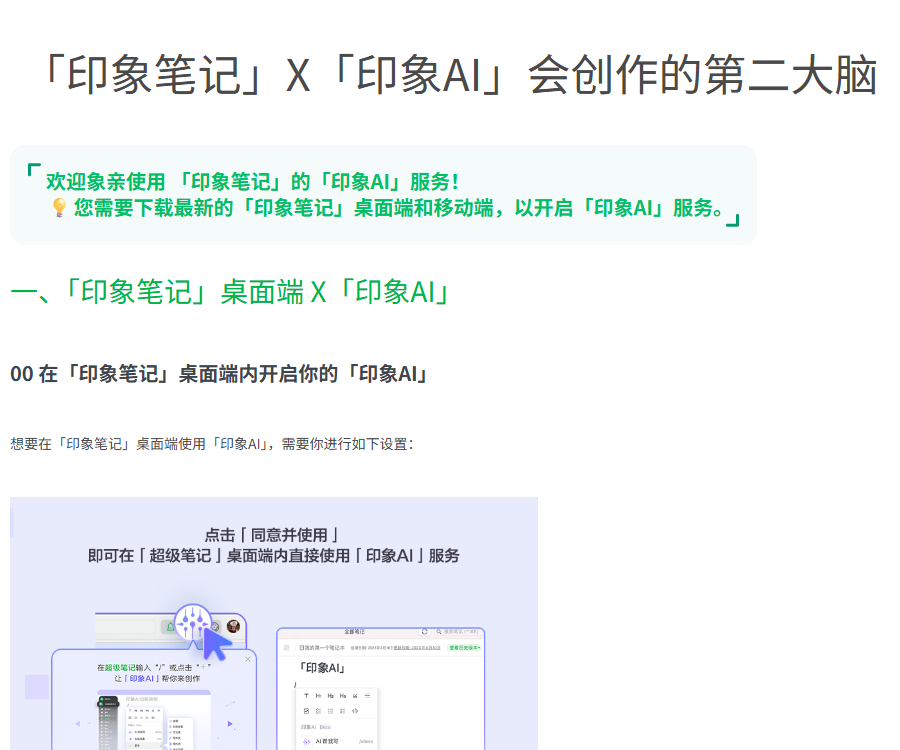
In the desktop version of Super Notes, users can activate this feature using “AI Help Me Write”, the Impression AI icon, or slash commands.
- Hold a brainstorming session to quickly list topics, directions, and alternatives.
- Generate drafts such as article outlines, meeting agendas, stories, or modern poems.
- Continue writing based on the context, adding paragraphs or expanding on the ideas.
- After selecting the text, it can be summarized, optimized, rewritten, or translated.
- The generated content can be directly inserted into notes for further manual editing and organization.
- Facts, quotes, figures, and professional judgments still need to be verified manually.
AI assistant and note Q&A
Through the top bar on mobile devices, one can access the AI assistant to engage in conversations related to notes, files, and open questions.
- After adding a note, the AI will analyze its content and suggest questions that might be of interest.
- The answers can be saved as new notes to facilitate further organization and linking.
- Searching for notes allows one to find information from past records using natural language.
- Open-ended questions can yield reference answers, but they are not necessarily based on personal notes.
- Before each conversation, the currently selected range of materials should be confirmed.
- Notes that are not included in the analysis will not constitute a reliable basis.
File analysis
Impress AI can select files from a material library, extract key information, and then pose further questions based on that document.
- Suitable for reading reports, proposals, papers, and conference materials.
- AI will first summarize the content and suggest three questions that might be of interest.
- Further questions can be asked regarding conclusions, differences, action items, and key data.
- Scans, complex tables, formulas, and low-quality images may affect recognition.
- The previous official documentation specified limits of 50MB, 50 pages, and 100,000 characters.
- The current actual file limit should be based on the real-time indication provided on the application’s upload page.
Web clipping analysis
The AI assistant can accept web links, enabling bookmarking, note creation, summarization, and retrieval of similar notes.
- Select a link in the AI assistant, or send the URL of the webpage that needs to be analyzed to the assistant.
- Wait for the system to save the web page content and create the corresponding notes.
- View the summary to confirm the title, author, date, and main points.
- Use the recommended questions or inquire specifically about the contents on the page.
- Check whether the similar notes identified by the system are indeed relevant.
- Save the valid responses as separate notes and add tags.
- Important information should still retain the original text and the date of access.
My notes on the conversation
Super members can select one or more notebooks; after preliminary analysis, questions and answers are generated based on those notes.
- You can select all notebooks, or only those notes that are related to a specific project.
- The number of notes and the length of their content affect the pre-analysis time.
- Encrypted notebooks will not appear in the list of options.
- AI can provide comprehensive answers, summarize notes, and identify common patterns.
- Separate notebooks should be created for different projects to reduce interference between data.
- The answer should be checked against the original notes to avoid misinterpreting the context.
Mind map feature
On the desktop version, Impression AI can be used to create mind maps, as well as to expand selected nodes.
- After creating a new mind map note, open the assistant using the Impression AI icon.
- Enter the topic, target audience, hierarchy, and the content you wish to cover.
- Apply the generated results to the mind map, then adjust the node relationships.
- Selecting a single node allows you to further expand its subtopics.
- For complex projects, the number of levels should be limited to prevent the diagram from becoming too crowded and difficult to read.
- The classification relationships generated by AI need to be reviewed by the user.
Impress AI Usage Guide
- Install the latest version of Imnote and log in with the account you intend to use.
- Choose between the desktop AI assistant for writing tasks or the mobile AI assistant, depending on your needs.
- Create notes, or add notes, files, and web pages that need to be analyzed.
- Specify the task, output format, length, tone, and scope of the information.
- Check whether the AI is referencing the correct notes and the complete context.
- Further questions were raised regarding the answers, requesting that the basis, differences, and actions to be taken be listed.
- Save the valid responses as notes, and add titles, tags, and link relationships.
- Return to the original sources to verify facts, figures, quotations, and dates.
- Remove sensitive information before sharing, and verify collaboration and access permissions.
How to choose among different platforms
| Platform | Officially confirmed capabilities | Usage suggestions |
|---|---|---|
| Windows | AI helps me write, make intelligent edits, and create mind maps. | Writing and organizing long texts |
| Mac | Provides the latest version of the client along with AI capabilities. | Desktop knowledge management |
| iOS and iPad | AI assistant, note and document analysis | Mobile reading and Q&A |
| Android | AI assistant and mobile note-taking capabilities | Record and retrieve at any time |
| Websites and bookmarks | Save web pages and assist with analysis | Collection of research materials |
The pace of updates to the interfaces and functions at various ends may vary; if the AI interface cannot be found, the client should be upgraded first.
Models and working methods
Officials state that Impression AI is driven by its own lightweight large language model, “Elephant GPT”, as well as by models from both domestic and international sources.
- Personal notes and documents provide specific context for answering questions.
- The model may use general knowledge to answer open-ended questions.
- Specifying a data range does not guarantee that every conclusion is accurately cited.
- The models and underlying supply combinations may change as the product is upgraded.
- Impress AI is an application service; it cannot be equated with the GPT model itself.
- The fact that a product offers AI capabilities does not mean that the model weights can be downloaded.
Free account and member prices
As of August 30, 2026, the member section on the official website lists the price of a regular Imnote account.
| Account | Official website price | Main public quota |
|---|---|---|
| Free account | Free | 60MB of monthly upload data, synchronization with 2 devices |
| Standard account | 8.17 yuan per month | Paid annually, 1GB of monthly upload data |
| Premium account | 14 yuan per month | Paid annually, 10GB of monthly upload data allowance |
| Professional account | 18.17 yuan per month | Paid annually, 20GB of monthly upload data |
| Super Member | The public page does not yet display all content fully. | Advanced AI features such as multi-note conversation can be enabled. |
The storage benefits available to regular members do not include all AI functions; the number of AI uses and the price associated with premium membership must be checked on the account page.
Prices, promotions, automatic renewals, and benefits may change; the final details are subject to the settlement page, the order, and the current agreement.
Pre-payment checklist
- Confirm whether the purchase is for a standard, premium, professional, or elite membership.
- Check whether the number of AI checks, file analysis, and multi-note Q&A are included.
- Check the monthly upload volume, the size of each note, and the number of devices synced.
- Confirm whether the price is paid annually and what the amount of automatic renewal is.
- Check whether the benefits on Windows, Mac, and mobile devices are consistent.
- First, use the free capability test to assess the quality of responses related to actual notes and documents.
Data and Privacy Considerations
According to the official AI user agreement, the content and commands entered while using the service are used for data collection and training of their own models.
- The agreement states that the entered content will not be disclosed to third parties, except as required by law.
- The agreement states that it will not be used for training third-party models, unless the user grants explicit permission.
- Passwords, keys, identification documents, and sensitive customer information should still be removed before uploading.
- For corporate secrets and information subject to confidentiality agreements, the organization’s policies must be consulted first.
- Before sharing AI-generated notes, it is necessary to recheck the access scope.
- The privacy and training terms may be updated; it is important to read the current agreement before using the service.
API, SDK, and open-source status
- API: As of the time of verification, no public developer API documentation for Impression AI was found.
- SDK: No official SDK available for Impression AI.
- Developer collaboration: Evernote provides a mechanism for collaboration, but this does not mean that its AI interfaces are made available to others.
- GitHub: No official code repository that corresponds explicitly to Impression AI was found.
- Open source: The Impression AI services and the Elephant GPT model do not come with publicly available open source licenses.
- The availability of a downloadable client does not mean that its models, server side, or source code are made available.
Which users are it suitable for
- Knowledge workers: Search, summarize, and establish connections in long-term notes.
- Student: Analyze course materials, create outlines, and organize review notes.
- Researchers: Save web pages, compile reports, and review the original materials.
- Working professionals: Generate meeting agendas, action items, and project summaries.
- Content creators: Carry out brainstorming, continuation writing, rewriting, and translation.
- Powerful Notion users: Conducting knowledge-based Q&A using multiple notebooks.
Usage restrictions and precautions
- AI responses may be incorrect, outdated, biased, or omit important information.
- Multi-note Q&A relies on the pre-analysis scope; notes that are not selected will not automatically become a basis.
- Scanning PDFs, complex tables, and formulas may result in incomplete recognition.
- The daily limit shown on the old version of the page should not be considered as the current permanent limit.
- AI-generated content cannot replace professional judgment in medicine, law, finance, or academia.
- The citations and abstracts must be checked against the original notes or documents.
- Different client versions may have varying entry points for features and available benefits.
Frequently Asked Questions
What can Impression AI do primarily?
It can assist with writing, analyzing notes and documents, searching for personal knowledge, saving web pages, and enabling Q&A across multiple notes.
Is Impression AI a standalone application?
It is primarily used for the AI capabilities in Notion and related products; it is not an independent, general-purpose chat website.
Can Impression AI analyze PDF and Word files?
Yes, the mobile AI assistant can perform file analysis; the limits on actual size and number of pages are determined by the page you upload.
Can Impression AI answer multiple notes at the same time?
Yes, premium members can enable the “Talk to My Notes” feature; they first need to select a notebook and carry out a preliminary analysis.
Is Impression AI free?
Some capabilities can be tried out, but the number of attempts allowed, file size limits, and access to advanced features are determined by the account settings on the page after logging in.
Does Impression AI use the input content for training?
The official agreement states that the input content and commands will be used for data collection and training of Notion’s own models.
Does Impression AI provide APIs or open-source code?
As of the time of verification, no Impression AI public API, official SDK, code repository, or open-source license was found.
Tools similar to Impression AI

 Guigong Network Security Registration No. 45132202000164