






Apex Vision AI
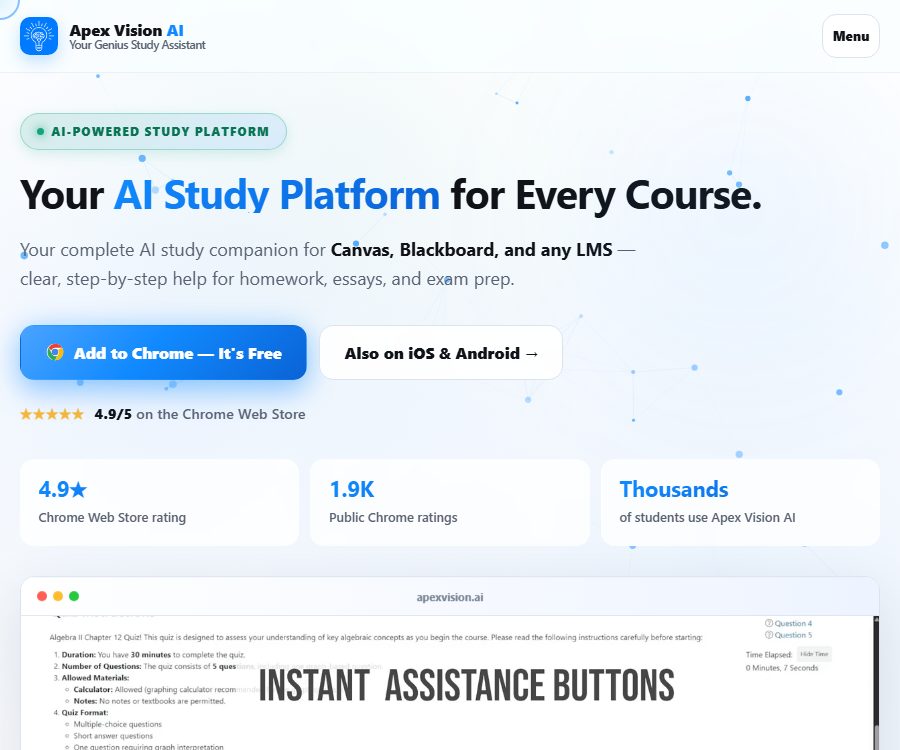
Apex Vision AI enables AI to learn and work more efficiently and simply.
Tags:AI learning websitesWhat is Apex Vision AI?
Apex Vision AI is an AI learning assistant developed by Apex Vision AI LLC, intended for high school students and college students. It offers functions such as screenshot-based problem solving, step-by-step explanations, and the generation of learning materials, through Chrome extensions, web sidebars, and mobile apps.
The product is designed to work within existing web-based learning environments, eliminating the need for users to copy questions to other pages repeatedly. It can cover multiple subjects, but AI-generated answers may still be incorrect; moreover, it cannot replace teachers or textbooks.
Main functions of Apex Vision AI
Solving problems using screenshots and images
Users can capture a portion of the screen or upload an image of the question, allowing the AI to identify text, formulas, and charts in order to generate solutions. This method is suitable for printed textbooks, questions from web pages, and problems that contain a lot of visual information.
Explain step by step
The tool not only shows the conclusions but also provides the reasoning steps and explanations of the concepts. Learners should redo the problems step by step and verify the key calculations, rather than simply copying the answers.
Browser toolbar
Chrome extensions provide a floating toolbar that allows for quick analysis of the content on the current page using shortcuts. The size of the toolbar, the font size, and its transparency can be adjusted in the settings.
Sidebar workspace
The sidebar is suitable for longer Q&A sessions, image analysis, and continuous learning. It allows for more comprehensive explanations and learning tools to be displayed without leaving the current webpage.
Text selection operations on web pages
After selecting text on a webpage, it is possible to invoke functions for providing answers, explanations, or summaries. Before working with copyrighted teaching materials and question banks, one must ensure that they have the proper permission for their use.
Flashcard and quiz generation
Apex Vision AI can convert the current answers or learning material into flashcards and practice quizzes. After they are generated, it is necessary to check the definitions, options, and correct answers to avoid memorizing incorrect information.
Study guides and notes
Users can create study guides and structured notes based on pages, course notes, or questions. By first defining the chapters, the scope of the exam, and the level of detail desired, it is possible to obtain more useful content.
Prediction of exam questions
The sidebar offers a feature that generates practice questions based on the learning material, which is useful for self-assessment and planning review sessions. The predictions do not represent the actual questions created by teachers or exam authorities.
Assistance with essay writing
Essay Writer can help organize ideas, structure the text, and draft it. When using the generated content, it is necessary to disclose that AI was used as a tool, in accordance with the requirements of the course, and one must carry out fact-checking and citation work themselves.
Study suggestions
The learning suggestions provided on the response interface can recommend directions for further review based on the current question. The recommended resources and methods should be selected in line with the course objectives, in order to avoid expanding the scope of learning indefinitely.
Supported learning platforms
The developers currently describe Apex Vision AI as a browser tool that can be used in most learning management systems on the web. The available buttons and the capabilities of automatic recognition vary depending on site updates, permissions, and the type of questions.
- Canvas: Page assistance, sidebar, and detection of certain question types.
- Blackboard: Web-based question analysis and learning support.
- Moodle: The Q&A functionality is accessed through a browser extension.
- Top Hat and other web-based course platforms.
- Standard textbook web pages, learning materials, and online practice pages.
Apex Vision AI Usage Guide
- Install the official Chrome extension and fix its icon to the toolbar.
- Register an account and first use the free quota to get familiar with the quality of responses.
- Open the course materials or the practice pages that allow the use of assistive tools.
- Click Expand to open the sidebar, or use the screenshot shortcut key to select a question.
- Check whether the question stems, options, formulas, and image information identified by AI are complete.
- Read the step-by-step explanations and recalculate or rephrase them in your own way.
- Shift the focus to flashcards, quizzes, notes, or study guides.
- Continue to ask questions based on the incorrect ones; do not settle for just the final answer.
- When a higher limit is required, select a payment plan based on the monthly usage.
Common shortcut keys
| Operation | Windows | Mac |
|---|---|---|
| Get the answer to the current question | Ctrl + Q | Command + Q |
| Show or hide toolbar | Ctrl + Shift + Y | Command + Shift + Y |
| Open the sidebar | Ctrl + Shift + B | Command + Shift + B |
| Capture images and analyze them. | Ctrl + Shift + Z | Command + Shift + Z |
Keyboard shortcuts may conflict with the operating system or other extensions; they can be reassigned in Chrome’s extension shortcut settings.
Which users are it suitable for
- High school students and college students: Understanding homework problems, organizing course materials, and preparing for tests.
- STEM learners: Analyze formulas, charts, and calculation problems by using screenshots.
- Online course users: Enable AI explanations alongside the learning management system.
- Reviewer: Generates flashcards, quizzes, and study guides from existing content.
- Teachers and tutors: assist in creating practice materials and explaining the reasoning behind solutions.
Product advantages
- Screenshot, floating toolbar, selected text, and sidebar offer various ways to perform actions.
- It supports both web and mobile devices, making it suitable for various learning scenarios.
- The answers can be further converted into flashcards, quizzes, notes, and study guides.
- The free plan provides a certain number of requests per day, allowing for a trial use.
- The payment tiers are differentiated based on the volume of requests and the capabilities of the models, making the selection straightforward.
Usage restrictions and precautions
- AI outputs may be incomplete, outdated, or incorrect; mathematical calculations and complex computations in particular need to be verified step by step.
- The official regulations and the Honor Code explicitly require adherence to the school’s rules regarding academic integrity.
- It must not be used in exams where the use of external aids is prohibited, nor may it be used to bypass exam invigilators, browser locks, or other access controls.
- The authorities have ceased supporting McGraw Hill Smartbook, and the features mentioned in previous descriptions should not be considered as current commitments.
- Do not upload exam papers, question banks, answer sheets, textbook chapters, or teacher materials that are not authorized for sharing.
- Officials state that schools will not be asked for passwords, and it is still necessary to avoid entering course accounts and personal sensitive information in the prompts.
- As of the verification date, no public API documentation was found, nor were any commercial platforms or Chrome extensions with their source code identified.
Privacy and data processing
According to the official privacy policy, the problematic inputs and AI-generated responses are discarded after delivery; only the irreversible prompt hash, along with minimal metadata such as time, token count, and user identifier, is retained for the purpose of quota management and abuse control.
It is claimed that images from mobile cameras and photo albums are only processed temporarily and not stored. Account, payment, usage, and support data are still handled in accordance with relevant policies, and the Android Store also indicates that apps may collect personal and financial data among other types of information.
Price of Apex Vision AI
As of August 26, 2026, the official website lists a free plan as well as three monthly subscription plans. The prices are given in US dollars; taxes, regional differences, promotions, and prices in app stores may vary, and the final price will be indicated on the purchase page.
| Plan | Price | Requested quota | Main features |
|---|---|---|---|
| Free | $ | 30 times per day | Basic trial version – no credit card required |
| Knowledge Kickstart | $ | 500 times | Explanations for multiple-choice questions, learning suggestions, and interface customization |
| Savvy Scholar | $ | 1,000 times | Higher accuracy, faster response, personalized recommendations, and priority support |
| Mastermind | $ | 2,000 times | Advanced models, faster response, analysis features, early access, and VIP support |
The official website describes all three payment options as monthly subscriptions; the benefits and quotas may change with product updates. Before upgrading, it is necessary to clarify how requests will be counted, when the trial period will end, and when automatic renewal will take place.
Cancellation and refund
Web account management allows for upgrades, downgrades, or cancellation. When purchasing through Apple Subscriptions, cancellation must be done within the system’s subscription settings; deleting the app does not terminate the subscription, and refunds are handled by Apple.
Supported platforms
- Chrome extension: The main entry point for learning within web pages.
- Web version: account information, prices, help, and related learning features.
- iPhone and iPad: The official Apex AI learning app is available.
- Android: Google Play offers official apps.
- Various web-based learning management systems: The compatibility level depends on the structure of the pages.
API and open-source status
The official terms and privacy policy include APIs and related services within their scope of application; however, as of the date of verification, no API documentation available to the public, no self-service key page, and no clear pricing information were found, so they cannot be classified as public APIs.
There is also no evidence indicating that the Apex Vision AI commercial platform, mobile applications, or Chrome extensions are open source. There are numerous projects with the same name APEX available on the internet, and this cannot be used as evidence to link them to this product.
Frequently Asked Questions
Can Apex Vision AI be used for free?
Yes. The official website offers a free plan that allows 30 requests per day, without the need for a credit card; higher quotas and advanced models require a monthly subscription.
Can it solve problems from pictures?
Yes. Users can take screenshots or upload images; the AI will then identify the questions and generate answers along with step-by-step explanations. However, formulas and charts still need to be checked manually.
Which web-based learning platforms are supported?
The official list includes platforms such as Canvas, Blackboard, Moodle, and Top Hat; extensions can also be used on regular web pages. The specific functions depend on the structure of the webpage.
Can it be used during exams?
It is only permissible when the examination rules explicitly allow the use of AI or external assistance. Its use is prohibited in exams that are closed-book or where external help is not allowed, and it is also forbidden to bypass exam invigilators and access controls.
What are the differences between the three paid plans?
The main differences lie in the number of requests per month, model accuracy, response speed, analysis capabilities, and level of support; the prices are 7.99, 14.99, and 19.99 dollars per month respectively.
Does Apex Vision AI offer public APIs or open-source code?
As of August 26, 2026, no API documentation available to the public has been found, nor is there any evidence indicating that its commercial platform or extensions have been made open source.
Tools similar to Apex Vision AI

 Guigong Network Security Registration No. 45132202000164