






AI That Answers Homework Questions
AI That Answers Homework Questions – makes learning and working more efficient and simpler with the help of AI.
Tags:AI learning websitesWhat is Aceify?
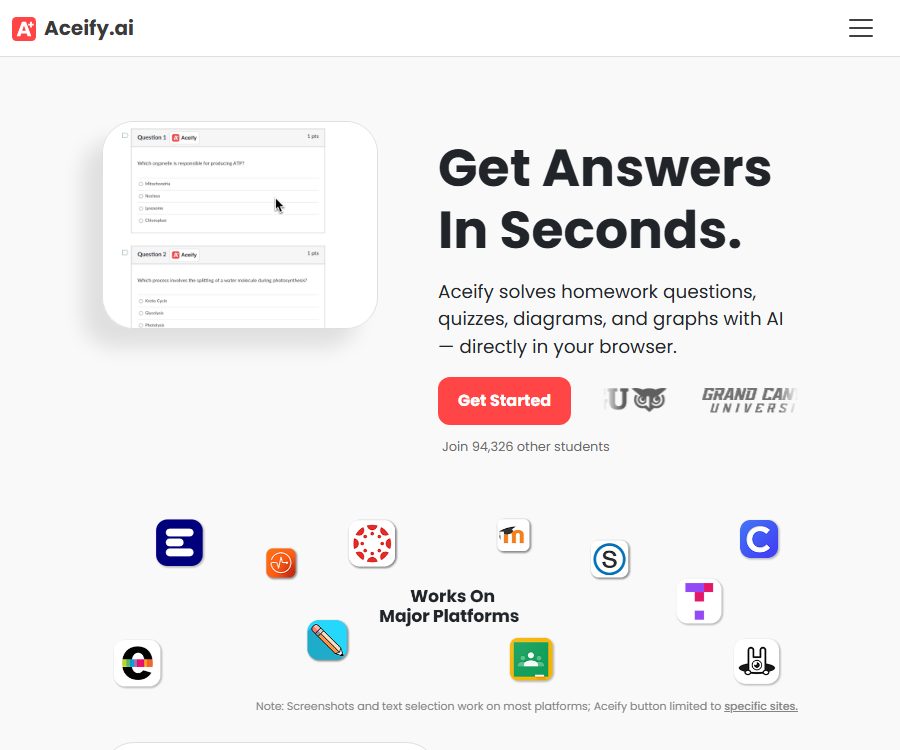
Aceify is an online learning assistant developed by AceifyAI; it offers AI-based assistance for assignments, quizzes, charts, and other academic tasks through web pages and Chrome extensions. Its purpose is to reduce the need to switch back and forth between learning platforms and messaging tools.
Users can capture the questions displayed on the screen, or use the Aceify button on certain supported websites to view them. This tool is useful for reviewing and understanding concepts, but the answers provided by AI may be incorrect, and it cannot replace the need for independent thinking required by the courses.
Main functions
Screenshot recognition for questions
When the question cannot be copied directly, or when it contains formulas, charts, and images, users can use a screenshot tool to select the relevant areas. Aceify will analyze the content of the screenshot and generate an answer; clear and complete questions usually yield more effective results.
Learning aids within the browser
Chrome extensions can be used in online quizzes and learning management systems, allowing users to access supplementary information related to the questions. The official store page describes them as tools for learning and review, emphasizing their role in helping students identify their weak areas.
Supports various question types
According to the official website, Aceify can handle homework problems, online quizzes, as well as diagrams and charts. The actual effectiveness depends on the subject matter, the clarity of the questions, whether the context is complete, and the extent to which the model possesses specialized knowledge.
Summary of YouTube videos
Aceify offers a YouTube video summary page that enables the extraction of the key points from long videos. Its advanced summarization features are part of Aceify+, and it is suitable for quickly establishing an overview of the content before returning to the original video to check the details.
Accounts and learning records
The platform allows registration using an email address or a Google account, and subscriptions are managed through these accounts. According to the privacy policy, the service may collect registration details, device information, usage records, as well as data related to the questions and answers processed on the learning platform.
Which users are it suitable for
- University students and adult learners who need to understand online assignment questions
- Users who review course content on learning platforms such as Canvas and Moodle
- Learners who encounter images, formulas, or charts that cannot be copied
- Those who wish to quickly identify the key points of course videos
- Students who need to identify their weak areas in knowledge and create a review plan
Aceify usage guide
- Install the official extension in the Chrome browser and check the permissions requested by the extension.
- Register or log in to your Aceify account to check your current plan and auto-renewal status.
- Open the assignments or study materials, and use the tools only in situations permitted by the course rules.
- Click the screenshot function to fully include the question text, options, charts, units, and any necessary explanations.
- Read the answers generated by AI, and force yourself to re-derive the steps and verify the concepts in the textbook.
- If the result is unclear, try again by providing more background information on the question or reducing the area of the screenshot.
- Compile the incorrect question types into a review list; do not just save the final answers.
How to obtain more reliable results
- When taking a screenshot, retain the entire question stem, all options, and the coordinates of the charts.
- Avoid including multiple unrelated questions in the same screenshot.
- For math and science problems, it is necessary to check the units, symbols, and calculation steps.
- Request an explanation of the concepts and steps, then complete similar exercises independently.
- For questions related to history and writing, it is necessary to refer to textbooks or original sources in order to verify the facts.
- When facing high-risk or formal exam content, one should not rely on AI to provide answers directly.
Prices and packages
The subscription details below were verified on August 25, 2026, in accordance with Aceify’s official terms of service. Website prices may change, and taxes and promotions can vary by region; it is necessary to refer to the account settlement page before making a purchase.
| Plan | Price | Billing cycle | Official explanation |
|---|---|---|---|
| Monthly plan | 10 dollars | Monthly | Unlimited access to software features during the subscription period |
| Annual plan | 100 dollars | Every year | The subscription fee is charged annually in a lump sum. |
Both plans are available on a subscription basis, with payments processed through Stripe. According to the official terms, subscriptions are automatically renewed; users can switch between plans or cancel them from their account dashboard, and the cancellation takes effect at the end of the current payment cycle.
The terms also state that, in the event of cancellation, no refund is provided for the remaining time of the current period. The so-called “unlimited access” is still subject to service availability, reasonable use, platform rules, and any changes in functions; it should not be construed as guaranteeing unlimited access in all situations.
Browser extension information
As of the time of verification, the official Chrome extension version is 1.78, with the latest update dated April 15, 2026; the store indicates that there are around 7,000 users. The interface of the extension is in English, and the quality of identifying and explaining the Chinese language questions requires testing on one’s own.
The store’s privacy policy indicates that the extension processes location data, user activities, and website content. It is important to understand these permissions before installing it, as reading the titles of web pages is part of its core functions; this also means that the content on those pages can be processed.
Key points on data privacy
- The privacy policy states that account registration may involve the collection of name, email address, username, and payment-related information.
- The expansion may collect questions, options, user responses, and AI-generated responses from the learning platform.
- According to the official statement, some of the questions and their answers may be used to improve AI tools and data analysis.
- The processed content of the questions may be presented without any direct identification information or used for community feedback.
- The server is located in the United States, and users in other regions may have their data transferred and processed across borders.
- Do not submit screenshots containing names, student IDs, grades, teacher information, or unpublished exam questions.
Academic integrity and usage boundaries
Aceify’s official terms require users to abide by the rules of third-party learning platforms, and cheating or any other form of academic misconduct is prohibited. Even if it is technically possible for the tool to access the quiz pages, it does not mean that the school or course permits the use of AI in such tasks.
A safer approach is to use it for review after class, explaining practice problems, and checking knowledge points. For formal exams, timed quizzes, or assignments that require independent completion, permission from the teacher must be obtained first; otherwise, it may violate the course policies.
Product advantages
- Screenshotting allows you to work with question texts and charts that are difficult to copy.
- It works directly in the browser, reducing the need to switch pages.
- Covers scenarios such as assignment problems, quizzes, and summaries of course videos.
- Suitable for turning incorrect questions into material for subsequent review.
- There are two options: monthly and annual payment; cancellation is possible within the account.
Usage restrictions and precautions
- AI responses are not guaranteed to be correct, especially in cases of complex calculations, specialized subjects, and ambiguous screenshots.
- The tool is primarily designed for English-speaking environments; support for a Chinese interface and Chinese questions may be limited.
- The terms of service stipulate that users must be at least 18 years old; those under that age are not allowed to register for use.
- Subscriptions are automatically renewed, and cancellation generally does not result in a refund for the remaining amount of the current period.
- Extensions interact with the content of learning platforms, and are not suitable for handling confidential test questions or personal sensitive information.
- Some learning platforms may prohibit third-party extensions; it is necessary to check the policies of the school and the platform before using them.
Frequently Asked Questions
Can Aceify be used to take photos of questions in order to find answers?
It offers screenshot recognition instead of the traditional camera function on mobile phones. Users can select questions, charts, or formulas on a computer screen and then have the AI analyze them.
Is Aceify free?
The official website provides a registration link; the available subscription options listed there are 10 dollars per month and 100 dollars per year. Whether there is a free trial or a temporary credit limit depends on the account page after logging in.
Can it be used in Canvas or Moodle?
The privacy policy and terms mention that the extension will interact with learning management systems such as Canvas and Moodle. The actual compatibility may change as the platforms’ interfaces are updated.
Will it save the content of the questions?
The privacy policy states that it is possible to collect questions, user responses, and AI-generated responses, and that such data may be retained as needed for operational purposes. Unpublished test questions and individual assignments should be used only after careful evaluation.
Is Aceify an open-source tool?
As of the time of verification, no official statement indicating that the Aceify core website or its browser extension are licensed under an open-source license was found. It should be regarded as a commercial online service, rather than an open-source learning platform that can be deployed on one’s own.
Summary
Aceify’s advantage lies in its combination of screenshot-based question recognition with tools to assist with tasks within the browser; it is suitable for adults who want to understand questions and organize key points for review in learning environments where the use of AI is permitted. Before choosing this tool, it is necessary to consider not only the monthly or annual costs but also school policies, additional permissions, and the privacy risks related to question data.
Tools similar to AI That Answers Homework Questions

 Guigong Network Security Registration No. 45132202000164