






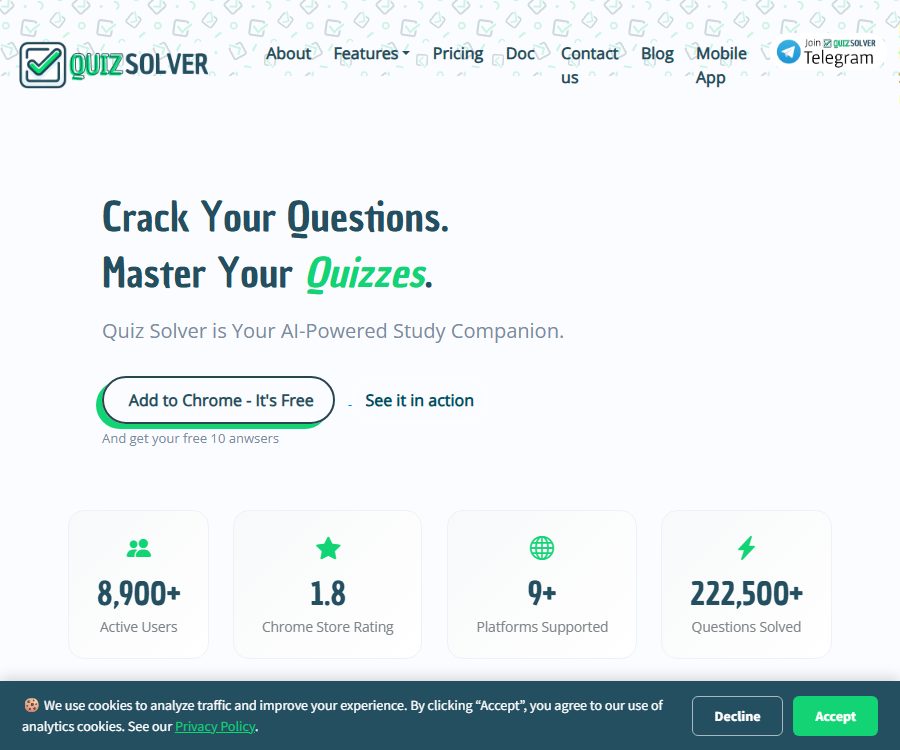
Quiz Solver AI
Quiz Solver AI – makes it easier and more efficient for AI to learn and work.
Tags:AI learning websitesWhat is Quiz Solver AI?
Quiz Solver AI is an AI-based tool designed for learning and practice with homework; it offers extensions for Chrome and Firefox, an Android app, as well as a web account. It can identify text on web pages, screenshots, PDF files, scanned documents, and handwritten questions, then provide answers or explanations.
The platform is suitable for reviewing material, checking one’s thinking process, and understanding the steps involved in a task; it cannot be used to cheat, evade supervision, or carry out grading tasks without permission. The official terms clearly prohibit cheating and any form of unauthorized academic assistance.
Main functions
Smart Detection: Question recognition on web pages
Browser extensions can detect common question formats on supported testing or learning websites and provide assistance within those pages. The official website claims compatibility with over twenty popular platforms such as Canvas, Blackboard, and Moodle, but the actual performance is affected by the structure of the web pages and existing permissions.
Smart Highlight: Highlighting words for questioning
Users can highlight text on a webpage and open the extension, after which they can choose to get answers, explanations, translations, or rewrites. This method is suitable for reading course materials and checking exercises, without the need to capture the entire page.
QuickSnap screenshot recognition
QuickSnap is used for images, PDF files, protected pages, or scanned content that cannot be selected; it extracts the questions through screenshotting and OCR. When the image is blurry, the formula layout is complex, or the image is not fully cropped, the recognition results may be incorrect.
Android photography and messaging
Android apps can capture images of textbooks, assignment sheets, screens, or handwritten notes, and provide answers through chats. According to the official instructions, an internet connection is required; once the processing is complete, the scanned images are not stored on the server.
Seven types of requests
- Solve the problem directly
- Step-by-step explanation for generation
- Perform mathematical calculations
- Solving geometric problems
- Translate the text
- Extract text from images
- Rewrite the text content
Automatic form filling and a minimalist interface
The description of Chrome extensions also mentions automatic filling out of forms using Google Forms and Microsoft Forms, as well as Ghost Mode, which reduces the visibility of the interface. Such functions must not be used in actual exams, monitored quizzes, or in any situations that violate the rules set by schools and platforms.
Which users are it suitable for
- Students who need to review the approach to the after-class exercises
- Learners who wish to obtain explanations for mathematical or geometric steps
- Those who read materials for foreign language courses and need translation.
- Users preparing for professional certification but allowed to use learning aids
- Self-learners who hope to take photos on their phones to organize their questions
Prices and packages
The prices listed below were verified on August 24, 2026, and are expressed in US dollars. Monthly and annual subscriptions are subject to automatic renewal; it is necessary to confirm the desired subscription period before making a purchase. Any unused quota will not carry over to the next period.
| Package | Monthly price | Annual price | Limits and key benefits |
|---|---|---|---|
| QuizKick | Free | Free | Daily points can be earned through core question-identification functions, screenshotting, chatting, and seven different types of requests; on the Android version, this allows 10 requests per day. |
| Quiz Pass | $ | $ | 120 responses per month, model enhancement, and fast email support |
| Quiz Wiz | $ | $ | 800 responses per month, early access to certain updates, and rewards for participating in activities |
| Quiz Master | $ | $ | Unlimited responses, priority handling, advanced models, chat support, and early access to new features |
The free pages and different clients may present the daily limit in varying ways; the account dashboard after logging in provides an accurate indication of the current available limit. Payment methods include common credit cards, Apple Pay, Google Pay, and PayPal, with Stripe handling the transactions.
Renewal, cancellation, and refunds
- All subscriptions are automatically renewed by default; cancellation must be done before the renewal date.
- Once canceled, it can be used until the end of the current payment cycle.
- Cancelling will not reverse the deductions that have already been made.
- Points that have been issued or used are generally not refundable.
- Choosing the wrong monthly or annual payment option, forgetting to cancel the subscription, not using the service, and being unsatisfied with the answer – in all these cases, a refund is generally not provided.
- Case-by-case review is only possible when a platform technical failure renders the entire billing period unusable.
The price page states that repeated charges, errors in the platform’s billing, or unexpected renewals for services that were not used can be subject to a fair review; however, the conditions for refunds in 2026 are stricter. In case of problems, it is necessary to submit complete records as soon as possible, and the review process should not be considered a guarantee of a refund.
Usage tutorial
- Choose Chrome, Firefox, or the Android client and install it from the official store.
- Register an account and first use the free daily quota to test the quality of identifications and the format of responses.
- Confirm whether AI assistance is allowed for the current course, assignments, or exercises.
- Use Smart Highlight for the text on web pages, and QuickSnap for images or PDFs; on mobile devices, it’s possible to take photos directly.
- Give priority to \"explanation\" rather than just looking at the answers, and check whether OCR has accurately recognized the formulas and conditions.
- Work through the problems independently, and then verify the key steps using the textbook, the teacher’s answers, or reliable sources.
- When subscribing, check whether it is a monthly or annual subscription, the quota, the date of automatic renewal, and the rules regarding refunds.
Suggestions for learning effectiveness
- Try it on your own first, then submit the steps where you get stuck to the AI.
- Request an explanation for each formula, definition, and basis of reasoning.
- When faced with multiple-choice questions, analyze why the incorrect options are not valid.
- Redeskcribe the answer to avoid mechanical copying.
- Compile the incorrect questions into a review list.
- Important conclusions should be verified using at least the second method.
Supported platforms
| Platform | Current capabilities and requirements |
|---|---|
| Chrome and Chromium browsers | Smart Detection, Smart Highlight, QuickSnap, and in-page answering; available for Windows, macOS, and Linux. |
| Firefox | Official extensions are provided, requiring permissions such as access to tabs and all website data. |
| Android | Android 8.0 or higher, with support for photography, OCR, messaging, and account synchronization. |
| Web account | Manage subscriptions, points, preferences, and cancellations |
| iPhone and iPad | The official native app has not been confirmed yet. |
Browser permissions and privacy
To expand functionality for identifying questions and displaying results on a webpage, it is necessary to read the content of websites as well as the browser tabs. The Chrome Store indicates that personal identification data, authentication information, and website content may be processed, while Firefox also lists the permission to access data from all websites.
The website’s privacy policy also covers in-app purchases, third-party logins, account information, cookies, and Google Analytics. The Android page states that scanned images are not retained after answers are generated, but account and usage data may still be kept as required by the service.
- Install it only in the browser profile where it is needed.
- Do not allow extended access to online banking, medical, or internal company system pages.
- Access to the website can be temporarily disabled after completing the learning process.
- Do not take screenshots of areas that contain names, student IDs, grades, or login credentials.
- Use strong, unique passwords and regularly check third-party login permissions.
- It is possible to refuse optional analytics cookies and request access to or deletion of personal data.
Accuracy and academic integrity
The answer might be wrong.
The AI’s responses depend on the clarity of the question, the quality of OCR, and the context; they are not guaranteed to be complete, accurate, or appropriate. Incorrect or unsatisfactory answers do not constitute a reason for a refund.
It must not be used for cheating.
The terms position the product as a tool to assist in education, and prohibit cheating as well as any unauthorized academic assistance. Whether AI is allowed in exams, quizzes, and graded assignments depends on the rules set by schools, teachers, certification bodies, or employers.
Do not rely on hidden features.
Even if an extended version offers a discreet interface, it does not mean that its use is permitted in an exam environment. Attempting to hide such tools may violate the rules of integrity, the platform’s terms of service, or examination regulations, with consequences regarding grades or qualifications.
Open-source status
Quiz Solver AI has made available on its official GitHub repository the build files for a browser extension that can be installed manually, intended for use in restricted environments. No open-source license is indicated in that repository, while the Firefox Store specifies \"All Rights Reserved\".
| Project | Current status |
|---|---|
| Platform services | Closed-source hosting services |
| Extension code | Build files can be viewed and downloaded on GitHub. |
| Open-source license | Not found; it cannot be considered open-source software. |
| Offline installation | Extensions can be loaded manually, but AI processing still requires network and platform services. |
| Public API | Not confirmed yet |
The fact that the source code is available, that it can be forked or installed manually, does not mean that one has the right to modify it freely, to redistribute it, or to use it for commercial purposes. Its use remains subject to the terms set by the copyright owner and the platform.
Product advantages
- Multiple input methods are available, including text selection on web pages, screenshotting, and taking photos with a smartphone.
- Supports direct answers and step-by-step explanations.
- It includes request types such as mathematics, geometry, translation, and OCR.
- The browser and Android account can synchronize credit limits and preferences.
- The free plan allows testing of all core functions.
- Monthly and annual plans offer different credit limits.
Frequently Asked Questions
Is Quiz Solver AI free?
QuizKick is free and offers daily points. The Android version states that 10 attempts are available per day, but this amount may change; the information displayed in the account after logging in should be taken as reference.
Which browsers are supported?
Extensions for Chrome and Firefox are available; they can also be tried in browsers that support Chromium extensions such as Brave. Version updates and features may vary across different browsers.
Can I take pictures to solve problems?
Yes. Android apps support taking photos with the camera, and browser extensions allow using QuickSnap to capture images, PDFs, scans, and certain handwritten text.
Will the subscription be renewed automatically?
Yes. Both monthly and annual subscriptions are automatically renewed, and it is necessary to cancel them through the account panel or the Stripe billing section before the renewal date.
Is Quiz Solver AI open source?
It is not open source. The official GitHub page only makes the installable extension files available; no open source license is provided, and the Firefox version also states that all rights are reserved.
Summary
Quiz Solver AI is suitable for use in learning environments that allow AI assistance, where it can be used for capturing screenshots of questions, providing explanations for the steps involved, and checking answers. Its value lies in active verification and independent reworking of tasks, rather than in automatic filling in of answers, hidden interfaces, or direct copying of solutions.
Tools similar to Quiz Solver AI

 Guigong Network Security Registration No. 45132202000164