






QuestionWell
AI tools for generating high-quality questions and teaching resources from text, web pages, and videos
Tags:AI learning websitesWhat is QuestionWell?
QuestionWell is a platform for creating AI-based teaching materials and questions, designed with the needs of teachers in mind. Users can enter a topic, provide reading texts or videos, or upload teaching documents, and the platform will generate a set of questions that are aligned with the learning objectives and curriculum standards.
Its main feature is that it connects the processes of \"creation, review, editing, arrangement, and export.\" Teachers do not need to enter each question manually into different platforms; they can send the content to popular teaching tools such as Kahoot, Quizizz, Canvas, and Google Forms.
Main functions of QuestionWell
- Generation of multiple question types:Create multiple-choice questions, fill-in-the-blank questions, short-answer questions, true/false questions, multiple-select questions, discussion questions, and core questions.
- Aligning standards with goals:Generate learning objectives and select appropriate content from a large set of standards.
- Reading material:Generate leveled reading materials, vocabulary exercises, guide notes, discussion guides, and exit tickets.
- Video quiz:Interactive questions are generated based on the video content, suitable for flipped classrooms and viewing assessments.
- Teaching tools:It offers over 40 research-oriented tools for creating materials, including scales and lesson plans.
- File import:The paid version supports files such as PDF, DOCX, PPTX, JPEG, and PNG.
- Assignments and grades:Assign tasks, monitor progress in real time, and use AI for assistance with grading.
- Analysis and editing:Check the Bloom levels, adjust the questions, and add more questions based on the reading sections.
Available question types and materials
| Type | Suitable uses | Key points of review |
|---|---|---|
| Multiple-choice and multiple-select questions | Class exercises, quizzes, and knowledge checks | The quality of the only correct answer and the distractors |
| Short answers and discussion questions | Understanding, explaining, arguing, and classroom discussion | Whether the target ability is actually measured |
| Fill-in-the-blank and true/false questions | Review of vocabulary, concepts, and basic facts | Is the context sufficient and is the answer unambiguous? |
| Reading and vocabulary exercises | Tiered instruction and language support | The rewritten facts and their core meaning |
| Video interactive quiz | Flipped classroom, viewing tasks, and review | Time points, subtitles, and video facts |
| Scales and unit plans | Project evaluation and long-term curriculum design | Standards, class hours, and school requirements |
QuestionWell price
The official pricing page currently offers three options: Free, Premium, and School/District. The public price for the school version is applicable to setups with 5 to 50 seats; for larger scale or multiple locations, it is necessary to arrange a discussion in advance.
| Package | Official reference price | Suitable for | Main positioning |
|---|---|---|---|
| Free | $ | Trial and low-frequency teachers | Basic question generation, as well as certain export functions and tools, are subject to monthly limits. |
| Premium | $ | Private tutor | More complete question types, unlimited materials and export options, assignments, and storage |
| School/District | $ | Schools and small school districts | Custom standards, courses, integration, team collaboration, analysis, and support |
| Site or large school district | Contact the official for a quote. | Organizations with over 50 seats | Customized according to deployment scope, integration, and service requirements |
The amount displayed on the page is given in US dollars as a reference price; taxes and purchase terms may apply separately. The service is billed on an annual basis, and the number of seats can be adjusted at the time of settlement, with the details specified on the payment page or in the official quote being final.
Comparison of Free, Premium, and School versions
| Ability | Free | Premium | School/District |
|---|---|---|---|
| Multiple-choice questions | 5 or 10 questions are generated each time. | A maximum of 30 questions can be created and edited at a time. | Includes Premium and customizable tools |
| Advanced question types | Basic skills such as discussion topics | Fill-in-the-blank, short-answer, true/false, and multiple-choice | In line with the institutional teaching requirements |
| AI reading materials | Export readings 5 times per month | Export of Infinite Reading worksheets | Support for customizing courses |
| Videos and AI tools | Videos and over 40 tools: 5 times per month each | Unlimited use | Team configuration and sharing |
| File import | Twice a month | Import various files indefinitely | Organizational materials and customization standards |
| Export and Jobs | 5 times a month | Unlimited exports and assignments | Add integration with LTI 1.3 gradebooks |
| Organization and storage | 2 classes, stored for 3 months | Unlimited classes and storage | Team sharing, use of dashboards, and quarterly reports |
Tutorial for creating questions
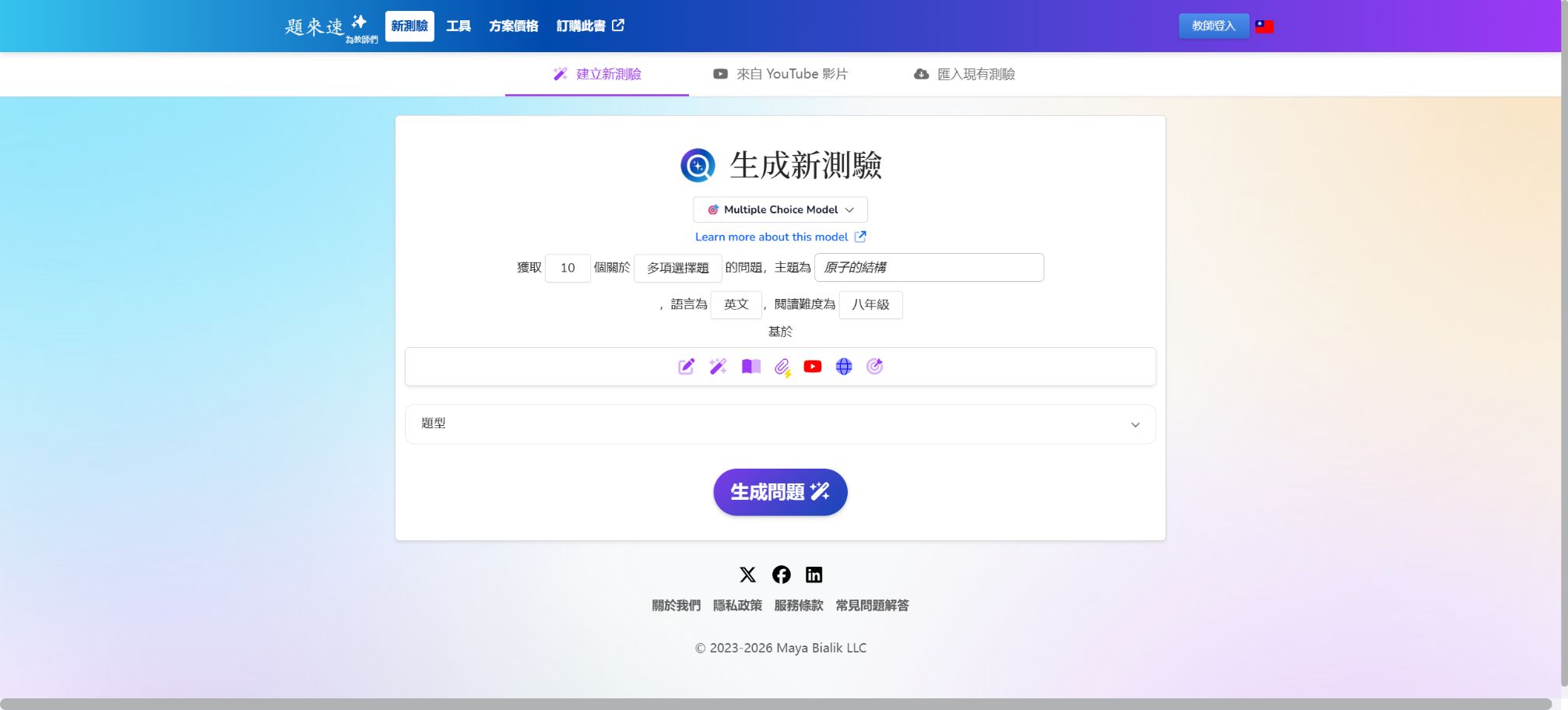
- Select the teacher portal and create a new set of questions; enter the topic or paste the reading text that is to be used for assessment.
- Set the grade level, language, learning objectives, standards, question types, and the desired number of items to generate.
- After generation, check the correct answer first, and then evaluate the distractors, difficulty level, ambiguity, and biases.
- Remove questions that only test irrelevant details, and add questions that require reasoning, application, or discussion.
- Use Bloom’s analysis to examine cognitive levels, so as to prevent the entire content from consisting only of memory-based questions.
- Save the set of questions that have been manually reviewed, and then proceed with the process of assigning them or exporting them.
Export to teaching platform tutorial
- In QuestionWell, verify the questions, answers, options, and scores.
- Click Export and select Kahoot, Quizizz, Google Forms, Microsoft Forms, Canvas, or another target.
- Log in and authorize according to the requirements of the target platform, or download the import file in the appropriate format.
- On the target platform, recheck the order of the questions, the answer markers, images, formulas, and special characters.
- Set the time, number of attempts, score release, and visibility to students before officially assigning the task.
- When a school uses LTI or grade book synchronization, the administrator must first carry out the integration and permission settings.
Generate quizzes from files or videos
- Prepare PDF, DOCX, PPTX files, images, or public video content for which usage rights are available.
- Upload a file or provide video context, and specify that questions should be generated solely based on those materials.
- Choose between video interactions, reading exercises, vocabulary worksheets, or regular question sets.
- Check whether the system correctly identifies scanned text, charts, subtitles, and technical terms.
- Adjust the location and difficulty of the questions to prevent the answers from revealing subsequent content.
- First, complete it using the teacher’s test account, and then share it with the students.
Supported export directions
- Classroom interaction platforms such as Kahoot, Quizizz, Gimkit, and Blooket;
- Form-based assessment tools such as Google Forms and Microsoft Forms;
- Learning management systems such as Canvas and Moodle, along with standardized import processes;
- Learning cards and review tools such as Quizlet;
- PDF, spreadsheets, and other formats suitable for printing or sharing;
- The school version allows for the addition of export integrations as well as connection to LTI 1.3 grade books.
Which users are it suitable for
- Primary and secondary school teachers:Quickly create daily exercises, quizzes, and differentiated materials.
- University professors and teaching assistants:Create course exercises, reading questions, and formative assessments.
- Course designer:Check standard alignment, Bloom levels, and material coverage.
- School team:Co-create the title and export it to platforms familiar to each teacher.
- Instructional Technology Administrator:Reduce duplicate data entry through LTI, Canvas, and gradebook integration.
Product advantages
- Starting from the real challenges teachers face when creating questions and entering them into the platform;
- It supports various question types, including reading, videos, scales, and unit plans – not just multiple-choice questions.
- It can be exported in over 20 different tools and formats, making it suitable for existing teaching technology frameworks.
- It offers standard alignment and Bloom’s analysis to help improve the structure of questions;
- The annual price of Premium is relatively clear, making it suitable for individual teachers who teach frequently;
- The school version offers customized courses, integration, team collaboration, and usage analysis.
Usage restrictions and precautions
- The questions and answers generated by AI may be incorrect, and teachers must review each one before they are published.
- The Free version imposes clear restrictions on files, exports, videos, AI tools, classes, and the retention period.
- Scanned images, complex tables, formulas, and low-quality subtitles may be misidentified.
- Standard alignment is an AI-assisted result and does not imply recognition by the course supervisor or certification authority;
- Automatic scoring is more suitable for low-risk formative activities, while scores with a high impact require manual review;
- After exporting, it is still necessary to check the format, answers, and permissions on the target platform;
- Before uploading students’ materials, the school must conduct reviews regarding data privacy, accounts, and third-party integrations.
API, MCP, and open-source details
The QuestionWell official website outlines LTI, Clever, and custom MCP solutions for institutional workflows; the specific scope of availability and the requirements for integration need to be confirmed with the authorities. The internal interfaces of the website should not be used as stable public APIs.
The QuestionWell core platform is not an open-source product; no official public source code repository that represents the complete version of this product has been found. The project with the same name on GitHub, question-well, is unrelated to this educational service.
Frequently Asked Questions
Is QuestionWell free?
The Free plan costs $0; it allows access to basic questions, materials, and export functions, but there are monthly limits on the use of certain features. For extensive use, the Premium or School version is more suitable.
How much is QuestionWell Premium?
The official figure indicated is $70 per year, which amounts to $5.83 per month. The subscription is billed on an annual basis; it is necessary to check the taxes and fees, as well as the renewal terms and current benefits, before making a purchase.
Can QuestionWell be exported to Canvas?
Yes, the platform supports export in Canvas format; the school version also offers integration with grade books via LTI 1.3. For actual synchronization, the school administrator needs to carry out the necessary configurations and test the permissions.
Can the generated questions be used directly?
It is not recommended to publish directly; teachers should check the answers for any ambiguities, as well as the level of complexity, potential biases, and suitability for the curriculum. After exporting to the target platform, the format should be checked again.
Is QuestionWell open source?
No, the core product is a commercial online service. Third-party GitHub repositories with the same name do not represent the official source code of QuestionWell.
Tools similar to QuestionWell

 Guigong Network Security Registration No. 45132202000164