






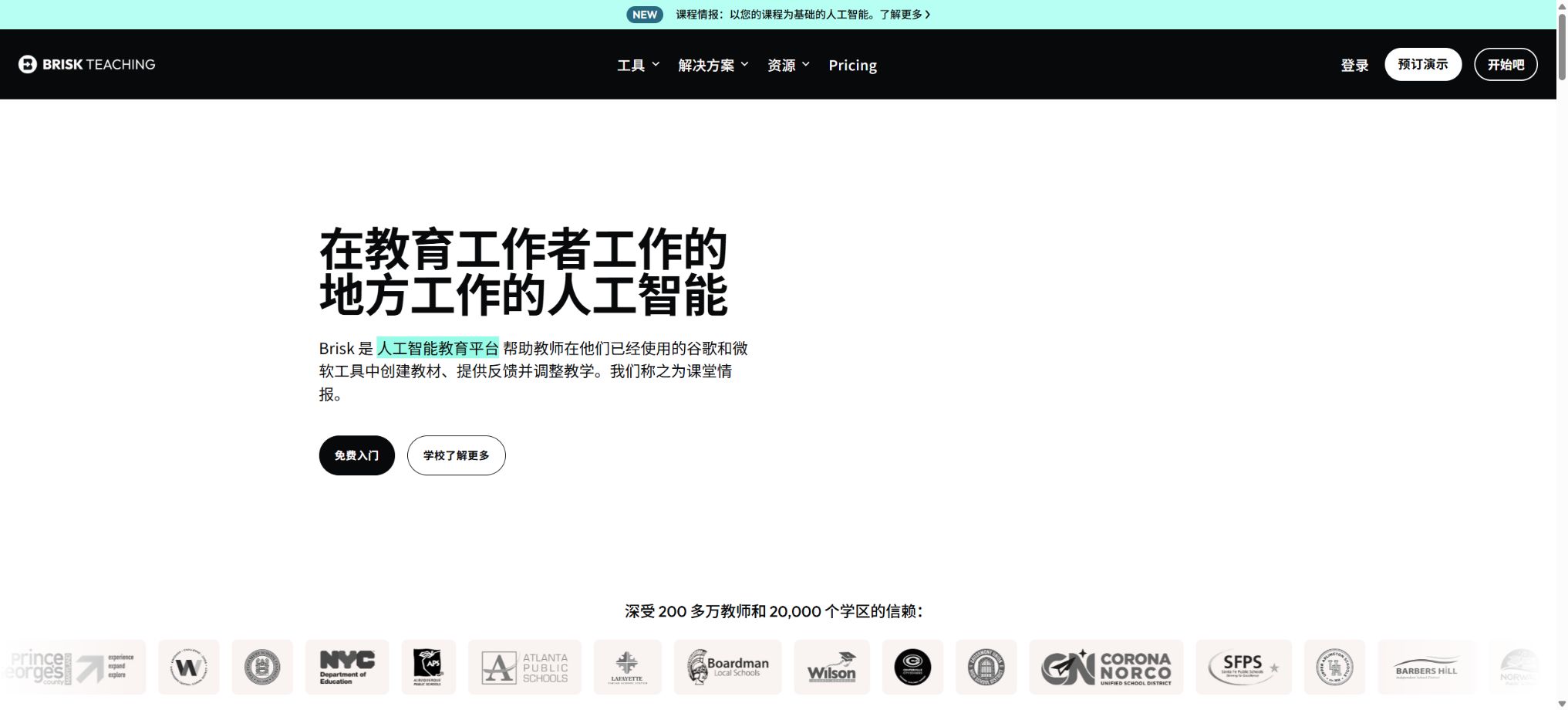
Brisk Teaching
A teacher AI browser assistant that covers lesson preparation, content creation, and assignment feedback.
Tags:AI learning websitesWhat is Brisk Teaching?
Brisk Teaching is an AI-powered teaching assistant that integrates into teachers’ everyday web workflows. By installing the Chrome or Edge extension, teachers can prepare lessons, create teaching materials, provide feedback, and develop interactive learning activities in Google Docs, Slides, web pages, YouTube, and certain learning management systems.
Its focus is not on providing a separate chat window, but rather on invoking AI alongside the content that the teacher is already using. Teachers can use the current webpage, video, document, or student assignments as context, thereby reducing the need to copy, paste, and switch between different tools.
Main functions of Brisk Teaching
- AI for lesson preparation and content creation:Generate lesson plans, unit plans, sample answers, quizzes, presentation slides, scoring scales, and differentiated learning materials.
- Assignment feedback:Feedback can be generated based on Glow & Grow, Next Steps, scoring criteria, or custom goals; school plans also offer the option for batch feedback and insights.
- Reading level adjustment:Rewrite web pages or text in different reading levels suitable for grades 1 to 12, to assist teachers in preparing materials tailored to various skill levels.
- Multilingual translation:Translate teaching content into over 50 languages to facilitate communication in multilingual classrooms and at home.
- Inspect Writing:Replay the process of writing, modifying, and pasting student documents to understand writing behaviors and facilitate subsequent communication.
- Brisk Boost:Convert the content into AI activities guided by teachers, with students joining via links, QR codes, or class codes.
- Brisk Next:Centralize the organization, identification, and reuse of teaching materials to provide schools with a more comprehensive content workspace.
What types of teaching content can be created?
| Content type | Suitable scenarios | Teachers need to conduct a thorough check. |
|---|---|---|
| Lesson plans and unit plans | Course planning, teaching materials, and interdisciplinary design | Curriculum standards, class duration, and students’ foundational knowledge |
| Quizzes and questions | Pre-class assessment, in-class exercises, and formative evaluation | Answers, difficulty level, ambiguity, and knowledge coverage |
| Rating scale | Writing, projects, presentations, and open-ended tasks | Grade descriptions and actual scoring policy |
| Examples and model essays | Model structures, languages, and completion criteria | Originality, bias, and appropriateness for the age group |
| Presentation slides | Introduction to new lessons, review, and in-class explanations | Facts, images, quotes, and page rhythm |
| Hierarchical reading materials | Different grades, language levels, and support needs | Is the core meaning lost in the rewriting? |
Prices and packages for Brisk Teaching
The official main package page currently offers the Educator Free option; in addition, customized versions named Premium and Intelligence are available for schools and school districts. The final cost depends on the number of seats, the scope of implementation, as well as the terms related to training and procurement, and it should be based on the quote provided by the school or the information on the account settlement page.
| Package | Public price | Suitable for | Core positioning |
|---|---|---|---|
| Educator Free | $ | Individual teachers and trial users | Over 20 creation tools, standard models, and self-service resources |
| Premium for Schools & Districts | Contact sales for customization | Schools, school districts, and teaching teams | Over 35 tools, Turbo model, unlimited use, management and teaching insights |
| Intelligence for Districts | Contact sales for customization | School districts that require alignment of curriculum frameworks | Configuration is based on the selected courses, schedule, and teaching priorities. |
The official information also mentions Educator Pro, a version intended for individual teachers; the advertised price for it is 14.99 dollars per month. However, this option is not listed consistently in the current price list, and whether it is available, as well as the pricing and features in different regions, can be found on the purchase page after logging in.
Comparison of Free version, Premium, and Intelligence
| Comparison items | Educator Free | Premium | Intelligence |
|---|---|---|---|
| Number of teaching tools | Over 20 kinds | Over 35 types | Over 35 types |
| AI models | Standard Model | Turbo model | Turbo model |
| Usage quota | Suitable for everyday basic use | The official indication is unlimited use. | According to the institutional plan |
| School standards and scoring scales | General teaching practices | It can be combined with district standards, scales, and classroom observations. | Further alignment is achieved through the curriculum and teaching schedule. |
| Feedback ability | Basic individual feedback | Targeted, Batch Feedback, and Feedback Insights | Integrated with the curriculum framework |
| Management skills | No institutional management backend | Management dashboard and advanced student insights | District-level configuration and support for curriculum fidelity |
| Implementation support | Self-help resources and community | Customer success, onboarding, and personalized training | Course white-glove setup and continuous professional development |
Brisk Teaching usage tutorial
- Install the Brisk extension in Chrome or Edge, and log in using an account approved by the school.
- Open the Google Document, slide presentation, web page, YouTube video, or LMS content that needs to be processed.
- Click on the Brisk entry on the page, and select Create, Give Feedback, Change Level, or another option.
- Set the grade level, subject, language, curriculum standards, output format, and the desired learning objectives.
- After generation, each item is checked for accuracy of facts, correctness of answers, difficulty level, scoring criteria, and suitability for students.
- Save the results in the allowed location, and then make manual adjustments based on the actual conditions in the classroom.
Use Brisk to generate feedback on assignments.
- Open the documents submitted by the students and verify that the teacher has the authority to view and process the data contained in them.
- Start Give Feedback and select Glow & Grow, Next Steps, Rubric Criteria, or Custom Feedback.
- Enter specific task objectives, scoring scales, and the desired tone of voice, to prevent the AI from providing generic evaluations.
- Check whether the feedback refers to the students’ actual content, and remove any expressions that are unfounded, based on excessive assumptions, or inappropriate for the age group.
- Preserve the teacher’s professional judgment, and use the feedback to indicate the next actionable steps, rather than merely providing conclusions.
- School users can use batch feedback and insights, when permissions permit, to identify common needs at the class level.
Brisk Boost Classroom Activity Tutorial
- Start Boost from a web page, video, document, or a topic prepared by the teacher, and select the type of activity.
- Options include Tutor, Debate, Whiteboard, Brainstorm, Character Chat, Exit Ticket, or Writing Coach.
- Set learning objectives, grade level, the range of hints allowed, and the guidelines that teachers want the AI to follow.
- Preview the student workflow to check facts, open questions, difficulty levels, and possible incorrect answers.
- By sharing through links, QR codes, or class codes, students usually do not need to install any extensions or create accounts.
- Monitor progress during the activity and intervene promptly; after it is over, provide feedback and supplementary instruction based on the students’ performance.
How should Inspect Writing be used?
Inspect Writing displays, in a replay format, the processes of entering, modifying, and copying/pasting text in a document, thereby helping teachers understand how a piece of work is created. It is not an AI detector that provides accuracy scores, nor can it alone prove that a student has cheated.
- First, examine the entire writing process, and pay attention to any unusually large segments of text that are copied in, extremely short completion times, and the patterns of revisions made.
- Use the observations as a starting point for communicating with the students, rather than making immediate disciplinary decisions;
- Judgment is made based on class drafts, oral explanations, citation records, and the school’s policies on academic integrity;
- Avoid mistaking proficient writing skills, assistive technologies, or language tools for violations.
- In cases involving disciplinary action, teachers and schools should conduct a manual review and provide an avenue for appeal.
Which users are it suitable for
- Primary and secondary school teachers:Quickly prepare lesson plans, quizzes, reading materials, and personalized feedback.
- Special Education and Language Teachers:Adjust the reading level, translate the content, and design differentiated tasks.
- Person in charge of teaching:Standardize school standards, assessment scales, resources, and professional development processes.
- Schools and district administrators:Check the adoption status, manage accounts, and evaluate the teaching workflow.
- Student:Participate in controlled AI activities using Boost created by teachers, without the need to create prompts on your own.
Product advantages
- It can be directly integrated into the web pages frequently used by teachers as well as Google workflows, reducing the need to copy content repeatedly.
- It covers various aspects such as lesson preparation, content creation, feedback, reading level assessment, and student interaction;
- The free version offers over 20 tools, allowing individual teachers to test its actual value first;
- With Boost, teachers can set goals and guidelines, making it easier to manage than completely open student chats;
- The school solution provides batch feedback, teaching insights, a management dashboard, and training support;
- Official guidelines on education privacy, security, and student data processing are available.
Usage restrictions and precautions
- The lesson plans, answers, scores, and feedback generated by AI may contain errors, and teachers must review them manually.
- Some advanced feedback, insights, Turbo models, and institutional management features are available only to paid schools.
- Certain features such as Targeted Feedback may rely on Google Docs or specific workflows.
- Inspect Writing can only show the writing trajectory, and it cannot be used as the sole evidence to determine that the text was written by an AI.
- Policies regarding expanded permissions and institutional data should be reviewed in advance by the school’s responsible person for technology and privacy;
- Students still need teacher supervision when using Boost; the responsibility for teaching and ensuring safety cannot be entirely entrusted to AI.
- The organization’s plans do not have fixed, publicly available prices; before making a purchase, it is necessary to clarify the details regarding seats, training, support, and renewal terms.
Student data and privacy protection
According to the official statements, Brisk adheres to the controls specified in SOC 2, and it handles educational data in compliance with the requirements set out by FERPA, COPPA, and the Student Data Privacy Pledge. When used by schools, Brisk acts as a service provider to those schools and processes the necessary data according to the instructions given by the institution.
- The service may process student names, grades, schools, and homework content as required by the functions.
- Officials state that student data will not be sold, nor will AI service providers be allowed to use it to train their models.
- The system saves the inputs entered by the teacher, the prompt words, and the results generated by Brisk; the student names mentioned in those prompts or results may also be saved.
- Officials state that the complete original works submitted by students will not be retained, but schools should still reduce unnecessary personal information.
- Brisk will not browse the entire Google Drive arbitrarily; it accesses only the relevant files when explicitly requested by the teacher.
- The institution should conduct a procurement review by taking into account the appendix on student data privacy, the list of subcontractors, and local regulations.
API, Platform, and Open Source Information
Brisk Teaching offers its services primarily through extensions for Chrome and Edge browsers, and it works in conjunction with Google Docs, Slides, web pages, YouTube, as well as some LMS platforms. For students to use Boost, they only need the access link provided by the teacher; there is no need to install any extensions or create a separate account.
To date, no universal generation API that is made available to ordinary developers has been found, nor is there an official open-source code repository for Brisk Teaching’s core products. The Brisk project available on GitHub under the same name cannot be considered as the source code for this educational platform.
Frequently Asked Questions
Is Brisk Teaching free?
Educator Free is available for $0 and is labeled as being free on a permanent basis; it includes more than 20 tools for creation as well as standard templates. Advanced features for schools, unlimited usage, a management dashboard, and teaching insights require a customized solution.
Can Brisk Teaching automatically grade assignments?
It can generate feedback and suggestions for the next steps based on the criteria chosen by the teacher, but it should not replace the teacher’s final score. Open-ended questions, creative works, and decisions related to disciplinary consequences particularly require manual review.
Do students need to create an account?
When participating in the Brisk Boost activity organized by teachers, students can usually access it through links, QR codes, or classroom codes; there is no need to download any extensions or register separately. The specific rules for access may still be influenced by the school’s settings.
Can Inspect Writing detect AI-generated writing?
It shows the process of document creation, but does not provide an AI detection accuracy figure that can be considered a definitive value. Teachers should make their judgments by taking into account drafts, discussions, course requirements, and school policies.
Is Brisk Teaching an open-source tool?
No, the Brisk Teaching core platform is a commercial product. The complete source code of this platform has not been made available by the official team, and other GitHub projects with the same name do not represent the official Brisk product.
Tools similar to Brisk Teaching

 Guigong Network Security Registration No. 45132202000164