






Litmaps
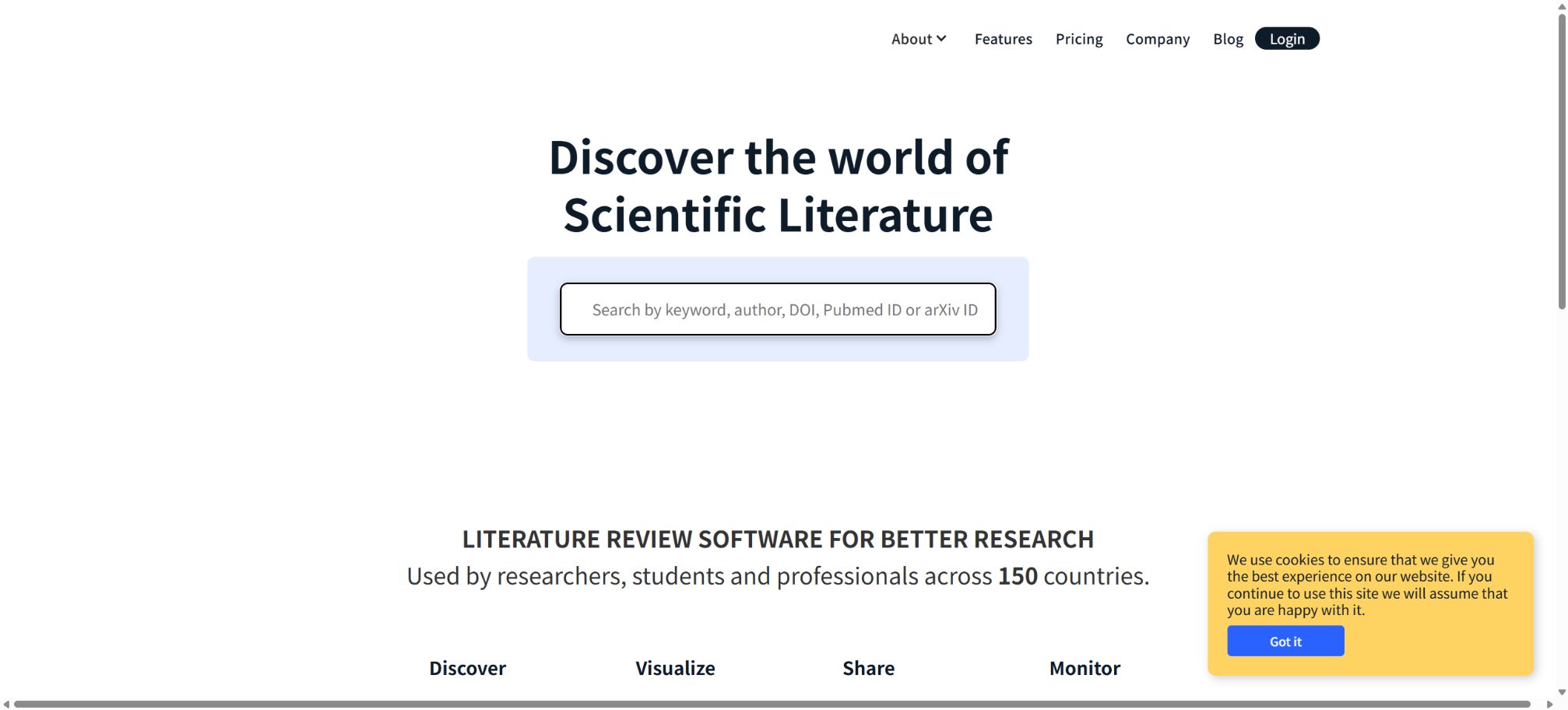
A research platform that supports literature maps, citation tracking, and updates reminders.
Tags:AI learning websitesWhat is Litmaps?
Litmaps is a platform designed for students, researchers, teachers, and professionals, offering services for literature discovery, citation visualization, and continuous monitoring. It presents papers and their citation relationships in the form of dynamic maps, allowing users to start from one or a set of known papers and explore prior research, subsequent citations, and related topics.
Unlike academic search tools that only return lists of keywords, Litmaps places more emphasis on a workflow that involves \"seed papers – citation networks – maps – continuous updates\", making it suitable for literature reviews, the selection of research topics, and ongoing monitoring of progress in a particular field.
Litmap Literature Map
Litmap is a collection of papers and a visualization network built around research topics. Each node represents a paper, while the connections between nodes indicate citation relationships; the positions of these nodes, together with the timing of publication and citation links, help to understand the evolution of a particular field.
Maps are not strict scientific metrics. The size, location, and connections of the nodes are influenced by the set of papers considered, the data coverage, and the visualization settings; therefore, they cannot be used directly to assess the quality of papers.
Starting with the seminal paper
Users can search for existing papers, enter a DOI, or import existing literature to use as input; Litmaps will then search through the citation network for related works, and it adjusts its findings as users add new papers.
The seed paper determines the direction of the search. If the topic of the initial paper is inconsistent, outdated, or represents only one particular research approach, the results will also be biased.
It is recommended to create multiple small maps for each sub-question and then compare them.
Seed Maps
Seed Maps help users quickly take in the research landscape surrounding a key paper, identifying foundational works, papers in the same field, and subsequent developments. When entering a new field, it allows for the establishment of an overview more quickly than by tracking references one by one.
Studies related to Discover have found that
Discover recommends new documents based on the papers and their citation relationships present in the current map. Users can input multiple papers to find results that are more relevant to their research questions, by examining the network that connects these papers.
Citing web-based sources can help identify papers with different keywords, but it may result in a bias toward studies that have already received many citations. New papers, studies in languages other than English, and documents with incomplete citation data require additional searches.
Basic Search
The free version offers Basic Search, allowing up to 20 entries per search. It is suitable for expanding small research questions from a limited set of starting points and for browsing basic relevant papers on the map.
Advanced Search
Pro offers Advanced Search and no restrictions on input; users can adjust the search algorithms, filtering criteria, and the way results are presented, thereby enabling them to find papers that are recent, important, similar to each other, or related to different topics in a more precise manner.
Advanced searching enhances control, but it does not guarantee that the search for systematic reviews is comprehensive. A thorough review still requires professional databases, reproducible search queries, and manual screening.
Search algorithm control
Litmaps enables Pro users to adjust the algorithms and filters, thereby changing the emphasis placed on time, citation networks, and relevance. When searching for classic papers, historical impact can be given more importance; whereas when looking for cutting-edge research, more weight can be assigned to recent papers.
Different algorithms yield different results. The research methodology should document the time used, the input paper, and the main settings, in order to prevent the results from being unable to be reproduced.
Citing online sources and historical context
Maps can visually show how a research project builds upon earlier papers, as well as which subsequent studies cite it. Users can observe the development of topics, changes in methods, and various research branches along a timeline.
Citations do not necessarily imply support; they may serve to provide context, for comparison, or as a form of criticism. To determine the relationship between papers, it is necessary to read the context in which the citations appear.
Identify research gaps
By comparing clusters, weak connections, and thematic intersections on the maps, researchers can identify areas that may require further study. The intersection of multiple maps also helps in identifying interdisciplinary issues.
A visual gap does not necessarily correspond to an actual research gap; it may be caused by omissions in the database, language differences, or variations in keywords. A more thorough search must be conducted before claiming any research contributions.
Reminder for updates to Monitor papers
The Monitor regularly searches for and recommends new papers based on the existing Litmap. The free version provides monthly summaries using the default algorithm.
Pro can be configured on a daily or weekly basis, among other frequencies, and allows for more detailed settings.
Monitor is suitable for keeping a literature review up to date, especially for projects that span months or years. It should be noted that it is still necessary to manually assess relevance; not all recommendations can be automatically included in the review.
Custom Monitor
Pro users can adjust the criteria for searching and filtering alerts, thereby reducing the number of irrelevant notifications. Each research topic can be configured separately, and the basis for monitoring changes as the map is updated.
Tagging and literature organization
Users can use tags to organize papers by inclusion/exclusion, method, topic, or reading status. Tags are not only useful for management purposes; they can also be used to establish synchronization with Zotero collections.
Systematic reviews should maintain more stringent exclusion criteria and screening logs; auditing cannot be based solely on simple labels.
Import BibTeX, RIS, and PubMed
Litmaps allows for the import of files in BibTeX, RIS, or PubMed format by dragging them in, as well as batch import via identifiers. Articles already present in Zotero, Mendeley, EndNote, and Paperpile can be exported first and then imported into the map.
What is imported are document records, which may not include the full text. When metadata is missing or duplicated, manual sorting is required.
Export article
Users can export the papers found in Litmaps at any time and bring them to a reference manager or other research tools. Before exporting, it is necessary to check the fields for author, DOI, year, and journal.
Zotero synchronization
Zotero Sync is a Pro feature that allows for the synchronization of Zotero Collections with Litmaps Tags. When users add or remove papers in Litmaps, those changes are automatically reflected in the corresponding Zotero collections.
The initial synchronization of a large collection may take a few minutes.
Before synchronization, it is necessary to back up important document databases and define the mapping of collections to avoid accidental deletion or duplication. The scope of synchronization for attachments and notes should also be in accordance with the current functional specifications.
Team collaboration
Teams provides shared workspaces, maps, and literature repositories for research groups, laboratories, and classrooms. Team members have Pro features in the Team Workspace, which allow them to collaborate on creating and managing maps.
The Pro privileges included in a Team subscription apply only to the team workspace and do not necessarily extend to the individual workspaces of the team members. It is necessary to clarify who owns the data and what access rights people will have after leaving the team when making a purchase.
Classrooms and teaching
Teachers can view students’ work areas, provide read-only example maps, and comment on the progress of their research. The visual reference network helps students understand that a literature review is not merely a list of papers.
Institutional plan
Universities and research institutions can contact Litmaps to obtain unified licensing, team management, and customized solutions. When making a purchase, it is necessary to verify identity verification, the number of users, privacy aspects, support services, and data export options.
Price and version comparison
| Package or version | Prices, quotas, and core benefits |
|---|---|
| Free version | The price of the Free version is 0; it is available on a long-term basis. It offers Basic Search, up to 20 entries, a limited number of Litmaps with a maximum of 100 papers per map, as well as literature alerts at a default frequency. The official website indicates that there may be either 1 or 2 free maps available in different sections, but the actual quota is determined by the account settings in the registration area. The free version does not include Advanced Search and Zotero Sync. |
| Pro Education price | The Educational Pro version is intended for students, teachers, and users affiliated with educational institutions. The annual subscription cost is 120 dollars, which equates to 10 dollars per month; the monthly subscription fee is usually 12.5 dollars per month. The annual option saves 20% compared to the monthly one, and academic email verification is required. The official documentation states that the educational license comes with a 75% discount relative to the commercial price, and in some countries additional discounts based on purchasing power parity are available. The final eligibility requirements and local prices can be found on the application upgrade page. |
| Prices for the Business version and Team version | The price for the Business Pro version is displayed in the application based on the business license and local pricing; for the Team and Enterprise versions, quotes are provided by contacting sales or based on the specific requirements of each team. The official website does not show a consistent commercial price in its publicly available data, so the educational price should not be considered as the price applicable to all users. |
| Cancel and billing | The commitments regarding monthly and annual payments, as well as renewal and refund options, should be confirmed on the upgrade page. Annual billing is cheaper, but the full cost for the entire year must be paid at once; for short-term projects, it is possible to use the free version to test the coverage of maps and data first. |
Free version
The Free version has a price of 0; it is available on a long-term basis and offers Basic Search, up to 20 input fields, a limited number of Litmaps with a maximum of 100 papers per map, as well as literature alerts at a default frequency.
On the official website, different sections indicate that the number of free maps available is either 1 or 2; the actual account limit should be based on what is shown in the registration dashboard. The free version does not include Advanced Search and Zotero Sync.
Pro Education price
The Education Pro version is intended for students, teachers, and users affiliated with educational institutions; the current annual price is 120 dollars, which equates to 10 dollars per month, while the monthly subscription cost is typically 12.5 dollars per month.
Annual payment is 20% cheaper than monthly payment, and academic email verification is required.
The official help documentation states that educational licenses come at 75% off the standard commercial price; in some countries, additional discounts based on purchasing power parity are also available. The final eligibility requirements and local prices are specified on the application upgrade page.
Pro features
Pro offers unlimited access to maps, articles, and search inputs; it includes Advanced Search, the ability to create custom search algorithms, as well as configurable Monitor and Zotero Sync functions. It is suitable for complete papers, graduation theses, and ongoing research projects.
Prices for the Business version and Team version
The price for the Business Pro version is displayed in the application based on the business license and regional pricing; for Team and Enterprise versions, quotes are provided by contacting sales or based on the specific team configuration.
The official website does not consistently display a unified commercial price in the publicly available search results; therefore, the educational price should not be regarded as the price for all users.
Cancel and billing
The commitments regarding monthly and annual payments, as well as renewal and refund options, should be confirmed on the upgrade page. Annual billing is cheaper, but the full cost for the entire year must be paid at once; for short-term projects, it is possible to use the free version to test the coverage of maps and data first.
Data sources and coverage
Litmaps relies on large academic networks and citation data for its research, and it has data-sharing agreements with academic platforms such as Semantic Scholar. The completeness of metadata varies depending on the discipline, publisher, and year in question.
Is it possible to download the full text?
Litmaps is primarily used for discovering and managing paper records, as well as providing access to them; it is not a tool for downloading content in order to bypass paywalls. The full text of articles is available either through open access, via author archiving, or through institutional subscriptions.
Use in systematic reviews
Litmaps is suitable for citation tracking, snowball searches, identifying omissions, and ongoing updates, but it cannot replace database searches. Systematic reviews should record the databases used, the search queries, dates, filters, and risk assessments.
GitHub and the open-source status
Litmaps has an official GitHub repository, but at present the complete source code for its web platform, search algorithms, citation maps, and Monitor service is not available publicly. The platform should be classified as a closed-source SaaS solution.
Projects such as the Zotero “Open in Litmaps” plugin on GitHub may be maintained by third parties, and therefore do not indicate that the full product is open-source or that there is official support available.
API status
The official website does not currently provide public information regarding the prices of self-service APIs or complete documentation for ordinary developers. Users who need programmed data or institutional integration should contact the authorities for confirmation; web scraping cannot be used as a substitute for authorized interfaces.
Litmaps usage guide
Complete a basic task.
- Clarify the issue, time frame, location, source priority, and output format;
- Upload materials for which you have permission to use in Litmaps, or enter a search query;
- First, a framework is established using the Litmap literature map, and then evidence is added starting from the seminal papers.
- It is necessary to distinguish between factual information from the source, the author’s opinions, and AI-generated conclusions.
- Check each item for dates, numbers, the original location, and any conflicting evidence;
- The conclusions are manually revised, the verification time is recorded, and then they are published;
Create reusable professional workflows
- Break down complex topics into four categories of questions: background, data, comparison, and conclusions;
- Combining the Litmap literature map, starting with key papers to establish a fixed research procedure similar to Seed Maps;
- Give priority to using the official website, research papers, regulatory documents, and raw data;
- A second person is assigned to review conclusions that are considered high-risk;
- Save queries, evidence, versions, and unresolved issues;
- Re-run after the data changes and update the conclusions;
Which users is it suitable for?
- Students preparing a graduation thesis and a literature review;
- Researchers entering new fields and seeking key papers;
- Research groups that need to keep a long-term track of new papers;
- Users who use Zotero to manage their references and wish for automatic synchronization;
- Teachers who wish to visualize the research history and thematic clusters;
- Laboratories and corporate R&D teams that work together to build a database of documents.
Product advantages
- Citing online maps is more intuitive than using flat-based results;
- It can be iteratively expanded from multiple seminal papers;
- The Monitor turns a single search into a continuous update;
- Supports synchronization with mainstream citation formats and Zotero;
- The free version can be used for an extended period of time;
- Educational users are entitled to significant discounts and national pricing.
Restrictions and Precautions
- The free version offers a limited number of maps, articles, and input fields.
- Full advanced search and synchronization require Pro;
- Citing the web may result in the omission of new papers, literature in languages other than English, and studies without complete citation data;
- Map relationships cannot replace reading the entire text and conducting quality assessments;
- Commercial, team, and national prices need to be confirmed in the actual account;
Frequently Asked Questions
Is Litmaps free?
There is a permanently free version that includes basic search capabilities, up to 20 entries, a limited number of maps, at most 100 papers per map, and default alerts.
How much does Litmaps Pro cost?
The educational version costs $120 per year, which is equivalent to $10 per month; the monthly subscription fee is around $12.5 per month.
The prices for Business and Team plans need to be confirmed on a per-account or per-sales-quotation basis.
Can Litmaps be synchronized with Zotero?
Yes, Pro allows for the automatic synchronization of Litmaps tags with Zotero collections.
Can Litmaps be used for systematic reviews?
It can be used for citation tracking, additional discovery, and update reminders, but it cannot serve as the only database or replace a reproducible filtering process.
How many maps can be created in the free version?
The official website shows 1 or 2 images in different sections; the actual limit is determined by the account dashboard after registration.
Is Litmaps open source?
It is not open source; the official GitHub repository does not make the source code for the search, mapping, and monitoring platforms available to the public.
Tools similar to Litmaps

 Guigong Network Security Registration No. 45132202000164