






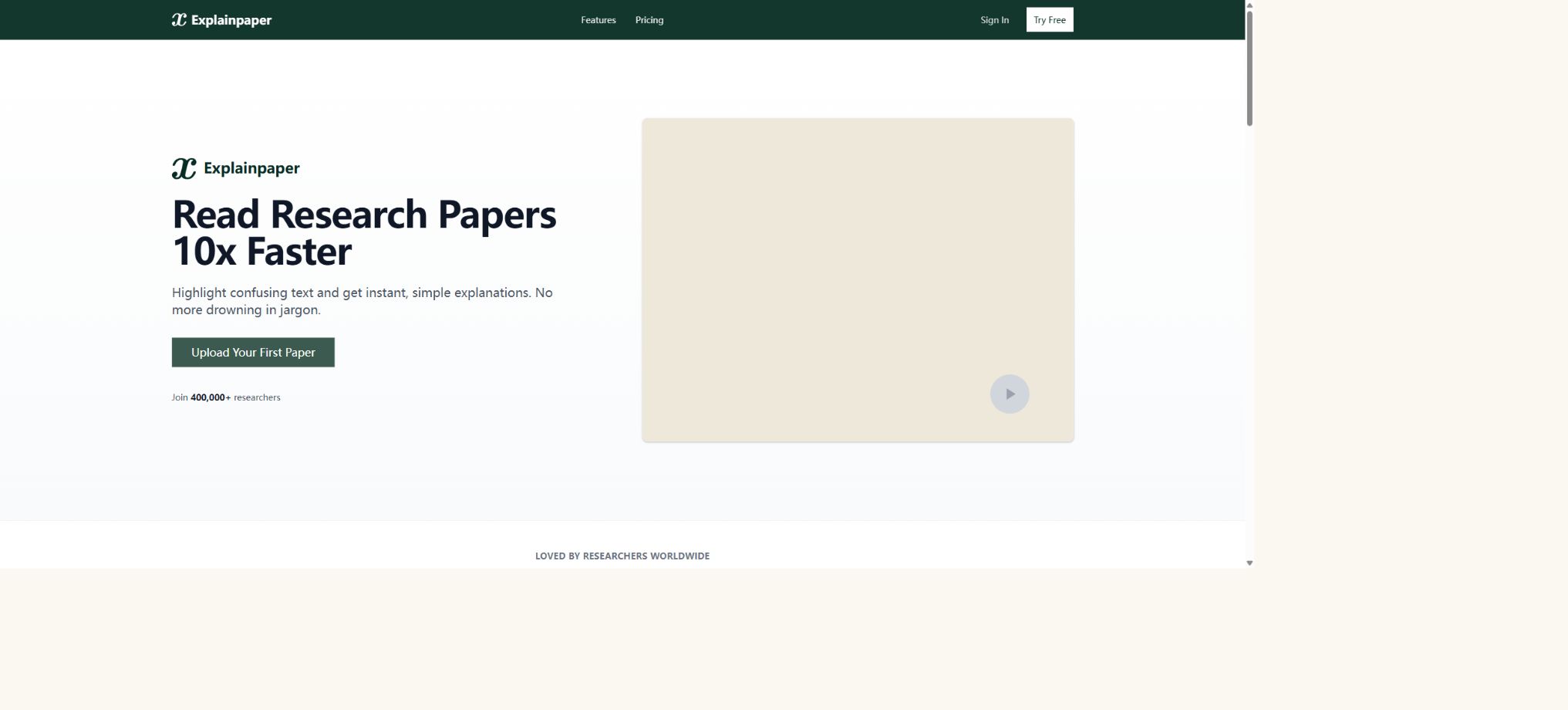
Explainpaper
A research assistant that provides explanations for papers and answers questions based on the selected text
Tags:AI learning websitesWhat is Explainpaper?
Explainpaper is an AI-powered tool for reading academic papers, designed for students, teachers, researchers, and professional readers. After uploading a research paper, users can select the words, sentences, formulae, or paragraphs they do not understand, and the system will provide a simpler explanation by taking into account the context of the entire paper.
Its focus is not on searching through a large number of papers or on writing literature reviews for users, but rather on reducing the difficulty of reading those complex papers that have already been found. It is particularly useful for interdisciplinary learning, for those who are encountering professional terminology for the first time, and for quickly understanding methodological sections.
Upload the paper to start reading.
After logging in, users upload their research papers; the system parses the documents and displays their content in an online reading interface. Users can then select specific text for explanation while reading, without having to copy paragraphs repeatedly to general messaging tools.
Poor scan quality, two-column layout, mathematical formulas, complex tables, and text within images can affect the accuracy of extraction. Important information should be checked against the original PDF; one should not rely solely on the extracted text.
Immediate highlighting and explanation
The main function of Explainpaper is to highlight difficult text and allow the user to click for an explanation. The model takes into account the selected content as well as the context of the paper, and rephrases terms, long sentences, and professional expressions into language that is easier to understand.
An explanation is a secondary statement meant to aid understanding; it is not an official replacement for the original author’s views. If a model omits certain constraints, scope of study, or statistical implications, it is necessary to return to the original sentence and the surrounding context to verify things.
Adjustable explanation difficulty
Users can adjust the level of complexity of the explanations, from beginner to expert levels. The beginner mode focuses on analogies and basic concepts, while higher levels include professional terminology and technical details.
The difficulty level controls the way in which information is presented, but it does not guarantee that the responses reflect the judgment of an expert. High-risk topics such as medicine, law, and engineering safety still require review by professionals.
Over 50 languages
The platform supports the generation of explanations in over 50 languages; Chinese users can upload English papers and request explanations in Chinese. It is suitable for students whose language skills are not yet advanced enough to enable them to read professional papers, and it also facilitates communication among international teams.
Interlingual translation can alter the meaning of terms. Key concepts should retain their original English form; one should consult discipline-specific dictionaries or authoritative translations, avoiding the use of direct machine-translated text in papers.
Context awareness
The system does not merely interpret isolated sentences; instead, it takes into account the context of the paper in order to understand pronouns, abbreviations, methods, and the relationships between various arguments. This approach makes it easier to produce descriptions that are appropriate for the specific research in question, compared to using a regular translator on single sentences.
The available context for long papers is still influenced by the model and the analytical boundaries. When dealing with reasoning across different chapters, it is best to clearly indicate the chapters, variables, and the elements that need to be compared.
Dialogue with the paper
Users can ask questions related to the paper, such as what the research question is, what data was used by the authors, what assumptions underlie the methods employed, whether the results are significant, and what the limitations are. The answers are based on the actual content of the paper, rather than merely on general knowledge.
When answering questions related to papers, it is still possible to misinterpret tables, mistake discussions for results, or draw conclusions that are not stated in the original text. Before using such information in assignments or research, it is necessary to consult the original source to verify it.
Specific chapter references and jumps
The answer can point to the relevant sections of the papers, helping users return to the paragraphs that contain the supporting information. This approach is easier to verify than summaries that lack a source, and it also facilitates quick identification of methods, results, and limitations.
The location indicated by the model is not equivalent to a proper academic citation; for a formal citation, it is still necessary to use the author’s name, the year, page numbers, or paragraph references from the original paper, and to format them according to the required standards.
Keep asking questions repeatedly
Users can ask further questions regarding the same explanation; for example, they can request examples, an explanation of the relationships between variables, a comparison of two methods, or clarification on a particular step in the reasoning process. This back-and-forth questioning is suitable for breaking down complex concepts step by step.
The more subsequent questions deviate from the paper, the more likely the model is to incorporate general knowledge. When asking questions, one can explicitly request to rely solely on the text in question, or indicate that external information is permitted to be used.
Findings and Summary of Results
The platform can quickly summarize the main findings, arguments, and conclusions of a paper, helping readers determine whether it is worth reading in detail. Pro also allows for the generation of a summary for the entire paper.
An abstract cannot replace the full text. Research conclusions are often constrained by factors such as the sample used, the methods employed, the statistical power, and the limitations of the authors; a quick summary can easily obscure these details.
Automatically generate an intelligent outline
Auto-Generated Insights analyzes the structure of a paper and creates an intelligent outline, helping users understand the relationships between the introduction, methods, experiments, results, and discussion. When reading long papers, it is possible to first take a look at the structure before focusing on the key sections.
Key point extraction
The system extracts the key findings and main arguments, thereby reducing the information load during the first reading. Researchers can use these points as guidance for their own reading, but they should not copy them directly into the literature review.
Conceptual relationships
The platform attempts to show how concepts are connected to one another, such as the relationships between problems, methods, variables, and conclusions. For papers in machine learning, medicine, and social sciences that are rich in terminology, this helps to foster a comprehensive understanding.
Automatic relationships represent a model interpretation; they are not formal causal diagrams provided by the author. Correlations, predictions, and causality must be strictly distinguished from one another.
Save highlights and explanations
Pro users can save the highlighted content along with the corresponding explanations, to use as material for subsequent review and discussion. It is suitable for reading course materials, preparing for group meetings, and organizing personal knowledge.
The saved explanation may contain model errors. When migrating it to the note-taking system, it is recommended to save the original sentence, page number, and one’s own judgment as well.
Price and version comparison
| Package or version | Prices, quotas, and core benefits |
|---|---|
| Free version | The free version costs $0 and offers unlimited highlighting and explanations, the possibility to ask follow-up questions, as well as access to basic AI models. This free tier is suitable for those who read papers occasionally, need term explanations, or want to test out the service. The official website describes the free tier as available on a long-term basis, and no credit card is required to create a free account. Features such as comprehensive summaries, saving of explanations, and more in-depth Q&A related to the papers are available only in the Pro version. |
| Pro price | Pro currently costs $16 per month; it utilizes advanced AI models to generate summaries of entire papers, save highlights and explanations, and enable question-and-answer sessions related to the papers. The official website offers a 7-day full trial of Pro, but this trial requires a payment card. Users should confirm the renewal date before starting the trial and cancel it before its end if they are no longer interested in it. |
| Which one to choose: the free version or Pro? | The free version is sufficient for explaining a few complex sentences or for occasional reading of papers, as it offers the essential functions needed. Researchers who need to save their notes repeatedly, summarize entire papers, and ask numerous questions related to the context should opt for Pro. The official website does not provide detailed figures regarding file size, the number of papers, or the number of queries; therefore, it is not appropriate to assume fixed limits based on information from third-party sources. The actual limitations are determined by the instructions displayed in the account. |
Free version
The free version costs $0 and offers unlimited highlighting and explanations, the possibility to ask follow-up questions, as well as access to a basic AI model. This free tier is suitable for those who read papers occasionally, need term explanations, and want to test out the functionality.
The official website describes the free tier as being available on a long-term basis, and no credit card is required to create a free account. The full summary, saved explanations, and more detailed Q&A sections are available only in the Pro version.
Pro price
Pro currently costs $16 per month; it uses advanced AI models to generate summaries of entire papers, save highlights and explanations, and enable question-and-answer sessions related to the papers.
The official website offers a 7-day full Pro trial, but a payment card is required to activate it. Users should determine the renewal date before starting the trial and cancel it before its end if it is no longer needed.
Which one to choose: the free version or Pro?
The free version is sufficient for explaining a few complex sentences or for occasional reading of papers, as it offers the essential functions needed. Researchers who need to save their notes repeatedly, summarize entire papers, and answer numerous questions related to the context should opt for Pro.
The official website does not currently provide detailed information regarding file sizes, the number of papers, or the number of questions and answers; therefore, it is not appropriate to assume fixed limits based on articles from third parties. The actual restrictions are determined by the indications given on the account.
Which files are supported?
The core process of Explainpaper revolves around the design of research paper PDFs. The official website uses the phrase “upload any research paper,” but it does not list other file formats such as Word, Excel, or web pages as supported on the main page.
Therefore, the most reliable way to use it is by uploading a PDF in which text can be selected. OCR is required to scan PDFs, while complex attachments and datasets should be processed using specialized tools.
Explainpaper usage guide
Complete a basic task.
- Clarify the issue, time frame, location, source priority, and output format;
- In Explainpaper, upload materials for which you have permission to use or enter search queries;
- Start by uploading the paper to read it and establish a framework, then use highlighting to provide immediate explanations and add supporting evidence.
- It is necessary to distinguish between factual information from the source, the author’s opinions, and AI-generated conclusions.
- Check each item for dates, numbers, the original location, and any conflicting evidence;
- The conclusions are manually revised, the verification time is recorded, and then they are published;
Create reusable professional workflows
- Break down complex topics into four categories of questions: background, data, comparison, and conclusions;
- Combined paper uploading for reading, instant highlighting with explanatory notes, and adjustable difficulty levels constitute a fixed set of steps for research;
- Give priority to using the official website, research papers, regulatory documents, and raw data;
- A second person is assigned to review conclusions that are considered high-risk;
- Save queries, evidence, versions, and unresolved issues;
- Re-run after the data changes and update the conclusions;
Suitable for course study
- Students can upload the assigned reading papers, first examine the outline and main arguments, and then explain the difficult parts paragraph by paragraph.
- Teachers can also use it to demonstrate how to break down academic language, but they should ask students to return to the original text and form their own understanding.
Suitable for interdisciplinary research
- When researchers enter new fields, they often encounter new terms, methods, and evaluation criteria.
- Explainpaper can provide quick introductory explanations, reducing the time needed for the first reading, while references and textbooks can offer a more detailed and thorough background.
Is it suitable for paper screening?
- It can help to quickly determine the research questions and findings of a paper, but it is not a literature database, nor does it replace systems for searching, removing duplicates, or applying inclusion/exclusion criteria.
- For large-scale reviews, professional search and literature management tools should be used first;
Academic integrity
AI explanations can be used to assist with learning and reading, but generated summaries cannot be presented as one’s own original analysis. Courses, journals, and organizations have different requirements regarding the use of generative AI; it is necessary to check the relevant policies before using such tools.
When citing a paper, it is necessary to reference the original author; Explainpaper should not be used as a source of evidence. If AI is employed to assist in screening or analysis within the methodology, this must be stated in accordance with research guidelines.
Privacy and sensitive papers
Uploading a file means that the content of the paper will be processed by an online service. Unpublished manuscripts, review materials, reports subject to confidentiality agreements, patient data, and company secrets should not be uploaded without first verifying the relevant terms and obtaining authorization.
When purchasing in a team setting, it is necessary to verify more thoroughly the policies regarding data retention, deletion, model training, and the handling of third-party models; it cannot be assumed that a file is secure just because it is in PDF format.
Accuracy of answers
Large language models may generate explanations that sound reasonable but are not in line with the original text; they might also misinterpret statistics, negative words, formulas, and charts. Explainpaper is better suited as a tutoring assistant rather than a tool for peer review or verifying research findings.
The process of “explaining—locating the original text—checking methods and charts—reading references” can be used to reduce the risk of errors.
GitHub and the open-source status
Explainpaper has an official GitHub organization with the same name, but there is no verifiable public core repository at present; the source code for the complete web application, document parsing, and AI services is not available publicly.
Other tools on GitHub such as Explainpaper AI Simplifier, paper explainers, or research projects are developed by third parties, and therefore cannot be considered as the source code for an official product. As a result, Explainpaper should be classified as a closed-source online service.
Is an API provided?
The official website does not currently provide public information regarding the prices or documentation of the official APIs for developers. Users who need to process large quantities of papers, enable programmatic question-answering, or carry out integrated operations should contact the authorities for confirmation, rather than using unauthorized web automation tools.
Which users is it suitable for?
- Students reading English research papers for the first time;
- Researchers who need to quickly break down terms and long sentences;
- Interdisciplinary learners entering an unfamiliar field of study;
- Users who prepare for group meetings, class discussions, and paper presentations;
- Those who wish to understand English papers in their native language such as Chinese;
- Pro users who need to save the highlights, explanations, and a summary of the entire text.
Product advantages
- Highlighting provides explanations, and the interaction method is intuitive;
- The complexity can be adjusted from beginner to expert level;
- Supports over 50 interpretation languages;
- The answer can indicate the specific section of the paper;
- The free version allows unlimited highlighting and explanations;
- An intelligent outline and key points help with quick navigation.
Restrictions and Precautions
- It is not a paper search engine, a literature manager, or a systematic review platform, and it may misinterpret scanned documents, formulas, tables, and complex layouts.
- The free version uses a basic model; a comprehensive summary and saving are available only with the Pro version.
- The official website does not disclose the detailed limits regarding uploads and questions.
- Before uploading sensitive files, it is necessary to check the privacy terms;
- Any significant interpretation must be verified against the original text;
Frequently Asked Questions
Is Explainpaper free?
There is a free version available for $0, which offers unlimited highlighting and explanation, the possibility to ask follow-up questions, as well as access to basic AI models.
How much does Explainpaper Pro cost?
Pro costs $16 per month and offers advanced models, full-text summaries, the ability to save highlights and explanations, as well as question-and-answer features for papers.
Can Pro be tried out for free?
A 7-day trial is available, but a payment card must be linked; after the trial period, renewal will occur according to the subscription terms.
Is Chinese explanation supported?
Supported. The official website states that explanations can be generated in over 50 languages; Chinese users can understand English papers in Chinese.
Can one trust the summary of the paper directly?
No. Summaries may overlook certain constraints or misinterpret the data; it is necessary to verify them by referring to the original text of the paper, its figures, and the methods used.
Is Explainpaper open source?
It is not open source. The official GitHub repository does not contain the complete core code of the product, and any other repositories with the same name belong to third parties.
Tools similar to Explainpaper

 Guigong Network Security Registration No. 45132202000164