






Kartiv
Kartiv, an intelligent tool focused on AI-powered images
Tags:AI product image generationA one-sentence summary
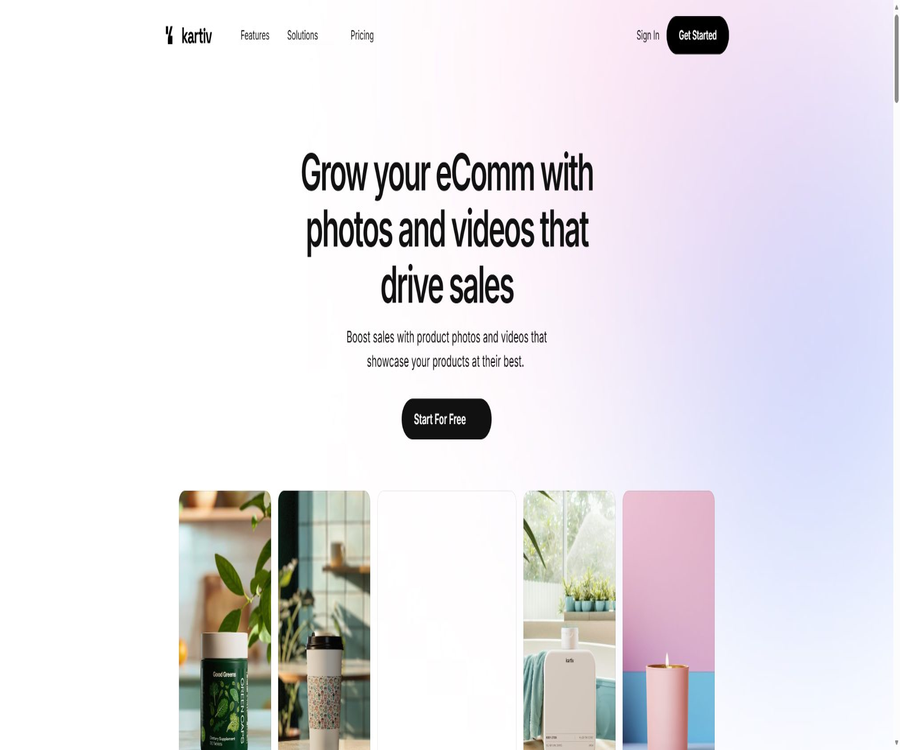
Kartiv is an AI-powered e-commerce visual creation platform provided by the American company Kartiv, Inc.; it enables the conversion of product photos and brand specifications into product scene images, images on a white background, creative variations, 360-degree views, and short videos.
What is Kartiv?
Kartiv primarily serves online stores, consumer brands, marketing agencies, and visual content teams. After users upload product photos and brand materials, they can use step-by-step guides or textual instructions to create multiple visual stories; they can then select, modify, and download the content suitable for product detail pages, advertisements, or social media.
The platform emphasizes the use of software to reduce the costs associated with setting up stages and producing videos in traditional ways, but manual verification is still required to ensure that the product’s structure, colors, text, and branding are consistent. It is better suited for creating marketing visuals, rather than being a tool for engineering-level product modeling or a complete replacement for commercial photography.
Overview of main functions
| Functions | Main inputs | Handling method | Output | Suitable uses |
|---|---|---|---|---|
| AI product photography | Product photos and theme | Generate background, lighting, and scene. | High-resolution product images | Detail pages, ads, and social content |
| Wizard | Products, uses, and preset options | Guided generation step by step | Multiple visual solutions | Users who are not familiar with prompt words |
| Guided Prompt | Text description and auxiliary options | Customize visuals as needed | More personalized images | Users who need creation control |
| Reimagine | Images have already been generated. | Change emotions, colors, and presets | Various variations of the same composition | Brand testing and bulk content processing |
| Block Editing | Local elements of the image | Click to select and adjust the area. | The modified final design diagram | Modify the local scene |
| Product Video | Product images and animation themes | Create short videos and animated scenes | Product videos available for download | Advertising and social media |
| Immersive Product | Product images and display settings | Create multi-angle and 360-degree effects | Immersive product videos | Show form and details |
AI product photography
AI Product Photography allows users to upload photos of products and choose a theme or describe the scene; the system then generates product images with a studio-style or lifestyle atmosphere. It is ideal for creating visual versions suitable for different seasons, channels, and target audiences, without the need to retake actual photos of the products.
- Create a product image with a white background or a simple e-commerce main image.
- Place the products in home, outdoor, or other everyday settings.
- Generate themes based on the brand’s colors and visual direction.
- Create various compositions and atmospheres for the same product.
- Generate high-resolution images suitable for detail pages and marketing campaigns.
- Continue to create a revised version based on the content that has already been generated.
Generation models may alter the text on the packaging, the logo, the size proportions, the material’s reflectivity, or the details of the product. Platforms that require verification of the authenticity of SKUs should compare the key areas of the product with the actual item one by one.
Wizard and Guided Prompt
Wizard guides users through the creation process using multiple-choice questions and predefined themes, eliminating the need to start from a blank prompt. Guided Prompt offers more text-based controls for users who are already familiar with their creative goals, facilitating the description of scenes, colors, and style.
| Method of creation | Operational features | Advantages | Restrictions |
|---|---|---|---|
| Wizard | Select the product and visual theme step by step. | Fast speed and low learning cost | The personalized space is relatively limited. |
| Guided Prompt | Describe the scene using auxiliary hints. | It allows for the expression of more specific requirements. | The results will still be affected by the model’s understanding. |
| Predefined Themes | Use ready-made styles directly. | Facilitates maintaining batch consistency | It may have a visual appearance similar to that of other users. |
| Manual creative review | Select and adjust among multiple stories | Complete brand assessment | Additional time and professional experience are required. |
Reimagine and block editing
Reimagine enables changes to the mood, color scheme, and overall visual style of an image based on existing photos, making it suitable for quickly expanding upon a successful composition. Block Editing allows users to select specific elements and make adjustments, thereby reducing the need to regenerate the entire image each time minor changes are made.
- Create holiday, seasonal, and regional versions of the same product.
- Change the background atmosphere while trying to keep the product in focus.
- Adjust the basic objects and decorative elements in the image.
- Modify the sections that do not meet the brand requirements.
- Developing from a single main visual into a series of social media content.
- Compare various visual stories before deciding to download.
Local editing and Reimagine can also reinterpret unselected areas. After each modification, it is necessary to check whether there have been any unintended changes to the product’s shape, text, colors, and character details.
Dynamic product videos
Kartiv’s video feature allows users to create short videos suitable for social media, advertisements, and product detail pages, using product visuals and animation themes. Users can produce footage of movements and lifestyle scenes without having to go through a traditional editing timeline first.
- Choose different animation and specialty themes.
- Highlight the product’s advantages and the environment in which it is used.
- Convert static product images into dynamic content.
- Create short videos suitable for social media platforms.
- Download videos within the limit of the Pro plan.
- Business clients can inquire about customized photo and video services.
When generating videos, object distortion, label drift, incorrect movements, and flickering may occur. In cases involving food, cosmetics, medical products, children’s items, or functional claims, each frame must be reviewed to ensure that there is no misleading content.
360-degree and immersive product displays
Immersive Products are used to create multi-angle or 360-degree visual effects, enabling buyers to understand the appearance of a product more clearly. They are suitable for furniture, packaging, clothing and accessories, as well as other products that require visualization from multiple perspectives.
| Display method | Primary value | Verification is required. |
|---|---|---|
| 360-degree rotation | Presenting products from multiple perspectives | Are the back and sides consistent with the actual product? |
| Multidimensional animation | Increase the visual appeal of the details page | Ratio, deformation, and loading performance |
| Lifestyle videos | Show how the product looks when used in a specific scenario. | Is the way of use truly safe? |
| Brand theme | Maintain a video style that is consistent with the brand. | Logos, fonts, and licensed materials |
| Social short videos | Quickly expand marketing channel content | Platform size, audio, and advertising rules |
White background images and sales materials
Kartiv offers a white background, as well as Sales Boosters and visual kits specific to Amazon, Shopify, and Etsy. These tools are used to quickly create main product images, supplementary images, scenario images, and promotional visuals; however, the final files must still comply with the image requirements set by each platform at that time.
- A white background or a simple background is suitable for product lists.
- Detail pages that highlight the key selling points serve as visual aids.
- Prepare image combinations for different sales channels.
- Use lifestyle images to enhance understanding of products.
- Create creative content suitable for social media and advertising.
- Conduct conversion testing using different visual versions.
A platform suite does not equate to automatic compliance.
Amazon, Shopify, and Etsy each have specific rules regarding the background of the main image, the proportion of the product in the image, the text used, the borders, promotional information, and any misleading content. It is necessary to check each image individually before publishing; one should not assume that it meets the platform’s policies simply based on the name of the template.
Complete creation process
- Create products and projects, and upload clear product images as well as brand materials.
- Choose Wizard, Guided Prompt, or an existing theme as the starting point for creation.
- Describe the target channel, scenarios, audience, colors, and key visual elements.
- Generate multiple visual stories at once and eliminate those with obvious errors.
- Use Reimagine to expand emotions, color schemes, and theme variations.
- Use Block Editing to correct inappropriate local elements.
- Select video or 360-degree display when dynamic content is needed.
- Check the product structure, labels, colors, images, and functional descriptions.
- Export as required by Amazon, Shopify, Etsy, or advertising channels.
- Document the creation and manual editing processes to save reusable brand guidelines.
Methods to improve generation quality
- Use product photos with a complete subject, clear edges, and minimal obstruction.
- Provide high-quality inputs that can represent true colors and materials.
- Avoid having multiple similar products in the same input image.
- Replace vague terms with descriptions of specific scenes, lighting, composition, and the audience.
- Reuse brand colors, emotional cues, and visual rules within the same project.
- First, generate static images to verify the authenticity of the products, and then create dynamic videos.
- Leave room for manual post-editing steps for the text and logo in the packaging.
- Review the actual image alongside the final output side by side before publishing.
Projects, products, and generation quotas
Kartiv uses Products and Projects to organize materials, and Generations to control the amount of content created each month. A Product usually refers to a good for which visual elements need to be created on an ongoing basis, while a Project is used to distinguish between different campaigns, channels, or batches of content.
| The concept of quota | Meaning | Usage suggestions |
|---|---|---|
| Generation | The amount of quota consumed per generation operation | Confirm how multiple results, failed tasks, and retries are deducted |
| Product | Number of items that can be managed in the account | Plan by SKU or product series |
| Project | Work area for organizing materials and visual stories | Name by activity, customer, or channel |
| Image Download | Download to generate an image | Both Basic and Pro are supported. |
| Video Download | Download to generate a video | Pro offers 50 sessions per month; Basic does not include this. |
| Custom Work | Custom images and videos for businesses | Specify the number of deliveries and modifications in the contract. |
Prices and packages
Kartiv offers three subscription tiers: Basic, Pro, and Enterprise. A 7-day trial is available for the Basic and Pro tiers. The current monthly prices are $25 for Basic and $65 for Pro; on an annual basis, these amounts equate to $17 and $41 per month, with a discount of around 30% applied.
| Package | Monthly price | Annual view | Monthly limit | Products and Projects | Download privileges |
|---|---|---|---|---|---|
| Basic | $ | That’s equivalent to 17 dollars per month. | 75 generations | 3 products, 2 projects | Only image download |
| Pro | $ | That’s equivalent to 41 dollars per month. | 300 generations | 25 products, no limit on categories | Image downloads, 50 video downloads per month |
| Enterprise | Custom quote | Custom contract | More generation volume | Improve project management | Customized photos and videos, dedicated manager, and advanced support |
The annual price usually needs to be paid in a single installment or as an annual commitment; the public page only shows the equivalent monthly cost. Before making the payment, it is necessary to check on the settlement page the actual annual fee, the currency used, any taxes, the amount deducted when the trial period ends, and the time when the quota is reset.
Cancellation and refund
Subscriptions are automatically renewed at the selected interval; users can cancel the renewal in their account settings or by contacting the support team, and the service will remain available until the end of the current payment period. Payments made are generally non-refundable, though individual refund requests may be considered at Kartiv’s discretion.
Which users are it suitable for
- Small and medium-sized e-commerce brands that need a large number of product imagery.
- Marketing agencies that need to continuously create visual content for clients.
- Sellers who run stores on Amazon, Shopify, or Etsy.
- Start-up teams that lack professional studios but need footage for multiple scenes.
- Content managers who wish to create short social videos quickly.
- Businesses that need multi-angle and 360-degree product displays.
- A brand team responsible for multiple products and promotional initiatives.
- Companies and resellers that need customized visuals, white-labeling, or higher credit limits.
Typical use cases
| Scene | Recommended features | Main output | Key points of review |
|---|---|---|---|
| New products available | AI product photography and background images with a white backdrop | Main image and detail images | Product silhouette, packaging, and color |
| Social activities | Themes, Reimagine and Video | Series of posters and short videos | Brand consistency and platform ratio |
| Seasonal marketing | Guided Prompt and batch variants | Festival and seasonal scenes | Cultural symbols and the duration of activities |
| Multiple-angle display of products | Immersive Product | 360-degree or dynamic videos | Details on the back side and accuracy of proportions |
| Agent client projects | Projects and enterprise customization | Multi-brand visual package | Customer material permissions and approval |
| Channel Suite | Amazon, Shopify, or Etsy Kits | Material combinations tailored to specific channels | Current platform rules |
Copyright and commercial usage notes
Users retain the right to submit content, but must ensure that they have the permission to use images of products, logos, portraits, and other brand assets. The terms of service also grant Kartiv broader rights to use, modify, display, copy, and distribute such content.
- Do not upload photographs, trademarks, or portraits of people without permission.
- Ensure that the items in the generated scenario do not cause brand confusion.
- When using models or characters, check the portraits and sensitive attributes.
- Ads must not exaggerate the functions or effects of the products.
- Save manual review records for each sales channel.
- Confirm the extended license before reselling, redistributing, or providing material packs to customers.
- The Enterprise contract should clearly define the content to be generated, the customized delivery, and the rights regarding training data.
The terms specify that entities wishing to resell or redistribute the content must contact Kartiv to obtain the necessary permissions. Creating content for clients by marketing agencies and using the content provided by the platform as a resellable asset fall under different licensing categories.
Privacy and data processing
Kartiv handles account names, email addresses, usage logs, device information, cookies, and content uploaded by users; it also makes use of analysis, email, payment, and retargeting services. Stripe is responsible for processing payments, and Kartiv states that it does not store the full details of payment cards.
| Data or services | Public use | Users should pay attention. |
|---|---|---|
| Account information | Registration, subscription, and contact | Use the work email address and manage account members |
| Product and brand materials | Generate images and videos | It may contain unreleased products and trade secrets. |
| Use device data | Analysis, diagnosis, and improvement | Verify the retention period for cookies and logs |
| Google Analytics and Mixpanel | Product and website analysis | Provide consent and option to withdraw in areas where it is required. |
| Customer.io | Email communication with customers | Manage marketing subscriptions and cancellations |
| Stripe | Payment processing | Subject to payment service policies and the PCI DSS requirements. |
| Retargeting services | Advertising measurement and targeting | Certain forms of sharing may be regarded as selling or sharing under specific laws. |
The privacy policy states that personal information is not typically sold, but certain sharing in analytical and advertising services may be considered as sales or sharing under the CCPA or CPRA. Users in California can request to opt out, while users in Europe can exercise their rights to access, correct, delete, and object to such sharing.
API, GitHub, and open-source status
It has not been confirmed that Kartiv makes its APIs, SDKs, or official open-source code repositories available to ordinary users. The current service should be regarded as a closed-source web-based SaaS solution; the use of third-party payment and analysis services by this platform does not mean that its models or applications are open source.
| Developer matters | Current status | Suggestions |
|---|---|---|
| Public API | Not publicly confirmed | Ask the forward team before automating batch production. |
| Official SDK | Not publicly confirmed | Do not assume that it is possible to integrate it into your own products. |
| Official GitHub | Not confirmed | Do not mark it as an open-source tool. |
| Core model and platform | Closed source | Use in accordance with the subscription terms. |
| Batch product integration | Insufficient public explanation | Enterprise users can confirm the capabilities for import, export, and automation. |
| White-labeling and reselling | It is necessary to contact the team. | Obtain a written extension permit. |
Product advantages
- It is aimed at e-commerce product images and videos, rather than general art creation.
- Wizard reduces the learning cost associated with prompt writing and design software.
- Guided Prompt offers more control over creation.
- Reimagine is suitable for quickly expanding the same visual story.
- Block Editing allows for the modification of specific areas of an image.
- Supports images with a white background, scene images, videos, and 360-degree views.
- Products and Projects help organize various goods and activities.
- Provides access to visual kits for Amazon, Shopify, and Etsy.
- The corporate solution includes customized content and project management.
Main limitations
- AI may change the structure, text, materials, and colors of real products.
- Basic does not include video downloads.
- Basic supports only 3 products and 2 items.
- The monthly limit for video downloads on Pro is 50 times.
- Charging rules for failed generation, retries, and multiple results need to be confirmed in practice.
- The annual page shows only the equivalent monthly price; it is necessary to check the actual annual fee.
- Subscriptions with automatic renewal have their payments typically not refunded.
- Reselling and redistributing may require additional licenses.
- The privacy policy relates to the analysis, advertising, and sharing of data for retargeting.
- No public APIs, SDKs, or open-source code have been confirmed.
Pre-purchase checklist
- Three representative products are used to test subject fidelity and background generation.
- Check whether the text on the packaging, the logo, the colors, and the material are accurate.
- Confirm how quota is consumed for each generated task, failed task, and retry.
- Select the product limit based on the actual number of SKUs.
- Set the project limit based on the number of activities and clients.
- Count the actual number of videos that need to be downloaded each month.
- Check the actual annual total price, renewal options, and the rules regarding the expiration of the 7-day trial period.
- Confirm commercial use, customer delivery, white-labeling, and reselling rights.
- Review the methods of using and deleting data for uploaded commercial materials.
- Conduct manual checks to verify the authenticity of all materials that are made available, as well as to ensure compliance with relevant regulations regarding their source.
Frequently Asked Questions
Is Kartiv free?
Basic and Pro offer a 7-day trial period, after which a paid subscription is required. No permanently free option is listed on the public page; for Enterprise, it is necessary to contact the team to get a quote.
How much are Basic and Pro?
The Basic plan costs 25 dollars per month, while the Pro plan costs 65 dollars per month. When looking at the annual cost, these amounts correspond to 17 dollars and 41 dollars per month respectively; it is necessary to check the total annual cost before making the payment.
Can Basic generate videos?
The basic plan allows only the downloading of images; there is no limit on video downloads. The Pro plan includes 50 video downloads per month, while the Enterprise plan offers customizable video download options.
Is it possible to create 360-degree product videos?
Yes. Immersive Products and 360-degree video features are used to show products from various angles, but it is necessary to check whether the back and side views determined by the system correspond to the actual appearance of the product.
Is it necessary to send the physical item?
The standard AI workflow relies on the product images and brand materials uploaded, and it is not necessary to send physical items as part of this process. Whether physical items are required for customized photography or video services should be specified in the project quote.
Can the generated content be used for commercial purposes?
It can be used for self-marketing within the scope of authorization, provided that the user has the rights to use the relevant materials. For resale, redistribution, or delivery as assets that can be reused by customers, a written additional license from Kartiv is required.
Does Kartiv provide an API?
As of now, no publicly available APIs or SDKs have been confirmed. Companies that need to automate the processing of large quantities of products should verify the available interfaces, quotas, and integration costs with the relevant team before making a purchase.
Is Kartiv open source?
No. No official open-source repository or license for this platform has been found; Kartiv should be classified as a closed-source subscription service.
Summary
Kartiv is suitable for e-commerce and marketing teams that wish to produce images and videos for multiple products using fewer resources in terms of shooting and design. Functions such as Wizard, Prompt, Reimagine, block editing, and immersive product features cover the entire process, from rapid generation to partial adjustments.
Before it is actually launched, strict checks must be carried out regarding the authenticity of the products, copyright issues, and channel regulations. When selecting a package, it is necessary to take into account factors such as the amount of content generated, the number of products, the number of items, video downloads, annual payments, and resale permissions; it is not sufficient to compare only the monthly fee.
Tools similar to Kartiv




 Guigong Network Security Registration No. 45132202000164