






WeShop merchant bidding
WeShop is China’s first AI-based tool for commercial photography, dedicated to the intelligent creation of images for e-commerce products. It aims to help brand owners overcome issues such as high costs associated with taking product photos and the expense of using models, by offering efficient and cost-effective solutions.
Tags:AI product image generationWhat is WeShop merchant bidding?
WeShop Shangpai, also known as WeShop Weixiang, is an AI-based platform for business photography and visual creation, designed for e-commerce sellers, brands, and design teams.
Users can upload images of clothing, real people, or products to create AI-generated model images, product scene illustrations, marketing materials, and short videos.
Main functions
- Convert mannequin clothing into images taken by AI models.
- Have real or virtual models try on the clothing.
- Create commercial scenarios for still-life products.
- Create images to showcase children’s clothing and toys.
- Change the model’s pose and clothing combination.
- Convert real-person images into mannequin displays.
- Automatically removes the background from images.
- Fix the hands and feet of the characters.
- Use the eraser pen to remove unnecessary elements.
- Enhance the image in high definition.
- Use smart lighting to improve the texture.
- Create and process short videos for e-commerce.
- Create tasks in bulk through the API.
List of functions
| Functions | Primary uses | Key points of inspection |
|---|---|---|
| AI models | Wearing clothes and posing for photos with a model | Clothing structure, face, and hands and feet |
| Virtual try-on | Put the product on the target model. | Silhouette, pattern, and coverage |
| AI still life | Generate product scenarios and main images | Physical appearance and material |
| AI model agency | Use licensed digital model resources | Scope of authorization for a single character |
| Image tools | Background removal, repair, and HD enhancement | Edges, text, and product details |
| AI video | Generate dynamic product and model content | Character consistency and audio/video copyright |
| Open API | Batch integration of merchant bidding workflows | Authorized packages, keys, and fees |
Which users are it suitable for
- Clothing sellers: Generate multiple photos of different models wearing the products.
- Cross-border e-commerce: Models and scenarios tailored to different regions.
- Brand team: Quickly create visuals for campaigns and new products.
- Photographers and designers: options for shooting and post-production.
- Social media management: Creating covers, ads, and short videos.
- E-commerce operation management: Generating images in bulk for multiple stores.
- Third-party service providers: Use API integration to generate processes.
- Large sellers: Enjoy annual computing power and dedicated support.
Current main models
WeShop will continuously update the underlying models; the following are the representative models shown during verification on the official website.
| Direction | Representative model | Suitable for tasks |
|---|---|---|
| Image generation and editing | Seedream 5.0 | Product images, model photos, and visual design |
| Image editing | Qwen Image Edit, FireRed Image Edit | Make local modifications while keeping the overall structure intact. |
| Image generation | Z-Image | Scenes and creative materials |
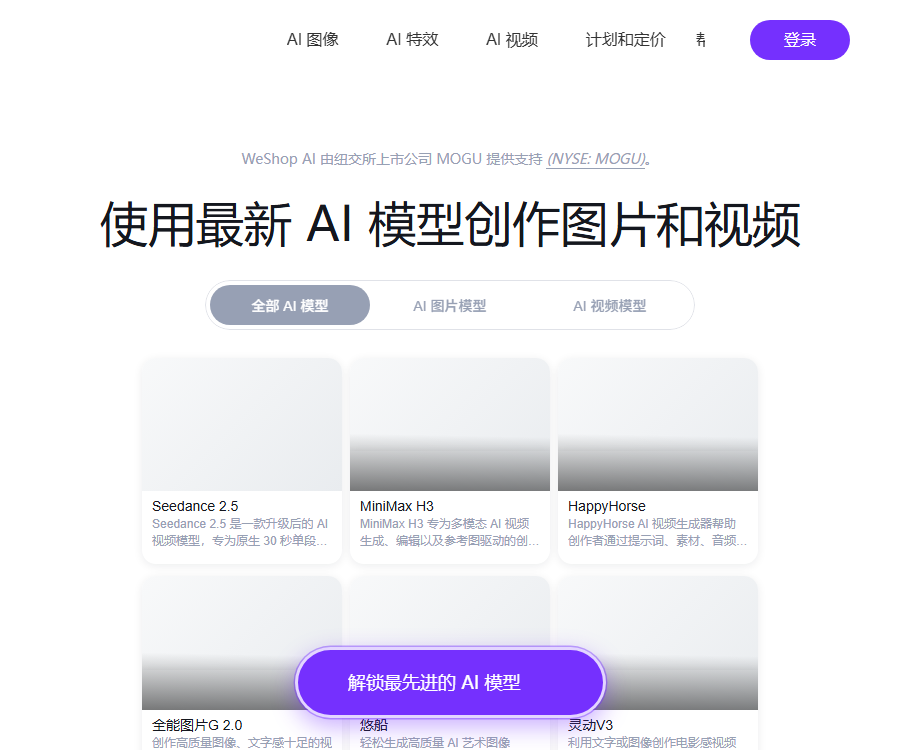
| Video generation | Seedance 2.0, Keiling, Wan | Dynamic videos of products and characters |
| Video generation | Conch, Vidu Q3, HappyHorse | Tasks with multiple styles and reference videos |
The specific version, parameters, and computational resources required are as indicated in the prompts provided in the workspace at the time of creating the task.
WeShop Merchant Auction Usage Guide
- Register and log in to your WeShop account.
- Choose an AI model, AI still life, or another agent.
- Check the input types supported by this Agent.
- Upload clear product images that are covered by copyright.
- Select the model, scene, and target platform.
- Set the screen aspect ratio and output size.
- Select the posture degrees of freedom and necessary parameters.
- Generate a small number of low-cost candidate images first.
- Check the garment cut, pattern, and product structure.
- Use removal, trimming, and enhancement tools.
- Zooming out and platform adaptation are carried out as needed.
- Save different versions for A/B testing.
- Check the computing power and the remaining validity period.
- Complete the compliance review of portraits and advertisements before publication.
- Export and save the original image, the final result, and the task records.
How to prepare the image for input
| Material type | Filming suggestions | Avoid problems |
|---|---|---|
| Mannequin clothing | The clothing is fully unfolded with even lighting. | Folding obstruction and background clutter |
| Real-person costumes | The posture of the figures is natural and the subject is clear. | Face masking and low resolution |
| Tiled clothing | Arrange them neatly while preserving their complete outlines. | The cuffs and hem have been cut off. |
| Still life products | Shoot from multiple angles while maintaining accurate colors. | Reflective overexposure and blurred logo |
| Children's clothing | Provides references for actual sizes and styles. | Improper posture and misleading age information |
| toys | Maintain the structure, proportions, and brand details. | Generate non-existent parts |
Tutorials for creating AI models
- Select an AI model Agent that matches the product type.
- Upload images of mannequins, real people, or laid-out clothing.
- Select the target age, style, and market.
- Set the model’s pose and the composition of the image.
- Choose between studio shots, street scenes, or everyday life scenarios.
- Generate candidate images and zoom in to examine them.
- Compare the neckline, cuffs, patterns, and logo.
- Correct the positions of the hands, feet, and clothing.
- Confirm the commercial licensing for the model’s image.
- Check the ad and platform rules before exporting.
Freedom of pose for models
According to the official FAQ, the degree of freedom in different poses affects the extent to which the original image and the reference pose are preserved.
| degree of freedom | Official meaning | Suitable situations |
|---|---|---|
| 0% | Maintain the original image’s pose. | Classic scenes and precise composition |
| 50% | Maintain the posture shown in the reference image. | Put the clothing on by laying it flat or hanging it. |
| 100% | AI-generated free poses | More variations in movements are needed. |
The higher the degree of freedom, the greater the variation in posture, and the likelihood of deviations in the structure and patterns of the clothing may also increase.
Tips for virtual try-on
- Ensure the front of the garment and its contours are intact.
- Complex patterns should provide high-definition details.
- Mark the logos and text that cannot be changed.
- Different body types should be created and reviewed separately.
- Check the collar, cuffs, waistline, and hem.
- Compare the actual color and material.
- Do not consider the generated images as a guarantee of accurate sizes.
AI still life photography
AI still lifes are used to place ordinary product images in new commercial contexts; they are suitable for use as main images, on product detail pages, and for testing ad concepts.
- Prepare clean and clear product images.
- Describe the material, size, and intended use of the product.
- Choose a background that is in line with the brand’s tone.
- Specify the light source direction and image aspect ratio.
- Generate multiple composition options.
- Check the product’s outline, text, and interfaces.
- Use smart lighting and HD enhancement.
- The operation team confirms that it matches the actual item.
Image tool set
| combination | Uses | Key points of inspection |
|---|---|---|
| AI model with eraser tool | Remove background clutter and incorrect elements. | Does the repaired area look natural? |
| AI models and intelligent image expansion | Adapts to different platform sizes | Is the new background repetitive? |
| AI models with high-definition enhancement | Improve texture and overall clarity | Do not generate false details. |
| AI models with enhanced hands | Fix the relationship between fingers and objects held | Number and posture of hands |
| Add product scenes to the background. | Quickly switch between commercial photography environments | Edges, shadows, and contact surfaces |
AI video production
WeShop offers features such as AI video agents, image-to-video conversion, and high-definition video processing, which enable the transformation of product images and model photos into dynamic content.
- First, select stable static keyframes.
- Clarify the camera movement and the characters’ actions.
- Use the performance of short-duration test models.
- Check the continuity of the face, hands, and clothing.
- Prevent the product logo from distorting during movement.
- Music, sounds, and reference videos require authorization.
- Comply with the AI content labeling requirements when publishing.
AI model agency
WeShop collaborates with real-life models to digitize their images into commercial AI model assets, helping brands reduce the costs associated with repeated photography.
- Check the specific licensing scope for the model before use.
- Confirm the permitted regions, platforms, and deadline.
- Do not describe digital models as real endorsers.
- Sensitive industries require separate confirmation of usage restrictions.
- Retain orders, authorizations, and generate records.
- Any use outside the scope of the contract requires new permission.
How is computing power consumed?
Generating, rendering, downloading, and certain community-related operations require computational resources; the amount of cost associated with different Agents, models, and specifications may vary.
Early FAQs mentioned that a graph was generated around 10 o’clock, but this rule is no longer applicable to all current models; it is necessary to check the real-time instructions before submitting a task.
- Higher resolution may consume more points.
- Videos generally consume more resources than static images.
- Repeated generation will result in cumulative consumption.
- The handling of failed tasks is governed by the platform’s rules.
- The validity periods for annual and monthly points are different.
WeShop computing power package prices
| Package | Price | Computing power points | Validity period |
|---|---|---|---|
| Monthly computing power package | 49.8 yuan | 2000 points | 1 month |
| Annual computing power package | 298 yuan | 12,000 points | 1 year |
| Annual computing power package | 598 yuan | 25,000 points | 1 year |
| Annual computing power package | 1598 yuan | 70,000 points | 1 year |
| Annual computing power package | 3998 yuan | 200,000 points | 1 year |
| API authorization annual plan | 7,998 yuan | 150,000 points | 1 year |
| API authorization annual plan | 18,000 yuan | 350,000 points | 1 year |
| API authorization annual plan | 48,000 yuan | 1,000,000 points | 1 year |
The package worth 7,998 yuan has fewer points than the one worth 3,998 yuan, as the former includes API authorization; therefore, it is not possible to compare them solely on the basis of the price per point.
Comparison of package benefits
| Package range | API authorization | Senior AI service support |
|---|---|---|
| 49.8 yuan to 598 yuan | Not included | Not included |
| 1598 yuan and 3998 yuan | Not included | Includes |
| 7,998 yuan, 18,000 yuan and 48,000 yuan | Includes | Includes |
All prices, points, and service details are subject to change; the current pricing page and contract should be referred to before making a purchase.
Is it still possible to purchase a monthly subscription for 29.8 yuan?
No, according to the official announcement, new orders for the monthly subscription plan at 29.8 yuan will no longer be accepted starting from May 20, 2026.
The current standard monthly plan offers only a computing capacity package at 49.8 yuan per month; the rights and benefits of existing users are subject to the account status and official announcements.
How to choose a package
| Demand | Suggested solution | Reason |
|---|---|---|
| First test | Free trial or a monthly subscription at 49.8 yuan | Reduce verification costs |
| Stabilize individual creative work | 298 yuan or 598 yuan for an annual package | Longer shelf life |
| A professional team generates a large number of illustrations. | 1598 yuan, or 3998 yuan for an annual package | More points and included service support |
| Batch system integration | API packages starting from 7,998 yuan | Obtain API authorization |
| Large enterprises and frequent calls | Higher annual API packages or custom solutions | Higher score and greater support scale |
WeShop API
The official platform offers task and resource interfaces, making it suitable for integrating AI-based photography capabilities into product management, design, or content creation systems.
| Interface module | Main operations | Uses |
|---|---|---|
| Agent | Query agent and version information | Choose the right bidding capability. |
| Task | Create, execute, query, and list tasks | Manage the batch generation process |
| Task deletion | Delete the specified task | Remove records that are no longer needed. |
| Asset upload | Upload image resources | Obtain the task input address |
| Asset download | Create and query PSD download tasks | Obtain editable deliverables |
API Integration Tutorial
- Apply for a free API trial or purchase an authorized subscription package.
- Go to the open platform to create an API Key.
- Store the key in a secure location on the server.
- Query the current agent and available versions.
- Upload the input image to the resource library.
- Save the returned resource address.
- Create a task and obtain the taskId.
- Fill in the Agent parameters as specified in the document.
- Execute tasks and poll the status.
- Handle failures, timeouts, and rate limiting.
- Download the results and save the business associations.
- Record the points consumed for each task.
- Delete tasks and materials that are no longer needed in a timely manner.
- Conduct portrait and content reviews before going live.
Number of API Keys
| Permissions | Keys can be created. | Explanation |
|---|---|---|
| Free API trial | 1 | It cannot be generated repeatedly. |
| API Authorization Package | 5 valid keys | Facilitates isolation of different systems |
- Different keys are used for testing and production.
- Do not store the key in the browser’s front end.
- The full Authorization value is hidden in the log.
- Perform rotation immediately in case of a suspected leak.
- Upload materials only to trusted services.
Supported platforms
| Platform | Support status | Suitable scenarios |
|---|---|---|
| Web | Complete workbench and open platform | Batch bidding and team operations |
| iOS | Provide official app downloads | View and create on the go |
| Android | Provide official app downloads | Mobile shooting and rapid generation |
| API | Authorized packages or trial access rights | System integration and batch automation |
Verification of product authenticity
- The outline of the product must match the actual item.
- Logos, text, and patterns must not be distorted.
- The colors should be checked in a standard display environment.
- Do not create non-existent functions and accessories.
- The gloss of the material should not mislead consumers.
- The fit and sizing of clothing should not be exaggerated.
- Advertising slogans must comply with the rules of the target market.
Portraits and copyright
- Explicit permission must be obtained for real-person content.
- Do not create fake versions of celebrities or public figures without permission.
- AI model resources are to be used within the specific scope of authorization granted.
- A stricter review should be applied to child images.
- Permissions are also required for the background, fonts, and music.
- Synthetic images must not fabricate fake endorsement relationships.
- Retain authorization, task, and manual editing records.
Data and Privacy
Commercial auction materials may include unlisted products, model portraits, and sales plans; it is necessary to control the scope of data before uploading them or integrating them with APIs.
- Remove the customer and order information from the image.
- Use an API key with the minimum required permissions.
- Restrict team members’ access to the project.
- Materials that are no longer in use should be removed promptly.
- Read the latest privacy policy before connecting to the service.
- Assess privateization or contracting options for highly sensitive products.
Is WeShop open source?
To date, no official open-source code repository for WeShop’s phenomenological products has been found; therefore, the platform should be classified as a commercial AI-based bidding service.
The organization with the same name on GitHub, WeShop, is an older project that has nothing to do with WeShop Phenomenon or the current open API.
Product advantages
- Focusing on the scenario of e-commerce commercial photography.
- Covers models, still lifes, pictures, and videos.
- Provides AI models in various regions and styles.
- Image restoration tools are integrated with the generation process.
- It supports Web, iOS, and Android.
- Open APIs that allow for batch access are provided.
- There are many options for annual computing power packages.
Usage restrictions
- The computational power required for different tasks is not fixed.
- Both monthly and annual plans have a defined validity period.
- The standard package does not include API authorization.
- AI try-on may change the details of products.
- The person’s limbs and posture may still be abnormal.
- The cost of video tasks is usually higher.
- Authorization for the use of portraits and materials must be obtained before commercial use.
- The product itself is not an open-source tool.
Frequently Asked Questions
Can WeShop’s merchant bidding feature be tried out for free?
A free trial can be requested; the amount of computing power provided, the number of available agents, and the duration of the trial vary depending on the promotion, and the details should be checked on the account page after logging in.
How much is the monthly computing power package for WeShop?
The current standard monthly computing package costs 49.8 yuan and includes 2,000 computing units, with a validity period of one month; the monthly subscription package priced at 29.8 yuan has been discontinued.
What are the annual computing power packages available on WeShop?
Currently, the prices range from 298 yuan for 12,000 points to 48,000 yuan for 1,000,000 points; packages costing 7,998 yuan or more include API authorization.
Can WeShop apply tiled clothing to a model?
Yes, you can upload clear and complete images of the clothing, select the model and background, but the resulting design must be checked for its fit, patterns, as well as the design of the collar and sleeves.
Does WeShop offer an API?
It provides API support for resource uploading, Agent queries, task creation and execution, as well as status checking; however, trial access or a purchased API licensing package is required.
How many keys can be created with the WeShop API?
Users on the free trial plan can create 1 unique key, while users with an API authorization plan can create 5 valid keys.
Is WeShop for business auctions an open-source tool?
No, there is no official open-source repository for WeShop as of now; the old projects with the same name on GitHub have nothing to do with the current AI-based shopping platform.
A tool similar to WeShop’s merchant auction system.




 Guigong Network Security Registration No. 45132202000164